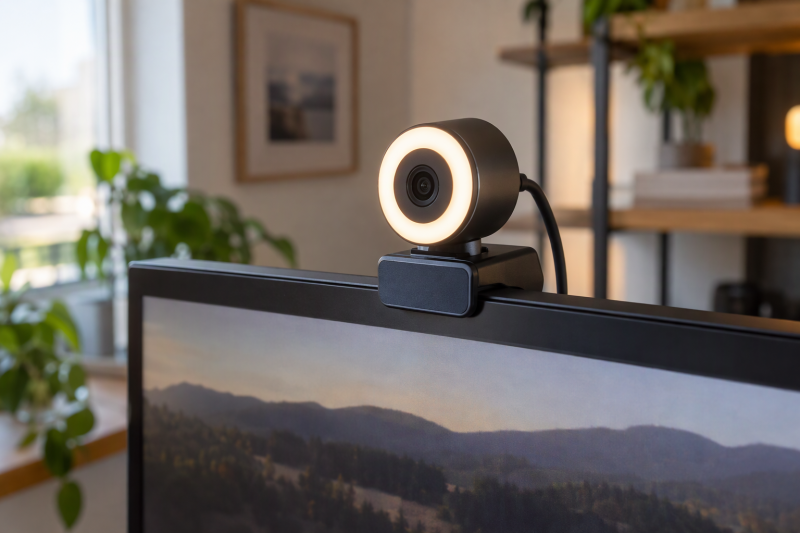
A webcam with a built-in ring light puts a small face light on the camera itself. Five are compared here: the EMEET S600L, the EMEET C60E 4K Light, the NexiGo N680E Pro, the UGREEN 45153 and the Angetube 762C. Four of them state 4K modes and one is a 1080p camera, and each controls its light differently. UGREEN’s Amazon listing says its light only brightens faces and cannot replace the main indoor lighting, so treat a built-in ring as an addition to your room light. Pick by light control, video mode and plug type.
| Image | Product | Best fit | Video | Ring light | Audio and privacy | Watch-outs | Check Price |
|---|---|---|---|---|---|---|---|
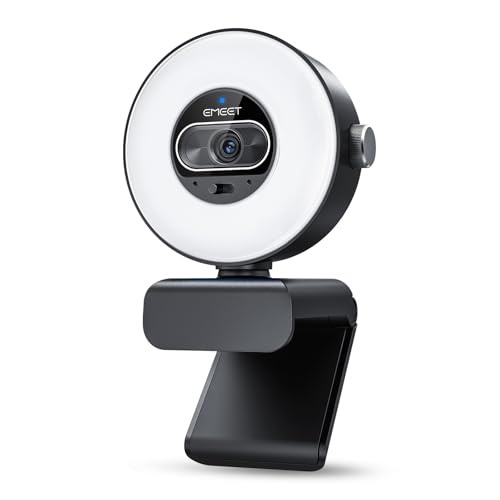 | EMEET S600L | Dial control and four light modes | 4K30; 1080p60 | Cool, warm, natural and ambient; dial | Dual microphones; integrated cover | Image and beauty settings are in EMEET Studio | Check Price on Amazon |
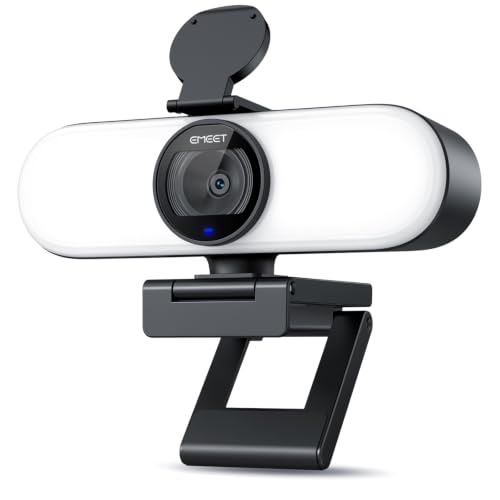 | EMEET C60E 4K Light | Touch and software brightness | 4K30; 1080p60 | Three white modes; 10 touch levels | Dual microphones; cover type differs by source | Listing says adhesive cover; EMEET page says flippable | Check Price on Amazon |
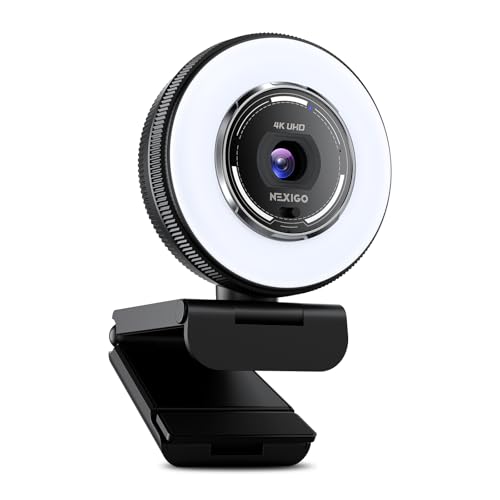 | NexiGo N680E Pro | Stepless ring dimming | 4K30; 1080p60 | Three tones; outer dial | Dual microphones; privacy shutter | USB-A plug; digital zoom only at 1080p30 | Check Price on Amazon |
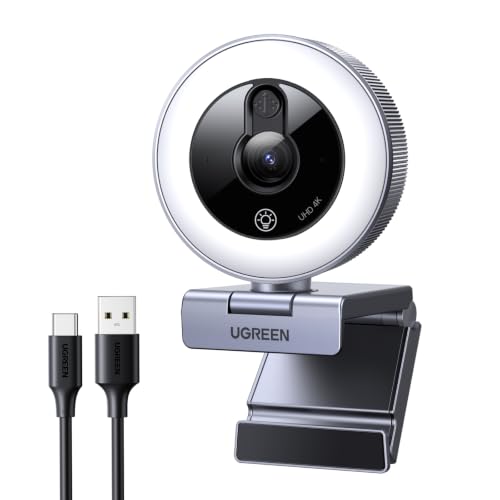 | UGREEN FineCam Lite 45153 | Six preset light levels | 4K30; 1080p60 | Two cool, two warm, two natural levels | Microphone count differs by source; sliding cover | Light cannot replace room lighting | Check Price on Amazon |
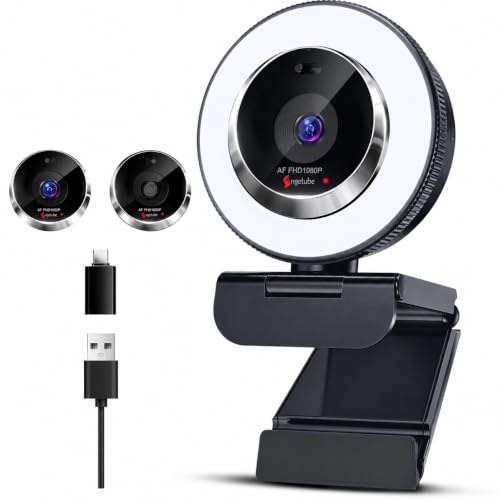 | Angetube 762C | Full HD calls | 1080p30 | Three-level adjustable ring light | Dual microphones; privacy cover | No 4K mode listed | Check Price on Amazon |
1. EMEET SmartCam S600L — Best for Dial Control and Four Light Modes
EMEET’s Amazon listing for the S600L (model E3153) states 4K at 30 fps and 1080p at 60 fps, a 73-degree field of view and phase-detection autofocus that locks in within 0.2 seconds. The ring light has four modes: cool white, warm white, natural white and ambient. Pressing the dial switches modes and rotating it adjusts brightness, and EMEET’s product page adds that holding the dial for 2 seconds turns the ring light off. EMEET Studio is the software for image, beauty and ambient color settings.
The listing gives the S600L two microphones that capture voice within 10 feet, a privacy cover that slides on and off, and a gimbal with 360-degree horizontal rotation. A standard 1/4-inch mount clips to a monitor or fits a desktop or floor tripod, and the camera can switch to vertical capture. The listing adds that the camera connects over USB 2.0 with a 6.6-foot Type-C cable and includes a C-to-A adapter.
Limit: EMEET lists 4K at 30 fps only. The 60 fps mode is 1080p.Our Take Choose the S600L if you want a dial on the camera for light mode and brightness, plus a tripod thread and a portrait mode.
- EMEET’s listing gives the S600L a 4K mode at 30 fps and a 1080p mode at 60 fps.
- EMEET describes a dial on the camera that switches four light modes and adjusts brightness.
- EMEET’s product page adds that holding the dial for 2 seconds turns the ring light off, after pressing for modes and rotating for brightness.
- The Amazon listing gives the S600L a standard 1/4-inch mount for a monitor clip or tripod and 360-degree horizontal rotation.
- EMEET lists the S600L’s 60 fps mode at 1080p and not at 4K, and the higher frame rate comes with the lower resolution.
- EMEET puts image, beauty and ambient color settings in its Studio software, and the dial handles the light modes and brightness.
2. EMEET C60E 4K Light — Best for Touch and Software Brightness Control
EMEET’s Amazon listing for the C60E Light (model E3016) describes cool white, natural white and warm white modes with touch control. A short press switches between the three modes and off, and a long press steps brightness through 10 levels. EMEET Studio adds stepless brightness, exposure, white balance and sharpness, and the listing names beauty effects for skin smoothing, skin tone, slimming and eyes.
The listing states 4K at 30 fps, 1080p at 60 fps, a 73-degree field of view, a 1/2.8-inch sensor, 0.2-second phase-detection autofocus and a dual-microphone array. EMEET’s product page compares four C60E models and lists the built-in fill light for the 4K Light only, so look for the Light name when you order. The same page lists a USB-C plug for the 4K Light and USB-A for the other three. The privacy cover differs by source: the Amazon listing describes an adhesive cover you attach once, while EMEET’s page lists a flippable physical cover on all four models.
Limit: The Amazon listing describes an adhesive privacy cover, while EMEET’s page lists a flippable one.Our Take Choose the C60E Light if you want touch control of the light and a USB-C plug, and you are happy to set stepless brightness in EMEET Studio.
- On the C60E Light, EMEET’s listing describes three white modes and 10 brightness levels that you set by touch.
- EMEET Studio gives the C60E Light stepless brightness, exposure, white balance and sharpness settings beyond the touch controls.
- EMEET’s product page lists a USB-C plug for the 4K Light model, the one with the built-in fill light.
- The Amazon listing states two video modes for the C60E Light, 4K at 30 fps and 1080p at 60 fps, and a 73-degree field of view.
- EMEET’s product page lists three other C60E models with no built-in fill light, so look for the Light name when you order.
- The Amazon listing describes an adhesive privacy cover you attach once, while EMEET’s page lists a flippable cover on all four C60E models.
3. NexiGo N680E Pro — Best for Stepless Ring Dimming
NexiGo’s Amazon listing for the N680E Pro describes a tri-tone ring light: a touch selects one of three color temperatures and the outer dial gives stepless brightness. The listing names a Sony 1/2.5-inch sensor and says output resolution depends on the camera software. NexiGo’s product page states 4K at 30 fps or 1080p at 60 fps, and says 60 fps is available only at 1080p without digital zoom.
The listing names PDAF autofocus, dual noise-reducing microphones, a built-in privacy shutter that blocks the lens, an 80-degree field of view, a flexible clip and a standard 1/4-inch tripod mount. The listing describes the connection as a USB-A plug-and-play cable. For Nintendo Switch 2 use, the listing tells you to supply your own USB-C to USB-A adapter, and it does not list a USB-C cable or adapter for other hosts.
Limit: NexiGo’s page says digital zoom works only at 1080p and 30 fps.Our Take Choose the N680E Pro if you want to dim the ring by turning its outer dial and your computer has a USB-A port.
- NexiGo’s listing describes a touch control for three color temperatures and an outer dial that dims the ring with stepless brightness.
- NexiGo’s page states 4K at 30 fps or 1080p at 60 fps for the N680E Pro.
- The Amazon listing names a built-in privacy shutter that blocks the lens and dual noise-reducing microphones.
- The Amazon listing gives an 80-degree field of view and a standard 1/4-inch tripod mount, along with a flexible clip.
- NexiGo’s page says 60 fps is available only at 1080p, and digital zoom works only at 1080p and 30 fps.
- The Amazon listing describes a USB-A plug and names a USB-C to USB-A adapter only for Switch 2 use, and it does not list a USB-C cable or adapter for other hosts.
4. UGREEN FineCam Lite 45153 — Best for Six Preset Light Levels
UGREEN’s Amazon listing for the 45153 describes a built-in ring fill light with six levels: two cool, two warm and two natural mixed. It says to hold the control for 1.5 seconds to turn the light off. UGREEN’s German product page names the 45153 as the FineCam Lite and describes touch control of the light. The Amazon listing states 4K at 30 fps with 1080p at 60 fps as a backward-compatible mode, and 0.3-second PDAF autofocus. UGREEN’s page adds an 8 MP sensor and a 68.5-degree field of view.
The microphone count differs by source: the Amazon listing describes one integrated noise-reduction microphone, while UGREEN’s page carries a Dual-Mikrofon feature tile. Both describe a sliding privacy cover, and UGREEN’s page says the microphone stays independent of the cover. UGREEN’s page describes a USB-C connection, and the listing says that with the included USB-C adapter both cable ends are Type-C, with the end without the adapter going into the webcam.
Limit: UGREEN’s listing says the webcam cannot replace the main indoor lighting and the light only brightens faces.Our Take Choose the 45153 if you want six preset light levels by touch, a sliding privacy cover and a USB-C connection.
- UGREEN’s listing describes six light levels, made up of two cool, two warm and two natural mixed.
- UGREEN states 4K at 30 fps, with 1080p at 60 fps as a backward-compatible mode.
- UGREEN’s listing and page both describe a sliding privacy cover, and the page says the microphone stays independent of it.
- UGREEN’s page lists a USB-C connection for the camera and a 68.5-degree field of view.
- UGREEN’s listing says the light only brightens faces and cannot replace the main indoor lighting.
- The Amazon listing describes one integrated noise-reduction microphone, while UGREEN’s page shows a Dual-Mikrofon feature tile, so the count differs by source.
5. Angetube 762C 1080p — Best for a Full HD Setup
The Angetube 762C Amazon listing describes 1080p at 30 fps, a built-in 3-level adjustable ring light, autofocus and a 78-degree field of view with an F/2.2 aperture. A tap changes the color temperature, and pressing and holding adjusts brightness or turns the light on and off. The listing also names auto low-light correction.
Angetube’s listing describes dual microphones with noise reduction, an integrated privacy cover, and a clip that fits monitors, laptops and desktop screens, with a base that gives 360-degree rotation and 100-degree tilt. It says the webcam works with USB-A and USB-C ports and does not list which cable or adapter is in the box. Every figure for this model comes from the Amazon listing.
Limit: The Amazon listing gives 1080p at 30 fps, while EMEET, NexiGo and UGREEN state 4K at 30 fps for the other four.Our Take Choose the 762C if 1080p at 30 fps is enough and you want a tap-and-hold light control and a clip base that tilts.
- Angetube’s listing describes a 3-level ring light, with a tap for color temperature and a press and hold for brightness.
- The Amazon listing names dual noise-reducing microphones and an integrated privacy cover.
- Angetube’s listing gives the clip base 360-degree rotation and 100-degree tilt, and says the clip fits monitors, laptops and desktop screens.
- According to the Amazon listing, the webcam works with both USB-A and USB-C ports.
- Angetube’s listing gives 1080p at 30 fps and does not name a 4K mode.
- The Amazon listing does not say which cable or adapter comes in the box.
Buying Guide: Choosing a Webcam With a Ring Light
Decide which video mode you need
EMEET’s S600L and C60E Light listings state 4K at 30 fps and 1080p at 60 fps, and UGREEN’s listing states the same pair for the 45153. NexiGo’s page states 4K at 30 fps or 1080p at 60 fps for the N680E Pro, and Angetube’s listing gives 1080p at 30 fps for the 762C. EMEET’s listing calls its 1080p 60 fps mode smooth, and NexiGo’s page recommends 1080p at 60 fps when smoother motion is the priority.
Your meeting or streaming app has to offer the mode as well. NexiGo’s listing says output resolution depends on the camera software, and UGREEN’s page says the available resolution depends on the operating system and the application.
Compare light controls
EMEET’s listing for the S600L describes a dial that switches four light modes and adjusts brightness, and the C60E Light uses touch: a short press switches modes and a long press steps through 10 brightness levels. NexiGo’s listing for the N680E Pro describes a three-tone light you switch by touch, with an outer dial for stepless brightness.
UGREEN’s listing gives the 45153 six preset levels, and Angetube’s listing gives the 762C three levels with tap and hold controls. UGREEN’s listing says its light cannot replace the main indoor lighting, so judge any of these lights as an addition to your room light.
Check the privacy cover
Amazon listings describe a sliding or built-in cover for the S600L, 45153 and 762C, and a built-in shutter for the N680E Pro. NexiGo’s listing says its shutter blocks the lens completely, and UGREEN’s page says the 45153‘s microphone stays independent of its cover.
For the C60E Light, the Amazon listing describes an adhesive cover you attach once, while EMEET’s product page lists a flippable physical cover on all four C60E models. Check which cover arrives before you rely on it for privacy, and see our webcam privacy covers for add-on covers.
Match the connection and mount
EMEET’s S600L listing gives a 6.6-foot USB Type-C cable and a C-to-A adapter, and EMEET’s page lists a USB-C plug for the C60E Light. UGREEN’s page lists USB-C for the 45153, and Angetube’s listing says the 762C works with USB-A and USB-C ports. NexiGo’s listing describes a USB-A plug for the N680E Pro and names a USB-C to USB-A adapter only for Switch 2 use.
EMEET’s listings give the S600L and C60E Light a 1/4-inch mount for tripods, and NexiGo’s listing gives the N680E Pro one too. Angetube’s listing describes a clip with 360-degree rotation and 100-degree tilt for the 762C, and neither it nor UGREEN’s listing for the 45153 lists a tripod thread.
Treat autofocus and microphones as separate features
EMEET’s S600L and C60E Light listings, NexiGo’s N680E Pro listing and UGREEN’s 45153 listing each name PDAF autofocus, and Angetube’s listing names autofocus for the 762C without a type.
EMEET’s listings name two microphones for the S600L and a dual-microphone array for the C60E Light, NexiGo’s listing names dual noise-reducing microphones for the N680E Pro, and Angetube’s listing names dual microphones for the 762C. UGREEN’s listing describes one noise-reduction microphone for the 45153, while its page shows a Dual-Mikrofon tile. Choose the camera’s microphone in your call software, since the microphone selection is a separate setting from the camera.
Frequently Asked Questions
Does a ring light webcam replace a room light?
UGREEN’s listing says the 45153‘s light is only for brightening faces and cannot replace the main indoor lighting. EMEET, NexiGo and Angetube do not say whether their lights can replace room lighting.
EMEET’s listing describes the S600L‘s ring light as fill lighting that reduces facial shadows, and NexiGo’s listing calls the N680E Pro‘s light brighter than typical webcam lights. Neither says it replaces a room light.
Is 4K better than 1080p for a video call?
It depends on the app and the mode. NexiGo’s page states 4K at 30 fps and 1080p at 60 fps for the N680E Pro and says 60 fps is available only at 1080p, while Angetube’s listing gives the 762C 1080p at 30 fps.
NexiGo’s page also says low bandwidth or low light can drop 4K at 30 fps to 4K at 20 fps, or 1080p at 60 fps to 1080p at 50 fps. For a call that does not reach 4K, NexiGo’s page points to processor speed and network bandwidth and to the video app’s own requirements.
Can I turn the built-in light off?
EMEET’s product page says holding the S600L‘s dial for 2 seconds turns the ring light off, and EMEET’s listing says a short press on the C60E Light cycles through three white modes and off. UGREEN’s listing says to hold the 45153‘s control for 1.5 seconds, and Angetube’s listing says pressing and holding turns the 762C‘s light on and off.
NexiGo’s listing says the N680E Pro‘s brightness is set by rotating the outer dial, and it does not state how to turn the light off.
Do these cameras have privacy covers?
All five Amazon listings describe a physical lens cover or shutter. The C60E Light listing describes an adhesive cover you attach, while EMEET’s page lists a flippable one.
NexiGo’s listing says the N680E Pro‘s shutter blocks the lens completely, and UGREEN’s page says the 45153‘s microphone stays independent of its cover. Use your call software’s mute control for the microphone.
Will the webcam work with a USB-C-only laptop?
EMEET’s S600L listing gives a Type-C cable and a C-to-A adapter, EMEET’s page lists a USB-C plug for the C60E Light, UGREEN’s page lists USB-C for the 45153, and Angetube’s listing says the 762C works with USB-A and USB-C ports. NexiGo’s listing describes a USB-A plug for the N680E Pro.
UGREEN’s listing says that with the included adapter both cable ends are Type-C, and the end without the adapter goes into the webcam. For a shared meeting room rather than one desk, see our video bars for small laptop meeting rooms.
Bottom Line
Choose the video mode your software offers, then compare how each light is controlled, which privacy cover the Amazon listing describes and which plug the camera has. The five models differ in light controls and connectors.