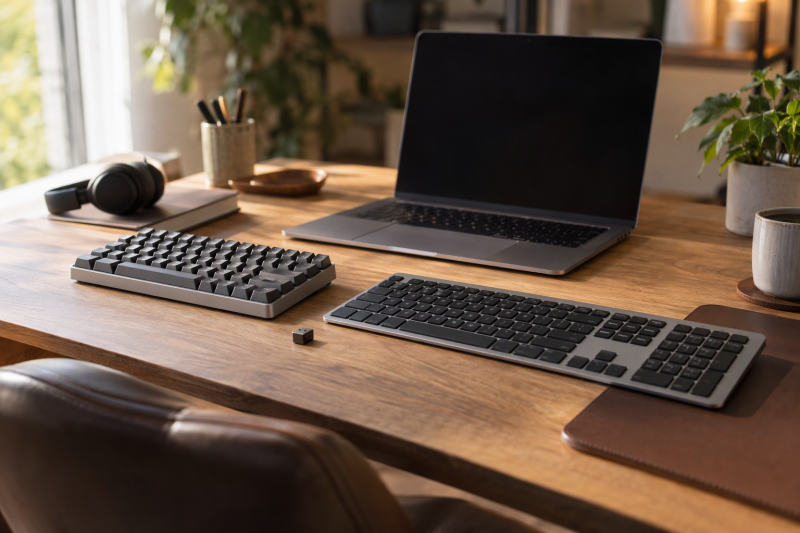
Keychron’s range is easier to choose by layout, switch type and connection than by series name. Keychron lists the B6 Pro as a 100% layout with 109 keys and the K4 Version 2 as a 96% layout with 100 keys. Keychron lists the K2 HE and the three Q1 boards as 75% layouts. The K2 HE and Q1 HE use magnetic switches, and the Q1 Max and Q1 Ultra use conventional hot-swappable switches.
Keychron keyboards compared
| Image | Product | Details | Check Price |
|---|---|---|---|
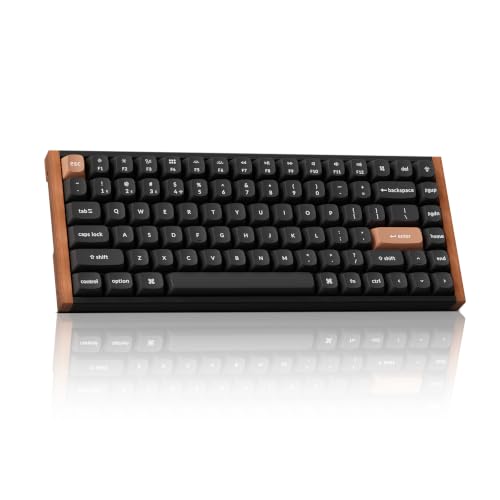 | Keychron K2 HE | Best fit: 75% magnetic actuation Layout: 75% Connection: 2.4 GHz, Bluetooth 5.2, USB-C Switches: Gateron Double-Rail magnetic Polling rate: 1,000Hz over 2.4 GHz and wired | Check Price on Amazon |
 | Keychron B6 Pro | Best fit: Slim full-size number pad Layout: Full-size, 109 keys Connection: 2.4 GHz, Bluetooth 5.2, USB-C Switches: Not named Polling rate: 1,000Hz over 2.4 GHz | Check Price on Amazon |
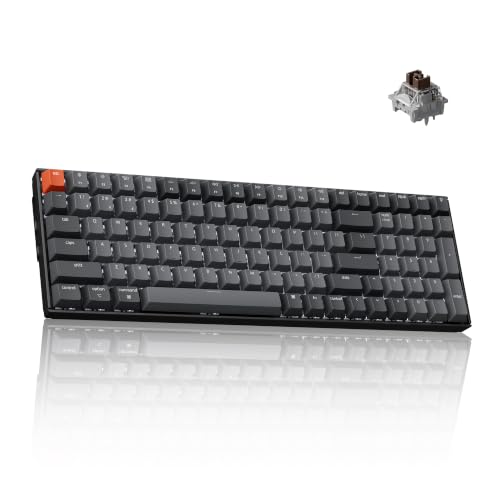 | Keychron K4 Version 2 | Best fit: 96% mechanical number pad Layout: 96%, 100 keys Connection: Bluetooth 5.1, USB-C Switches: Apex Brown (Amazon listing) Polling rate: 1,000Hz wired, 90Hz Bluetooth | Check Price on Amazon |
 | Keychron Q1 HE | Best fit: Four actions from magnetic press depth Layout: 75% with knob Connection: 2.4 GHz, Bluetooth 5.2, wired Switches: Gateron Double-Rail magnetic Polling rate: 1,000Hz over 2.4 GHz and wired | Check Price on Amazon |
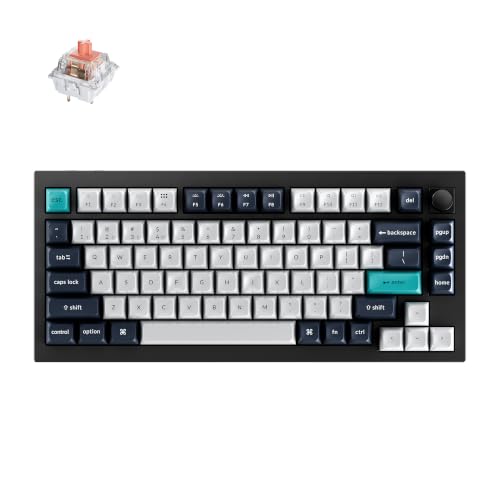 | Keychron Q1 Max | Best fit: Quiet linear mechanical typing Layout: 75% with knob Connection: 2.4 GHz, Bluetooth 5.1, USB-C Switches: Silent K Pro Red (Amazon listing), hot-swappable Polling rate: 1,000Hz over 2.4 GHz and wired | Check Price on Amazon |
 | Keychron Q1 Ultra | Best fit: 8,000Hz polling on a 75% board Layout: 75% with knob Connection: 2.4 GHz, Bluetooth 5.3, USB-C Switches: Silk POM Banana, MX-style hot-swap Polling rate: 8,000Hz wired and 2.4 GHz | Check Price on Amazon |
1. Keychron K2 HE — Best for 75% Magnetic Switch Customization
Keychron’s page describes the K2 HE as a 75% QMK wireless keyboard with Magnetic Hall Effect switches, and lists 0.2 to 3.8 mm adjustable actuation with rapid trigger. The Amazon listing for this K2 HE is the aluminum and wood version with rosewood side panels. It lists 2.4 GHz wireless, Bluetooth 5.2 and Type-C, with pairing for up to three Bluetooth devices.
Keychron lists 1,000Hz polling over 2.4 GHz and wired use and 125Hz over Bluetooth. It also lists a 4,000 mAh battery with up to 110 hours.
The Amazon listing states Mac and Windows keycaps and remapping and macros through the Launcher web app. Its double-shot PBT keycap legends are not shine-through and may be hard to see in low light.
Keychron says the K2 HE ships in two switch versions. Version 1 supports only Gateron Double-Rail Magnetic switches, and Version 2 supports Keychron Ultra-fast Lime Magnetic switches. The Amazon listing gives the Double-Rail restriction and does not say which version it ships.
Limit: Keychron says K2 HE Version 1 supports only Gateron Double-Rail Magnetic switches, and the Amazon listing does not name the version.Our Take Pick the K2 HE for a 75% layout with adjustable actuation and rapid trigger. Choose the K4 Version 2 for a number pad, or the Q1 Max for conventional hot-swappable switches.
- Keychron lists the K2 HE with adjustable actuation from 0.2 to 3.8 mm and rapid trigger.
- The Amazon listing states that the K2 HE connects over 2.4 GHz, Bluetooth 5.2 or Type-C and pairs with up to three Bluetooth devices.
- Keychron lists the K2 HE at 1,000Hz polling over both 2.4 GHz and a wired connection.
- Keychron says K2 HE Version 1 supports only Gateron Double-Rail Magnetic switches, and the Amazon listing does not say which version ships.
- The Amazon listing states that the K2 HE’s double-shot PBT keycap legends are not shine-through and may be hard to see in low light.
2. Keychron B6 Pro — Best for a Slim Full-size Keyboard
Keychron describes the B6 Pro as an ultra-slim, full-size wireless keyboard and lists a 100% layout with 109 keys, ABS keycaps and no backlight. The Amazon title adds a numeric keypad and quiet typing. Keychron states up to 1,200 hours of battery life, from an 800 mAh battery, and lists a 429 by 130 mm body.
Keychron lists 2.4 GHz at 1,000Hz polling, Bluetooth 5.2 and wired use, with connection to up to three devices. It says the B6 Pro works with macOS, Windows and Linux. It offers a Mac layout and lists remapping through the Keychron Launcher web app or open-source ZMK firmware. Keychron’s page does not mention quiet typing, and neither Keychron nor the Amazon listing names the switch type or lists hot swapping, a knob or adjustable actuation.
Limit: Keychron lists the B6 Pro as non-backlit, and neither source names a switch type.Our Take The B6 Pro suits a desk that needs a number pad in a slim wireless body. Move to the K4 Version 2 for a mechanical layout with a number pad, or to a Q1 board for a 75% aluminum build.
- Keychron lists the B6 Pro as a 100% layout with 109 keys, so it includes the number pad that the 75% boards here leave out.
- Keychron states up to 1,200 hours of battery life for the non-backlit B6 Pro.
- Keychron lists the B6 Pro with 2.4 GHz, Bluetooth 5.2 and wired modes and with Mac, Windows and Linux support.
- Keychron lists remapping on the B6 Pro through the Launcher web app or ZMK firmware.
- Keychron lists the B6 Pro with no backlight.
- Neither Keychron nor the Amazon listing names the B6 Pro’s switch type or lists hot swapping.
- Keychron lists the B6 Pro body at 429 mm wide and the K2 HE body at 316.4 mm wide.
3. Keychron K4 Version 2 — Best for a Compact Number Pad
Keychron lists the K4 Version 2 as a 96% layout with 100 keys that keeps the full number pad. The Amazon listing for this K4 names Keychron Apex Brown switches, a white LED backlight and model K4-A3, and it states N-key rollover in wired mode and 6KRO in wireless mode.
Keychron lists Bluetooth 5.1 for up to three devices and USB-C wired use, with 1,000Hz polling wired and 90Hz over Bluetooth. It states a 4,000 mAh battery with up to 240 hours with the backlight off, and lists macOS and Windows support with keycaps for both.
Keychron’s Version 2 page lists Gateron G Pro Red, Blue and Brown switches, with hot swapping on the aluminum-frame option, and does not name Apex Brown. The Amazon listing for this version does not state hot swapping, and Keychron’s page points to a newer K4 Version 3.
Limit: Keychron and the Amazon listing give the K4 Version 2 Bluetooth and USB-C, with no 2.4 GHz mode.Our Take Choose the K4 Version 2 for a 96% layout with a number pad and the Apex Brown switches the Amazon listing names, when Bluetooth and USB-C are enough. The B6 Pro is the full-size option, and the K2 HE adds magnetic adjustment without a number pad.
- Keychron lists the K4 as a 96% layout with 100 keys and a full number pad.
- Keychron lists the K4 with Bluetooth for up to three devices and USB-C wired use.
- Keychron states up to 240 hours of battery life from a 4,000 mAh battery with the backlight off.
- The Amazon listing for the K4 states N-key rollover in wired mode and 6KRO in wireless mode.
- Neither Keychron nor the Amazon listing gives the K4 Version 2 a 2.4 GHz mode, which the other five boards list.
- The Amazon listing for the Apex Brown version does not state hot swapping or a knob.
4. Keychron Q1 HE — Best for Four Actions from One Magnetic Key
Keychron lists the Q1 HE as a 75% ANSI layout with a knob, an aluminum body with gasket mount and Gateron Double-Rail Magnetic Nebula switches. It gives 0.2 to 3.8 mm adjustable actuation, rapid trigger and Dynamic Keystrokes, which assign four actions to one key by press depth. The Amazon bullets give the actuation range as 0.5 to 3.8 mm and describe an 82-key layout with Gateron 2.0 switches, so confirm the range on the listing before ordering.
Keychron lists 2.4 GHz and Bluetooth for up to three devices, with 1,000Hz polling over 2.4 GHz and wired use and 90Hz over Bluetooth. It also lists a 4,000 mAh battery with up to 100 hours with the backlight off. The Amazon listing adds Bluetooth 5.2, a double-gasket design, PBT keycaps and south-facing RGB. Keychron says the Q1 HE is compatible exclusively with the Gateron Double-Rail Magnetic switch and does not support Gateron Magnetic Jade or KS-20 switches.
Our Take Pick the Q1 HE for a 75% aluminum board that assigns up to four actions to one key by press depth. Keychron lists 8,000Hz polling for the Q1 Ultra, and the Q1 Max uses conventional hot-swappable switches.
- Keychron lists Dynamic Keystrokes on the Q1 HE, which assign four actions to one key by press depth.
- Keychron lists adjustable actuation from 0.2 to 3.8 mm and rapid trigger for the Q1 HE.
- Keychron lists an aluminum body with gasket mount and a knob, and the Amazon listing adds PBT keycaps.
- The Amazon listing states 2.4 GHz, Bluetooth 5.2 and wired modes.
- Keychron lists the Q1 HE as a 75% layout, which has no number pad.
- Keychron says the Q1 HE works only with Gateron Double-Rail Magnetic switches.
- Keychron lists 1,000Hz polling for the Q1 HE, against 8,000Hz for the Q1 Ultra.
5. Keychron Q1 Max — Best for Quiet Linear Mechanical Typing
The Amazon listing for this Q1 Max, model Q1M-M5, names Silent K Pro Red linear switches with a 45 gf nominal operating force and a sound-dampening stem. Keychron’s Q1 Max page lists Gateron Jupiter Brown, Red and Banana options and does not name Silent K Pro Red, so the quiet-switch details come from the Amazon listing alone.
Keychron lists a 75% ANSI layout with a knob and an aluminum body with gasket mount and PC plate. It also lists hot-swappable switches, KSA double-shot PBT keycaps that are not shine-through, and south-facing RGB.
Keychron lists 1,000Hz polling over 2.4 GHz and wired use, and Bluetooth 5.1 for up to three devices at 90Hz. It lists a 4,000 mAh battery with up to 180 hours with the backlight off or 100 hours at the lowest RGB brightness, and QMK firmware with the Launcher web app.
Our Take Choose the Q1 Max for a 75% aluminum board with a knob, hot-swappable switches and the quiet linear switches the Amazon listing describes. The Q1 HE is the pick for adjustable actuation instead.
- The Amazon listing states that the Q1 Max has Silent K Pro Red switches with a 45 gf nominal operating force and a sound-dampening stem.
- Keychron lists the Q1 Max with a knob, hot-swappable switches and QMK firmware with the Launcher web app.
- Keychron states a 4,000 mAh battery with up to 180 hours with the backlight off.
- Neither Keychron nor the Amazon listing gives the Q1 Max magnetic switches or adjustable actuation.
- Keychron’s Q1 Max page does not name the Silent K Pro Red switch that the Amazon listing describes.
- Keychron lists Bluetooth 5.1 for the Q1 Max, while the K2 HE and Q1 HE listings give Bluetooth 5.2.
- Keychron lists 1,000Hz polling for the Q1 Max, against 8,000Hz for the Q1 Ultra.
6. Keychron Q1 Ultra — Best for 8,000Hz Polling on a 75% Board
Keychron lists the Q1 Ultra 8K as a 75% ANSI layout with a knob and 8,000Hz polling over 2.4 GHz and wired use, with 125Hz over Bluetooth. Keychron’s page also lists Bluetooth 5.3. Of the six keyboards here, the Q1 Ultra is the only one with a polling figure above 1,000Hz, and Keychron lists no magnetic switches or press-depth settings for it.
Keychron lists a CNC aluminum body with gasket mount and PC plate, KSA double-shot PBT keycaps and south-facing RGB. It also lists Keychron Silk POM switches in Red, Brown or Banana with hot swapping. The Amazon listing for this Q1 Ultra names the Banana switch and says the sockets take most 3-pin or 5-pin MX-style switches. Keychron lists a 4,000 mAh battery with up to 660 hours with the backlight off or 200 hours at the lowest RGB brightness. Neither source lists a number pad or adjustable actuation.
Our Take Choose the Q1 Ultra for the 8,000Hz polling Keychron lists over 2.4 GHz and wired use, plus Bluetooth 5.3 and MX-style hot swapping. The Q1 HE is the Q1 board for magnetic control.
- Keychron lists the Q1 Ultra at 8,000Hz polling over both 2.4 GHz wireless and wired use.
- Keychron lists Bluetooth 5.3, and the Amazon listing states pairing with up to three devices.
- The Amazon listing states hot-swap sockets for most 3-pin or 5-pin MX-style switches.
- Keychron lists the Q1 Ultra at up to 660 hours with the backlight off, the longest backlight-off figure here for a backlit board.
- Keychron lists no magnetic switches, rapid trigger or adjustable actuation for the Q1 Ultra.
- Keychron lists a 75% layout for the Q1 Ultra, which lacks the number pad of the B6 Pro and K4 Version 2.
- Keychron lists the Q1 Ultra at 125Hz polling over Bluetooth.
Buying Guide
1. Decide on the number pad first
Keychron lists the B6 Pro as a 100% layout with 109 keys and the K4 Version 2 as a 96% layout with 100 keys that keeps the full number pad. Keychron lists the other four boards as 75% layouts, which have no number pad.
Choose the B6 Pro or K4 Version 2 first if calculations, accounting or data entry dominate the day.
2. Separate magnetic adjustment from hot swapping
Keychron lists 0.2 to 3.8 mm adjustable actuation and rapid trigger for the K2 HE and Q1 HE, with Gateron Double-Rail Magnetic switches. Keychron says the Q1 HE works only with that switch type, and says K2 HE Version 1 does too. The Amazon bullets give the Q1 HE range as 0.5 to 3.8 mm, so check the listing.
The Q1 Max and Q1 Ultra are conventional hot-swappable boards. The Amazon listing says the Q1 Ultra takes most 3-pin or 5-pin MX-style switches, and Keychron lists the Q1 Max as hot-swappable with Gateron Jupiter switch options.
3. Match the connection to the desk and devices
Keychron lists 2.4 GHz, Bluetooth and wired modes for the B6 Pro, K2 HE, Q1 HE, Q1 Max and Q1 Ultra, and Bluetooth plus USB-C for the K4 Version 2. Keychron or the Amazon listing states up to three Bluetooth devices on all six.
Keychron lists 1,000Hz polling over 2.4 GHz for the K2 HE, B6 Pro, Q1 HE and Q1 Max, with wired use at the same rate on the K2 HE, Q1 HE and Q1 Max, and 8,000Hz over 2.4 GHz and wired use for the Q1 Ultra. Keychron lists Bluetooth polling at 90Hz on the K4 Version 2, Q1 HE and Q1 Max, and at 125Hz on the K2 HE and Q1 Ultra.
4. Read the condition behind each battery figure
Keychron lists up to 1,200 hours for the non-backlit B6 Pro, 660 hours with the backlight off for the Q1 Ultra, 240 hours with it off for the K4 Version 2 and 180 hours with it off for the Q1 Max.
Keychron lists 200 hours for the Q1 Ultra at the lowest RGB brightness and 100 hours for the Q1 Max at the same setting. Read the condition attached to each battery number before treating one board as longer-lasting than another.
5. Match the switch and build to the sound you want
The Amazon listing for the Q1 Max states Silent K Pro Red switches with a 45 gf nominal operating force and a sound-dampening stem. Keychron’s K4 Version 2 page lists Gateron G Pro options, while the Amazon listing names Apex Brown.
Keychron lists aluminum bodies with gasket mount for the Q1 HE, Q1 Max and Q1 Ultra, and tray mount for the K2 HE. The B6 Pro is listed as ultra-slim with ABS keycaps. Decide whether noise, press-depth control, a number pad or desk footprint comes first, since each points to a different board here.
FAQ
Which Keychron keyboard here has a number pad?
Keychron lists the B6 Pro as a 100% layout with 109 keys and the K4 Version 2 as a 96% layout with 100 keys and a number pad. The other four are listed as 75% layouts.
Pick the K4 Version 2 for a compact number pad and the B6 Pro for a slim full-size body. Keychron lists 2.4 GHz wireless on the B6 Pro and not on the K4 Version 2.
Are Keychron magnetic switches compatible with normal MX switches?
Not on the Q1 HE. Keychron says it is compatible exclusively with the Gateron Double-Rail Magnetic switch. Keychron says K2 HE Version 1 has the same limit, and the Amazon listing does not name the K2 HE version.
The Amazon listing says the Q1 Ultra takes most 3-pin or 5-pin MX-style mechanical switches, and Keychron lists the Q1 Max as hot-swappable.
Which model has the fastest stated polling rate?
Keychron lists 8,000Hz for the Q1 Ultra over 2.4 GHz and wired use. It lists 1,000Hz for the K2 HE, Q1 HE and Q1 Max, 1,000Hz over 2.4 GHz for the B6 Pro, and 1,000Hz wired for the K4 Version 2.
Keychron lists no rapid trigger or adjustable actuation for the Q1 Ultra. The K2 HE and Q1 HE are the boards with those features, at 1,000Hz.
Which one is best for quiet shared-office typing?
The Amazon listing for the Q1 Max states Silent K Pro Red switches with a 45 gf nominal operating force and a sound-dampening stem, and says they reduce typing noise in shared offices.
The Amazon title for the B6 Pro mentions quiet typing, but neither Keychron nor the Amazon listing names its switch type. Check the switch named on the listing before ordering for a shared desk.
Can these keyboards work with Mac and Windows?
Keychron or the Amazon listing states macOS and Windows support for all six. They also state Linux for the B6 Pro, K2 HE, Q1 HE, Q1 Max and Q1 Ultra, while Keychron’s K4 Version 2 page lists macOS and Windows.
Keychron lists Mac and Windows keycaps in the box for every board except the B6 Pro, which has a Mac layout with Windows compatibility. Confirm the keycap arrangement matches the computer.
Bottom Line
Choose the K2 HE for the 0.2 to 3.8 mm actuation range Keychron lists. Choose the B6 Pro for the 109-key full-size layout and 1,200-hour battery figure Keychron lists. Choose the K4 Version 2 for the 96% layout with a number pad that Keychron lists. Choose the Q1 HE for the four actions per key that Keychron lists. Choose the Q1 Max for the Silent K Pro Red switches the Amazon listing describes, with a knob and hot swapping. Choose the Q1 Ultra for the 8,000Hz polling Keychron lists, Bluetooth 5.3 and MX-style hot swapping.
The rapid-trigger keyboard guide covers a gaming-specific magnetic-switch decision, while the quiet mechanical keyboard guide covers shared-desk switch noise. Pick the layout first, then the switch type, then the polling rate.