No Amazon listing or maker page used here says a laptop is made for seniors or grandparents, so this page does not rank any model by age. It compares five laptops on facts a buyer can check: screen size, weight, keyboard, operating system, battery and ports. The five are two Windows 11 laptops, one ChromeOS laptop and two MacBook Air models.
Amazon’s listings give a 17.3-inch screen on one Windows laptop, 15.6 inches on one Windows laptop and one Chromebook, and 13.6 and 15.3 inches on the MacBook Airs. Amazon’s weight fields run from 2.71 pounds for the 13-inch MacBook Air to 4.63 pounds for the Vivobook 17. Start with the operating system the owner already uses, then compare the rest.
Pick the operating system first, then use screen size and weight to narrow the list.Laptops for Seniors and Grandparents Compared
| Image | Product | Details | Check Price |
|---|---|---|---|
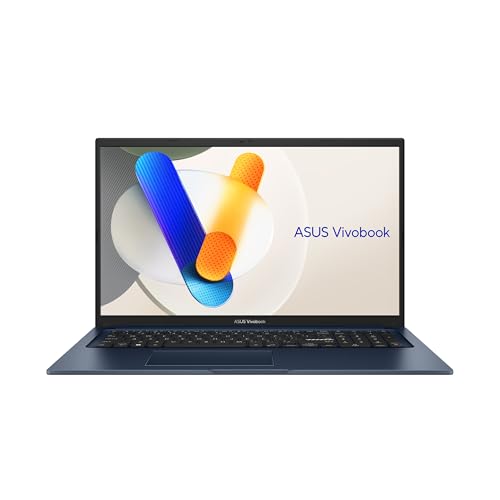 | ASUS Vivobook 17 F1704VA-AS34 | Best fit: 17.3-inch Windows screen with numeric keys Screen and weight: 17.3-inch FHD; 4.63 lb on Amazon Operating system and chip: Windows 11 Home; Intel Core 3 100U Memory and storage: 8GB RAM; 512GB SSD Ports: USB-A, USB-C with power delivery, HDMI, audio, DC-in; no counts | Check Price on Amazon |
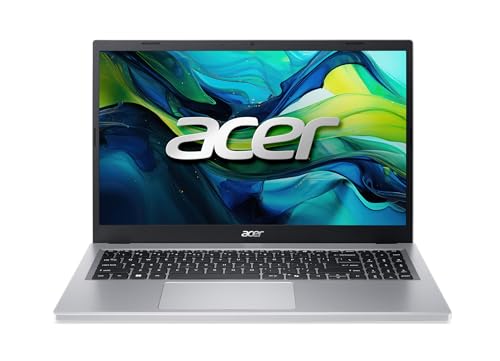 | Acer Aspire Go 15 AG15-21P-R42Z | Best fit: 15.6-inch Windows laptop with a detailed port list Screen and weight: 15.6-inch FHD IPS; 3.81 lb on Amazon Operating system and chip: Windows 11 Home; AMD Ryzen 3 30 Memory and storage: 8GB LPDDR5; 128GB SSD Ports: Two 10Gbps USB-C, USB 3.2 Gen 1, USB 2.0, HDMI 2.1, audio | Check Price on Amazon |
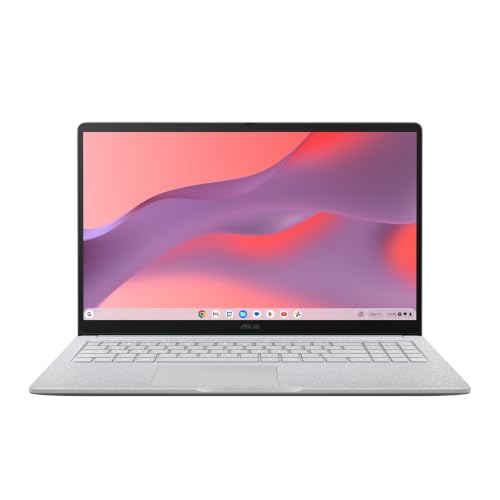 | ASUS Chromebook CM15 CM1505CM4A-AS88 | Best fit: 15.6-inch ChromeOS laptop Screen and weight: 15.6-inch FHD; 3.26 lb on Amazon, 3.51 lb on ASUS's page Operating system and chip: ChromeOS; MediaTek Kompanio 540 Memory and storage: 8GB RAM; 128GB storage Ports: Two USB-C with display and power delivery, USB-A, HDMI 1.4, audio | Check Price on Amazon |
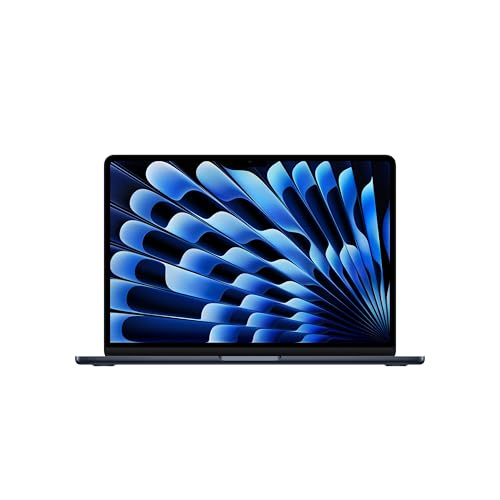 | Apple MacBook Air 13-inch M5 | Best fit: Lightest weight here, on macOS Screen and weight: 13.6-inch Liquid Retina; 2.7 lb per Apple Operating system and chip: macOS; Apple M5 Memory and storage: 16GB unified memory; 512GB SSD Ports: Two Thunderbolt 4, MagSafe 3, headphone jack | Check Price on Amazon |
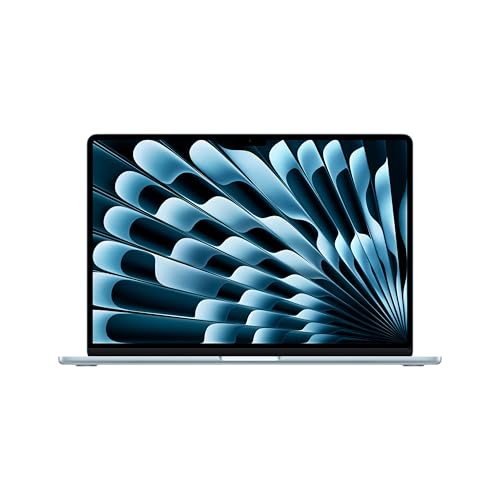 | Apple MacBook Air 15-inch M5 | Best fit: Largest macOS screen, six speakers Screen and weight: 15.3-inch Liquid Retina; 3.3 lb per Apple Operating system and chip: macOS; Apple M5 Memory and storage: 16GB unified memory; 512GB SSD Ports: Two Thunderbolt 4, MagSafe 3, headphone jack | Check Price on Amazon |
1. ASUS Vivobook 17 F1704VA-AS34 — 17.3-Inch Windows Screen With Numeric Keys
ASUS’s Amazon title gives the F1704VA-AS34 a 17.3-inch FHD display, Intel Core 3 100U, 8GB of RAM and a 512GB SSD with Windows 11 Home. Amazon’s weight field gives 4.63 pounds, the most of the five, and the Amazon warranty field says 1 year.
ASUS’s bullets name an ErgoSense keyboard with built-in numeric keys, a slim-bezel display with TÜV Rheinland eye-care certification, and MIL-STD 810H durability. The bullets also list wide viewing angles, a slide-over webcam cover and a lay-flat hinge. ASUS says fast charging takes a low battery to 60 percent in as little as 49 minutes, but it gives no battery-life figure in hours.
ASUS’s bullets list the ports only as “multiple USB Type-A and Type-C ports including power delivery”, plus HDMI, a combo audio jack and DC-in, with no count, no speed and no Thunderbolt or USB4 label.
The Vivobook 17 is the only listing here that names numeric keys, built into its ErgoSense keyboard.Our Take The Vivobook 17 is the Windows pick for someone who types numbers often, since ASUS lists numeric keys. It is also the heaviest laptop here, so it suits a buyer who rarely carries it.
- For a buyer who types numbers often, ASUS’s bullets list an ErgoSense keyboard with built-in numeric keys.
- ASUS states TÜV Rheinland eye-care certification and wide viewing angles for the 17.3-inch display.
- ASUS lists a webcam cover that slides over the camera, and a lay-flat hinge.
- For a quick top-up, ASUS’s stated fast-charge time is 60 percent in as little as 49 minutes from a low battery.
- A buyer with a printer, monitor or drive to connect has to check the port types first, because ASUS lists “multiple” USB Type-A and Type-C ports without a count, speeds or a Thunderbolt or USB4 label.
- At 4.63 pounds by Amazon’s weight field, the Vivobook 17 is the heaviest of the five and fits a buyer who rarely carries it.
- For battery life in hours, ASUS’s bullets give a fast-charge time and no figure.
2. Acer Aspire Go 15 AG15-21P-R42Z — 15.6-Inch Windows Laptop With Two 10Gbps USB-C Ports
Acer’s Amazon title gives the AG15-21P-R42Z an AMD Ryzen 3 30 processor, 8GB of LPDDR5 memory and a 128GB PCIe SSD, with a 15.6-inch 1080p IPS display and Windows 11 Home. Amazon’s weight field gives 3.81 pounds, and the warranty field says one year.
Acer’s port line is more detailed than ASUS’s “multiple” ports line for the Vivobook 17: two USB-C ports at up to 10Gbps with DisplayPort and charging up to 45W, one USB 3.2 Gen 1 port, one USB 2.0 port, HDMI 2.1, a headphone jack, a Kensington lock slot and DC-in. Acer’s bullet adds Acer BluelightShield for lowering blue light, a 720p camera and Wi-Fi 6.
Acer’s bullets give no battery-life figure and no keyboard detail.
Our Take Choose the Aspire Go 15 when the buyer wants to see the full port list before ordering, since Acer’s bullet names the ports and gives a speed or version for each USB port. Its 128GB SSD is a quarter of the 512GB that the Vivobook 17’s Amazon listing states, so a buyer who keeps many photos and documents on the laptop may want cloud storage or an external drive.
- Acer’s bullet lists two USB-C ports at up to 10Gbps with DisplayPort and charging up to 45W, the kind of port detail ASUS’s bullets omit for the Vivobook.
- A buyer who wants the full port list before ordering gets HDMI 2.1, USB 3.2 Gen 1, USB 2.0 and a Kensington lock slot named in Acer’s bullet.
- Acer lists BluelightShield for lowering blue light on the 15.6-inch IPS display.
- Acer’s title states a 128GB SSD, against the 512GB in the Vivobook 17’s Amazon listing, and photos and downloads kept on the laptop fill the smaller drive sooner.
- For video calls, Acer’s bullets give a 720p camera, against the 12MP Center Stage camera in Apple’s listing.
- Acer’s bullets state neither a battery-life figure nor any keyboard detail.
3. ASUS Chromebook CM15 CM1505CM4A-AS88 — 15.6-Inch ChromeOS Laptop Starting at 3.26 Pounds
The ASUS Chromebook CM15 is the only ChromeOS laptop in this group. Its Amazon title gives a 15.6-inch FHD display, MediaTek Kompanio 540 processor, 8GB of RAM and 128GB of storage. ASUS’s Amazon bullet says it starts at 3.26 pounds. ASUS’s own CM1505CM4A page says it starts at 3.51 pounds, so confirm the weight of the unit you order.
ASUS’s CM1505CM4A page lists a non-touch, anti-glare 1920 by 1080 display at 300 nits and a chiclet keyboard described as spill-resistant, with 1.35 mm key travel. It also lists several memory and storage options, and the 8GB and 128GB above are the configuration in Amazon’s title. The Amazon bullets list one USB 3.2 Gen 1 Type-A port, two USB 3.2 Gen 1 Type-C ports with display and power delivery, HDMI 1.4 and a combo audio jack, plus a Titan C2 security chip.
ASUS’s page notes that each Chromebook has an Auto Update Expiration date after which it stops receiving Google updates, and ASUS encourages checking that date before buying.
Our Take The CM15 fits a buyer whose email, documents and video calls already run in a web browser, and who wants a 15.6-inch screen near 3.3 to 3.5 pounds. Check the update-expiration date first, because ASUS says updates stop after that date.
- ASUS’s page describes the chiclet keyboard as spill-resistant and lists 1.35 mm key travel.
- ASUS’s page lists a non-touch, anti-glare 15.6-inch FHD display at 300 nits.
- ASUS’s Amazon bullets list two USB-C ports with display and power delivery, along with a Type-A port and an HDMI port.
- A buyer should confirm the weight of the unit ordered, because ASUS’s Amazon bullet says 3.26 pounds while ASUS’s own page says 3.51 pounds.
- ASUS says each Chromebook stops receiving Google updates after its Auto Update Expiration date, and encourages checking that date before buying.
- ASUS lists both USB-C ports as USB 3.2 Gen 1 with no Thunderbolt or USB4 label.
4. Apple MacBook Air 13-inch M5 — 13.6-Inch macOS Laptop at 2.7 Pounds
Apple’s specification page gives the 13-inch MacBook Air a 13.6-inch display at 2560 by 1664 pixels and 500 nits, a weight of 2.7 pounds and a 53.8-watt-hour battery. Apple states up to 15 hours of wireless web use and up to 18 hours of video streaming. Amazon’s title adds the configuration for this listing, an M5 chip, 16GB of unified memory and a 512GB SSD.
Apple lists a backlit Magic Keyboard with Touch ID and 12 full-height function keys. Apple’s port list has two Thunderbolt 4 ports, MagSafe 3 charging and a headphone jack, with no HDMI port or card slot. Apple states support for up to two external displays, and Amazon’s bullets name a 12MP Center Stage camera and a four-speaker system.
Our Take Choose the 13-inch Air when carrying weight decides the purchase, since Apple’s 2.7 pounds is the lowest of the five. It is also the smallest screen here, so compare 13.6 inches against the 15.3 inches Apple lists for the 15-inch Air before ordering.
- Apple’s page gives a weight of 2.7 pounds, the lowest of the five and the better fit when carrying weight decides the purchase.
- Apple states up to 15 hours of wireless web battery life for the 13-inch model, a figure in hours that Amazon’s bullets for the Vivobook, the Aspire Go and the CM15 do not give.
- Apple lists a backlit Magic Keyboard with Touch ID.
- Apple lists two Thunderbolt 4 ports and MagSafe 3 charging, and states support for up to two external displays.
- A buyer who wants a larger screen should compare Apple’s 13.6-inch display, the smallest of the five, against the 15.3 inches Apple lists for the other MacBook Air.
- A TV or an SD card needs an adapter, since Apple’s port list has no HDMI port or card slot.
- Amazon’s title gives 16GB of memory and a 512GB SSD for this listing only, not for other configurations.
5. Apple MacBook Air 15-inch M5 — 15.3-Inch macOS Laptop With Six Speakers
Apple’s specification page gives the 15-inch MacBook Air a 15.3-inch display at 2880 by 1864 pixels and 500 nits, a weight of 3.3 pounds and a 66.5-watt-hour battery. Apple states the same battery figures as the 13-inch model, up to 15 hours of wireless web use and up to 18 hours of video streaming. Amazon’s title gives this listing an M5 chip, 16GB of unified memory and a 512GB SSD.
Apple lists a six-speaker sound system with force-cancelling woofers, against four speakers on the 13-inch model. The ports match the 13-inch model on Apple’s page: two Thunderbolt 4 ports, MagSafe 3 and a headphone jack. Apple lists the same backlit Magic Keyboard with Touch ID.
Our Take Choose the 15-inch Air when macOS and the largest macOS screen here outweigh saving 0.6 pound. Apple’s page lists the same ports and keyboard for both Airs, so the differences are screen area, speakers, weight and battery size.
- Apple’s page lists a 15.3-inch display at 2880 by 1864 pixels, the largest macOS screen in this group.
- Apple lists a six-speaker sound system with force-cancelling woofers, against four speakers on the smaller Air.
- Apple lists a 66.5-watt-hour battery with up to 15 hours of wireless web use, the same hours figure as the smaller Air.
- Apple’s page gives 3.3 pounds, 0.6 pound more than the 13-inch model, the trade for the larger screen.
- Apple’s port list for this Air has no HDMI port or card slot.
- Amazon’s title gives 16GB of memory and a 512GB SSD for this listing only, not for other configurations.
Buying Guide
1. Start with the operating system already in use
The first decision is Windows 11 Home, ChromeOS or macOS. Amazon’s titles give Windows 11 Home for the Vivobook 17 and the Acer, ChromeOS for the CM15 and macOS for both MacBook Airs. Switching systems means learning the programs, sign-in steps and printer setup again.
ASUS’s Chromebook page says each Chromebook has an Auto Update Expiration date after which Google stops sending updates, so look it up before ordering. List the programs the owner uses and check that each one runs on the operating system before choosing.
2. Compare screen size and weight together
Amazon’s titles give 17.3 inches for the Vivobook 17, 15.6 inches for the Acer and the CM15, and 13.6 and 15.3 inches for the MacBook Airs. Amazon’s weight fields run from 2.71 pounds for the 13-inch Air to 4.63 pounds for the Vivobook 17, and Apple’s page gives 2.7 and 3.3 pounds for the two Airs.
By the listed weights, the Vivobook at 4.63 pounds on its Amazon listing is the heaviest here. Apple’s MacBook Air pages give 2560 by 1664 and 2880 by 1864 pixels, and ASUS’s CM1505CM4A page gives 1920 by 1080 at 300 nits. None of these figures says how readable text is for a given person, so look at a laptop in a store first.
3. Compare keyboards and cameras by what the maker lists
ASUS’s Vivobook bullets list numeric keys in the ErgoSense keyboard and a webcam cover. ASUS’s CM1505CM4A page lists a chiclet keyboard with 1.35 mm key travel, described as spill-resistant. Apple lists a backlit Magic Keyboard with Touch ID. Acer gives no keyboard detail in its Amazon bullets.
For video calls, Apple lists a 12MP Center Stage camera and Acer names a 720p camera. ASUS’s Vivobook bullets and Amazon’s bullets for the CM15 give no camera resolution, and ASUS’s page lists both a 720p and a 1080p option.
4. Check the battery figure each maker gives
Apple states up to 15 hours of wireless web use for both Airs. ASUS gives a fast-charge time for the Vivobook, 60 percent in as little as 49 minutes, and Acer and the CM15 give no battery-life figure in Amazon’s bullets. ASUS’s CM1505CM4A page lists 63, 50 and 42 watt-hour battery options without saying which one ships in this model.
Apple’s page says its battery figures vary by use and configuration, so treat every figure here as a way to compare listings and not as a promise of hours away from a plug.
5. Match ports and storage to what the owner connects
Acer lists two USB-C ports at up to 10Gbps with DisplayPort and charging up to 45W, plus HDMI 2.1. ASUS lists two USB-C ports with display and power delivery on the CM15, Apple lists two Thunderbolt 4 ports and MagSafe 3, and ASUS’s Vivobook bullets give “multiple” USB ports without a count. Write down the printer, monitor and drives the owner uses before choosing. The USB-C cable guide and Thunderbolt dock guide help once the laptop’s ports are known.
Storage differs too: Amazon’s titles give 512GB for the Vivobook and both Airs, and 128GB for the Acer and the CM15. Photos and downloads kept on the laptop fill a 128GB drive sooner, and the portable SSD guide covers external drives.
FAQ
Is there a laptop made specifically for seniors?
None of the five Amazon listings, and neither Apple’s nor ASUS’s pages used here, describes the laptop as made for seniors or grandparents. The page therefore compares screen size, weight, keyboard, operating system and battery as each source states them.
The owner’s habits settle the choice better than an age label does. Someone who already uses Windows, ChromeOS or macOS has less to relearn on the same system.
Is a 17.3-inch laptop the better choice?
Not by default. Amazon’s title gives 17.3 inches for the Vivobook 17, and Amazon’s weight field gives it 4.63 pounds. The 13.6-inch MacBook Air is 2.7 pounds by Apple’s page, and the 15.3-inch Air is 3.3 pounds.
Choose the screen size by where the laptop will sit and whether it will be carried. A larger screen and a lighter body pull in opposite directions.
Should I choose Windows, ChromeOS or macOS?
Choose the system that runs the programs and services the owner uses now. Amazon’s titles give two Windows 11 Home laptops, one ChromeOS laptop and two macOS laptops in this group.
ASUS says each Chromebook stops receiving Google updates after its Auto Update Expiration date, and Apple’s pages list the MacBook Air ports without HDMI. Check those two points before moving from a familiar system.
Which laptop has a number pad?
ASUS’s Vivobook 17 bullets list an ErgoSense keyboard with built-in numeric keys. Acer’s and Apple’s pages used here do not mention numeric keys, and the CM15’s ASUS page lists a chiclet keyboard without naming them.
Open the product photos to confirm the key layout, since a mention in a bullet is not a layout diagram.
Can these laptops connect to an external monitor?
Acer lists DisplayPort over USB-C and HDMI 2.1, ASUS lists display support on the CM15’s USB-C ports and an HDMI 1.4 port, and Apple states support for up to two external displays on both Airs. ASUS’s Vivobook bullets list HDMI.
Match the monitor’s input to the laptop’s port, and plan for an adapter on the MacBook Airs, since Apple lists no HDMI port.
Bottom Line
The ASUS Vivobook 17 is the 17.3-inch Windows option, the Acer Aspire Go 15 is the 15.6-inch Windows option with the most detailed port list, the ASUS Chromebook CM15 is the ChromeOS option, and the two MacBook Air models are the macOS options at 2.7 and 3.3 pounds by Apple’s page. Pick the operating system first, then the screen size and weight the owner can live with.