A 1TB SSD gives a photo library, a few large projects or a game collection room to live on the laptop instead of an external drive. The storage size alone does not choose the laptop for you. The screen, the operating system, the ports and the memory decide whether a machine fits the work, and one model name often ships with several storage sizes.
Each of the six laptops below has its 1TB named by a source tied to that model: ASUS’s own listing bullets, MSI’s specification sheet for the model number, or Apple’s technical specifications page for the Mac. Four run Windows 11 Home and two run macOS. They range from a 14-inch touchscreen 2-in-1 to a 15.6-inch gaming laptop.
Pick the operating system and the screen first, then match the model number to the 1TB version before you order.Laptops With 1TB SSD Storage Compared
| Image | Product | Details | Check Price |
|---|---|---|---|
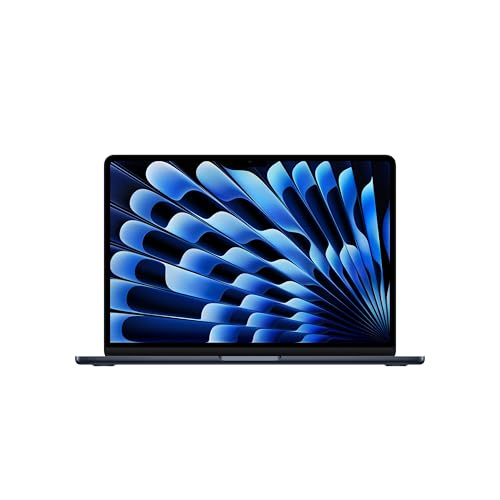 | Apple MacBook Air 13-inch M5 | Best fit: Lightest laptop here, on macOS Processor: Apple M5 Storage: 1TB SSD Display: 13.6-inch Liquid Retina Ports: Two Thunderbolt 4, MagSafe 3, headphone jack | Check Price on Amazon |
 | ASUS Vivobook S16 M3607GA-DS79 | Best fit: Large OLED screen on Windows Processor: AMD Ryzen AI 7 445 Storage: 1TB SSD Display: 16-inch 1920 x 1200 OLED Ports: Two USB-C Gen 1, two USB-A, HDMI 2.1 TMDS, audio | Check Price on Amazon |
 | MSI Katana 15 HX B14WGK-016US | Best fit: Gaming laptop with RTX 5070 Processor: Intel Core i9-14900HX Storage: 1TB NVMe SSD Display: 15.6-inch QHD at 165Hz Ports: One USB-C Gen 2 with DisplayPort, three USB-A, HDMI, Gb LAN | Check Price on Amazon |
 | ASUS Vivobook 14 Flip TP3407AA-DS96T | Best fit: Touchscreen 2-in-1 with Thunderbolt 4 Processor: Intel Core Ultra 9 386H Storage: 1TB SSD Display: 14-inch WUXGA OLED touchscreen Ports: One Thunderbolt 4, one USB-C Gen 2, one USB-A, HDMI 2.1 TMDS, microSD | Check Price on Amazon |
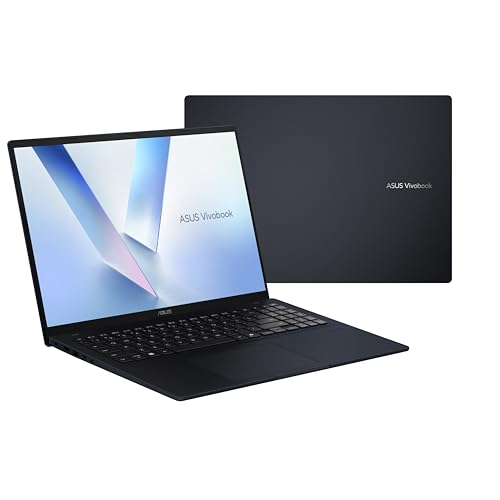 | ASUS Vivobook 16 M1607GA-DS76 | Best fit: 16-inch Windows laptop with a num-key Processor: AMD Ryzen AI 7 445 Storage: 1TB Gen 4 SSD Display: 16-inch 1920 x 1200 Ports: Two USB-C Gen 1, two USB-A, HDMI 2.1 TMDS, audio | Check Price on Amazon |
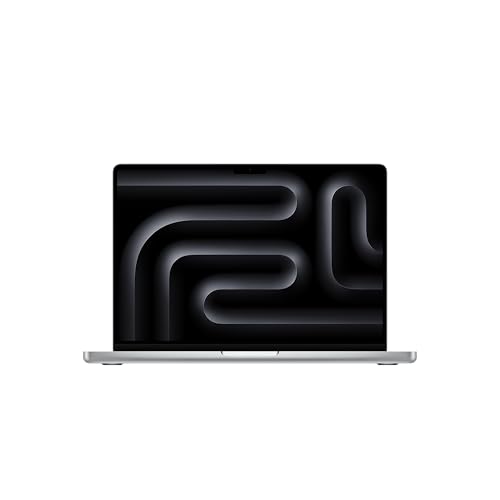 | Apple MacBook Pro 14-inch M5 | Best fit: 14-inch Mac with HDMI and an SD slot Processor: Apple M5 Storage: 1TB SSD Display: 14.2-inch Liquid Retina XDR Ports: Three Thunderbolt 4, MagSafe 3, HDMI, SDXC, headphone jack | Check Price on Amazon |
1. Apple MacBook Air 13-inch M5 — Best Compact macOS 1TB Choice
Apple’s Amazon listing for model MDHG4LL/A names a 13.6-inch MacBook Air with the M5 chip, 24GB of unified memory and a 1TB SSD in Midnight. The 1TB appears in the title and in Amazon’s size field, not in a feature bullet, so Apple’s specification page is the cross-check. Apple lists a 512GB SSD and 16GB of memory as the standard 13-inch M5 Air, with 1TB, 2TB or 4TB as storage options. The listed Air is therefore a step up from the base machine in both storage and memory.
Apple’s own page lists 2.7 pounds and up to 18 hours of video streaming for the 13-inch M5 Air.Apple lists two Thunderbolt 4 ports, a MagSafe 3 charging port and a headphone jack, and says the Air supports up to two external displays. Apple’s page lists no HDMI port and no card slot, so a desk with an HDMI monitor needs a USB-C cable or an adapter. Amazon’s listing also names a 12MP Center Stage camera and a four-speaker system.
Our Take Choose this Air if the laptop travels every day and you want macOS. Apple lists the Air at 2.7 pounds. Move to the MacBook Pro if you need a built-in HDMI port or an SD card slot.
- Apple lists the Air at 2.7 pounds, the lowest weight figure in this comparison.
- Apple lists two Thunderbolt 4 ports on the Air and says it supports up to two external displays.
- The Amazon listing pairs the 1TB SSD with 24GB of unified memory, more than the 16GB Apple lists as standard.
- Apple’s page lists no HDMI port and no card slot for the 13-inch M5 Air, so an HDMI monitor needs a USB-C cable or an adapter.
- The 1TB SSD comes from the Amazon title and Apple’s option list, so check the model number MDHG4LL/A before buying another Air.
2. ASUS Vivobook S16 M3607GA-DS79 — Best Large OLED Windows Choice
ASUS’s listing bullet states that the Vivobook S16 has 1 TB of storage and 32 GB of memory alongside the AMD Ryzen AI 7 445 and Windows 11 Home. ASUS’s M3607 page confirms the processor, the Radeon graphics and the operating system for model M3607GA-DS79 but lists no memory or storage for that model, so the 1TB rests on the Amazon bullet.
The screen is the reason to consider the S16. ASUS’s listing describes a 16-inch, 16:10 OLED display at 1920 by 1200 and a 70Wh battery rated for up to 21 hours of video playback. The listing also says the battery charges to 60% in 49 minutes, and it notes that battery results vary.
ASUS lists a 3.75-pound weight and a thickness of 0.63 inches for a 16-inch laptop.For ports, ASUS’s listing names two USB 3.2 Gen 1 Type-C ports, two USB 3.2 Gen 1 Type-A ports, an HDMI 2.1 TMDS port and a 3.5 mm audio jack. The listing also names an IR camera for Windows Hello sign-in and a physical privacy shutter.
Our Take The S16 is the Windows choice for anyone who spends the day looking at documents, photos or video on the screen. ASUS’s listing pairs that panel with 32GB of memory.
- ASUS’s listing bullet names a 1TB SSD and 32GB of memory for model M3607GA-DS79.
- ASUS lists a 16-inch OLED display at 1920 by 1200, a large panel for documents, photos or video.
- ASUS lists a 3.75-pound weight. MSI rates the Katana at 5.29 pounds.
- ASUS lists an HDMI 2.1 TMDS port next to two Type-A ports on the S16.
- ASUS lists the S16’s two USB-C ports as USB 3.2 Gen 1, not Thunderbolt or USB4.
- ASUS’s maker page for the M3607 line lists no storage figure for model M3607GA-DS79, so the storage figure rests on the Amazon bullet.
3. MSI Katana 15 HX B14WGK-016US — Best 1TB Gaming Configuration
MSI publishes a specification sheet for model B14WGK-016US. The sheet lists a 1TB NVMe Gen4x4 SSD, 32GB of DDR5-5600 memory in two 16GB modules, an Intel Core i9-14900HX and an NVIDIA GeForce RTX 5070 Laptop GPU with 8GB of GDDR7. The Amazon title names the same configuration.
The weak spot for a desk setup is the single USB-C connector. MSI’s sheet lists one USB 3.2 Gen 2 Type-C port with DisplayPort and USB Power Delivery charging, three USB 3.2 Gen 2 Type-A ports, a Gb LAN port and one audio combo jack. The Amazon bullets also name HDMI up to 8K. The sheet lists no card reader.
Weight and power are the other trade-offs. MSI lists a 240W adapter, a 75Wh battery and a weight of 5.29 pounds, which is nearly double the Air’s weight on Apple’s page.
Our Take Buy the Katana for games or heavy graphics work that needs a discrete GPU, and treat it as a desk machine. For a lighter travel laptop, look at the Air or the Vivobook 14 Flip instead.
- MSI’s sheet names a 1TB NVMe Gen4x4 SSD for model B14WGK-016US itself.
- MSI lists an RTX 5070 Laptop GPU with 8GB of GDDR7, the one discrete graphics card named by a source here.
- MSI lists a 165Hz QHD panel, and the Amazon bullets describe a cooling design with dual fans and five heat pipes.
- MSI lists a Gb LAN port for a wired network connection next to three USB-A ports.
- MSI’s sheet lists a single USB-C port that carries both DisplayPort output and charging, the weak spot for a desk setup.
- MSI lists a weight of 5.29 pounds, nearly double the Air’s weight on Apple’s page, and a 240W adapter.
4. ASUS Vivobook 14 Flip TP3407AA-DS96T — Best 14-Inch Touchscreen 2-in-1 With Thunderbolt 4
ASUS’s listing for the Vivobook 14 Flip says it has 32GB of memory and a fast 1TB SSD with the Intel Core Ultra 9 386H. The listing also says the hinge folds back 360 degrees into tablet, stand and tent modes, and it describes the 14-inch 16:10 WUXGA OLED panel as a touchscreen. The Flip is the one laptop of the six whose listing names touch.
ASUS’s listing names one Thunderbolt 4 port, one USB 3.2 Gen 2 Type-C port, one USB 3.2 Gen 1 Type-A port, HDMI 2.1 TMDS, a 3.5 mm combo jack and a microSD card reader. The listing names Intel graphics, not a separate graphics card. ASUS rates the 70Wh battery at up to 38 hours and notes that results vary with use. The listing also says the laptop meets US MIL-STD 810H durability standards, and Amazon’s product details give the weight as 3.46 pounds.
Our Take Pick the Flip for sketching, note taking or presenting on a 14-inch screen that bends into a tablet. It is the Windows laptop here with a Thunderbolt 4 port for a dock.
- ASUS’s listing bullet names 32GB of memory and a 1TB SSD for the Core Ultra 9 386H.
- ASUS lists a 360-degree hinge and a 14-inch OLED touchscreen for sketching, note taking or presenting.
- ASUS lists a Thunderbolt 4 port for a dock, along with a USB-C port, HDMI 2.1 TMDS and a microSD reader.
- ASUS lists only one Thunderbolt 4 port and one USB-A port on the Flip.
- ASUS’s listing names Intel graphics for the Flip, not a separate graphics card.
5. ASUS Vivobook 16 M1607GA-DS76 — Best 16-Inch Number-Pad Option
ASUS’s listing bullet states 16 GB of DDR5 memory and a 1 TB Gen 4 SSD for the Vivobook 16, and the title names the AMD Ryzen AI 7 445. The first bullet writes the processor as “Ryzen 7 AI 445”, so match the model code M1607GA-DS76 rather than the processor name.
ASUS lists a backlit chiclet keyboard with a dedicated num-key.The listing describes a 16-inch 1920 by 1200 display with TÜV Rheinland low blue-light certification and does not say whether the panel is OLED. It also names SonicMaster audio, Windows Hello IR sign-in, a webcam shield and Microsoft Pluton security. According to ASUS, the battery charges to 60% in as little as 49 minutes. The ports are two USB 3.2 Gen 1 Type-A, two USB 3.2 Gen 1 Type-C, HDMI 2.1 TMDS and a 3.5 mm combo jack.
Our Take The Vivobook 16 fits spreadsheet and accounting work where the number keys get daily use. It has half the memory of the S16, so the S16 is the better choice if you keep many large files open at once.
- ASUS’s listing bullet names a 1TB Gen 4 SSD and 16GB of DDR5 memory.
- ASUS lists a dedicated num-key on the backlit keyboard, which suits spreadsheet and accounting work.
- ASUS lists a webcam shield, Windows Hello IR sign-in and Microsoft Pluton security.
- ASUS lists 16GB of memory, half the amount ASUS lists for the Vivobook S16 and the Flip.
- ASUS lists USB 3.2 Gen 1 for both USB-C ports, not Thunderbolt or USB4.
- The ASUS listing writes the processor name two ways, Ryzen AI 7 445 and Ryzen 7 AI 445, so match the model code instead.
6. Apple MacBook Pro 14-inch M5 — Best 14-Inch Mac Port Selection
Apple’s Amazon listing for model MDE64LL/A names the 14.2-inch MacBook Pro with the M5 chip, 24GB of unified memory and a 1TB SSD in Silver. Apple’s specification page lists 1TB among its storage options. The same page states that its weight and battery tests used a 10-core CPU, 10-core GPU, 24GB and 1TB configuration, which is this one.
Apple lists three Thunderbolt 4 ports, HDMI, an SDXC card slot and MagSafe 3.Apple’s page lists a 3024 by 1964 Liquid Retina XDR display with 1000 nits sustained and 1600 nits peak brightness for HDR content, and a refresh rate up to 120Hz. It also lists a 72.4Wh battery rated at up to 24 hours of video streaming. Apple lists support for two external displays over any combination of Thunderbolt and HDMI ports, with each up to 6K at 60Hz, and a weight of 3.4 pounds.
Our Take The MacBook Pro suits photo and video editing on a Mac, because the card slot and the HDMI port mean you need no adapter for them. Pick the Air if a smaller, lighter Mac is enough.
- Apple’s page names a 24GB and 1TB configuration for its own weight and battery tests, the same configuration as this listing.
- Apple lists three Thunderbolt 4 ports, HDMI and an SDXC slot, the widest port set in this comparison.
- Apple rates the 72.4Wh battery at up to 24 hours of video streaming.
- Apple lists support for two external displays at up to 6K and 60Hz each.
- Apple lists a 14.2-inch screen, smaller than the two 16-inch Windows laptops here.
- Apple lists a weight of 3.4 pounds, above the 2.7 pounds that Apple lists for the MacBook Air.
Buying Guide
1. Check where each 1TB figure comes from
Three kinds of source name the 1TB here. ASUS’s listing bullets state it for the Vivobook S16, the Vivobook 14 Flip and the Vivobook 16. MSI’s specification sheet states it for the Katana by model number. For the two MacBooks, the Amazon title and size field name the 1TB, and Apple’s specification pages list 1TB as a storage option.
Match the model code on the box or listing before you order. The Air’s code is MDHG4LL/A and the MacBook Pro’s is MDE64LL/A. ASUS’s maker page for the M3607 line lists the processor and operating system for the S16’s model number but no storage figure, so the S16’s 1TB depends on the Amazon bullet.
2. Compare memory next to the storage
The six laptops pair their 1TB with different memory sizes. ASUS lists 32GB for the S16 and the Flip, and MSI lists 32GB for the Katana. Apple lists 24GB for the Air and MacBook Pro in these configurations, and ASUS lists 16GB for the Vivobook 16.
A 1TB drive does not add memory. If you keep a browser, a photo editor and a video call open at once, the 16GB Vivobook 16 has the least memory here. For more on that size, read the 16GB laptop guide.
3. Decide screen size and weight together
The makers list sizes from the Flip’s 14 inches and the Air’s 13.6 inches to the 15.6-inch Katana and the 16-inch S16 and Vivobook 16. Weights run from Apple’s 2.7 pounds for the Air to MSI’s 5.29 pounds for the Katana, with ASUS listing 3.75 pounds for the S16 and Apple listing 3.4 pounds for the Pro.
If you carry the laptop daily, give weight as much attention as screen size. ASUS lists OLED for the S16 and the Flip, Apple lists a Liquid Retina XDR display for the Pro, and MSI lists a 165Hz QHD panel for the Katana.
4. Read the port names before counting USB-C shapes
Apple lists Thunderbolt 4 on both MacBooks, and ASUS lists one Thunderbolt 4 port on the Flip. ASUS lists its S16 and Vivobook 16 USB-C ports as USB 3.2 Gen 1, and MSI lists the Katana’s single USB-C port as USB 3.2 Gen 2 with DisplayPort.
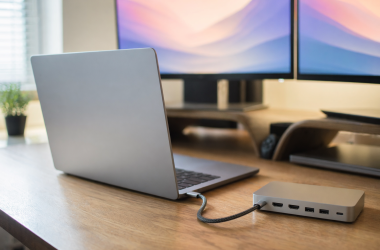
A cable, a monitor and a dock have to agree with the port. For the accessory side of that decision, read the Thunderbolt 4 dock guide and the USB-C cable guide.
5. Match the operating system and the graphics to the work
Four of the six run Windows 11 Home and two run macOS. If the work depends on one operating system’s software, that choice removes the other laptops before any spec comparison.
Only the Katana lists a dedicated graphics card. MSI lists an RTX 5070 Laptop GPU for it. ASUS’s M3607 page lists Radeon graphics for the S16, and the Flip’s Amazon title names Intel graphics. For games or 3D work, the graphics card is the spec to check first.
FAQ
Is 1TB enough storage for a laptop?
It depends on what you keep on the laptop. Apple lists 512GB as the standard storage for the 13-inch M5 MacBook Air, so 1TB is a step up from the base Air.
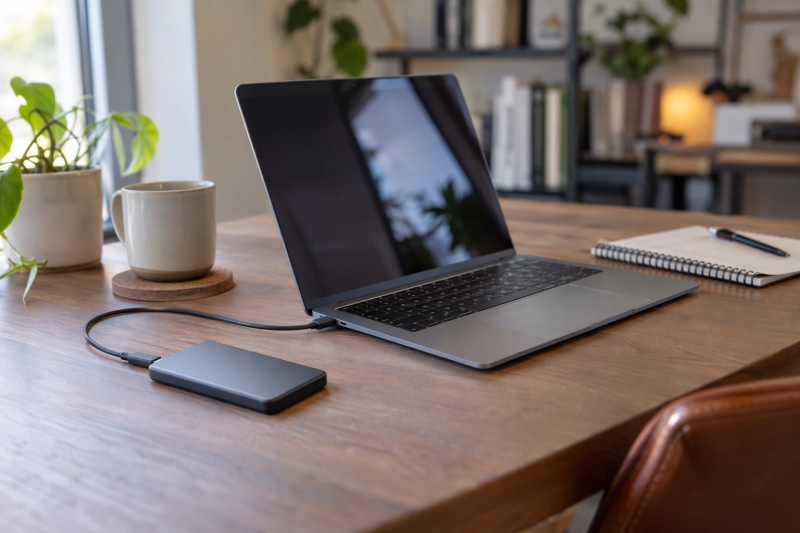
Add up your photo library, project folders and installed games, then keep a backup elsewhere. For adding an external drive later, read the portable SSD guide.
Does the same laptop name always come with 1TB?
No. Apple lists several storage options for the Air and the Pro, and ASUS’s M3607 page lists several M3607GA model codes, some with the Ryzen AI 9 465 instead of the Ryzen AI 7 445. MSI’s sheet lists 1TB for B14WGK-016US only.
Read the model code, not just the laptop name. A cheaper listing with a near-identical title can carry a different SSD or memory size.
Which of these laptops have a built-in HDMI port?
Apple lists HDMI for the MacBook Pro. ASUS’s listings name HDMI 2.1 TMDS for the Vivobook S16, the Vivobook 14 Flip and the Vivobook 16, and Amazon’s bullets name HDMI up to 8K for the Katana. Apple’s page lists no HDMI port for the Air.
Check the monitor’s connector and the cable before you buy. HDMI on the laptop is only one end of the connection.
Which laptop is best for a USB-C monitor or dock?
The two MacBooks and the Flip are the safest starting points, because Apple and ASUS list Thunderbolt 4 on them. MSI lists the Katana’s single USB-C port with DisplayPort and Power Delivery, and the sheet lists no second USB-C port.
The S16 and the Vivobook 16 need a closer look. ASUS lists their USB-C ports as USB 3.2 Gen 1 and the listings do not say whether those ports carry video.
Should I choose Windows or a Mac?
Choose by the software you must run. The Air and the Pro are the two Macs, while the S16, Katana, Flip and Vivobook 16 run Windows 11 Home.
Pick the operating system first, then use the 1TB as a filter. The 1TB figure is the same either way, so it cannot break the tie.
Bottom Line
By Apple’s figure of 2.7 pounds, the MacBook Air is the lightest 1TB laptop here. The Vivobook S16 is the large OLED Windows laptop, the Katana is the gaming laptop, and the Flip is the touchscreen 2-in-1. By Apple’s page, the MacBook Pro has the widest port set. Confirm the model code, the 1TB and the ports on the listing before you order.