Ryzen AI Max is AMD’s processor line. Each chip holds the CPU cores and the graphics on one piece of silicon with shared memory, and reviews quoted on ASUS’s Flow Z13 page call these chips Strix Halo. Six Amazon listings carry one: two ASUS ROG Flow Z13 tablets, one ASUS TUF Gaming A14, and three HP ZBook Ultra G1a workstations.
Read the suffix first. Amazon lists a 12-core Max 390 on one Flow Z13, a Max+ 392 on the TUF, a 16-core Max+ 395 on the other Flow Z13, a 12-core Max PRO 390 on two ZBooks, and a 16-core Max+ PRO 395 on the third. Screen, memory, storage, and ports then change from one listing to the next.
A Ryzen AI Max name does not settle the choice, because the memory, screen, and ports that each listing states differ.Six Ryzen AI Max Laptops Compared
| Image | Product | Details | Check Price |
|---|---|---|---|
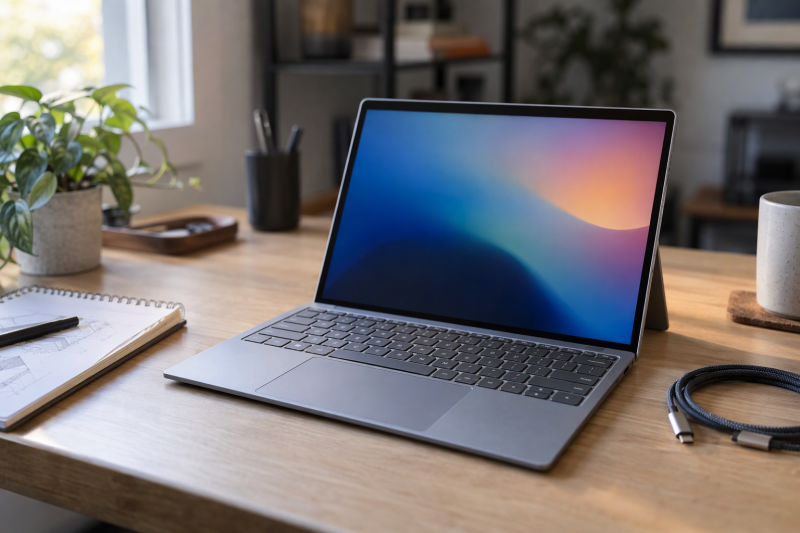
 | ASUS ROG Flow Z13 Ryzen AI Max+ 395 | Best fit: A compact touch 2-in-1 Processor: Ryzen AI Max+ 395, 16 cores Screen: 13.4-inch 2.5K 180Hz touch Memory and storage: 32GB LPDDR5X, 1TB SSD Ports: 2 USB4, USB-A, HDMI 2.1 (ASUS page) | Check Price on Amazon |
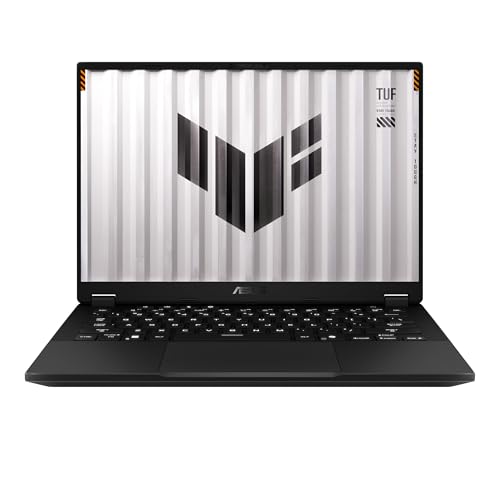 | ASUS TUF Gaming A14 Ryzen AI Max+ 392 | Best fit: A 14-inch gaming laptop Processor: Ryzen AI Max+ 392, Radeon 8060S Screen: 14-inch WQXGA 165Hz Memory and storage: 32GB LPDDR5X, 1TB PCIe Gen 4 SSD Ports: Not listed by Amazon | Check Price on Amazon |
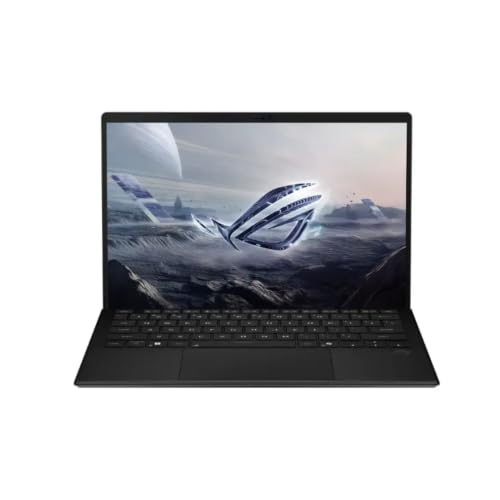 | ASUS ROG Flow Z13 Ryzen AI Max 390 | Best fit: A Flow Z13 with 12 cores Processor: Ryzen AI Max 390, 12 cores Screen: 13-inch WQXGA 180Hz touch Memory and storage: 32GB LPDDR5X, 1TB SSD Ports: 2 USB4, USB-A, HDMI 2.1 (ASUS page) | Check Price on Amazon |
 | HP ZBook Ultra G1a Max+ PRO 395 | Best fit: A 16-core workstation Processor: Ryzen AI Max+ PRO 395, 16 cores Screen: 14-inch 2880 x 1800 touch Memory and storage: 128GB (seller title) Ports: 2 Thunderbolt 4, USB-C, USB-A, HDMI 2.1 (HP page) | Check Price on Amazon |
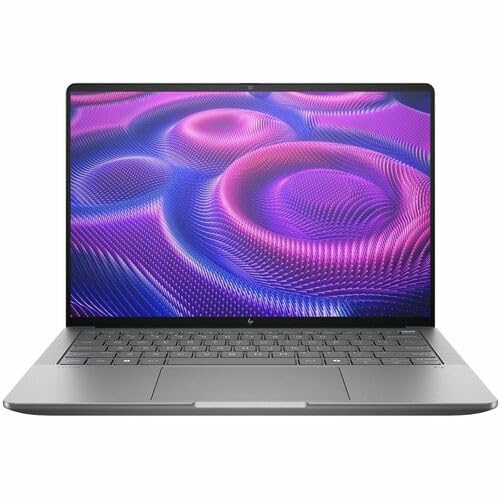 | HP ZBook Ultra G1a Max PRO 390 | Best fit: A 1920 x 1200 Windows Pro workstation Processor: Ryzen AI Max PRO 390, 12 cores Screen: 14-inch 1920 x 1200 Memory and storage: 32GB, 512GB SSD (seller title) Ports: 2 Thunderbolt 4, USB-C, USB-A, HDMI 2.1 (HP page) | Check Price on Amazon |
| HP ZBook Ultra G1a Max PRO 390 2.8K | Best fit: A 2.8K touch screen Processor: Ryzen AI Max PRO 390, 12 cores Screen: 14-inch 2880 x 1800 touch Memory and storage: 64GB (seller title) Ports: 2 Thunderbolt 4, USB-C, USB-A, HDMI 2.1 (HP page) | Check Price on Amazon |
1. ASUS ROG Flow Z13 Ryzen AI Max+ 395 — Best for a Compact Touch 2-in-1
Amazon states a Ryzen AI Max+ 395 with 16 cores, 32GB of LPDDR5X memory, and a 13.4-inch 2.5K 180Hz touchscreen for this Flow Z13, and its title adds a 1TB SSD. The bullets add RDNA 3.5 graphics, a 170-degree kickstand, and up to 10 hours of battery life.
ASUS’s Flow Z13 page lists two USB-C ports that both support USB4, DisplayPort 2.1 output, and Power Delivery 3.0, plus HDMI 2.1, one USB-A port, a microSD reader, and an audio jack. ASUS also lists a 70Wh battery, a weight of 1.2kg, and a thickness of 12mm. It adds that not all models support DisplayPort output and that Power Delivery may vary by region.
Check the model number GZ302EA-XS96 in the cart before relying on ASUS’s DisplayPort 2.1 output.Our Take Choose this Flow Z13 if you want a 13-inch touch tablet with a kickstand and USB4 ports that ASUS describes in detail. Buyers who want a 14-inch clamshell should look at the TUF A14 or the ZBooks below.
- Amazon states the processor and memory for this Flow Z13 outright, a Ryzen AI Max+ 395 with 16 cores and 32GB of LPDDR5X memory.
- ASUS lists two USB-C ports on the Flow Z13 that both support USB4, DisplayPort 2.1 output, and Power Delivery 3.0.
- A 70Wh battery and a weight of 1.2kg come from ASUS, and Amazon’s bullets add up to 10 hours of battery life.
- ASUS says not all models support DisplayPort output and tells buyers to check with an ASUS representative, so the buyer should check the model number in the cart first.
- Amazon’s title gives the Flow Z13 a 13.4-inch screen, smaller than the 14-inch screens on the TUF A14 and the ZBooks.
2. ASUS TUF Gaming A14 Ryzen AI Max+ 392 — Best for a 14-Inch Gaming Laptop
Amazon lists the TUF Gaming A14 (model FA401EA-DS96) with an AMD Ryzen AI Max+ 392 and Radeon 8060S graphics, 32GB of LPDDR5X 8000 memory, and a 1TB PCIe Gen 4.0 SSD. The title gives a 14-inch 16:10 WQXGA display at 165Hz, Windows 11 Home, and Wi-Fi 6E, and a bullet states a 3ms response time.
The bullets say the quad-channel memory is split between system RAM and video memory. They also describe a redesigned keyboard and two 97-blade fans meant to increase airflow. Amazon gives no temperature or speed figures for either.
Our Take Choose the TUF A14 if you want a 14-inch gaming laptop with a Max+ 392, 32GB of memory, and a 1TB SSD that Amazon states. Buyers who need a documented USB4 setup should pick the Flow Z13 above instead.
- Amazon states a Ryzen AI Max+ 392 with Radeon 8060S graphics for the TUF A14, along with 32GB of LPDDR5X 8000 memory and a 1TB PCIe Gen 4.0 SSD.
- Amazon’s title gives the TUF A14 a 14-inch 16:10 WQXGA display at 165Hz, and a bullet states a 3ms response time.
- Amazon’s bullets describe two 97-blade fans meant to increase airflow, along with a redesigned keyboard.
- Amazon gives no port list for the TUF A14, and ASUS’s TUF Gaming page lists none either, so USB4 or Thunderbolt support is unconfirmed.
- Amazon’s title gives the TUF A14 Wi-Fi 6E, while the title of the Flow Z13 Max 390 gives Wi-Fi 7.
3. ASUS ROG Flow Z13 Ryzen AI Max 390 — Best for a Flow Z13 With 12 Cores
Amazon’s bullets state an AMD Ryzen AI Max 390 with 12 cores, 32GB of LPDDR5X 8000 memory, and a 16:10 WQXGA 180Hz touchscreen with a 3ms response time. The title adds a 13-inch screen, a 1TB PCIe Gen 4 SSD, Wi-Fi 7, and Windows 11 Home. The model number is GZ302EA-DS96, where the Max+ 395 listing above carries GZ302EA-XS96.
Both Flow Z13 listings state a 170-degree kickstand. The Max 390 listing has no port list of its own, but it shares the GZ302EA model name with the Max+ 395 Flow Z13, and ASUS’s GZ302 page lists two USB4 USB-C ports, HDMI 2.1, USB-A, a microSD reader, and an audio jack. ASUS says not all models support DisplayPort output.
savingsrus, not Amazon.com, sells the New offer on this listing, so confirm model GZ302EA-DS96 in the cart.Our Take Choose this version if you want the Flow Z13 shape with a 12-core processor and can accept a third-party seller. Buyers who want 16 cores should look at the Max+ 395 listing, which Amazon.com sells.
- For this Flow Z13, Amazon states a 12-core Ryzen AI Max 390 and 32GB of LPDDR5X 8000 memory.
- The touchscreen is a 16:10 WQXGA 180Hz panel with a 3ms response time, and Amazon’s bullets also state a 170-degree kickstand.
- Amazon’s title names a 1TB PCIe Gen 4 SSD and Wi-Fi 7 for this Flow Z13.
- savingsrus, not Amazon.com, sells the New offer on this listing, so the buyer deals with a third-party seller.
- Amazon states 12 cores for this Flow Z13, against 16 for the Max+ 395 Flow Z13.
4. HP ZBook Ultra G1a Max+ PRO 395 — Best for a 16-Core Workstation
Amazon’s feature list identifies a Ryzen AI Max+ PRO 395 with 16 cores for this ZBook. The seller’s title names a 14-inch 2880 x 1800 touchscreen, Windows 11 Pro, Radeon 8060, and 128GB of memory.
HP’s ZBook Ultra page says the line goes up to 128GB of unified memory and that up to 96GB can be assigned to the GPU. It describes the Max+ PRO 395 as a 16-core CPU with a 40-core GPU. For ports, HP lists two Thunderbolt 4 USB-C ports, one with 140W charging, plus HDMI 2.1, a USB-C 10Gbps port, a USB-A 10Gbps port, and an audio jack.
Our Take Choose this ZBook if you want 16 cores and Thunderbolt 4 in a 14-inch workstation and the seller confirms 128GB. VIVI CICI sells the New offer, so ask about the memory before you pay for it.
- The processor comes from Amazon’s feature list, which identifies a Ryzen AI Max+ PRO 395 with 16 cores, not from the seller’s title.
- HP lists two Thunderbolt 4 ports for the ZBook Ultra G1a, and one of them has 140W charging.
- The seller’s title names a 14-inch 2880 x 1800 touchscreen and Windows 11 Pro for this ZBook.
- The 128GB figure comes from the seller’s title, not from Amazon’s feature list, and VIVI CICI sells the New offer.
- HP’s page gives no screen resolution, so the seller’s title is the only source for 2880 x 1800.
5. HP ZBook Ultra G1a Max PRO 390 — Best for a 1920 x 1200 Windows Pro Workstation
Amazon’s feature list identifies a Ryzen AI Max PRO 390 with 12 cores. The title names a 14-inch WUXGA 1920 x 1200 screen, 32GB, a 512GB SSD, Windows 11 Pro, and Copilot+ PC. It is the only one of the three ZBook titles that names an SSD size.
HP’s ZBook Ultra page writes this chip as the Ryzen AI Max+ Pro 390 and lists a 12-core CPU with a 32-core GPU, while Amazon’s feature list reads Max PRO 390. HP lists HDMI 2.1, USB-C 10Gbps, USB-A 10Gbps, and two Thunderbolt 4 ports for the ZBook Ultra G1a.
HP writes this chip as Max+ Pro 390 and Amazon writes it as Max PRO 390, so match the model number BX8E4AT#ABA, not the name.Our Take Choose this ZBook if you want a 12-core workstation with a 1920 x 1200 screen and Windows 11 Pro. ProPrime sells the New offer, so confirm the 32GB and 512GB figures with the seller.
- The Ryzen AI Max PRO 390 in this ZBook has 12 cores, according to Amazon’s feature list.
- Amazon’s title names a 14-inch WUXGA 1920 x 1200 screen, 32GB, and a 512GB SSD, the only ZBook title with an SSD size.
- HP lists HDMI 2.1, USB-C 10Gbps, USB-A 10Gbps, and two Thunderbolt 4 ports for the ZBook Ultra G1a.
- The 32GB and 512GB figures come from the seller’s title, and ProPrime sells the New offer.
- The title Amazon shows for this ZBook does not mention a touchscreen, while the other two ZBook titles do.
6. HP ZBook Ultra G1a Max PRO 390 2.8K — Best for a 2.8K Touch Screen
Amazon’s feature list gives the same Ryzen AI Max PRO 390 with 12 cores as the 1920 x 1200 ZBook. The title names a 14-inch 2880 x 1800 touchscreen, 64GB, Windows 11 Pro, and Radeon 8050S, and the model number is BF6U2UT#ABA.
HP’s ZBook Ultra page lists two Thunderbolt 4 ports, one with 140W charging, along with HDMI 2.1, USB-C 10Gbps, USB-A 10Gbps, and an audio jack. It also mentions an optional OLED touch display. Amazon’s title says touchscreen without saying OLED.
Our Take Choose this ZBook if you want a 12-core workstation with a 2880 x 1800 touchscreen and 64GB. It suits buyers who want more screen resolution than the 1920 x 1200 ZBook offers.
- Amazon’s feature list identifies a 12-core Ryzen AI Max PRO 390 for this ZBook.
- The seller’s title names a 14-inch 2880 x 1800 touchscreen, 64GB, and Radeon 8050S.
- HP lists two Thunderbolt 4 ports for the ZBook Ultra G1a, one with 140W charging.
- The 64GB figure comes from the seller’s title, and Issaquah Highlands Tech sells the New offer.
- HP’s page mentions an optional OLED touch display, while Amazon’s title says touchscreen without saying OLED.
Buying Guide
Read the processor suffix and core count
Amazon uses three suffixes: Max, Max+, and Max PRO. The Flow Z13 Max 390 is a 12-core Max, the Flow Z13 Max+ 395 is a 16-core Max+, and the TUF A14 is a Max+ 392 with no core count given. The ZBooks carry the PRO name: a Max PRO 390 at 1920 x 1200, a Max PRO 390 at 2.8K, and a Max+ PRO 395.
Names differ between sources, because HP writes the 12-core chip as Max+ Pro 390 and Amazon lists it as Max PRO 390. Amazon’s Flow Z13 bullets and HP’s page each state an NPU of up to 50 TOPS, and the TUF listing gives no NPU figure. No listing or maker page here publishes a benchmark, so this guide does not rank the chips by speed.
Separate stated memory from title-only memory
Amazon’s bullets state 32GB of LPDDR5X memory on all three ASUS listings, and the titles of both Flow Z13s and the TUF A14 name a 1TB SSD. ASUS’s Flow Z13 page says the SSD is accessible from the back of the device for upgrades.
The three ZBook titles name 128GB, 32GB, and 64GB, and none of their feature lists gives a memory size. HP’s page says the ZBook Ultra goes up to 128GB of unified memory, but a seller’s title is not HP’s configuration sheet, so ask the seller to confirm the memory before you pay.
Pick the shape before the processor
Both Flow Z13 listings state a 170-degree kickstand, and ASUS lists the Z13 as a 13-inch tablet at 1.2kg and 12mm thick. The Flow Z13 is a tablet, and ASUS’s page describes a detachable keyboard cover for it. Neither Amazon listing says whether a cover is included.
The TUF A14 and the three ZBooks are 14-inch laptops. The TUF A14 lists two 97-blade fans and a 165Hz screen, while the ZBook titles say Mobile Workstation and Windows 11 Pro.
Compare the screen each listing states
The ASUS listings state refresh rates: 180Hz with a 3ms response time on both Flow Z13s and 165Hz with 3ms on the TUF A14. The Max+ 395 Flow Z13 title says 13.4-inch 2.5K, the Max 390 title says 13-inch 2.5K, and the bullets for both say WQXGA.
The ZBook titles split between 1920 x 1200 and 2880 x 1800 touch, and HP’s page gives no resolution. Two ZBooks carry the same Max PRO 390 name with different screens, so match the screen to the listing you buy.
Check ports against the right source
ASUS lists two USB4 ports with DisplayPort 2.1 and Power Delivery 3.0 on the Flow Z13, along with HDMI 2.1, USB-A, a microSD reader, and an audio jack. ASUS also says not all models support DisplayPort output, and the TUF A14 listing has no port list.
HP lists two Thunderbolt 4 ports, one with 140W charging, along with HDMI 2.1, a USB-C 10Gbps port, a USB-A 10Gbps port, and an audio jack for the ZBook Ultra G1a. None of the six Amazon listings includes a port list, so confirm the connectors with the seller if a dock, monitor, or charger decides the purchase.
FAQ
What is the difference between Ryzen AI Max, Max+, and Max PRO here?
Amazon uses Max for the 12-core 390 Flow Z13, Max+ for the 392 TUF A14 and the 395 Flow Z13, and Max PRO or Max+ PRO for the ZBooks. The Flow Z13 listings state 12 cores for the 390 and 16 for the 395, and the TUF listing gives no core count.
HP’s page lists the 390 as a 12-core CPU with a 32-core GPU and the 395 as a 16-core CPU with a 40-core GPU. Compare the model number and the shape of the laptop together.
Which listing names 128GB of memory?
The HP ZBook Ultra G1a Max+ PRO 395 title is the one that names 128GB. HP’s ZBook Ultra page separately says the line goes up to 128GB of unified memory.
The 128GB figure appears in the seller’s title, not in Amazon’s feature list, so ask VIVI CICI to confirm it before you choose that listing for the memory.
Which of these laptops have a touch screen?
Both ROG Flow Z13 listings state a touchscreen, and the titles of the Max+ PRO 395 and the 2.8K Max PRO 390 ZBooks say touchscreen. ASUS’s Flow Z13 page also describes support for touch, controller, and mouse inputs.
The TUF A14 listing and the 1920 x 1200 ZBook title do not mention touch. A listing that does not mention touch is unconfirmed, so ask the seller if you need it.
Which of these laptops list USB4 or Thunderbolt?
ASUS lists USB4 on its Flow Z13 page, and HP lists Thunderbolt 4 on its ZBook Ultra page. Both pages describe the model line, and the Amazon listings carry no port list of their own.
The TUF A14 has no port list from Amazon or on ASUS’s TUF Gaming page. Treat USB4 on the TUF A14 as unconfirmed until the seller or ASUS lists it.
Does the processor name tell me how fast the laptop is?
No, because no listing or maker page here publishes a speed comparison between these chips. Amazon and the makers give core counts and an NPU rating of up to 50 TOPS, which are ratings and not measured results.
Look for a review that tests the exact model if speed decides the purchase. The processor name alone does not separate a Max 390 from a Max+ 395 in a particular program.
Bottom Line
Choose by the processor name, screen, and memory each listing states, and confirm any title-only memory with the seller. The ASUS ROG Flow Z13 Ryzen AI Max+ 395 has the two USB4 ports that ASUS lists, the ASUS TUF Gaming A14 Ryzen AI Max+ 392 is the 14-inch gaming option, and the HP ZBook Ultra G1a Max+ PRO 395 pairs 16 cores with two Thunderbolt 4 ports. For wider context, see the AI laptop guide, the ASUS ROG laptop guide, and the mobile workstation guide.