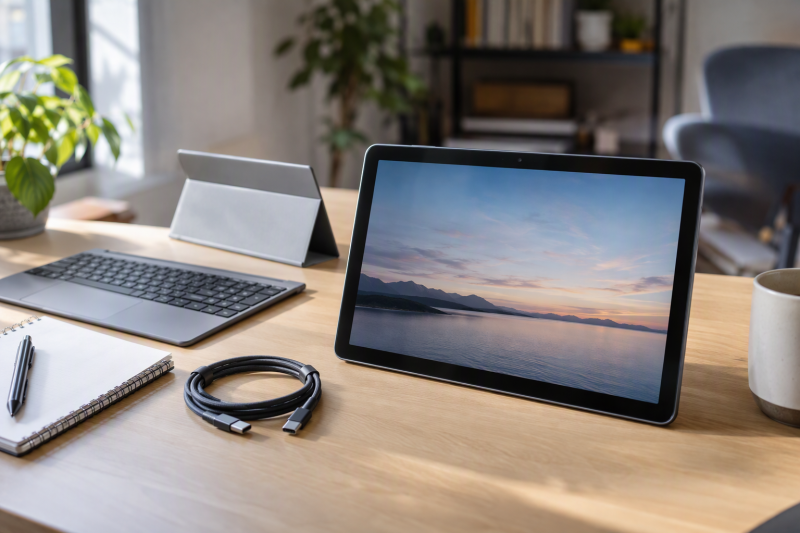
A Chromebook only detaches if the keyboard comes in the box, and of these five only the Lenovo Chromebook Duet has that confirmed: Lenovo’s spec sheet shows a folio stand and folio keyboard as bundled accessories for it. The ASUS Chromebook CM32 Detachable has the largest screen here, and the ASUS Chromebook CM30 Detachable has the smallest.
ASUS describes a detachable keyboard for both models and marks the stylus and stand as optional. For the CM30 it marks the keyboard as optional too, and Amazon’s details for these two offers do not confirm what ships. The Lenovo Chromebook Duet EDU G2 and the Acer Chromebook Tab 311 are touch tablets with no keyboard listed, so they suit a buyer who wants a ChromeOS tablet first.
Confirm the keyboard is in the box before you compare screens, because that is the line between a detachable and a tablet.Detachable Chromebooks and Tablets Compared
| Image | Product | Details | Check Price |
|---|---|---|---|
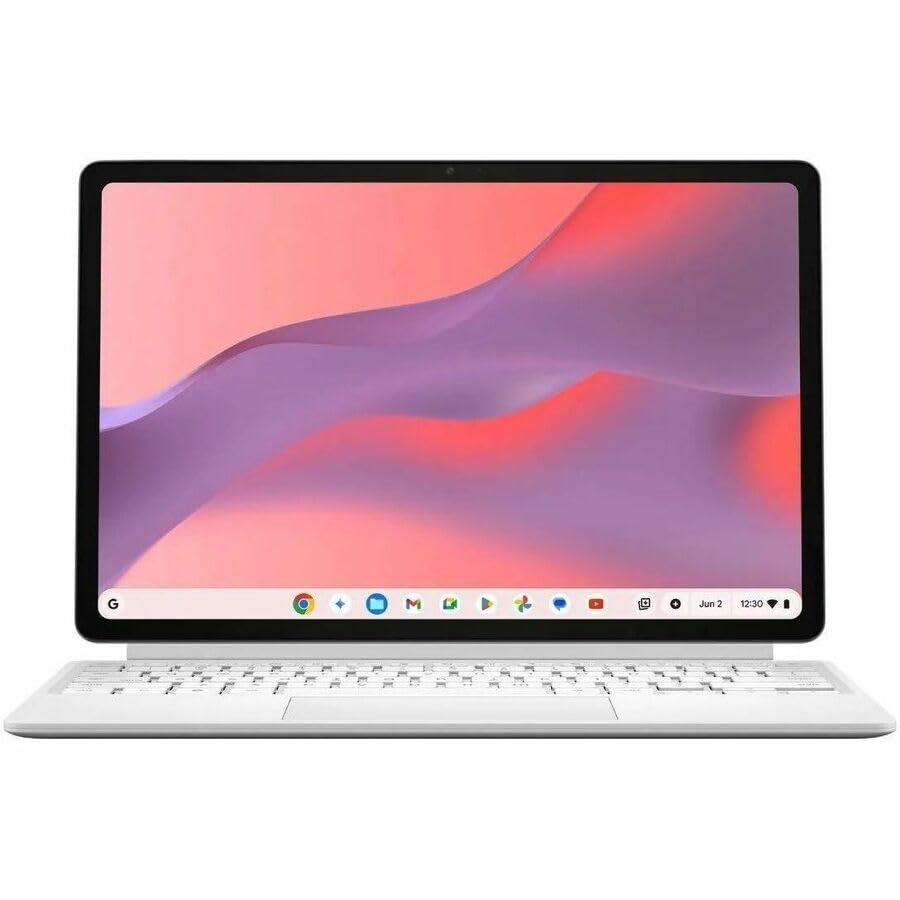 | ASUS Chromebook CM32 Detachable | Best fit: Largest screen, 120Hz refresh Display: 12.1-inch 2.5K touch, 120Hz Keyboard and pen: Keyboard described by ASUS; box contents unconfirmed Ports: 1 USB-C (Power Delivery, DisplayPort Alt Mode), audio jack Memory and storage: 4GB, 64GB (Amazon title only) | Check Price on Amazon |
 | ASUS Chromebook CM30 Detachable | Best fit: Smallest detachable Display: 10.5-inch 1920x1200 touch Keyboard and pen: Optional per ASUS; box contents unconfirmed Ports: 3.5mm jack; no USB port listed Memory and storage: 4GB, 64GB (Amazon bullet) | Check Price on Amazon |
 | Lenovo Chromebook Duet | Best fit: Keyboard in the box, two USB-C Display: 10.95-inch WUXGA IPS, 60Hz Keyboard and pen: Folio keyboard and stand bundled; pen sold separately Ports: 2 USB-C (5Gbps, DisplayPort 1.4), audio jack Memory and storage: 4GB, 64GB (Lenovo) | Check Price on Amazon |
 | Lenovo Chromebook Duet EDU G2 | Best fit: 8GB tablet, keyboard separate Display: 10.95-inch WUXGA IPS, 60Hz Keyboard and pen: No keyboard or pen bundled Ports: 2 USB-C (5Gbps, DisplayPort 1.4), audio jack Memory and storage: 8GB, 64GB (Lenovo) | Check Price on Amazon |
 | Acer Chromebook Tab 311 | Best fit: Light 11-inch tablet Display: 11-inch 1920x1200 IPS touch Keyboard and pen: Not listed; unconfirmed Ports: 1 USB-C (5Gbps, DisplayPort over USB-C) Memory and storage: 8GB, 64GB (Acer) | Check Price on Amazon |
1. ASUS Chromebook CM32 Detachable — Best for a Large 120Hz Detachable Screen
A detachable that lives on a desk for documents and video wants room, and the CM32 has the most. Amazon’s title names a 12.1-inch touchscreen, and ASUS states a 2.5K display with 120Hz refresh and 600 nits of brightness under Gorilla Glass. Lenovo’s two Duets list 60Hz and 400 nits, and neither the CM30 nor the Acer states a refresh rate.
ASUS gives the CM32 a MediaTek Kompanio 540 processor, Wi-Fi 7, and one USB 3.2 Gen 1 Type-C port with Power Delivery and DisplayPort Alt Mode, plus a 3.5mm combo jack and pogo pins for the keyboard. With one USB-C port, a monitor and a drive at the same time need a hub. Amazon’s title lists 4GB of memory and 64GB of flash storage for this CM3206DM4A-YZ44T. The two figures appear only in the title, so they may be a seller configuration, and ASUS’s page puts the line at up to 12GB and 256GB.
ASUS’s page describes a detachable keyboard with 1.35mm key travel, a magnetic stand and a magnetic stylus, and marks the stylus and stand as optional. Amazon’s title and details for this offer name none of the three, so whether the keyboard, stand or pen is included is unconfirmed. Choose the Lenovo Duet instead when a bundled keyboard decides the purchase.
- ASUS states 120Hz and 600 nits for the CM32, and its 12.1-inch 2.5K screen is the largest of the five, the most room for documents and video.
- ASUS gives the CM32 a USB-C port with Power Delivery and DisplayPort Alt Mode for display output.
- ASUS specifies Wi-Fi 7 for the CM32, the only model here ahead of the Wi-Fi 6 on the other four.
- Amazon’s title lists 4GB and 64GB for the CM32, possibly a seller configuration, while ASUS quotes up to 12GB and 256GB for the line.
- ASUS gives the CM32 one USB-C port, so a monitor and a drive together need a hub.
- Amazon does not say whether the CM32 offer includes the keyboard, stand or stylus, so confirm the box contents before ordering.
2. ASUS Chromebook CM30 Detachable — Best for a Compact 10.5-Inch Detachable
For a bag, a lap or a kitchen table, the CM30 is the smallest detachable here. Amazon’s bullets give a 10.5-inch Full HD touch display, a Kompanio 520 processor, 4GB of memory and 64GB of storage, and its title adds Wi-Fi 6. ASUS’s spec page puts the screen at 1920×1200 with a 16:10 shape and a starting weight of 1.34 pounds. ASUS also states 5MP front and rear cameras and a keyboard with 1.5mm key travel.
The ports are the catch. ASUS’s I/O list names a single 3.5mm combo audio jack and a Type-C power adapter, and no USB data or display port appears on the sheet. A buyer who plans a dock, a drive or a monitor should ask the seller how the CM30 connects before ordering. ASUS’s page puts the model at up to 8GB and 128GB, so Amazon’s 4GB and 64GB are a lower configuration.
Amazon’s bullets name a detachable keyboard and a magnetic stand cover, while ASUS marks the keyboard as optional and shows the stand cover, protective case and USI 2.0 stylus as optional box contents. Amazon’s title mentions a stylus where its own bullet calls it optional, so the pen is unconfirmed. The CM32 lists a USB-C port, and the Duet confirms the keyboard.
Ask the seller to confirm the keyboard and stylus are in the box, since ASUS lists both as optional.- ASUS lists a 10.5-inch 1920×1200 touchscreen for the CM30, the smallest of the five and the easiest to carry in a bag or on a lap.
- Amazon’s bullets name a detachable keyboard and magnetic stand cover for the CM30 offer.
- ASUS states 1.5mm key travel on the CM30 keyboard and 5MP front and rear cameras.
- Amazon’s title lists Wi-Fi 6 for the CM30, matching both Duets and the Acer.
- ASUS’s I/O list for the CM30 names only a 3.5mm jack and a Type-C power adapter, with no USB data or display port, so a buyer who plans a dock should ask the seller first.
- ASUS marks the CM30 keyboard and USI 2.0 stylus as optional, and Amazon’s title and bullet disagree about the stylus, so confirm both before ordering.
3. Lenovo Chromebook Duet — Best for a Bundled Keyboard and Two USB-C Ports
A buyer who wants to open the box and type needs the keyboard confirmed, and the Duet is the one model here where the maker confirms it. Lenovo’s spec sheet for 83HH0014US names a folio stand and folio keyboard as bundled accessories, and it puts the pen on a separate purchase. The tablet alone starts at 1.12 pounds, and 2.43 pounds with the stand and keyboard attached.
Lenovo specifies two USB-C ports at 5Gbps with Power Delivery and DisplayPort 1.4, plus a 3.5mm combo jack and a pogo connector for the keyboard. Two ports let the Duet charge while a drive or display is connected. The CM32 lists one USB-C port and the CM30 lists none.
The screen is a 10.95-inch WUXGA IPS panel at 60Hz and 400 nits under Gorilla Glass 3, so it trails the CM32’s refresh rate and brightness. Lenovo puts the memory at 4GB soldered and the storage at 64GB of eMMC, and calls 4GB the maximum, so a heavy tab habit has no upgrade path. Amazon’s bullets add a metal body and a front camera with a physical shutter.
Lenovo sells the pen separately, so add one to the budget if you want to write on the screen.- Lenovo lists a folio stand and folio keyboard as bundled accessories for the 83HH0014US, the one model here where a maker confirms the keyboard.
- Lenovo specifies two USB-C ports at 5Gbps with Power Delivery and DisplayPort 1.4, so the Duet can charge while a drive or display is connected.
- Lenovo quotes 1.12 pounds for the tablet alone and 2.43 pounds with stand and keyboard.
- Lenovo puts the maximum memory for this Duet at 4GB, soldered, so a heavy tab habit has no upgrade path.
- Lenovo specifies a 60Hz, 400-nit screen, against the CM32’s stated 120Hz and 600 nits.
- Lenovo’s sheet makes the pen a separate purchase, so a buyer who wants to write on the screen adds one.
4. Lenovo Chromebook Duet EDU G2 — Best for a Duet With 8GB of Memory
For a buyer who mostly wants a touch tablet for notes, video or school, and will add a keyboard later, the EDU G2 keeps the Duet’s ports and adds memory. Lenovo’s spec sheet for 83HJ0009UB shows 8GB of soldered memory and 64GB of eMMC storage, twice the memory of the Lenovo Duet. Amazon’s title and bullets agree on 8GB, its title names the Kompanio 838 processor, and both round the screen to 10.9 inches where Lenovo lists 10.95.
Lenovo specifies the same two USB-C ports with Power Delivery 3.0 and DisplayPort 1.4, a 3.5mm combo jack, and Wi-Fi 6. It also shows a pogo connector and names a detachable folio keyboard with a touchpad under docking. The same sheet reads None for the keyboard and None for bundled accessories, and it makes the pen a separate purchase.
Lenovo quotes about 1.77 pounds for the EDU G2, whose case material is PU, against 1.12 pounds for the Duet’s tablet alone. Lenovo’s sheets use the marketing name Chromebook Duet (11″, 9) for both Duets and show the same screen, so memory, the keyboard and the case are the differences. The Acer Tab 311 also lists 8GB and 64GB, but with one USB-C port.
- Lenovo specifies 8GB of soldered memory for the EDU G2, twice the Duet’s 4GB.
- Lenovo specifies the same two USB-C ports with Power Delivery 3.0 and DisplayPort 1.4 for the EDU G2.
- Lenovo’s docking line for the EDU G2 names a pogo connector and a detachable folio keyboard, an option for a buyer who adds a keyboard later.
- Lenovo’s sheet shows no keyboard and no bundled accessories for the EDU G2, so a typing setup is a separate purchase.
- For the EDU G2, Lenovo also makes the pen a separate purchase.
5. Acer Chromebook Tab 311 — Best for a 1.34-Pound Chromebook Tablet
A tablet you hold in one hand while reading or watching video should be light, and Acer puts the Tab 311 at an approximate weight of 1.34 pounds. Acer’s page calls it a Chromebook tablet and specifies an 11-inch 1920×1200 IPS touchscreen, a MediaTek MT8186 octa-core processor at 2GHz, 8GB of memory and 64GB of storage. Acer quotes up to 10 hours of battery life, against up to 12 hours on both ASUS models.
Acer’s USB-C line reads USB 3.2 Gen 1 at up to 5Gbps, DisplayPort over USB-C, 5V 1.5A USB charging and a 20V 45W DC-in port, with Wi-Fi 6 and Bluetooth 5. Acer shows no card reader and no Ethernet port, so extra storage or a wired network needs the one USB-C port and a hub. The Lenovo Duets list two USB-C ports.
Neither Acer nor Amazon says a keyboard or pen comes with it, and the Tab 311 has no keyboard connector in Acer’s list. Treat it as a tablet, then. It matches the Duet EDU G2 on memory and storage and weighs less than the 1.77 pounds Lenovo quotes for the EDU G2, but it gives up one USB-C port.
- Acer specifies 8GB of memory and 64GB of storage for the D723N-K705, matching the Duet EDU G2.
- Acer’s USB-C line carries DisplayPort over USB-C at up to 5Gbps, so the one port can drive a display.
- Acer quotes 1.34 pounds, lighter than the 1.77 pounds Lenovo quotes for the EDU G2, for reading or video in one hand.
- Acer lists one USB-C port for the Tab 311, against two on each Lenovo Duet.
- Acer’s sheet shows no card reader and no Ethernet port for the Tab 311, so extra storage or a wired network needs the one USB-C port and a hub.
- Neither Acer nor Amazon says the Tab 311 includes a keyboard or pen.
Buying Guide
Confirm the keyboard is in the box first
Only the Lenovo Duet has a keyboard confirmed by its maker. Lenovo’s sheet bundles a folio stand and folio keyboard with the Lenovo Chromebook Duet. ASUS describes a detachable keyboard for the ASUS Chromebook CM32 Detachable and the ASUS Chromebook CM30 Detachable but marks the stylus and stand as optional on both pages, and the keyboard as optional for the CM30.
A tablet without a listed keyboard is a tablet. The Lenovo Chromebook Duet EDU G2 shows a pogo connector and a detachable folio keyboard under docking but no keyboard in the box, and the Acer Chromebook Tab 311 shows neither. Ask the seller before ordering any offer where the box contents are unconfirmed.
Pick the screen by where you will use it
The CM32 is the screen to buy for documents and video. The ASUS Chromebook CM32 Detachable states 12.1 inches, 120Hz and 600 nits, while the Lenovo Chromebook Duet has 10.95 inches at 60Hz and 400 nits per Lenovo. The Lenovo Chromebook Duet EDU G2 has the same panel, per Lenovo.
The smaller screens suit a bag or a lap. The ASUS Chromebook CM30 Detachable is 10.5 inches and the Acer Chromebook Tab 311 is 11 inches at 1920×1200. Pick one of these when weight and size decide more than screen room.
Count the USB-C ports before planning a dock or monitor
Two ports charge the laptop and connect a second device. Lenovo specifies two USB-C ports with DisplayPort 1.4 on both the Lenovo Chromebook Duet and the Lenovo Chromebook Duet EDU G2, and a Chromebook docking station is the next step for a desk setup.
One port means a hub. ASUS gives the ASUS Chromebook CM32 Detachable one USB-C port with DisplayPort Alt Mode, and Acer provides the Acer Chromebook Tab 311 with one with DisplayPort over USB-C. ASUS’s sheet for the ASUS Chromebook CM30 Detachable shows no USB data or display port, so ask the seller before planning around it.
Compare memory by model number, not by product name
The two tablets have 8GB. The Lenovo Chromebook Duet EDU G2 and the Acer Chromebook Tab 311 give 8GB of memory and 64GB of storage on their maker pages. The Lenovo Chromebook Duet has 4GB, soldered and not upgradable.
The ASUS figures come from Amazon. The ASUS Chromebook CM30 Detachable gets 4GB and 64GB from an Amazon bullet, and the ASUS Chromebook CM32 Detachable gets them from the title alone, so a seller configuration is possible on the CM32. ASUS’s pages list up to 8GB for the CM30 and up to 12GB for the CM32.
Use Wi-Fi and battery as the tiebreakers
Only the CM32 has Wi-Fi 7. The ASUS Chromebook CM32 Detachable is the one model with it, and the other four are Wi-Fi 6. The Wi-Fi 6 Chromebook guide covers models where Wi-Fi 6 is the target.
ASUS and Acer give hours, and Lenovo gives watt-hours. ASUS states up to 12 hours for the ASUS Chromebook CM32 Detachable and the ASUS Chromebook CM30 Detachable, and Acer states up to 10 hours for the Acer Chromebook Tab 311. Lenovo’s sheet quotes a 29Wh battery for both Duets and no hours figure.
FAQ
Which of these comes with its keyboard?
The Lenovo Chromebook Duet does, per Lenovo’s spec sheet, which bundles a folio stand and folio keyboard.
ASUS’s pages describe a keyboard for the CM32 and CM30 but mark the stylus and stand as optional, and the CM30 keyboard too, and Amazon does not confirm the box contents for either offer. Neither Acer nor Amazon mentions a keyboard for the Tab 311.
Which has the biggest screen?
The ASUS Chromebook CM32 Detachable does, at 12.1 inches, with a stated 2.5K resolution, 120Hz refresh and 600 nits.
The ASUS Chromebook CM30 Detachable is the smallest at 10.5 inches, and both Duets and the Acer sit between 10.95 and 11 inches.
Which can drive an external monitor?
The two Lenovo Duets specify DisplayPort 1.4 on USB-C, the CM32 has DisplayPort Alt Mode, and the Tab 311 has DisplayPort over USB-C. Each needs a compatible cable or Chromebook dock.
ASUS’s sheet for the CM30 shows no USB data or display port, so a monitor is unconfirmed there.
Is the Acer Chromebook Tab 311 a detachable?
No. Acer’s page calls the Acer Chromebook Tab 311 a Chromebook tablet, and neither Acer nor Amazon mentions a keyboard or pen for it.
Choose the Duet, the CM32 or the CM30 when a keyboard is required, and the Tab 311 when light weight does.
How do the two Lenovo Duets differ?
Lenovo’s sheets give both the same Kompanio 838 processor, screen and two USB-C ports. The Lenovo Chromebook Duet has 4GB of memory and a bundled keyboard and stand.
The Lenovo Chromebook Duet EDU G2 has 8GB of memory and no keyboard or other accessories, and Lenovo quotes about 1.77 pounds for it against 1.12 pounds for the Duet’s tablet alone.
Bottom Line
Buy the Lenovo Duet for a keyboard confirmed in the box, the CM32 for the largest screen if you will confirm the keyboard, the CM30 for the smallest detachable if you do not need USB, and the Duet EDU G2 or Acer Tab 311 for a touch tablet first.