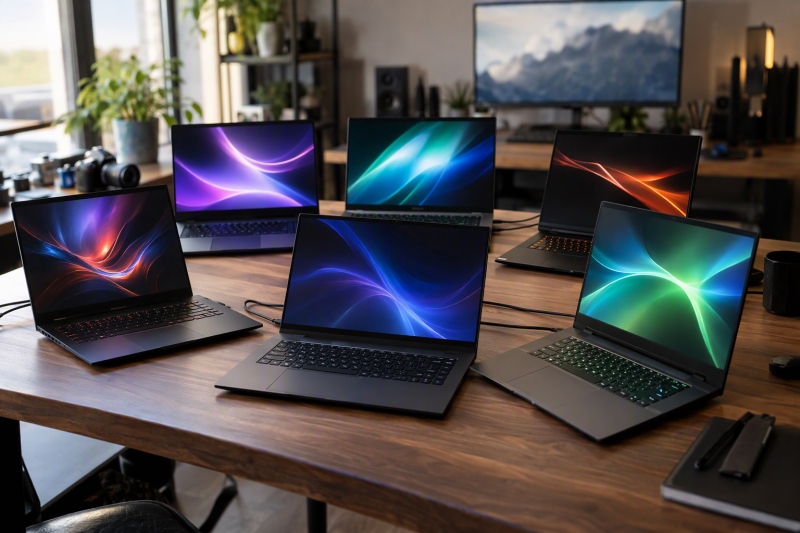
An RTX label names the graphics chip and says little about the screen, memory, storage or ports around it. Six laptops here put an RTX 4070, RTX 4080 or RTX 4090 behind screens from 15.6 to 18 inches, and their memory, storage and ports differ more than the GPU name suggests.
Start with the GPU tier and the screen size, then compare memory and the ports that each maker or listing names.RTX 4070, 4080 and 4090 Laptops Compared
| Image | Product | Details | Check Price |
|---|---|---|---|
 | MSI Katana A15 AI B8VG-450US | Best fit: 15.6-inch RTX 4070 with 32GB of memory Screen: 15.6-inch 2560 x 1440, 165Hz, 100% DCI-P3 Processor: Ryzen 9 8945HS Listed connections: USB-C with DisplayPort, HDMI 2.1, USB-A, Gigabit LAN Memory and storage: 32GB DDR5, 1TB SSD | Check Price on Amazon |
 | ASUS ROG Strix G16 G614JI-XS96 | Best fit: RTX 4070 with Thunderbolt 4 and 32GB of memory Screen: 16-inch 2560 x 1600, 240Hz, 100% DCI-P3 Processor: Core i9-13980HX Listed connections: Thunderbolt 4, USB-C, USB-A, RJ45 LAN Memory and storage: 32GB DDR5, 1TB PCIe 4.0 SSD | Check Price on Amazon |
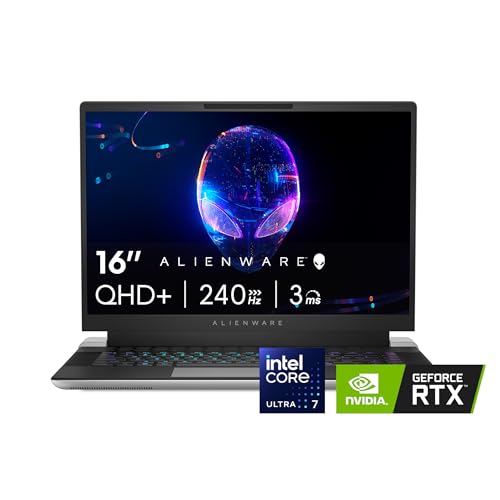 | Alienware x16 R2 | Best fit: RTX 4070 with a Core Ultra 7 processor Screen: 16-inch QHD+, 240Hz, 100% DCI-P3 Processor: Core Ultra 7 155H Listed connections: None listed Memory and storage: 16GB LPDDR5x, 1TB SSD named in title only | Check Price on Amazon |
 | GIGABYTE AORUS 17X AXF-D4US694SH | Best fit: The only RTX 4080, on a 17.3-inch screen Screen: 17.3-inch 2560 x 1440, 240Hz, 100% DCI-P3 Processor: Core i9-13980HX Listed connections: Thunderbolt 4, HDMI 2.1, Mini DP 1.4, USB-A, RJ45 LAN Memory and storage: 16GB DDR5, 1TB SSD | Check Price on Amazon |
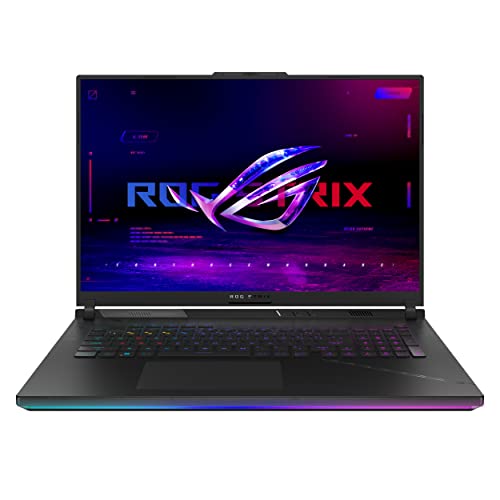 | ASUS ROG Strix SCAR 18 G834JY-XS97 | Best fit: RTX 4090 with an 18-inch screen Screen: 18-inch 2560 x 1600, 240Hz, 100% DCI-P3 Processor: Core i9-13980HX Listed connections: Thunderbolt 4, USB-C, USB-A, 2.5G LAN Memory and storage: 32GB DDR5, 2TB RAID 0 | Check Price on Amazon |
 | Acer Predator Triton 16 PT16-51-76XZ | Best fit: RTX 4070 with a microSD reader Screen: 16-inch 2560 x 1600 IPS, 240Hz Processor: Core i7-13700H Listed connections: Thunderbolt 4 (Amazon), HDMI, USB-A, RJ-45, microSD Memory and storage: 16GB DDR5, 1TB SSD | Check Price on Amazon |
1. MSI Katana A15 AI B8VG-450US — 15.6-Inch RTX 4070 With 32GB of Memory
MSI’s specification table for part number KATANAA15B8450, the model number on the Amazon listing, shows a Ryzen 9 8945HS, an RTX 4070 Laptop GPU with 8GB of GDDR6, 32GB of DDR5-5600 and a 1TB NVMe SSD. The display is a 15.6-inch 2560 x 1440 panel at 165Hz with 100% DCI-P3, the smallest screen in this comparison. The Amazon listing adds Cooler Boost 5 cooling with dual fans and heat pipes.
MSI lists two USB 3.2 Gen 1 ports, one USB 2.0 port, one USB 3.2 Gen 1 Type-C port with DisplayPort 1.4, HDMI 2.1 and Gigabit Ethernet. MSI does not call the Type-C port Thunderbolt. The table also gives a 53.5Wh battery, a 200W adapter and a weight of 5.95 pounds, and its card reader field is empty.
Our Take Choose the Katana for a 15.6-inch laptop with an RTX 4070, 32GB of memory and a 165Hz QHD screen. Skip it if you need Thunderbolt, which MSI does not list for this model.
- MSI lists a 15.6-inch 2560 x 1440 panel at 165Hz with 100% DCI-P3 for the Katana A15 AI B8VG-450US, the smallest screen in this comparison.
- MSI lists 32GB of DDR5-5600 and a 1TB NVMe SSD next to the RTX 4070 and its 8GB of GDDR6.
- MSI lists the Katana’s Type-C port as USB 3.2 Gen 1 with DisplayPort 1.4 and names no Thunderbolt port.
- The Katana weighs more than the Strix G16 and the Triton 16 on the makers’ own figures, at 5.95 pounds from MSI against 5.51 pounds from ASUS and 5.29 pounds from Acer.
2. ASUS ROG Strix G16 G614JI-XS96 — RTX 4070 With Thunderbolt 4 and 32GB of Memory
The Amazon listing and ASUS’s specification page both carry model G614JI-XS96: a Core i9-13980HX, an RTX 4070 Laptop GPU with 8GB of GDDR6, two 16GB DDR5-4800 modules and a 1TB PCIe 4.0 SSD. ASUS lists a 16-inch 2560 x 1600 panel with a 3ms response time and Pantone validation, and a 32GB memory maximum. The Amazon listing adds the 240Hz refresh rate and 100% DCI-P3 coverage, and a 140W maximum graphics power.
ASUS names one Thunderbolt 4 port at up to 40Gbps, one USB 3.2 Gen 2 Type-C port with DisplayPort and power delivery, two USB 3.2 Gen 2 Type-A ports, an RJ45 LAN port and a combo audio jack. The port list has no HDMI entry, only the HDMI logo. ASUS also states a 90Wh battery, a 280W adapter and a weight of 5.51 pounds.
ASUS lists Thunderbolt 4 at up to 40Gbps, RJ45 Ethernet and two USB-A ports, with 32GB of DDR5-4800 behind the RTX 4070.Our Take Pick the Strix G16 for an RTX 4070 that also comes with 32GB of memory and a Thunderbolt 4 port. It is the only RTX 4070 laptop here with both.
- ASUS lists one Thunderbolt 4 port at up to 40Gbps, plus a USB 3.2 Gen 2 Type-C port with DisplayPort and power delivery.
- ASUS lists 16GB of DDR5-4800 in each of two slots and a 1TB PCIe 4.0 SSD, with the Core i9-13980HX.
- The Amazon listing states a 240Hz display with 100% DCI-P3, and ASUS states Pantone validation.
- ASUS’s port list for G614JI-XS96 has no HDMI entry, only the HDMI logo.
- ASUS states 5.51 pounds for the Strix G16, above the 5.29 pounds Acer states for the Triton 16.
3. Alienware x16 R2 — RTX 4070 With a Core Ultra 7 Processor
The Amazon listing for model AW16R2-7988SLV-PUS names a Core Ultra 7 155H with 16 cores, 24MB of cache and a 4.8GHz clock, an RTX 4070 with 8GB of GDDR6, 16GB of integrated LPDDR5x memory, and a 16-inch QHD+ display at 240Hz with 100% DCI-P3, ComfortView Plus and G-SYNC with Advanced Optimus. The title names a 1TB SSD that no bullet repeats, so that figure may be a seller configuration rather than a Dell specification.
Dell’s own page for the x16 R2 says the product is no longer available and carries no configuration table, so the processor, graphics and display figures here come from the Amazon listing alone. The listing adds a 1080p camera with an IR sensor, two 2W tweeters, four 3W woofers, a cooling design that vents warm air out of the sides, and one year of onsite service from Dell. It names no ports.
Our Take Choose the x16 R2 for an RTX 4070 with a Core Ultra 7 processor and a 240Hz 16-inch screen. Confirm the ports and the storage size with the seller first, since the listing names no ports and gives the storage only in its title.
- The Amazon listing states a Core Ultra 7 155H with 16 cores and 24MB of cache, the only Core Ultra chip in this comparison.
- The Amazon listing states a 16-inch QHD+ display at 240Hz with 100% DCI-P3, ComfortView Plus and G-SYNC with Advanced Optimus.
- The Amazon listing says Dell provides one year of onsite service.
- The Amazon listing for the x16 R2 names no ports.
- The Amazon listing states 16GB of LPDDR5x memory, half the 32GB stated for the Katana, Strix G16 and SCAR 18.
- Dell’s own page for the x16 R2 says the product is no longer available.
4. GIGABYTE AORUS 17X AXF-D4US694SH — RTX 4080 With a 17.3-Inch Screen
The Amazon listing for AXF-D4US694SH names a Core i9-13980HX, an RTX 4080 Laptop GPU with 12GB of GDDR6, one 16GB DDR5-5600 module and a 1TB Gen 4 M.2 SSD behind a 17.3-inch 2560 x 1440 panel at 240Hz with 100% DCI-P3. It is the only RTX 4080 laptop in this comparison. GIGABYTE’s AORUS 17X page lists two DDR5 slots with a 64GB maximum and two M.2 slots for NVMe PCIe Gen 4.0×4 drives.
GIGABYTE’s page covers the AZF and AXF models. It lists Thunderbolt 4 on a Type-C port with power delivery, HDMI 2.1, Mini DP 1.4, three USB 3.2 Gen 2 Type-A ports and RJ45 LAN, plus a 99Wh battery, a 330W adapter and a weight of 6.17 pounds. Its graphics line shows an RTX 4090, and the RTX 4080 comes from the Amazon listing.
GIGABYTE lists Thunderbolt 4, HDMI 2.1 and Mini DP 1.4, and the Amazon listing states an RTX 4080 on a 17.3-inch 240Hz panel.Our Take Pick the AORUS 17X for the only RTX 4080 here, with Thunderbolt 4, HDMI 2.1 and Mini DP 1.4 on GIGABYTE’s port list. Plan around the 16GB of memory the listing states.
- GIGABYTE lists a Thunderbolt 4 Type-C port with power delivery, HDMI 2.1, Mini DP 1.4 and RJ45 LAN for the AORUS 17X.
- GIGABYTE lists two M.2 slots for NVMe PCIe Gen 4.0×4 drives, and the Amazon listing states a 1TB Gen 4 SSD.
- The Amazon listing states 16GB of DDR5, half the 32GB stated for the Katana, Strix G16 and SCAR 18.
- GIGABYTE states 6.17 pounds for the AORUS 17X, above the 5.95 pounds MSI states for the Katana.
5. ASUS ROG Strix SCAR 18 G834JY-XS97 — RTX 4090 With an 18-Inch Screen
ASUS’s page for G834JY-XS97 lists a Core i9-13980HX, an RTX 4090 Laptop GPU with 16GB of GDDR6 at 175W, 32GB of DDR5-4800 with a 64GB maximum, and two 1TB PCIe 4.0 SSDs in RAID 0. The display is an 18-inch 2560 x 1600 IPS-level panel with a 3ms response time and Pantone validation, and the Amazon listing adds 240Hz and 100% DCI-P3. It is the only RTX 4090 laptop in the comparison.
ASUS lists one Thunderbolt 4 port at up to 40Gbps, one USB 3.2 Gen 2 Type-C port with DisplayPort and power delivery, two USB 3.2 Gen 2 Type-A ports, 2.5G LAN and a combo audio jack. The port list has no HDMI entry, only the HDMI logo. ASUS states a 90Wh battery, a 330W adapter and a weight of 6.83 pounds.
Our Take Choose the SCAR 18 when an RTX 4090 and an 18-inch screen come first. ASUS lists Thunderbolt 4 and 2.5G LAN, and 6.83 pounds is the trade.
- ASUS lists an RTX 4090 Laptop GPU with 16GB of GDDR6 at 175W, the only RTX 4090 in this comparison.
- ASUS lists one Thunderbolt 4 port at up to 40Gbps and 2.5G LAN for the SCAR 18.
- ASUS lists two 1TB PCIe 4.0 SSDs in RAID 0 and a 64GB memory maximum.
- ASUS states 6.83 pounds for the SCAR 18, the most of any weight a maker gives for these six laptops.
- ASUS’s port list for G834JY-XS97 has no HDMI entry, only the HDMI logo.
6. Acer Predator Triton 16 PT16-51-76XZ — RTX 4070 With a microSD Reader
Acer’s page for PT16-51-76XZ lists a Core i7-13700H, an RTX 4070 with 8GB of dedicated memory, 16GB of DDR5 and a 1TB SSD, with a 16-inch 2560 x 1600 IPS panel at 240Hz. The Amazon listing adds a 500-nit rating, G-SYNC and a 32GB memory maximum.
Acer’s port list names HDMI, two USB 3.2 Gen 1 ports, one USB Type-C 3.2 Gen 2 port, RJ-45 and a microSD card reader. The Amazon bullets describe the Type-C port as Thunderbolt 4 with DisplayPort and power delivery and give HDMI 2.1, but they call the two USB-A ports Gen 2 where Acer says Gen 1, so confirm the USB-A speed with the seller. Acer states a 99Wh battery with up to 8 hours of run time and a weight of 5.29 pounds.
Our Take Pick the Triton 16 for an RTX 4070 with a microSD reader at 5.29 pounds, and accept 16GB of memory.
- Acer lists a microSD card reader, and no other page or listing for these six laptops names one.
- Acer states a 99Wh battery and 5.29 pounds for this laptop, the lowest weight a maker gives for these six laptops.
- The Amazon listing names a Thunderbolt 4 Type-C port and HDMI 2.1 for the Triton 16.
- Acer’s page lists the Type-C port as USB 3.2 Gen 2 without the Thunderbolt name, while the Amazon bullets name Thunderbolt 4.
- Acer and the Amazon listing state 16GB of DDR5, half the 32GB stated for the Katana, Strix G16 and SCAR 18.
Buying Guide
1. Start with the GPU tier and its listed memory
The Katana, Strix G16, Alienware x16 R2 and Triton 16 list an RTX 4070 with 8GB of video memory, the AORUS 17X lists an RTX 4080 with 12GB of GDDR6, and the SCAR 18 lists an RTX 4090 with 16GB of GDDR6. The memory sizes are the stated difference between the tiers.
ASUS states a graphics power figure for both of its laptops, 140W for the Strix G16 and 175W for the SCAR 18. MSI, Acer and the Alienware and AORUS 17X listings state no wattage for these configurations, so compare those four on memory size and model number.
2. Choose screen size before paying for a larger chassis
The Katana is 15.6 inches, the Strix G16, Alienware and Triton are 16 inches, the AORUS is 17.3 inches and the SCAR is 18 inches. The Katana and AORUS 17X list 16:9 panels at 2560 x 1440, ASUS lists 16:10 at 2560 x 1600 for both of its laptops, and Acer lists 2560 x 1600. The Alienware listing says QHD+ without a pixel count.
The Strix G16, Alienware, AORUS, SCAR and Triton list 240Hz, and the Katana lists 165Hz. The Katana, Strix G16, Alienware, AORUS and SCAR list 100% DCI-P3. Acer’s page and the Amazon bullets give no gamut figure for the Triton 16.
3. Compare the port list, not the laptop name
The Strix G16, SCAR 18 and AORUS 17X each list a Thunderbolt 4 port on the maker’s page, and the Amazon bullets name one on the Triton 16. Acer’s own page lists a USB Type-C 3.2 Gen 2 port without the Thunderbolt name, so check the port label before buying a dock.
The Katana lists USB-C with DisplayPort at USB 3.2 Gen 1, and the Alienware listing names no ports. HDMI 2.1 is named for the Katana and AORUS 17X, and HDMI for the Triton 16, while ASUS lists no HDMI port for either ROG laptop. A port that a maker page or listing leaves out is unconfirmed, not absent.
4. Match memory and storage to the configuration
The Katana, Strix G16 and SCAR 18 list 32GB of memory, while the Alienware x16 R2, AORUS 17X and Triton 16 list 16GB. ASUS lists a 32GB maximum for the Strix G16 and 64GB for the SCAR 18, GIGABYTE lists 64GB for the AORUS 17X, and the Amazon bullet gives 32GB for the Triton 16.
The Katana, Strix G16, AORUS 17X and Triton 16 list a 1TB SSD, and the SCAR 18 lists two 1TB SSDs in RAID 0. The Alienware listing names 1TB only in its title. Sellers can list other memory and storage under one model number, so check both fields on the order page.
5. Buy by model number, because one GPU name covers many configurations
All six use RTX 40-series graphics, and the rest of the machine varies by model number. ASUS’s own page lists two Strix G16 configurations with an RTX 4070: G614JI-XS96 pairs it with a Core i9-13980HX and 32GB, and G614JI-SS74 pairs it with a Core i7-13650HX and 16GB.
Use the model number to settle the details. MSI uses KATANAA15B8450, ASUS uses G614JI-XS96 and G834JY-XS97, Dell uses AW16R2-7988SLV-PUS, GIGABYTE uses AXF-D4US694SH, and Acer uses PT16-51-76XZ. The RTX 4060 laptop comparison and RTX 5060 laptop comparison cover neighboring GPU decisions.
FAQ
Which laptop has the largest screen?
The ASUS ROG Strix SCAR 18 has the largest screen at 18 inches, a 2560 x 1600 panel that the Amazon listing puts at 240Hz. The AORUS 17X is next at 17.3 inches.
Size also shows in the weights the makers state: ASUS lists 6.83 pounds for the SCAR 18 and GIGABYTE lists 6.17 pounds for the AORUS 17X.
Which laptops list 32GB of memory?
The Katana, Strix G16 and SCAR 18 list 32GB of memory, while the Alienware x16 R2, AORUS 17X and Triton 16 list 16GB.
ASUS lists a 32GB maximum for the Strix G16 and 64GB for the SCAR 18, GIGABYTE lists 64GB for the AORUS 17X, and the Amazon bullet gives 32GB for the Triton 16. The Alienware listing calls its 16GB integrated memory LPDDR5x and gives no maximum.
Which models state Thunderbolt 4?
The ROG Strix G16, ROG Strix SCAR 18 and AORUS 17X state Thunderbolt 4 on their maker pages, and the Amazon bullets for the Triton 16 name it as well. ASUS lists up to 40Gbps for the two ROG laptops.
MSI lists the Katana’s Type-C port as USB 3.2 Gen 1 with DisplayPort 1.4 and does not name Thunderbolt. The Alienware listing names no ports.
Which configuration lists a card reader?
The Acer Predator Triton 16 is the only one of the six with a card reader named. Acer lists a microSD reader, and the Amazon bullets say one is available.
MSI’s table leaves the Katana’s card reader field empty. ASUS, GIGABYTE and the Alienware listing do not mention a reader, which leaves it unconfirmed for those models.
Are all six laptops equally portable?
No. Makers state 5.29 pounds for the Triton 16, 5.51 for the Strix G16, 5.95 for the Katana, 6.17 for the AORUS 17X and 6.83 for the SCAR 18. No maker page states a weight for the x16 R2.
Screens span 15.6 to 18 inches. ASUS states 90Wh batteries for both ROG laptops, Acer and GIGABYTE state 99Wh, and MSI states 53.5Wh.
Bottom Line
Choose the MSI Katana A15 AI for a 15.6-inch RTX 4070 with 32GB of memory, the AORUS 17X for the only RTX 4080 here, or the ROG Strix SCAR 18 for the only RTX 4090 here. The Strix G16, AORUS 17X and SCAR 18 state Thunderbolt 4 on maker pages, the Triton 16 names it in Amazon bullets, and the Triton 16 alone lists a microSD reader.