The six Acer Swift laptops here differ most in screen, graphics, port list, and how much of the memory and storage comes from Acer rather than a seller’s title. Swift X 14 is the OLED model with RTX 5050 graphics, and Swift Spin 14 AI is the only 360-degree convertible on this page.
Swift Go 14 and Swift Go 16 AI are the two touchscreen Swift Go models, one at 14 inches and one at 16. Swift 14 is the Snapdragon X Elite option whose Amazon listing names no ports, and Swift Edge 14 AI is the OLED model Acer lists at 2.18 pounds.
Acer Swift Laptops Compared
| Image | Product | Details | Check Price |
|---|---|---|---|
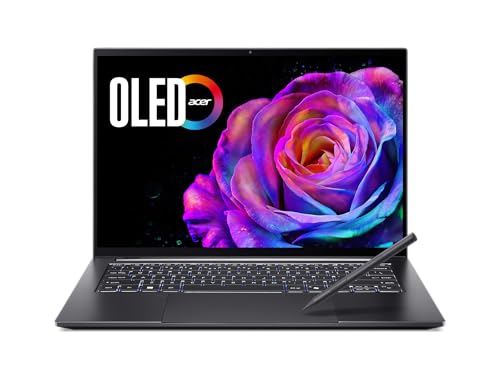 | Acer Swift X 14 | Best fit: OLED work with RTX graphics Screen: 14.5-inch 3K OLED, 120Hz Processor: Core Ultra 7 255H Ports: 2x USB-C with Thunderbolt 4, 2x USB-A, HDMI Memory and storage: 16GB LPDDR5X, 1TB SSD | Check Price on Amazon |
 | Acer Swift Spin 14 AI | Best fit: Convertible touchscreen work Screen: 14-inch WUXGA touch, 120Hz Processor: Snapdragon X2 Elite Ports: 2x USB4, 2x USB-A, HDMI 2.1 Memory and storage: 16GB LPDDR5X, 512GB SSD | Check Price on Amazon |
 | Acer Swift Go 14 | Best fit: Light Intel touchscreen Screen: 14-inch WUXGA touch Processor: Core Ultra 7 155H Ports: 2x USB-C with USB4 and Thunderbolt 4, 2x USB 3.2 Gen 1, HDMI 2.1 Memory and storage: 16GB LPDDR5X, 512GB SSD | Check Price on Amazon |
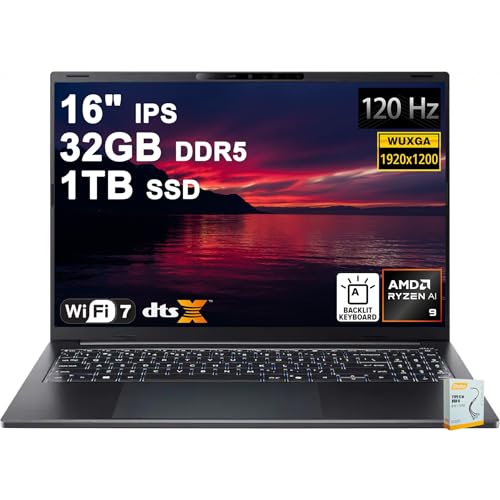 | Acer Swift Go 16 AI | Best fit: Larger stated touchscreen Screen: 16-inch WUXGA touch, 120Hz Processor: Ryzen AI 9 465 Ports: 2x USB-C 4.0, 2x USB-A, HDMI, microSD Memory and storage: 32GB, 1TB in seller title | Check Price on Amazon |
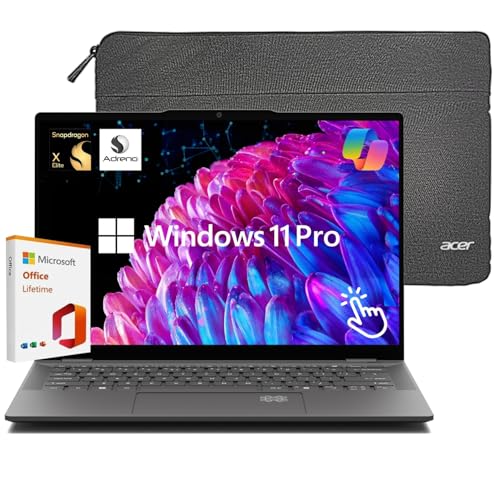 | Acer Swift 14 | Best fit: Snapdragon X Elite touchscreen Screen: 14.5-inch 2560x1600 touch, 120Hz Processor: Snapdragon X Elite Ports: Not stated in listing bullets Memory and storage: 16GB LPDDR5X, 1TB PCIe Gen 4 SSD | Check Price on Amazon |
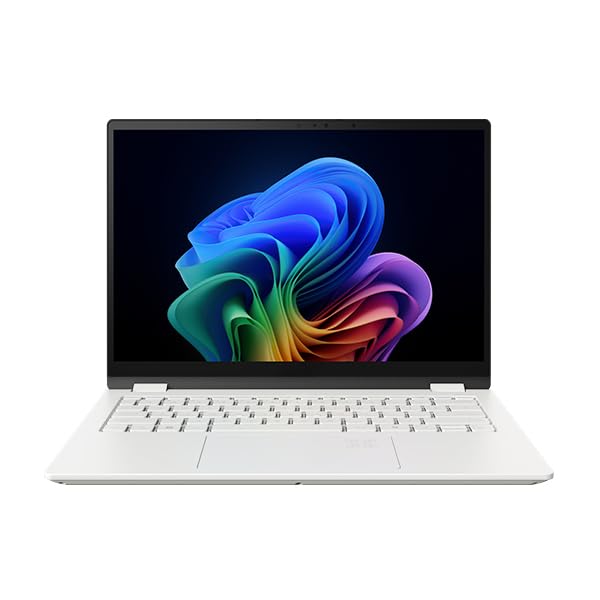 | Acer Swift Edge 14 AI | Best fit: Lightest carry at 2.18 pounds Screen: 14-inch 2.8K OLED touch, 120Hz Processor: Core Ultra 7 256V Ports: 2x USB4, HDMI, 2x USB-A, no RJ-45 Memory and storage: 16GB LPDDR5X, 1TB SSD | Check Price on Amazon |
1. Acer Swift X 14 — Best for OLED and RTX Graphics
Acer’s page for the SFX14-73G-71XL, the model Amazon shows, lists a Core Ultra 7 255H, RTX 5050 with 8GB of dedicated graphics memory, 16GB LPDDR5X, and a 1TB PCIe Gen 4 SSD behind a 14.5-inch 2880×1800 OLED touchscreen at 120Hz. Amazon’s bullets add Gorilla Glass and True Black HDR500 on the display, and Acer lists an Active Stylus in the box.
Acer’s port table lists two USB-C ports with Thunderbolt 4, two USB 3.2 Gen 2 Type-A ports, and one HDMI output, plus a microSD slot. The same table gives a 76Wh battery rated for up to 12.5 hours, a weight of 3.48 pounds, no fingerprint reader, and no RJ-45 Ethernet port.
- Acer lists RTX 5050 graphics with 8GB of dedicated memory, the only dedicated GPU among the six laptops here.
- Acer lists a 14.5-inch 2880×1800 OLED touchscreen at 120Hz.
- Acer lists two USB-C ports with Thunderbolt 4, the label to match when an accessory asks for Thunderbolt, plus two USB-A ports, HDMI, and a microSD slot.
- Acer lists 3.48 pounds, against 2.18 pounds for the Swift Edge 14 AI.
- Acer’s table lists no fingerprint reader and no RJ-45 Ethernet port, so a wired connection needs a USB or dock Ethernet adapter.
2. Acer Swift Spin 14 AI — Best for a Convertible Touchscreen
The SFSP14-Q51T-X2D1 is the one model here with a 360-degree hinge. Amazon’s bullets describe tent and tablet modes and an Acer Active Stylus (Wacom AES 2.0) that docks in a built-in garage. The 14-inch IPS touchscreen is 1920×1200, rated for up to 120Hz, 100% sRGB, and 300 nits, and the listing pairs it with a Snapdragon X2 Elite, an 80 TOPS Hexagon NPU, 16GB LPDDR5X, and a 512GB Gen 4 SSD.
Amazon’s port bullet names two USB4 Type-C ports at up to 40Gbps, two USB 3.2 Gen 1 Type-A ports, and HDMI 2.1, with DisplayPort and charging up to 100W on the Type-C ports. The listing also gives a 2.95-pound weight, up to 16.5 hours of battery in a web-browsing test and 23 hours in video playback, Wi-Fi 7, and a 5MP IR HDR webcam. It says USB4 for both Type-C ports and never says Thunderbolt.
- Amazon lists a 360-degree hinge with tent and tablet modes and a dockable Acer Active Stylus, and it is the only convertible on this page.
- Amazon lists a 14-inch touchscreen at up to 120Hz with 100% sRGB.
- Amazon’s listing names two USB4 Type-C ports at up to 40Gbps with DisplayPort and charging.
- Amazon lists up to 16.5 hours of web-browsing battery life and a 2.95-pound weight.
- Amazon’s listing names USB4 for both Type-C ports and does not name Thunderbolt, so check an accessory’s manual when it asks for Thunderbolt.
- Amazon lists 512GB of storage, against the 1TB Acer lists for the Swift X 14 and Swift Edge 14 AI.
3. Acer Swift Go 14 — Best for a Light Intel Touchscreen
Amazon’s title and model field give the SFG14-72T-718K, described in the bullets as an Intel Evo thin-and-light with a Core Ultra 7 155H (16 cores, 22 threads), Intel Arc graphics, 16GB onboard LPDDR5X, and a 512GB PCIe Gen 4 SSD. The 14-inch 1920×1200 IPS touchscreen is rated 100% sRGB, and Amazon’s product data gives the weight as 2.91 pounds.
For ports, Amazon lists two USB-C ports with USB4 at up to 40Gbps and Thunderbolt 4, two USB 3.2 Gen 1 ports, and HDMI 2.1, with charging up to 100W over USB-C. The bullets also name a microSD reader, Wi-Fi 6E, Bluetooth 5.3 or later, a 1440p camera, and up to 12.5 hours of battery life. The graphics are Intel Arc, not the RTX 5050 in the Swift X 14.
- Amazon lists two USB-C ports with USB4 at 40Gbps and Thunderbolt 4.
- Amazon lists a 14-inch 1920×1200 IPS touchscreen rated 100% sRGB.
- Amazon’s bullets name a microSD reader and HDMI 2.1 beside two USB 3.2 Gen 1 ports.
- Amazon lists Intel Arc graphics, not the RTX 5050 Acer lists for the Swift X 14.
- Amazon lists 512GB of storage, half the 1TB Acer lists for the Swift X 14 and Swift Edge 14 AI.
4. Acer Swift Go 16 AI — Best for a Larger Touchscreen
The Swift Go 16 AI listing comes from a seller and carries only the model name, with no Acer part number. Its bullets state a 16-inch 120Hz touchscreen, an AMD Ryzen AI 9 465 with integrated Radeon 880M graphics, and a 5MP IR HDR camera, and the title adds WUXGA resolution and 100% sRGB. It is the largest display on this page. The title and size field also say 32GB DDR5 and 1TB, but no bullet repeats them, so treat them as possibly a seller configuration.
The port bullet lists two USB-C 4.0 ports at 40Gbps, two USB-A 3.2 ports, HDMI, and a microSD card reader. The listing also names Wi-Fi 7, a backlit keyboard, DTS:X Ultra Audio, and Windows 11 Home, and Amazon’s product data gives 3.54 pounds. Amazon gives no Acer part number, so confirm the processor, memory, storage, and ports with the seller before buying.
- Amazon lists a 16-inch touchscreen at 120Hz, the largest screen on this page.
- Amazon’s port bullet lists two USB-C 4.0 ports, two USB-A 3.2 ports, HDMI, and a microSD card reader.
- The seller’s bullets name a Ryzen AI 9 465 with integrated Radeon 880M graphics.
- Amazon lists Wi-Fi 7 and a 5MP IR HDR camera.
- Amazon gives no Acer part number to check against an Acer page.
- The 32GB and 1TB appear in the seller’s title and size field, and no bullet states them, so they are possibly a seller configuration.
5. Acer Swift 14 — Best for a Snapdragon X Elite Touchscreen
Amazon’s title for the Swift 14 lists a 12-core Snapdragon X Elite, a 14.5-inch 2560×1600 touchscreen at 120Hz, 16GB LPDDR5X, and a 1TB SSD, and a bullet states the memory and a 1TB PCIe Gen 4 SSD. The screen is rated 300 nits and 100% sRGB. The title names Windows 11 Pro with lifetime Microsoft Office, and a bullet says a protective sleeve is included.
No bullet or field names a wired port, and Amazon’s model and part number fields both read only SF14, so no Acer part number can be matched. The listing does state Wi-Fi 7, Bluetooth 5.4, a fingerprint reader, a 1440p camera with a triple-microphone array, and up to 26 hours of battery life, and Amazon’s product data gives 3.2 pounds. Ask the seller which ports it has before choosing it for a display, dock, or wired network.
- Amazon lists a 14.5-inch 2560×1600 touchscreen at 120Hz with 100% sRGB.
- An Amazon bullet states 16GB LPDDR5X memory and a 1TB PCIe Gen 4 SSD.
- The seller’s bullets name Wi-Fi 7, a fingerprint reader, and a 1440p camera.
- Amazon’s listing names no wired ports, and its model and part number fields both read only SF14, so no Acer part number can be matched.
- Amazon’s product data gives 3.2 pounds, against the 2.95 pounds Amazon lists for the Swift Spin 14 AI.
6. Acer Swift Edge 14 AI — Best for the Lightest Carry
Acer lists the SFE14-51T-76TA, the model Amazon shows, at 2.18 pounds, the lowest weight on this page. The same page lists a 14-inch 2880×1800 OLED touchscreen at 120Hz, a 65Wh battery rated for up to 21 hours, a Core Ultra 7 256V, Arc Graphics 140V with shared memory, 16GB LPDDR5X, and a 1TB PCIe Gen 4 SSD.
Acer’s port table lists two USB4 ports, one HDMI output, one USB 3.2 Gen 1 Type-A port, and one USB 3.2 Gen 2 Type-A port, and marks the RJ-45 Ethernet port as not included. Acer also lists a fingerprint reader and IEEE 802.11be wireless, while Amazon’s title says WiFi 6E.
- Acer lists a weight of 2.18 pounds, the lowest on this page.
- Acer lists a 14-inch 2880×1800 OLED touchscreen at 120Hz.
- Acer lists two USB4 ports, HDMI, and two USB-A ports.
- Acer lists Arc Graphics 140V with shared memory, not the dedicated RTX 5050 of the Swift X 14.
- Acer’s table marks the RJ-45 Ethernet port as not included.
Buying Guide
Start with the screen size and panel type
The 14-inch models differ in panel and hinge. Swift Go 14 lists a 14-inch 1920×1200 IPS touchscreen, Swift Spin 14 AI lists a 14-inch 1920×1200 touchscreen on a folding hinge, and Swift Edge 14 AI lists a 14-inch 2880×1800 OLED touchscreen. Resolution, panel type, and hinge design separate them more than the diagonal does.
The larger screens are 14.5 and 16 inches. Swift X 14 has a 14.5-inch 2880×1800 120Hz OLED with RTX graphics, Swift 14 has a 14.5-inch 2560×1600 120Hz touchscreen, and Swift Go 16 AI has a 16-inch 120Hz touchscreen. The Swift 14 listing names no ports, and the Swift Go 16 AI listing gives no Acer part number.
Read the USB-C language literally
Swift X 14 and Swift Go 14 name Thunderbolt 4. Acer’s page lists two USB-C ports with Thunderbolt 4 on the first, and Amazon’s listing names USB4 at 40Gbps and Thunderbolt 4 on the second. Check an accessory’s manual when it asks for Thunderbolt and not only USB-C.
Swift Spin 14 AI and Swift Edge 14 AI use USB4 labels, and Swift Go 16 AI lists USB-C 4.0. Amazon lists two USB4 ports at up to 40Gbps on the convertible, Acer lists two USB4 ports on the OLED model, and the Go 16 seller says USB-C 4.0 at 40Gbps. Swift 14 names no wired ports at all.
Separate graphics requirements from processor names
Swift X 14 is the only entry with dedicated RTX graphics. Acer lists an RTX 5050 with 8GB of dedicated memory, while Swift Go 14 lists Intel Arc graphics, Swift Go 16 AI lists Radeon 880M graphics, and Swift Spin 14 AI lists a Qualcomm Adreno GPU. The X 14 and Swift Edge 14 AI both use Core Ultra 7 processors, yet only the X 14 has an RTX GPU.
The two Snapdragon models carry different chip names. Swift Spin 14 AI lists a Snapdragon X2 Elite with an 80 TOPS Hexagon NPU, while Swift 14 lists a 12-core Snapdragon X Elite. The Spin 14 AI names its ports, and the Swift 14 does not.
Treat seller memory and storage details carefully
Acer’s page states 16GB LPDDR5X and a 1TB SSD on Swift X 14 and Swift Edge 14 AI. Amazon’s bullets state 16GB LPDDR5X and a 512GB SSD for Swift Go 14 and Swift Spin 14 AI, and 16GB LPDDR5X with a 1TB SSD for Swift 14.
One listing needs a narrower reading. The 32GB and 1TB for Swift Go 16 AI appear in the seller’s title and size field, and no bullet states them, so they are possibly a seller configuration. Confirm those values with the seller for the individual offer, since the model name alone does not set them.
Plan the connected desk around the missing ports
Five of the six laptops list HDMI and USB 3.2 ports. Swift X 14, Swift Spin 14 AI, Swift Go 16 AI, and Swift Edge 14 AI name HDMI plus USB Type-A ports, and Swift Go 14 names HDMI 2.1 plus two USB 3.2 Gen 1 ports. Swift 14 names neither. The Thunderbolt 4 docking-station guide helps when the laptop’s own ports do not cover the desk.
Acer’s tables list no RJ-45 port on Swift X 14 or Swift Edge 14 AI. The other four listings do not name an Ethernet jack, so a USB or dock Ethernet adapter is the safer plan for a wired connection. The USB4 laptop list covers more laptops with USB4 ports.
FAQ
Which Swift has dedicated RTX graphics?
Swift X 14 is the only one here with a dedicated RTX GPU. Acer lists an RTX 5050 with 8GB of dedicated memory beside the Core Ultra 7 255H.
Swift Go 14 lists Intel Arc graphics, Swift Go 16 AI lists Radeon 880M graphics, Swift Spin 14 AI lists a Qualcomm Adreno GPU, and Acer lists Arc Graphics 140V with shared memory for Swift Edge 14 AI. Swift 14 lists no graphics. Do not infer RTX graphics from the Swift name.
Which Swift laptops list a microSD reader?
Three do. Acer’s page lists a microSD reader on Swift X 14, and Amazon’s listings name one for Swift Go 14 and Swift Go 16 AI.
The listings for Swift Spin 14 AI, Swift 14, and Swift Edge 14 AI do not name a card reader.
Which Swift is the lightest?
Acer lists Swift Edge 14 AI at 2.18 pounds. Amazon’s product data gives Swift Go 14 2.91 pounds, and the Swift Spin 14 AI bullets list 2.95 pounds.
Swift 14 is 3.2 pounds and Swift Go 16 AI is 3.54 pounds in Amazon’s product data, and Acer lists Swift X 14 at 3.48 pounds. Amazon’s item-weight field for the Edge listing shows 5.9 pounds against Acer’s 2.18 pounds.
Does the Swift Go 16 AI have 32GB and 1TB?
The Swift Go 16 AI title and size field say 32GB DDR5 and 1TB, but no bullet repeats them and Amazon gives no Acer part number. They are possibly a seller configuration, not a claim about every laptop sold under that name.
Ask the seller to confirm the installed memory and storage in the particular offer. The Swift 14 bullets do state 16GB LPDDR5X and a 1TB PCIe Gen 4 SSD.
Is a USB4 Swift the same as a Thunderbolt 4 Swift?
USB4 and Thunderbolt 4 are separate labels in the product information. Swift Go 14 states both, and Acer states Thunderbolt 4 for Swift X 14.
Swift Spin 14 AI and Swift Edge 14 AI state USB4, Swift Go 16 AI says USB-C 4.0, and Swift 14 names no ports. Check the accessory’s own compatibility requirement before assuming a USB4 label satisfies a Thunderbolt requirement.