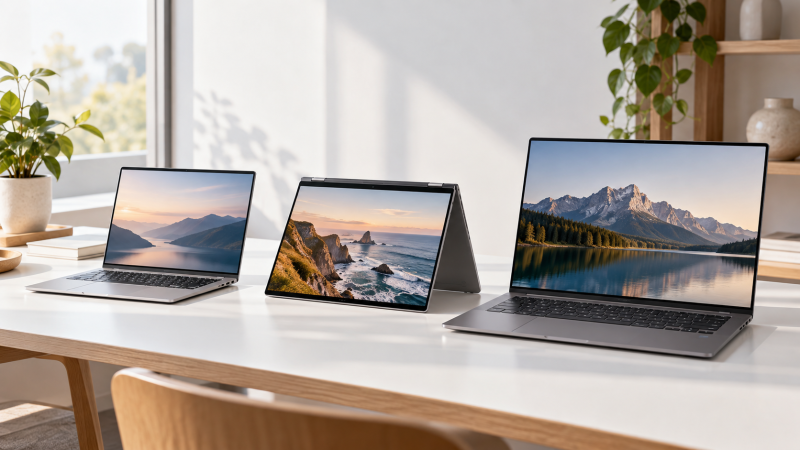
LG sells the gram in several sizes, and the weight, processor and ports change from model to model. The comparison covers two 14-inch models, a 15-inch touchscreen, the 15.6-inch gram Book, a 16-inch touchscreen and the 17-inch gram Pro.
The two 14-inch models tie for the lowest weight here, at 2.47 pounds each, and the LG gram 14 with Ryzen AI is one of them. The gram Pro 17 has the largest screen and weighs 3.04 pounds.
Several Amazon titles name memory and storage amounts. Where an amount appears only in a title, this page marks it as possibly a seller configuration, so read the order page for the memory and storage you will receive.
Pick the screen size and weight first, then compare the processor, touch support and ports.LG gram Laptops Compared
| Image | Product | Details | Check Price |
|---|---|---|---|
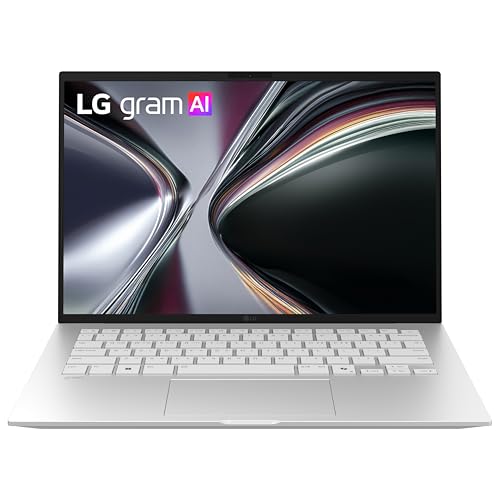 | LG gram 14 Ryzen AI | Best fit: 2.47-pound 14-inch with AMD Screen: 14-inch Processor: AMD Ryzen AI 7 450 Weight: 2.47 lb Ports: None named in listing | Check Price on Amazon |
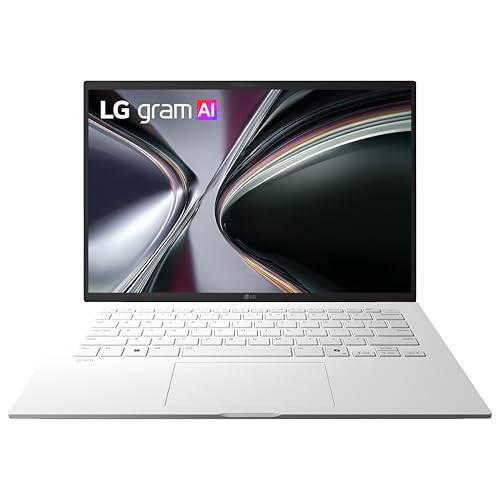 | LG gram 14 Intel | Best fit: 2.47-pound 14-inch with Thunderbolt 4 Screen: 14-inch Processor: Intel Core Ultra 5 325 Weight: 2.47 lb Ports: Thunderbolt 4 in title | Check Price on Amazon |
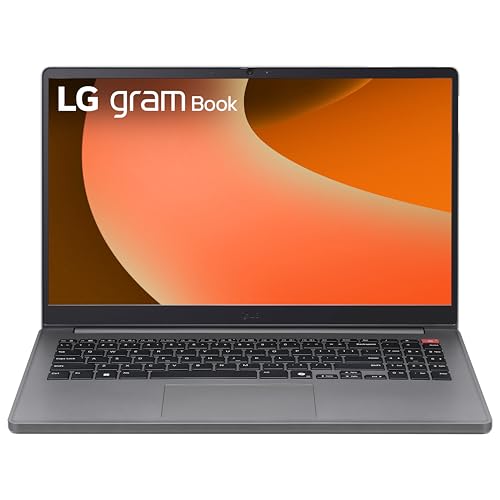 | LG gram Book 15 | Best fit: 15.6-inch Full HD screen with HDMI Screen: 15.6-inch Full HD IPS Processor: Intel Core i5-1334U Weight: 3.7 lb Ports: 2 USB Type-C, 2 USB 3.2, HDMI | Check Price on Amazon |
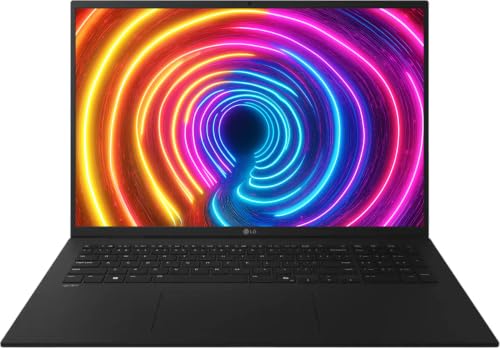 | LG gram 16 | Best fit: 16-inch 120Hz touchscreen Screen: 16-inch WUXGA touch, up to 120Hz Processor: AMD Ryzen AI 7 445 Weight: 3.96 lb Ports: HDMI, USB-A, USB Type-C | Check Price on Amazon |
 | LG gram 15 | Best fit: 15-inch touchscreen with Thunderbolt 4 Screen: 15-inch touch Processor: Intel Core Ultra 7 355 Weight: 2.84 lb Ports: Thunderbolt 4 in title | Check Price on Amazon |
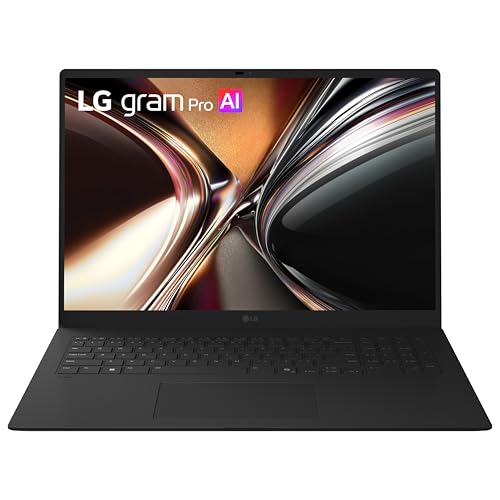 | LG gram Pro 17 | Best fit: 17-inch screen at 3.04 pounds Screen: 17-inch Processor: Intel Core Ultra 7 355 Weight: 3.04 lb Ports: Thunderbolt 4 in title | Check Price on Amazon |
1. LG gram 14 Ryzen AI — Best 2.47-Pound 14-Inch With AMD
The Amazon listing for the LG gram 14 with AMD Ryzen AI 7 450 states a weight of 2.47 pounds and a thickness of 0.67 inch. It also states a 72Wh battery with up to 32 hours of video playback, plus 16GB LPDDR5x memory and 1TB NVMe storage.
It is the AMD choice among the two 14-inch models. The listing names no Thunderbolt or USB port, so a buyer planning around a dock should read the Intel gram 14 below, whose title names Thunderbolt 4.
Our Take Choose this model when a 2.47-pound 14-inch laptop with an AMD processor is the goal. Buyers who work in large documents may prefer the 16-inch or 17-inch models.
- The Amazon listing states 2.47 pounds and 0.67 inch thickness for the gram 14 Ryzen AI.
- The listing names an AMD Ryzen AI 7 450 processor, while the Intel gram 14 uses a Core Ultra 5 325, so it is the AMD choice of the two smallest models.
- The listing states a 72Wh battery and up to 32 hours of video playback.
- The gram 14 Ryzen AI listing names no Thunderbolt or USB port, so a buyer planning around a dock cannot confirm a port from it.
- The 14-inch gram 14 Ryzen AI has a smaller screen than the 15-inch, 15.6-inch, 16-inch and 17-inch models.
2. LG gram 14 Intel — Best 2.47-Pound 14-Inch With Thunderbolt 4
The Amazon listing for the LG gram 14 with Intel Core Ultra 5 325 states a weight of 2.47 pounds, a thickness of 0.67 inch and a 72Wh battery. Its title names Thunderbolt 4. It lists up to 36.5 hours of video playback, against up to 32 hours on the Ryzen AI gram 14, and an NPU rated up to 47 TOPS.
The title names 32GB RAM and 512GB SSD, which are possibly a seller configuration. The listing text says the Core Ultra platform supports up to 32GB LPDDR5x memory and up to 512GB NVMe storage.
The Intel gram 14 weighs 2.47 pounds like the Ryzen AI model, and its title names Thunderbolt 4.Our Take Pick this model when you want the 2.47-pound weight and a Thunderbolt 4 port for a dock or monitor. Pick the Ryzen AI gram 14 instead when you prefer the AMD processor.
- The Amazon listing states 2.47 pounds, 0.67 inch thickness and a 72Wh battery for the Intel gram 14.
- The title names Thunderbolt 4, which the Ryzen AI gram 14 listing does not.
- The listing states up to 36.5 hours of video playback and an NPU rated up to 47 TOPS.
- The Intel gram 14 title names 32GB RAM and 512GB SSD, which are possibly a seller configuration.
- The 14-inch Intel gram 14 has a smaller screen than the 15-inch, 15.6-inch, 16-inch and 17-inch models.
3. LG gram Book 15 — Best 15.6-Inch Full HD Screen With HDMI
The Amazon listing for the LG gram Book 15 states a 15.6-inch Full HD IPS display with up to 300 nits, an Intel Core i5-1334U processor, a weight of 3.7 pounds and a thickness of 0.76 inch. It names two USB Type-C ports, two USB 3.2 ports, an HDMI port, a headphone jack and a webcam with a privacy shutter.
The listing also states 8GB DDR4 memory and a 512GB Gen4 NVMe SSD, with two M.2 slots for upgradeable SSD cards. It names no Thunderbolt port.
The gram Book 15 lists two USB Type-C ports, two USB 3.2 ports and HDMI on a 15.6-inch Full HD IPS screen.Our Take Choose the gram Book when a 15.6-inch Full HD IPS screen and a long list of named ports fit your desk. Choose the gram 15 instead for a touchscreen, a weight of 2.84 pounds and Thunderbolt 4.
- The gram Book 15 listing describes a 15.6-inch Full HD IPS display rated up to 300 nits.
- The listing names two USB Type-C ports, two USB 3.2 ports, HDMI, a headphone jack and a privacy shutter.
- The listing states two M.2 slots for upgradeable SSD cards.
- The gram Book 15 listing states 3.7 pounds, more than the gram 14, gram 15 and gram Pro 17 listings.
- The listing states 8GB DDR4 memory, less than the memory amounts named in the other five titles.
4. LG gram 16 — Best 16-Inch 120Hz Touchscreen
The Amazon listing for the LG gram 16 states a 16-inch WUXGA (1920 by 1200) IPS touchscreen with a 16:10 aspect ratio, 400 nits and up to 120Hz refresh rate. It names an AMD Ryzen AI 7 445 processor, 16GB LPDDR5X memory, a 1TB NVMe SSD, Wi-Fi 6E, HDMI, USB-A ports, USB Type-C connectivity and a backlit keyboard.
The listing states a weight of 3.96 pounds and a 77Wh battery with up to 26 hours of video playback. The title also names Windows 11 Pro and accessories, so treat the software and accessories as possibly a seller configuration.
Our Take Pick this model when you want a touchscreen with a 16:10 shape and a stated 120Hz refresh rate. It sits between the 14-inch models and the 17-inch gram Pro in screen size.
- The gram 16 listing states a 16-inch WUXGA 16:10 IPS touchscreen with up to 120Hz refresh rate and 400 nits.
- The listing names an AMD Ryzen AI 7 445 processor, Wi-Fi 6E, HDMI, USB-A ports and USB Type-C connectivity.
- A backlit keyboard and a 77Wh battery are both stated in the listing.
- The gram 16 title names Windows 11 Pro and accessories, which are possibly a seller configuration.
- The listing states 3.96 pounds, more than the 2.47-pound gram 14 listings and the 3.04-pound gram Pro 17 listing.
5. LG gram 15 — Best 15-Inch Touchscreen With Thunderbolt 4
The Amazon listing for the LG gram 15 states a 15-inch touchscreen, an Intel Core Ultra 7 355 processor, a weight of 2.84 pounds, a thickness of 0.67 inch and a 72Wh battery with up to 24 hours of video playback. Its title names Thunderbolt 4, and the listing rates the NPU at up to 49 TOPS.
The title names 32GB RAM and 1TB SSD, which are possibly a seller configuration. The listing text says the platform supports up to 32GB LPDDR5x memory and up to 1TB NVMe storage.
Our Take Choose this model for a 15-inch touchscreen with Thunderbolt 4 at 2.84 pounds. The gram Book 15 names no touchscreen and weighs 3.7 pounds, while the gram 16 has a larger touchscreen at 3.96 pounds.
- The gram 15 listing states a 15-inch touchscreen and an Intel Core Ultra 7 355 processor.
- The listing states 2.84 pounds and 0.67 inch thickness.
- The gram 15 title names Thunderbolt 4.
- The gram 15 title names 32GB RAM and 1TB SSD, which are possibly a seller configuration.
- The listing states 2.84 pounds, more than the 2.47-pound gram 14 listings.
6. LG gram Pro 17 — Best 17-Inch Screen at 3.04 Pounds
The Amazon listing for the LG gram Pro 17 states a 17-inch screen, an Intel Core Ultra 7 355 processor, a weight of 3.04 pounds, a thickness of 0.57 inch and a 77Wh battery. Its title names Thunderbolt 4 and a battery rating of up to 27.5 hours.
The title names 16GB memory and 1TB SSD, which are possibly a seller configuration. The listing text says the platform supports up to 16GB LPDDR5x memory and up to 1TB NVMe storage.
Our Take Pick the gram Pro 17 when the 17-inch screen is the deciding feature. At 3.04 pounds it weighs less than the gram Book 15 and the gram 16, and more than the gram 14 and gram 15.
- The gram Pro 17 listing states a 17-inch screen, the largest on this page.
- The listing states 3.04 pounds and 0.57 inch thickness, the thinnest figure here.
- The gram Pro 17 title names Thunderbolt 4, and the listing states a 77Wh battery.
- The gram Pro 17 title names 16GB memory and 1TB SSD, which are possibly a seller configuration.
- The gram Pro 17 listing states 3.04 pounds, more than the 2.47-pound gram 14 and 2.84-pound gram 15 listings.
Buying Guide
1. Let the screen size decide the starting point
The screens run from 14 to 17 inches. The two gram 14 models are the smallest and, at 2.47 pounds each, the lightest on this page. The gram 16 has a 16:10 screen, and the gram Pro 17 has the largest screen.
Weight does not rise in step with screen size. The listings state 2.84 pounds for the 15-inch gram 15, 3.7 pounds for the 15.6-inch gram Book 15, 3.96 pounds for the gram 16 and 3.04 pounds for the 17-inch gram Pro 17. Compare the weight with the bag you carry, not only the screen size.
2. Choose touch support and panel specifications deliberately
The gram 15 and gram 16 listings name touchscreens. The gram 16 states 1920 by 1200 resolution, a 16:10 aspect ratio, 400 nits and up to 120Hz refresh rate. The gram 15 listing gives no resolution or refresh rate.
The other listings do not name touch. The listings for the 14-inch models, the gram Book 15 and the gram Pro 17 do not mention a touchscreen, and the gram Book 15 states a Full HD IPS panel with up to 300 nits. Pick touch for the work you do, not as a general upgrade.
3. Compare processors by exact name
The processors are AMD Ryzen AI 7 450, AMD Ryzen AI 7 445, Intel Core Ultra 5 325, Intel Core Ultra 7 355 and Intel Core i5-1334U. The two gram 14 models show that screen size does not set the processor. The gram 15 and gram Pro 17 share the Core Ultra 7 355.
Three listings rate the NPU in TOPS. The Intel gram 14 lists up to 47 TOPS, and the gram 15 and gram Pro 17 list up to 49 TOPS. The listings do not say how fast any application will run at those ratings, so check the software you use for its own requirements.
4. Check memory and storage on the order page
The Ryzen AI gram 14, gram 16 and gram Book 15 listings state their memory and storage in the listing text. For the Intel gram 14, gram 15 and gram Pro 17, the titles name the amounts and the listing text states only the supported maximum, so those amounts are possibly a seller configuration.
The gram Book 15 is the only listing that names M.2 slots. It states two M.2 slots for upgradeable SSD cards, alongside 8GB DDR4 memory and a 512GB Gen4 NVMe SSD. The other five listings do not mention M.2 slots.
5. Plan ports and displays as one connection system
The Intel gram 14, gram 15 and gram Pro 17 titles name Thunderbolt 4. The gram Book 15 names two USB Type-C ports, two USB 3.2 ports and HDMI, and the gram 16 names HDMI, USB-A ports and USB Type-C. The Ryzen AI gram 14 listing names no port.
Match the laptop port to the dock before you buy. The Thunderbolt 4 docking-station guide and the USB4 hub guide compare accessories, and the laptop, dock, cable, monitor, resolution and refresh rate should be checked together.
FAQ
Which LG gram here is the lightest?
Both gram 14 listings state 2.47 pounds, so they tie. The Ryzen AI model uses an AMD Ryzen AI 7 450 processor, and the Intel model uses a Core Ultra 5 325 and names Thunderbolt 4 in its title.
The gram 15 lists 2.84 pounds and the gram Pro 17 lists 3.04 pounds. Both are lower than the 3.7 pounds of the gram Book 15 and the 3.96 pounds of the gram 16.
Which LG gram has the largest screen?
The gram Pro 17 has the 17-inch screen, the largest here. Its listing states 3.04 pounds, a thickness of 0.57 inch, an Intel Core Ultra 7 355 processor and a 77Wh battery, and its title names Thunderbolt 4.
The listings state a size of 14.9 by 10.4 inches for the gram Pro 17, against 12.3 by 8.4 inches for the gram 14. Compare those figures with your bag and desk before choosing the larger screen.
Are the listed RAM and SSD amounts standard for every LG gram?
No. For the Intel gram 14, gram 15 and gram Pro 17, the amounts appear in the title and the listing text names only the supported maximum, so they are possibly a seller configuration.
The gram Book 15 states 8GB DDR4 memory and a 512GB SSD in its listing text, and it names two M.2 slots. Confirm the memory and storage on the order page before you check out.
Which models have a touchscreen?
The gram 15 listing names a touchscreen, and the gram 16 listing names a 16-inch WUXGA touchscreen. The gram 16 also states up to 120Hz refresh rate, 400 nits and a 16:10 aspect ratio.
The other four listings do not name touch. Decide whether touch is useful for your work, then compare the 15-inch and 16-inch models by size, weight, processor and ports.
Can I use these LG gram laptops with a dock?
The Intel gram 14, gram 15 and gram Pro 17 titles name Thunderbolt 4. The gram Book 15 names two USB Type-C ports, and the gram 16 names USB Type-C connectivity.
The listings cover the laptop side only. Check the laptop, dock, cable, monitors, resolution, refresh rate and operating system together before you buy a dock.
Bottom Line
The LG gram 14 models are the lightest at 2.47 pounds each, the LG gram 15 adds a touchscreen and Thunderbolt 4 at 2.84 pounds, the gram 16 is the 16-inch 120Hz touchscreen, and the gram Pro 17 is the 17-inch model at 3.04 pounds. Start with screen size and weight, then confirm the processor and ports.