DDR5 on a listing does not tell you whether the memory is socketed, how fast it is, or what graphics sit beside it. The five laptops below are a 15.6-inch Dell, a 15.6-inch MSI gaming laptop, and three 16-inch systems from Acer, ASUS and MSI. The listings differ in whether they state a memory speed or slot count, so read the maker’s wording before you rely on a DDR5 label.
Laptops With DDR5 Memory Compared
| Image | Product | Details | Check Price |
|---|---|---|---|
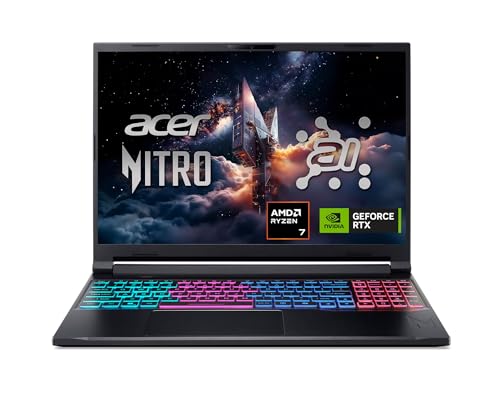 | Acer Nitro V 16S AI | Best fit: 32GB with two DDR5 slots Memory: 32GB DDR5-5600 Processor and graphics: Ryzen 7 260, RTX 5060 Laptop GPU Screen: 16-inch WUXGA IPS, 180Hz Memory upgrade: Two DDR5 slots, 32GB maximum | Check Price on Amazon |
 | ASUS ROG Strix G16 G614FP | Best fit: 16-inch RTX 5070 gaming Memory: 16GB DDR5-5600 Processor and graphics: Ryzen 9 9955HX, RTX 5070 Laptop GPU Screen: 16-inch FHD+, 165Hz Memory upgrade: ASUS page says upgradeable; no slot count listed | Check Price on Amazon |
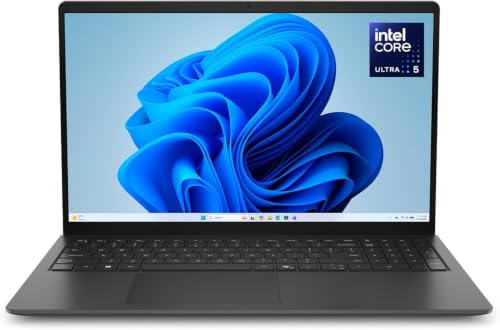 | Dell 15 D15260 | Best fit: 15.6-inch laptop with Intel Graphics Memory: 16GB DDR5 Processor and graphics: Core Ultra 5 225U, Intel Graphics Screen: 15.6-inch FHD anti-glare, 300 nits Memory upgrade: No slot count listed | Check Price on Amazon |
 | MSI Katana 15 HX | Best fit: 15.6-inch QHD+ gaming Memory: 32GB DDR5 Processor and graphics: Core i9-14900HX, RTX 5070 Screen: 15.6-inch QHD+, 165Hz Memory upgrade: No slot count listed | Check Price on Amazon |
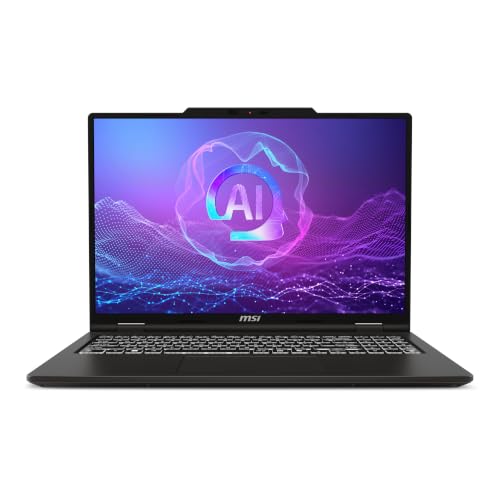 | MSI Venture A16 AI | Best fit: 16-inch touchscreen, built-in graphics Memory: 32GB DDR5 Processor and graphics: Ryzen 9 270, AMD Radeon Graphics Screen: 16-inch FHD touchscreen, 60Hz Memory upgrade: No slot count listed | Check Price on Amazon |
1. Acer Nitro V 16S AI — Best for 32GB and Two DDR5 Slots
The Acer Nitro V 16S AI is the pick for a buyer who wants DDR5 in slots. Amazon lists model ANV16S-41-R2AJ with a Ryzen 7 260, RTX 5060 Laptop GPU, a 16-inch WUXGA IPS screen at 180Hz, 32GB DDR5, a 1TB Gen 4 SSD, and Wi-Fi 6.
Amazon’s internal-specifications bullet reads 32GB DDR5 5600MHz Memory (2 DDR5 Slots Total, Maximum 32GB). The same bullet describes the 1TB PCIe Gen 4 SSD as using two M.2 slots, with one slot available. The 180Hz screen is faster than the 165Hz panels listed for the ASUS and the Katana. Acer’s own page could not be retrieved, so every figure here comes from the Amazon listing.
Our Take Pick the Nitro V 16S AI when you want to see the DDR5 slot count before buying. Pick an RTX 5070 laptop instead when graphics come first.
- Amazon states the slot count for the Acer, listing 32GB DDR5-5600 in two DDR5 slots with a 32GB maximum.
- Amazon names both the processor and the graphics for model ANV16S-41-R2AJ, a Ryzen 7 260 and an RTX 5060 Laptop GPU.
- Amazon lists the Acer’s 16-inch WUXGA IPS screen at 180Hz, a faster rate than the panels listed for the ASUS and the Katana.
- Amazon states a 32GB maximum for the Acer’s two slots, equal to the 32GB listed.
- Amazon lists the Acer with an RTX 5060 Laptop GPU, below the RTX 5070 graphics on the ASUS and Katana listings.
- The Acer’s WUXGA 1920 x 1200 screen has a lower resolution than the Katana’s QHD+ screen.
2. ASUS ROG Strix G16 G614FP — Best 16-Inch RTX 5070 Option
The ASUS ROG Strix G16 is the only 16-inch RTX 5070 laptop here. Amazon’s title and model field both read G614FP-OS94, with a Ryzen 9 9955HX, RTX 5070 Laptop GPU, 16GB DDR5-5600, a 1TB PCIe Gen 4 SSD, Wi-Fi 6E, and a 16-inch 16:10 FHD+ screen at 165Hz with a 3ms figure. The listing’s bullets also name Tri-Fan cooling, a full-width heatsink and a MUX switch.
ASUS’s G614 page says retail units ship with up to 16+16GB DDR5 and are user-upgradeable to 32+32GB, and adds that the configuration varies by region and SKU. The ASUS page names a Ryzen 9 9955HX3D and RTX 5070 Ti, not this listing’s Ryzen 9 9955HX and RTX 5070, and the listing gives no slot count. ASUS’s upgrade statement is not a confirmed fact about the OS94.
ASUS says its G614 laptops are user-upgradeable to 32+32GB DDR5, but the listing does not state a slot count.Our Take Choose the ROG Strix G16 for a 16-inch screen with RTX 5070 graphics and DDR5-5600. Ask the seller about memory slots before relying on ASUS’s upgrade statement.
- Amazon states a memory speed for the ROG Strix G16 G614FP-OS94, listing 16GB DDR5-5600 with a 1TB PCIe Gen 4 SSD.
- Amazon names a Ryzen 9 9955HX and an RTX 5070 Laptop GPU for the ROG Strix G16, a pairing the ASUS page names differently for its G614 laptops.
- Amazon gives the ROG Strix G16’s 16-inch FHD+ screen a stated 165Hz refresh rate and a 3ms figure.
- ASUS says its G614 laptops are user-upgradeable to 32+32GB DDR5, though its page does not confirm the OS94.
- Amazon does not state a memory slot count for the G614FP-OS94, and ASUS’s upgrade statement is not a confirmed fact about that model.
3. Dell 15 D15260 — Best 15.6-Inch Laptop With Intel Graphics
The Dell 15 D15260 is for a buyer who wants DDR5 in an everyday laptop and has no use for a gaming GPU. Amazon lists model LD15260-5618BLK-PUS and part number 7XNTG. The title names a Core Ultra 5 225U, 16GB RAM, Intel Graphics, DDR5, a 512GB SSD, Wi-Fi 6, and a 15.6-inch FHD anti-glare screen at 300 nits.
Amazon’s bullets add a dedicated Copilot key, Dell ComfortView and lifted hinges. The listing gives no memory speed, no slot count, no refresh rate and no discrete GPU. Dell’s own page for this configuration could not be found.
Amazon states DDR5 for the Dell but gives no memory speed or slot count, so do not assume an upgrade path.Our Take Consider the Dell for a 15.6-inch FHD laptop with 16GB DDR5 and Intel Graphics. Move to the Acer, ASUS or Katana when you need a named GPU or refresh rate.
- Amazon states the Dell’s processor, memory and storage as a Core Ultra 5 225U, 16GB DDR5 and a 512GB SSD.
- Amazon lists the Dell’s 15.6-inch FHD screen as anti-glare at 300 nits.
- Amazon lists the Dell’s model as LD15260-5618BLK-PUS and its part number as 7XNTG, details you can match to the item you receive.
- Amazon lists Intel Graphics and no discrete GPU for the Dell, a different graphics class from the RTX laptops on this page.
- Amazon gives no memory speed or slot count for the Dell, and its DDR5 label does not show an upgrade path.
4. MSI Katana 15 HX — Best 15.6-Inch QHD+ Gaming Pick
The MSI Katana 15 HX is the only 15.6-inch QHD+ gaming laptop here. Amazon’s title names a Core i9-14900HX, RTX 5070, 32GB DDR5, a 1TB NVMe SSD, a 165Hz QHD+ screen and B14WGK-016US, while the model field reads Katana15B14016. Amazon’s bullets add a 4-zone RGB keyboard, USB-C Gen 2, HDMI, USB-A, RJ45 and Wi-Fi 6E.
MSI’s Katana 15 HX B14W page lists a Core i9 14900HX, up to an RTX 5070 Laptop GPU, a QHD 165Hz screen and DDR5 memory. It lists a USB 3.2 Gen2 Type-C port with DisplayPort and Power Delivery 3.0, and names no Thunderbolt or USB4 port. Neither MSI nor Amazon states a memory speed or slot count.
Amazon’s title and model field give different identifiers, so match B14WGK-016US and Katana15B14016 to the item in your cart.Our Take Pick the Katana for a Core i9, RTX 5070, 32GB DDR5 and a 15.6-inch QHD+ 165Hz screen. Buy it for gaming, not for a Thunderbolt dock.
- Amazon lists the MSI Katana with 32GB DDR5, a 1TB NVMe SSD and RTX 5070 graphics.
- Amazon lists the Katana with a 15.6-inch QHD+ screen at 165Hz, the only QHD+ gaming screen at that size on this page.
- MSI’s Katana 15 HX B14W page describes DDR5 memory, the same memory type Amazon’s title names.
- Amazon lists USB-C Gen 2 and MSI lists a USB 3.2 Gen2 Type-C port, and neither names Thunderbolt or USB4, so a Thunderbolt dock is not a documented use.
5. MSI Venture A16 AI — Best 16-Inch Touchscreen With Integrated Graphics
The MSI Venture A16 AI is the one laptop here that pairs a touchscreen with built-in graphics instead of an RTX GPU. Amazon lists model and part number VENA16A2043. The title names a Ryzen 9 270, AMD Radeon Graphics, a 16-inch FHD touch screen, 32GB DDR5, a 2TB NVMe SSD, Wi-Fi 6E, a Type C port and A2HMTG-043US.
Amazon’s bullets describe a 16-inch 16:9 display at 60Hz and built-in AMD Radeon Graphics. The listing gives no memory speed or slot count, and MSI’s own page for this model could not be retrieved. Do not carry the 32GB and 2TB figures over to another Venture A16 listing.
Our Take Choose the Venture A16 AI for a 16-inch touchscreen with 32GB DDR5 and built-in Radeon Graphics. Choose an RTX laptop when a named discrete GPU is a requirement.
- Amazon lists the MSI Venture A16 AI model A2HMTG-043US with 32GB DDR5 and a 2TB NVMe SSD.
- Amazon lists the Venture with a 16-inch FHD touch screen, a Ryzen 9 270 and Wi-Fi 6E, a touchscreen paired with built-in graphics instead of an RTX GPU.
- Amazon’s bullets describe the Venture’s 16-inch 16:9 display at 60Hz.
- Amazon lists the Venture with built-in AMD Radeon Graphics and no RTX GPU, a different choice from the RTX laptops on this page.
- Amazon gives no memory speed or slot count for the Venture A16 AI, and MSI’s own page for this model could not be retrieved.
Buying Guide
1. Decide whether you need a stated DDR5 slot count
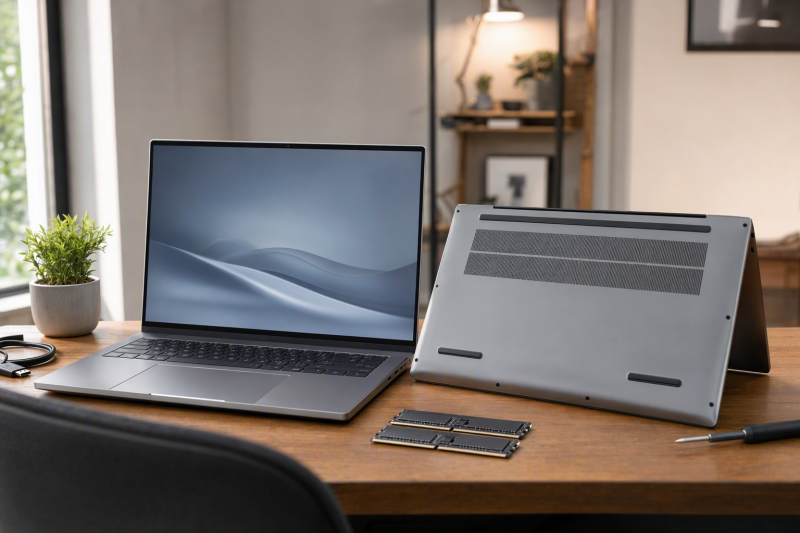
Slot count is not included with every DDR5 listing. The Acer’s Amazon listing states 32GB DDR5-5600 in two slots with a 32GB maximum. The ASUS listing states DDR5-5600 but gives no slot count.
Capacity and upgrade access are separate questions. The Acer’s two DDR5 slots have a stated 32GB maximum, and the ASUS page says G614 laptops are user-upgradeable to 32+32GB while the listing does not state slots. The DDR5 dual-channel and single-channel guide explains memory channels, and the maker’s page for your exact model decides slots and limits.
2. Match the model code, because a maker page can describe other configurations
ASUS’s G614 page names a Ryzen 9 9955HX3D and RTX 5070 Ti, while the listing is G614FP-OS94 with a Ryzen 9 9955HX and RTX 5070. ASUS’s page says memory is user-upgradeable, and the listing does not state slots, so ask the seller before counting on it.
Amazon’s Katana title and model field use two different codes. Check the code in the cart against the listing, and do not borrow storage, memory or ports from another configuration in the same product line.
3. Choose the graphics class before comparing memory capacity
The Dell’s Intel Graphics and the Venture’s built-in Radeon Graphics are different from the RTX laptops here. The Dell pairs DDR5 with a Core Ultra 5 225U, and the Venture pairs it with a Ryzen 9 270. The ASUS and Katana list RTX 5070, and the Acer lists RTX 5060.
Start with the game or application, then compare memory. A DDR5 label says nothing about the GPU, display or processor. The Thunderbolt laptops list is a broader comparison when ports also drive the choice.
4. Read screen size and refresh rate as separate figures
Amazon lists 180Hz for the Acer and 165Hz for both the ASUS and the Katana. The Venture’s bullets give 16-inch 60Hz. The Dell title names a 15.6-inch FHD anti-glare screen at 300 nits and no refresh rate.
Resolution and panel type differ as well. IPS, FHD+, WUXGA and QHD+ are not a single ranking. If you plan to connect external displays, compare the laptop’s ports and the dock against the Thunderbolt 4 docking-stations guide before assuming a monitor setup.
5. Check the ports before planning a desk setup
The Katana’s listing names USB-C Gen 2 and MSI’s page lists USB 3.2 Gen2 Type-C. The Venture’s title says Type C, and the Acer, ASUS and Dell listings name no port type.
Memory type does not tell you about Thunderbolt, USB4, HDMI or Ethernet. Confirm the port you need on the maker’s page for your model. The USB4 laptops list covers other models with high-speed ports.
FAQ
Do all of these listings state a memory speed?
No. The Acer listing states 32GB DDR5-5600 in two slots, and the ASUS listing states 16GB DDR5-5600.
The Dell, Katana and Venture listings give no memory speed or slot count. The ASUS listing gives no slot count, so check the maker’s page for your exact model before relying on an upgrade path.
Which laptop states both 32GB DDR5 and memory slots?
The Acer Nitro V 16S AI is the only Amazon listing here that states 32GB DDR5-5600, two DDR5 slots and a 32GB maximum. It also lists a Ryzen 7 260, RTX 5060 Laptop GPU and a 16-inch 180Hz screen.
The MSI Katana and Venture list 32GB DDR5 but give no slot count. ASUS’s G614 page says its laptops are user-upgradeable to 32+32GB, and the ASUS listing here states no slot count.
Is the Dell 15 D15260 a gaming-laptop alternative?
No. The Dell’s Amazon listing states a Core Ultra 5 225U and Intel Graphics, while the Acer, ASUS and Katana listings name RTX GPUs. It is an everyday 15.6-inch FHD laptop with DDR5.
The listing gives no memory speed, slot count or refresh rate. Choose the Acer when you want a stated slot count.
Why does the Katana have two identifiers?
Amazon’s Katana title says B14WGK-016US, while its model field says Katana15B14016. Both appear on the offer for B0DZFVBQLK, so compare them with the item in your cart before you buy.
MSI’s page covers the Katana 15 HX B14W and mentions DDR5 without a capacity. Match the processor, GPU, memory, storage and screen in the title to the product you receive.
Do these listings settle a dock or external-display setup?
No. The listings give memory, processor, graphics and screen figures, but none of them settles a dock, cable or monitor combination. Amazon names USB-C Gen 2 for the Katana, but that label does not cover a whole desk setup.
Read the laptop’s port specification next to the dock and monitor documents. The Thunderbolt 4 docking-stations guide covers dock categories.
Bottom Line
The Acer Nitro V 16S AI is the pick when you want DDR5 in slots with a stated 32GB maximum. Choose the Dell for an everyday 15.6-inch laptop, and the ASUS or MSI laptops when their processor, graphics and screen fit the purchase.