Every drive below states an IP dust and water rating, a USB-C connection and a capacity. The ratings run from IP55 on the Corsair to IP68 on the LaCie, with the other four in between.
The rating is one decision among several. Host port, capacity, drop protection and the cables in the box differ from drive to drive. Each maker states its top speed for its own port: USB 3.2 Gen 2, USB 3.2 Gen 2×2, USB4, Thunderbolt 3 or Thunderbolt 5. Check what your computer offers before paying for speed it cannot use.
Pick the IP rating first, then match the drive’s port and capacity to your computer and your files.| Image | Product | Details | Check Price |
|---|---|---|---|
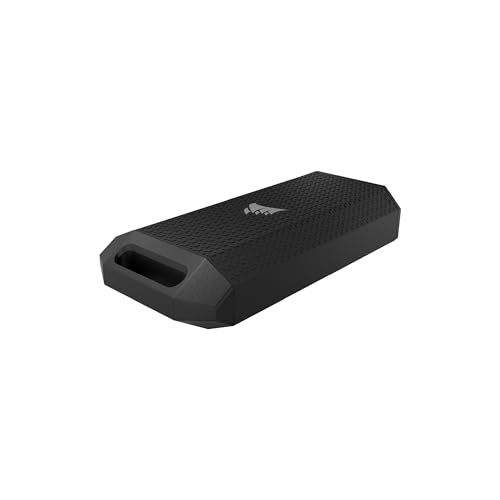 | Corsair EX400U Survivor 2TB | Best fit: IP55 USB4 drive Rating: IP55 Capacity: 2TB Interface: USB4 Listed speed: Up to 4000MB/s read | Check Price on Amazon |
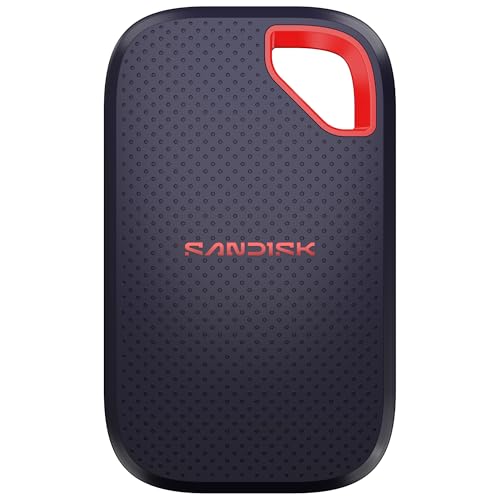 | SanDisk Extreme Portable SSD 2TB | Best fit: IP65 and 3m drop statement Rating: IP65 Capacity: 2TB Interface: USB-C 3.2 Gen 2 Listed speed: Up to 2000MB/s | Check Price on Amazon |
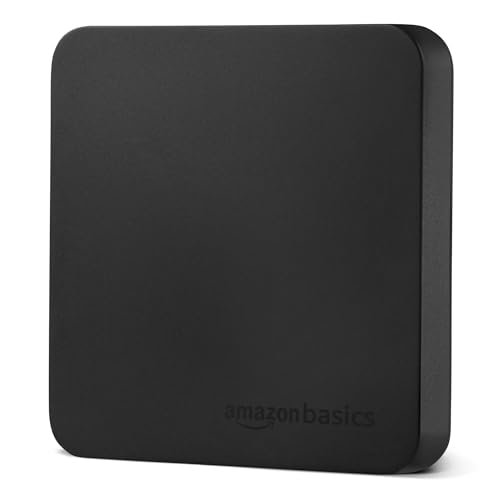 | Amazon Basics Portable SSD 2TB | Best fit: IP65 two-cable kit Rating: IP65 Capacity: 2TB Interface: USB 3.2 Gen 2 Listed speed: Up to 2000MB/s | Check Price on Amazon |
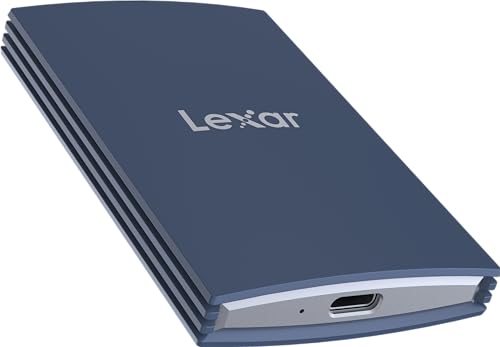 | Lexar Armor 700 2TB | Best fit: IP66 USB 3.2 Gen 2x2 Rating: IP66 Capacity: 2TB Interface: USB 3.2 Gen 2x2 Listed speed: Up to 2000MB/s | Check Price on Amazon |
 | Sabrent Rocket Nano XTRM 1TB | Best fit: IP67 Thunderbolt 3 Rating: IP67 Capacity: 1TB Interface: Thunderbolt 3 Listed speed: Up to 2700MB/s | Check Price on Amazon |
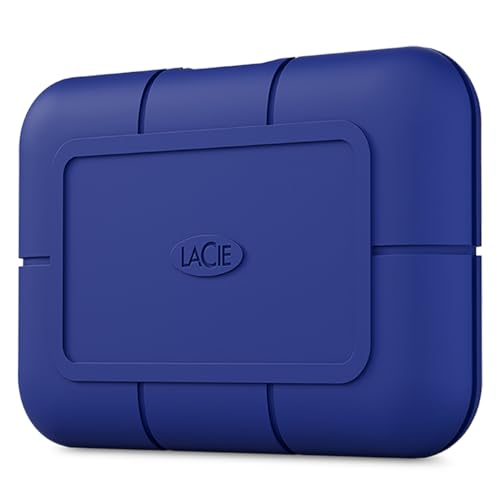 | LaCie Rugged SSD Pro5 4TB | Best fit: IP68 Thunderbolt 5 Rating: IP68 Capacity: 4TB Interface: Thunderbolt 5 Listed speed: Up to 6700MB/s read | Check Price on Amazon |
1. Corsair EX400U Survivor 2TB — Best IP55 USB4 Drive
Corsair’s listing gives the EX400U Survivor an IP55 rating and a USB4 connection at up to 40Gbps. Corsair lists up to 4,000MB/s read and 3,600MB/s write, says those speeds vary by capacity and need a USB4 or higher connection, and names USB4 and Thunderbolt 4 ports on laptops and desktops for maximum performance. It also lists support for iOS and iPadOS 13 and later devices with a USB-C port, and backward compatibility with USB Type-C 3.2.
Amazon’s product details list a 3.23 by 1.57 by 0.67 inch body and a weight of 0.1764 pounds. At IP55 the drive carries the lowest rating of the six drives here.
Our Take Choose the Corsair when your computer has a USB4 or Thunderbolt 4 port and IP55 protection is enough for where the drive travels.
- Corsair lists an IP55 rating for the EX400U Survivor, the lowest rating of the six drives here.
- Corsair states up to 4,000MB/s read and 3,600MB/s write, and says those speeds vary by capacity.
- Corsair says maximum performance needs a USB4 or higher connection for the EX400U Survivor.
- The EX400U Survivor’s IP55 rating is the lowest of the six drives here.
2. SanDisk Extreme Portable SSD 2TB — Best IP65 and 3m Drop Statement
SanDisk’s listing gives the Extreme Portable SSD IP65 protection and up to 3m drop protection, with USB-C 3.2 Gen 2 and speeds up to 2000MB/s. It also lists 256-bit AES encryption with password protection.
Amazon’s product details give the model as SDSSDE70-2T00-G25, a 2TB drive with a 3.35 by 2.0 by 0.39 inch body, a weight of 0.1 pounds and a 5-year limited manufacturer warranty. USB 3.2 Gen 2 is normally a 10Gbps link, about half that figure, so confirm the speed with the seller if it will decide your purchase.Our Take Pick the SanDisk when you want a 3m drop figure next to IP65 and your computer has a USB-C port without USB4 or Thunderbolt.
- SanDisk lists IP65 and up to 3m drop protection for the Extreme, a drop figure next to a dust and water rating.
- SanDisk lists 256-bit AES encryption with password protection for the Extreme.
- Amazon’s product details list a 5-year limited manufacturer warranty for the SanDisk Extreme.
- The SanDisk’s IP65 rating is below the IP66, IP67 and IP68 drives here.
- SanDisk lists USB-C 3.2 Gen 2 for the Extreme and does not state USB4 or Thunderbolt.
3. Amazon Basics Portable SSD 2TB — Best IP65 Two-Cable Kit
The Amazon Basics listing gives the 2TB drive an IP65 water and dust rating, USB 3.2 Gen 2, and read and write speeds up to 2000MB/s, and it says actual speeds vary with devices, file size and conditions. The box holds two USB cables, USB-C to USB-C and USB-C to USB-A, plus a storage case.
The listing also describes a metal casing with a scratch-resistant polymer bottom and a thermal solution that keeps the drive below 50°C. Amazon’s product details list a 2.33 by 2.33 by 0.39 inch body and a weight of 0.1142 pounds.
USB 3.2 Gen 2 is normally a 10Gbps link, about half that figure, so confirm the speed with the seller if it will decide your purchase.Our Take Choose Amazon Basics when you want both cable types and a storage case at IP65 and a drop rating is not on your list.
- Amazon Basics includes USB-C to USB-C and USB-C to USB-A cables and a storage case in the box.
- Amazon Basics lists IP65 for the drive along with a thermal solution that keeps it below 50°C.
- The Amazon Basics listing gives no drop-height figure.
- The drive’s IP65 rating is below the IP66, IP67 and IP68 drives here.
4. Lexar Armor 700 2TB — Best IP66 USB 3.2 Gen 2×2 Drive
Lexar rates the Armor 700 IP66 and says it withstands drops up to 3 meters, based on its own testing under controlled conditions. The drive uses USB 3.2 Gen 2×2 with up to 2000MB/s read and write, and Lexar says speeds may be lower depending on the host device and interface.
Lexar’s product page lists a 3.39 by 2.14 by 0.52 inch body, a weight of 0.176 pounds, an 11.8-inch USB Type-C to Type-C cable with a Type-A adapter, and a 5-year limited warranty. The same page says damage from liquid, dust and drops is not covered under that warranty.
Our Take Choose Lexar when you want IP66 with a 3 meter drop rating and a computer with USB 3.2 Gen 2×2, the interface Lexar states its 2000MB/s figure for.
- Lexar rates the Armor 700 at IP66 and up to 3 meter drops, based on its own testing.
- Lexar includes an 11.8-inch USB-C cable and a USB-A adapter with the drive.
- Lexar’s warranty does not cover damage from liquid, dust or drops.
- Lexar says its IP66 and drop ratings come from internal testing under controlled conditions.
5. Sabrent Rocket Nano XTRM 1TB — Best IP67 Thunderbolt 3 Drive
Sabrent lists IP67 and says the drive is certified for 1-meter submersion for 30 minutes or more. The Rocket Nano XTRM is Intel Thunderbolt 3 certified, with 2700MB/s peak read over the 40Gbps Thunderbolt 3 interface and, when Thunderbolt is not available, an automatic USB 3.2 Gen 2 fallback at 900MB/s on any USB-C device.
Sabrent describes a shock-resistant aluminum housing and a 2.7 by 1.1 by 0.5 inch body weighing 2.2 ounces. It lists USB-C to USB-C and USB-A to USB-C cables in the box and a 3-year warranty that extends to 5 years with registration.Our Take Pick Sabrent when your laptop has a Thunderbolt 3 port and 1TB is enough capacity.
- Sabrent lists IP67 with certified 1-meter submersion for 30 minutes or more.
- Sabrent includes USB-C to USB-C and USB-A to USB-C cables with the Rocket Nano XTRM.
- Sabrent lists a 3-year warranty that extends to 5 years with registration.
- The Sabrent listing is for a 1TB drive, the smallest capacity of the six drives here.
- Sabrent states 900MB/s on its USB 3.2 Gen 2 fallback, against 2700MB/s over Thunderbolt 3.
6. LaCie Rugged SSD Pro5 4TB — Best IP68 Thunderbolt 5 Option
LaCie rates the Rugged SSD Pro5 IP68 and says it resists water, dust, drops up to 3m and the pressure of a 2-ton vehicle. The 4TB drive uses Thunderbolt 5 with up to 6700MB/s read and 5300MB/s write, and LaCie says the write speed applies to a 50GB cache and falls to 1800MB/s after it.
LaCie’s data sheet says the drive works with Thunderbolt 5 and Thunderbolt 4 ports and with USB-C hosts at 10, 20 and 40Gbps, and the box includes a Thunderbolt 5 cable. The same sheet lists a 3.86 by 2.56 by 0.67 inch body, a weight of 0.331 pounds and a 5-year limited warranty.
Our Take Choose LaCie when you need IP68 and 4TB and your computer has a Thunderbolt 5 port, the interface LaCie states its top speeds for.
- LaCie rates the Rugged SSD Pro5 at IP68 with 3m drops and 2-ton pressure resistance.
- LaCie states Thunderbolt 5 speeds up to 6700/5300MB/s and lists USB-C hosts at 10, 20 and 40Gbps.
- LaCie’s data sheet lists a 5-year limited warranty for the Rugged SSD Pro5.
- LaCie states the 5300MB/s write speed applies to a 50GB cache and falls to 1800MB/s after it.
- LaCie’s data sheet gives speed figures for Thunderbolt 5 and none for the USB-C or Thunderbolt 4 hosts it lists.
Buying Guide
1. Read the exact IP number
The six drives run from IP55 to IP68. Corsair states IP55, SanDisk and Amazon Basics state IP65, Lexar states IP66, Sabrent states IP67 and LaCie states IP68.
A rugged label is not a rating, so look for the number. Sabrent ties its IP67 to certified 1-meter submersion for 30 minutes or more, and Lexar says its IP66 and drop figures come from internal testing under controlled conditions and may vary in use.
2. Match the host interface
The six drives name five different interfaces. SanDisk and Amazon Basics list USB 3.2 Gen 2, Lexar lists USB 3.2 Gen 2×2, Corsair lists USB4, Sabrent lists Thunderbolt 3 and LaCie lists Thunderbolt 5. Each maker states its top speed for that interface.
Corsair says its maximum performance needs a USB4 or higher connection, and LaCie states its speeds for Thunderbolt 5. Sabrent states 900MB/s on a USB 3.2 Gen 2 fallback against 2700MB/s over Thunderbolt 3.
The Thunderbolt 3 vs 4 vs 5 guide compares the three Thunderbolt generations behind the Sabrent and LaCie speeds. Match the port on your computer to the drive before you pay for a faster interface than the computer offers.
3. Compare drop statements separately
SanDisk, Lexar and LaCie each state drops up to 3m. Sabrent describes a shock-resistant housing and certified submersion, and the Corsair and Amazon Basics listings give no drop figure.
A drop figure and an IP rating answer different questions, so compare both when the drive will take knocks and wet weather. Lexar adds that liquid, dust and drop damage is not covered by its warranty.
4. Choose capacity before peak speed
The six drives span 1TB, 2TB and 4TB. Sabrent is 1TB, Corsair, SanDisk, Amazon Basics and Lexar are 2TB, and LaCie is 4TB.
A faster interface does not make a smaller drive hold more files, so settle capacity first. Size is a second check: Sabrent lists a 2.7 by 1.1 by 0.5 inch body, Lexar lists 3.39 by 2.14 by 0.52 inches and LaCie lists 3.86 by 2.56 by 0.67 inches.
5. Compare against the wider SSD field
The portable SSD guide is the wider comparison. Only drives that state an IP rating appear on this page.
Start a rugged drive search with the IP number and the host port, then use the wider guide to compare capacity and price options.
FAQ
Which drive has the highest IP rating?
LaCie lists IP68, the highest of the six. Sabrent lists IP67 and Lexar lists IP66.
LaCie is also the 4TB drive and the Thunderbolt 5 drive, so check the port on your computer before choosing on rating alone.
Which drive lists Thunderbolt 5?
LaCie lists Thunderbolt 5, with speeds up to 6700MB/s read and 5300MB/s write. LaCie says the write speed applies to a 50GB cache and falls to 1800MB/s after it.
LaCie‘s data sheet also lists Thunderbolt 4 ports and USB-C hosts at 10, 20 and 40Gbps.
Which drives state drops up to 3m?
SanDisk, Lexar and LaCie each state drops up to 3m. Their IP ratings are IP65, IP66 and IP68.
Lexar says its drop and IP ratings come from internal testing, and its warranty does not cover liquid, dust or drop damage.
Does USB-C mean the same speed on every drive?
No. The six drives name USB 3.2 Gen 2, USB 3.2 Gen 2×2, USB4, Thunderbolt 3 or Thunderbolt 5, and each maker states its top speed for its own interface.
Corsair says maximum performance needs USB4 or higher, and Sabrent states 900MB/s over USB 3.2 Gen 2 against 2700MB/s over Thunderbolt 3.
Which drives come with both USB-C and USB-A cables?
Amazon Basics and Sabrent include USB-C to USB-C and USB-C to USB-A cables, and Lexar includes a USB-C cable with a USB-A adapter.
LaCie‘s data sheet lists a Thunderbolt 5 cable in the box and no USB-A cable.
Bottom Line
Choose the IP rating and the port together. Corsair is IP55 with USB4, Sabrent is IP67 with Thunderbolt 3 and LaCie is IP68 with Thunderbolt 5. SanDisk and Lexar add 3m drop figures at IP65 and IP66, and Amazon Basics includes two cables and a storage case at IP65.