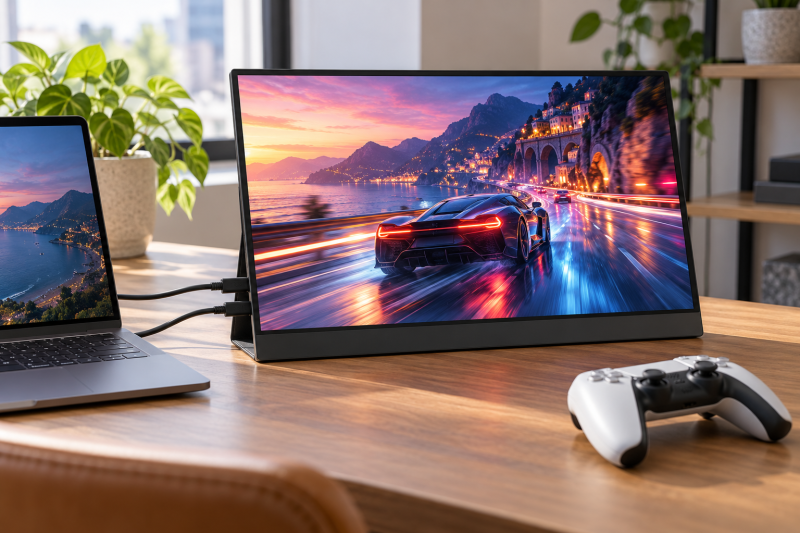
A portable gaming monitor needs two separate connection plans. A laptop sends video through a USB-C port that supports it, while a console connects through HDMI. The useful differences are refresh rate, resolution, size, the ports each maker lists, and whether the maker names the console you plan to connect.
All six monitors list USB-C and a refresh rate of 120Hz or higher. They range from a 1080p 144Hz screen to QHD panels up to 180Hz and a 4K 120Hz touchscreen. A stated refresh rate describes the panel or the one input a maker names. It does not guarantee that every laptop or console will output that mode.
Pick the screen from the device and connection you will use. Use USB-C for a video-capable laptop port and HDMI for a console, and make sure your source device can output the refresh rate you want.| Image | Product | Details | Check Price |
|---|---|---|---|
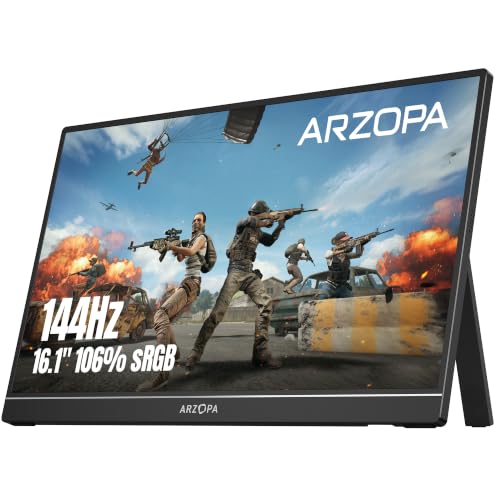 | ARZOPA Z1FC | Best fit: 1080p 144Hz Panel: 16.1in 1080p Refresh: 144Hz Connections: 2x full-function USB-C, Mini HDMI Console statement: PS5 and Xbox named | Check Price on Amazon |
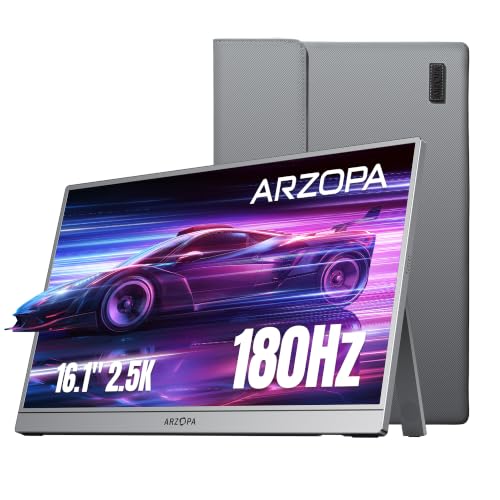 | ARZOPA Z3FC | Best fit: 180Hz QHD Panel: 16.1in 2560x1440 Refresh: 180Hz Connections: 2x full-function USB-C, Mini HDMI Console statement: PS5 and Xbox named | Check Price on Amazon |
 | MNN 17.3in QHD 165Hz | Best fit: 17.3-inch screen Panel: 17.3in 2560x1440 IPS Refresh: 165Hz Connections: Full-featured USB-C, HDMI Console statement: PS5 and Xbox named | Check Price on Amazon |
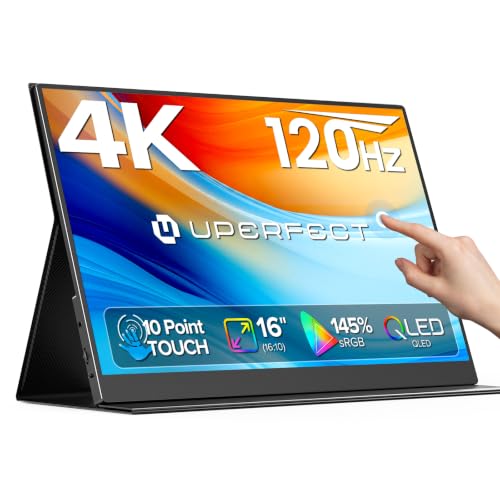 | UPERFECT 16in 4K 120Hz | Best fit: 4K touchscreen Panel: 16in 4K QLED touch, 16:10 Refresh: 120Hz Connections: USB-C, HDMI Console statement: Gaming consoles, no model named | Check Price on Amazon |
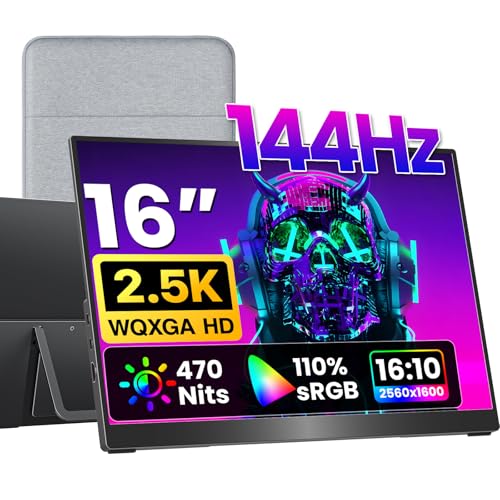 | VisionOwl V16QH | Best fit: 16:10 QHD with full-size HDMI Panel: 16in 2560x1600, 16:10 Refresh: 144Hz Connections: 2x USB-C, full-size HDMI Console statement: PS5 and Xbox named | Check Price on Amazon |
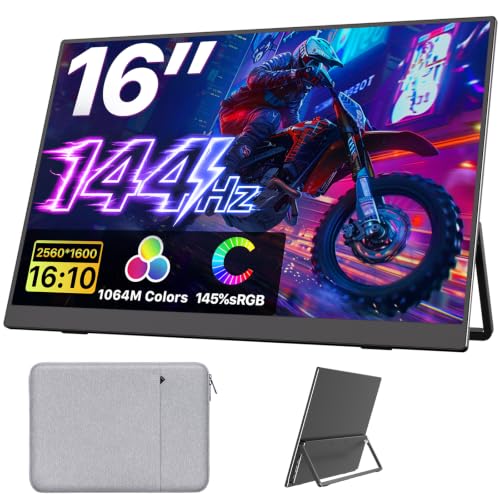 | Upperizon UJ160QHLS | Best fit: Separate USB-C and HDMI refresh rates Panel: 16in 2560x1600, 16:10 Refresh: 144Hz USB-C, 120Hz HDMI Connections: 2x full-featured USB-C, HDMI Console statement: PS5 and Xbox named | Check Price on Amazon |
1. ARZOPA Z1FC — Best 1080p 144Hz Pick
ARZOPA’s Z1FC is a 16.1-inch 1080p 144Hz portable gaming monitor. ARZOPA lists two fully functional USB Type-C connections and a Mini HDMI port, and names laptop, Mac, Xbox, PS5, and Steam Deck as devices it works with.
ARZOPA states the screen has no adaptive sync or FreeSync, and it points to the manual for console connection steps. ARZOPA also describes a built-in stand that adjusts the tilt angle.Our Take Choose the Z1FC when a 16.1-inch 1080p panel at 144Hz, two USB-C connections, and Mini HDMI fit the laptop or console you plan to connect, and adaptive sync is not needed.
- ARZOPA states 144Hz for the Z1FC’s 16.1-inch 1080p portable gaming panel.
- ARZOPA lists two fully functional USB-C connections and a Mini HDMI port for connecting a laptop or console.
- A console or laptop owner finds PS5, Xbox, Steam Deck, laptop, and Mac on ARZOPA’s list of devices it works with.
- ARZOPA lists 1080p for the Z1FC, the lowest resolution in this comparison.
- A buyer who wants adaptive sync will not get it, because ARZOPA states the Z1FC has no adaptive sync or FreeSync.
2. ARZOPA Z3FC — Best 180Hz QHD Pick
ARZOPA’s Z3FC keeps the 16.1-inch format and lists 2560×1440 resolution and 180Hz, along with 400 nits of brightness. ARZOPA also lists two fully functional USB Type-C connections and a Mini HDMI port, and names laptop, Mac, Xbox, PS5, and Steam Deck.
The higher resolution and refresh rate are the reasons to consider it over the Z1FC. ARZOPA does not say which input carries 180Hz, so confirm that the source device, game, and connection can provide the rate you want.
Our Take Pick the Z3FC when the stated 1440p and 180Hz panel figures are the priority over the 1080p Z1FC.
- ARZOPA states 2560×1440 resolution and a 180Hz refresh rate on the Z3FC, higher figures than the Z1FC lists.
- ARZOPA lists two fully functional USB-C connections and a Mini HDMI port, the same connections it lists for the Z1FC.
- ARZOPA names PS5, Xbox, Steam Deck, laptop, and Mac as devices the Z3FC works with.
- ARZOPA describes a built-in kickstand with an adjustable tilt angle.
- ARZOPA does not state which input carries 180Hz, so the source device and connection need confirming before you rely on that rate.
- ARZOPA’s 16.1-inch panel is smaller than MNN’s 17.3-inch screen.
- ARZOPA lists a Mini HDMI port, while VisionOwl lists full-size HDMI.
3. MNN 17.3in QHD 165Hz — Best 17.3-Inch Screen
MNN lists a 17.3-inch 2560×1440 IPS panel at 165Hz, the largest screen in this comparison. MNN calls its USB-C and HDMI ports full-featured, and names laptops, MacBooks, smartphones, PS5, Xbox, Switch, and Steam Deck as devices it connects to.
MNN describes a slim semi-metal body with a built-in single kickstand. A 17.3-inch screen takes more bag and desk room than a 16-inch one, so compare its size with the space you have.
Our Take Choose MNN when the largest screen in the group and a stated 165Hz refresh rate outweigh a more compact travel footprint.
- MNN states a 17.3-inch IPS panel, the largest screen in this comparison.
- MNN states 2560×1440 resolution and 165Hz, and calls its USB-C and HDMI ports full-featured.
- MNN’s list of devices it connects to names PS5, Xbox, Switch, Steam Deck, laptops, and MacBooks.
- MNN’s 17.3-inch screen takes more bag and desk room than the 16-inch screens in this comparison.
- MNN does not state which input carries 165Hz.
4. UPERFECT 16in 4K 120Hz — Best 4K Touchscreen Option
UPERFECT lists a 16-inch 4K QLED touchscreen at 120Hz with USB-C and HDMI. It also states 600 nits, a 16:10 shape, FreeSync, and 0.1ms response time. Touch and 4K detail set it apart from the QHD choices if they are the priority.
UPERFECT says the monitor works with gaming consoles but names no console model, and it does not say whether 120Hz applies over USB-C, HDMI, or both. Check the console and cable against the 120Hz figure before buying for console play.
Our Take Pick UPERFECT when a 4K touchscreen, USB-C, HDMI, and a stated 120Hz panel are the main requirements.
- UPERFECT states a 16-inch 4K QLED touchscreen at 120Hz, a different choice from the QHD monitors.
- UPERFECT lists both USB-C and HDMI on the touchscreen.
- UPERFECT also states 600 nits, a 16:10 shape, FreeSync, and 0.1ms response time.
- UPERFECT names gaming consoles without naming a model and does not say which input carries 120Hz, so the console and cable need checking before you buy.
5. VisionOwl V16QH — Best 16:10 QHD Screen With Full-Size HDMI
VisionOwl states a 16-inch 2560×1600 144Hz screen in a 16:10 shape, with dual USB-C ports and a full-size HDMI port rather than Mini HDMI. The package includes a sleeve case, a power adapter, an HDMI cable, and two USB-C display cables.
VisionOwl states that single-cable power and video need a device with Thunderbolt 3 or 4 or DisplayPort Alt Mode. VisionOwl also lists 470 nits of brightness, dual VESA holes, built-in speakers, and a metal body that weighs 1.48 pounds.
Our Take Choose VisionOwl when a 16:10 QHD panel, full-size HDMI, included display cables, and a stated USB-C video requirement fit the setup.
- VisionOwl states 2560×1600, 144Hz, dual USB-C ports, and full-size HDMI rather than Mini HDMI.
- VisionOwl’s package includes two USB-C display cables, an HDMI cable, a sleeve case, and a power adapter.
- VisionOwl states that single-cable power and video need Thunderbolt 3 or 4 or DisplayPort Alt Mode.
- VisionOwl names PS5, Xbox, Switch, and PC as sources it connects to.
- VisionOwl states that single-cable laptop use needs a port with Thunderbolt 3 or 4 or DisplayPort Alt Mode.
- VisionOwl’s 16-inch panel is smaller than MNN’s 17.3-inch screen.
6. Upperizon UJ160QHLS — Best Pick With Separate USB-C and HDMI Refresh Rates
Upperizon’s UJ160QHLS is a 16-inch 2560×1600 panel, and Upperizon states 144Hz over USB-C and 120Hz over HDMI. Upperizon is the only maker in this group that gives a refresh rate for each input, which makes it easier to compare a video-capable laptop port with a console connection before buying.
Upperizon lists dual full-featured USB-C ports, an HDMI port, an aluminum alloy body, a kickstand with 0 to 180 degree adjustment, and a VESA-compatible design. The box holds two USB-C-to-USB-C cables, one HDMI cable, a sleeve case, and a power adapter. Upperizon asks you to confirm that the device’s USB-C port is Thunderbolt 3, 4, or 5, or supports DisplayPort Alt Mode.
Our Take Pick Upperizon when the stated 144Hz USB-C and 120Hz HDMI split fits your laptop-and-console plan.
- Upperizon states 144Hz over USB-C and 120Hz over HDMI, a separate refresh rate for USB-C and for HDMI.
- Upperizon lists dual full-featured USB-C ports and an HDMI port.
- The box holds two USB-C cables, an HDMI cable, a sleeve case, and a power adapter, according to Upperizon.
- Upperizon asks you to confirm that the device’s USB-C port is Thunderbolt 3, 4, or 5 or supports DisplayPort Alt Mode.
- Upperizon states 120Hz over HDMI, lower than its 144Hz over USB-C.
Buying Guide
1. Choose the input before the refresh rate
USB-C and HDMI can have different published modes. Upperizon states 144Hz over USB-C and 120Hz over HDMI, and no other maker here gives a refresh rate for each input. VisionOwl states the video condition for single-cable laptop use. Start with the cable and source device before treating a panel refresh figure as the deciding number.
Consoles connect through HDMI. ARZOPA, MNN, VisionOwl, and Upperizon name PS5 or Xbox, and UPERFECT names gaming consoles without a model. A console name alone does not state which resolution and refresh combination the monitor accepts. Compare the console’s display settings with the maker’s stated HDMI figure, which only Upperizon gives.
2. Pick resolution for the source device
1080p, QHD, and 4K have different bandwidth and graphics demands. Z1FC lists 1080p, Z3FC and MNN list 2560×1440, VisionOwl and Upperizon list 2560×1600, and UPERFECT lists 4K. A laptop’s graphics hardware and the game settings influence which mode is practical.
A higher resolution is not automatically the better portable screen. A 1080p 144Hz panel can be a sensible match for a modest laptop, while a 4K 120Hz screen can suit a source that actually supports it. Choose the native resolution that matches the device and the games you play.
3. Size changes the travel decision
MNN’s 17.3-inch screen is the large-panel choice, while the others are around 16 inches. The extra panel area can be helpful at a desk, but it changes the case, stand, and bag requirements. A portable display must fit the travel setup as well as the game.
Kickstands help, but they do not create a universal desk layout. ARZOPA, MNN, VisionOwl, and Upperizon describe built-in kickstands, and VisionOwl and Upperizon also list VESA mounting. Consider port direction, cable bend, and viewing height before relying on the screen’s included support.
4. Check the USB-C video capability
A USB-C port needs a video path for one-cable monitor use. VisionOwl and Upperizon state Thunderbolt or DisplayPort Alt Mode as the condition, which is a better buying test than the connector’s shape. A charge-only USB-C port cannot carry video, whatever cable you use.
Use the laptop manual for the final check. The USB-C DisplayPort Alt Mode guide explains the host side of that decision. If the laptop lacks the needed video output on USB-C, use the monitor’s HDMI port when the laptop has an HDMI output.
5. Treat included cables as a starting point
Included cables can simplify the first setup without proving every mode. VisionOwl and Upperizon list USB-C and HDMI cables in the box, which makes their connection options easier to plan. The cable, port, and device need to support the resolution and refresh rate you choose.
Keep a console and laptop plan separate. A USB-C cable may suit a laptop with a compatible video port, while HDMI may be required for the console. The USB-C cables for monitors guide helps when a laptop needs a replacement cable.
FAQ
Can a portable gaming monitor work with a PS5?
ARZOPA names PS5 for both models, and MNN, VisionOwl, and Upperizon name it too. Each of the six also lists an HDMI connection, and the ARZOPA models list Mini HDMI. HDMI is the console connection to inspect.
Check the monitor’s HDMI specification and the PS5 output setting together. A maker that names PS5 does not state every resolution or refresh combination.
Does USB-C always carry video to a portable monitor?
No. VisionOwl and Upperizon state that one-cable use needs Thunderbolt or DisplayPort Alt Mode from the source device. The connector shape alone does not show that capability.
Look up the laptop’s port specification before relying on a USB-C display cable. HDMI is a separate connection when the monitor and source both have it.
Which screen has the highest stated refresh rate?
ARZOPA’s Z3FC lists 180Hz, MNN lists 165Hz, and the other four list 144Hz or 120Hz. The Z3FC has the highest stated panel refresh rate in this group.
The source device and connection determine whether that rate is available in a game. Match the panel claim to the intended laptop or console output instead of buying by the number alone.
Is a larger portable monitor always better for gaming?
MNN lists 17.3 inches, while the other five list 16 or 16.1 inches. The bigger screen can improve viewing space but needs more room in a bag and on a desk.
Choose the size that fits the travel case and stand position. A smaller screen can be the stronger choice when portability is the primary reason for adding a display.
Which option has the clearest laptop-and-console connection split?
Upperizon states 144Hz over USB-C and 120Hz over HDMI, so the difference between inputs is visible before purchase. VisionOwl gives no refresh rate per input, but it states the condition for USB-C single-cable use.
Both are useful starting points when one monitor must serve a laptop and a console. Confirm the exact source ports, cable lengths, and display settings before buying.
Bottom Line
The ARZOPA Z1FC is the 1080p 144Hz pick, while the ARZOPA Z3FC lists 1440p and 180Hz. Choose MNN for the biggest screen, UPERFECT for 4K touch, VisionOwl for a 16:10 QHD screen with full-size HDMI and included cables, or Upperizon when its USB-C and HDMI refresh split matches the devices you own.