A cable for older Thunderbolt 3 gear should say Thunderbolt 3 in its listing. After that statement, compare the length, the bandwidth, the power rating, and the display modes. A longer cable is easier to place behind a desk, but StarTech’s passive 2m cable lists 20Gbps, while OWC’s active 2m cable lists up to 40Gb/s.
The five cables below each state Thunderbolt 3 in their Amazon title or bullets. Plugable and StarTech call their cables Thunderbolt 3 cables, and Anker, UGREEN, and OWC say their cables are for or compatible with Thunderbolt 3. They run from an 80cm Plugable cable to active cables near two metres, and the host, dock, device, and display decide the final arrangement.
Match the cable to your oldest Thunderbolt 3 device, the length you need, and the bandwidth the listing states, because USB-C cables differ in stated bandwidth.| Image | Product | Details | Check Price |
|---|---|---|---|
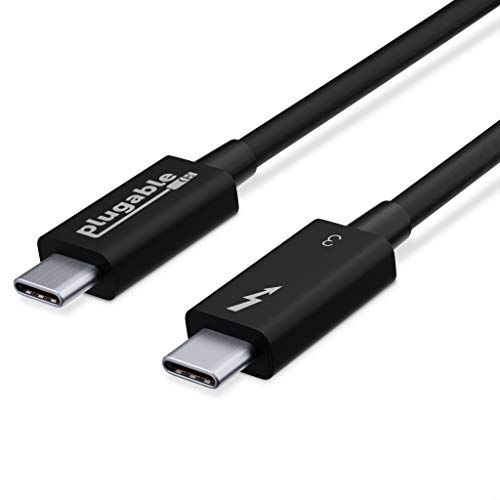 | Plugable Thunderbolt 3 0.8m Cable | Best fit: Short dock or eGPU connection Thunderbolt wording: Titled Thunderbolt 3, Thunderbolt-certified Length: 80cm / 2.6ft Data and power: 40Gbps, up to 100W Display: Up to 2x 4K 60Hz or 1x 5K 60Hz, depending on host | Check Price on Amazon |
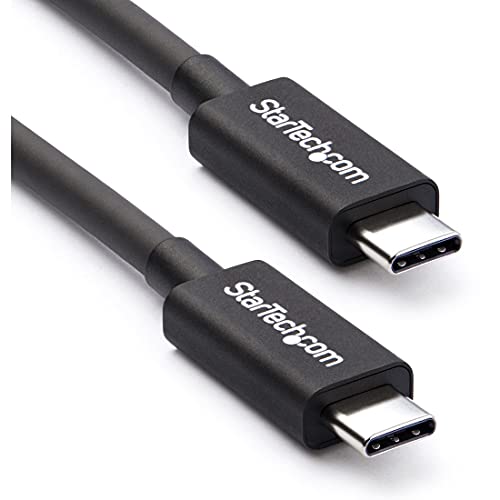 | StarTech 2m Passive Thunderbolt 3 Cable | Best fit: 2m passive cable at 20Gbps Thunderbolt wording: Titled Thunderbolt 3, Intel-certified Length: 2m / 6.6ft Data and power: 20Gbps, 100W PD 3.0 Display: Up to 4K 60Hz | Check Price on Amazon |
 | Anker 240W USB4 Cable | Best fit: Short cable with a 240W maximum Thunderbolt wording: Title says for Thunderbolt 4/3; bullets say USB4 Length: 3.3ft Data and power: 40Gbps, up to 240W Display: Up to 8K 60Hz or 4K 144Hz | Check Price on Amazon |
 | UGREEN 240W Active USB4 Cable | Best fit: Active cable at 6.6ft with 40Gbps Thunderbolt wording: Title says for Thunderbolt 4/3; bullets say compatible with Thunderbolt 3 Length: 6.6ft Data and power: 40Gbps, up to 240W Display: Single 8K 60Hz or dual 4K 60Hz | Check Price on Amazon |
 | OWC Thunderbolt 4 Active Cable | Best fit: 2m active cable listing Macs and PCs Thunderbolt wording: Titled Thunderbolt 4; compatible with Thunderbolt 3 Length: 2m / 78in Data and power: Up to 40Gb/s, 100W Display: Up to one 8K or two 4K displays | Check Price on Amazon |
1. Plugable Thunderbolt 3 0.8m Cable — Best Short Direct Connection
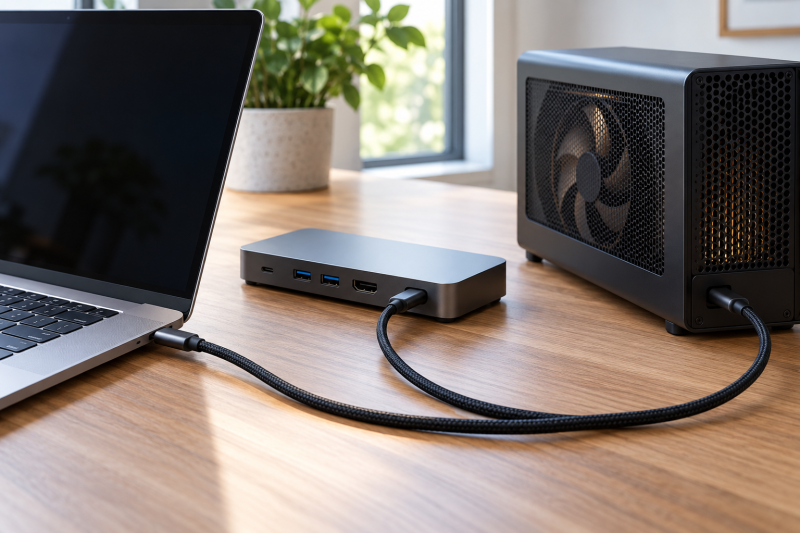
Plugable’s TBT3-40G80CM is titled a Thunderbolt 3 cable and Thunderbolt-certified. Plugable lists 40Gbps and up to 100W (20V 5A) charging in an 80cm (2.6-foot) length, and says the 40Gbps speed suits a Thunderbolt docking station and eGPU. It also lists compatibility with Thunderbolt-enabled Mac and Windows PCs.
Plugable lists up to two 4K 60Hz displays or one 5K 60Hz display, depending on the host, so the host sets the display layout. The listing also states USB 3.0 5Gbps compatibility, two years of defect coverage, and lifetime support.
Our Take Pick Plugable when the laptop and the dock or eGPU sit within 80cm of each other and you want a cable titled Thunderbolt 3.
- Plugable titles the cable Thunderbolt 3 and Thunderbolt-certified, and lists 40Gbps.
- Plugable says the 40Gbps cable suits a Thunderbolt docking station and eGPU.
- Plugable lists compatibility with Thunderbolt-enabled Mac and Windows PCs.
- Plugable lists an 80cm length, the shortest of the five.
- Plugable lists its display result as depending on the host, so the host sets the display layout.
2. StarTech 2m Passive Thunderbolt 3 Cable — Best 2m Passive Thunderbolt 3 Cable
StarTech’s TBLT3MM2M is a 2m passive Thunderbolt 3 cable. StarTech lists 20Gbps, 100W PD 3.0, and video up to 4K 60Hz, and says the cable is Intel Thunderbolt-certified for compatibility with Thunderbolt hosts and devices. It is the only one of the five that calls itself passive, and the only one that lists 20Gbps instead of 40Gbps.
StarTech says the cable gives a longer Thunderbolt 3 or USB-C connection for external PCIe chassis, storage drives, and Thunderbolt networking devices. The listing also says it connects a Thunderbolt 4, 3, or USB-C laptop to a docking station or UHD monitor, and names a braided alloy shield and strain reliefs on the connectors.
Our Take Pick StarTech when a 2m passive Thunderbolt 3 cable at 20Gbps meets what the dock, storage drive, or monitor needs.
- StarTech lists a 2m passive Thunderbolt 3 cable with 20Gbps for external PCIe chassis, storage drives, and Thunderbolt networking devices.
- StarTech says the cable is Intel Thunderbolt-certified for compatibility with Thunderbolt hosts and devices.
- StarTech lists 100W PD 3.0 and video up to 4K 60Hz.
- StarTech lists 20Gbps, half the 40Gbps that the other four cables list.
- StarTech lists video up to 4K 60Hz, the lowest display figure of the five.
3. Anker 240W USB4 Cable — Best Short 240W Cable
Anker’s A8487011 is a 3.3-foot USB4 cable. Anker’s title says it is for Thunderbolt 4/3, and the listing states 40Gbps and a 240W maximum charge when paired with a compatible charger. Anker’s bullets describe the cable as USB4 and do not mention Thunderbolt 3, so the Thunderbolt 3 statement sits in the title.
Anker lists up to 8K 60Hz or 4K 144Hz for an external monitor, a lab test for up to 5,000 bends, and an 18-month warranty. The display figures are cable modes, and the older MacBook Pro, dock, monitor, and any adapter also have to support them.
Our Take Pick Anker when a 3.3-foot cable with a 240W maximum suits the setup and a Thunderbolt 4/3 statement in the title is enough for you.
- Anker lists 40Gbps and USB4 in a 3.3-foot cable.
- Anker lists a 240W maximum charge, the same top figure as UGREEN and above the 100W of the other three.
- Anker lists up to 8K 60Hz or 4K 144Hz for an external monitor.
- Anker states Thunderbolt 3 in its title but not in its bullets.
- Anker lists only a 3.3-foot length.
4. UGREEN 240W Active USB4 Cable — Best 6.6ft Active 40Gbps Cable
UGREEN’s L701 is an active 6.6-foot cable. UGREEN says a built-in active signal repeater maintains 40Gbps over the full length, and says passive cables drop speed beyond 3.3ft. It states compatibility with Thunderbolt 4, Thunderbolt 3, and USB4, and lists up to 240W (48V/5A) power delivery.
UGREEN lists single 8K 60Hz or dual 4K 60Hz video, and calls the cable ideal for eGPUs, SSDs, and docking stations. The jacket is nylon braided, with aluminum alloy connector housings and a rating of over 10,000 bend cycles. The display figures are cable modes, and the older Mac, dock, and monitor decide which arrangement appears.
Our Take Pick UGREEN when a 6.6-foot cable needs the 40Gbps UGREEN states over its full length, with Thunderbolt 3 compatibility and a 240W rating.
- UGREEN lists 40Gbps over the full 6.6-foot length with an active signal repeater.
- UGREEN states compatibility with Thunderbolt 3 and lists up to 240W power delivery.
- UGREEN lists single 8K or dual 4K display modes, and the older Mac, dock, and monitor decide which arrangement appears.
- UGREEN lists a nylon braided jacket and over 10,000 bend cycles.
- UGREEN lists Thunderbolt 3 compatibility without stating Thunderbolt certification.
- UGREEN lists 8K 60Hz only for a single display.
5. OWC Thunderbolt 4 Active Cable — Best 2m Active Cable Listing Macs
OWC’s cable is titled Thunderbolt 4 and is an active 2m (78in) cable. OWC lists up to 40Gb/s and 100W charging, and compatibility with Thunderbolt 4, Thunderbolt 3, USB4, and USB-C devices including Macs, PCs, and iPads. Its title says full 40Gb/s over longer runs, and its first bullet says certified Thunderbolt 4 performance.OWC lists up to one 8K or two 4K displays. OWC’s cable is about the same length as StarTech’s 2m cable and UGREEN’s 6.6 feet, so the three differ in stated bandwidth and power: OWC and UGREEN list 40Gb/s against StarTech’s 20Gbps, and UGREEN lists 240W against the 100W of OWC and StarTech.
Our Take Pick OWC when a 2m active cable that lists up to 40Gb/s and 100W, with Macs named among compatible devices, fits the setup.
- OWC lists up to 40Gb/s from an active 2m cable.
- OWC states compatibility with Thunderbolt 3 and lists 100W charging.
- OWC names Macs, PCs, and iPads among compatible devices.
- OWC lists 100W, below the 240W that Anker and UGREEN list.
- OWC lists up to one 8K or two 4K displays without giving a refresh rate.
Buying Guide
1. Start with the Thunderbolt statement
A USB-C plug does not state Thunderbolt 3. Plugable and StarTech name Thunderbolt 3 in their titles. Anker, UGREEN, and OWC say Thunderbolt 4/3 in their titles, and UGREEN and OWC repeat Thunderbolt 3 compatibility in their bullets. For a MacBook Pro, eGPU, or dock built around Thunderbolt 3, that wording is the first thing to check.
Compatibility wording does not promise that every part of the setup will work. A cable that names Thunderbolt 3 works within the limits of the host, dock, device, and display. The Thunderbolt 3 vs 4 vs 5 vs USB4 guide compares speeds, power, and cables.
2. Match length to stated bandwidth
Length and bandwidth go together. StarTech lists 20Gbps for its passive 2m cable, while OWC and UGREEN list 40Gb/s from active cables at about two metres. UGREEN says passive cables drop speed beyond 3.3ft, and Plugable and Anker list 40Gbps at 80cm and 3.3 feet.
Measure the run before choosing a length. Measure from the laptop port to the dock, eGPU, or drive, and pick the cable whose listed length and listed bandwidth both fit. In this group, the longer passive cable lists less bandwidth: StarTech’s 2m cable lists 20Gbps against 40Gbps for the 80cm Plugable.
3. Treat display figures as cable modes
All five listings give display wording, and none replaces host support. Plugable lists up to two 4K 60Hz displays or one 5K 60Hz display depending on the host. StarTech lists up to 4K 60Hz, Anker up to 8K 60Hz or 4K 144Hz, UGREEN single 8K 60Hz or dual 4K 60Hz, and OWC up to one 8K or two 4K displays.
Check the Mac, dock, adapter, and monitor together. The dual-monitor dock guide is a second step when two displays are involved. A cable with a dual-4K figure does not change a dock’s port layout or an older Mac’s external-display limit.
4. Separate cable charging from charger power
A 240W cable rating is a ceiling, not a charger. Anker and UGREEN list 240W, and Anker’s bullet says the maximum applies when paired with a compatible charger. Plugable, StarTech, and OWC list 100W.
Match the rating to the equipment you connect. A 100W cable covers an older Mac and dock that never need more than 100W, and the charger and dock set how much power arrives. A 240W rating adds headroom only when the charger, host, and dock can use it.
5. Check eGPU and storage requirements separately
Three listings name eGPU, storage, or PCIe use. Plugable says its 40Gbps cable suits a Thunderbolt docking station and eGPU, StarTech names external PCIe chassis, storage drives, and Thunderbolt networking devices, and UGREEN calls its cable ideal for eGPUs, SSDs, and docking stations. The three statements narrow the cable choice but do not replace a device maker’s own cable requirement.
Confirm the cable length and bandwidth the enclosure or drive maker requires. The eGPU enclosures with USB hubs and Ethernet guide is a second step for enclosure choice, and the enclosure maker’s cable requirement decides the purchase. Keep the cable length in the same plan.
FAQ
Can a Thunderbolt 4 or USB4 cable work with Thunderbolt 3 gear?
Anker’s title says its cable is for Thunderbolt 4/3, and UGREEN and OWC state compatibility with Thunderbolt 3 in their bullets. Anker, UGREEN, and OWC are candidates for older Thunderbolt 3 ports even though their titles also name Thunderbolt 4 or USB4.
Confirm the connected host and peripheral documentation before buying. Compatibility wording does not guarantee that every newer display, charging, or dock feature appears on an older device.
Is 40Gbps always better than a 20Gbps cable?
No. A faster cable is not better when the device and cable run do not need it. StarTech lists 20Gbps at two metres, and that can be enough for a setup whose dock, storage, and displays fit the listed limit.
Choose a 40Gbps cable when the connected equipment needs that bandwidth and the physical run allows it. OWC and UGREEN are the 40Gbps comparison at about two metres.
Why do long cables use active electronics?
UGREEN describes an active signal repeater that maintains 40Gbps over 6.6 feet, and OWC titles its 2m cable active with full 40Gb/s over longer runs. Both present the active design as the way to keep the listed bandwidth over a longer cable.
Active cables are not interchangeable. Read each cable’s length, power rating, and display statement before choosing it for a dock or eGPU.
Will one of these cables guarantee two external monitors?
No. Plugable lists up to two 4K 60Hz displays depending on the host, UGREEN lists dual 4K 60Hz, and OWC lists up to two 4K displays. StarTech and Anker list single-display figures.
Check the host’s external-display support, the dock manual, the connection path, and the monitor resolution together. The cable has to carry the intended signal, but the rest of the system decides whether two displays appear.
Which cable suits a MacBook Pro on a desk?
Start by measuring the distance from the port to the dock. Plugable lists 80cm and Anker lists 3.3 feet, while StarTech, UGREEN, and OWC list about two metres with different bandwidth and power figures.
Then match the cable to the accessory. A direct eGPU or storage connection may call for a 40Gbps cable, while a simple dock connection follows the dock’s own stated requirement.
Bottom Line
The Plugable Thunderbolt 3 cable is the direct choice when 80cm is long enough. Choose StarTech for a 2m passive cable at 20Gbps, Anker for 3.3 feet with a 240W maximum, or UGREEN or OWC when a cable near two metres needs the 40Gbps they list.