Esri’s published requirements for ArcGIS Pro, not a Thunderbolt label, decide which of these laptops suits GIS work. Esri recommends 32GB of RAM and a discrete graphics card with 8GB or more of dedicated graphics memory, and it lists 64GB or more of RAM as optimal. Amazon lists all five laptops below as New, and each listing names Thunderbolt 4 or Thunderbolt 5 ports.
Only the Dell Precision 5690 and the ThinkPad P16 Gen 3 list graphics memory above Esri’s 8GB recommendation. No listing names Esri or ArcGIS, so Amazon does not say that any of the five was tested with ArcGIS Pro. The ZBook and the P16s were resealed by the seller to upgrade parts, and the other three listings disclose no upgrade.
Open Esri’s requirements page for the ArcGIS Pro version you will install, then compare its RAM, graphics memory, and operating system with the laptop’s listing.GIS and Mapping Laptops Compared
The table lists graphics, memory, Thunderbolt ports, and operating system as each Amazon listing states them. Esri’s levels are in the sections below.
| Image | Product | Details | Check Price |
|---|---|---|---|
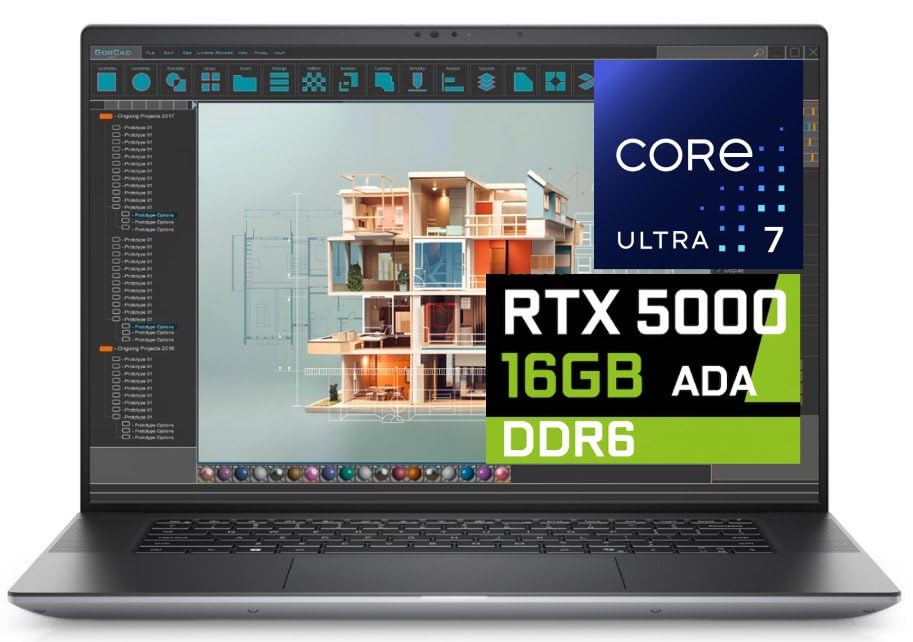 | Dell Precision 5690 | Best fit: 32GB RAM and 16GB graphics memory Graphics: NVIDIA RTX Ada 5000, 16GB Memory and SSD: 32GB, 2TB Thunderbolt ports: 2x Thunderbolt 4 Operating system: Windows 11 Pro | Check Price on Amazon |
 | Lenovo ThinkPad P16 Gen 3 | Best fit: 64GB RAM and Thunderbolt 5 Graphics: NVIDIA RTX PRO 3000 Blackwell, 12GB Memory and SSD: 64GB, 2TB Thunderbolt ports: 2x Thunderbolt 5, 1x Thunderbolt 4 Operating system: Not named in the listing | Check Price on Amazon |
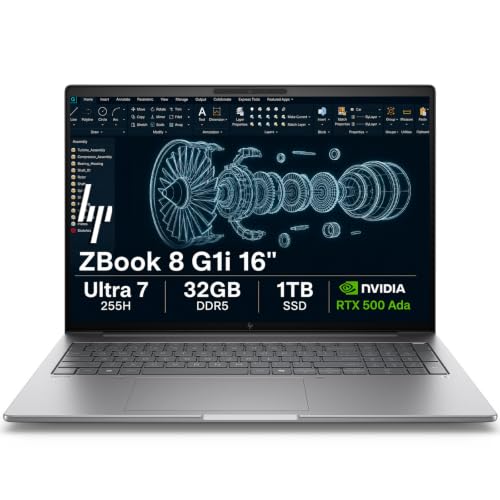 | HP ZBook 8 G1i | Best fit: NVIDIA GPU with Ethernet Graphics: NVIDIA RTX 500 Ada, 4GB Memory and SSD: 32GB, 1TB (seller resealed) Thunderbolt ports: 2x Thunderbolt 4 Operating system: Windows 11 Pro | Check Price on Amazon |
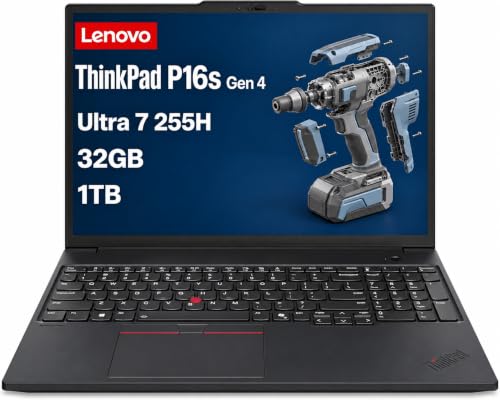 | Lenovo ThinkPad P16s Gen 4 | Best fit: 16-inch Windows laptop with Intel Graphics Graphics: Intel Graphics Memory and SSD: 32GB, 1TB (seller-upgraded) Thunderbolt ports: 2x Thunderbolt 4 Operating system: Windows 11 Pro | Check Price on Amazon |
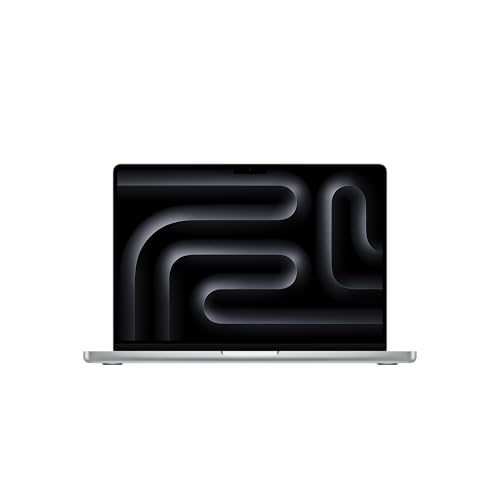 | Apple MacBook Pro 14-inch with M5 Pro | Best fit: Mac with three Thunderbolt 5 ports Graphics: Apple M5 Pro, 16-core GPU Memory and SSD: 24GB unified, 1TB Thunderbolt ports: 3x Thunderbolt 5 Operating system: macOS | Check Price on Amazon |
1. Dell Precision 5690 — Best With 16GB of Graphics Memory
Amazon’s listing for the Precision 5690 names an Intel Core Ultra 7 165H, 32GB of RAM, a 2TB SSD, and an NVIDIA RTX Ada 5000 laptop GPU with 16GB of GDDR6 memory. It lists a 16-inch 3840×2400 OLED touchscreen, Windows 11 Pro, two Thunderbolt 4 ports with Power Delivery and DisplayPort, one USB-C port with DisplayPort, HDMI 2.1, and a full-size SD card slot.
Esri recommends 32GB of RAM and 8GB or more of dedicated graphics memory, and the listing’s figures meet or exceed both. Amazon also says the GPU is ISV certified for creative, engineering, and CAD applications and that a Dell warranty runs through July 2029. The listing names neither Esri nor a CPU core count.
Our Take Choose the Precision 5690 for a Windows laptop whose listed RAM and graphics memory meet Esri’s recommended levels. Pick the ThinkPad P16 Gen 3 for 64GB of RAM.
- Amazon lists an RTX Ada 5000 GPU with 16GB of GDDR6 memory and 32GB of RAM on the Precision 5690, meeting Esri’s recommended levels for both.
- According to Amazon, the Precision 5690 has two Thunderbolt 4 ports with DisplayPort, HDMI 2.1, and a full-size SD card slot.
- The Precision 5690 listing names Windows 11 Pro and a Dell warranty through July 2029.
- Amazon gives no CPU core count for the Precision 5690, and Esri recommends 4 cores.
2. Lenovo ThinkPad P16 Gen 3 — Best With 64GB of RAM and Thunderbolt 5
Amazon’s listing for the P16 Gen 3 names a 20-core Intel Core Ultra 7 255HX, 64GB of DDR5 memory, a 2TB SSD, and an NVIDIA RTX PRO 3000 Blackwell laptop GPU with 12GB of GDDR7 memory. The 16-inch 3840×2400 display is a non-touch IPS panel at 800 nits. The port line lists two Thunderbolt 5 ports at 80Gbps, one Thunderbolt 4 port, two USB-A ports, 2.5Gbps Ethernet, HDMI 2.1, and an SD Express card reader.
Esri lists 64GB or more of RAM and 10 cores as optimal, and the listing states 64GB and 20 cores. Amazon says Lenovo sells the laptop as configured in unopened retail packaging with a one-year courier or carry-in warranty. Amazon also says it is MIL-STD-810H tested. The listing names no operating system.
Amazon lists 64GB of RAM, 20 cores, and 12GB of graphics memory on the P16 Gen 3, but names no operating system.Our Take Choose the P16 Gen 3 when you want the 64GB and 10-core levels Esri lists as optimal. Confirm that it ships with Windows before buying, because the listing does not say.
- Amazon lists 64GB of DDR5 memory and a 20-core Core Ultra 7 255HX on the P16 Gen 3, meeting Esri’s optimal levels for RAM and cores.
- The P16 Gen 3 listing names two Thunderbolt 5 ports, one Thunderbolt 4 port, 2.5Gbps Ethernet, HDMI 2.1, and an SD Express card reader.
- Amazon lists an RTX PRO 3000 Blackwell GPU with 12GB of GDDR7 memory on the P16 Gen 3, above Esri’s recommended graphics memory.
- Amazon’s P16 Gen 3 listing names no operating system, and Esri lists only Windows operating systems.
3. HP ZBook 8 G1i — Best With RTX 500 Ada Graphics and Ethernet
Amazon’s listing for the ZBook 8 G1i names an Intel Core Ultra 7 255H, 32GB of DDR5 memory, a 1TB SSD, and an NVIDIA RTX 500 Ada GPU with 4GB of GDDR6 memory. It lists a 16-inch 1920×1200 anti-glare IPS display at 300 nits, Windows 11 Pro, two Thunderbolt 4 ports, USB-C 3.2 Gen 2×2, USB-A, HDMI 2.1, and RJ-45 Ethernet. ISV certifications are listed for SolidWorks, AutoCAD, Revit, ANSYS, and MATLAB.
Esri recommends 8GB or more of dedicated graphics memory, so the 4GB figure is below that recommendation. For deep learning tools that use NVIDIA CUDA, Esri lists 6GB of graphics memory as the minimum. The seller says the New computer was resealed to upgrade the system without naming the parts. Amazon says HP provides a three-year warranty.
Our Take Choose the ZBook 8 G1i for a Windows laptop with an NVIDIA GPU and Ethernet when you have checked that 4GB of graphics memory fits your Esri workflow. Pick the Precision 5690 or the P16 Gen 3 to meet Esri’s 8GB recommendation.
- Amazon lists an RTX 500 Ada GPU, 32GB of DDR5 memory, and a 1TB SSD on the ZBook 8 G1i.
- Amazon lists two Thunderbolt 4 ports, HDMI 2.1, and RJ-45 Ethernet on the ZBook 8 G1i.
- Amazon lists Windows 11 Pro and ISV certifications for SolidWorks, AutoCAD, Revit, ANSYS, and MATLAB on the ZBook 8 G1i.
- Amazon lists 4GB of graphics memory on the ZBook 8 G1i, below Esri’s recommended 8GB.
- The seller says it resealed the ZBook 8 G1i to upgrade the system and does not name the parts.
4. Lenovo ThinkPad P16s Gen 4 — Best With Intel Graphics and 32GB of RAM
Amazon’s listing for the P16s Gen 4 names an Intel Core Ultra 7 255H with Intel Graphics, 32GB of DDR5 memory, and a 1TB SSD. It lists a 16-inch 1920×1200 anti-glare display at 400 nits, Windows 11 Pro, two Thunderbolt 4 ports, two USB-A ports, HDMI 2.1, and RJ-45 Ethernet. Amazon says the laptop supports three external monitors through HDMI and Thunderbolt 4 at up to 4K at 60Hz without a dock.
Esri recommends a discrete GPU, and the listing names Intel Graphics and no discrete GPU. The seller says the New computer was resealed to upgrade the memory and SSD, with a three-year seller warranty on those parts and a one-year Lenovo warranty on the rest. Amazon also says MIL-STD-810H testing adds durability.
Amazon names Intel Graphics and no discrete GPU on the P16s Gen 4, while Esri recommends a discrete GPU.Our Take Choose the P16s Gen 4 for a 16-inch Windows laptop with Ethernet, two Thunderbolt 4 ports, and 32GB of RAM if you accept a laptop without the discrete GPU Esri recommends. Pick one of the NVIDIA models above if you do not.
- Amazon lists 32GB of DDR5 memory and a 1TB SSD on the P16s Gen 4.
- Amazon lists two Thunderbolt 4 ports, HDMI 2.1, and RJ-45 Ethernet on the P16s Gen 4.
- Amazon says the P16s Gen 4 supports three external monitors through HDMI and Thunderbolt 4 at up to 4K at 60Hz without a dock.
- Amazon names Intel Graphics and no discrete GPU on the P16s Gen 4, and Esri recommends a discrete GPU.
- The seller says it resealed the P16s Gen 4 to upgrade the memory and SSD, and the warranty is split between the seller and Lenovo.
5. Apple MacBook Pro 14-inch With M5 Pro — Best With Three Thunderbolt 5 Ports on macOS
Amazon’s listing for the MacBook Pro names an Apple M5 Pro chip with a 15-core CPU and a 16-core GPU, 24GB of unified memory, a 1TB SSD, and a 14.2-inch Liquid Retina XDR display. It lists three Thunderbolt 5 ports, MagSafe 3, an SDXC card slot, an HDMI port, a headphone jack, and up to three external displays with the M5 Pro. The listing describes macOS.
Esri’s system requirements page lists only Windows operating systems. Esri’s Mac page says the only way to run ArcGIS Pro on an M-series Mac is inside a virtual environment such as Parallels Desktop, with Windows 11 ARM as the guest operating system. Esri adds that it troubleshoots defects only on certified Windows x64 systems.
Our Take Choose the MacBook Pro when you already work on a Mac and accept a Windows virtual machine for ArcGIS Pro, or when your mapping software runs on macOS. Pick one of the four Windows laptops to run ArcGIS Pro without a virtual machine.
- Amazon lists three Thunderbolt 5 ports, an HDMI port, and an SDXC card slot on the MacBook Pro.
- Amazon lists an M5 Pro chip with a 15-core CPU and 24GB of unified memory on the MacBook Pro.
- Amazon lists a 14.2-inch Liquid Retina XDR display with 1000 nits of sustained brightness on the MacBook Pro.
- Esri says ArcGIS Pro runs on an M-series Mac only in a Windows virtual machine.
- Amazon lists 24GB of unified memory on the MacBook Pro, below the 32GB of RAM Esri recommends.
Buying Guide
Start with Esri’s requirements and the operating system
Esri lists Windows 11 as a supported operating system and recommends 32GB of RAM, a discrete GPU, and 8GB or more of dedicated graphics memory. Its ArcGIS Pro 3.7 page also lists minimum and optimal levels and says the recommended level performs well in most situations. Optimal is 64GB or more of RAM and 10 CPU cores, and requirements can change between releases, so read the page for your version.
Three listings name Windows 11 Pro, the MacBook Pro listing describes macOS, and the P16 Gen 3 listing names no operating system. Write down the ArcGIS Pro version, extensions, and license type your course or employer requires before you compare laptops.
Compare graphics memory with Esri’s recommendation
Amazon lists 16GB of graphics memory on the Precision 5690, 12GB on the P16 Gen 3, and 4GB on the ZBook 8 G1i. The P16s Gen 4 names Intel Graphics, and the MacBook Pro lists unified memory with no dedicated graphics figure. Only the first two meet Esri’s recommendation of 8GB or more.
For deep learning tools, Esri lists an NVIDIA GPU with CUDA, 6GB of graphics memory as the minimum, and 16GB or more as recommended. Esri tells buyers to check a card’s compute capability against NVIDIA’s CUDA list. Amazon names an NVIDIA GPU on three laptops and does not state a compute capability for any of them.
Compare memory and storage, and read the seller’s upgrade text
Esri recommends 32GB of RAM and lists 64GB or more as optimal. Amazon lists 32GB on the Precision 5690, ZBook 8 G1i, and P16s Gen 4, 24GB of unified memory on the MacBook Pro, and 64GB on the P16 Gen 3. Esri also recommends a solid-state drive and says its visualization cache can use up to 32GB of space. Every listing here names a 1TB or 2TB SSD. Esri recommends 4 CPU cores. The ZBook 8 G1i listing states 16 cores while the P16s Gen 4 listing states 8 for the same Core Ultra 7 255H, so confirm the core count with the seller.
The upgrade text differs by listing. The P16s Gen 4 seller says it upgraded the memory and SSD, the ZBook 8 G1i seller says it upgraded the system without naming parts, and Amazon says Lenovo sells the P16 Gen 3 as configured. The Dell and Apple listings disclose no upgrade, so read the warranty text beside each memory and SSD figure.
Count the ports and direct connections
Thunderbolt counts differ by laptop. Amazon lists two Thunderbolt 5 ports and one Thunderbolt 4 port on the P16 Gen 3, three Thunderbolt 5 ports on the MacBook Pro, and two Thunderbolt 4 ports on the Precision 5690, ZBook 8 G1i, and P16s Gen 4. The P16 Gen 3, ZBook 8 G1i, and P16s Gen 4 list Ethernet, and the Dell and Apple port lists name none.
Card readers also differ. Amazon lists a full-size SD slot on the Precision 5690, an SD Express reader on the P16 Gen 3, and an SDXC slot on the MacBook Pro, and it lists no card reader on the ZBook 8 G1i or P16s Gen 4. For monitors, Amazon says the P16s Gen 4 supports three external monitors at up to 4K at 60Hz without a dock and the MacBook Pro supports up to three external displays. The ZBook 8 G1i lists up to 8K at 60Hz through Thunderbolt 4. Our Thunderbolt 4 dock guide and mobile workstation guide cover docks and other laptops when the port count falls short.
Check the durability wording before field use
Two listings mention MIL-STD-810H. Amazon says the P16 Gen 3 is MIL-STD-810H tested with a spill-resistant keyboard, and the P16s Gen 4 listing says MIL-STD-810H testing adds durability. Neither listing names the tests or gives a water, dust, or drop rating, and the Dell, ZBook, and MacBook Pro listings mention no durability testing.
The page ranks laptops for GIS software, not rugged systems. If a job requires a named rugged certification, start from that certification and then check that a laptop holding it lists Thunderbolt or USB4.
FAQ
Does ArcGIS Pro need a discrete GPU?
Esri recommends a discrete (not integrated) GPU and 8GB or more of dedicated graphics memory. Its minimum is a supported CPU, and Esri says a machine with no GPU emulates one, which gives suboptimal performance for some visualization workflows, including 3D views.
Amazon names an NVIDIA GPU on the Precision 5690, P16 Gen 3, and ZBook 8 G1i, and Intel Graphics on the P16s Gen 4. Only the Precision 5690 and P16 Gen 3 list graphics memory above 8GB.
Is 32GB of RAM enough for GIS work?
Esri recommends 32GB and lists 64GB or more as optimal, with 8GB as the minimum. Amazon lists 32GB on three laptops, 24GB of unified memory on the MacBook Pro, and 64GB on the P16 Gen 3.
Esri’s page gives levels, not an answer for each project. Compare your largest dataset and your extensions with those levels before choosing between 32GB and 64GB.
Can the MacBook Pro run ArcGIS Pro?
Only inside a Windows virtual machine, according to Esri. Its Mac page says an M-series Mac needs a virtual environment such as Parallels Desktop 18 or later with Windows 11 ARM, and that Esri troubleshoots defects only on certified Windows x64 systems.
Choose a Windows laptop from this list if you need Esri to troubleshoot defects. The MacBook Pro listing does not mention ArcGIS Pro.
Do the listings say these laptops are certified for ArcGIS Pro?
No. None of the five listings names Esri or ArcGIS. Amazon lists ISV certification for ANSYS, SOLIDWORKS, and AutoCAD on the P16 Gen 3 and for SolidWorks, AutoCAD, Revit, ANSYS, and MATLAB on the ZBook 8 G1i, and it names application types for the Dell and no applications for the P16s Gen 4.
A certification for another application does not state ArcGIS Pro support. Esri’s page links to an app that scans a computer and generates a compatibility report.
How many external monitors do these laptops list?
Amazon says the P16s Gen 4 supports three external monitors through HDMI and Thunderbolt 4 at up to 4K at 60Hz without a dock, and the MacBook Pro supports up to three external displays with the M5 Pro. The ZBook 8 G1i lists up to 8K at 60Hz through Thunderbolt 4 and 4K at 60Hz through USB-C and HDMI 2.1.
The Precision 5690 and P16 Gen 3 listings give no monitor count. Check the dock, cable, and monitor inputs before buying displays.
Bottom Line
Choose the Precision 5690 for 32GB of RAM and 16GB of graphics memory, or the ThinkPad P16 Gen 3 for 64GB of RAM and two Thunderbolt 5 ports once the seller confirms a Windows install. Take the MacBook Pro only if a Windows virtual machine or macOS mapping software fits your work.
Compare the requirement on Esri’s page with the configuration in the listing before you buy.