A small-office laptop needs the right screen, keyboard, operating system, network connection, and configuration as well as a fast port. Five of these six Amazon listings state Thunderbolt 4, and Lenovo’s specification sheet lists it for the sixth, the ThinkPad T16 Gen 4. All six were New and in stock when checked. Five were upgraded or resealed by the seller, so their memory and SSD sizes describe the seller’s configuration, not the maker’s.
Business Laptops Compared
The table compares screen size, Thunderbolt 4 ports, wired Ethernet, and memory and SSD for each laptop. A Thunderbolt port starts a connection, and the dock, cable, and monitors need their own compatibility check.
| Image | Product | Details | Check Price |
|---|---|---|---|
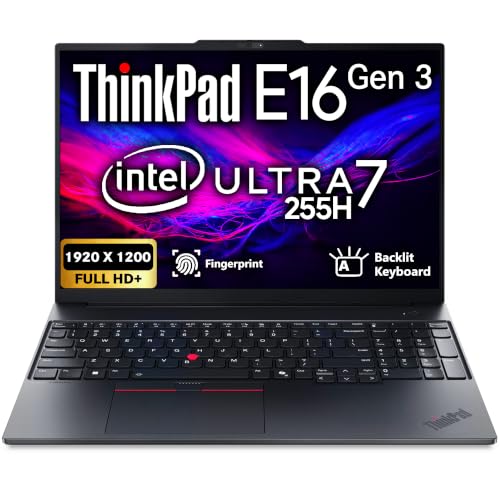 | Lenovo ThinkPad E16 Gen 3 | Best fit: 16-inch ThinkPad with 32GB and 1TB Screen: 16-inch WUXGA IPS (Amazon) Thunderbolt 4 ports: 1 standard (Lenovo) Ethernet: Yes (Lenovo) Memory and SSD: 32GB, 1TB (seller-upgraded) | Check Price on Amazon |
 | Lenovo ThinkPad T16 Gen 4 | Best fit: 16-inch ThinkPad with two ports Screen: 16-inch WUXGA IPS (Amazon) Thunderbolt 4 ports: 2 (Lenovo) Ethernet: Yes (Lenovo) Memory and SSD: 16GB, 512GB (Amazon) | Check Price on Amazon |
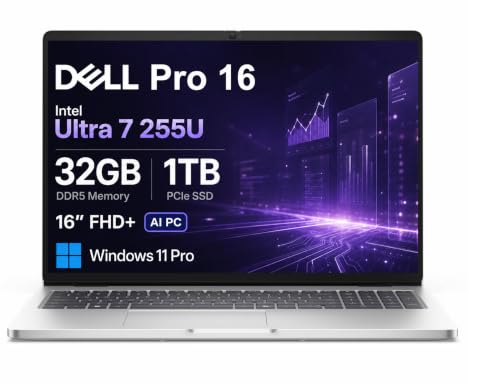 | Dell Pro 16 PC16250 | Best fit: 16-inch Dell with numeric keypad Screen: 16-inch WUXGA anti-glare (Amazon) Thunderbolt 4 ports: Thunderbolt 4, no count (Amazon) Ethernet: Yes (Amazon) Memory and SSD: 32GB, 1TB (seller-upgraded) | Check Price on Amazon |
 | Dell Latitude 5550 | Best fit: 15.6-inch Dell with microSD slot Screen: 15.6-inch FHD IPS anti-glare (Amazon) Thunderbolt 4 ports: 2 at 40Gbps (Amazon) Ethernet: Yes (Amazon) Memory and SSD: 16GB, 512GB (seller-upgraded) | Check Price on Amazon |
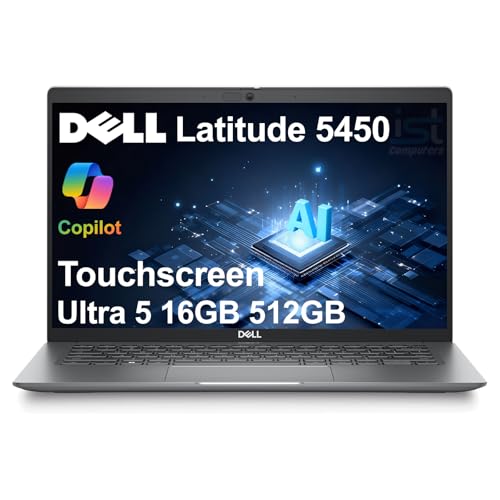 | Dell Latitude 5450 | Best fit: 14-inch touch business laptop Screen: 14-inch FHD IPS anti-glare touch (Amazon) Thunderbolt 4 ports: 2 (Amazon) Ethernet: Yes (Amazon) Memory and SSD: 16GB, 512GB (seller-upgraded) | Check Price on Amazon |
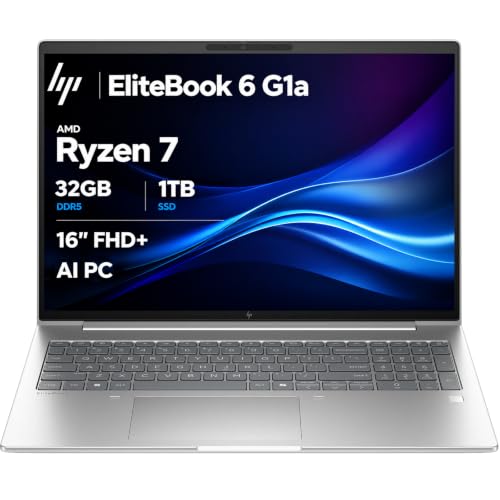 | HP EliteBook 6 G1a | Best fit: Numeric keypad and Wi-Fi 7 Screen: 16-inch WUXGA IPS anti-glare (Amazon) Thunderbolt 4 ports: 2 (Amazon) Ethernet: Yes (Amazon) Memory and SSD: 32GB, 1TB (seller-upgraded) | Check Price on Amazon |
1. Lenovo ThinkPad E16 Gen 3 — Best 16-Inch ThinkPad With 32GB of Memory and a 1TB SSD
Lenovo’s specification sheet lists one standard Thunderbolt 4 / USB4 40Gbps port on the E16 Gen 3, plus Ethernet, HDMI, and docking through Thunderbolt or USB-C. Amazon lists a 16-inch WUXGA IPS display, Core Ultra 7 255H, backlit keyboard, fingerprint reader, FHD webcam, RJ-45 Ethernet, Wi-Fi 6E, and Windows 11 Pro.
Amazon also lists 32GB of DDR5 memory and a 1TB SSD, and says the seller, Oemgenuine, installed both and backs them with a three-year warranty. Amazon says the original manufacturer warranty is valid on all other components. The built-in RJ-45 port suits an office with a wired network.
Lenovo lists one standard Thunderbolt 4 port on the E16 Gen 3 and two on the T16 Gen 4.Our Take Choose the E16 Gen 3 for a 16-inch ThinkPad with built-in Ethernet and a Thunderbolt docking port. Confirm the seller’s upgrade and warranty terms before ordering.
- Lenovo lists docking through Thunderbolt or USB-C on the E16, along with a Thunderbolt 4 / USB4 40Gbps port.
- Lenovo lists a built-in RJ-45 Ethernet port, which suits an office with a wired network.
- Amazon describes a 16-inch WUXGA IPS screen, a backlit keyboard, and Windows 11 Pro.
- Lenovo lists one standard Thunderbolt 4 port on the E16 Gen 3.
- Amazon says Oemgenuine installed the memory and SSD, now 32GB and 1TB, and covers them with a three-year warranty, while the original warranty covers the other components.
2. Lenovo ThinkPad T16 Gen 4 — Best 16-Inch ThinkPad With Two Thunderbolt 4 Ports
Lenovo’s specification sheet lists two Thunderbolt 4 / USB4 40Gbps ports and Ethernet for the T16 Gen 4. Amazon lists a 16-inch WUXGA IPS non-touch display at 400 nits, Core Ultra 5 225U, 16GB of DDR5 memory, a 512GB SSD, a spill-resistant backlit keyboard, a fingerprint reader, RJ-45 Ethernet, Wi-Fi 6E, and Windows 11 Pro. Amazon’s port text says “USB-4 Thunderbolt” and gives no count, so the Thunderbolt 4 port count comes from Lenovo.
Amazon does not say this unit was upgraded or resealed, and it lists a one-year Lenovo warranty plus a one-year seller warranty. With two ports, a dock can use one while another fast device uses the other.
Lenovo lists two Thunderbolt 4 ports and Ethernet for the T16 Gen 4, while Amazon’s port text says only “USB-4 Thunderbolt.”Our Take Pick the T16 Gen 4 when two Thunderbolt 4 ports count for more than the E16’s 32GB of memory and 1TB SSD.
- Lenovo lists two Thunderbolt 4 / USB4 40Gbps ports on the T16 Gen 4, so a dock can use one while another fast device uses the other.
- Lenovo lists a built-in RJ-45 Ethernet port on the T16.
- Amazon describes a spill-resistant backlit keyboard and a fingerprint reader.
- Amazon lists a 16-inch WUXGA IPS display at 400 nits.
- Amazon lists 16GB of memory and a 512GB SSD, less than the 32GB and 1TB on the E16 Gen 3, Dell Pro 16, and EliteBook 6 G1a listings.
- Amazon lists a non-touch display, unlike the Latitude 5450 touchscreen.
3. Dell Pro 16 PC16250 — Best 16-Inch Dell With a Numeric Keypad
Amazon’s listing for the Dell Pro 16 PC16250 states Thunderbolt 4, RJ-45 Ethernet, HDMI 2.1, Wi-Fi 6E, and Windows 11 Pro, and its title adds a numeric keypad. It lists a 16-inch WUXGA anti-glare display at 300 nits, Core Ultra 7 255U, 32GB of DDR5 memory, and a 1TB SSD. The seller says it resealed the New computer to upgrade the memory and SSD, and gives a one-year seller warranty.
Amazon says the laptop can run three external monitors through HDMI, USB-C, and Thunderbolt 4 at up to 4K at 60Hz without a docking station. It gives no Thunderbolt 4 port count, so check how many ports the order has before planning a dock plus a second fast device.
Our Take Consider the Pro 16 for a desk that needs a numeric keypad and built-in Ethernet. Amazon gives no Thunderbolt 4 port count, and the memory and SSD are the seller’s upgrade.
- Amazon lists Thunderbolt 4, RJ-45 Ethernet, HDMI 2.1, and a numeric keypad on the Dell Pro 16.
- Amazon lists a 16-inch WUXGA anti-glare display at 300 nits.
- Amazon lists 32GB of DDR5 memory and a 1TB SSD.
- Amazon gives no Thunderbolt 4 port count for the Dell Pro 16, so check how many ports the order has before planning a dock plus a second fast device.
- The seller says it resealed the computer to upgrade memory and storage, with a one-year seller warranty.
4. Dell Latitude 5550 — Best 15.6-Inch Dell With a microSD Slot
Amazon lists two Thunderbolt 4 ports at 40Gbps on the Latitude 5550, along with RJ-45 Ethernet, HDMI 2.1, two USB-A ports, a microSD slot, Wi-Fi 6E, and Windows 11 Pro. Its title adds a numeric keypad. Amazon lists a 15.6-inch FHD IPS anti-glare screen, Core Ultra 5 125U, 16GB of DDR5 memory, and a 512GB SSD.
Amazon lists the screen at 1920×1080, shorter than the 1920×1200 panels on the E16 Gen 3, T16 Gen 4, Dell Pro 16, and EliteBook 6 G1a listings. Amazon says two external monitors can run through HDMI and Thunderbolt at 4K at 60Hz, and that the seller resealed the New computer to upgrade the memory and SSD, with a three-year seller warranty on those parts.
Our Take Choose the Latitude 5550 for two Thunderbolt 4 ports, Ethernet, and a 15.6-inch screen with a microSD slot.
- Amazon lists two Thunderbolt 4 ports at 40Gbps, RJ-45 Ethernet, and HDMI 2.1 on the Latitude 5550.
- Amazon lists a microSD slot and a numeric keypad.
- Amazon lists a 15.6-inch FHD IPS anti-glare screen.
- Amazon lists a 1920×1080 screen, while the E16 Gen 3, T16 Gen 4, Dell Pro 16, and EliteBook 6 G1a listings state 1920×1200.
- Amazon says the seller upgraded the memory and SSD to 16GB and 512GB, and gives a three-year seller warranty on those parts.
5. Dell Latitude 5450 — Best 14-Inch Touch Business Laptop
Amazon lists a 14-inch FHD IPS anti-glare touchscreen on the Latitude 5450, with Core Ultra 5 125U, 16GB of DDR5 memory, and a 512GB SSD. It states two Thunderbolt 4 (USB4 Type-C) ports, RJ-45 Ethernet, HDMI 2.0, two USB-A ports, a backlit keyboard, a 1080p IR webcam with a privacy shutter, Wi-Fi 6E, and Windows 11 Pro.
Amazon says three external monitors can run through HDMI and Thunderbolt at 4K at 60Hz, and that the laptop meets MIL-STD 810H durability standards. Amazon says the seller resealed the New computer to upgrade the system without saying which parts, and gives a one-year seller warranty.
Our Take Pick the Latitude 5450 for a 14-inch touchscreen with two Thunderbolt 4 ports and built-in Ethernet.
- Amazon lists a 14-inch FHD IPS anti-glare touchscreen on the Latitude 5450.
- Amazon lists two Thunderbolt 4 (USB4 Type-C) ports and RJ-45 Ethernet.
- Amazon lists a backlit keyboard and a 1080p IR webcam with a privacy shutter.
- Amazon lists a 14-inch screen, smaller than the 15.6- and 16-inch screens on the other five laptops.
- Amazon says the seller resealed the Latitude 5450 to upgrade the system without naming the parts, and gives a one-year seller warranty.
6. HP EliteBook 6 G1a — Best for a Numeric Keypad and Wi-Fi 7
Amazon lists a 16-inch WUXGA IPS anti-glare screen at 300 nits, Ryzen 7 250, 32GB of DDR5 memory, and a 1TB SSD on the EliteBook 6 G1a. It states two Thunderbolt 4 ports, RJ-45 Ethernet, Wi-Fi 7, a numeric keypad, a backlit keyboard, a fingerprint reader, and Windows 11 Pro. Amazon describes triple-display support of up to 8K at 60Hz through Thunderbolt 4 and 4K at 60Hz through HDMI 2.1.
Amazon also says the seller resealed the New computer to upgrade the memory and SSD, with a three-year seller warranty on those parts and a one-year HP warranty on the other components. Compare the dock, cable, and displays before planning a multi-monitor desk.
Amazon lists two Thunderbolt 4 ports, RJ-45 Ethernet, Wi-Fi 7, and a numeric keypad together on the EliteBook 6 G1a.Our Take Select the EliteBook 6 G1a for Wi-Fi 7, a numeric keypad, and two Thunderbolt 4 ports in one laptop.
- Amazon lists two Thunderbolt 4 ports, RJ-45 Ethernet, and Wi-Fi 7 on the EliteBook 6 G1a.
- Amazon lists a numeric keypad and a 16-inch WUXGA IPS anti-glare screen.
- Amazon lists 32GB of DDR5 memory and a 1TB SSD.
- Amazon’s 8K and triple-display figures apply to the setup it describes, not to every dock.
- Amazon says the seller upgraded the memory and SSD and covers those parts with a three-year seller warranty, while HP’s one-year warranty covers the other components.
Buying Guide
1. Count Thunderbolt ports around the desk setup
Two Thunderbolt 4 ports let one stay connected to a dock. Lenovo lists two for the T16 Gen 4, and Amazon lists two for the Latitude 5550, Latitude 5450, and EliteBook 6 G1a. Lenovo lists one standard port for the E16 Gen 3, and Amazon gives the Dell Pro 16 no count. With one port, a dock and another fast device have to share it.
The Thunderbolt 4 docking-station guide and USB4 hubs and docks guide cover dock types. The laptop, dock, cable, and monitors work as one system, so check the dock’s manual for its display and charging modes.
2. Decide whether built-in Ethernet changes the purchase
All six list RJ-45 Ethernet. Lenovo’s sheets list it for the E16 Gen 3 and T16 Gen 4, and Amazon lists it for the four Dell and HP laptops. A laptop with its own Ethernet port can connect to a wired office network directly, and a dock can also add display outputs, USB ports, charging, or a card reader.
Choose ThinkPad E16 Gen 3 or ThinkPad T16 Gen 4 when you want Lenovo’s own specification sheet behind the port details. Dell and HP details here come from Amazon, so save the listing text with your order notes.
3. Match screen size to work that stays on the laptop
The Latitude 5450 has a 14-inch screen, the Latitude 5550 has 15.6 inches, and the other four list 16 inches. Work that stays on the laptop favors a larger screen, while a laptop that travels and reconnects to a monitor can use the 14-inch one.
Amazon lists an anti-glare coating on the Dell Pro 16, both Latitudes, and the EliteBook 6 G1a. The ThinkPad listings give an IPS panel but no coating, so compare the screen description in the listing you order, not the model name.
4. Treat memory, SSD, and warranty as one package
Five of the six laptops were upgraded or resealed by the seller. Amazon says Oemgenuine installed the E16 Gen 3’s memory and SSD, and that the seller resealed the Dell Pro 16, Latitude 5550, Latitude 5450, and EliteBook 6 G1a to upgrade them. Only the T16 Gen 4 listing says nothing about an upgrade.
The sizes describe the order in front of you, not every laptop with the same model name. Record the model, processor, memory, storage, warranty terms, and return terms before buying. A note with those six items is safer than copying details from a similarly named listing.
5. Check display claims against the dock you plan to use
Amazon describes multi-monitor setups for the Dell Pro 16, Latitude 5550, Latitude 5450, and EliteBook 6 G1a, and Lenovo’s sheets list docking through Thunderbolt or USB-C for the E16 Gen 3 and T16 Gen 4. Monitor resolution, refresh rate, dock power delivery, cable capability, and the operating system all affect what a desk can run.
Use the dual-monitor dock guide to compare dock types, then read the dock’s manual. A dock’s output count does not override the laptop’s or the dock’s published limits. Write down the number of displays, their resolution and refresh rate, whether Ethernet stays on the laptop, whether the desk needs a numeric keypad, and whether the laptop leaves the desk.
FAQ
Is Thunderbolt 4 necessary for a small-office laptop?
No. A laptop can handle ordinary office work without it. The port helps when a compatible dock, external storage, or monitors are part of the desk.
Port count differs here. Lenovo lists one standard Thunderbolt 4 port for the E16 Gen 3 and two for the T16 Gen 4, and Amazon lists two for the Latitude 5550, Latitude 5450, and EliteBook 6 G1a. The Dell Pro 16 listing gives no count.
Are the listed memory and SSD sizes manufacturer specifications?
Not for five of the six. Amazon says the seller upgraded or resealed the E16 Gen 3, Dell Pro 16, Latitude 5550, Latitude 5450, and EliteBook 6 G1a. Their sizes describe that order, not every laptop with the same model name.
Read the warranty text beside the size. Amazon lists a three-year seller warranty on the upgraded parts for the E16 Gen 3, Latitude 5550, and EliteBook 6 G1a, and a one-year seller warranty for the Dell Pro 16 and Latitude 5450.
Do these laptops all have Ethernet?
Yes. Lenovo’s sheets list Ethernet for the E16 Gen 3 and T16 Gen 4, and the Amazon listings list RJ-45 for the four Dell and HP laptops.
A built-in port does not replace a dock. A dock can also add displays, USB ports, charging, or a single-cable desk connection.
Can a Thunderbolt 4 dock drive multiple monitors with these laptops?
It can be part of a multi-monitor setup, but the result depends on the laptop, dock, cable, monitors, and operating system. Amazon lists multi-monitor support for four of the laptops, and none of those statements covers every dock.
Compare the dock’s host requirements with the resolution and refresh rate you want. Do not choose a dock from its output count alone.
Which laptop is best for a compact office?
The Latitude 5450 is the 14-inch laptop. Amazon lists a touchscreen, two Thunderbolt 4 ports, RJ-45 Ethernet, and Windows 11 Pro.
For a larger built-in screen, compare the 15.6-inch Latitude 5550 with the 16-inch E16 Gen 3, T16 Gen 4, Dell Pro 16, and EliteBook 6 G1a. Screen size, warranty terms, and port count should settle the choice.
Bottom Line
Choose ThinkPad E16 Gen 3 for a 16-inch ThinkPad with built-in Ethernet and a Thunderbolt docking port, ThinkPad T16 Gen 4 for two Thunderbolt 4 ports from Lenovo’s own sheet, or Latitude 5450 for a 14-inch touchscreen. With a seller-upgraded laptop, confirm the memory, SSD, warranty, and return terms before buying.
The configuration you order, not the model name, is the buying decision.