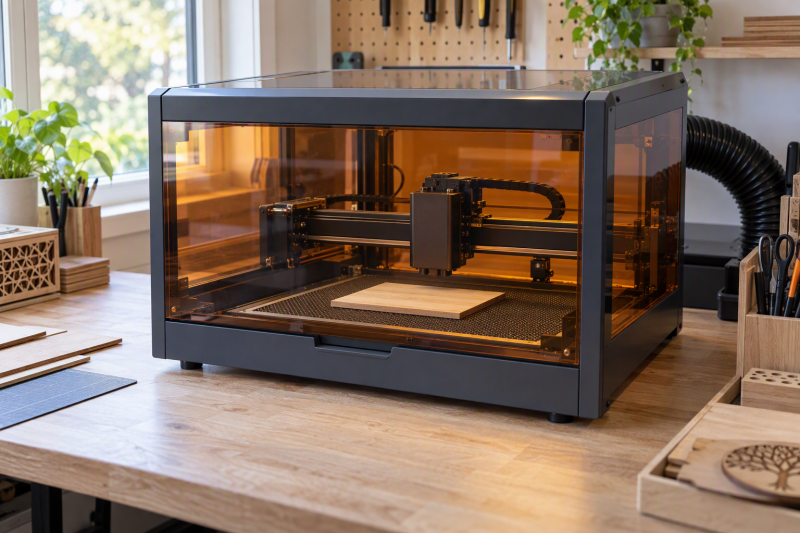
An enclosed diode laser cutter can make a home makerspace more practical, but its enclosure does not remove the need for ventilation, material limits, and active supervision. These seven machines put the diode laser inside a housing, yet their cutting output, camera workflow, work area, and secondary infrared options differ considerably. A cutter can also sit beside a fume extractor, external SSD, USB microphone, desk privacy divider, camera shelf, monitor arm, phone tripod, and creator shoulder bag, so confirm that the whole bench remains practical.
The right pick starts with the material and job you actually repeat. A compact 3.5W machine suits small engraving work, while 20W, 22W, and 40W diode systems give wood and acrylic projects more cutting headroom. Camera positioning can reduce layout mistakes, but it does not make an unsuitable material safe to cut.
A dust cover is left out because it is an accessory rather than a laser cutter. Every machine here is an enclosed diode laser cutter or engraver with an active listing. Read the maker guidance for your material, provide suitable exhaust handling, and never leave a laser running unattended.
Quick Picks
- Creality Falcon2 Pro 40W + 2W IR, best for demanding cuts.
- Creality Falcon A1 10W, best for first-time makers.
- AtomStack Kraft, best for large dual-laser projects.
- xTool M2 10W, best for camera-led projects.
Enclosed Diode Laser Cutters Compared
| Image | Product | Details | Check Price |
|---|---|---|---|
 | Creality Falcon2 Pro 40W + 2W IR | Best fit: Demanding cuts Diode output: 40W IR module: 2W 1064nm Work area: 15.75 x 16.34 in Camera: Built-in | Check Price on Amazon |
 | Creality Falcon A1 10W | Best fit: First-time makers Diode output: 10W Safety: Class 1 dual-door Camera: Pre-calibrated HD Listed speed: 600mm/s | Check Price on Amazon |
 | Creality Falcon2 Pro S 22W | Best fit: Automated setup Diode output: 22W optical Safety: Class 1 Camera: Built-in Features: Autofocus and air assist | Check Price on Amazon |
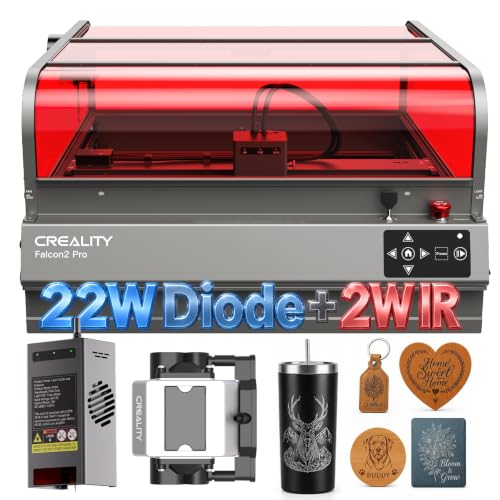 | Creality Falcon2 Pro 22W + 2W IR | Best fit: Mixed materials Diode output: 22W IR module: 2W 1064nm Work area: 15.75 x 16.34 in Camera: Built-in | Check Price on Amazon |
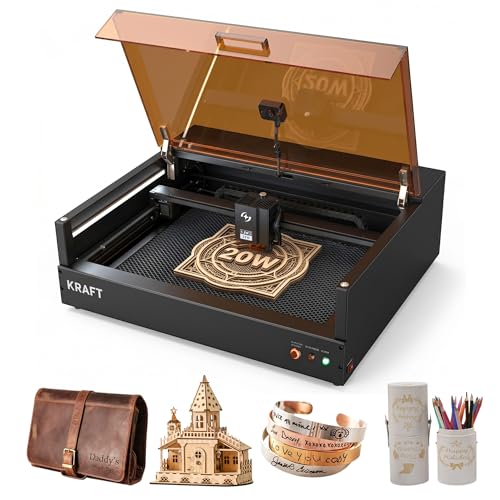 | AtomStack Kraft | Best fit: Large dual-laser projects Diode output: 20W IR module: 1.2W Work area: 50 x 32 cm Camera: 16MP HD | Check Price on Amazon |
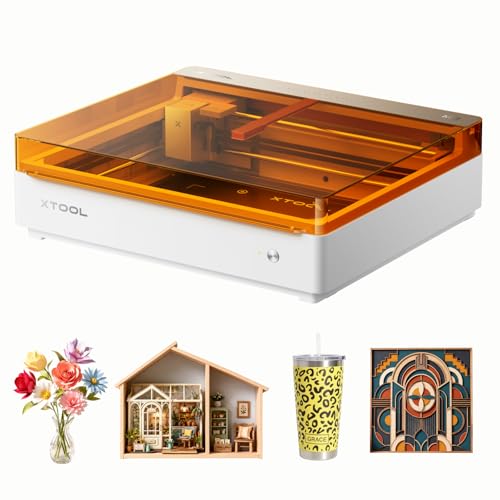 | xTool M2 10W | Best fit: Camera-led projects Diode output: 10W Safety: Class 1 enclosed Camera: Dual cameras Expansion: Optional CMYK or 3W IR | Check Price on Amazon |
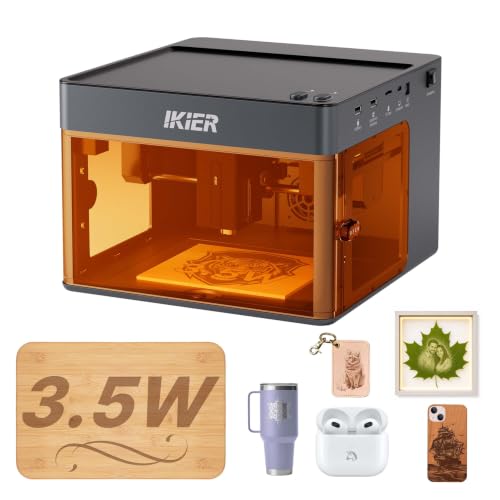 | IKIER Flex 3.5W | Best fit: Small engraving jobs Diode output: 3.5W Work area: 110 x 110 mm Weight: 6.7 lb Focus: Fixed-focus rod | Check Price on Amazon |
1. Creality Falcon2 Pro 40W + 2W IR — Best for Demanding Cuts
Creality specifies that the Falcon2 Pro combines a 40W blue diode with a 2W 1064nm IR module in an enclosed machine. Its listing says the 40W diode can cut up to 20mm basswood in one pass, which makes it the strongest listed choice for makers who regularly cut thicker wood rather than merely engrave surfaces.
The machine features a manufacturer-rated 15.75 by 16.34-inch work area, and the built-in camera supports batch layout work. The interchangeable IR module gives a different option for compatible metal-marking projects, while the integrated air assist is meant to clear smoke and debris during cutting.
Pros
- The 40W diode output targets deeper wood cutting, reducing passes for makers producing repeated signs or fixtures.
- An included 2W IR module broadens compatible metal-marking work without requiring a separate machine purchase.
- The 15.75 by 16.34-inch workspace accommodates larger panels and multiple smaller pieces in one enclosed setup.
- Built-in camera positioning helps align designs before a batch, which can reduce material-placement waste.
Cons
- A 40W cutting system is excessive for occasional small engraving, where its capability may not justify the footprint.
- The listing’s 20mm basswood claim is material-specific, so buyers must still test their own stock and settings.
2. Creality Falcon A1 10W — Best for First-Time Makers
Creality specifies the Falcon A1 as a 10W enclosed laser engraver with a pre-calibrated HD camera and listed 600mm/s speed. It is aimed at a maker who values guided positioning and a ready-to-use workflow more than maximum diode output.
Its dual-door enclosure is listed as Class 1, with auto-lock, emergency stop, and smoke-control features. The cover filters claimed laser radiation and encloses the work, but buyers should still plan suitable ventilation for the materials they process.
Pros
- The pre-calibrated HD camera gives a full work-area view, helping beginners place designs with less manual adjustment.
- A listed 600mm/s speed favors quick engraving workflows when the material does not require high cutting power.
- Its Class 1 dual-door enclosure adds auto-lock and emergency-stop controls for shared indoor workspaces.
- Built-in air assist supports cleaner cutting surfaces by moving debris away from the active work area.
Cons
- The 10W diode provides less cutting headroom than the 20W, 22W, and 40W options here.
- The 80W rating in the enclosure wording describes the machine package, not optical laser output, so compare diode power carefully.
3. Creality Falcon2 Pro S 22W — Best for Automated Setup
The Falcon2 Pro S is rated for a 22W optical output and includes Z-axis autofocus, auto cut-through compensation, camera positioning, and an integrated enclosure. It is the practical middle ground for a small studio that needs more cutting capability than a standard 10W-rated unit while retaining workflow automation.
The listing describes Class 1 certification, a flame detector, safety lock, emergency stop, and a debris drawer. Its quoted one-pass materials include 15mm basswood and 10mm black acrylic, which are useful starting points rather than blanket material permissions.
Pros
- The 22W optical output provides a meaningful step up from 10W systems for wood and acrylic cutting.
- Z-axis autofocus reduces manual focusing steps when batches include materials with different surface heights.
- A built-in debris drawer gives frequent makers a direct way to remove cutting residue after sessions.
- Its five listed safety features include flame detection and an emergency stop for a more controlled workflow.
Cons
- The 22W output costs more than a compact engraving-focused machine when thick-material cutting is not needed.
- Listed 600mm/s machine speed should not be treated as the appropriate cutting speed for every material.
4. Creality Falcon2 Pro 22W + 2W IR — Best for Mixed Materials
Creality specifies that this Falcon2 Pro combines a 22W blue diode for cutting and engraving with a 2W 1064nm IR module for compatible metal projects. It fits makers who want one enclosed machine for wood, acrylic, leather, stone, and selected metal-marking work.
The listed 15.75 by 16.34-inch work area, camera preview, and built-in air assist make it a better fit for production work than a compact engraver. Its advertised one-pass point is 10mm basswood, so it is less aggressive than the 40W Falcon2 Pro but still a capable cutter.
Pros
- The 22W diode plus 2W IR modules separate cutting work from compatible metal-marking tasks in one enclosure.
- A 15.75 by 16.34-inch workspace supports larger decor pieces and multi-item batches without splitting layouts.
- Its camera preview helps position designs directly over materials, which is useful for irregular blanks.
- Built-in air assist adjustment can clear smoke and debris for cleaner edges during cutting sessions.
Cons
- The stated 10mm basswood capability is lower than the 40W model’s listed 20mm result.
- Two interchangeable laser modules add workflow choices that occasional users may not need or use.
5. AtomStack Kraft — Best for Large Dual-Laser Projects
AtomStack specifies that the Kraft combines a 20W diode laser and 1.2W IR laser in an enclosed Class 1 machine. The manufacturer provides a 50 by 32cm work area to suit users who want to process bigger signs, panels, and repeated goods without moving the material between jobs.
The listing also specifies a 16MP HD camera, autofocus, air assist, door detection, and an automatic extinguisher. That feature set serves a maker who wants material placement feedback and formal safety controls alongside broad desktop software support.
Pros
- The 50 by 32cm work area has the longest side of any work area listed here, helping makers avoid splitting larger layouts.
- A 20W diode plus 1.2W IR laser covers deep-cutting and compatible metal-engraving roles in one unit.
- The 16MP camera is specified with 0.5mm accuracy, supporting more precise material placement before processing.
- Its automatic extinguisher and door detection add explicit safety features for supervised indoor use.
Cons
- The 50 by 32cm work area belongs to a larger machine that demands more bench space than compact makerspace engravers.
- The 1.2W IR laser is intended for engraving-compatible metals, not a replacement for the diode cutting laser.
6. xTool M2 10W — Best for Camera-Led Projects
The xTool M2 is rated as a 10W Class 1 enclosed laser engraver with built-in dual cameras and a diode-first workflow. Its listing emphasizes real-time workspace preview, which suits makers engraving varied blanks where placing the design accurately is as important as raw cutting power.
The M2 can accept an optional CMYK inkjet module or 3W IR laser, but those add-ons are not included with the standalone machine. Buy it for the stated 10W diode and camera workflow, not for optional capabilities that require another purchase.
Pros
- Built-in dual cameras provide real-time preview, helping makers position irregular items before engraving.
- The listed 10W diode handles common craft materials while keeping the machine focused on approachable home use.
- Its Class 1 enclosure offers a contained format for makers who cannot accommodate an open-frame machine.
- Optional CMYK and 3W IR modules provide a future expansion path without changing the core laser platform.
Cons
- The CMYK and 3W IR modules are sold separately, so they should not influence a standalone purchase decision.
- A 10W diode will take more conservative cutting settings than the higher-output cutters in this guide.
7. IKIER Flex 3.5W — Best for Small Engraving Jobs
The IKIER Flex is an enclosed 3.5W laser machine with a compact 110 by 110mm work area. Its small footprint and listed 6.7-pound weight make it the sensible pick for light engraving work, small gifts, and makers who need to store the machine between sessions.
It lists a fixed-focus rod, CoreXY dual-motor structure, and speeds up to 10,000mm/min. Those features fit its compact workflow, but the 3.5W rating means buyers should treat it as a small-project engraver first and a limited cutter second.
Pros
- Its 110 by 110mm work area and 6.7-pound weight suit small benches and temporary makerspace setups.
- The 3.5W diode is a lower-commitment choice for engraving gifts and compact items rather than thick stock.
- A fixed-focus rod promises five-second focusing, which reduces setup friction for repeated material heights.
- The listed 0.08 by 0.06mm laser spot favors detailed engraving where fine marks are more important than cutting depth.
Cons
- The 110 by 110mm workspace rules out larger signs and batch layouts without repositioning material.
- A 3.5W laser has far less cutting margin than the 20W, 22W, and 40W cutters here.
Buying Guide: Choosing an Enclosed Diode Laser Cutter
Match diode output to the material and job
Choose output around the cutting work you perform. A 3.5W or 10W diode can make sense for engraving, thin materials, and occasional craft projects, while 20W, 22W, and 40W systems are better candidates when cutting thicker wood or acrylic is a routine part of production.
Do not read a one-pass claim as universal. Creality lists the Falcon2 Pro 40W at 20mm basswood, while the 22W Falcon2 Pro is rated for 10mm basswood. The two figures are useful for comparing machines, but material type, density, focus, settings, and ventilation still affect the actual result.
Treat the enclosure as one safety layer
An enclosure is valuable because it contains the active work area and supports safety features such as door detection, locks, emergency stops, and flame detection. The Falcon A1, Falcon2 Pro S, xTool M2, and AtomStack Kraft all list an enclosure or a Class 1 rating, but an enclosure is not permission to ignore the machine.
Plan the room around exhaust and supervision. Smoke, particulates, and unsuitable materials are still concerns even when a cover filters laser radiation or reduces visible smoke. Follow the manufacturer material guidance and keep the work supervised from start to finish.
Decide whether a camera will save enough setup time
A camera is useful when you position graphics on irregular offcuts, personalized goods, or multiple small blanks. The xTool M2 uses dual cameras, while the AtomStack Kraft lists a 16MP camera and the Creality systems offer camera positioning; all can make placement less dependent on manual measuring.
A camera helps most when layout mistakes are costly. For plain repeated blanks, a compact machine without a large camera workflow can be enough. Check whether the camera serves the entire stated work area and whether its preview fits your software habits.
Size the work area and bench together
The cutter must fit both the material and the room. The IKIER Flex is rated for a small 110 by 110mm area, while the AtomStack Kraft lists 50 by 32cm. The extra capacity is valuable only if your projects need it and your bench can accommodate the larger enclosed body.
Think about the rest of the station too. You need clearance for loading material, managing an exhaust route, opening doors, and safely storing unfinished work. A smaller machine can produce better day-to-day results when it leaves safe loading and exhaust clearance around the enclosure.
Material height can be as important as panel width. IKIER lists the Flex capacity up to 50mm material height, while enclosure doors and bed access differ by machine. Measure the blanks, jigs, and accessories you expect to load before treating a wide cutting area as complete compatibility. A compact desk may suit the IKIER Flex 3.5W, while a larger project queue can favor the AtomStack Kraft after its enclosure and exhaust path fit the station.
Value secondary lasers and automation honestly
An IR module can expand compatible metal-marking work. The Falcon2 Pro models include 2W IR modules, and the AtomStack Kraft has a 1.2W IR laser, but these modules do not change the separate cutting role of their diode lasers.
Automation should also serve a repeatable problem. Autofocus, debris drawers, air assist, and cut-through compensation save time in active workflows. They do not replace material testing. Pay for the feature that reduces the mistake you make most often, not the longest feature list.
Choose the Creality Falcon2 Pro S 22W when autofocus and a debris drawer reduce handling steps in actual batches. Choose the xTool M2 10W when visual placement is the more frequent source of wasted material.
Check the supporting workflow before buying
An enclosed cutter needs a reliable path from artwork to the machine. The listings name software choices, camera tools, mobile support, or offline options differently. Confirm that the file formats and operating systems you use are explicitly supported before deciding that a camera or automation feature will fit your workflow.
Accessory expectations deserve the same care. The xTool M2’s CMYK module and 3W IR laser are separate add-ons, while the Falcon2 Pro listings include their stated IR modules. Compare what is in the exact package rather than comparing a base model to another machine’s expanded configuration.
Plan for cleaning and repeatable material tests
Cutting creates residue, which can affect the next placement or the next clean edge. The Falcon2 Pro S includes a pull-out debris drawer, and several models list air assist. Those features can simplify regular maintenance, but they do not eliminate the need to inspect the bed, enclosure, and exhaust route.
Keep a written test library for the materials you use most. Record diode power, focus, speed, and material thickness for approved stock, then re-test when the material supplier changes. A test library makes a capable cutter more predictable than relying on a one-pass headline for every job.
Frequently Asked Questions
Are enclosed diode laser cutters safe for a home makerspace?
An enclosed cutter adds a physical barrier and may add safety controls such as door detection, locks, emergency stops, or flame detection. The barrier and controls are a substantial improvement over an open frame for a shared room, but the cutter is still an active laser machine that needs attention.
Use approved materials, manage exhaust appropriately, and remain present while it operates. A Class 1 label or enclosed cover addresses part of the risk. Neither makes unknown materials, unattended operation, or poor ventilation acceptable.
Is 10W enough for cutting and engraving?
A 10W diode can be a reasonable choice for engraving and lighter cutting projects, especially when camera positioning and a contained enclosure are more useful than maximum throughput. The Falcon A1 and xTool M2 make that trade deliberately.
If thicker wood or acrylic cutting is a repeated job, a 20W, 22W, or 40W system gives more headroom. Choose by material and production demand, not by the largest number on a listing.
Why would I want an IR module?
The blue diode laser is suited to the cutting and engraving work described for wood, acrylic, leather, and similar materials. A listed 1064nm IR module on the Creality models, or the 1.2W IR laser on the AtomStack Kraft, expands options for compatible metal-marking projects.
It is not a general upgrade for every project. If you only engrave wood and coated craft materials, an IR module may add cost and complexity without changing the work you do.
Does a camera improve finished results?
A camera can improve placement accuracy by showing the actual work area before the laser starts. A camera is especially useful for irregular stock, personalized objects, and batches where a misplaced design wastes a finished blank.
It does not improve the cut itself. You still need a suitable focus, material settings, and clean material support. Camera positioning is a layout tool, not a substitute for test cuts.
What is the best work-area size for a beginner?
Start from the largest thing you make repeatedly. A compact 110 by 110mm area can be ideal for tags, small gifts, and storage-friendly setups, while a 50 by 32cm area serves larger signs and batches.
A larger work area increases the machine’s bench demands and may encourage larger projects before the workflow is established. A beginner usually benefits more from a machine that fits safely in the room than from unused maximum capacity.
Should I choose a compact cutter or a higher-output model?
Choose a compact model when the projects are genuinely small, storage is limited, and engraving is the dominant job. The IKIER Flex 3.5W is rated for a 110 by 110mm work area and a weight of 6.7 pounds, which directly serves those constraints.
Choose a higher-output cutter when wood or acrylic cutting is routine and the work justifies its larger enclosure. The Creality Falcon2 Pro 40W + 2W IR is more appropriate when its stated 40W diode and larger enclosed workflow address repeated production work.
Bottom Line
Choose the Creality Falcon2 Pro 40W + 2W IR when thicker cutting and a secondary IR module justify a larger enclosed system. Choose the Creality Falcon A1 10W for guided camera positioning and a more approachable first machine, or the IKIER Flex 3.5W when small engraving work and compact storage come first.