The Short Version
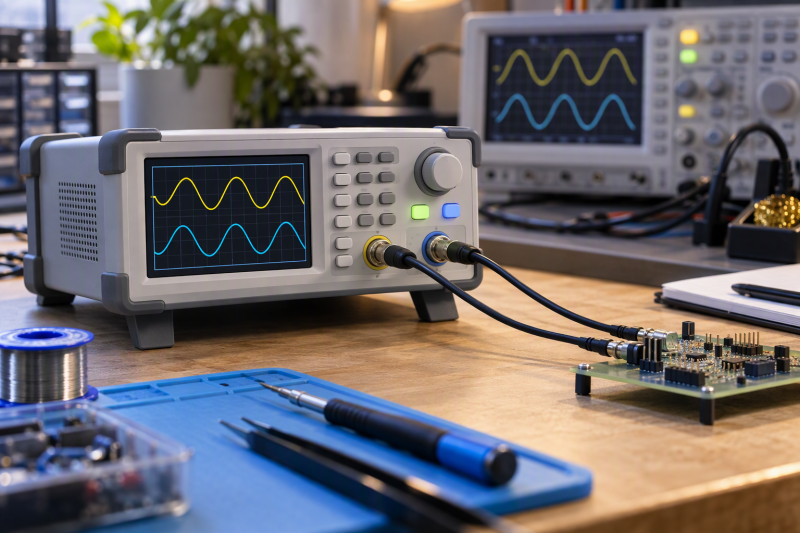
With a dual-channel arbitrary waveform generator, you get two independently adjustable signals for circuit tests, timing work, differential experiments, and repeatable demonstrations. The headline frequency is only one difference between models. Compare channel independence, sample rate, vertical resolution, waveform storage, modulation, and whether PC or mobile control fits your workflow.
Choose the Abestop DGE2070 for its 70MHz rating, 300MSa/s, 14-bit output, and SCPI PC control. Choose the Seesii JDS6600-30M for independently adjustable channels and stated phase adjustment from 0 to 359.9 degrees. The UNI-T UTG962E22 is the ready-to-use 60MHz-rated option with included cables.
These generators are signal sources, not oscilloscopes. A generator produces the input signal, and a scope or other instrument observes the resulting circuit behavior. Confirm connector needs, voltage limits, and the relevant instrument inputs before applying a generated signal to a circuit.
Quick Picks
- Best 70MHz PC-controlled testing: Abestop DGE2070 for 300MSa/s and SCPI support.
- Best differential testing: Seesii JDS6600-30M for adjustable phase across two independent channels.
- Best stored-waveform work: Koolertron GH-CJDS66 for 99 state groups and 60 user-waveform positions.
- Best ready-to-use kit: UNI-T UTG962E22 for dual channels, a 60MHz rating, and included BNC leads.
How We Picked
Every model in this guide explicitly offers dual-channel or two-channel arbitrary waveform generation. The six picks cover 15MHz to 70MHz, stated sampling figures from 200MSa/s to 300MSa/s, stored waveforms, mobile or PC control, and modulation or sweep functions. They split into four jobs: higher-frequency PC control, phase work, stored test states, and a bundled bench instrument.
A generator can work alongside a PC USB oscilloscope, logic analyzer, USB-C electronic load, bench power supply, and soldering tip cleaner. Keep the generator’s output and cables separate from the observation and power path.
Dual-Channel Waveform Generators Compared
| Image | Product | Details | Check Price |
|---|---|---|---|
 | Abestop DGE2070 | Best fit: 70MHz PC-controlled testing Channels: 2 independent Frequency: 70MHz Sampling: 300MSa/s Resolution: 14-bit | Check Price on Amazon |
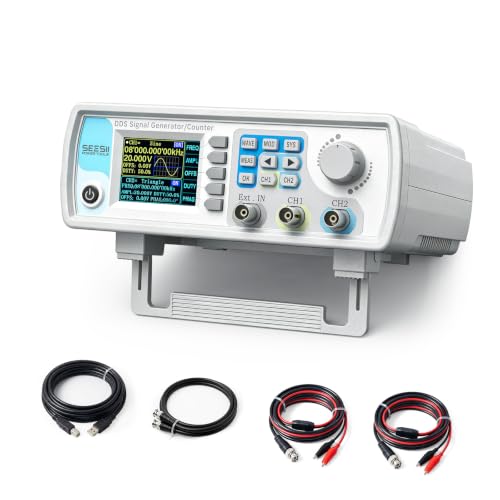 | Seesii JDS6600-30M | Best fit: 30MHz differential tests Channels: 2 independent Frequency: 30MHz Sampling: 266MSa/s Resolution: 14-bit | Check Price on Amazon |
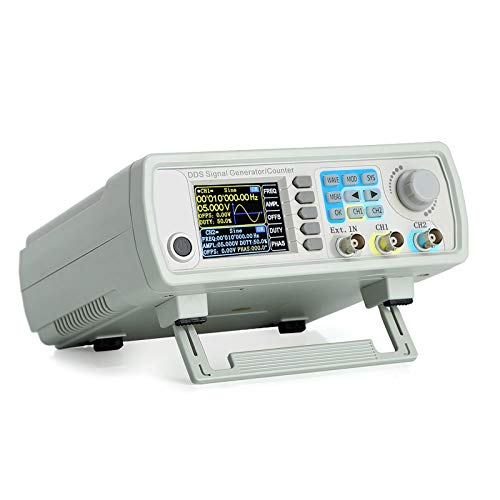 | Koolertron GH-CJDS66 | Best fit: 15MHz stored waveforms Channels: Dual DDS Frequency: 15MHz Sampling: 200MSa/s Storage: 99 states | Check Price on Amazon |
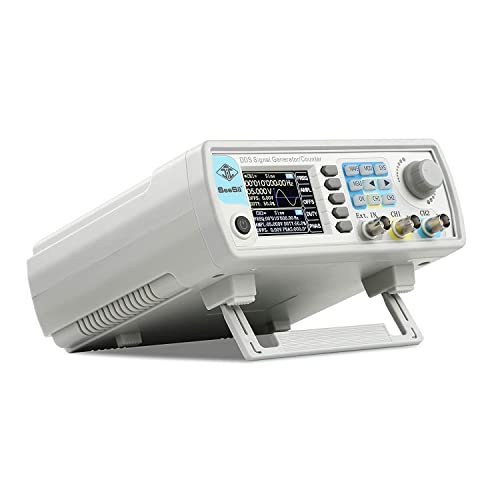 | Seesii JDS6615 | Best fit: 15MHz compact bench work Channels: Dual DDS Frequency: 15MHz Sampling: 200MSa/s Storage: 99 states | Check Price on Amazon |
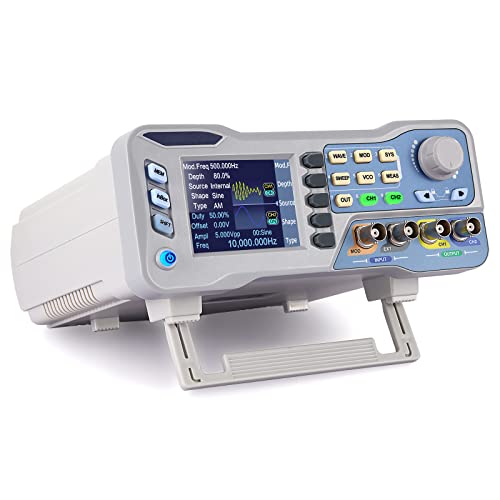 | Koolertron DDS Generator | Best fit: Mobile-app control Channels: Dual DDS Control: Mobile app and PC Waveforms: User-defined Functions: Sweep and counter | Check Price on Amazon |
 | UNI-T UTG962E22 | Best fit: 60MHz ready-to-use kit Channels: Dual Frequency: 60MHz Sampling: 200MSa/s Resolution: 14-bit | Check Price on Amazon |
1. Abestop DGE2070 — Best for 70 MHz PC-Controlled Testing
Choose the Abestop DGE2070 when the bench needs the stated 70MHz, 300MSa/s, and 14-bit figures. It has two independent channels, SCPI support, PC control, and LabVIEW support, so it fits best when repeatable routines run from a computer and a mobile-app workflow is less important.
The Abestop lists five basic waveforms plus 160 built-in waveforms, modulation modes, sweep, and burst functions. The compact 3.6-inch LCD is useful for front-panel work, but the main reason to choose this model is its stated PC control and higher frequency.
Pros
- The stated 70MHz frequency is the highest explicit figure among these six generators.
- Its 300MSa/s rate and 14-bit resolution suit buyers comparing stated waveform detail and rate.
- SCPI, PC control, and LabVIEW support let you repeat bench routines from software.
Cons
- The 3.6-inch LCD may be less convenient than a larger display for entirely front-panel work.
- PC control means more setup decisions when a simple standalone generator is all the bench needs.
2. Seesii JDS6600-30M — Best for Differential Testing
Seesii emphasizes two equal-performance channels with independent adjustment. The Seesii JDS6600-30M lists 30MHz, 266MSa/s, 14-bit resolution, and phase adjustment from 0 to 359.9 degrees, so the relationship between the two channels is its main benefit to a buyer.
The generator also lists 60 built-in arbitrary waveforms, pulse-width adjustment, sweep, counter, and frequency-meter functions. Choose it when independent dual outputs and phase control are your daily need and the highest available frequency figure is not.
Pros
- Two independently adjustable channels support the same or different waveforms for the differential testing Seesii describes.
- Continuous 0 to 359.9-degree phase adjustment is a direct fit for phase-related signal work.
- The listed 266MSa/s and 14-bit figures give you concrete numbers to compare.
Cons
- Its stated 30MHz ceiling is lower than the 60MHz and 70MHz alternatives here.
- The seven-in-one feature set may be unnecessary for a bench needing only simple dual outputs.
3. Koolertron GH-CJDS66 — Best for 15 MHz Stored Waveforms
The Koolertron GH-CJDS66 is the 15MHz choice for storing settings and waveforms. Koolertron states it uses dual-channel DDS output with independently set parameters, 200MSa/s sampling, and 14-bit vertical resolution. The listing also names 99 instrument-state groups and 60 user-defined waveform positions.
Stored states and waveforms suit repeated classroom, repair, or lab setups where you need to recall an established state. The listing also names linear and logarithmic sweep functions plus measurement and counting functions, so several bench tasks fit in one enclosure.
Pros
- The stated 99 state groups let you keep recurring settings between bench sessions.
- It lists 60 user-defined waveform positions for repeated custom-signal work.
- Dual DDS output with 200MSa/s and 14-bit resolution gives stated baseline specifications.
Cons
- Its 15MHz sine-wave output is lower than the higher-frequency choices in this guide.
- State storage does not replace documenting the circuit, probe, and connection conditions around a test.
4. Seesii JDS6615 — Best for Compact 15 MHz Bench Work
The Seesii JDS6615 is a compact dual-channel DDS generator for a bench that needs stored signals without a higher-frequency instrument. It lists a 15MHz sine output, 200MSa/s sampling, independently adjusted channels, 99 stored state groups, and 60 user-waveform positions.
The listing also names software for creating waveforms and frequency combinations, plus sweep, measurement, and counting features. It is the practical choice when you want a portable control panel and retained settings more than 30MHz, 60MHz, or 70MHz output.
Pros
- Dual-channel DDS output lets each channel use independently set parameters and duty cycle.
- The stated 99 stored groups let you return to recurring test configurations.
- Its 200MSa/s sample rate and 15MHz sine output are clearly stated for a compact unit.
Cons
- The 15MHz frequency limit is restrictive for buyers who specifically need higher-frequency work.
- PC waveform creation adds a software step for a bench that may otherwise work only from the front panel.
5. Koolertron DDS Generator — Best for Mobile-App Control
The Koolertron DDS Generator is the choice for a buyer who wants both mobile-app and PC operation. Its listing says the app can view relevant data, set functions, and import or export arbitrary waveform data, and the PC software can draw arbitrary waveforms and control the instrument.
It also lists dual-channel DDS, TTL output, sweep, frequency and period measurement, and user-defined waveform support. Select it when app access or waveform import is useful in your own workflow.
Pros
- Mobile-app control is a stated alternative to working from the front panel.
- PC software can draw arbitrary waveforms and control instrument functions according to the listing.
- Dual DDS and TTL output support separately set channels and user-defined waveform work.
Cons
- Its title states 60MHz while a feature lists sine-wave output up to 80MHz, so confirm the relevant waveform limit.
- Mobile control adds another device and connection path to manage during a bench test.
6. UNI-T UTG962E22 — Best for a 60 MHz Ready-to-Use Kit
The UNI-T UTG962E22 is the bundled 60MHz dual-channel option. It lists 200MSa/s, 14-bit resolution, sine, square, pulse, ramp, noise, DC, and arbitrary waveforms, plus modulation, scanning, and 24 groups of non-volatile arbitrary-waveform storage.
The listing names an included power adapter, USB cable, BNC cable, BNC cable with alligator clips, and manuals, so it is the most explicitly packaged starting point. It fits a buyer who wants a named set of basic leads with the generator rather than beginning with a separate cable order.
Pros
- The stated 60MHz output is higher than the 15MHz and 30MHz models in this guide.
- Its 200MSa/s and 14-bit figures are concrete dual-channel waveform specifications.
- The included BNC and alligator-clip cables mean fewer accessories to buy first for basic bench connections.
Cons
- The included leads do not remove the need to confirm the target circuit’s safe input conditions.
- Its 24 storage groups are fewer than the 99-state figures listed by the Koolertron and Seesii 15MHz models.
Buying Guide: Choosing a Dual-Channel Waveform Generator
Start with the two-channel job
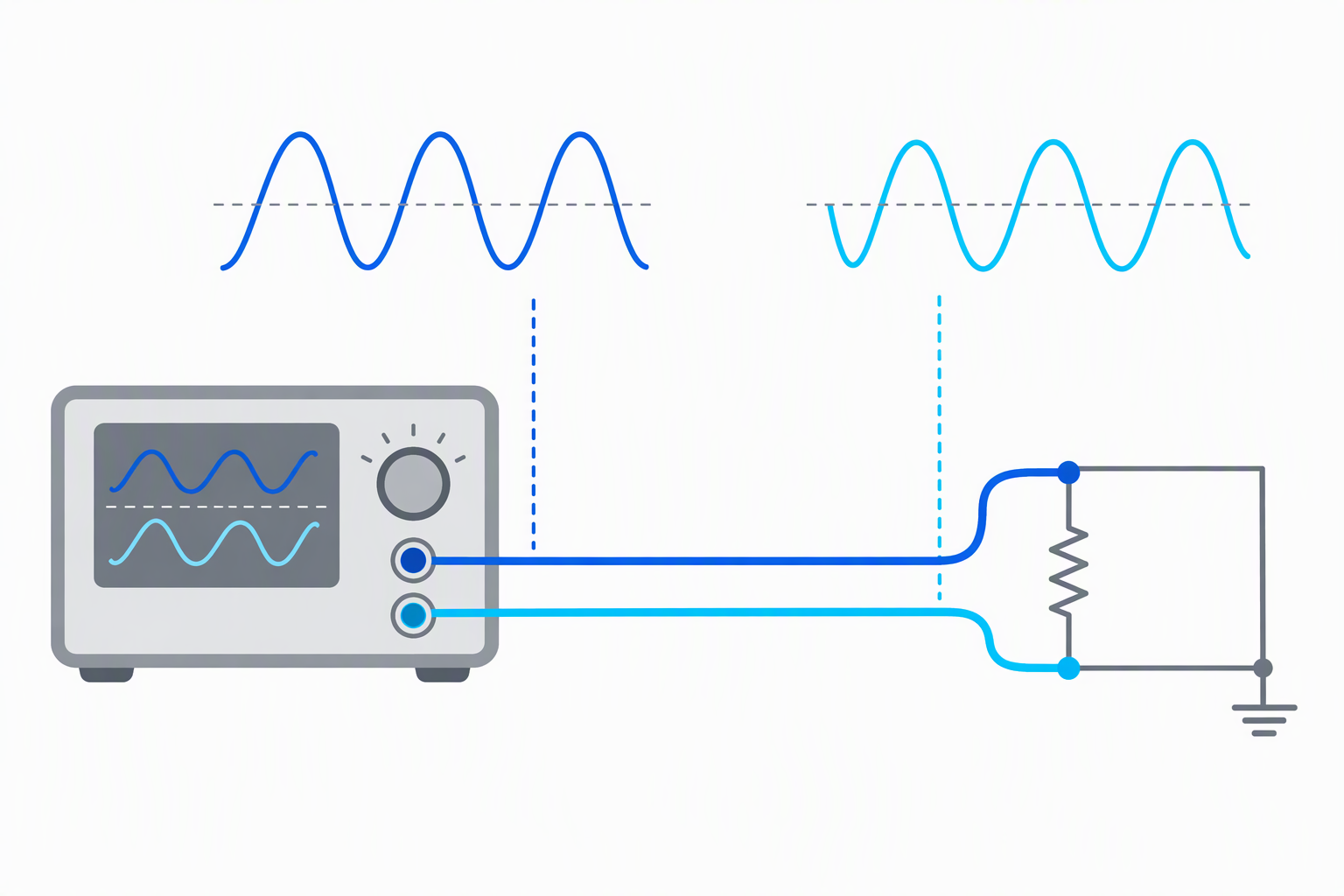
You need two channels when the circuit test uses two separately adjusted or related signals. The JDS6600-30M explicitly lists independent channels and 0 to 359.9-degree phase adjustment, while the other models here list dual-channel or dual DDS outputs.
Choose independent channels and phase control when the test requires them. If the work only needs one repeating signal, a dual-channel instrument may add capability without solving a problem you have.
Match frequency to the intended signal
The listings range from 15MHz through 70MHz. Abestop rates its model at 70MHz, UNI-T specifies 60MHz, Seesii lists the JDS6600 at 30MHz, and the stored-waveform models are rated at 15MHz.
Buy for the required signal frequency ceiling, not the largest specification by default. Higher frequency is useful only when the circuit or test plan needs it.
Compare sample rate and resolution together
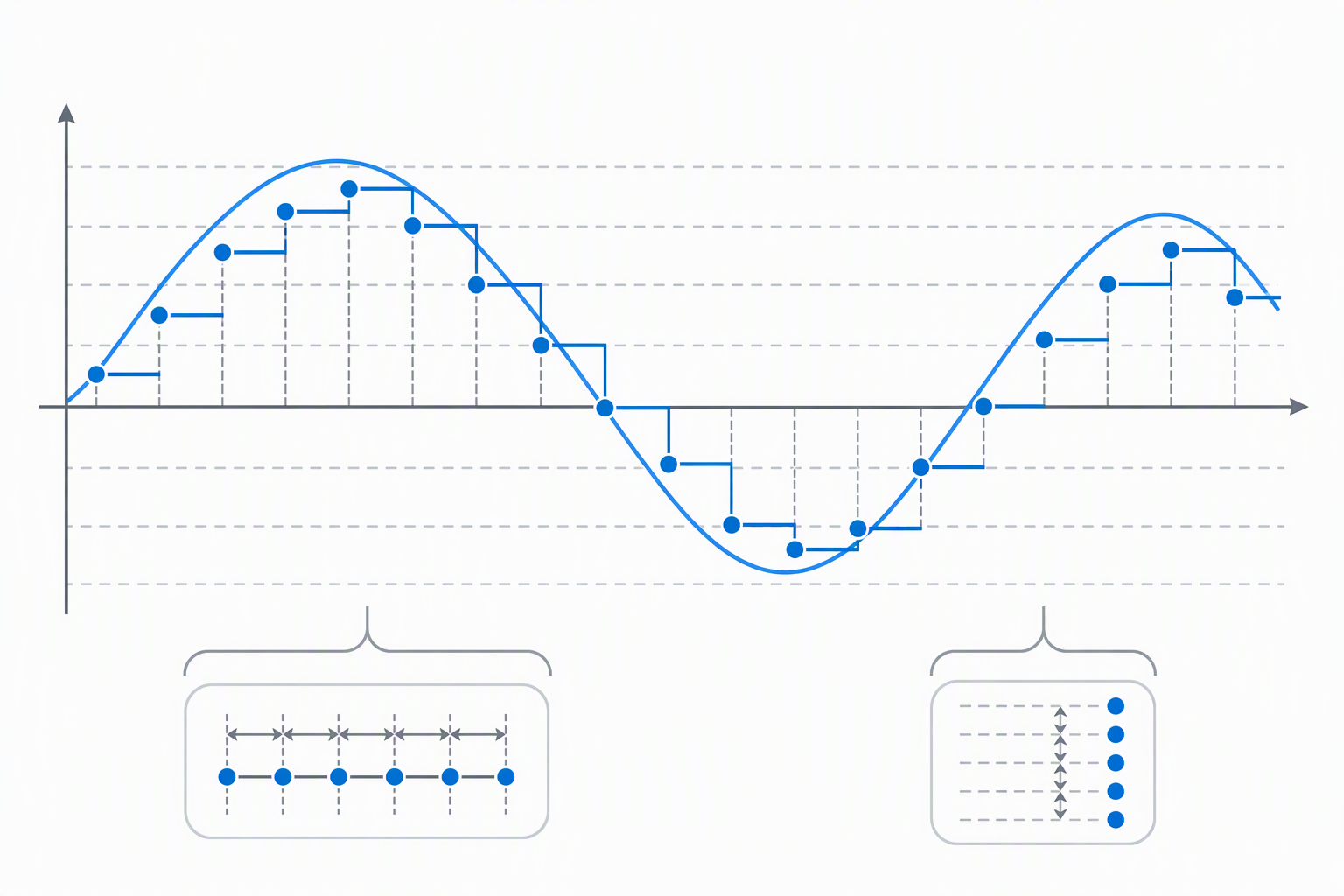
The DGE2070 lists 300MSa/s and 14-bit resolution, Seesii specifies 266MSa/s and 14-bit for the JDS6600, and several other models state 200MSa/s and 14-bit. Each figure is a listing specification for the generator and is not a substitute for observing the result with appropriate equipment.
Treat sampling rate and vertical resolution as a pair when comparing specified waveform detail. Whether a given generator is suitable also depends on the test signal you want and the instrument that observes it.
Decide how you will control and save signals
PC control, SCPI, apps, and stored states each help with a different repeatability problem. The Abestop lists SCPI and LabVIEW support, the Koolertron mobile model gives app and PC control, and the stored-state models name 99 groups or user waveform locations.
Choose the control path you will actually use. A front-panel generator is simpler for quick manual tests, while software control can help when a routine must be reproduced.
Check leads and circuit limits before connecting
The UNI-T package lists BNC and alligator-clip cables, but every connection still needs a check against your own circuit. Signal generators can output a waveform. They do not determine whether the target input is safe for that amplitude, offset, or connector.
Confirm connector type, signal level, and target-input limits before connection. Be especially careful when moving between a prototype, audio gear, and sensitive logic circuitry.
Frequently Asked Questions
What is a dual-channel arbitrary waveform generator?
It is a signal source with two output channels that can generate named basic and arbitrary waveforms. The listings describe dual channels or dual DDS output with independently set parameters.
Two channels can support separate signals or a controlled relationship between them. The exact capability depends on the model’s stated controls, phase features, and frequency range.
Do I need 70MHz for bench debugging?
No. The frequency you need depends on the circuit and test plan. A 15MHz model can fit a different job from a 30MHz, 60MHz, or 70MHz model.
Choose the frequency range that covers the intended signal with margin. Do not buy a higher-frequency generator solely because it has the largest number.
Why does phase adjustment matter?
Phase adjustment lets two related outputs be positioned at different points in a cycle. The Seesii JDS6600-30M lists phase adjustment from 0 to 359.9 degrees.
Phase adjustment is relevant only when the test needs a defined relationship between two signals. Independent outputs alone may be enough for simpler tests.
Can a waveform generator replace an oscilloscope?
No. A waveform generator produces a test signal, while an oscilloscope is used to observe a signal or circuit response. They serve different roles on a debugging bench.
Using both can make a controlled test more useful, but the connections and safe levels still need confirmation for the specific circuit.
Is mobile-app control necessary?
No. Mobile-app control is a workflow option on the Koolertron model, not a requirement for arbitrary waveform generation. A front panel or PC software may be a better fit for the bench.
Choose app control when it makes importing, exporting, or operating signals easier in your own routine. Otherwise, extra connectivity can be another setup step.
Bottom Line
Choose the Abestop DGE2070 for stated 70MHz PC-controlled work, the Seesii JDS6600-30M for independent channels and phase adjustment, or the UNI-T UTG962E22 for a 60MHz bundled starting kit.