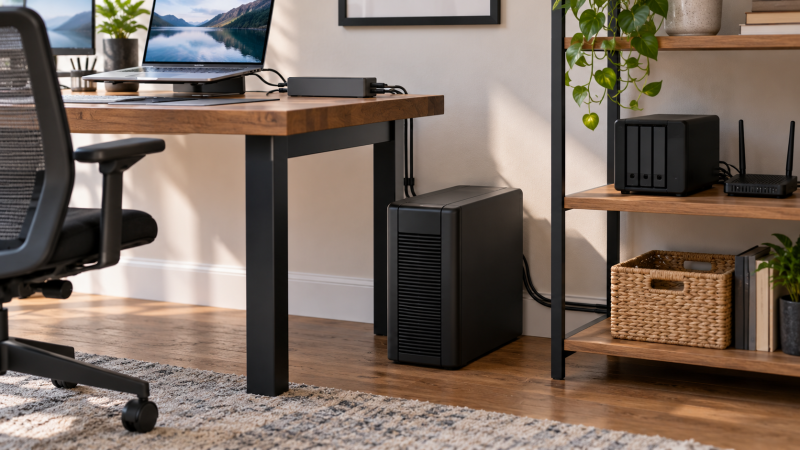
When utility power fails, a pure-sine UPS keeps a docked computer, NAS, router, or switch running for a short time. The VA number alone does not settle the purchase. Match the listed watt capacity, protected-outlet count, physical format, and management features to the equipment that must remain on.
The six models here explicitly list sine-wave output and an active New US offer. A tower is usually easier beside a desk, while a rackmount unit can suit network gear already installed in a shallow rack. A UPS can give you time to save work or shut systems down. It cannot make an undersized battery run every attached device indefinitely.
Choose by the listed watt capacity and battery-backed outlet layout before adding convenience features such as USB charging or an LCD.Pure Sine Wave UPS Backups Compared
| Image | Product | Details | Check Price |
|---|---|---|---|
 | APC BR1500MS2 | Best fit: Highest stated outlet count Capacity: 1500VA/900W Power: Pure sine wave Outlets: 10 total; 6 battery backup Extras: USB-C/A charging; replaceable battery | Check Price on Amazon |
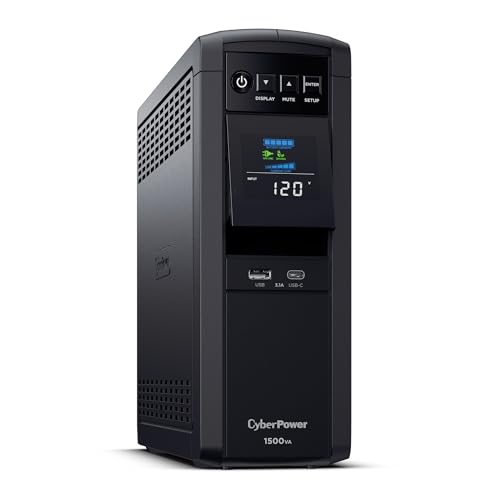 | CyberPower CP1500PFCLCD | Best fit: 1500VA desktop tower Capacity: 1500VA/1000W Power: PFC sinewave Outlets: 12 total; 6 battery backup Extras: AVR; USB-A and USB-C charging | Check Price on Amazon |
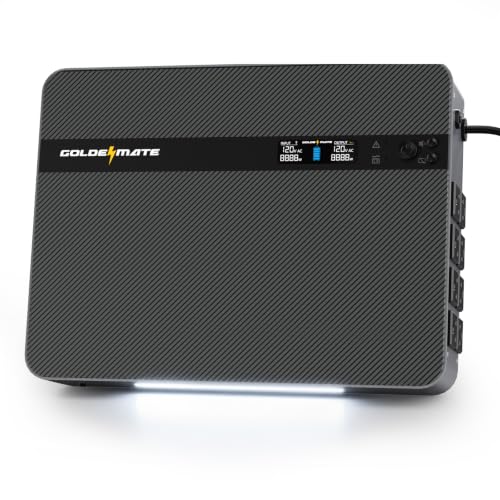 | GOLDENMATE 1500VA/1000W Lithium UPS | Best fit: Wall-mountable LiFePO4 backup Capacity: 1500VA/1000W; 230Wh Power: Pure sine wave Outlets: 8 outlets; 2 USB ports Extras: Wall mount; LCD; emergency light | Check Price on Amazon |
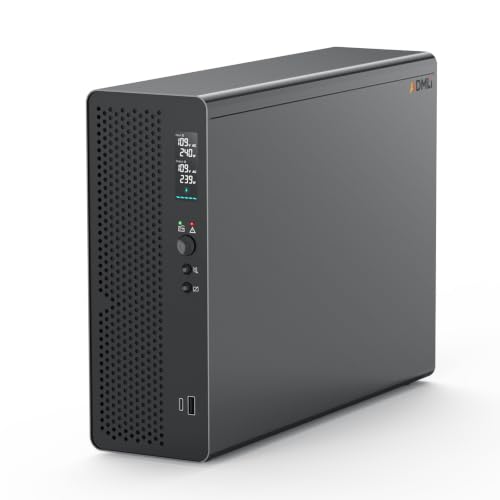 | ADMLi 1500VA/1000W Lithium UPS | Best fit: NAS with automatic recovery Capacity: 1500VA/1000W Power: Pure sine wave; <=10ms listed transfer Outlets: 8 AC outlets Extras: LiFePO4; Smart BMS; USB-A/C | Check Price on Amazon |
 | GOLDENMATE 1000VA/800W Lithium UPS | Best fit: Lower-watt LiFePO4 option Capacity: 1000VA/800W; 230Wh Power: Pure sine wave Outlets: 8 outlets Extras: Color LCD; BMS; under-50dB fan claim | Check Price on Amazon |
 | CyberPower CP1500PFCRM2U | Best fit: Short-depth rack installation Capacity: 1500VA/1000W Power: PFC sinewave Outlets: 8 battery-backup outlets Extras: 2U rackmount; 10.5-inch depth; AVR | Check Price on Amazon |
1. APC BR1500MS2 — Best Replaceable-Battery Desk Pick
APC lists the BR1500MS2 as a 1500VA/900W pure-sine Back-UPS Pro with ten outlets. Six are stated as battery-backup outlets and four as surge-only, so a buyer can separate a computer, display, router, or NAS from lower-priority peripherals. Its listing also names AVR, USB-C and USB-A charging, Ethernet and coax surge protection, and a replaceable APCRBC163 battery.
The listed runtime is up to 73 minutes at 100W, which is a stated light-load example rather than a promise for a full workstation. Use the 900W figure to compare the equipment load, then reserve the six battery outlets for the devices that need an orderly shutdown or brief continued network access.
APC lists 1500VA/900W, six battery-backup outlets, AVR, and a replaceable battery.Our Take Choose this when a desk needs ten outlets, six clearly identified battery-backed positions, and a replaceable battery.
- Six listed battery outlets let a buyer reserve backup power for essential desk and network gear.
- The 1500VA/900W rating gives a stated capacity reference before connecting monitors, docks, and storage.
- A replaceable APCRBC163 battery suits buyers who value a named replacement path after battery aging.
- Only six of ten outlets are listed for battery backup, so you still have to choose which device goes in which outlet.
- The stated 73-minute runtime applies at 100W, not every possible workstation load.
2. CyberPower CP1500PFCLCD — 1500VA Desktop Tower
CyberPower lists the CP1500PFCLCD as a 1500VA/1000W PFC sinewave UPS in a mini-tower format. It has twelve NEMA outlets, split into six battery-backup and surge-protected outlets plus six surge-only outlets. AVR, a color LCD that tilts up to 22 degrees, a five-foot cord, and USB-A and USB-C charge ports are all stated.
The CP1500PFCLCD is the direct comparison for a buyer who wants a 1000W listed capacity in a floor or desk-side tower. The product description calls out active-PFC and conventional power supplies, computers, workstations, network devices, and telecom equipment, which makes its stated use case broad without assuming a particular runtime for a NAS or dock.
The listing names 1500VA/1000W, twelve outlets, six battery outlets, AVR, and a tilting color LCD.Our Take Pick this tower when the 1000W figure and twelve-outlet layout are the deciding requirements.
- The stated 1500VA/1000W capacity is higher than APC’s listed 900W capacity for load planning.
- Twelve outlets give six battery positions and six surge-only positions for a deliberate equipment split.
- Half of the twelve outlets are surge-only, so the battery-backed device count tops out at six outlets.
- Its 24.9-pound listed weight needs a stable floor or shelf beside the workstation.
- The five-foot cord is a stated routing detail to check before committing to a desk location.
3. GOLDENMATE 1500VA/1000W Lithium UPS — Wall-Mount LiFePO4 Backup
GOLDENMATE lists a 1500VA/1000W pure-sine UPS with a 230Wh LiFePO4 battery, eight outlets, two USB ports, an LCD, and an emergency light. The listing says it can wall-mount with included screws, and names a USB communication port plus included USB cable for automatic safe shutdown with Windows, Mac, or NAS.
The title’s 1000W figure puts it in the same stated load class as the CyberPower tower, but its tall, narrow listed dimensions and wall-mount design make placement a different decision. It also lists a transfer time of less than 10ms and 10W total output across USB-C and USB-A. Keep both separate from the AC outlet plan.
Our Take Choose this for a stated wall-mountable lithium UPS with a USB communication feature for shutdown planning.
- Its listed wall-mount design can preserve floor space around a compact desk or network corner.
- The 230Wh LiFePO4 battery and 1500VA/1000W figures define its stated battery and load class.
- USB communication and automatic safe shutdown are listed for Windows, Mac, or NAS connections.
- Eight outlets plus two USB ports provide separate stated AC and small-device charging connections.
- The USB-C and USB-A ports share a listed 10W total, so don’t assume they can charge a laptop.
- Its eight outlets are fewer than the twelve listed on CyberPower’s desktop tower.
4. ADMLi 1500VA/1000W Lithium UPS — NAS Automatic-Recovery Pick
ADMLi lists this 1500VA/1000W lithium UPS for home and NAS use, with pure-sine output, eight AC outlets, USB-A and USB-C ports, LCD monitoring, and a Smart BMS. Its LiFePO4 battery is rated for 3,000-plus charge cycles under laboratory conditions, and the listing describes automatic power recovery after utility power returns.
This model belongs on a short list when automatic recovery is a named requirement for a NAS or router setup. The product also lists a transfer time of 10ms or less and a compact design that suits a desktop. The listing states all of these features. Calculate the connected equipment load against its 1000W capacity before relying on the recovery feature.
ADMLi lists 1500VA/1000W, pure-sine output, eight outlets, Smart BMS, and automatic power recovery.Our Take Buy this when automatic recovery for a NAS and the stated 3,000-plus cycle rating of its lithium battery are priorities.
- The listing explicitly names NAS support and automatic recovery after utility power returns.
- Its 1500VA/1000W rating matches other full-capacity choices in this comparison of six models.
- Eight AC outlets are fewer than the ten on the APC and the twelve on the CyberPower desktop tower.
- The 3,000-plus cycle figure is listed under laboratory conditions, so it is not a runtime figure.
- USB-A and USB-C ports are named in the listing without a stated charging wattage.
5. GOLDENMATE 1000VA/800W Lithium UPS — Lower-Watt LiFePO4 Option
This GOLDENMATE model lists 1000VA/800W pure-sine backup power, a 230Wh LiFePO4 battery, eight outlets, a color LCD, and a built-in BMS. It is the lower-watt option in this roundup, which can be useful when the protected equipment load is known to fit below 800W and a 1500VA tower would take more room than required.
The listing states 90 to 140V AC input and a cooling fan below 50dB. Those values help define installation constraints, but they do not replace checking where the unit can vent and which connected devices must have battery power. The eight outlets come with no stated battery or surge-only split, so confirm the product documentation for the intended outlet placement.
Our Take Consider this when an 800W listed ceiling and a 230Wh LiFePO4 design fit a smaller protected load.
- The 1000VA/800W rating gives a smaller stated capacity option for a limited desk load.
- A 230Wh LiFePO4 battery, eight outlets, BMS, and color LCD are all listed features.
- The under-50dB cooling-fan claim gives a stated noise consideration for a nearby workspace.
- Its 800W listed capacity is 200W below the 1000W models in this guide.
- The listing does not state a battery-outlet versus surge-only outlet split for its eight outlets.
6. CyberPower CP1500PFCRM2U — Short-Depth Rack Installation
CyberPower lists the CP1500PFCRM2U as a 1500VA/1000W PFC sinewave UPS in a short-depth 2U rackmount form. It names eight NEMA battery-backup outlets, a 10.5-inch depth, AVR, a color LCD, and a six-foot input cord. That rack format is the important difference from the desktop towers.
A buyer with a rack-mounted NAS, switch, or audio/video gear can use the stated 10.5-inch depth as an initial physical check. It is still a 26.8-pound UPS with eight outlets, so check rack space, supported weight, cable reach, and the required protected load before purchase.
CyberPower lists a 2U rackmount form, 10.5-inch depth, 1500VA/1000W capacity, AVR, and eight battery outlets.Our Take Pick this when a short-depth 2U rackmount format is more useful than a freestanding tower.
- The 10.5-inch listed depth directly helps buyers compare shallow rack space before ordering.
- All eight named NEMA outlets are listed for battery backup and surge protection.
- Its 1500VA/1000W rating matches the higher-watt desktop choices for consistent load comparison.
- AVR and the color LCD are stated monitoring and voltage-regulation features for rack gear.
- The 2U rackmount form needs compatible rack space instead of a simple desk-side floor position.
- Its listed 26.8-pound weight means the rack needs supported installation hardware.
- Eight outlets are fewer than the twelve listed on the CP1500PFCLCD desktop tower.
Buying Guide
1. Start with watts, not just VA
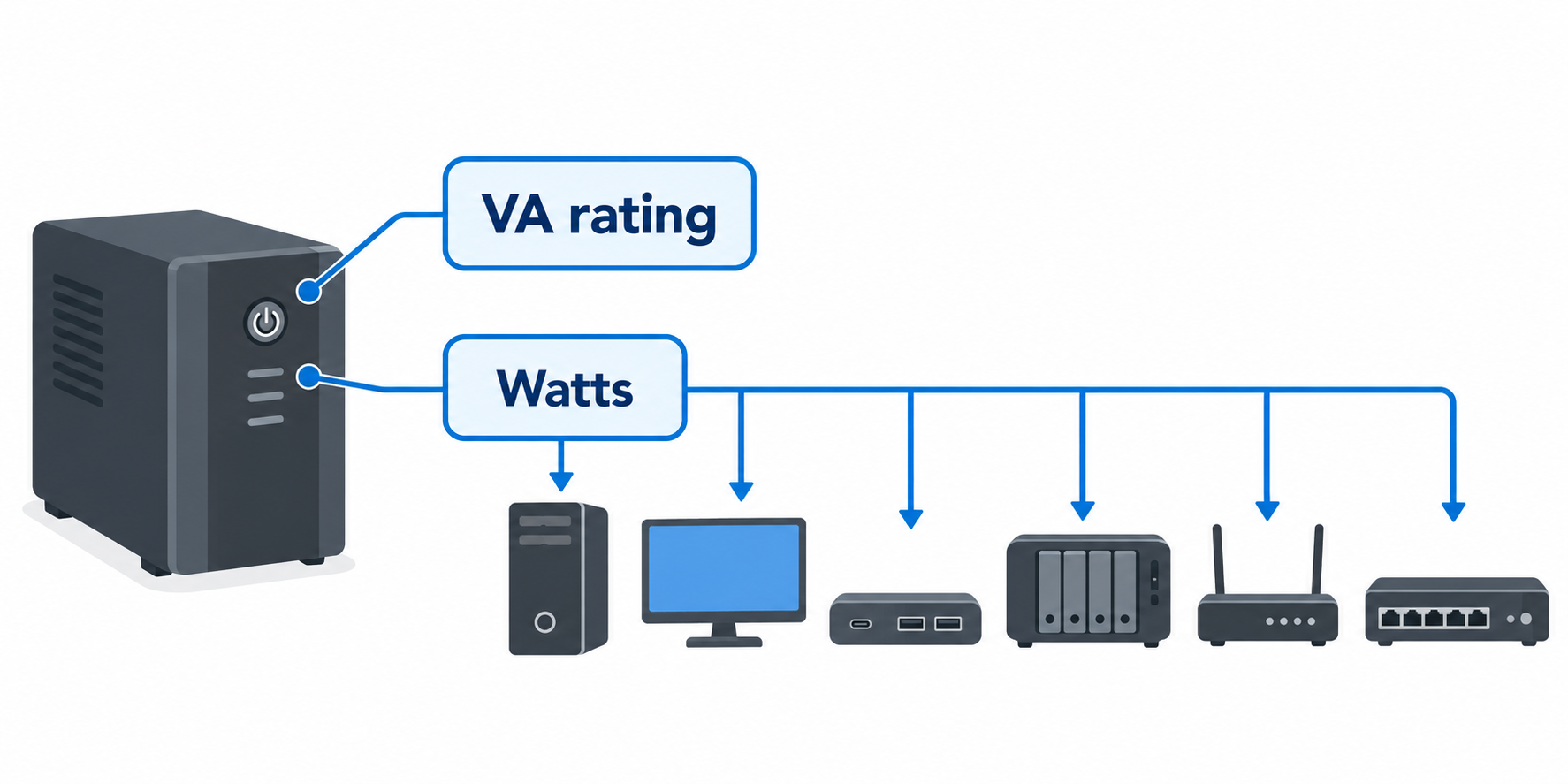
The watt figure limits the stated connected load. APC lists 900W, GOLDENMATE lists either 1000W or 800W, and the CyberPower and ADMLi 1500VA models list 1000W. Add the power requirements of the computer, display, dock, NAS, router, and switch that need backup, then leave lesser accessories on surge-only power when the model provides that split.
A 1500VA label does not erase the watt difference. CyberPower’s CP1500PFCLCD and CP1500PFCRM2U both list 1500VA/1000W, while APC lists 1500VA/900W. The smaller GOLDENMATE lists 1000VA/800W. Choose the stated watt ceiling that covers the equipment plan instead of assuming similarly named UPS units carry the same load.
2. Map battery outlets before buying
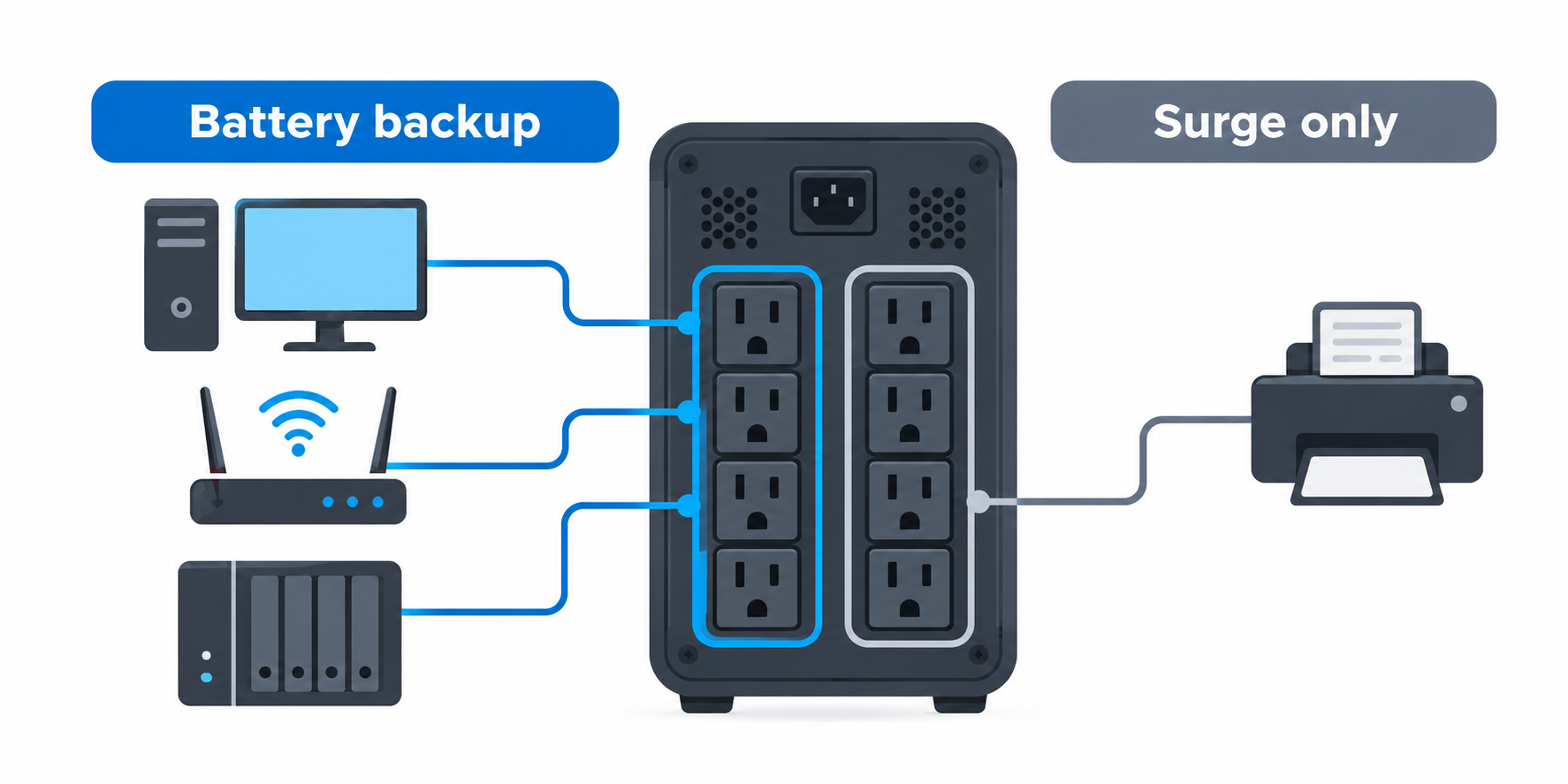
Battery outlet count can be more limiting than total outlet count. APC and the CP1500PFCLCD each list six battery outlets even though they have ten and twelve total outlets respectively. A docked computer, monitor, router, and NAS can consume those protected positions quickly, so decide which equipment needs time to save work or maintain a network link.
The rack CyberPower lists eight battery-backup outlets. Eight battery outlets are useful when a shallow rack has several small essential devices, but the count does not make every outlet arrangement interchangeable. GOLDENMATE lists eight outlets without stating the same split. Read the exact product documentation before assigning essential devices to a specific socket.
3. Choose tower, wall, or rack placement
Physical placement changes which model makes sense. The CP1500PFCRM2U is a listed 2U rackmount unit with a 10.5-inch depth, while the CP1500PFCLCD is a mini tower. The GOLDENMATE 1500VA unit lists wall mounting with included screws. Match the form to the space where the power, ventilation, and equipment cables already run.
Weight and cord reach are purchase details, too. APC lists 27.55 pounds, the rack CyberPower lists 26.8 pounds, and the tower CyberPower lists a five-foot cord. A rack shelf, wall surface, or floor position needs to hold the selected model safely. Measure first, especially when a network switch and NAS enclosure share the same equipment area.
4. Treat USB ports and management as separate choices
USB charging ports do not define UPS capacity. APC lists USB-C and USB-A charging, CyberPower lists one Type-A and one Type-C port, and GOLDENMATE lists two USB ports with 10W total output. Keep phone or tablet charging separate from the AC load calculation for a docked workstation, USB-C charger, or network gear.
A communication connection can be more important for a NAS. GOLDENMATE 1500VA lists USB communication and automatic safe shutdown for a NAS, while ADMLi lists automatic power recovery. Safe shutdown and automatic recovery are distinct stated management features. Select one only when it matches the shutdown or restart behavior required by the attached storage system.
5. Compare the stated battery and power conditions carefully
LiFePO4 is a battery chemistry, so it says nothing universal about runtime. The two GOLDENMATE models list 230Wh LiFePO4 batteries, and ADMLi lists 3,000-plus cycles under laboratory conditions. APC instead names a replaceable APCRBC163 battery. Each listing describes its own battery, while the actual backup time still follows the connected load.
AVR can be useful before an outage occurs. APC and both CyberPower products explicitly list automatic voltage regulation, which they describe as correcting minor power fluctuations without switching to battery. If a desk also uses a Thunderbolt dock and external SSD, keep their power adapters within the selected UPS’s stated capacity rather than treating AVR as extra watt headroom.
FAQ
Do I need pure sine wave for a dock and NAS?
A pure-sine UPS is the product type selected here. APC, both CyberPower models, both GOLDENMATE models, and ADMLi explicitly list sine-wave or pure-sine output. So the comparison is useful for a buyer who has chosen that output requirement for a docked computer, NAS, router, or other sensitive electronics.
The required capacity is still separate. A Thunderbolt dock may have its own adapter, and a NAS or router has its own power use. Add the equipment that needs backup, then choose by the 800W, 900W, or 1000W listed capacity rather than the UPS output wording alone.
Which UPS lists the most outlets?
CyberPower CP1500PFCLCD lists twelve outlets. It divides them into six battery-backup and surge-protected positions plus six surge-only positions. APC lists ten outlets, while the other entries list eight outlets.
The total socket count is only the first check. The CP1500PFCRM2U lists eight outlets that provide battery backup and surge protection, which can be a better fit for a small rack with many essential low-power devices. Map each router or network switch to the intended protected outlet before ordering.
Which one is best for a rack-mounted NAS?
CyberPower CP1500PFCRM2U is the rack-specific option. Its listing explicitly names a short-depth 2U rackmount design and a 10.5-inch depth, plus eight battery-backup outlets. The rackmount design, depth, and outlets are the relevant physical features for a rack-mounted NAS or networking installation.
Check rack compatibility beyond depth. The product lists a 26.8-pound weight and a six-foot input cord, so the selected rack space must support the unit and allow safe cable routing. Its 1000W stated capacity still has to cover the equipment you intend to connect.
Can I use the USB-C port to charge a laptop?
Use the USB ports only for the role the listing states. APC and CyberPower name USB-C charging, while GOLDENMATE 1500VA lists 10W total across USB-C and USB-A. ADMLi names USB-A and USB-C ports without a charging wattage.
A laptop’s normal charger may need more than a convenience USB port provides. Keep the laptop adapter, dock, and monitor inside the UPS AC-load plan, and use a USB-C charger with the output and cable requirements the laptop needs.
Does a higher VA rating guarantee a longer runtime?
No, runtime depends on the connected load and the battery details the product states. APC gives an example of up to 73 minutes at 100W, while GOLDENMATE lists 230Wh on two products. The two figures are not interchangeable promises of battery duration for a different system.
Compare watts first, then the battery information and the essential outlet plan. A portable power station serves a different product role, so it should not be treated as a direct replacement for a UPS unless its own output and transfer behavior suit the setup.
Bottom Line
Choose APC BR1500MS2 when six battery outlets, ten total outlets, AVR, and a replaceable battery are the strongest match. CyberPower CP1500PFCLCD is the twelve-outlet 1500VA/1000W tower. GOLDENMATE 1500VA adds a wall-mountable 230Wh LiFePO4 design and listed NAS communication, while ADMLi lists automatic recovery. The smaller GOLDENMATE has an 800W stated ceiling, and CyberPower CP1500PFCRM2U is the rack choice, at 2U and 10.5 inches deep.