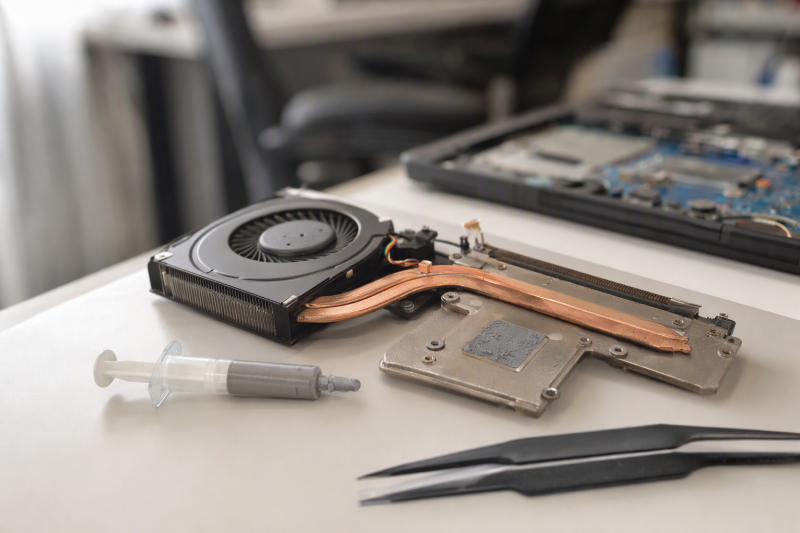
Repasting a laptop is less forgiving than applying compound to a desktop CPU. The exposed area may be smaller, the cooler pressure may be uneven, and one heat-pipe assembly may cover both the CPU and GPU. The best thermal paste for the job is the compound whose application behavior, electrical safety, quantity, and stated service life fit the laptop you are opening, and the largest conductivity number alone does not settle that.
Every option below is listed as non-conductive or electrically insulated, which is a useful baseline around dense laptop components. The differences that decide the choice are viscosity, application method, included cleaning tools, syringe size, and the evidence each listing provides. A careful service also needs an ESD wrist strap, a clean parts area, and the correct disassembly procedure for the exact laptop.
For most routine laptop services, ARCTIC MX-4 is the straightforward starting point because its listing combines a beginner-friendly consistency, a 4 g syringe, and an eight-year durability claim. ARCTIC MX-6 is the more targeted choice when a direct-die GPU application is the deciding detail, while MX-7 is designed to spread under cooler pressure rather than by hand. With any of them, you need to clean the old compound and seat the cooler evenly.
Thermal Paste Comparison
| Image | Product | Details | Check Price |
|---|---|---|---|
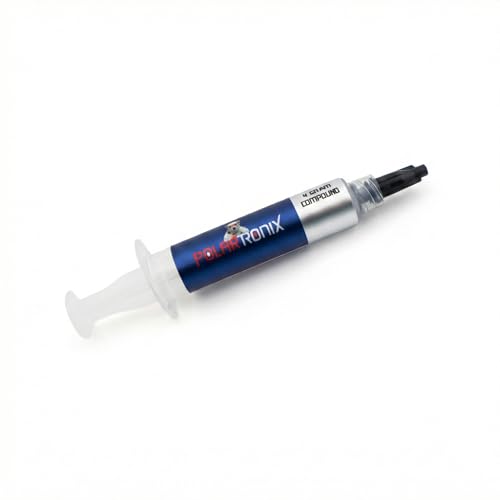 | Meta Online LLC USTP128-4 | Best fit: Published-conductivity option for careful laptop repasting Quantity: 4 g Listed conductivity: 12.8 W/mK Electrical property: Non-conductive Application detail: 340-380 thixotropic index | Check Price on Amazon |
 | ARCTIC MX-4 | Best fit: Straightforward first laptop repaste Quantity: 4 g Material: Carbon microparticles; metal-free Electrical property: Non-conductive Stated durability: At least 8 years | Check Price on Amazon |
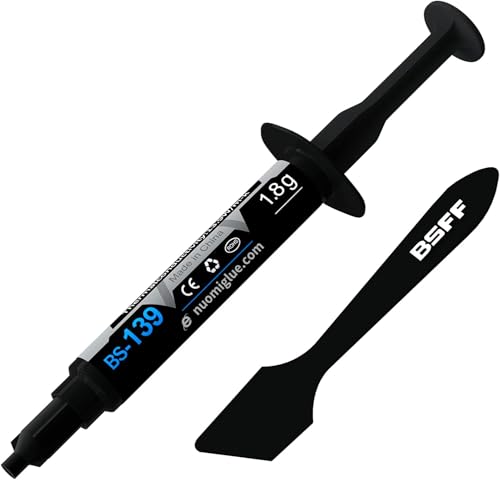 | BSFF BS-139 | Best fit: Small kit for a one-time CPU and GPU service Quantity: 1.8 g Material: Carbon microparticles; metal-free Electrical property: Non-conductive Stated durability: At least 5 years | Check Price on Amazon |
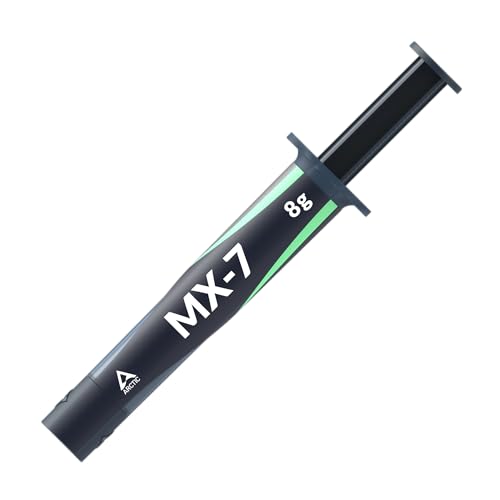 | ARCTIC MX-7 | Best fit: Pressure-spread application under a correctly mounted cooler Quantity: 8 g Consistency: Dense and highly viscous Application: Distributes under cooler pressure Electrical property: Non-conductive and non-capacitive | Check Price on Amazon |
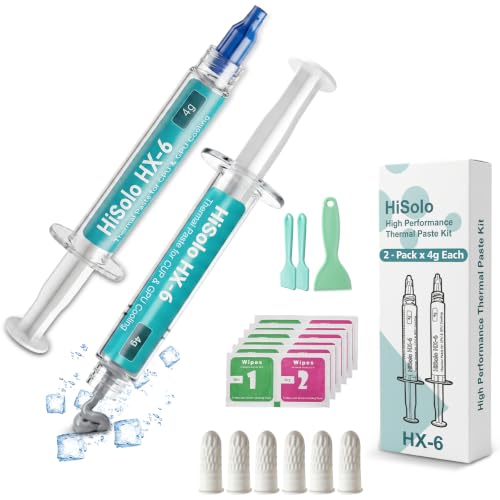 | HiSolo HX-6 | Best fit: Multi-service kit with cleaning accessories Quantity: 8 g total; two 4 g syringes Listed conductivity: Up to 13 W/mK Included supplies: 3 spreaders; 12 wipes; 6 finger cots Electrical property: Non-conductive | Check Price on Amazon |
 | ARCTIC MX-6 | Best fit: Direct-die laptop GPU service Quantity: 2 g Electrical property: Non-conductive and non-capacitive Relative claim: 20% lower thermal resistance than MX-4 Verification: Individual authenticity check | Check Price on Amazon |
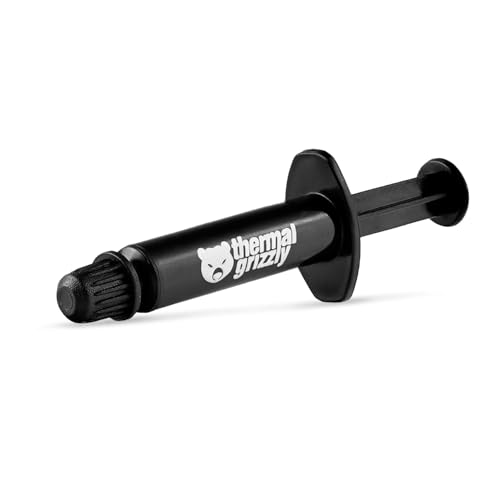 | Thermal Grizzly Kryonaut | Best fit: Small performance-positioned application Quantity: 1 g Included tool: Spreading spatula Stability claim: Does not dry out at 80 C Applications: CPU and GPU | Check Price on Amazon |
 | Cooler Master CryoFuze | Best fit: Highest listed conductivity figure in this group Quantity: 2 g Listed conductivity: 14 W/mK Electrical property: Electrically insulated Material properties: Non-corrosive; oxidation resistant | Check Price on Amazon |
The table is a fit guide, not a cross-brand performance ranking. Conductivity figures printed by different sellers do not establish which paste will deliver the lowest temperature in a particular laptop. Cooler contact, application thickness, fan condition, heatsink cleanliness, and the laptop’s power profile can affect the result just as much.
1. Meta Online LLC USTP128-4 — Best for a Published Conductivity Figure
The USTP128-4 listing states 12.8 W/mK thermal conductivity and supplies 4 g in a syringe. It describes the compound as non-corrosive and non-conductive, with a viscosity intended to spread across CPUs, GPUs, and other IC surfaces. Repairers get a concrete listed figure without moving to an electrically conductive material.
The listing also supplies a thixotropic index of 340 to 380 and says the paste is easy to apply and remove. The index and the easy removal make it a reasonable fit when controlled syringe placement is needed around a laptop die. The broad device list includes laptops, desktops, graphics cards, and several consoles, though it specifically excludes PS5 use. The PS5 exclusion does not affect laptop fit, but it shows that the listing states an application boundary and you should follow it.
Our Take: Choose this paste when you want a 4 g tube, a listed 12.8 W/mK figure, and a non-conductive formula. Treat the conductivity value as a product specification, not proof of a temperature advantage over pastes rated under a different method.
[su_box title=”PROS” style=”soft” box_color=”#2e7d32″] – The stated 12.8 W/mK figure gives buyers a concrete specification to compare. – A 4 g syringe leaves enough compound for more than one small laptop interface. – The non-conductive, non-corrosive formula reduces electrical risk around nearby components. – Its listed 340-to-380 thixotropic range supports deliberate placement and spreading. [/su_box] [su_box title=”CONS” style=”soft” box_color=”#c62828″] – The listing’s conductivity figure does not establish comparative laptop temperatures by itself. – The broad compatibility list excludes PS5, limiting reuse for that separate service job. [/su_box]2. ARCTIC MX-4 — Best Familiar Long-Life Option
ARCTIC describes MX-4 as a carbon-microparticle paste that is metal-free and electrically non-conductive. The 4 g size suits a laptop owner who wants some margin for a second attempt or a future service. Its listing also emphasizes an easy consistency, which makes it less intimidating when the heatsink covers two small dies and must be lowered into place without sliding.
The standout claim is longevity. ARCTIC says one application lasts at least eight years, which is useful for a laptop expected to stay assembled for a long time, although a future service may still be driven by dust, fan wear, a disturbed cooler, or rising temperatures. The packaging may change while the listing says the formula remains the same, so identify it by the exact model ACTCP00002B rather than the tube artwork alone.
Our Take: MX-4 is the balanced pick for a first repaste when safe handling and easy application count for more than chasing the newest formula. Its stated durability is attractive for laptops that are difficult to reopen.
[su_box title=”PROS” style=”soft” box_color=”#2e7d32″] – The metal-free formula avoids electrical conduction around exposed laptop CPU and GPU packages. – ARCTIC’s eight-year claim suits machines intended to remain closed after service. – The easy-spreading consistency is approachable for a careful first-time application. [/su_box] [su_box title=”CONS” style=”soft” box_color=”#c62828″] – The listing gives no W/mK figure for direct comparison with numerically rated options. – A long paste-life claim does not account for fan, dust, or cooler-mount problems. – Changing package designs may require buyers to check the ACTCP00002B model carefully. [/su_box]3. BSFF BS-139 — Best Kit for a One-Time Service
The BSFF BS-139 is a 1.8 g thermal-paste kit intended for CPUs, GPUs, ICs, and heatsinks. Its listing describes a carbon-microparticle, metal-free, non-conductive formula. For someone opening one laptop rather than maintaining several systems, the smaller syringe can be a better match than paying for a large amount that may sit unused.
BSFF states that the compound remains effective for at least five years and has a consistency suitable for beginners. The package is presented as a toolkit, so it is useful when the buyer does not already have basic application accessories. The evidence supplied here does not enumerate each tool, so the buying decision should rest on the paste quantity, safety description, and included-kit positioning rather than an assumed accessory list.
Our Take: This kit is the practical small-kit option for a single laptop CPU and GPU service. Its 1.8 g quantity is less generous than the 4 g and 8 g alternatives, but the smaller amount can mean less leftover material for an occasional repairer.
[su_box title=”PROS” style=”soft” box_color=”#2e7d32″] – The 1.8 g syringe is appropriately sized for an occasional one-laptop repaste. – A non-conductive, metal-free formula is safer around dense board components. – The stated five-year durability reduces pressure to reopen the laptop frequently. – Kit positioning helps buyers who lack dedicated paste-application accessories. [/su_box] [su_box title=”CONS” style=”soft” box_color=”#c62828″] – The supplied details do not identify every accessory included in the toolkit. – A 1.8 g quantity offers less retry margin than the larger syringes here. [/su_box]4. ARCTIC MX-7 — Best Pressure-Spread Formula
MX-7 differs from the more familiar spread-by-hand approach. ARCTIC says its dense, highly viscous paste should not be spread manually and is designed to distribute under cooler pressure. On a laptop, correct heatsink alignment and even screw tightening are especially important with it, because the cooler has to provide the pressure pattern that forms the thin bond line.
The 8 g syringe is the largest single quantity in this group. ARCTIC also states that high cohesion resists pump-out, dry-out, and bleeding under repeated thermal cycles. The paste is electrically non-conductive and non-capacitive, with listed suitability for CPUs, GPUs, laptops, and consoles. An MX Cleaner bundle is mentioned as an alternative package, but the pick here is the paste listing itself.
Our Take: Pick MX-7 when you understand the laptop’s cooler-mount sequence and want a pressure-spread compound with an 8 g supply. It is a poor match for someone who expects to paint a thin layer manually before installation.
[su_box title=”PROS” style=”soft” box_color=”#2e7d32″] – High cohesion is intended to resist pump-out during repeated laptop thermal cycles. – The 8 g syringe supports repeated services or a small repair bench. – Non-conductive and non-capacitive properties reduce electrical application risk. – Pressure-driven spreading can form a thin bond line under a correctly mounted cooler. [/su_box] [su_box title=”CONS” style=”soft” box_color=”#c62828″] – The paste is explicitly not designed for manual spreading, limiting technique choice. – A dense formula puts more emphasis on correct cooler pressure and screw sequencing. – Eight grams may be excessive for a buyer servicing only one laptop. [/su_box]5. HiSolo HX-6 — Best Multi-Service Kit
HiSolo packages two 4 g syringes for 8 g total, three spreader sizes, 12 cleaning wipes, and six finger cots. The accessories set it apart from paste-only choices for a bench handling several machines. The seller estimates enough material for eight to nine laptop CPU applications, though a CPU-plus-GPU service and the size of each die can change the actual count.
The HX-6 listing states thermal conductivity up to 13 W/mK and describes a creamy carbon-based formula designed to fill surface gaps. It is metal-free and non-conductive, with claimed resistance to drying and cracking. Compatibility includes CPUs, GPUs, laptops, consoles, and several non-computer uses. For laptop repair, the value is the combination of paste volume and cleanup supplies, not the unrelated applications.
Our Take: HX-6 is the convenient bench bundle when multiple laptop services are planned and disposable cleanup items are useful. Treat the application-count figure as an estimate, especially when both CPU and GPU dies are repasted.
[su_box title=”PROS” style=”soft” box_color=”#2e7d32″] – Two 4 g syringes separate the supply for storage or multiple service sessions. – Twelve wipes, six finger cots, and three spreaders reduce accessory shopping. – The listed 13 W/mK ceiling provides a clear product specification. – A non-conductive, metal-free formula suits work around exposed laptop packages. – The seller’s eight-to-nine laptop CPU estimate helps a repair bench plan inventory. [/su_box] [su_box title=”CONS” style=”soft” box_color=”#c62828″] – A CPU-only application estimate may overstate the count for CPU-plus-GPU services. – The broad device and industrial-use list adds claims irrelevant to laptop repair. [/su_box]6. ARCTIC MX-6 — Best for Direct-Die GPU Service
ARCTIC specifically lists MX-6 for direct-die cooling scenarios, including graphics-card GPUs and console processors. That wording makes the 2 g syringe relevant to laptops whose heat-pipe assembly contacts an exposed GPU die. The compound is neither electrically conductive nor capacitive, which reduces the consequence of a small amount reaching the package area.
The seller states that MX-6 has 20 percent lower thermal resistance than MX-4, a difference within ARCTIC’s own product line. It also describes a viscosity suited to varied applications and provides an authenticity-check system for each product. Two grams is enough to allow a careful CPU and GPU application, but it provides less bench inventory than the 4 g or 8 g options.
Our Take: MX-6 is the focused choice when the laptop service includes a direct-die GPU and the buyer wants ARCTIC’s newer internal performance claim. The comparison is specifically against MX-4, not every paste in this guide.
[su_box title=”PROS” style=”soft” box_color=”#2e7d32″] – Direct-die suitability directly addresses many laptop GPU repasting jobs. – Non-conductive and non-capacitive properties lower electrical application risk. – ARCTIC claims 20 percent lower thermal resistance than its MX-4 formula. – The authenticity check gives buyers a way to verify the individual product. [/su_box] [su_box title=”CONS” style=”soft” box_color=”#c62828″] – The 2 g syringe offers limited stock for repeated repair-bench use. – The 20 percent claim compares ARCTIC formulas, not measured results across all eight products. – Higher viscosity may require more care than an especially easy-spreading paste. [/su_box]7. Thermal Grizzly Kryonaut — Best for Demanding Thermal Loads
Thermal Grizzly positions Kryonaut for demanding and overclocked systems, and the 1 g syringe includes a spatula for spreading. The listing emphasizes high thermal conductivity but does not supply a numerical value in the evidence provided here. For a hot laptop, the more actionable listed detail is the controlled application tool and the small quantity intended for focused use.
The seller says Kryonaut maintains its structure and does not dry out at temperatures up to 80 degrees Celsius. The temperature statement is a product-level material claim, not a recommended operating temperature for a laptop CPU or GPU. The listing covers processors, graphics cards, and consoles, which supports the CPU and GPU interface role without implying compatibility with thermal-pad gaps.
Our Take: Kryonaut fits the buyer who wants a small, performance-positioned syringe and a spreading spatula for one demanding laptop. Do not interpret the 80-degree material statement as a safe component-temperature target.
[su_box title=”PROS” style=”soft” box_color=”#2e7d32″] – The included spatula supports controlled coverage on a small exposed die. – A 1 g syringe is compact for one focused CPU and GPU service. – The stated resistance to drying at 80 degrees addresses material stability. [/su_box] [su_box title=”CONS” style=”soft” box_color=”#c62828″] – One gram leaves less room for practice, rework, or later servicing. – No numerical conductivity value appears in the supplied listing evidence. – Performance-oriented positioning does not predict results in a specific laptop cooler. [/su_box]8. Cooler Master CryoFuze — Best High-Conductivity Listed Option
Cooler Master lists CryoFuze at 14 W/mK, the highest stated numerical conductivity in this group. The 2 g compound uses nanoparticles and is described as electrically insulated, non-moisture-absorbent, non-corrosive, and oxidation resistant. The listed properties cover both heat transfer and safe handling around a laptop’s exposed packages.
The listing calls the viscosity balanced for application and cleanup, which is useful when one cooler plate must contact both CPU and GPU. It also says the formula does not solidify. As with every conductivity figure here, read 14 W/mK as the product’s stated specification, not as a guaranteed cross-brand ranking under laptop conditions.
Our Take: CryoFuze is the choice for buyers who prioritize the highest listed W/mK figure while retaining an electrically insulated paste. The 2 g size is better suited to a few careful interfaces than to a high-volume bench.
[su_box title=”PROS” style=”soft” box_color=”#2e7d32″] – The listed 14 W/mK value is the highest numerical specification on this page. – Electrically insulated material is appropriate around closely spaced laptop components. – Non-corrosive and oxidation-resistant properties protect contacted metal surfaces. – Balanced viscosity is intended to ease both application and later cleanup. [/su_box] [su_box title=”CONS” style=”soft” box_color=”#c62828″] – Cross-brand W/mK figures alone cannot predict a specific laptop’s temperature change. – The 2 g amount is less economical for frequent repair-bench work. [/su_box]Buying Guide: Choose Thermal Paste for a Laptop Repaste
Match the Application Method to the Cooler
Application method has more effect in a compact shared cooler. ARCTIC MX-7 is designed to spread under mounting pressure and should not be spread manually. Thermal Grizzly Kryonaut, by contrast, includes a spatula, while ARCTIC MX-4 is described as easy to apply. Pick the method you can execute without shifting the heatsink across the dies.
Use the laptop’s screw sequence and tighten in stages. Dense paste cannot compensate for a tilted cold plate or a missed fastener. Keep screws organized in a magnetic parts tray and confirm that no cable, pad, or insulation sheet prevents the cooler from seating flat.
Treat Conductivity Numbers as Product Specifications
Listed conductivity spans 12.8 to 14 W/mK among the numerically rated options. Meta Online LLC USTP128-4 states 12.8 W/mK, HiSolo HX-6 states up to 13 W/mK, and Cooler Master CryoFuze states 14 W/mK. The figures are stated product specifications, but the supplied records do not establish one shared cross-brand test.
Judge the completed service by stable behavior, not the syringe label alone. A thermal imaging camera may reveal external hot areas, but it cannot see the paste bond line beneath the cooler. Monitor the laptop’s own CPU and GPU sensors under a repeatable workload and stop if fan behavior or temperatures indicate poor seating.
Choose Enough Paste Without Buying Excess
Small syringes fit one-off repairs. Kryonaut supplies 1 g, BSFF BS-139 supplies 1.8 g, and ARCTIC MX-6 and CryoFuze supply 2 g each. Small quantities limit unused stock, but they also leave less room for a practice application or a second attempt after the cooler is lifted.
Larger packages suit repeated service. USTP128-4 and MX-4 each provide 4 g, while MX-7 provides 8 g and HX-6 supplies two 4 g syringes. A bench that also uses PCB holders or helping hands may value separate tubes and cleanup supplies, but paste should remain capped and clean between jobs.
Keep Paste Away from Pad-Only Gaps
Thermal paste and thermal pads solve different interface gaps. The products here are listed for CPU, GPU, IC, or heatsink contact surfaces. They should not automatically replace thicker pads on memory, voltage-regulation components, or other parts whose cooler gap depends on pad thickness. Preserve each original pad position unless the laptop’s service information specifies a replacement.
Photograph the assembly before lifting the cooler. The photographs help you restore pads, insulation, and cable routing without relying on memory. Store removed fasteners and brackets away from solder wick and desoldering pumps so debris and flux tools do not contaminate the cleaned interface.
Prepare and Verify the Whole Cooling System
Old compound must be removed before the new layer is applied. HiSolo includes 12 cleaning wipes, while MX-7 is also sold in a separate MX Cleaner bundle. The other supplied records do not promise cleaning materials. Use a lint-free method appropriate for electronics, let the surfaces dry, and avoid scraping a die or cooler with a hard tool.
A repaste cannot repair every cooling fault. Blocked fins, a failing fan, bent heat pipes, or incorrect pad placement can keep temperatures high even with correctly applied paste. A camera cleaning kit is designed for optical equipment rather than laptop dies, and an M.2 SATA enclosure protects removed storage rather than helping the thermal interface. Use purpose-specific tools throughout the service.
Frequently Asked Questions
Is Electrically Non-Conductive Paste Safer for a Laptop?
Non-conductive paste reduces one application hazard. All eight listings describe their compounds as non-conductive, electrically insulated, or both. Non-conductive material is helpful around a laptop’s small exposed CPU and GPU packages, where excess paste can reach nearby components. MX-6 and MX-7 are also described as non-capacitive.
Electrical safety does not make excess paste desirable. Too much compound can spread beyond the contact area and complicate cleanup. Apply only the amount and method appropriate to the die and cooler, and disconnect power before opening the laptop.
Can One Paste Cover Both the Laptop CPU and GPU?
The listings support CPU and GPU use across all eight products. USTP128-4, MX-4, BS-139, MX-7, HX-6, MX-6, Kryonaut, and CryoFuze all identify CPU/GPU or equivalent processor and graphics uses. MX-6 is especially explicit about direct-die GPU applications.
One formula does not mean one application size. CPU and GPU dies can have different areas, and a shared cooler may contact them under different pressure. Apply each interface deliberately, preserve thermal pads around them, and lower the cooler according to the laptop’s service sequence.
Should I Choose the Paste with the Highest W/mK Number?
No single listed number settles the choice. CryoFuze states 14 W/mK, HX-6 states up to 13 W/mK, and USTP128-4 states 12.8 W/mK. The supplied data does not show a common independent method that would turn those figures into a direct temperature ranking.
Application and cooler condition remain decisive. MX-7’s pressure-spread behavior, MX-4’s easy consistency, and Kryonaut’s included spatula may count for more in a particular repair. A clean interface and evenly seated cooler are necessary regardless of the printed conductivity value.
How Much Thermal Paste Do I Need for a Laptop?
The smallest package here is 1 g and the largest total is 8 g. One careful CPU-and-GPU service usually points buyers toward a smaller syringe such as Kryonaut, BS-139, MX-6, or CryoFuze. The exact amount depends on die area and whether the first placement must be redone.
Multiple repairs justify more inventory. MX-4 and USTP128-4 provide 4 g, MX-7 provides 8 g, and HX-6 divides 8 g between two syringes. HiSolo estimates eight to nine laptop CPU applications, but a combined CPU-and-GPU service can use more material per laptop.
Does New Thermal Paste Fix Every Overheating Laptop?
No, paste addresses only the chip-to-cooler interface. It can replace dried, disturbed, or poorly applied compound, but it cannot restore a failed fan, clear blocked fins, straighten a damaged heat pipe, or correct an unsuitable thermal-pad thickness.
Verify the full cooling path after reassembly. Confirm that the fan spins, exhaust airflow is present, and CPU/GPU readings behave consistently under a controlled workload. If temperatures rise immediately, shut down and recheck cooler seating rather than assuming a different paste will solve a mechanical problem.
Final Recommendation
For a straightforward first laptop repaste, ARCTIC MX-4 offers the strongest balance of easy application, electrical safety, 4 g quantity, and stated long service life. Choose ARCTIC MX-6 when direct-die GPU suitability is the deciding detail, or MX-7 when you specifically want a pressure-spread formula and understand the cooler-mount process. HiSolo HX-6 is the more complete multi-service kit, while Cooler Master CryoFuze carries the highest listed conductivity figure in this group.
Whichever paste you choose, preserve the original pad layout, clean both contact surfaces, and tighten the cooler evenly. Doing those three things means the compound is not asked to compensate for a mechanical problem.