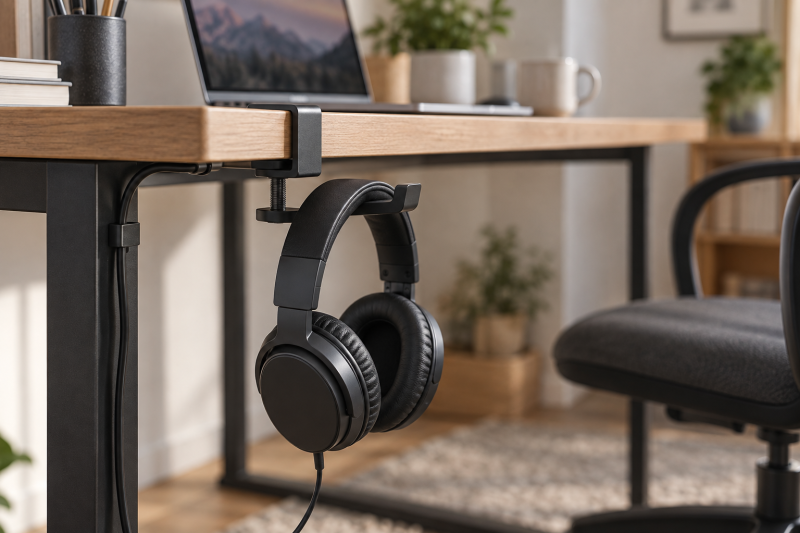
A clamp-on headphone hook can free desk space without drilling into the furniture. Start with desk thickness, then check clamp type, arm position, and headband contact surface. A hook that fits one desk can fail on another because of an apron, rounded edge, glass top, cable tray, or monitor-arm hardware below the surface. Measure the usable edge, not only the top thickness.
These six Amazon US hooks have active New offers. They include spring clamps, screw clamps, swivel arms, fold-flat arms, cable clips, and a wide wooden support. Check where your headphones, cable, and chair move before choosing. For adjacent desk organization, see our under-desk cable-management guide and compact desk guide.
Measure the clear desk edge before choosing a hook. Thickness, underside clearance, and clamp position count for more than a hook’s general headphone claim.Clamp-On Headphone Hooks Compared
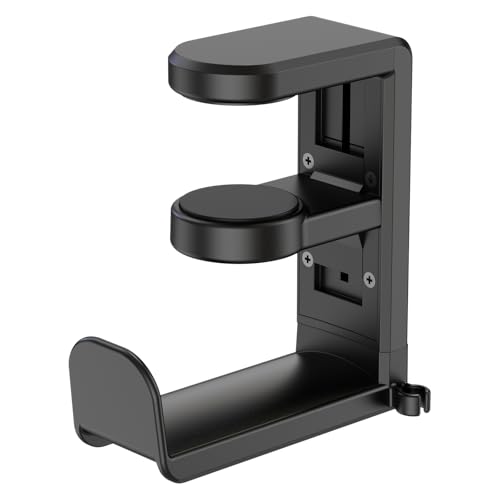

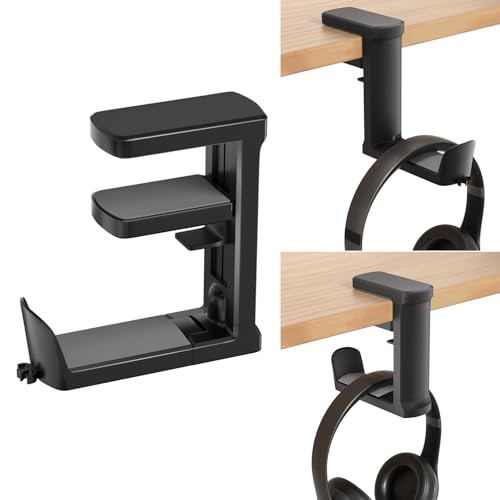
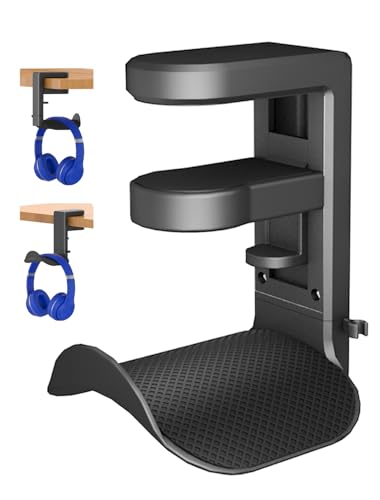
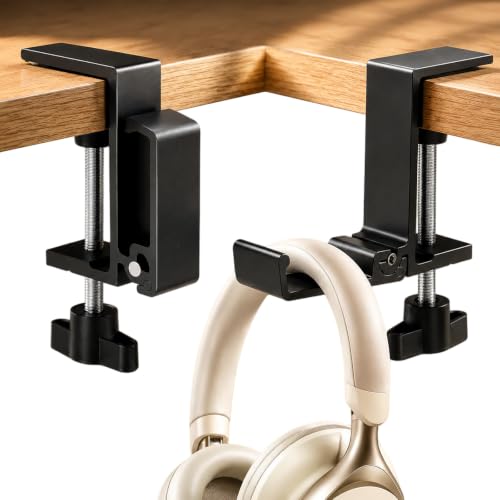
1. EURPMASK Rotating Hook — Swiveling Cable-Managed Hook
For a flat desk edge where the headset needs to swing out of the way, EURPMASK lists a clamp-on hook for desks 0.31 to 1.57 inches thick, with a 360-degree swivel arm and built-in cable clip. The swivel is useful when the hook needs to turn under a desk after use or face outward while you put headphones away. The cable clip can keep a wired headset lead from hanging near chair wheels.
The listing says the clamp has rubber pads and a curved headset edge. The pads and curved edge are useful protection detail, but the desk needs a flat, unobstructed surface for the clamp. Check the underside for drawers, a metal rail, or cable-management hardware before you choose the location.
Our Take Buy the EURPMASK if a swivel arm and simple cable clip fit a normal flat desk edge. It is a practical choice for a compact desk, provided the clamp thickness matches your usable surface.
- 360-degree swivel and cable clip are listed.
- Rubber pads and curved headset edge are listed.
- Needs a flat 0.31-1.57 inch desk edge.
- Underside desk hardware can block the clamp.
2. APPHOME Foldable Hook — Fold-Flat Storage
A fold-flat arm can help on a narrow desk where knees, drawers, or a chair pass close to the front edge. APPHOME lists a screw-clamp hook for desks from 5 to 50 mm thick, with a foldable arm that can lie flat when not in use. The screw clamp is also a more deliberate way to fix the position than a spring clamp.
The listing says it can attach to desks, cabinets, glass surfaces, monitors, towers, and shelves. Treat those as surfaces to check, not automatic fits. Confirm the clamp pad can sit squarely on both sides of the material and that the folded arm does not catch a cable bundle or chair arm.
Our Take Buy the APPHOME if a fold-flat arm is the main benefit for a cramped desk. Its screw clamp suits a fixed location, but measure the edge and clearance before mounting.
- Foldable arm is listed for space saving.
- 5-50 mm screw-clamp range is listed.
- Needs a clear clamp surface on both sides.
- Folded arm still needs chair and cable clearance.
3. Ahonnpely Adjustable Hook — Thicker Desks
Ahonnpely may accommodate a thicker desktop or shelf where a 1.57-inch clamp will not reach. The hook lists an adjustable clamp for desks 0.3 to 2.1 inches thick, a 360-degree rotating arm, curved contours, silicone pads, and a cable clip. The wider listed thickness range is the reason to compare it with the EURPMASK Rotating Hook, which handles a narrower range.
The hook also has claims about storing other items, but the relevant desk job is holding headphones without stressing the headband or desk edge. Keep the hook placement close enough to the desk support that the headset does not swing into a wall, cabinet, or chair.
Our Take Buy the Ahonnpely if your usable desk edge is thicker than the common 1.5-inch range. The clamp range and swivel layout make it a useful option for a thick desk.
- 0.3-2.1 inch desk range is listed.
- Swivel arm, silicone pads, and cable clip are listed.
- Thick desk edges still need underside clearance.
- Headphone swing path needs checking.
4. Jcurycke Walnut Hook — Wide Headband Support
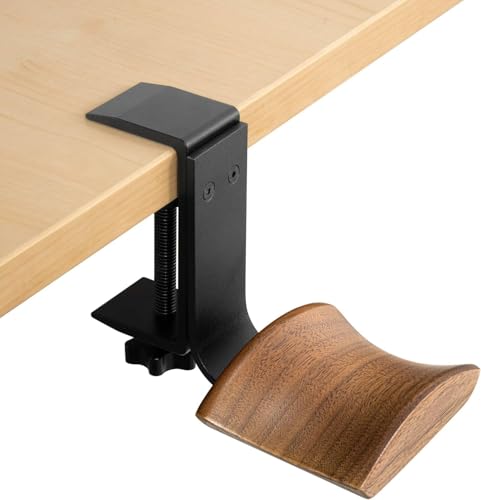
A wider top support can suit a headphone with a broad or soft headband, because it spreads the contact area rather than concentrating it on a narrow hook. Jcurycke lists a hook made from walnut wood and metal, with a desk fit range of 12 to 63 mm and a wide curved contact surface.
The listing says the adjustable mount works on horizontal and vertical surfaces. Check the orientation where you plan to install it. A vertical side panel can keep a hook out of knee space, while an under-desk position may hide the headset more completely. Do not clamp it to a thin or unsupported panel.
Our Take Buy the Jcurycke if a wide listed wooden support and mounting on a vertical or horizontal surface fit the desk. It is the choice here for headband support, but it needs a solid surface for its clamp.
- Wide curved support surface is listed.
- 12-63 mm range and two orientations are listed.
- Wood finish does not replace a stable clamp fit.
- Vertical panel needs enough structural support.
5. ETOWIFA Rotating Hook — Headset and Controller Storage
For a thin desk edge, ETOWIFA lists a spring clamp for flat surfaces 0.4 to 1.26 inches thick, a 360-degree swivel arm, cable clip, and a shape intended for headphones and controllers. The controller option helps only if it matches the devices you own. For a headset setup, the key details are the swivel, cable route, and small desk range.
The listing gives a 3-pound load claim, but do not read it as a general desk-strength claim. Check the clamp pads, desk finish, and whether a controller plus headphones would make the hook inconveniently crowded. A single predictable storage job is safer than adding every accessory to one edge clamp.
Our Take Buy the ETOWIFA if a compact swivel hook can store the headset and perhaps a controller. It is best for a flat, thinner desk edge with room for the arm to rotate.
- Swivel arm and cable clip are listed.
- Headset and controller use is listed.
- Only fits listed 0.4-1.26 inch surfaces.
- Do not overload a single desk-edge clamp.
6. JAKO Foldable Hook — Simple Screw-Clamp Mount
A screw-clamp design can work for a fixed under-desk position where you want the hook to stay in one place and fold away after use. JAKO lists a foldable aluminum-alloy headphone hook with a screw clamp and silicone protection. The listing also says it can mount to desks, cabinets, glass surfaces, monitors, and shelves.
JAKO’s adjustable thickness claim is broad, but the product details do not state a numeric range. The APPHOME Foldable Hook is a similar foldable screw-clamp hook that gives a numeric range, so JAKO needs more checking. Measure the clamp area and compare it with the hook itself before relying on a nonstandard desk edge. Make sure the clamp screw and folded arm do not contact a drawer or cable channel below the desk.
Our Take Buy the JAKO if you want a simple foldable screw-clamp hook and can confirm fit in person. The construction and silicone protection are listed, but the desk measurement is especially important here.
- Foldable arm and screw clamp are listed.
- Silicone protection is listed.
- No numeric desk-thickness range is listed.
- Clamp screw needs underside clearance.
Buying Guide: Clamp-On Headphone Hooks for a Compact Desk
Measure the usable desk edge, not just the desktop
The clamp needs two clear contact points. Measure top thickness, but also look under the edge for a drawer, frame, cable tray, monitor-arm clamp, or metal brace. A clamp may fit the thickness and still fail because its lower pad cannot sit flat.
Desk materials and edges change the fit. A flat wood or metal edge is easier to clamp than a rounded glass top or thin shelf. Use padded clamps where the product lists them, and avoid putting pressure on a weak edge or a surface that could mark easily.
Choose a swivel or folding arm around the desk layout
A swivel arm gives flexible access. It can turn the headphones under the desk when stored, then face outward for quick reach. Check that the swing path does not cross the chair arm, wall, drawer, or a cable bundle.
A fold-flat arm saves projection. Folding is useful in a narrow knee space, but the arm still needs clearance to open and close. Set the hook location with the chair fully pushed in and the headphone cable attached.
Protect the headband and manage the cable
A wide or curved contact surface can support a headphone band more gently. The Jcurycke listing emphasizes a broad curved wood support, while several other listings name padded or curved hook edges. Match the support shape to the headband you use instead of treating every hook as identical.
Keep wired headphones clear of moving furniture. A cable clip can route a lead away from chair wheels and desk drawers. Leave enough slack for taking the headset on and off, but do not let the cable hang across a walking path or get pinched by the clamp.
Frequently Asked Questions
Will a clamp-on headphone hook fit any desk?
No. Each hook has a listed clamp range or an adjustable clamp design, but the usable desk edge also needs clear space above and below it. Drawers, frames, braces, cable trays, and rounded edges can prevent a clamp from sitting correctly.
Measure the exact location where the hook will go and compare it with the product’s listed range. If no range is published, confirm fit before treating the hook as a safe option for a thick or unusual desk.
Can a headphone hook damage a desk?
Yes, any clamp can mark a surface if it is overtightened, poorly aligned, or mounted on a fragile edge. Several listings mention rubber or silicone pads, but pads do not make every material damage-proof. Keep clamp pads clean and seat them flat before tightening.
Avoid placing a hook where the desk finish is already compromised or where the underside has little support. Check the clamp occasionally, especially after moving the desk or changing what you hang from it.
Should the headphone hook go under the desk or on the side?
Choose the position based on how you sit, where the cable goes, and how often you use the headphones. Under-desk placement hides the headphones and can free the desktop, but it needs knee and drawer clearance. Side mounting can make the headset easier to reach and may avoid under-desk hardware, though it can project into a walking path.
Test the hook position with the chair and headset before tightening it permanently.