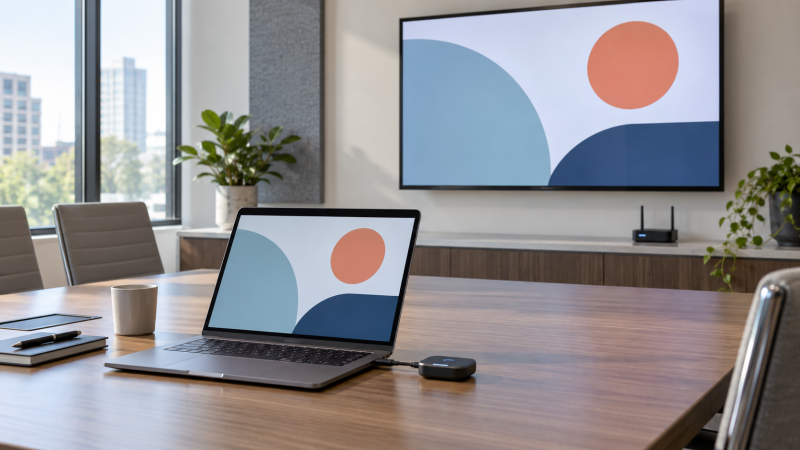
A wireless HDMI kit puts a presentation on a room display without a long video cable across the floor. The setup is convenient until the transmitter does not match your laptop port, the receiver lacks power, or a “4K” label turns out to mean 4K input decoding with 1080p output. Start with the laptop’s actual video output, the display’s HDMI input and how far apart the two ends will be in the room.
These five kits have an active New offer on Amazon US and cover direct HDMI, USB-C video, adapter bundles, a quick screen disconnect and planning for multiple displays. They are not interchangeable. Claimed ranges and latency figures come from seller listings, not measured performance in a crowded conference room. Walls, other wireless devices and the display itself can change the result.
Before a live meeting, connect the transmitter and receiver in the room, set mirror or extend on the laptop, then play a slide with small text and a short video. Keep an HDMI cable available as a fallback.Wireless Presentation Kits Compared
| Image | Product | Details | Check Price |
|---|---|---|---|
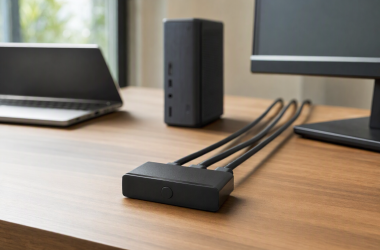
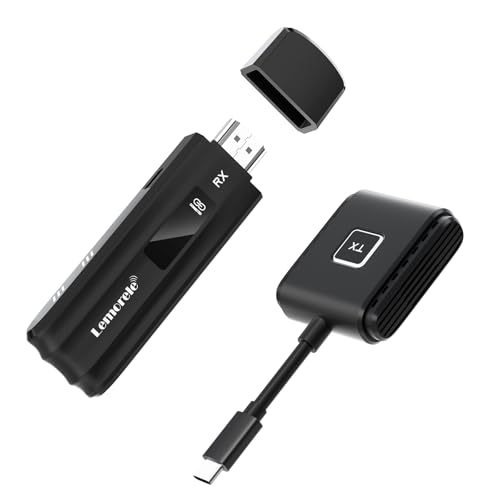 | Lemorele USB-C Video Kit | Best fit: DP Alt Mode USB-C laptops Source port: USB-C video Display output: 1080p60 stated Charging: Up to 60 W PD pass-through Receiver power: 5 V, 2 A required | Check Price on Amazon |
 | Wireless HDMI Adapter Kit | Best fit: Mixed HDMI and USB-C laptops Source port: HDMI; USB-C adapter listed Display output: 1080p60 stated Display mode: Mirror or extend listed Range: Up to 165 ft stated | Check Price on Amazon |
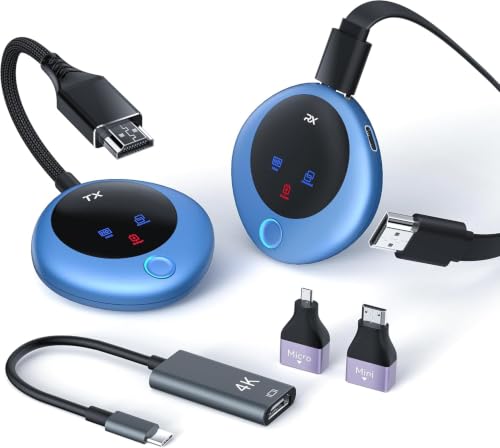 | Wireless HDMI Privacy Kit | Best fit: Quick screen disconnect Source port: HDMI; USB-C adapter listed Display output: 1080p60 stated Control: One-button disconnect listed Adapters: USB-C, micro, mini listed | Check Price on Amazon |
 | Lemorele Aluminum Kit | Best fit: Potential multi-display room Source port: HDMI Display output: 1080p60 stated Receiver support: Up to four claimed Extra view: TuTuPlay app described | Check Price on Amazon |
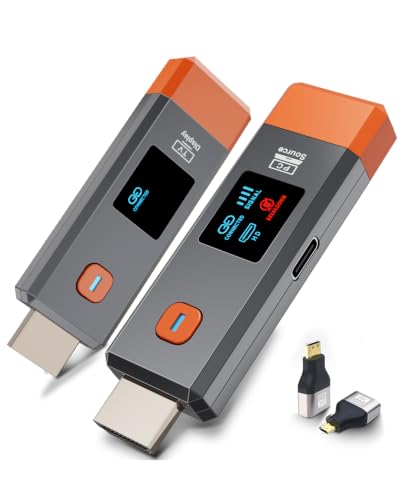 | Wireless HDMI 328-Foot Kit | Best fit: Basic HDMI laptop pair Source port: HDMI Display output: 1080p60 stated Display mode: Mirror or extend listed Range: 328 ft open-air claimed | Check Price on Amazon |
1. Lemorele USB-C Video Kit — Best for USB-C Laptops
Lemorele’s kit takes video from a USB-C laptop port with DisplayPort Alt Mode and sends it to an HDMI receiver at the display. With a video-capable laptop, you skip a separate USB-C-to-HDMI adapter. The seller lists 1080p at 60 Hz output, with a claimed open-space reach of 164 feet. A charging-only USB-C port will not work, no matter how similar it looks. Check your laptop’s port specification before choosing this kit.
The listing also describes up to 60 W USB-C PD pass-through at the transmitter and a receiver that needs 5 V, 2 A power. Pass-through is a ceiling, not a guarantee that every laptop receives 60 W. The charger, cable and host must support the relevant profile. The package lists a USB-C power cable but not a specific wall adapter. Confirm power at both ends before leaving for a presentation. The seller’s 30 ms latency number is not independently verified here. Treat it as a listing claim, not a promise for a video call or fast-paced demo.
The critical fit check is video over USB-C, not the mere presence of a USB-C socket.Our Take Choose this when the presenter laptop has confirmed DP Alt Mode and you want a direct USB-C transmitter. If guests bring unknown laptops, an HDMI-transmitter kit plus adapters may be easier to support.
- Direct USB-C video path for supported laptops.
- 1080p60 output stated.
- Up-to-60 W PD pass-through listed.
- Charging-only USB-C ports cannot supply video.
- Receiver needs its own 5 V, 2 A power.
2. Wireless HDMI Adapter Kit — Best for Mixed Laptop Ports
This transmitter-and-receiver bundle is built around an HDMI source and an HDMI display, and the listing also includes a portable USB-C-to-HDMI adapter. The adapter helps in a meeting room where some laptops have a full-size HDMI output and others have only video-capable USB-C. The seller states 1080p at 60 Hz for the wireless display path. The “4K” in the title should not be read as a confirmed 4K output on the room screen.
The listing claims up to 165 feet in favorable conditions but also warns that cement walls can reduce effective distance to roughly 3 to 5 meters. That contrast is a better planning guide than the headline number alone. Check the USB-C adapter’s compatibility with the laptop. A USB-C port still needs a supported video output path. The listing says no app or driver is needed for its hardware link, but the laptop must still select mirror or extend mode in its display settings. Keep the small adapter with the transmitter so the kit does not lose its main advantage.
Our Take Choose this kit when HDMI and USB-C presenters share one room and guests bring their own laptops. Test the adapters with the actual laptop mix and avoid promising the seller’s open-room range through walls.
- USB-C-to-HDMI adapter listed in the bundle.
- 1080p60 wireless output stated.
- Seller explicitly warns about thick walls.
- “4K” title is not a 4K display-output promise.
- Small adapter is easy to misplace.
3. Wireless HDMI Privacy Kit — Best for Quick Screen Control
This kit lists 1080p output at 60 Hz, an HDMI receiver and a transmitter with a one-button disconnect/reconnect control. That button is useful when a presenter must stop showing a desktop before opening notes, files or a private chat. The listing also claims both mirror and extended-screen modes. Verify that your laptop exposes the intended mode with this hardware before relying on it in front of an audience.
The package lists a USB-C-to-HDMI adapter plus micro- and mini-HDMI adapters. The adapters widen the input options, but a USB-C host still needs video output capability. The claimed 98-foot range and under-0.01-second delay are seller figures, not measured guarantees. Test across the actual room. The product also has a status display described for connection and power troubleshooting. Do not confuse its 4K decoding claim with the stated 1080p receiver output.
Our Take Choose this if stopping the displayed image quickly is more important than the headline range. Its adapter bundle is convenient, but the privacy behavior should be rehearsed with the exact laptop and room screen.
- One-button screen disconnect listed.
- USB-C, micro- and mini-HDMI adapters listed.
- Connection status display described.
- Output remains stated 1080p, not 4K.
- Privacy action needs a real-room test.
4. Lemorele Aluminum Kit — Best for Multiple Displays
Lemorele’s aluminum kit has an HDMI-source transmitter and a receiver for an HDMI display. Its listing describes one transmitter serving up to four compatible receivers, which is the interesting feature for a room with more than one screen. The four-receiver figure is a system limit claim, not proof that four receivers are included in this single offer. Check the exact package contents and availability of matching extra receivers before designing a multi-display room around it.
The seller also describes a TuTuPlay phone-monitor app and 1080p at 60 Hz transmission. The phone feature is optional for a laptop-to-display job, and it means this product is not completely app-free if you want that extra viewing path. Its claimed open-line-of-sight range is 656 feet, which does not establish stable coverage through office partitions or a crowded wireless environment. For a simple single-screen presentation, this extra system capability may not justify more setup checks.
Verify the count of receivers in the box; a “1-to-4” capability is not a four-display kit by itself.Our Take This Lemorele model belongs on the shortlist when several room displays may eventually show one laptop. For one screen, buy around port fit and reliability in the actual room rather than the advertised maximum receiver count.
- Up-to-four-receiver system claim.
- 1080p60 transmission stated.
- Optional phone-monitor app described.
- Extra receivers are not established as included.
- App-based phone view adds another setup path.
5. Wireless HDMI 328-Foot Kit — Best Basic HDMI Pair
This direct HDMI transmitter-and-receiver pair lists 1080p at 60 Hz output, mirror and extend modes, and a claimed 328-foot open-air / 165-foot indoor reach. It is the simpler fit for a laptop with a known HDMI output and a display with HDMI input. The kit also lists micro- and mini-HDMI adapters, though they are more useful for a camera than a typical laptop.
The seller says no app, Wi-Fi-network setup or Bluetooth pairing is required. The seller’s statement does not mean there is no radio interference. The same listing describes 2.4 and 5.8 GHz operation and warns that walls affect range and speed. The “4K decoding” phrase refers to processing an input signal, while the stated output is 1080p. No independent delay or wall-penetration test is available here. For text-heavy slides, stand at the farthest presentation position and inspect whether small characters remain readable on the actual display.
Our Take Choose this for the basic HDMI-to-HDMI job when no extra USB-C or multi-display feature is needed. Its long-distance numbers should be treated as seller claims, with a rehearsal in the actual room before an important presentation.
- Simple HDMI transmitter and receiver pair.
- 1080p60 output and extend mode listed.
- Micro- and mini-HDMI adapters listed.
- No USB-C laptop adapter established in kit.
- Open-air range is not a room guarantee.
Buying Guide
Match the transmitter to the laptop port
Start with the actual video output on every presenter laptop. A full-size HDMI port can feed an HDMI transmitter directly. A USB-C transmitter such as the selected Lemorele kit needs a USB-C port that supports DisplayPort Alt Mode video. A charging-only or data-only USB-C port cannot send a picture simply because the plug fits. Confirm the port in the laptop’s specifications and test a wired monitor if the label is unclear.
An HDMI-transmitter kit with a USB-C-to-HDMI adapter can be more flexible for guests, but the adapter still depends on the host’s video capability. Keep the adapter, transmitter and their power cables together. If the room regularly hosts many computers, label a known-working path for each common port type. A separate USB-C-to-HDMI adapter guide can help when charging and display output must share a port.
Read output resolution, not just “4K”
The decisive line is receiver output resolution. Several exact listings advertise 4K decoding or use “4K” in the title while stating 1080p at 60 Hz for the displayed output. That resolution can be fine for normal slides, but tiny spreadsheet text may need a sharper wired display path. Neither a 4K laptop panel nor a 4K room TV raises a kit’s stated wireless output ceiling.
Check mirror versus extend as a separate capability. In mirror mode the audience sees the same desktop as the presenter. In extend mode the room screen becomes another display, which can keep speaker notes on the laptop. Some listings claim both modes, but what is available depends on the exact laptop operating system and display settings. Test the mode before the meeting, especially if a presenter will use notes or a separate video window.
Plan range, power and fallback
Seller range numbers usually describe open or favorable conditions. An actual meeting room has walls, metal furniture, people and other 2.4 or 5 GHz transmitters. One listed kit explicitly warns that thick cement walls may shorten its usable distance to just a few meters. Place the receiver where it has power and a stable HDMI connection, and test from the actual presenter position, not beside the screen.
Power at both ends is easy to miss. A transmitter may draw power from the laptop or require a separate lead. A receiver may need USB or a wall supply. Check what the offer actually includes. Keep a short wired HDMI fallback and, for a group room, a presentation clicker that works independently of the video link. Wireless convenience is a poor trade for a meeting that cannot start.
Frequently Asked Questions
Does “4K decode” mean the TV gets a 4K image?
No, input decoding and display output are different specifications. A kit may accept or process a 4K source but state that its receiver outputs 1080p at 60 Hz. The room display then gets that 1080p signal, even if the display itself is a 4K panel. Read the transmitter input and receiver output lines separately.
For dense tables or detailed design work, test an actual slide at the back of the room. If text is not readable, a direct HDMI cable, a higher-resolution presentation system or a different layout may solve the problem better than trusting a “4K” title.
Can I show private speaker notes only on the laptop?
Possibly, if the kit and laptop support extended-display mode and the presentation software uses that second display correctly. The adapter kit, privacy-button kit and basic 328-foot kit list extend support. Confirm the display mode in the laptop’s settings, then rehearse with the exact slide software and room display.
A one-button disconnect can stop the room image, but it is not a complete privacy system. Watch what appears during pairing, reconnecting and app switching. For especially sensitive material, disconnect the video link or use a separate laptop session before opening it.
Is wireless HDMI the same as a wireless HDMI splitter?
No, a single transmitter-to-receiver pair normally serves one display. A product that claims one transmitter can pair with several receivers may support multiple displays, but you still need those compatible receivers and must verify what comes in the box. The selected multi-display Lemorele listing says up to four receivers, not that four are included.
If the room already has a wired video source near several displays, a wired HDMI splitter may be a simpler way to mirror one signal. Choose wireless to remove the long laptop-to-display run, not because every wireless kit automatically multiplies outputs.
Bottom Line
For a USB-C laptop with confirmed video output, the Lemorele USB-C kit gives a direct route. Choose the adapter bundle for a mixed-laptop room, the privacy-button kit for a quick screen control and the basic HDMI pair for a known HDMI source. The aluminum Lemorele listing points toward multi-display expansion. Test the actual port, display mode, power and room distance before a high-stakes presentation.