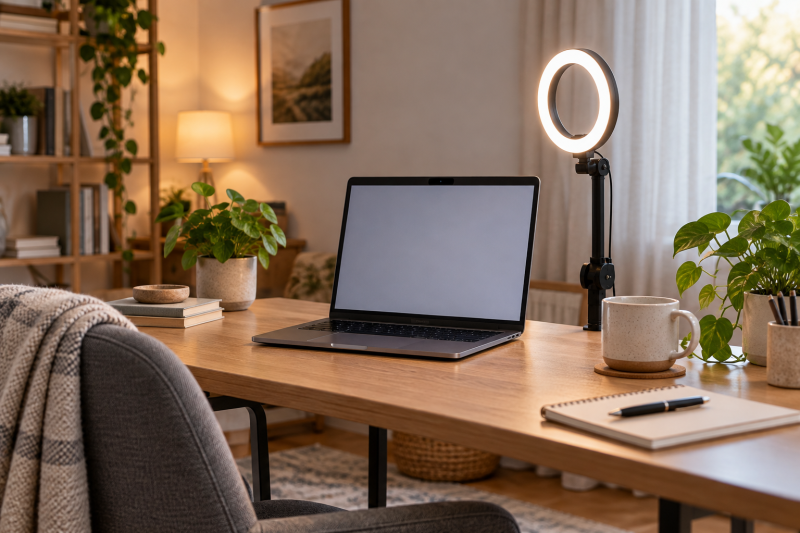
Face lighting can improve a desk video call more than another webcam setting, but a ring light is useful only if it fits the screen, desk and camera position. A clip-on light clears the work surface. A base or clamp arm lets you move the light away from a reflective screen or glasses. Choose the mount before the number of lighting modes.
These five lights cover display mounting, free-standing bases, a desk-edge arm and a portable clip/tripod combination. Features below are seller-stated. We have not measured brightness, color rendering or eye comfort. A listing’s CRI or glare claim is not proof of how the lamp will look in your room.
Set the webcam at its normal height first, then place a light slightly above or off to one side. Check a test call for reflections in glasses and glare on the display before committing to a mount.Desk Ring Lights Compared
| Image | Product | Details | Check Price |
|---|---|---|---|
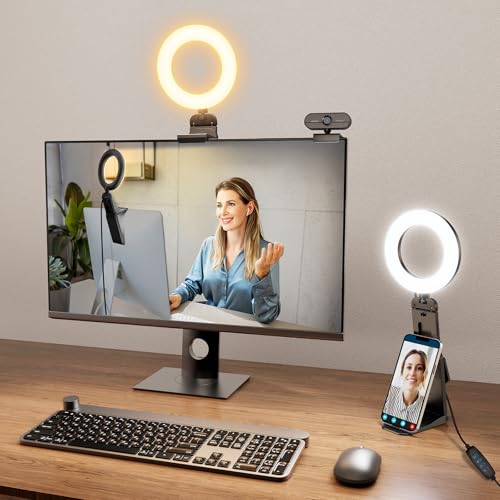 | Evershop 5-Inch Clip Light | Best fit: Laptop or monitor edge Light size: 5 in stated Mount: Adjustable display bracket Power: USB Color options: Warm, natural, white stated | Check Price on Amazon |
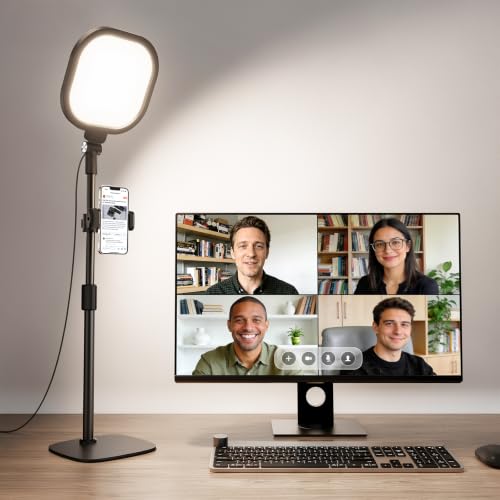 | LitONES 7-Inch Desk Light | Best fit: Freestanding desk setup Light size: 7 in stated Height: 22–32.5 in stated Mount: Metal desk base Lighting: 3 colors, 10 levels stated | Check Price on Amazon |
 | Weilisi Clamp-Arm Light | Best fit: Clear desk surface Light size: 10.2 in stated Mount: C-clamp and adjustable arm Adjustment: 360° rotation stated Position: Side or above screen | Check Price on Amazon |
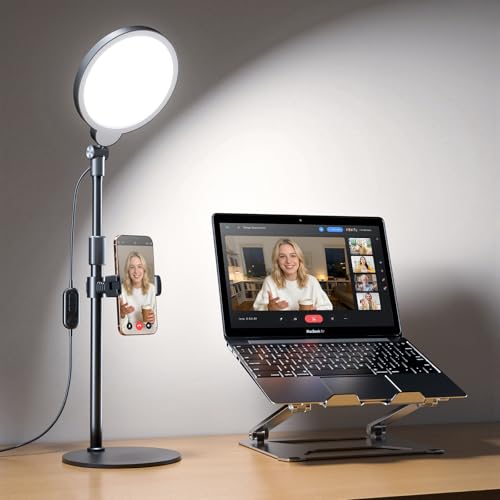 | Adjustable 30-Mode Desk Light | Best fit: Fixed monitor-side position Height: 20.5–32 in stated Mount: Non-slip desk base Lighting: 3 colors x 10 levels stated Head: 360°/180° adjustment stated | Check Price on Amazon |
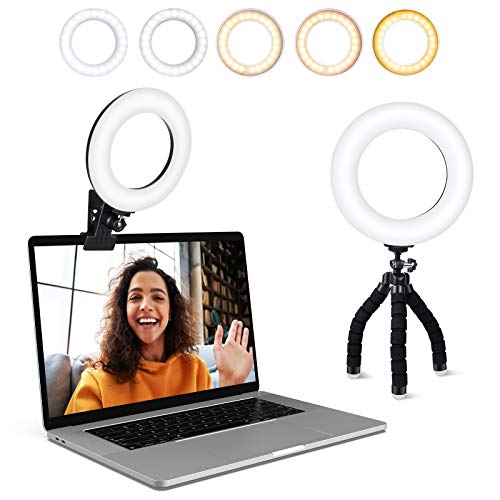 | ACMEZING Clip and Tripod Light | Best fit: Portable calls Mount: Padded clip and mini tripod Lighting: 5 color, 5 brightness levels stated Power: USB Cable: 2 m stated | Check Price on Amazon |
1. Evershop 5-Inch Clip Light — Best for Laptop and Monitor Edges
Evershop lists a 5-inch light head and an adjustable bracket that can rest at a laptop or monitor edge. The seller describes a 2-to-2.5-inch stretchable horizontal plate and a 6.5-to-8.5-inch adjustment range for the stand body. This arrangement is intended to avoid balancing a light directly on a thin screen bezel. The lamp is USB-powered and weighs about 7.1 ounces according to the listing, so it is a compact option for someone who changes desks.
Check how the bracket contacts your exact laptop lid or monitor before buying. A camera bump, curved rear housing or very narrow bezel can change the fit. The seller’s bullets conflict on the precise number of brightness settings, so compare the current controls rather than relying on a count here. The small head may be enough for a near webcam call but not for a broad tutorial scene. Keep the lamp out of the webcam frame and avoid pressure on the display panel.
A display-edge mount saves desktop space, but screen construction and camera clearance decide whether it fits safely.Our Take Pick Evershop for compact laptop or monitor calls when the bracket fits your screen. A desk-based light avoids any display contact if the bezel is delicate or crowded by the webcam.
- Compact 5-inch seller-stated head.
- USB power and portable weight stated.
- Adjustable display-edge bracket.
- Screen and webcam fit needs checking.
- Listing conflicts on brightness-setting count.
2. LitONES 7-Inch Desk Light — Best Freestanding Base
LitONES describes a 7-inch edge-lit head on a metal desk base with adjustable height from 22 to 32.5 inches. The listing states three color-temperature choices, ten brightness levels and a rotating head, along with a phone holder. A base is the useful distinction, because the light can sit behind or beside a laptop without attaching to the screen or needing a suitable clamp edge.
The base still occupies desk area, and the tall minimum height may place the lamp awkwardly if the laptop sits low. Confirm the base fits behind the screen and that the head can point toward your face without shining into the camera lens. The seller states a CRI of 97.8 and USB 5 V/2 A power, but this article does not independently verify color fidelity or output. A phone holder is only useful if its mount fits your phone and does not put it directly in front of the light.
Our Take Choose LitONES when you want a fixed, freestanding lamp and can give it desk space. Use a clip or clamp if that base would crowd the keyboard, drawing tablet or laptop stand.
- No screen or desk-edge clamping needed.
- 22-to-32.5-inch stated height range.
- Three colors and ten levels described.
- Base uses desk area.
- Minimum height may be high for a low laptop camera.
3. Weilisi Clamp-Arm Light — Best for Off-Axis Placement
Weilisi’s listing pairs a 10.2-inch light head with a C-clamp desk mount and an adjustable arm. It describes 360-degree rotation and a head that tilts up to 180 degrees. The arm is for placement. You can put the light off to one side of the webcam, lift it above a monitor or move it back for a wider tutorial frame without consuming much desktop surface.
Check the desk edge thickness and underside clearance before ordering. A clamp will not work where a drawer, cable tray or structural beam blocks the jaw. An arm also brings its own reach and wobble questions, and seller rotation claims do not establish stability at every extension. Keep the light out of the webcam frame and avoid aiming it directly at glossy displays. If you move the desk often, allow slack in the power cable and recheck the clamp after repositioning.
Our Take Pick Weilisi when an off-axis light helps avoid glasses glare or free desk space. A simple base is easier when no desk edge can accept a clamp.
- Larger 10.2-inch stated head.
- C-clamp clears the work surface.
- Rotating, tilting head described.
- Needs a compatible desk edge.
- Arm reach can conflict with a monitor or shelf.
4. Adjustable 30-Mode Desk Light — Best for Fixed Monitor-Side Position
This exact offer describes an edge-lit head on a non-slip desk base, with height adjustment from 20.5 to 32 inches. The seller says it has three color temperatures and ten brightness levels, creating 30 combinations, plus horizontal and vertical head adjustment. Compared with a screen clip, a base lets you place the lamp beside the monitor without putting weight on the bezel. Its lower stated minimum height may suit some laptop cameras better than a taller fixed-base light.
Do not confuse thirty combinations with thirty independently tested looks. How a setting looks depends on room light, camera exposure and where the head points. The listing uses broad phrases about eye comfort and color rendering. This guide does not verify those outcomes. Measure the base footprint and the available height under any shelf. If the phone or webcam stays fixed, mark the light position so tutorial recordings have consistent direction from one session to the next.
Our Take Consider this desk-base option when you want a lower adjustable starting height and a steady monitor-side position. The LitONES desk light is the alternative if its phone holder and taller range suit the workspace better.
- 20.5-to-32-inch stated height range.
- Three colors and ten brightness levels stated.
- No screen attachment needed.
- Base consumes desk space.
- Lighting quality claims remain seller-stated.
5. ACMEZING Clip and Tripod Light — Best for Portable Calls
ACMEZING lists five color-temperature steps, five brightness levels, a padded metal clip and a small flexible tripod. The two mount choices are the reason to consider it. Clip it to a suitable laptop or monitor edge for a call, then use the tripod on a table where screen mounting is unsafe. The seller describes USB power and a roughly 2-meter cable, useful when the nearest port is behind a monitor rather than on the laptop side.
Check both attachment surfaces before assuming the light works everywhere. A foam-padded clip still puts pressure on a screen edge, and a mini tripod needs a stable flat spot. The seller’s 3200-to-6500 K range describes settings, not measured color at the camera. Treat a small portable light as face fill for a close webcam, not as the sole source for a wide demonstration. Keep the cable out of chair paths when moving between rooms.
The clip-and-tripod bundle adds options only if both mounts fit the actual screens and tables you use.Our Take Choose ACMEZING for calls from changing workspaces where a display clip and mini tripod both have a role. For one permanent desk, a sturdier base or clamp arm may be simpler.
- Padded clip and mini tripod included.
- Five color and five brightness steps stated.
- USB power with long listed cable.
- Clip fit varies with screen edges.
- Mini tripod needs a stable surface.
Buying Guide
1. Choose the mount before the light head
The screen edge, desk edge and available tabletop determine which light can sit near the webcam. A clip is compact but may interfere with a thin lid, camera bump or monitor bezel. A base is easy to move yet uses desk space. A C-clamp needs underside clearance. Place a tape marker where the light would go, then verify that your screen can open, your chair can move and the power cable can reach.
Match the mount to how often the setup moves. A portable clip/tripod combination is useful for changing rooms. A clamp arm makes sense when a tutorial desk stays fixed. If you use an external 4K webcam with auto-framing, check the light placement at the camera’s widest crop as well as the usual call view. An arm or ring in frame is more distracting than slightly uneven face light.
2. Control reflections and contrast
Put the light slightly above eye level and to one side when a centered ring reflects in glasses. Turn on the laptop or monitor at typical brightness and run a test call. If the screen washes out, move the light rather than simply raising output. A lamp that claims soft illumination can still cause a bright spot on a glossy display or forehead when it is too close.
Compare the light against existing window and room light. A small ring can fill facial shadows but may not overcome a strong backlit window. Keep one color-temperature setting and camera white balance for a series of tutorials. If your desk also needs a broader source, a flat LED key light may be a better format than increasing a small ring’s brightness.
3. Check power and repeatability
Most of these exact offers describe USB power, but the connector and required supply should be checked on the current listing. The LitONES Amazon listing states 5 V/2 A, for example. Avoid assuming any spare low-power port can drive every light at its highest setting. Route the cable so it does not tug the clip or stand when the laptop moves.
For repeatable recordings, mark the height, head angle and brightness setting. A product listing’s color-rendering index is not a final video-quality guarantee, because camera exposure, white balance and compression affect what viewers see. Shoot a short test clip with the same webcam and software you will use, then keep the settings that make the face clear without washing out the background.
Frequently Asked Questions
Is a ring light better than a flat key light for video calls?
A ring light is not automatically better. A small ring is compact and easy to position near a webcam, which helps on a shared desk. A flat panel can provide a broader source and may be easier to aim off-axis. The most important factors are a mount that fits, enough output for the room and a position that avoids reflections.
If you wear glasses or have a glossy monitor, test the light in the actual call app. A centered ring can show up in the lenses, and moving it aside or using a different light shape may work better. Do not choose by light shape alone.
Can I clip one of these to a laptop screen safely?
Clip a light to a laptop screen only if the laptop maker permits the pressure and the clip fits the edge. A padded clip is gentler than bare metal but is not proof that a thin lid or bezel is a safe support. Keep the clip away from the webcam, microphones and active screen area.
If fit is uncertain, use a desk-base or tripod option. Check that the screen still opens and closes without the lamp striking the keyboard. Remove the clip before transporting a laptop so a loose light does not press on the display in a bag.
Do more brightness modes mean better lighting?
More modes do not mean better lighting, because modes are control increments, not evidence of more usable light or better color. Three temperatures multiplied by ten levels can be marketed as thirty combinations, but most people will settle on one or two repeatable settings for a fixed desk.
Use a camera preview to choose a level that separates the face from the background without blowing out highlights. If no setting looks good, change position or balance the window light. A different number of modes may not solve a mounting problem.
Will a small USB ring light work for a wide tutorial shot?
It may provide fill light close to the camera, but a wide scene or moving presenter can need a larger source or multiple lights. The 5-inch and small clip-on models are most naturally suited to a close desk webcam. Camera distance, room brightness and the tutorial framing determine whether the lamp contributes enough.
Record a short test with hands and any objects you will demonstrate. If the hands fall into shadow while the face looks bright, adjust the light angle or use an additional source instead of assuming the ring will cover the whole work area.
Bottom Line
Start with where the light can sit safely. Evershop saves desk space if its screen bracket fits. LitONES and the adjustable 30-mode light use desk bases. Weilisi moves off-axis from a desk clamp, while ACMEZING gives portable clip and tripod mounting. Once the mount is right, test the light in your actual webcam and keep a repeatable setting.