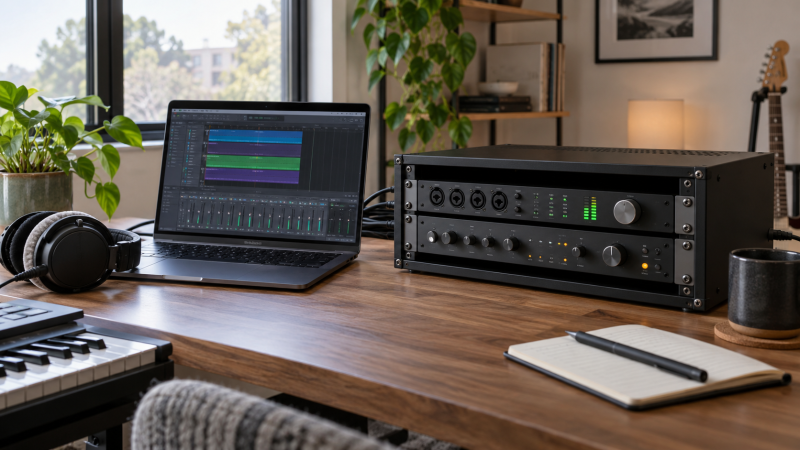
A laptop studio can grow from one audio interface into a patchbay, headphone amp, preamp and processor. With a desktop rack, those 19-inch rackmount units stay within reach without a full-height cabinet on the floor. The first decision is not wood versus metal. Count the rack units your gear needs, then check device depth plus rear plugs and cable bend against the space the rack actually provides.
These six active New options come in 4U, 6U and 8U and include open two-post frames, wood cabinets and an angled stand. A rack’s advertised outside depth is not its usable mounting depth. Two-post products also cannot be assumed to support the rear of a deep, heavy unit. Measure the exact gear and desk before choosing a shape or finish.
List each rackmount device’s U height, chassis depth, rear-connector clearance and weight. Leave room for ventilation and cables. If a listing gives only external dimensions, ask for the front-rail-to-rear-clearance measurement before buying.Desktop Audio Racks Compared
| Image | Product | Details | Check Price |
|---|---|---|---|
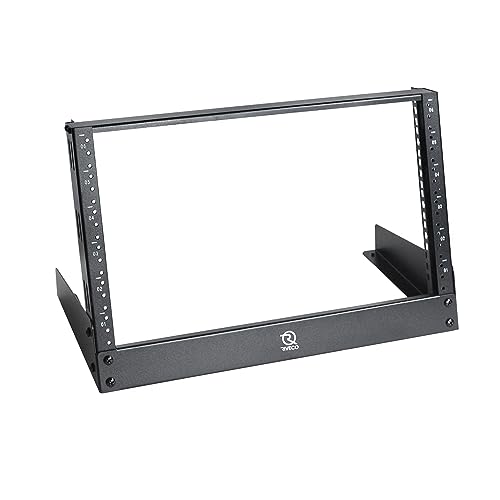 | RIVECO 6U Open Frame | Rack space: 6U Frame: Two-post open Depth: Verify gear clearance Best fit: Accessible small rack | Check Price on Amazon |
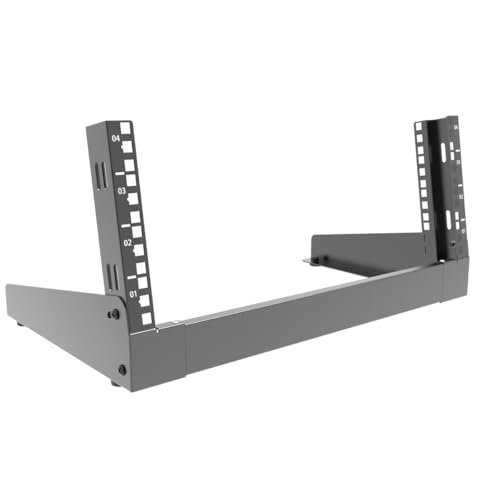 | JINGCHENGMEI 4U | Rack space: 4U Frame: Folding steel External depth: 11.6 in Best fit: Compact portable rack | Check Price on Amazon |
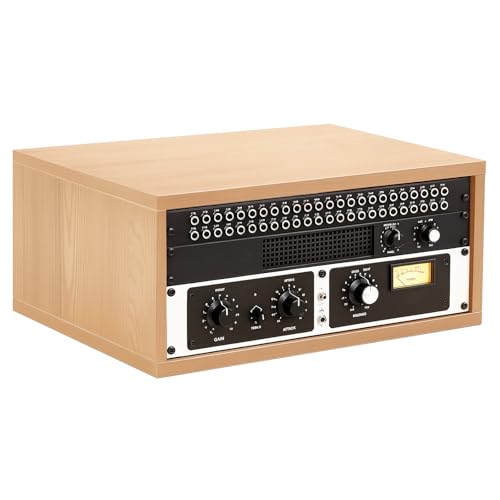 | AceOrbit 4U Wood | Rack space: 4U Frame: Wood cabinet Inner depth: 13.5 in Best fit: Enclosed wood look | Check Price on Amazon |
 | Gator Elite 4U Black | Rack space: 4U Frame: Plywood cabinet Rail-to-rear lip: 12.75 in Best fit: Compact studio furniture | Check Price on Amazon |
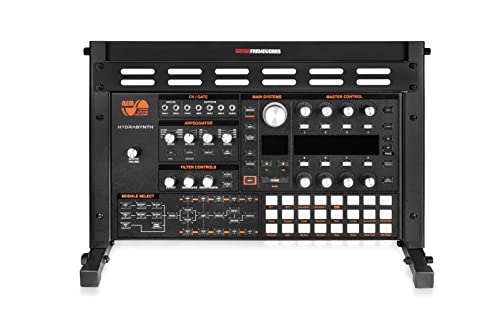 | Gator Angled 6U | Rack space: 6U Frame: Angled folding metal Seller load: 75 lb Best fit: Front-panel access | Check Price on Amazon |
 | Tecmojo 8U Open Frame | Rack space: 8U Frame: Two-post open Seller load: 143 lb Best fit: More rack space | Check Price on Amazon |
1. RIVECO 6U Open Frame — Best Accessible Small Rack
RIVECO’s exact offer is a 6U, 19-inch two-post desktop rack. Its open frame leaves the sides and back accessible, which helps when a patchbay or interface has many rear connections. A horizontal reinforcement beam is listed across the posts, and rack screws and cage nuts are included. The open design makes cabling easier to see, but it offers no enclosed surface that would keep dust or a curious hand away from the equipment.
The listing does not establish a directly comparable usable depth for this exact frame. Check the depth of each chassis, plug protrusion and power cable bend. A deep or heavy rackmount unit may need rear support that a two-post tabletop frame does not provide. Make sure its base sits fully on the desk and leaves room to reach rear ports without pushing the rack off the edge.
Our Take Choose RIVECO when you need six rack units and easy cable access, provided each device’s depth and support needs are confirmed. An extra crossbar is not a substitute for checking heavy gear.
- Six units in an open desktop frame.
- Rear connections remain accessible.
- Mounting hardware is listed.
- Usable depth needs verification.
- Deep gear may need more than two-post support.
2. JINGCHENGMEI 4U — Best Folding Compact Frame
JINGCHENGMEI describes a 4U folding steel frame with listed outside dimensions of 19.8 inches wide by 11.6 inches deep. The seller claims a 50-pound capacity and includes 16 M6 screws. It folds flat when empty, which can help a portable or frequently rearranged laptop setup. Once it is loaded with cabling, the frame is no longer simple to fold and store without first removing equipment.
The 11.6-inch figure is external depth, not proof that an 11.6-inch chassis plus connectors will fit. Check the rail position and clear rear space. Four U may hold an interface, a patchbay and one slim processor, but count the actual units in your inventory rather than using that example as a template. Rubber feet are listed to protect a tabletop, but still verify that the whole frame sits on a stable surface.
Our Take Pick this compact foldable option for a measured four-unit setup. Do not buy from its outer depth alone, especially if a power connector protrudes behind the rack gear.
- Four-unit format for a small rig.
- Folds flat when unloaded.
- M6 screws and rubber feet listed.
- External depth does not prove gear clearance.
- Two-post support needs load checking.
3. AceOrbit 4U Wood — Best Stated Inner Depth
AceOrbit’s 4U wood cabinet is made from 18 mm plywood, according to the seller, and lists 13.5 inches of inner depth. That depth statement is more useful than a generic outside dimension, but it still needs interpretation. Confirm where the front rail sits, where the rear panel or lip begins, and whether a connector can bend without force. Assembly guidance and mounting accessories are listed for the exact offer.
Wood sides give the cabinet a different look beside a laptop and can shield the sides of gear from casual contact. They do not establish protection from dust, shocks or heat. Those three protection claims come from the seller and are untested here. Allow room for ventilation around warm equipment and avoid sealing rear exhaust ports. The cabinet can be placed on a desktop or another suitable surface, but the combined rack and equipment weight must be safe for that furniture.
Our Take Choose AceOrbit if a four-unit wood cabinet fits the room and its stated inner depth clears the full installed gear path. Measure plugs as well as chassis before deciding.
- 13.5-inch inner depth stated.
- Four-unit wood enclosure.
- Mounting accessories listed.
- Rear plug clearance still needs confirmation.
- Cabinet ventilation needs attention.
4. Gator Elite 4U Black — Best Furniture-Style Compact Rack
The Gator Frameworks Elite black offer is a 4U desktop cabinet made from one-inch plywood, according to the seller. Gator gives a useful measurement of 12.75 inches from the front rail to the rear lip. The measurement is not permission to fill the entire depth with metal chassis, because power cords and audio connectors may extend behind it. Check the complete installed depth of the longest unit, especially a processor with straight plugs.
Nonslip feet are listed for tabletop placement. A compact four-unit wood frame can keep frequently used controls beside the laptop without the visual bulk of an open 8U rack. It still needs a desk strong enough for the rack and loaded equipment, and ventilation clearance around warm units. If equipment needs rear rails or shelves, do not assume this wood cabinet provides them unless the exact offer says so.
Our Take Pick this Gator cabinet for a small four-unit stack when the rail-to-rear-lip dimension works with every cable. The stated depth is a planning figure, not a replacement for a test fit.
- Rail-to-rear-lip depth stated.
- Thick plywood construction listed.
- Nonslip feet for desktop placement.
- Only four rack units.
- Plugs reduce effective rear clearance.
5. Gator Angled 6U — Best Front-Panel Access
This separate Gator offer is an angled 6U metal stand, not a black-finish variant of the Elite cabinet above. Tilting the front rails makes knobs and patch points easier to see from the chair when the rack sits to one side of a laptop. The seller lists a 75-pound capacity, top and bottom crossbars, rubber feet and a fold-flat design. Confirm how the angle affects the desk footprint and cable path behind the gear.
An angled frame can put an upper device closer to your reach while moving its rear panel farther across the desk. Check the deepest chassis and plugs at the exact mounting position. The seller describes easy storage, but you would ordinarily remove equipment before folding a loaded rack. Six U can fill quickly if power distribution or a vent panel is part of the plan. Leave enough room around hot gear rather than filling every slot without airflow.
Our Take Choose this angled stand when access to front-panel controls is the main constraint. Its six-unit capacity and load figure do not establish usable depth for your specific devices.
- Angled rails improve panel visibility.
- Six-unit capacity.
- Fold-flat frame and rubber feet listed.
- Angle changes desk and cable clearances.
- Usable gear depth is not established here.
6. Tecmojo 8U Open Frame — Best Room to Grow
Tecmojo’s exact offer is an 8U, 19-inch, two-post open-frame rack for desktop or other stable placement. The seller lists 143 pounds of capacity, U-height marks, cage nuts and screws. Eight U gives more room for a growing outboard chain than any other item in this comparison. It also makes a taller and potentially heavier stack, so check desk strength, rack stability and access to the back before committing to a full load.
The listing describes a steel frame and broad access around the sides. It does not supply a directly comparable usable depth here. A two-post rack can mount compatible gear, but deep, heavy units may require rear support or a shelf. Ask the device maker and rack seller rather than relying on the frame’s overall capacity number. Keep a power strip and cable loops from adding unsupported pull at the rear.
Our Take Pick Tecmojo if your measured gear plan needs more than six U and the desk can support the loaded frame. Do not confuse a high load claim for the frame with support for every deep chassis.
- Eight rack units for expansion.
- U markings and hardware listed.
- Open sides ease cable access.
- Taller stack needs more desk strength.
- Deep gear may require rear support.
Buying Guide: Count Units, Then Measure Depth
Make a rack-unit plan before choosing a frame
Write down each device’s rack-unit height and leave space for any needed vent panel, shelf or power unit. Four U may suit a modest interface-and-patchbay setup, while six or eight U gives more expansion room. Count the actual front-panel U markings, not the number of boxes or cables. Do not pay for eight U if a tall desktop frame would block a display or make rear access awkward.
Make the plan from the gear you own or are buying, not from an empty rack photo. Our audio-interface routing guide covers a separate equipment decision, not the rack around it. Leave margin if you expect one more processor, but avoid loading a desk with unsupported future devices. A rack should organize the signal chain, not create a new obstacle beside the laptop.
Measure chassis, rear plugs and support
The key depth is front rail to usable rear clearance after allowing for straight XLR, power and network plugs. A rack’s outside depth can be larger than its usable mounting path. AceOrbit lists 13.5 inches of inner depth and Gator Elite lists 12.75 inches to a rear lip, and the two figures are not identical measurements. Confirm exactly where a rail mounts and where connectors can turn before comparing them directly.
A two-post open frame leaves the back accessible, but a long, heavy unit may need a shelf or rear support. The frame’s total load rating is not the same as permission to hang every device from its front ears. Consult the gear manufacturer’s mounting guidance. Keep the frame fully supported on the desk, use the correct screws or cage nuts and avoid yanking on rear cables during laptop moves.
Keep heat, cabling and desk safety in view
Leave ventilation clearance for warm processors, power supplies and interfaces. A wood cabinet can look tidy while hiding heat buildup. An open rack gives easier access but leaves cabling and controls exposed. Route power and signal lines without sharp bends, keep strain off connectors and label paths that will need unplugging. If the rack must sit near a keyboard, check that the side panels or feet do not consume the intended work surface.
For a chain with multiple outputs, the balanced TRS cable guide covers cabling from the interface to the monitors, not rack selection. Choose cable lengths only after the rack and monitor positions are set. Check the desk’s capacity for the combined rack and equipment, and secure a tall or heavy frame where a pet, child or chair movement cannot tip it.
Frequently Asked Questions
Does a 19-inch rack fit every 19-inch audio device?
Not automatically. Nineteen inches describes the rackmount face, but devices differ in chassis depth, front-ear layout, rear connectors and weight. A four-U frame may have enough vertical space and still be too shallow for a preamp with straight power and XLR plugs. A two-post rack may also lack the support a deep device requires.
Measure the installed path from front rail to the nearest obstruction, including cable bends. Check the device maker’s rack-mount instructions and the rack’s hardware type before buying. If the seller supplies only outside dimensions, ask for usable depth rather than assuming the entire frame is available.
Is an angled rack better beside a laptop?
It can be if you frequently reach front-panel controls from a seated position. The Gator angled 6U points panels toward the operator, while a vertical open frame can put upper units higher. Neither orientation improves audio by itself. The angle also changes how far chassis and rear plugs extend across the desk.
Test the location with the deepest device and its cables. Leave space for the laptop lid, display stand and your hands at the keyboard. A compact four-U cabinet may be a better fit if the rack is mostly for fixed connections rather than daily knob adjustments.
Source boundary: Product identities, U counts, materials, stated dimensions, hardware and capacities come from six exact Amazon US listings checked for active New offers. Seller claims about stability, dust, shock or sound were not independently tested. The featured image is illustrative, not a listed product. Confirm usable depth and mounting support before buying.