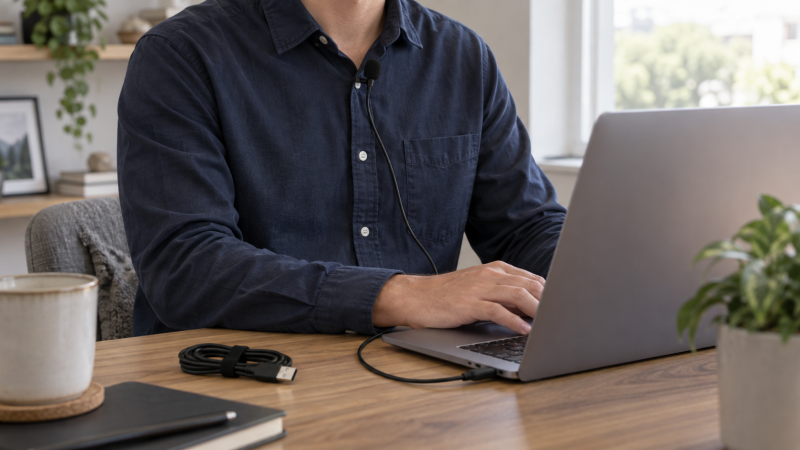
A wired USB lavalier keeps the microphone on your clothing while the laptop records the voice. That arrangement can free the desk of a stand and let you turn toward notes or a screen without leaving the mic far behind. It is useful for tutorial narration, a seated interview or an online lesson, but the cable and connector still limit where you can move. A wireless transmitter kit solves a different problem and is not part of this list.
These six New-offer models differ more in USB-A versus USB-C, cable reach, pickup pattern and monitoring than in claims about studio sound. Clip the capsule a few inches from the mouth, route the cable so it does not rub against clothing, and confirm the recording app actually selected the USB mic rather than the laptop’s internal microphone. No sample-rate number can compensate for a badly placed clip.
Before choosing a long cord, check the laptop’s input port and where the cable will run. A 20-foot cord helps a presenter stand away from the laptop. It can also cross a walkway unless it is routed safely.Wired USB Lavalier Microphones Compared
| Image | Product | Details | Check Price |
|---|---|---|---|
 | Movo M1 | Plug: USB computer Cable: 20 ft Pickup: Omni Best fit: Standing narration | Check Price on Amazon |
 | Sennheiser XS Lav USB-C | Plug: USB-C Cable: 2 m / 6.6 ft Pickup: Omni Best fit: Native USB-C desk | Check Price on Amazon |
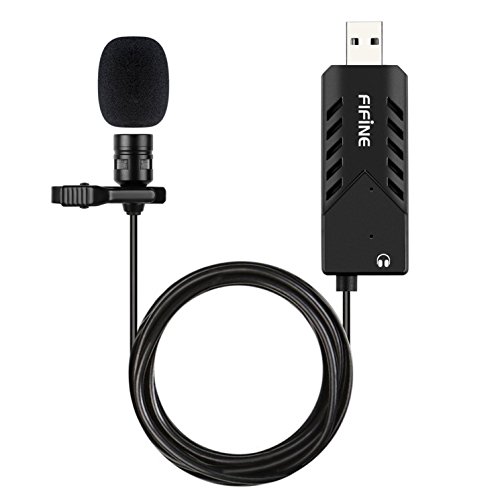 | FIFINE K053 | Plug: USB computer Cable: 2 m / 6.56 ft Pickup: Cardioid Best fit: Listed headphone out | Check Price on Amazon |
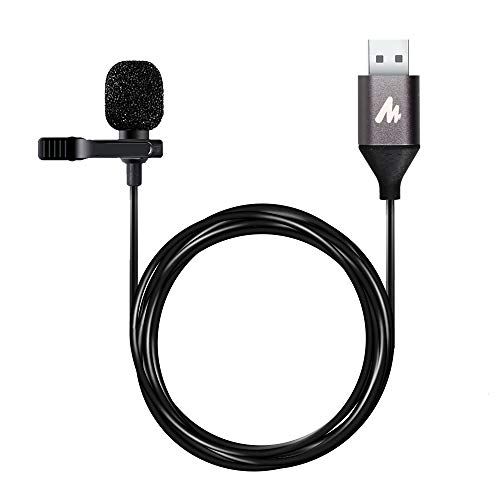 | MAONO UL10 | Plug: USB 2.0 computer Cable: 78 in Pickup: Not stated Best fit: Format-focused setup | Check Price on Amazon |
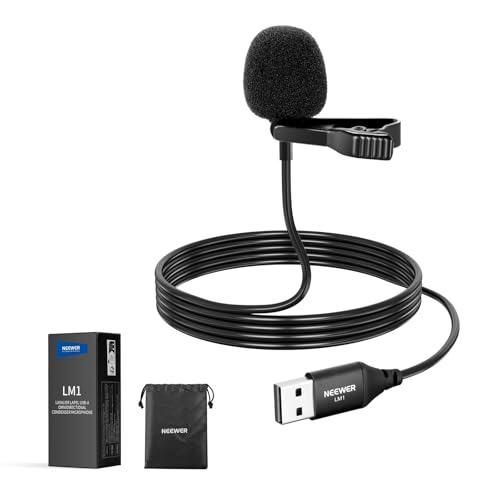 | NEEWER LM1 | Plug: USB-A Cable: 2 m / 6.6 ft Pickup: Omni Best fit: Removable clip | Check Price on Amazon |
 | MillSO USB | Plug: USB-A Cable: 1.5 m / 4.9 ft Pickup: Omni Best fit: Close laptop seat | Check Price on Amazon |
1. Movo M1 — Best 20-Foot Presentation Reach
Movo’s M1 is a clip-on omnidirectional USB microphone with a listed 20-foot cable. That cable is its main advantage for a teacher or narrator who stands by a board or demonstrates equipment while the laptop stays on a desk. The returned listing says it plugs directly into a computer without separate drivers, software or an audio interface. It names laptop, PC and Mac use, and includes an aluminum lapel clip plus two foam windscreens.
The long cable should not be mistaken for a guarantee that the recording stays clean while you move. Clothing rustle and cable contact can still reach the capsule. Route slack behind the shirt or jacket and leave enough movement without a tight pull. Omnidirectional pickup can be forgiving if your head turns, but it can also hear the room. Record a few lines from your normal standing position, then listen for floor noise and laptop fan sound.
Our Take M1 is the practical pick when the laptop must remain several steps from a standing narrator. If you will sit beside the computer, its extra cable may be more clutter than help.
- 20-foot cord supports movement away from the desk.
- Clip and two foam windscreens listed.
- Direct USB computer route.
- Long cord needs safe routing.
- Omnidirectional capsule can hear room noise.
2. Sennheiser XS Lav USB-C — Best Direct USB-C Connection
The XS Lav USB-C is a 2 m (6.6-foot) wired omnidirectional lavalier with a USB-C connection. Sennheiser’s returned listing positions it for content creation and video conferencing and names a mic clip, windscreen and storage pouch. It is a straightforward package for a laptop with a compatible USB-C audio input, without an external interface or a separate analog 3.5mm microphone jack.
USB-C describes the plug shape, not universal microphone support. Verify that the laptop or mobile device accepts USB-C digital audio input and that the intended recording app selects this mic. The 2 m lead should reach a seated narrator, but measure the route from collar to the actual laptop port, including any cable path behind furniture. An omnidirectional capsule may keep your voice relatively steady when you turn toward a script, yet it still captures nearby noise.
Our Take Choose XS Lav USB-C when the device has a supported USB-C audio path and a 2 m cable is enough. Its accessory kit is tidy, but check device support before buying on connector shape alone.
- Direct USB-C connection listed.
- 2 m cable for a seated setup.
- Clip, windscreen and pouch included.
- USB-C port alone does not prove audio-input support.
- Shorter movement range than a 20-foot cord.
3. FIFINE K053 — Best Listed Headphone Output
FIFINE’s K053 is a cardioid clip-on USB microphone with a listed 3.5mm stereo audio-out port on its USB interface. That separate output can help when the recording or meeting setup needs headphones connected near the mic’s USB adapter. The listing says the capsule works with PC and Mac, supplies a metal clip and windscreen, and gives the cable as 2 m (6.56 feet). Its returned bullets explicitly exclude Xbox and phones.
Do not assume the 3.5mm port proves zero-latency sidetone monitoring. The seller describes an output for headphones, headset or speakers from the USB interface. Confirm in the intended app whether you hear live microphone audio, computer playback or both. Its cardioid pattern favors sound from one direction, so clip orientation is more important than with the omni options. Speak while turning and looking at notes to see whether levels change.
Our Take K053 is the more relevant pick when a lavalier that is compatible with your computer and has a listed headphone output solves a desk problem. Test what that port actually monitors before planning a live session around it.
- 3.5mm output on USB interface listed.
- Cardioid capsule for one speaker.
- 2 m cord with clip and windscreen.
- Live sidetone behavior is not established.
- Phones and Xbox excluded by listing.
- Cardioid orientation needs checking.
4. MAONO UL10 — Best Stated Recording Format
MAONO advertises the UL10 with a 192 kHz/24-bit supported format, a mini metal clip and a USB plug for compatible Windows and Mac computers. The package is listed with a 78-inch cable and foam windscreen. The format and cable length are concrete differences from a longer presentation lead or the Sennheiser USB-C connection. A format capability can be useful when it matches a recording application, but it does not independently measure microphone self-noise, room echo or the quality of a spoken narration.
The returned compatibility bullets mention USB 2.0-enabled devices, but they do not establish every operating-system build or recording program. The relatively short cable is suited to a seated narrator whose laptop is close enough to avoid tension at the clip. Before choosing a higher sample rate, set the app to a format it supports reliably and compare a short voice recording through headphones. Capsule placement and gain will be more audible than chasing a large number on the listing.
Our Take UL10 fits a close laptop setup where its stated recording format and compact clip are useful. Buy it for a compatible USB path and physical fit, not an untested promise of superior voice quality.
- 192 kHz/24-bit support stated.
- Metal clip and foam windscreen listed.
- Direct USB computer setup.
- 78-inch lead limits standing distance.
- Format number does not prove acoustic performance.
5. NEEWER LM1 — Best Removable Clip Flexibility
NEEWER’s LM1 is a USB-A omnidirectional lavalier with a 6.6-foot (2 m) cord. Its returned bullets say no extra audio driver is required for compatible USB 2.0 Mac and Windows computers, though the input device may need manual selection. The removable collar clip lets you attach it to clothing or use the small mic in a different close position. The removable clip is a practical distinction for a narrator who alternates between sitting and demonstrating objects beside the laptop.
The listing’s 360-degree pickup description means the capsule accepts sound from around it. Omnidirectional pickup does not make a tabletop placement equivalent to a lavalier near the mouth. If you remove the clip, put the mic close enough to the speaker while keeping it off a noisy keyboard or desk surface. Its USB-A plug also calls for care on USB-C-only laptops. Use a verified data-capable adapter rather than assuming any charging dongle will carry audio.
Our Take LM1 is a useful standard USB-A pick when a removable clip and 2 m reach match the setup. Keep the capsule close to the voice even if you use it off-collar.
- Removable clip offers alternate close placement.
- 6.6-foot cable listed.
- USB-A computer route with no added driver stated.
- USB-C-only laptops need a suitable adapter.
- Input may require manual app or OS selection.
- Omni pickup can retain room noise.
6. MillSO USB — Best Close Laptop Seat
MillSO lists a 4.9-foot (1.5 m) cable and a compact USB-A plug for a laptop or PC. The seller describes an omnidirectional capsule that can be clipped to clothing, held, or placed on a desktop. It advises keeping the mic within 30 cm of the speaker for clearer capture. The distance guidance is more useful for a seated narration plan than a generic claim that the microphone collects sound equally from every direction.
There is no inline mute button in the returned listing. Use the operating system or recording app to mute it. MillSO says the mic is bus-powered and needs no battery or driver on a supported USB-A computer. Its short cable may not reach comfortably if the laptop sits across a wide desk or on a raised stand. Measure the actual collar-to-port route rather than the straight-line distance, and avoid pulling the mic toward the keyboard just to make the cable reach.
Our Take MillSO is a compact seated choice when a USB-A port is close, 1.5 m reaches without tension and app mute is acceptable. For standing narration, choose a longer cord.
- Compact USB-A connection.
- 30 cm placement guidance is explicit.
- Bus-powered without separate battery.
- Only 1.5 m of cable listed.
- No inline mute button.
- Desk placement may pick up contact noise.
Buying Guide: Put the Lav Where the Voice Is
Choose the connector before the microphone pattern
First identify whether the laptop has a usable USB-A or USB-C data port near the narrator. The XS Lav USB-C has the native USB-C route in this list. The others state USB-A or a standard USB computer path. A physical plug fit is not proof that a device or adapter carries digital microphone audio. Select the mic in the system input menu and confirm the recording meter responds to a finger tap near the capsule.
If the laptop has no suitable port, a data-capable adapter may work, but test the complete chain before a long recording. The USB microphone is its own digital input and does not need a separate analog audio interface for the USB path. If you already use a dedicated podcasting audio interface, check whether its XLR or analog mic workflow is preferable to adding a second USB device. Do not assume the two inputs combine automatically in one app.
Measure cable length along the route you will use
The 20-foot Movo M1 is aimed at a standing presenter. The other five have leads around 1.5 to 2 m or 78 inches. Measure from the laptop port around the desk edge and behind clothing to the actual clip location. Leave slack for sitting up, turning and reaching notes. A cable that just barely reaches in a still photo can tug the capsule out of position during a spoken take.
For a long run, keep the cable away from chair wheels and walking paths and check whether it rubs a zipper or shirt. Wired reliability does not eliminate contact noise. Record with the narrator moving the way they normally will. A longer cord expands the usable area but does not make the capsule wireless. Any tug, snag or desk impact can enter the recording or unplug the USB connection.
Match pickup, monitoring and mute to the session
The FIFINE K053 lists a cardioid capsule, while Movo, Sennheiser, NEEWER and MillSO list omni pickup. Cardioid can favor one speaking direction, so its position on clothing is important. Omni can stay more even during head turns but may admit more nearby room sound. Cardioid and omni are pickup descriptions, not measured noise-rejection results for your room.
If you need live feedback, distinguish a headphone output from proven sidetone monitoring. FIFINE lists a 3.5mm output, but the returned bullets do not establish exact live-monitor latency or routing. MillSO explicitly lacks inline mute. For the others, do not infer a hardware mute from silence in the listing. Test the app’s mute and meter, then record a short sentence while monitoring the file rather than trusting a status light alone.
Frequently Asked Questions
Does a USB lavalier need an audio interface?
No separate interface is needed for the USB digital path described by these six products. Plug the supported connector into the laptop, then choose the USB mic as the input in the operating system and recording application. The laptop’s built-in mic may stay selected unless you change it.
Having a USB plug does not mean every USB port, adapter or phone accepts every microphone. Check device support, and make a short test file before recording a long narration. A separate interface is relevant if you instead choose an analog or XLR mic workflow, not as a required box for these USB lavaliers.
Will a higher sample rate make narration sound better?
MAONO lists 192 kHz/24-bit support, but that format number does not establish quieter electronics, better capsule placement or a less echoey room. A format must also be supported by the recording application and the complete device chain. For spoken content, a clipped mic close to the mouth and sensible input level are more important first checks.
Listen to a short recorded passage through headphones and compare it with the app’s meter. If the voice is distorted, distant or full of clothing rustle, fix gain and placement before changing the file format. Keep an unprocessed copy if you plan to edit noise or loudness later.
Can I use the same USB lavalier for calls and recorded tutorials?
Often, if the laptop and each application support the microphone, but input selection is app-specific. A meeting app can use the USB mic while a video recorder still uses the internal laptop microphone. Check each app’s audio settings separately, and record a few seconds in the tutorial software before a full session.
For calls, also choose an output device so remote voices play through headphones or speakers without feeding back into the microphone. FIFINE’s listed output may be convenient, but confirm its behavior in the actual app. The USB lavalier captures your voice and is not a complete speakerphone. For several people around a table, see our USB boundary microphone guide.
Source boundary: Product identities, cable lengths, connections and listed features come from the six exact Amazon US listings. We did not record with these microphones or measure sound quality, pickup rejection, latency or compatibility with a particular laptop. Confirm the current offer and test the complete recording path before relying on it.