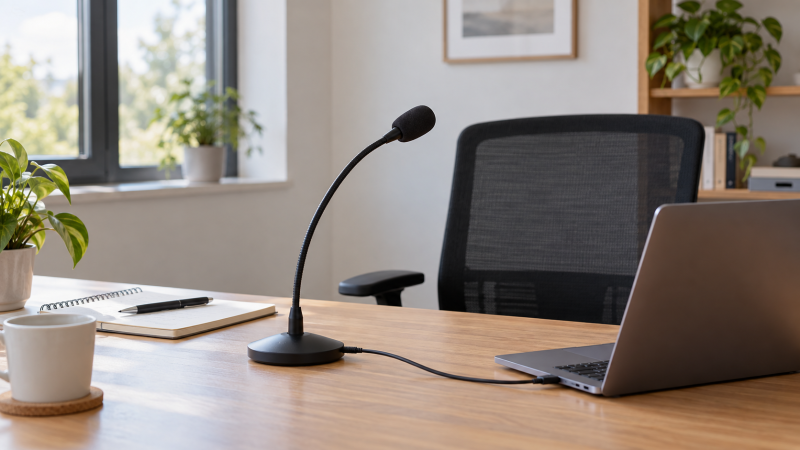
A fixed desk or lectern gives a microphone one advantage. The speaker’s mouth has a repeatable location. A USB gooseneck mic lets you bend the capsule toward that position while keeping a stable base or direct computer connection. It is better matched to one person speaking from one spot than to a group scattered around a table. The laptop sees a USB audio input, and no separate audio interface is needed for the USB path listed here.
These six New-offer picks range from a tiny mic that plugs straight into a USB-A port to 18-inch cardioid goosenecks for a podium or deep desk. Mute controls, monitoring, cable length and USB connector type differ. An adjustable neck can improve placement, but a seller’s noise-cancellation promise will not remove every keyboard click or echo if the capsule is far from the speaker.
Before choosing by neck length, measure from the mounting point to the speaker’s normal mouth position. Place the mic close enough for clear speech without blocking the screen or camera, then record a short sample in the actual application.USB Gooseneck Microphones Compared
| Image | Product | Details | Check Price |
|---|---|---|---|
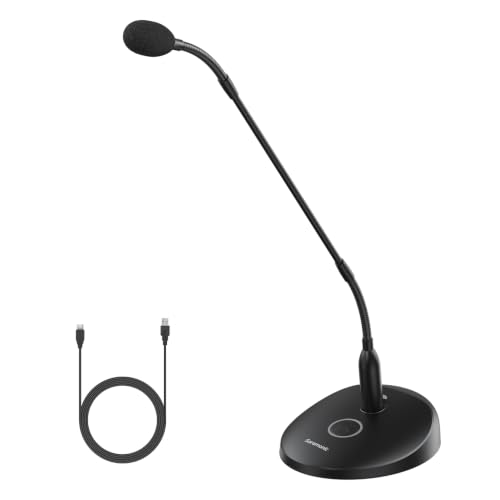 | Saramonic GM18CU | Neck: 18 in Pickup: Cardioid Control: On/off + headphone Best fit: USB-C podium | Check Price on Amazon |
 | Movo GM-7 | Neck: 18 in Pickup: Cardioid Control: Gain/mute/headphone volume Best fit: Dictation base controls | Check Price on Amazon |
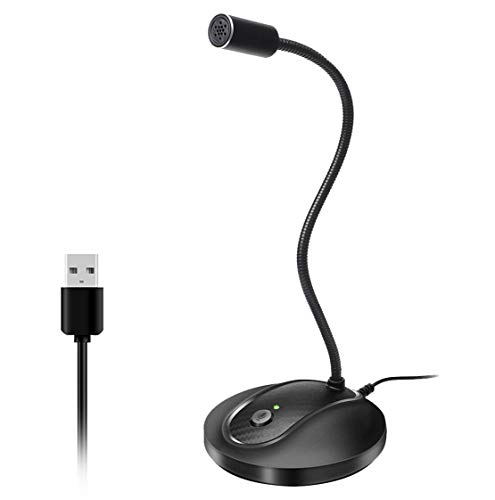 | JOUNIVO USB | Neck: Adjustable Pickup: Omni Control: Mute + LED Best fit: Simple fixed desk | Check Price on Amazon |
 | CMTECK G009 | Neck: Adjustable Pickup: Omni Control: Mute + LED Best fit: Compact pop-filter desk | Check Price on Amazon |
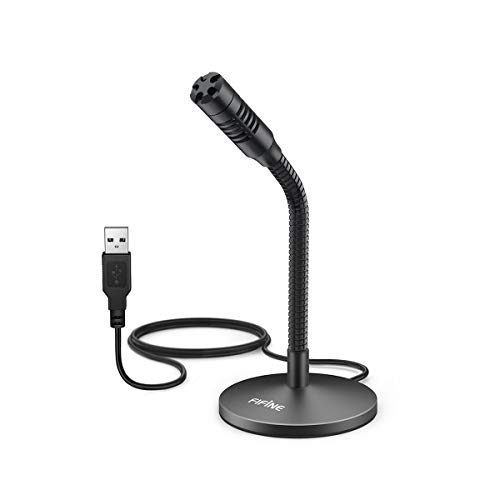 | FIFINE K050 | Neck: 5.7 in Pickup: Not stated Control: App mute Best fit: Short-neck desk | Check Price on Amazon |
 | MillSO Mini | Neck: Mini/direct plug Pickup: Omni Control: No inline mute Best fit: USB-A laptop port | Check Price on Amazon |
1. Saramonic GM18CU — Best USB-C Podium Control
Saramonic’s GM18CU is a directional cardioid condenser mic with an 18-inch bi-fold gooseneck and an included USB microphone base. That length fits a lectern or fixed presentation desk where the mic must rise from below the speaker’s mouth. The seller lists USB-C digital audio for computers and mobile devices. It also describes the neck mounting directly to an XLR connector, but the USB base is the clearly documented route for this laptop-focused guide. Do not treat the loose neck as a USB device by itself.
A single on/off button with LED provides visible control, while the base offers a headphone output for real-time monitoring and playback according to the listing. Monitoring is useful when rehearsing a speech or checking whether a lectern fan reaches the mic. The listing’s 360-degree positioning refers to where the gooseneck can point, not a 360-degree omnidirectional pickup pattern. Aim the cardioid capsule toward the speaker and away from nearby noise.
Our Take Choose GM18CU when an 18-inch directional neck, USB-C, visible control and a monitoring jack suit a lectern setup. Confirm the base and headphones fit your desk before buying.
- 18-inch directional gooseneck.
- USB-C base and headphone output.
- On/off button with status LED.
- Base takes more room than a mini USB plug.
- Loose XLR-mounted neck is not a USB input alone.
- Directional capsule needs deliberate aiming.
2. Movo GM-7 — Best Base Controls for Dictation
Movo’s GM-7 is another 18-inch cardioid gooseneck, positioned for dictation, lecterns and a fixed desktop speaker. Its listing names a foam pop filter and a weighted base with gain, mute and headphone-volume controls. The controls are useful if a voice-typing or presentation setup changes between quiet and loud speakers, though the exact effect should be checked in a recording rather than assumed from knob markings.
The seller says the USB audio interface is built in, with no separate driver or batteries, and lists 24-bit recording. The recording format claim does not measure word-recognition accuracy or echo rejection. Movo also mentions adjustable RGB lights, which are peripheral to the purchase decision and may be distracting on a lectern. The decisive question is whether the base and long neck place the capsule near the speaker without crowding notes or keyboard.
Our Take GM-7 fits a fixed dictation or podium station where gain and mute controls on the base are more valuable than the smallest footprint. Test the actual speech app before relying on format numbers.
- 18-inch cardioid neck.
- Gain, mute and headphone-volume controls.
- USB input without separate interface.
- Large base for a cramped desk.
- Lighting may not suit a formal lectern.
- 24-bit claim does not prove clearer speech.
3. JOUNIVO USB — Best Simple Desk Mute
JOUNIVO’s listing describes an omnidirectional condenser mic on a position-adjustable gooseneck with a compact stand. It has a six-foot USB cable, a one-click mute button and a working-status LED. The button and LED suit a single fixed desk where the speaker wants a simple physical control without reaching for the meeting application’s toolbar. The USB listing names Windows and macOS computer use and specifically excludes Xbox, Raspberry Pi and Android.
The gooseneck can rotate, but that mechanical 360-degree adjustability is separate from the pickup pattern. Omnidirectional means it can also hear surrounding keyboard taps or colleagues if the capsule is not placed near the main speaker. The seller claims noise cancellation, but the claim does not establish performance in your room. Put the base where the neck can reach the normal mouth position without resting against the laptop or monitor.
Our Take JOUNIVO is a straightforward mute-equipped desk mic for one speaker. Its physical control is useful, but placement counts for more than a broad noise-suppression claim.
- Physical mute button and LED.
- Six-foot USB cable listed.
- Adjustable compact gooseneck.
- Omni pattern can hear the desk around it.
- Android/Raspberry Pi excluded.
- Noise reduction is unmeasured.
4. CMTECK G009 — Best Pop-Filter Desk Pick
The CMTECK G009 is a small omnidirectional USB gooseneck with a stable base, a mute button and a color-changing LED. The listing says green indicates connection and red indicates mute. The colors make it easier to see whether the desk mic is live during a call or dictation session. The seller also describes a pop filter intended to reduce plosive bursts, which is a concrete physical feature distinct from its broader language about cancelling background noise.
CMTECK lists Windows 7/8/10, macOS and PS4 use, while excluding Raspberry Pi, Linux and Android. The returned bullets do not establish current Windows 11 support for this exact G009 offer. Its gooseneck may help point the capsule near one speaker, but the omnidirectional pattern can still capture ambient room sound. Record a normal spoken paragraph in the intended app with the mic’s mute on and off before trusting the status light alone.
Our Take Pick G009 when a visible mute state and a compact desk base are priorities. Confirm the actual operating system and speech application because the listing’s compatibility matrix is limited.
- Mute button and red/green LED states.
- Pop filter listed.
- Compact adjustable base.
- Windows 11 not established by returned bullets.
- Linux/Android excluded.
- Omni pickup can retain room noise.
5. FIFINE K050 — Best Short-Neck Desk Reach
FIFINE’s K050 has a 5.7-inch flexible neck on a small metal base and a listed 6.56-foot USB cable. The short neck is a different fit from the 18-inch Movo and Saramonic microphones. It suits a desk where the base can sit close to the speaker, not a deep lectern where the capsule must reach up from below. The seller includes a windscreen and describes a non-slip pad so the base stays put while the gooseneck is adjusted.
The returned listing says plug-and-play computer use for dictation, chat and voice recording, and expressly excludes Xbox and phones. It does not state a mute button in the returned features, so expect to use the operating system or app mute. A windscreen may reduce breath bursts, but it does not silence room noise. Measure the distance from the base to your mouth before buying because an extra-long USB cable does not make the short neck taller.
Our Take K050 is a compact option when the mic can sit near the speaker. Choose it for physical fit and cable reach, not an assumed hardware mute.
- 5.7-inch adjustable neck.
- 6.56-foot USB cable.
- Small metal base with windscreen.
- Short neck cannot span a deep lectern.
- No mute button stated.
- Phones and Xbox excluded.
6. MillSO Mini — Best No-Base Laptop Plug
MillSO removes the desktop stand entirely. Its mini gooseneck plugs directly into a USB-A port on the laptop or PC, then bends toward the speaker. Plugging in directly avoids a separate base and cable on a very small desk. The listing advises placing the capsule within 30 cm for clear voice capture. The distance is the most useful boundary for deciding whether a direct laptop port can put the mic near the user’s mouth. On a laptop raised on a stand or closed under a monitor, the port may be too far from the speaker.
The seller states an omnidirectional pattern, plug-and-play USB power and no inline mute button. It also cautions that an external USB extension cable may affect performance, so a common workaround for a badly placed port carries a risk. Use app or system mute instead, and do not count on the 10,000-bend durability claim without independent evidence. MillSO suits one close speaker, not a meeting-table pickup device.
Our Take MillSO is the smallest route when a USB-A port sits near the speaker and the 30 cm placement guidance is achievable. If not, a model with a cable and a base is easier to position correctly.
- Direct USB-A plug with no desk base.
- 30 cm placement advice is explicit.
- No external power listed.
- No hardware mute.
- USB-A port location controls placement.
- Extension cable discouraged by seller.
Buying Guide: Place the Capsule for One Speaker
Measure neck and cable as separate distances
Neck length sets where the capsule sits, and cable length sets the distance to the computer. Movo and Saramonic list 18-inch necks for a deep desk or podium. FIFINE lists a 5.7-inch neck with a much longer USB cable, so it can reach the laptop while still needing a nearby base. MillSO plugs into the laptop itself and asks for a 30 cm mouth-to-mic distance. Choose the physical layout from your desk before comparing seller audio-format numbers.
A stable base prevents accidental changes. A notebook, keyboard or coffee cup can bump a gooseneck during a long meeting. Place the base outside the hand-movement area, bend the mic once to a repeatable position and keep the cable from pulling it sideways. If the mic is too far away, raising software gain can also raise keyboard and room noise. Move it closer first.
Match pickup pattern to the speaking job
Directional and omnidirectional are different decisions. Movo GM-7 and Saramonic GM18CU list cardioid capsules, which should be aimed at a fixed speaker. JOUNIVO, CMTECK, and MillSO list their capsules as having omnidirectional pickup. A gooseneck’s 360-degree physical adjustment does not transform a cardioid capsule into a 360-degree room mic. If several people need equal pickup around a table, our USB boundary microphone guide addresses that different buyer job.
Noise suppression claims are not room measurements. Several sellers promise reduced background sound, while a close placement is a testable advantage. Record normal speech while the fan, keyboard and incoming call audio are running. If a single fixed speaker is clear but a second person across the desk is faint, that is expected for a mic optimized around one mouth position, not a reason to assume the device is broken.
Check controls and the laptop input path
Mute controls differ. Saramonic has an on/off button, Movo lists base mute and gain, and JOUNIVO and CMTECK list mute with LEDs. FIFINE does not state a hardware mute in returned features, and MillSO explicitly says it has none. Before a confidential call, make a short test recording and verify that the selected input actually goes silent when the chosen control is used. A visual LED alone is not a substitute for that test.
USB-C and USB-A ports are not interchangeable plugs. Saramonic lists a USB-C base, while MillSO specifically uses direct USB-A. Other products list USB computer connections without a universal connector promise in the returned bullets. Check the laptop port and any approved adapter before setting up a lectern. If the input does not appear after plugging in, verify the application’s source selection. Our USB-C microphone troubleshooting guide offers related host-side checks, though its monitor-specific steps may not all apply.
Frequently Asked Questions
Is an 18-inch gooseneck better than a short one?
Only if the speaker’s mouth is far from the base. The 18-inch Movo and Saramonic necks help when a podium or deep desk places the mounting point well below or away from the speaker. A short FIFINE neck can be more compact when the base can sit close. MillSO uses no base at all but requires the laptop port to put its capsule within a practical distance.
Measure from the base or port to the normal speaking position, then allow for a comfortable bend rather than using the neck at full stretch. A longer arm that is placed badly can sound worse than a shorter microphone placed close and consistently.
Can a USB gooseneck microphone pick up everyone around a table?
It may pick up background voices, but background pickup is not its strongest purchase case. A fixed gooseneck suits one primary speaker whose position is known. Cardioid models must be aimed. Omnidirectional models hear more of the surrounding room, including table noise. Neither pattern guarantees equally intelligible speech from every chair.
For a group call, test the farthest speaker in the actual meeting app. A purpose-built flat boundary microphone or managed multi-mic setup may be a better match than turning one gooseneck’s gain up until it hears the room.
Do I need an audio interface for these microphones?
For the listed USB path, no. These products advertise USB computer audio, and Movo specifically describes a built-in USB interface. Plug the correct connector into the laptop, select the microphone as the input in the application and record a short sample. Saramonic also mentions direct mounting of its neck to an XLR connector, but the direct XLR mount is not the same as the included USB-base route.
If a laptop has a dock or adapter in the path, test recognition through that exact arrangement. A mic that works in a direct USB port may behave differently when the host connection or selected app input changes.
Bottom Line
Saramonic GM18CU offers the strongest stated USB-C podium controls. Movo GM-7 adds gain and headphone-volume knobs at the base. For a smaller fixed desk, JOUNIVO and CMTECK G009 supply visible mute controls, while MillSO Mini is the no-base USB-A option. Choose the physical placement first, then listen to a test recording.