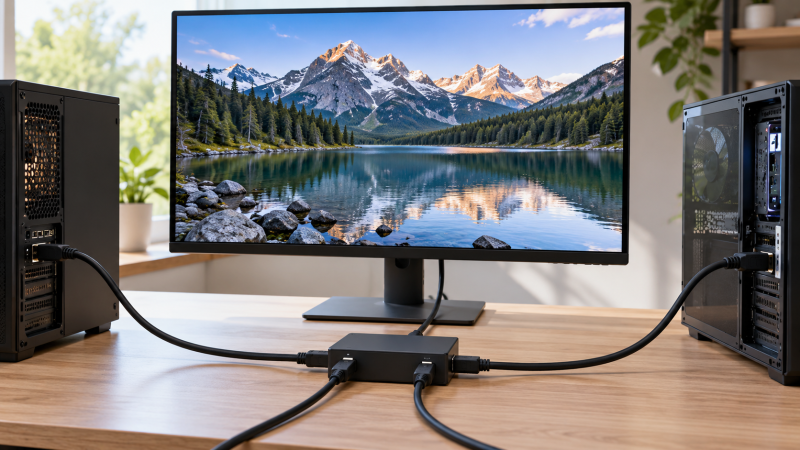
Sharing one DisplayPort monitor between a work PC and a gaming desktop should not require reaching behind the screen every time. A DisplayPort switch selects which computer supplies the picture. It does not add a second independent desktop, and it does not automatically share a keyboard, mouse or USB devices. Peripheral sharing is a separate requirement that a KVM covers.
Before you buy, count the computers, identify the monitor’s actual resolution and refresh rate, and check the entire DP path: GPU, switch, cables, display and power, not just whether the box says 8K. A high-refresh figure in a listing is a ceiling under the seller’s conditions, not a measured result for your desk. These six choices include two- and three-input models, manual buttons, and one remote-controlled option.
For one shared monitor, connect each computer to a switch input and the monitor to its output. A bidirectional box can reverse which side is selected, but it still cannot show two independent sources on one screen at once.DisplayPort Switches Compared
| Image | Product | Details | Check Price |
|---|---|---|---|
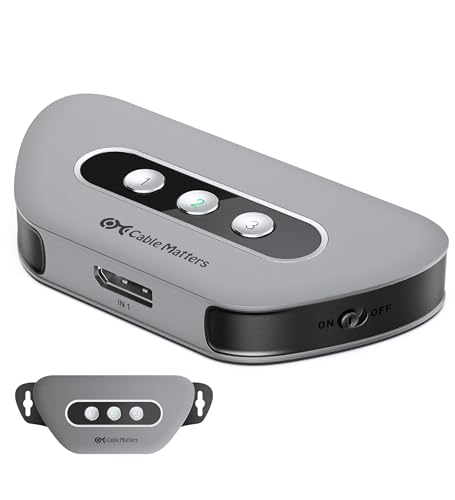 | Cable Matters 3x1 DP 1.4 | Inputs: 3 DP Listed mode: 4K240 / 8K60 Control: RF remote + button Best fit: Three-source high refresh | Check Price on Amazon |
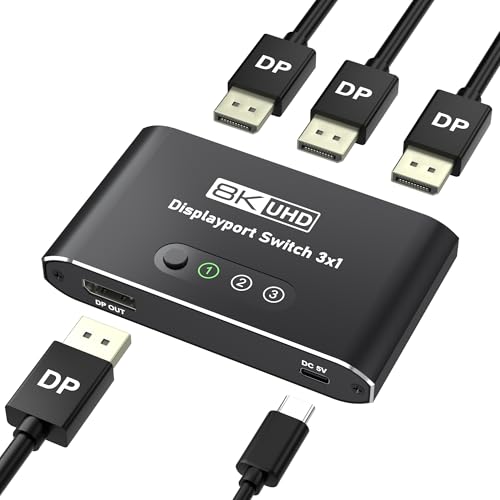 | Closs 3x1 DP 1.4 | Inputs: 3 DP Listed mode: 4K144 / 8K60 Control: Button Best fit: Direct-PC 3x1 | Check Price on Amazon |
 | Vilcome Bidirectional | Inputs: 2 in switch mode Listed mode: 4K120 / 8K60 Control: Button Best fit: Flexible two-source desk | Check Price on Amazon |
 | Angusplay 2x1 | Inputs: 2 DP Listed mode: 4K120 / 8K30 Control: Button Best fit: Basic powered 2x1 | Check Price on Amazon |
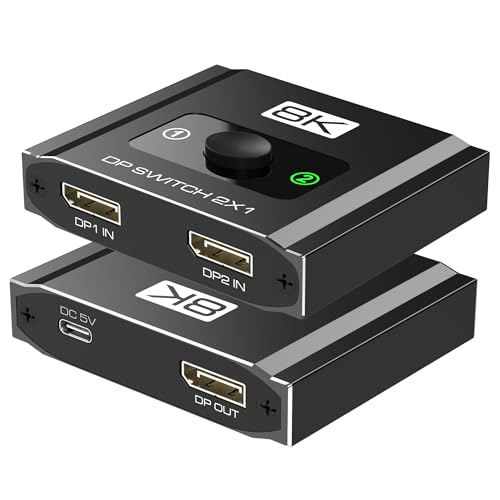 | AUKOKIOULA 2x1 | Inputs: 2 DP Listed mode: 4K120 / 8K60 DSC Control: Button; auto uncertain Best fit: Direct 2x1 DP | Check Price on Amazon |
 | Suceem 2x1 | Inputs: 2 DP Listed mode: 4K120 in bullets Control: Not established Best fit: Conditional 2x1 | Check Price on Amazon |
1. Cable Matters 3×1 DP 1.4 — Best Three-Source Remote Control
Cable Matters lists a three-input, one-output DisplayPort 1.4 switch. It is for up to three computers sharing one DP monitor, with either an RF remote or a button on the box to pick the source. The remote can be useful when the switch is tucked behind a display or beneath a desk. The listing includes two six-foot DP 1.4 cables, so not every input cable has to be sourced separately. Check the actual port positions before deciding whether those lengths reach cleanly.
The seller states up to 8K60 or 4K240 with a suitable DP 1.4/DSC-capable source and display. The top figures are conditional modes, not proof of every refresh setting or adaptive-sync behavior. The box requires external USB-C power. DisplayPort signal cables alone do not run it. The switch is one-way from three DP sources to one display, and its remote changes video selection, not USB peripherals. If keyboard and mouse sharing is central, a KVM is a different purchase.
Our Take Buy this Cable Matters switch when three DP computers share one high-refresh monitor and remote video selection is useful. Plan USB power and confirm the desired monitor mode before relying on its top figures.
- Three DP inputs with RF remote and button.
- Seller lists 4K240 and 8K60.
- Two six-foot DP cables included.
- USB-C power is required.
- Does not switch keyboard or mouse.
- Top modes need a matching DSC-capable chain.
2. Closs 3×1 DP 1.4 — Best Direct Three-PC Button Switch
Closs’s three-input selector gives each computer a separate DP socket and sends the selected source to one DP monitor. Its listing names up to 4K144 or 8K60, with DSC-capable equipment for the higher mode. A front button and input LEDs make sense when the box stays within reach. The listing specifically warns that it is not bidirectional and cannot serve one computer into three displays, despite the three source ports.
Closs asks for a direct DP source-to-display route, excluding docks, hubs and KVMs. It includes a USB-A-to-USB-C power cable but not the power adapter, and recommends a suitable 5V supply for high modes. The broad device list includes consoles that ordinarily present HDMI rather than DP. Do not treat that list as evidence that a console plugs in directly. Confirm the workstation’s actual DP output and cable specification before buying.
Our Take Buy this Closs switch when three direct DP computers feed one monitor and a reachable button is enough. Its power and no-dock boundaries are more important than the broad compatibility list.
- Three direct DP inputs.
- Seller lists 4K144 and 8K60.
- Selected-input LEDs.
- No reverse one-to-three mode.
- Power adapter sold separately.
- Dock and KVM use excluded.
3. Vilcome Bidirectional — Best Flexible Two-Source Layout
Vilcome’s box can take two DP sources to one monitor, the arrangement needed for a display shared between a work PC and a home PC. Its listing also permits reversing the topology to choose which of two monitors gets one DP source. In that reverse mode, the two displays do not work simultaneously. The reverse mode is selection, not mirroring or a two-screen desktop. The seller lists up to 8K60, 4K120 or 1080p240, all dependent on the source, monitor and DP cables.
The listing says to attach its included USB power cable because an unpowered setup may flicker or show a black screen. A DP cable is not included. Vilcome also mentions converter chains in its copy, but warns they may lower resolution. For a high-refresh desk, direct DP-to-DP wiring is the clearer path. Its blue housing may stand out on a visible desktop, while the button keeps source selection simple.
Our Take Buy this Vilcome box when the desk may alternate between two computers sharing one monitor and one computer choosing between two monitors. Neither mode creates two active displays from one input.
- Bidirectional selection supports two desk layouts.
- 4K120 and 8K60 listed.
- USB power cable included.
- No simultaneous two-display output.
- Separate DP cables needed.
- External power needed for stable use.
4. Angusplay 2×1 — Best Basic Powered Switch
Angusplay lists a compact switch for two DP sources and one display, with a physical select button and indicator lights. Its stated ceilings are 8K30, 4K120 and 1080p240. If your actual screen is a 4K120 monitor, that claim is more relevant than the larger 8K number in a headline. The output remains one selected picture. The listing explicitly says two displays cannot be active at the same time in a reversed connection.
The box requires USB power and a suitable DP 1.4 cable. The seller cautions against an overly long total cable run, naming roughly three meters for the connected path. Cable length is a practical limit for a desk where one tower sits farther away. Do not hide the switch in a place where its button is hard to reach unless the cables and source arrangement are fixed. The listing does not establish automatic source detection or USB device switching.
Our Take Buy this Angusplay switch as a simple option with a select button for two nearby DP computers. Check its power and cable length before the desk is wired permanently.
- Simple two-source button layout.
- Seller lists 4K120.
- Input indicators aid troubleshooting.
- USB power required.
- Short total cable run advised.
- No remote control listed.
5. AUKOKIOULA 2×1 — Best Direct Two-PC DP Option
AUKOKIOULA’s listing describes a two-input, one-output DP 1.4 switch for two computers sharing one monitor. It states up to 4K120 and 8K60 with DSC, with 32.4 Gbps as a listed link figure. Those specifications do not establish a low-latency result on every GPU or guarantee that a particular monitor’s adaptive-sync mode keeps working after switching. Use the intended monitor timing as the acceptance test, not the largest number alone.
The product copy says USB power is mandatory and recommends a 5V/2A or stronger adapter, which is not included. It also cautions that some hubs and DP-to-HDMI cables may not work well, so direct DP-to-DP cables are the safer setup. One paragraph mentions manual button selection while another mentions auto-detect. Because those statements conflict, buy it for the physical button and do not depend on automatic source changes.
Our Take Buy this two-input switch for two PCs connected directly over DP when its power requirement is easy to meet. Do not plan around automatic switching or converter support.
- Two DP sources into one monitor.
- 4K120 and DSC-dependent 8K60 listed.
- USB power cable included.
- Power adapter not included.
- Automatic-switch wording conflicts.
- Some hubs and converters may fail.
6. Suceem 2×1 — Best Conditional Spare
Suceem lists a two-source, one-display DP switch and claims 8K60. Its title says 4K144, while the feature bullets say 4K120. That inconsistency is a reason to plan around the lower, explicitly repeated operating claim rather than assume the title’s higher refresh figure. A workstation with a 4K144 screen should not choose this offer solely from the title. Confirm the exact monitor mode from the received unit if that difference applies to your monitor.
The broad compatibility section also names devices such as consoles that usually present HDMI rather than native DP output. A DP switch does not turn an HDMI console into a DP source by itself. The listing provides little detail on power, cables or control behavior compared with the more explicit options above. Keep it as a spare for a direct DP-to-DP job only if the included instructions confirm the necessary setup.
Our Take Buy this Suceem switch as a spare. It is the least documented pick here, and its two-source layout is clear, but the 4K refresh conflict and broad compatibility claims call for confirming the exact mode.
- Two DP inputs, one monitor output.
- 4K120 stated in feature bullets.
- Title and bullets disagree on 4K refresh.
- Power and control details are thin.
- Broad device list may mislead HDMI users.
Buying Guide: Keep the High-Refresh Chain Intact
Count sources, outputs and devices that must switch
A video switch selects one source for one display. A 2×1 box is enough for a work PC and gaming PC. A 3×1 box makes sense when a third native-DP workstation also needs the monitor. Cable Matters and Closs offer three inputs, and the other models here have two. Bidirectional Vilcome can reverse its selection direction, but it still never becomes a simultaneous two-monitor splitter. Our HDMI switch guide covers HDMI source and display ports rather than DP.
Keyboard and mouse sharing is a separate question. None of these listings establishes that the box switches USB peripherals with the video. If both computers must share one keyboard, mouse and webcam, plan a KVM or a separate USB switch as well. The extra hardware may have its own display compatibility ceiling, so do not assume the DP switch’s 4K120 or 4K240 claim applies to a second box.
Match the video mode to every component
The seller’s top mode is conditional. Cable Matters lists up to 4K240 or 8K60 with DP 1.4, DSC and appropriate source and display hardware. Closs lists 4K144 or 8K60. Vilcome, Angusplay and AUKOKIOULA list 4K120. Suceem’s title and bullets disagree, so only 4K120 is a reasonable preliminary assumption from its own copy. Check the monitor’s input menu and GPU settings after every connection change.
Cables and conversion can lower the available mode. Angusplay recommends a short total DP cable path. Cable Matters calls for certified DP 1.4 cables for its higher settings. AUKOKIOULA cautions about DP-to-HDMI output cables, and Vilcome says converter chains may lower resolution. For a high-refresh monitor, connect DP source, DP switch and DP display directly first. If the screen is HDMI-only, our DisplayPort-to-HDMI adapter guide is a separate signal-conversion decision.
Plan power and wake behavior before hiding the box
USB power is not optional on several models. Cable Matters, Vilcome, Angusplay and AUKOKIOULA expressly require it. Closs includes a power cable but not the adapter. AUKOKIOULA recommends a 5V/2A supply for high modes. Place the power lead and switch where a dead screen can be diagnosed without dismantling the desk, because a black screen may be a power or selected-input problem before it is a GPU fault.
Sleep and wake behavior needs a rehearsal with both computers. Some computers re-detect the monitor after a source change, and displays may take time to renegotiate the mode. The exact behavior of these six combinations was not independently measured. Set each PC to a known supported mode, switch away and back, then test waking from sleep. If source sensing is essential, note that AUKOKIOULA’s auto-detect wording conflicts with its manual-control description.
Frequently Asked Questions
Can one of these switches show both computers at once?
No. A 2×1 or 3×1 switch selects one DP source at a time for a single monitor. Even a bidirectional model is still a selector. Vilcome says that in its reverse mode, with one source and two displays, only one display can be active at a time. The labels “splitter” and “switch” are used loosely in listings, so follow the actual input/output behavior.
If you need a simultaneous picture from two computers, look for a monitor with picture-by-picture support or another system designed for that task. If you need one computer to drive two independent monitors, verify its GPU outputs. Adding a source selector does not create a second desktop.
Does a DisplayPort switch also share my keyboard and mouse?
Not from the information given for these six products. They are video selectors, and Cable Matters explicitly describes three DP sources to one DP display. A KVM is the class of device that normally combines video and USB peripheral switching. Do not treat an included USB power cable as a USB-data connection.
You can use a separate USB switch alongside a DP video switch, but it adds another button and more cables. For a desk with a single button, research a KVM that explicitly supports the monitor’s required refresh mode and all desired USB peripherals before buying.
Will an 8K label guarantee my 4K high-refresh mode?
No. 8K and 4K refresh figures describe different signal modes under conditions the seller defines. Closs lists 4K144, Cable Matters lists 4K240, and Vilcome and Angusplay list 4K120. Suceem’s title and bullets conflict at 4K, so its higher title figure needs direct confirmation. The GPU, DP cable, switch and monitor must all support the intended path.
Use a known-good direct cable as a baseline. After adding the switch, inspect the operating system’s actual resolution and refresh rate, then test sleep and wake and the applications you use. If the mode disappears, check power and cable length before assuming the monitor itself is at fault.
Bottom Line
Cable Matters 3×1 has the strongest three-source feature set here, including a remote and two DP cables. Closs 3×1 is an alternative with a select button for direct PC connections. For two sources, Vilcome Bidirectional adds a reversible layout, while Angusplay keeps the setup simple. Choose by actual source count, power plan and tested monitor mode.