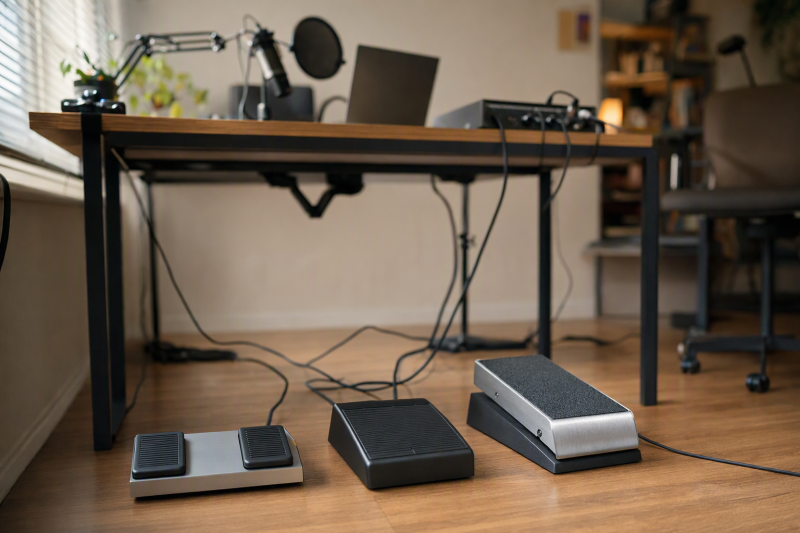
When both hands are busy, a foot press can start a take, mark a moment or mute a mic. Choose by how many actions you need and where the programming software runs.
Six active-New Amazon US listings fit this job: two singles, a double, two HID triples and Elgato’s app-integrated triple. Switch sound and latency were not tested. Map the command in your recorder before buying. A pedal cannot invent an app shortcut. For hand controls, see the shortcut keypad guide.
Pick the control path first: ordinary keyboard shortcuts for a repeatable recording command, or Stream Deck actions when your app and plugins are part of the plan.USB Foot Pedals Compared
| Image | Product | Details | Check Price |
|---|---|---|---|
 | Elgato Stream Deck Pedal | Pedals: 3 Control path: Stream Deck app and plugins Switch detail: Interchangeable springs Best fit: App actions and scene control | Check Price on Amazon |
 | PCsensor Three-Key USB Foot Pedal | Pedals: 3 Control path: Programmable keyboard/mouse HID Switch detail: Photoelectric, per listing Best fit: Three distinct hotkeys | Check Price on Amazon |
 | iKKEGOL Optical Triple Foot Pedal | Pedals: 3 Control path: Programmable keyboard/mouse HID Switch detail: Optical, per listing Best fit: Wide three-key pedal | Check Price on Amazon |
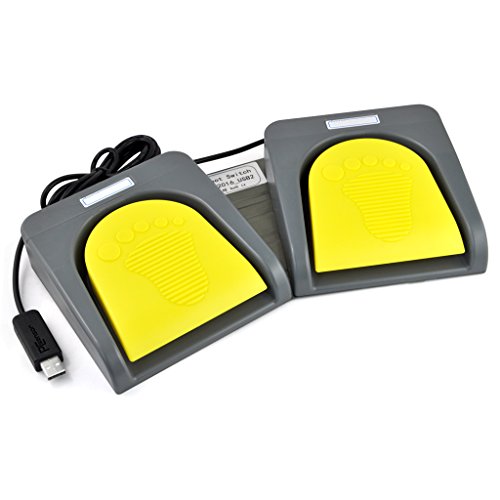 | iKKEGOL Double Foot Switch | Pedals: 2 Control path: Custom keyboard shortcuts, per listing Switch detail: Mechanical, per listing Best fit: Two repeatable actions | Check Price on Amazon |
 | iKKEGOL Upgraded Single Foot Pedal | Pedals: 1 Control path: Programmable keyboard/mouse HID Switch detail: Not verified Best fit: One dedicated shortcut | Check Price on Amazon |
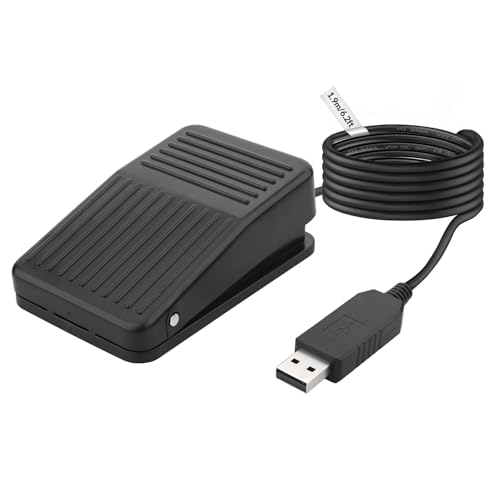 | Rii USB Foot Switch | Pedals: 1 Control path: Custom keyboard shortcuts, per listing Switch detail: Not verified Best fit: Compact single-key station | Check Price on Amazon |
1. Elgato Stream Deck Pedal — Best for App Actions
Some recording actions need more than a keystroke. Elgato’s three pedals trigger single or multiple actions through Stream Deck software and plugins. The listing names mic mute and camera switching. It fits a desk with supported Stream Deck actions already in use.
Pedal pressure is adjustable with interchangeable springs, though force and accidental triggers were not measured. Check plugin support for your exact app. Elgato’s quick-start guide says to connect directly to the computer, not a hub. For physical audio control, see the streaming mixer guide.
Our Take Choose the Stream Deck Pedal when a supported app action, plugin or action sequence is more important than simply sending three hotkeys. Skip it if you want a generic HID shortcut device that you can configure without relying on Elgato’s app path. The PCsensor and iKKEGOL triples are clearer candidates for that job.
- Three individually customizable foot positions provide separate live controls.
- Stream Deck actions and plugins can express more than one simple keypress when the intended integration exists.
- Interchangeable springs offer a stated physical adjustment to pedal pressure.
- Its distinctive app-control advantage depends on compatible Stream Deck software and the right integration for your workflow.
- Elgato’s direct-USB setup guidance is awkward for a laptop with only a remote dock port.
2. PCsensor Three-Key USB Foot Pedal — Best for Three Hotkeys
Three commands can keep transport, marker and mute separate. PCsensor says each key accepts keyboard or mouse mappings, including combinations. The mapping options suit software with reliable shortcuts better than an app-action workflow. Its photoelectric description is not a sound measurement. Do not assume silence near a microphone.
Give each pedal a different command first. Test all three while the recording app has focus before relying on them during a take.Our Take Choose the PCsensor three-key when your recording software already has three shortcuts you want to move underfoot. It offers more independent HID controls than either single pedal, but its listing does not establish that a particular DAW or conferencing app will recognize your intended mapping without setup.
- Three programmable controls keep common recording actions separate.
- Keyboard, mouse and combination mappings support more than a single play/pause command.
- The listing explicitly distinguishes setup on Windows or Mac from later HID use.
- A triple pedal takes more floor space than either single-key option.
- The photoelectric description does not prove inaudible operation beside a live microphone.
3. iKKEGOL Optical Triple Foot Pedal — Best for a Wide Three-Key Layout
Pedal spacing is important when you cannot look down. This iKKEGOL triple is a wide keyboard/mouse HID switch with optical switches. Amazon gives a roughly 14.5-by-5.6-inch body. Measure the available floor. Compared with PCsensor, choose by physical fit and setup, not an untested speed claim.
The 14.5-inch listed length is a floor-layout fact, not a comfort test. Measure the chair and foot position before ordering.Our Take Pick this iKKEGOL triple when you want three generic shortcut controls and have room for a wide pedal bar. If floor space is tight or you only need one command, the single iKKEGOL or Rii avoids unused switches. The optical label alone is not evidence of measured recording-room quietness.
- Three positions can separate start, stop and marker shortcuts.
- The listing identifies optical switches and a wide layout for the buyer to evaluate.
- Generic keyboard and mouse HID mappings suit shortcut-based software.
- The wide body needs a clear floor position, especially under a small desk.
- No measured switch-noise or response figures support the listing’s quiet-use implication.
4. iKKEGOL Double Foot Switch — Best for Two Controls
Two actions can be enough for a spoken-word or camera recording station, with one pedal for start/stop and one for a marker or mute. iKKEGOL describes this model as a mechanical double USB switch that can send configured keyboard shortcuts and combinations. The two-pedal layout gives it a narrower job to remember than a triple while avoiding the one-action limit of the small pedals.
Its listing describes an aluminum-alloy base and says setup for Mac or Linux requires configuration on a Windows machine first. That setup requirement is the important compatibility catch if the recording desk has no Windows computer available. Do not read the claim that a configured switch later works on another OS as a promise that its programming utility runs there. For sessions where a separate microphone input or monitoring route is the actual missing piece, compare our Thunderbolt audio-interface guide before adding another control device.
Our Take Choose the double switch when two reliable keyboard actions cover the recording job and a Windows setup machine is available. If you need three separate foot commands, take the PCsensor or triple iKKEGOL. If you only need one, the larger double body adds floor clutter without a benefit.
- Two pedals separate common transport and marker or mute functions.
- Shortcut-combination mapping can match commands already built into recording software.
- The listing names an aluminum-alloy base rather than leaving construction unspecified.
- Mac and Linux users may need a Windows machine for the initial configuration.
- A two-pedal body is unnecessary if only one shortcut is ever used.
5. iKKEGOL Upgraded Single Foot Pedal — Best for One Shortcut
One dedicated command is often the cleanest recording workflow. Give a single switch one job, e.g., push-to-talk, and your foot never has to choose among positions. This iKKEGOL listing describes a programmable keyboard/mouse HID pedal with a roughly 2-meter cable, a wide pad and rubber feet. Those details help with desk placement, but the listing does not establish that the pedal will stay put on every floor or operate silently under a microphone.
Our Take Buy the iKKEGOL single when exactly one keyboard action should stay underfoot through a session. Its straightforward HID role and listed floor-contact details are more relevant than the many example uses in the marketplace title. Skip it if two or three distinct commands are already in the plan.
- One large target is simple to find without looking away from the recording task.
- The listing states a roughly 2-meter cable and four rubber floor-contact pieces.
- Generic keyboard/mouse mapping supports an existing shortcut workflow.
- One switch cannot give start, marker and mute separate dedicated positions.
- Floor grip and switch sound were not independently tested.
6. Rii USB Foot Switch — Best for a Compact Single Key
The Rii is another one-key option for a fixed shortcut such as mute or capture. Its listing names software for assigning single keys or shortcut combinations, and it claims Windows and Mac programming support. After configuration, it says the pedal can act on other systems. That claim is a useful difference from the double iKKEGOL’s Windows-first setup note, though the only responsible way to rely on it is to test the current utility and your exact host before a session.
Map one harmless test shortcut and verify the exact application receives it before binding record, mute or any live action.Our Take Choose the Rii when one compact key fits the floor position and the current programming utility works on your host. The iKKEGOL single is the alternative if you favor its explicitly wider pad and rubber contacts. Neither single switch should be stretched into a three-action plan.
- The listed compact dimensions leave more floor room than a triple-pedal bar.
- Its listing names Windows and Mac programming software for a one-command setup.
- Single-key and shortcut-combination mappings cover a defined recording command.
- Only one dedicated action is available without changing software context.
- The New offer was scarce at the check, so availability may change quickly.
Buying Guide
1. Decide Whether You Need One, Two or Three Foot Actions
Write down the exact recording commands before looking at hardware. If the job is only push-to-talk or one transport action, a single pedal keeps the mapping obvious. If you need start and marker as separate actions, the double iKKEGOL is the simpler step up. A PCsensor or iKKEGOL triple makes sense for three simultaneous commands only when you can name all three and place the unit comfortably under the desk.
More switches do not make a workflow automatically faster. A foot moving between closely spaced pads may require a learning period, and a bar across the floor can clash with chair legs. Measure the foot area and decide which foot will operate the controls before comparing the dimensions. The Elgato triple suits a desk when the app-action workflow is the reason for three controls. Three pedals alone are no reason to pick it.
2. Match the Pedal’s Output to Your Recording Software
An ordinary HID pedal sends keyboard or mouse input after it is mapped. First confirm that the target app exposes a keyboard command for the action you want, then try that command with a physical keyboard. A working keyboard shortcut is the prerequisite for a generic HID foot switch. If the recorder only accepts a special control protocol or its keyboard focus shifts unpredictably, a generic pedal may not solve the problem.
The Stream Deck Pedal uses another route. Software actions and plugins can trigger supported app operations, but the exact integration must exist and be configured. Check your app and plugin path before buying for a named feature. In a larger desk workflow, the pedal can complement, not replace, a physical streaming audio mixer or an audio interface.
3. Separate Programming Support From Everyday Operation
Some listings say the pedal works as HID input across operating systems after configuration, while the setup utility supports fewer systems. The double iKKEGOL explicitly requires Windows for configuration before Mac or Linux use. A supported input device is not the same as supported configuration software. If your only computer is a Mac, compare that condition with the PCsensor and Rii listings and verify the current downloadable utility before purchase.
After mapping, disconnect and reconnect the pedal, then try each assigned control inside the actual recording app. Test with the app in its normal session state, including whichever window has focus while you record. If a docked USB path behaves oddly, test a direct computer port first. A generic USB-C port or cable label does not establish a particular data path. Our USB-C cable-speed testing guide explains the wider connection issue.
FAQ
Can a USB foot pedal start recording in any app?
No. A programmable HID pedal can send a key or mouse action, but the app must have a corresponding command and receive it in the right context. Check the app’s shortcut settings, try the action from a keyboard, then map the pedal. Do not infer native integration from a marketplace list of possible uses.
Elgato’s pedal may use Stream Deck app actions instead of a plain keyboard mapping. That path can be useful for supported apps, but plugin availability is specific to the software and setup. Verify the action before a paid session or live stream.
Will a pedal work with a Mac or Linux computer?
It depends on whether you mean initial programming or later use. Several listings describe generic HID operation after setup, but setup utilities have their own OS requirements. The double iKKEGOL listing expressly says to configure it on Windows before use on Mac or Linux. The PCsensor and Rii listings describe other programming paths.
Check the current software download and the exact device revision. A successful keypress on one host does not verify that the app you record with will act on it. Run a full reconnect test on the actual machine and software before treating the pedal as production-ready.
Are optical foot switches quiet enough to record beside a microphone?
The listings do not establish quiet operation. Optical or photoelectric refers to the switch design, and neither term is a measured noise level. Floor movement, plastic contact, shoes, mic distance and room gain can all affect what a recording captures.
Make a short test take at normal recording gain with the pedal in its final position. Listen for both the click and the low thump through the floor. If the noise reaches the recording, move the pedal or mic and test again rather than assuming one switch label guarantees silence.
Do I need a recording interface to use one of these pedals?
No. These pedals are USB control inputs, not audio interfaces. A foot switch sends a command. It does not digitize a microphone or monitor headphones. If your laptop already records the intended audio correctly, adding a pedal should be a control decision, not an audio-chain replacement.
If the actual problem is microphone input, monitoring or routing, start with our Thunderbolt audio-interface overview. If a dock’s analog jack is silent, the Windows dock-audio guide addresses that different fault before you buy extra hardware.
Bottom Line
Choose one pedal for one repeated shortcut, a double for two known actions, or a triple only when you need three controls and have the floor space. The Stream Deck Pedal is the strongest fit for a supported app-action workflow. The PCsensor triple is the more literal choice for three generic hotkeys. Map and test the exact recording command before trusting any of them in a live take.