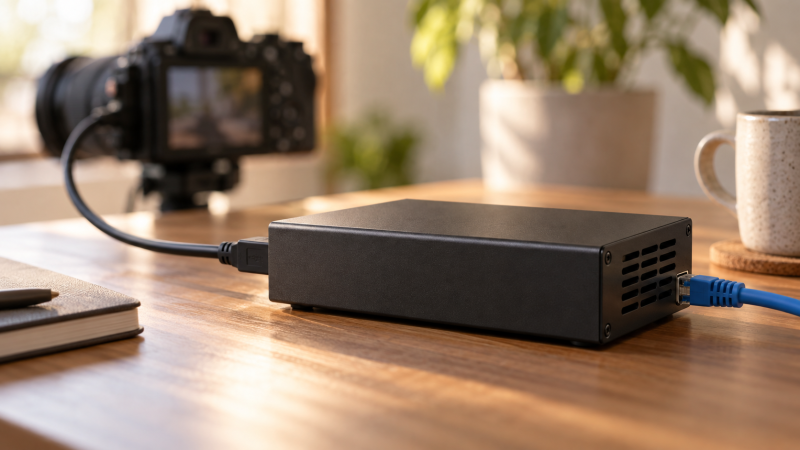
A hardware encoder takes a camera’s HDMI or SDI feed and sends a compressed stream without requiring a laptop to run the encoding software during the broadcast. No laptop during the show does not mean no setup. Most devices still need network configuration, a destination URL and a stream key entered beforehand through a browser, app or local panel.
These five standalone encoders range from a simple 1080p HDMI box to multi-input and 4K SDI units. First decide whether the camera outputs HDMI or SDI, then choose the stream format and destination your platform accepts. Do not buy a 4K label before checking which input, codec and network mode actually carry that format.
Match the camera’s output, the streaming service’s ingest settings and the available network before paying for extra encoder formats.Hardware Streaming Encoders Compared
| Image | Product | Details | Check Price |
|---|---|---|---|
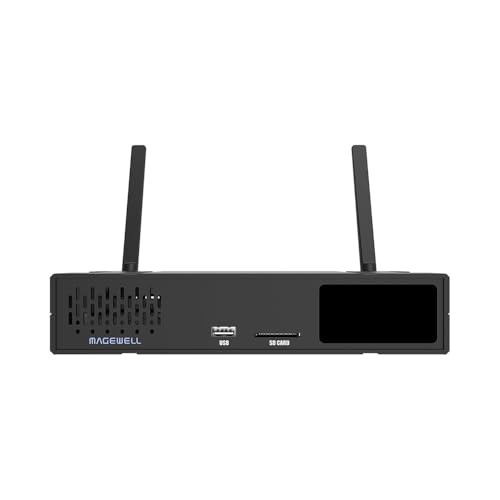 | Magewell Ultra Encode AIO | Input: HDMI and SDI Listed ceiling: HDMI 4K60; SDI 4K30 Network/protocol: RTMP/SRT/NDI and more listed Buyer fit: Two-source or multi-destination job | Check Price on Amazon |
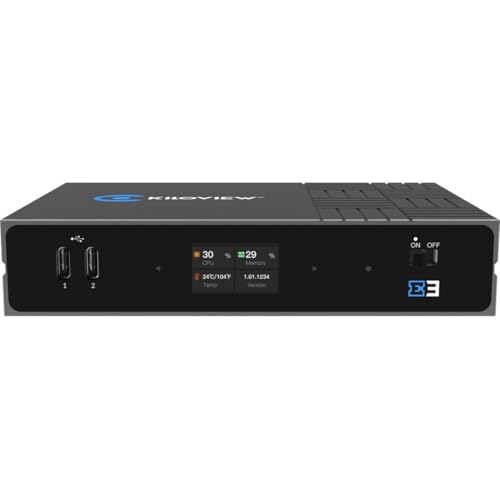 | Kiloview E3 | Input: HDMI and 3G-SDI Listed ceiling: HDMI 4K30 Network/protocol: SRT/RTMP/NDI HX; PoE Buyer fit: Network-powered small studio | Check Price on Amazon |
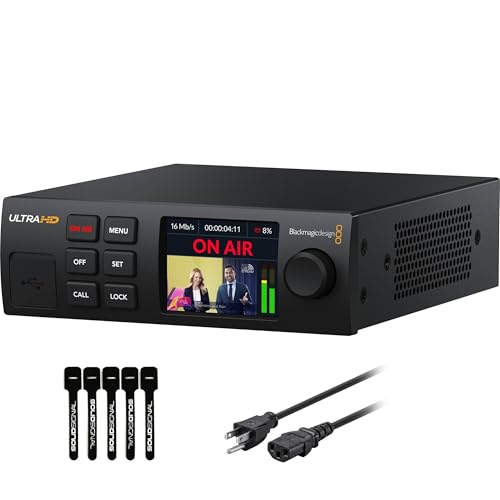 | Blackmagic Streaming Encoder 4K | Input: 12G-SDI Listed ceiling: Up to 2160p60 stream Network/protocol: SRT/RTMP; Ethernet/mobile Buyer fit: 4K60 SDI camera feed | Check Price on Amazon |
 | Blackmagic Web Presenter 4K | Input: 12G-SDI Listed ceiling: Up to 2160p60 Network/protocol: Direct streaming interface Buyer fit: Established Web Presenter workflow | Check Price on Amazon |
 | UNISHEEN 1080p60 HDMI Encoder | Input: HDMI Listed ceiling: 1080p60 Network/protocol: RTMP(S)/SRT/RTSP; browser setup Buyer fit: Single HDMI camera stream | Check Price on Amazon |
1. Magewell Ultra Encode AIO — Best Flexible Production Box
The Ultra Encode AIO exact offer names HDMI and SDI inputs in one standalone unit. It describes using either input or mixing both into picture-in-picture and side-by-side layouts. Its listing specifies up to 4096 by 2160 at 60p by HDMI and 30p by SDI input, with H.264 or HEVC encoding. The AIO is the most flexible selected box for a small production that may move between mirrorless HDMI and professional SDI cameras.
The product page also lists several distribution protocols, including RTMP, RTMPS, SRT and NDI HX, and up to six destinations under supported conditions. More protocols do not guarantee that every combination runs at maximum resolution simultaneously. Check Magewell’s current table of output modes and the receiving service’s ingest format for the exact plan. For a single mirrorless camera, the mixing feature may be unnecessary complexity.
Set up a test stream to a private destination before the event. Confirm embedded audio, stream key, bitrate and recovery after unplugging the network for a moment. If a second source is a document camera, make sure it supplies the physical HDMI or SDI output the encoder accepts. A USB webcam cannot simply plug into an HDMI input.
Our Take Choose Ultra Encode AIO when two physical camera feeds or multiple defined destinations are requirements. For one HDMI camera and one stream, a simpler unit can mean fewer settings to manage.
- HDMI and SDI inputs identified.
- Picture-in-picture and side-by-side modes listed.
- Several network protocols advertised.
- SDI input ceiling differs from HDMI listing.
- Multi-destination setup requires format and network planning.
2. Kiloview E3 — Best Network-Powered Dual-Input Setup
The E3 exact offer lists 4K HDMI and 3G-SDI inputs in a compact dual-channel encoder. It advertises H.264/H.265 output and network protocols including NDI HX, SRT and RTMP. A gigabit Ethernet connection with IEEE 802.3af PoE is a meaningful installation choice. An appropriate PoE switch can carry network and power on one cable. Check the unit’s actual power class and any external supply requirement before choosing the switch port.
The listing’s 4K30 figure should be read with its HDMI route, not assumed for 3G-SDI. Confirm the exact E3 technical sheet for each input and simultaneous-channel mode. A managed PoE switch needs sufficient shared watt budget and correctly configured network access. An Ethernet cable alone does not make the encoder appear on the internet.
Kiloview’s network workflow can suit a fixed studio where a rack or desk already has PoE and local IP video. If the camera is far from the switch, plan the cable length and network segment. A secure browser setup is part of the job too. Change default credentials, restrict the device’s management interface and back up a working configuration after the private test stream.
Verify the input-specific format and the switch’s 802.3af power budget before treating E3 as a one-cable 4K solution.Our Take Pick E3 when the room already has suitable PoE and you need both HDMI and SDI or IP-video routing. A casual single-camera stream may not need its network options.
- HDMI plus 3G-SDI inputs listed.
- 802.3af PoE network power advertised.
- SRT, RTMP and NDI HX routes listed.
- 3G-SDI is not automatically a 4K60 path.
- Network and PoE configuration add setup work.
3. Blackmagic Streaming Encoder 4K — Best SDI 4K60 Route
This exact Streaming Encoder 4K offer identifies a 12G-SDI input and standalone encoding up to 2160p60. Its listing names H.264 and H.265, SRT and RTMP, Ethernet and mobile network options, and monitor outputs. It is the direct option for a camera that already supplies the appropriate 4K SDI signal. It is not an HDMI-input encoder just because an HDMI confidence-monitor output is present.
The listing describes standards conversion on monitor outputs. The conversion can help feed a separate confidence display at a convenient format, but verify the exact SDI and HDMI output modes against Blackmagic’s current sheet. A wireless camera-to-monitor link might add another viewer, but it does not convert an HDMI-only camera into 12G-SDI. If your camera has only HDMI, use a verified converter or choose a native HDMI encoder instead.
Direct streaming still needs valid network access and a configured destination. Test whether the event’s firewall allows the chosen SRT or RTMP route, then save a fallback configuration. A mobile connection described in the listing may require a supported phone, tethering arrangement or service plan. Do not infer that cellular service is included in the encoder box.
Our Take Choose Streaming Encoder 4K for an SDI camera feed that needs a defined 4K60 direct stream. For HDMI-only mirrorless bodies, another exact-input model is simpler and safer.
- 12G-SDI input and 2160p60 ceiling listed.
- H.264/H.265 and SRT/RTMP named.
- Separate monitor outputs described.
- No native HDMI camera input established.
- Mobile network path needs separate compatibility and service checks.
4. Blackmagic Web Presenter 4K — Best Existing Presenter Workflow
The Web Presenter 4K is a distinct Blackmagic product from the newer Streaming Encoder 4K above. Its exact Amazon offer lists 12G-SDI input and output, an HDMI monitor output and a USB webcam output. Blackmagic’s current technical information describes the 4K Web Presenter as a hardware streaming engine up to 2160p60. This model suits an existing Web Presenter operating routine where operators know its front panel, stream setup and monitoring behavior.
The USB webcam output is useful when a computer is available, but this article’s primary job is direct streaming without one during the show. Do not confuse that secondary USB mode with the physical source input. The camera still needs a supported SDI feed. The HDMI monitor output is a confidence display path, not proof of HDMI camera input. If the camera uses HDMI, confirm a converter and its audio behavior or select Magewell Ultra Encode AIO.
Before a live event, verify the target service and current firmware’s streaming settings, then stage a rehearsal with the exact SDI camera. If the operator needs several independent destinations or two-camera mixing, those are different jobs from this established Web Presenter route for a single feed. The product name is not evidence of multicamera switching.
Web Presenter 4K and Streaming Encoder 4K are separate exact products. Do not transfer input or workflow assumptions between them.Our Take Buy Web Presenter 4K when an SDI camera and a familiar Blackmagic Presenter workflow are already in place. If starting from an HDMI-only mirrorless body, check the complete conversion path first.
- 12G-SDI source input identified.
- HDMI confidence and USB webcam outputs listed.
- Established direct-streaming product family.
- HDMI is not listed as a source input.
- Fewer reasons to choose it for a new mixed-input workflow.
5. UNISHEEN 1080p60 HDMI Encoder — Best Simple HDMI Feed
The exact UNISHEEN offer lists a single HDMI hardware encoder up to 1080p60, with H.264/H.265 and browser-based configuration. Its seller names RTMP(S), SRT, RTSP and other network protocols. The UNISHEEN is the straightforward fit for one mirrorless camera whose clean HDMI output can be sent to one streaming destination without keeping a laptop as the encoder. A browser may still be needed for first setup or later changes.
Unlike a mixed HDMI/SDI unit, this box has no established SDI source input. The seller describes a compact body and HDMI embedded audio, plus an external analog input. Check which audio source is actually selected in the device’s settings and confirm lip sync in a private recording. A wireless microphone kit feeding the camera is only part of the route. The encoder must receive that audio over its HDMI input.
The listing makes strong service and reliability claims, but they are seller statements, not independent operating history. Keep a backup stream path and test recovery from network interruption. If you need 4K output, multiple physical camera inputs or a documented production support channel, choose a more suitable model rather than stretching this HD-only offer.
Our Take Choose this UNISHEEN offer for one HDMI camera and an HD stream when the setup can be rehearsed. Treat the protocol and support claims as seller-listed until the exact unit works with your platform.
- 1080p60 HDMI hardware encoding listed.
- Browser-based setup described.
- RTMP(S) and SRT named in exact offer.
- No 4K or SDI input established.
- Support and stability promises are seller claims.
- Initial configuration still needs a browser.
Buying Guide
1. Match input before protocol
The camera’s clean output is the first filter. Write down whether it provides HDMI or SDI, the connector size, resolution, frame rate and embedded audio. The two Blackmagic selections take 12G-SDI camera input. Magewell AIO accepts HDMI and SDI. UNISHEEN is an HDMI route. A port marked HDMI Out for monitoring cannot receive a camera feed.
Check conversion as a complete signal path. An HDMI-to-SDI converter can add another power supply, format limit and point of failure. If a mirrorless camera rig has a fragile micro-HDMI connector, secure the cable before adding a converter. Verify that the final encoder receives both picture and embedded sound at the exact format your platform accepts.
2. Configure the destination and network
RTMP and SRT are routes, not a promise that every platform accepts both. Get the destination’s current ingest URL, stream key, codec, maximum resolution and bitrate guidance from that service. Enter the credentials in the encoder through its supported setup interface. Keep stream keys out of screenshots and shared configuration files.
Test the network with the actual encoder. A managed PoE switch can power a compatible E3, but it does not guarantee upload bandwidth or firewall access. Check sustained outbound capacity, packet loss and a separate fallback connection. Record how the unit behaves if the cable or upstream internet drops, then rehearse recovery before the live event.
3. Keep the no-laptop promise realistic
Standalone means the device handles live encoding, not that all setup vanishes. Browser or phone access may be required to set stream destinations, update firmware, inspect logs or change audio settings. Prepare and save the configuration early. At showtime, confirm a live preview and the actual remote destination, not merely a green status LED.
Plan power and confidence monitoring. An encoder, camera, switch and router all need electricity. A workstation UPS can protect the appropriate loads if sized for their combined draw. The monitor output, where present, shows a local view. Also check the platform’s received stream for audio and video before announcing that the broadcast is live.
FAQ
Can a hardware encoder stream without any computer?
Yes, several of these devices can encode and send a camera feed during the event without a laptop running streaming software. They still need a network connection, destination settings and stream credentials. Initial setup may require a browser, phone or local device controls.
Test the complete route with the exact platform before the event. A local monitor can look correct while the remote stream fails because of a wrong key, firewall rule or unsupported format. Keep a documented fallback and an operator who can check the platform end.
Can I plug an HDMI mirrorless camera into a 12G-SDI encoder?
Not directly. The Blackmagic source inputs in this selection are SDI. An HDMI monitor output does not function as an HDMI input. Use a suitable verified HDMI-to-SDI converter, including its power and format limits, or choose a native HDMI encoder instead.
Check the camera’s clean HDMI format and embedded audio before conversion. After connecting the full chain, confirm that the encoder locks to the signal and the remote stream carries the intended frame rate and sound.
Does a listed 4K input guarantee a 4K live stream?
No. The unit may accept 4K at one input while another input has a lower limit, or the selected protocol and destination may impose a different output ceiling. Magewell AIO’s listing, for example, distinguishes HDMI and SDI input rates. Kiloview E3 names 4K HDMI and 3G-SDI separately.
Set the encoder’s actual output format and check the platform’s ingest limit. A reliable 1080p stream is better than an unsupported 4K configuration that fails when the event begins. Test the entire route under the expected upload conditions.
Bottom Line
Magewell Ultra Encode AIO suits mixed-input production. Kiloview E3 fits a PoE-capable studio network. Blackmagic Streaming Encoder 4K is the defined 4K60 SDI path, while Web Presenter 4K serves an established Presenter routine. UNISHEEN 1080p60 is the simple HDMI-only option. Choose by exact camera input and platform settings, then rehearse the complete stream.