A Thunderbolt 5 dock with 10GbE Ethernet is a narrow purchase. The dock needs to be a genuine multi-port Thunderbolt 5 model, not a network adapter, and its own listing needs to state the 10 Gigabit tier rather than 2.5GbE. The five picks below meet that requirement and stay in the same 10GbE class.
Quick Picks
- Best overall: CalDigit TS5 Plus
- Best dual-NIC choice: OWC Dual 10GbE Network Dock
- Most ports: iVANKY FusionDock Ultra
- Best NAS-focused desk dock: Sonnet Echo20 SecureDock
- Best with storage expansion: Sonnet Echo21 SuperDock
Key Takeaway: Every dock in this guide has a documented 10GbE Ethernet claim and a multi-port Thunderbolt 5 dock identity. The deciding difference is not Ethernet tier, but the port layout around it: CalDigit emphasizes 20 ports, OWC provides two 10GbE RJ-45 ports, iVANKY lists 26-in-1 connectivity, and Sonnet offers two related docks with or without an M.2 NVMe slot.
Evidence boundary: This guide is based on each dock’s Amazon listing, including its title, feature bullets, and offer status at the time this guide’s evidence was checked. This evidence establishes the stated ports and the offer status at that check, but not independent performance testing, full manufacturer documentation, or ongoing availability.
Comparison Table
| Image | Product | Details | Check Price |
|---|---|---|---|
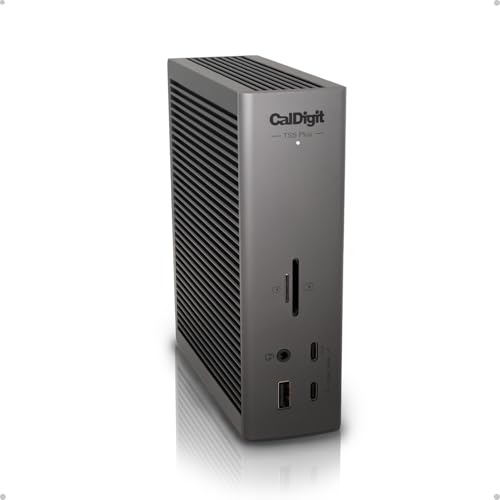 | CalDigit TS5 Plus | 10GbE evidence: 10Gb Ethernet Thunderbolt 5: 3 ports USB: 10 USB 10Gb/s ports Host charging: 140W | Check Price on Amazon |
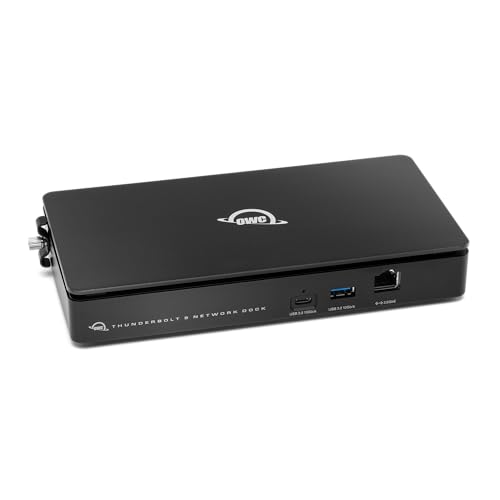 | OWC Thunderbolt 5 Dual 10GbE Network Dock | 10GbE evidence: Two 10GbE RJ-45 ports Thunderbolt 5: Host uplink plus 3 downstream ports USB: USB-C 10Gb/s plus 3 USB-A 10Gb/s ports Host charging: Check listing | Check Price on Amazon |
 | iVANKY FusionDock Ultra | 10GbE evidence: 10Gbps RJ-45 Ethernet Thunderbolt 5: Compatible; 4 downstream 80/120Gbps ports USB: 26-in-1 layout Host charging: Check listing | Check Price on Amazon |
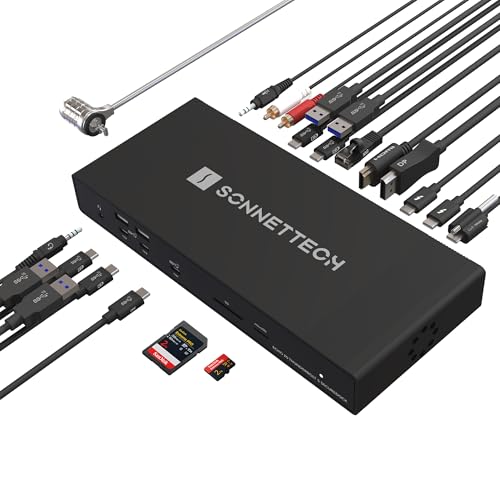 | Sonnet Echo20 SecureDock | 10GbE evidence: Built-in 10GbE networking Thunderbolt 5: 3 ports USB: 9 USB 10Gbps ports Host charging: 140W | Check Price on Amazon |
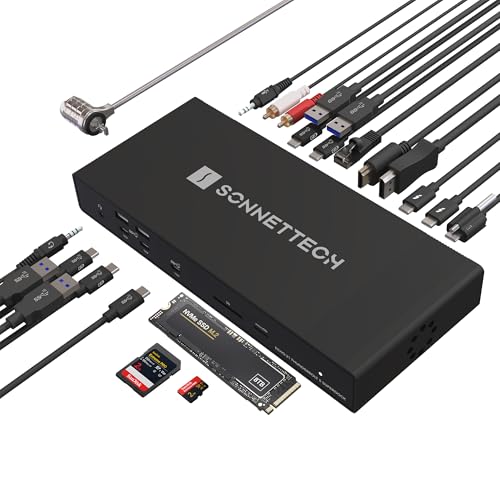 | Sonnet Echo21 SuperDock | 10GbE evidence: 10Gb Ethernet Thunderbolt 5: 3 ports USB: 9 USB 10Gbps ports Storage: M.2 NVMe SSD slot up to 8TB | Check Price on Amazon |
| # | Product | Documented 10GbE evidence | Thunderbolt 5 and notable ports |
|---|---|---|---|
| 1 | CalDigit TS5 Plus | 10Gb Ethernet, backward compatible with 1GbE, 2.5GbE, and 5GbE | 20 ports, three TBT5 ports, ten USB 10Gb/s ports, 140W host charging |
| 2 | OWC Dual 10GbE Network Dock | Two 10GbE RJ-45 ports | 11 ports, TB5 host uplink, three downstream TB5 ports, USB-C and USB-A |
| 3 | iVANKY FusionDock Ultra | 10Gbps RJ-45 Ethernet port | 26-in-1, four 80/120Gbps downstream ports |
| 4 | Sonnet Echo20 SecureDock | Built-in 10GbE networking for NAS connections | Three TB5 ports, HDMI, DisplayPort, nine USB 10Gbps ports, SD card reader |
| 5 | Sonnet Echo21 SuperDock | 10Gb Ethernet | Three TB5 ports, HDMI, DisplayPort, nine USB 10Gbps ports, M.2 NVMe slot |
1. CalDigit TS5 Plus — Best Overall 10GbE Thunderbolt 5 Dock
The CalDigit TS5 Plus is the broadest port-layout option in this lineup. Its title lists 20 ports, 10Gb Ethernet, 140W dedicated host charging, three Thunderbolt 5 ports, and ten USB 10Gb/s ports split across dual USB controllers. The same title lists support for up to two 8K 60Hz displays, a 1.0m braided cable, and a 330W power supply.
CalDigit’s listing also states that the 10GbE connection is backward compatible with 1GbE, 2.5GbE, and 5GbE. The backward compatibility makes this the clearest all-around pick for a desk that needs a single dock with a stated high Ethernet tier and a large number of USB and Thunderbolt connections.
Our Take Choose the TS5 Plus when the priority is a 20-port Thunderbolt 5 dock with a stated 10GbE path and the largest stated USB count in this lineup. Confirm the exact display and peripheral arrangement against the listing before buying.
- CalDigit lists a 20-port dock with 10Gb Ethernet, three Thunderbolt 5 ports, and ten USB 10Gb/s ports.
- The stated 140W dedicated host charging and 330W power supply fit a desk built around one dock.
- Its listing explicitly states backward compatibility with 1GbE, 2.5GbE, and 5GbE networks.
- The listing gives port counts and display ceilings, but not independent testing of how a particular workload shares those connections.
- Its 20-port layout is more dock capacity than a desk that only needs network access and a few peripherals is likely to need.
2. OWC Thunderbolt 5 Dual 10GbE Network Dock — Best Dual-NIC Choice
OWC’s Thunderbolt 5 Dual 10GbE Network Dock is the unusual option here because its listing states two 10GbE RJ-45 ports rather than one. It is still a full 11-port dock, not a bare network appliance. OWC’s listing names one Thunderbolt 5 host uplink, three downstream Thunderbolt 5 USB-C ports, one USB-C 10Gb/s port, and three USB-A 10Gb/s ports.
The same listing states display support up to three 8K at 60Hz. OWC’s offer was marked New and scarce in stock at the time this guide’s evidence was checked, so treat that as a point-in-time state rather than a claim about the listing’s availability after publication.
Our Take This dock is the specialized choice when two 10GbE RJ-45 ports are more important than the largest total port count. Its full downstream Thunderbolt and USB layout keeps it inside the multi-port dock category this guide covers, not a bare network adapter.
- OWC explicitly lists two 10GbE RJ-45 ports, the only dual-10GbE layout in this five-product set.
- The 11-port design includes a TB5 host uplink, three downstream TB5 ports, USB-C 10Gb/s, and three USB-A 10Gb/s ports.
- OWC’s listing states display support up to three 8K at 60Hz displays.
- OWC’s offer was recorded as scarce in stock when this guide’s evidence was checked, so verify the exact offer before treating it as readily available.
- The listing establishes the port layout but does not explain how to configure two network interfaces for a specific environment.
3. iVANKY FusionDock Ultra — Most Ports
The iVANKY FusionDock Ultra is described as a 26-in-1 dock compatible with Thunderbolt 5. Its listing calls out a 10Gbps RJ-45 Ethernet port and four downstream ports specified at 80/120Gbps, making the stated connection count the standout feature of this model.
The Ethernet wording varies by source. iVANKY’s feature list uses 10Gbps RJ-45 while the product title labels the dock 10GbE, and both describe the same 10 Gigabit tier this guide requires. The dock’s Ethernet port qualifies for this list without any network throughput claim beyond the stated port specification.
Our Take Pick the FusionDock Ultra when the differentiator is the stated 26-in-1 layout and four 80/120Gbps downstream ports, while keeping the required 10GbE Ethernet port in the same dock.
- The title identifies a 26-in-1 Thunderbolt 5-compatible dock with 10GbE.
- iVANKY’s feature list names four downstream ports at 80/120Gbps.
- The stated 10Gbps RJ-45 port meets this guide’s 10 Gigabit Ethernet requirement.
- The listing does not enumerate every one of the 26 connections, so confirm the precise port you need in the exact listing.
- The listing establishes the 10Gbps RJ-45 specification but does not include independent throughput measurements.
4. Sonnet Echo20 SecureDock — Best for NAS-Focused Desks
The Sonnet Echo20 SecureDock combines a stated 10Gb Ethernet connection with three Thunderbolt 5 ports, HDMI, DisplayPort, nine USB 10Gbps ports, 140W charging, and an SD card reader. Its title also names Mac, Windows, Chromebook, and iPad compatibility.
Sonnet’s feature list specifically describes built-in 10GbE networking for connections to NAS systems. That description makes the Echo20 a focused option for a desk where a NAS connection is part of the decision, while the remaining ports cover displays, USB accessories, and card media.
Our Take Choose the Echo20 when a documented 10GbE NAS connection belongs alongside display outputs, nine USB 10Gbps ports, and an SD card reader, without requiring onboard M.2 storage expansion.
- Sonnet explicitly describes built-in 10GbE networking for NAS connections.
- The title lists three TB5 ports, HDMI, DisplayPort, nine USB 10Gbps ports, and an SD card reader.
- Its stated 140W charging and named operating-system compatibility support a broad host-device list.
- The listing does not include independent NAS transfer or display testing for this exact configuration.
- The Echo20 title does not list an onboard M.2 NVMe SSD slot, unlike the related Sonnet Echo21 SuperDock.
5. Sonnet Echo21 SuperDock — Best with an M.2 Slot
The Sonnet Echo21 SuperDock adds the defining feature missing from its sibling: an integrated M.2 NVMe SSD slot. Sonnet lists it as a distinct 21-interface model and states that the user-installed M.2 NVMe SSD slot supports up to 8TB, alongside the 10Gb Ethernet connection.
Outside the storage expansion, its title lists the same core desk-facing equipment: three Thunderbolt 5 ports, HDMI, DisplayPort, nine USB 10Gbps ports, 140W charging, and an SD card reader. The M.2 slot and one additional interface make it a distinct model from the Echo20, not a duplicate.
Our Take Choose the Echo21 over Sonnet Echo20 SecureDock when the stated M.2 NVMe slot up to 8TB is part of the desk plan alongside the 10GbE connection.
- Sonnet lists an integrated M.2 NVMe SSD slot with support up to 8TB.
- The title pairs 10Gb Ethernet with three TB5 ports, HDMI, DisplayPort, nine USB 10Gbps ports, and an SD card reader.
- Sonnet lists it as a distinct 21-interface model rather than a duplicate of the Echo20.
- The listing does not specify a particular SSD model, storage workflow, or independent performance result for the M.2 slot.
- The added M.2 NVMe expansion is the documented distinction from Sonnet Echo20 SecureDock, so choose between the two based on whether that slot is required.
Buying Guide
Match the stated port layout to the desk
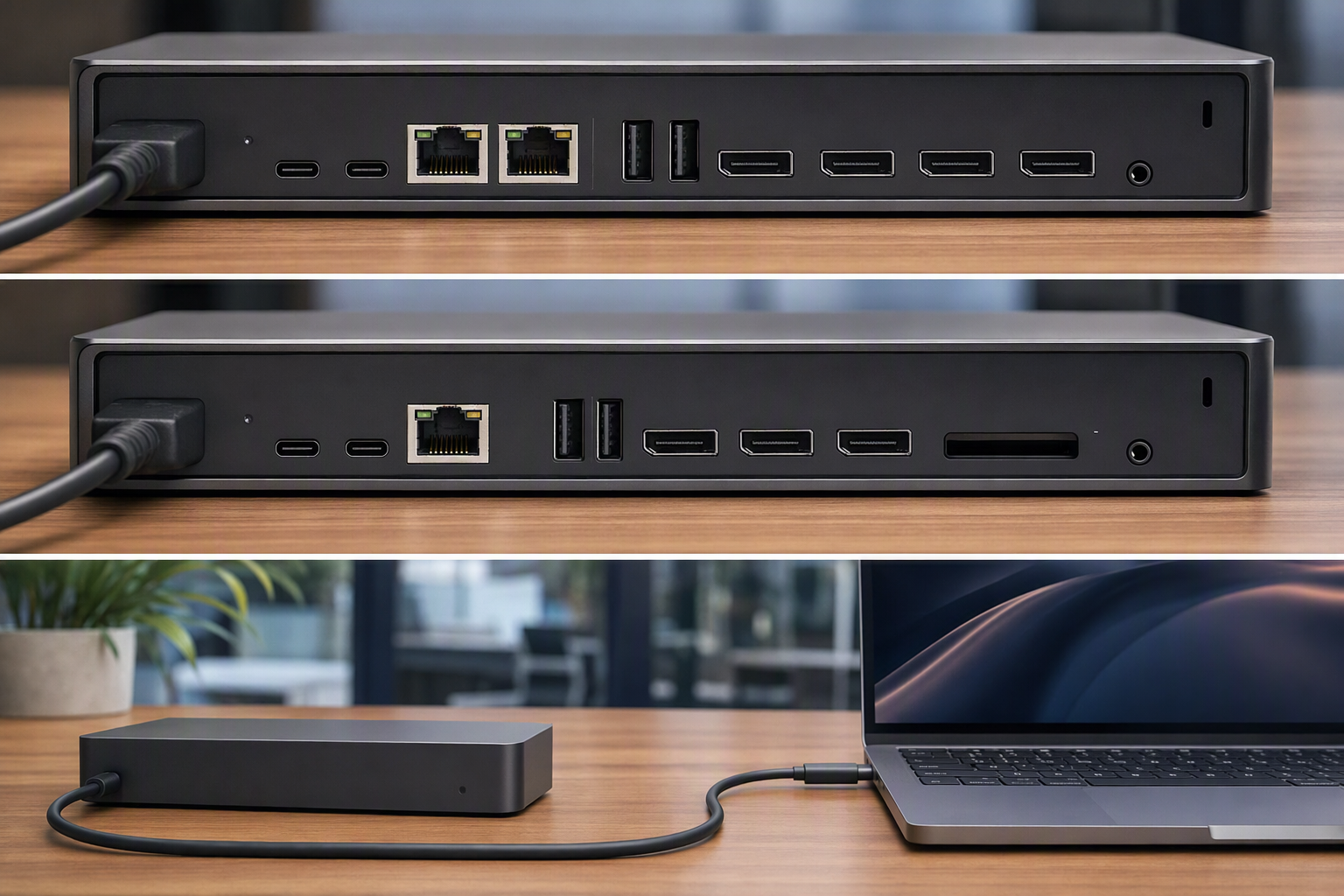
Start with the port group you can confirm from the listing, not a generic dock category. CalDigit TS5 Plus lists 20 ports, including three Thunderbolt 5 ports and ten USB 10Gb/s ports, while iVANKY FusionDock Ultra is labeled 26-in-1 and names four 80/120Gbps downstream ports. Those stated layouts answer different connection-count questions.
The same comparison applies to display and media connections. Sonnet Echo20 SecureDock and Sonnet Echo21 SuperDock each list HDMI, DisplayPort, nine USB 10Gbps ports, and an SD card reader. The listings establish the stated ports, not how every display and peripheral combination behaves together, so verify the exact arrangement before purchase.
Decide whether one or two 10GbE ports are the differentiator
All five docks in this guide meet the 10 Gigabit Ethernet requirement, so do not mistake a 2.5GbE listing for an equivalent alternative. This guide leaves out otherwise capable Thunderbolt 5 docks that stated 2.5GbE, because that is a separate Ethernet tier from the one covered here.
OWC Dual 10GbE Network Dock is the exception when port quantity on the network side is the decision: it lists two 10GbE RJ-45 ports. Its listing confirms a multi-port dock layout with a Thunderbolt 5 host uplink, downstream Thunderbolt ports, USB-C, and USB-A, but it does not tell you how a particular network should use two interfaces.
Keep storage expansion separate from Ethernet qualification
A 10GbE dock does not automatically include local storage expansion. Sonnet Echo21 SuperDock is the one listed model with an integrated M.2 NVMe SSD slot up to 8TB, which is why this guide treats it as distinct from the Echo20 rather than a rebranded duplicate.
If no onboard M.2 slot is needed, Sonnet Echo20 SecureDock keeps the documented 10GbE NAS connection and the same stated three TB5 ports, display outputs, USB ports, charging, and SD card reader. Neither listing includes a tested performance comparison between the two docks, so the M.2 slot is the supported difference to choose on, not a performance advantage.
For a broader dock comparison that does not require 10GbE, see the best Thunderbolt 5 docks. A dock’s high-speed network port still needs a suitable host cable, so check the compatible options in our Thunderbolt 5 cable guide before treating a desk connection as complete.
FAQ
Do all five docks really meet the 10GbE requirement?
Yes. Each of the five is included because its own title or feature list states 10Gb Ethernet, 10GbE, or 10Gbps RJ-45 and because each is a genuine multi-port Thunderbolt 5 dock. Docks whose own listing states 2.5GbE are left out, even when they are otherwise capable Thunderbolt 5 docks.
The wording varies by listing. CalDigit TS5 Plus, OWC Dual 10GbE Network Dock, and the two Sonnet Echo docks state 10Gb Ethernet or 10GbE, while iVANKY FusionDock Ultra states a 10Gbps RJ-45 Ethernet port. Every wording above describes the same required 10 Gigabit tier.
What makes the OWC dock different from the other picks?
OWC Dual 10GbE Network Dock is the only dock in this guide with two 10GbE RJ-45 ports. Its listing also confirms an 11-port Thunderbolt 5 dock, with a host uplink, downstream Thunderbolt ports, USB-C, USB-A, and stated display support up to three 8K at 60Hz.
The second network port does not by itself establish a recommended network configuration. The listing does not include setup guidance or independent traffic testing. Its useful conclusion is limited to the hardware distinction of two stated 10GbE RJ-45 ports rather than one.
Should I choose the Echo20 or Echo21?
Choose Sonnet Echo21 SuperDock when the documented M.2 NVMe SSD slot up to 8TB is a required part of the dock. That storage slot and the 21-interface count are the material differences from the Echo20.
Choose Sonnet Echo20 SecureDock when you want the documented 10GbE NAS connection and its listed Thunderbolt, display, USB, charging, and SD-card features without that added M.2 storage slot. Neither listing supplies a tested performance comparison, so do not infer one from the difference in interface count.
What should I confirm beyond the Amazon listing?
This guide’s evidence check supports the exact products, product titles, stated ports, feature text, and the recorded New offer statuses. It also found that the OWC offer was scarce in stock at the time of that check, which is why the article treats that status as time-bounded evidence.
The same check does not cover full manuals, independent measurements, or an ongoing availability check after publication. Use the listed specifications to narrow the hardware choice, then confirm any setup-specific requirement against the exact product listing before buying.
Final Word
For a wide stated port layout, choose CalDigit TS5 Plus. For two 10GbE ports, choose OWC Dual 10GbE Network Dock. For an M.2 storage slot alongside 10GbE, choose Sonnet Echo21 SuperDock. All five products satisfy this guide’s 10GbE Thunderbolt 5 dock requirement. Confirm the exact port and setup requirements before purchase.