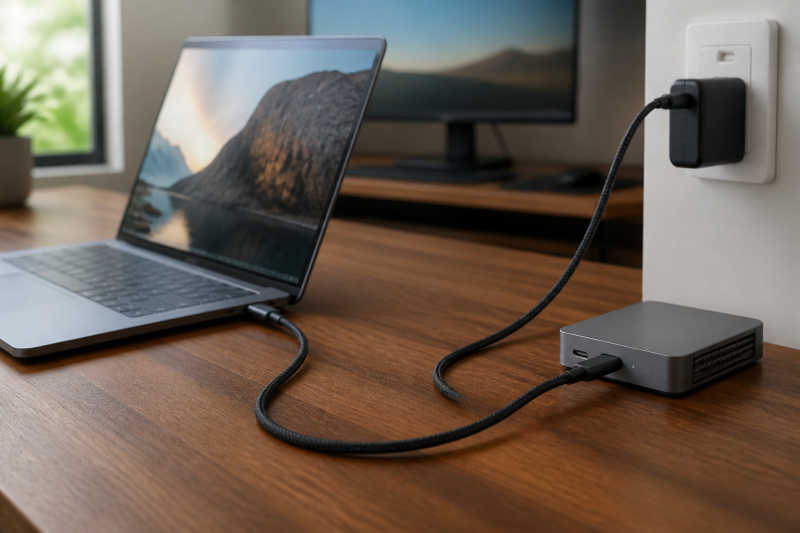
The best USB4 cable with 240W charging for most buyers is the Silkland USB4 40Gbps 240W Cable. It combines the 40Gbps USB4 class with a 240W PD 3.1 rating and a four-foot run, which is enough slack for a charger on the floor or a dock beside a monitor. It is the right kind of cable when a high-power laptop connection also needs full USB4 data capability. It is not a promise that a laptop will accept 240W or that a charger will supply it.
The Amazon Basics cable is a shorter USB-IF-certified choice, while UGREEN’s 40Gbps cable is for buyers who prefer its stated braided construction. The two 80Gbps picks are here for a buyer who needs the higher cable class while still needing 240W charging capability. If speed is the main requirement, start with our USB4 80Gbps cable guide. This page instead starts with the charging requirement and asks whether the rest of the connection earns a higher-speed cable.
Quick picks
- Silkland USB4 40Gbps 240W Cable: Best overall when you need 240W capability and four feet of useful desk reach.
- Amazon Basics USB4 240W Cable: Best short USB-IF-certified choice for a 3.3-foot route.
- UGREEN USB4 40Gbps 240W Cable: Best 40Gbps choice when UGREEN’s stated braided construction fits your cable-management plan.
- UGREEN USB4 80Gbps 240W Cable: Best short option when the host path also requires the 80Gbps cable class.
- Silkland USB4 80Gbps 240W Cable: Best four-foot 80Gbps option when you need more slack than a short direct connection provides.
| Image | Product | Details | Check Price |
|---|---|---|---|
 | Silkland USB4 40Gbps 240W Cable | Length: 4 ft Cable class: USB4 up to 40Gbps, USB-IF certified Power path: Up to 240W PD 3.1 | Check Price on Amazon |
 | Amazon Basics USB4 240W Cable | Length: 3.3 ft Cable class: USB4 up to 40Gbps, USB-IF certified Power path: Up to 240W | Check Price on Amazon |
 | UGREEN USB4 40Gbps 240W Cable | Length: 3.3 ft Cable class: USB4 up to 40Gbps Power path: Up to 240W PD 3.1 | Check Price on Amazon |
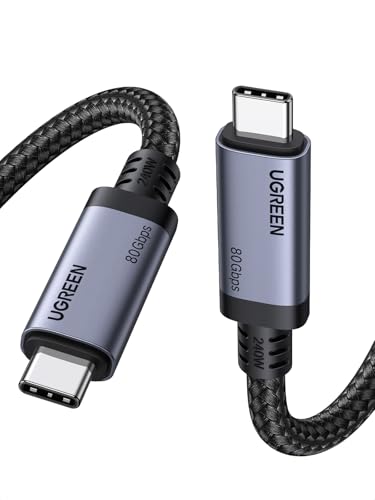 | UGREEN USB4 80Gbps 240W Cable | Length: 3.3 ft / 1 m Cable class: USB4 Gen 4, up to 80Gbps Power path: Up to 240W USB PD 3.1 | Check Price on Amazon |
 | Silkland USB4 80Gbps 240W Cable | Length: 4 ft Cable class: USB4 up to 80Gbps, USB-IF certified Power path: Up to 240W | Check Price on Amazon |
1. Silkland USB4 40Gbps 240W Cable — Best overall for a 240W desk connection
Silkland’s four-foot cable is the straightforward choice when power headroom is the first requirement but a charger cable also needs to carry serious dock, storage, or display traffic. Silkland identifies this model as a USB-IF-certified USB4 cable with up to 40Gbps transfer capability and 240W PD 3.1 charging. The extra foot over a 3.3-foot cable gives a laptop on a stand room to reach a charger, dock, or monitor without putting the connectors under tension.
The important boundary is that the cable is only one participant in the power contract. A compatible 240W cable can connect a laptop that accepts less power and charge it at that lower negotiated level. Likewise, its stated USB4 class does not mean every USB-C port on the laptop supplies a 40Gbps path. Those two limits make this the best all-purpose pick for buyers who have checked both the laptop’s accepted input and the destination’s documented USB4 connection.
Our Take
Choose Silkland when a four-foot cable solves the physical route and you want a stated USB-IF-certified 40Gbps and 240W combination. Move to an 80Gbps option below only when the host and destination make that higher cable class useful.
- Silkland lists USB-IF certification for this exact USB4 40Gbps cable, giving buyers a stated certification boundary rather than an uncertified cable with a similar connector.
- The maker lists 240W PD 3.1 support, so it can serve in a qualified higher-power charger-to-laptop path.
- Its four-foot length gives more placement room for a laptop stand or side-mounted dock than a short direct cable.
- A 240W rating does not increase the power a charger offers or the maximum input a laptop accepts.
- The 40Gbps cable class can be more capability than a basic charging-only route needs.
2. Amazon Basics USB4 240W Cable — Best short certified choice
Amazon’s first-party listing identifies this 3.3-foot Amazon Basics cable as USB4, 40Gbps, 240W, USB-IF-certified, and compatible with Thunderbolt 4 and Thunderbolt 3. That unusually direct identity is useful for a buyer who needs a short cable for a charger and laptop positioned close together, without moving to an 80Gbps cable just because it also supports 240W.
Treat its 3.3-foot length as a deliberate fit, not a general-purpose recommendation. It works for a compact desk, a travel charger beside a laptop, or a dock directly under a monitor. It may be too short for a computer on a floor stand, a monitor arm that travels, or an under-desk charger. Its listing’s video language remains conditional on a compatible USB-C display path, so the recommendation is a cable choice, not a display-layout guarantee.
Our Take
Pick this one when short reach and a listing-stated USB-IF-certified identity are the priorities. Measure the route first, because buying a cable that must stay taut defeats the point of a tidy connection.
- Amazon’s first-party product record identifies the matching ASIN as a 3.3-foot USB4 40Gbps cable with 240W charging capability.
- The same listing identifies USB-IF certification, which helps buyers preserve a stated product identity when selecting from similar-looking short cables.
- Its compact length suits a charger, laptop, and dock that already sit within one small desk zone.
- Three-point-three feet leaves little slack for a raised laptop, monitor arm movement, or a charger placed below the desk.
- Thunderbolt 4 and 3 compatibility in the listing does not raise a lower-capability host or destination above its own mode.
3. UGREEN USB4 40Gbps 240W Cable — Best for a braided 40Gbps route
UGREEN’s 40Gbps 240W model is for a buyer who wants the standard USB4 class and prefers the maker’s stated nylon-braided cable construction. UGREEN lists the 3-foot model family with 40Gbps data transfer, 240W PD 3.1 charging, and an 8K maximum video output under compatible conditions. The Amazon record identifies the selected ASIN as a 3.3-foot UGREEN USB4 40Gbps 240W cable, so the recommendation stays tied to the short version rather than assuming that a different family length has the same identity.
This is a sensible pick for an external SSD, a Thunderbolt-class dock, or a monitor route where 40Gbps is sufficient and the laptop is close to the destination. The manufacturer mentions backward compatibility with older paths, which is convenient for mixed hardware. It still means the connection follows the lower common capability. Use the 80Gbps UGREEN below only when the rest of the chain calls for that class.
Our Take
Buy UGREEN when a short braided 40Gbps cable fits the desk and the documented host path. It is not the best choice for a four-foot route, even though the charging rating is the same.
- UGREEN documents a 40Gbps USB4 data rating and 240W PD 3.1 charging for this short model family.
- The maker describes a nylon-braided jacket, which distinguishes it for buyers who specifically want that stated construction.
- Its short route fits a laptop-to-charger or laptop-to-dock setup where excess cable would otherwise need managing.
- The 3.3-foot selected ASIN is a poor fit when the real route passes behind a monitor stand or below the desk.
- UGREEN’s maximum video language is conditional on a compatible device path, not an assurance for every monitor configuration.
4. UGREEN USB4 80Gbps 240W Cable — Best short upgrade for an 80Gbps host path
UGREEN’s 80Gbps cable belongs in this charging-first list for a narrower reason. It carries a stated USB PD 3.1 path while the host and destination may also need the newer 80Gbps cable class. UGREEN’s one-meter product family documents 80Gbps data and USB PD 3.1 support, and the Amazon record identifies the selected ASIN as a 3.3-foot, 240W cable. The higher data class is an upgrade only when it has a documented job, not merely because its number is larger.
For example, a buyer with a compatible high-bandwidth storage or display route may want both properties in one short cable. A charging-only laptop connection will still negotiate its actual power level with the charger and laptop, while a lower-speed host path will use its lower common data mode. Keep those choices separate so the cable budget follows the actual bottleneck.
Our Take
Choose this UGREEN cable when you need 240W capability and have an actual 80Gbps path to protect. For a conventional 40Gbps dock route, the first three selections are easier to justify.
- UGREEN lists 80Gbps data capability for the one-meter USB4 Gen 4 model family.
- The maker lists USB Power Delivery 3.1 support, preserving the charging-first requirement for a qualified complete chain.
- The 3.3-foot format keeps a higher-capability connection compact when a laptop sits close to its dock or display.
- Its higher cable class cannot make an older host, dock, or external device negotiate at 80Gbps.
- One meter may be too short for a laptop on a stand with a charger or dock located away from the display.
5. Silkland USB4 80Gbps 240W Cable — Best four-foot 80Gbps option
Silkland’s four-foot 80Gbps option is the longer alternative for a buyer whose charger and laptop need more freedom than a 3.3-foot cable provides, while the data route may also benefit from the higher class. Silkland identifies the exact four-foot variant as USB-IF-certified, and its Amazon title identifies the matching ASIN as an 80Gbps USB4 cable with 240W charging. The recommendation is therefore about the combination of four-foot reach, stated certification, and the 80Gbps class rather than a generic claim that it improves every connection.
Use it for a measured route between a laptop stand and a dock or monitor-side power connection. Do not use the extra length as an excuse to run cable tightly around furniture or to assume a display arrangement will work. The host’s video path, any dock or adapter, and the monitor input remain separate compatibility checks.
Our Take
This is the pick for buyers who need four feet plus an 80Gbps cable class. If charging is the only demanding part of the route, Silkland’s first selection is the more direct match.
- Silkland identifies the exact four-foot selection as a USB-IF-certified USB4 80Gbps variant.
- The matching Amazon title identifies the selected ASIN as a 240W cable for a qualified higher-power charging path.
- Four feet gives a laptop-to-dock route more slack than a compact 3.3-foot cable.
- The higher cable class is unnecessary if the host and destination only use a lower shared data mode.
- USB-IF certification and a 240W listing do not establish a specific display layout or laptop charging result.
How to choose a USB4 cable with 240W charging
Check the laptop’s accepted input before buying for 240W
Start with the computer maker’s power specification, not the number printed on a cable. Some laptops accept far less than 240W over USB-C, and some use a separate power connector for their highest input. A 240W-rated cable can still be useful because it supports a higher-power path, but it cannot make the laptop take more power than its documentation allows.
The cable rating is a ceiling for the cable, not a charging promise for the laptop. Confirm the charger output and the laptop’s accepted USB-C input together. USB Power Delivery uses a negotiated level, so a complete compatible chain can work at a lower level without a fault.
Separate the power decision from the data decision
Once the cable has the required charging rating, decide how much data capability the connection needs. The 40Gbps picks suit a qualified USB4 or Thunderbolt-class dock, storage, or display route. An 80Gbps pick makes sense only when the computer and destination document a compatible higher-speed path. A USB-C connector by itself tells you neither result.
Measure the cable route with slack at both connectors
The three short selections work when the charger, laptop, and destination occupy the same desk area. Four feet is more appropriate when the cable crosses behind a laptop stand or reaches a dock by the monitor. Follow the actual path with a tape measure, then add room for a relaxed bend at each USB-C connector. Avoid a cable that just reaches, especially on a standing desk or an arm that moves.
If 80Gbps speed is more important than charging, compare the independent 80Gbps cable recommendations. If the host is limited to the older generation, our Thunderbolt 4 cable guide is the better capability check.
Verify the exact ASIN and variant
Cable families often include several lengths and sometimes different data ratings. Check the ASIN and the chosen length against the source details before ordering. Do not transfer a rating from a long or short sibling unless the maker documents that specific variation. Confirming the exact ASIN and length is especially important for 240W and USB4 products because one change in the cable can affect the job it is suitable for.
For the next related decision, use our USB-C cables with 240W charging guide if power is the only advanced requirement and you do not need a USB4 data path.
Frequently asked questions
Will a 240W USB4 cable charge my laptop at 240W?
Only if the charger, cable, and laptop all support a matching USB Power Delivery path. The laptop’s documented accepted input remains the deciding limit.
Is USB4 40Gbps enough for a dock and charging cable?
It can be when the host and destination support that class. Check the dock, display, or storage documentation before paying for an 80Gbps cable just because it also supports 240W charging.
Can I use a USB4 cable with a lower-speed USB-C device?
Often yes when the devices support a compatible lower common mode, but the connection uses that lower mode. A high-rated cable does not add data, video, or charging capability to the device.