For a PC game library, OWC Express 1M2 80G 2TB is the best USB4 external SSD in this frozen slate. It is a configured prebuilt 2TB drive with a user-serviceable NVMe path, so capacity can be ready out of the box without making the storage permanently sealed. The rest split along that same line: SABRENT Rocket XTRM 5 2TB is the compact prebuilt removable-cable alternative, OWC Envoy Ultra 2TB is the sealed prebuilt branch, and the UGREEN 95583 and TerraMaster D1 SSD Pro are diskless enclosures that require a compatible buyer-supplied NVMe drive.
No USB4, 80Gbps, or Thunderbolt label guarantees faster game loading, Windows DirectStorage use, launcher portability, console support, or equal performance through fallback ports. Installation location, file system, permissions, anti-cheat, launcher behavior, free space, host, cable, bridge, SSD controller, NAND, firmware, capacity, cache, and thermals remain separate. For the broader product class, see our Thunderbolt 5 external SSD guide.
Quick picks
- OWC Express 1M2 80G 2TB: Best serviceable configured 2TB game-library drive.
- SABRENT Rocket XTRM 5 2TB: Best compact prebuilt choice with removable cable.
- OWC Envoy Ultra 2TB: Best sealed prebuilt alternative.
- UGREEN 95583: Best diskless buyer-supplied-drive branch.
- TerraMaster D1 SSD Pro: Best alternate diskless capacity route.
Compare USB4 external SSDs for PC gaming
| Image | Product | Details | Check Price |
|---|---|---|---|
 | OWC Express 1M2 80G 2TB | Storage state: Prebuilt configured 2TB Gaming role: Serviceable game-library drive Serviceability: User-serviceable NVMe path Performance boundary: No game-load or DirectStorage claim Buyer check: Host, cable, drive support, format, cache, and thermals | Check Price on Amazon |
 | SABRENT Rocket XTRM 5 2TB | Storage state: Prebuilt 2TB Gaming role: Compact portable library Cable: Removable host cable Performance boundary: No game or fallback guarantee Buyer check: Host mode, correct cable, format, and launcher | Check Price on Amazon |
 | OWC Envoy Ultra 2TB | Storage state: Sealed prebuilt 2TB Gaming role: Ready configured storage Serviceability: No retained internal upgrade path Performance boundary: No universal game result Buyer check: Host, cable, format, free space, and thermals | Check Price on Amazon |
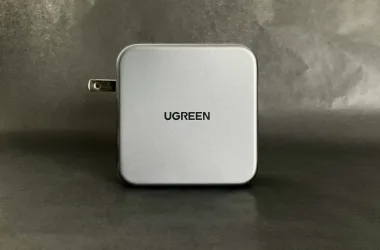
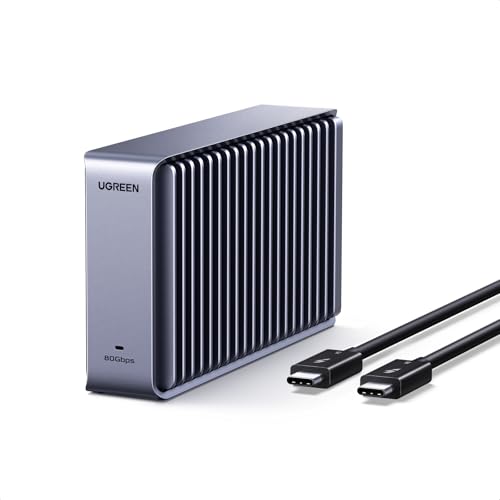 | UGREEN 80Gbps M.2 NVMe SSD Enclosure 95583 | Storage state: Diskless; buyer supplies compatible NVMe Gaming role: DIY capacity selection Link boundary: 80Gbps name is not sustained throughput Added work: Compatibility, assembly, cooling, and format Buyer check: Drive, bridge, cable, host, cache, and thermals | Check Price on Amazon |
 | TerraMaster D1 SSD Pro | Storage state: Diskless; buyer supplies compatible NVMe Gaming role: Alternate DIY capacity route Cooling boundary: Design is not a temperature test Added work: Drive choice, assembly, cooling, and format Buyer check: Compatibility, host, cable, cache, and workload | Check Price on Amazon |
1. OWC Express 1M2 80G 2TB — best overall
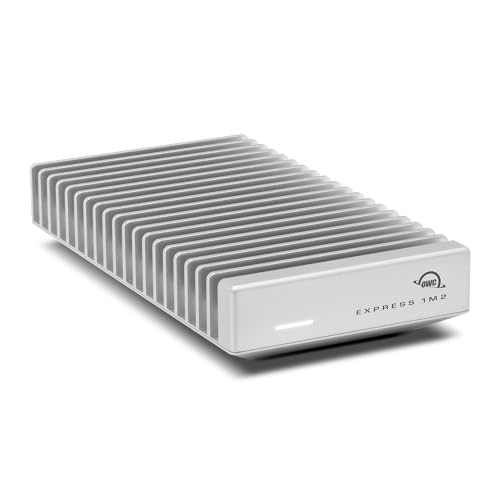
OWC Express 1M2 80G 2TB leads because the frozen identity combines what OWC specifies as a prebuilt configured 2TB drive with a user-serviceable NVMe path. That is a useful gaming compromise: the library can be installed without choosing a separate SSD first, while later drive replacement remains part of the product’s role.
Serviceable does not mean every NVMe drive, capacity, or thermal setup is supported. Verify OWC’s exact compatibility list, installation instructions, enclosure closure, formatting needs, and any firmware requirements before replacing the configured drive. The gate does not preserve a measured game-load result.
The 80G name is a link-class reference, not sustained game performance. Exact PC host mode, cable, bridge, SSD, cache, free space, thermals, launcher, anti-cheat, and game files control the experience. A fallback port can also impose a different ceiling.
Our Take
Choose Express 1M2 when what OWC lists as a ready 2TB game library and later NVMe serviceability matter more than a sealed body. Confirm host mode, supported replacement drives, cable, format, and launcher behavior.
- Prebuilt configured 2TB storage
- User-serviceable NVMe path
- Clear capacity-upgrade role
- No game-load or DirectStorage result is established
- Replacement drive support and thermals require recheck
2. SABRENT Rocket XTRM 5 2TB — best compact removable-cable choice

According to Sabrent, the Rocket XTRM 5 2TB is a compact prebuilt 2TB external SSD, and the frozen gate gives it the removable-cable role. A replaceable cable earns its keep on a game drive that moves between a desktop, laptop, and travel kit, because cable wear does not force replacement of the entire storage device.
The retained evidence does not make the internal SSD user-serviceable, establish a game-loading result, or promise identical behavior on every host. Confirm the supplied cable, exact supported link, fallback modes, formatting, and OS requirements. A removable cable can also be replaced with the wrong type, so connector fit is not enough.
Game-library portability remains software-dependent. Launcher login, install discovery, permissions, drive letters or mount points, anti-cheat, and updates can change whether another PC recognizes the library cleanly.
Our Take
Choose Rocket XTRM 5 when a compact prebuilt 2TB drive and replaceable cable matter most. Keep game and host compatibility separate from the storage hardware.
- Prebuilt 2TB configuration
- Compact role in the frozen slate
- Removable host cable
- Internal serviceability is not established
- Launcher portability and game performance are not guaranteed
3. OWC Envoy Ultra 2TB — best sealed prebuilt alternative
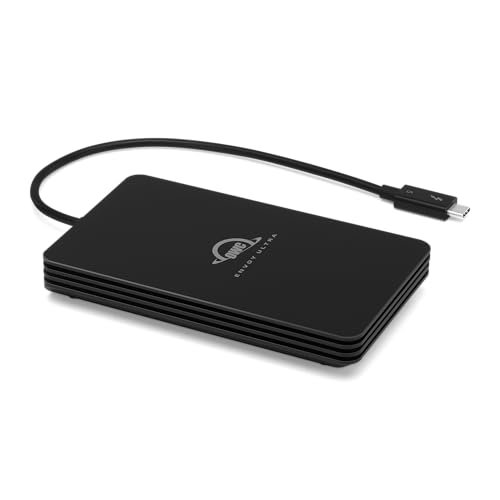
OWC Envoy Ultra 2TB is the sealed prebuilt option. It suits buyers who want an exact 2TB configuration and do not plan to choose, install, or replace the internal NVMe drive. That simplicity is the main reason to pick it over the serviceable Express 1M2.
Sealed construction trades away the serviceability role retained for Express. The manager gate does not establish a future internal upgrade path, game-load time, DirectStorage use, or console support. Treat it as PC external storage only after verifying the exact host and software workflow.
The host, cable, bridge, SSD, firmware, format, free space, cache, and thermals still determine behavior. A high-speed link ceiling cannot prove a sustained result or identical fallback performance.
Our Take
Choose Envoy Ultra when a sealed prebuilt 2TB device is preferable to a user-serviceable enclosure. Skip it if future capacity replacement is central to the value calculation.
- Prebuilt 2TB configuration
- Sealed ready-to-use storage role
- No separate NVMe selection required
- No user-serviceable upgrade path is retained
- No universal game or fallback performance claim
4. UGREEN 80Gbps M.2 NVMe SSD Enclosure 95583 — best diskless DIY branch
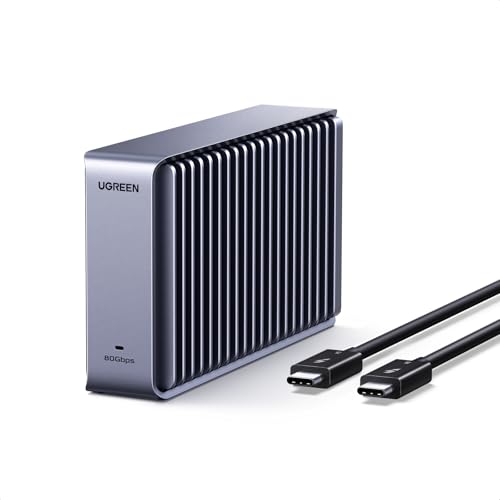
UGREEN 95583 is a diskless enclosure. It includes no storage in the frozen product definition, so the buyer must choose and install a compatible NVMe drive. That suits anyone who wants game-library capacity, SSD controller, or replacement planning to stay under their own control.
Compatibility is the first gate. Verify supported NVMe form factors, capacities, keying, firmware, thermal assembly, and installation steps from the exact UGREEN record. Do not transfer compatibility from another UGREEN enclosure or assume an M.2 drive fits because the connector looks right.
The 80Gbps name is a link ceiling, not measured game performance. The chosen SSD, bridge, cable, host mode, fallback path, cache, free space, and thermals can all lower real transfers. Installation, formatting, launcher, and anti-cheat remain separate.
Our Take
Choose UGREEN 95583 when you want to select the NVMe capacity and accept the assembly and compatibility work. Add the buyer-supplied drive to every value comparison.
- Diskless user-configured capacity route
- Buyer controls the compatible NVMe choice
- Drive can be replaced independently of enclosure
- No SSD is included
- Compatibility, assembly, cooling, and format are buyer tasks
5. TerraMaster D1 SSD Pro — best alternate diskless route
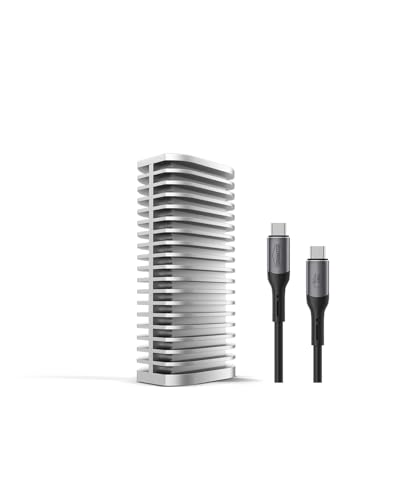
TerraMaster D1 SSD Pro is also a diskless enclosure with no included storage in the frozen slate. Take this alternate buyer-supplied-drive route when TerraMaster’s exact compatibility, construction, cooling design, or host support better matches the planned PC.
The gate does not repeat a complete compatible-drive list, game benchmark, sustained-write result, or fallback matrix for this article. Confirm the exact NVMe drive, capacity, thermal parts, cable, host protocol, firmware, and formatting before purchase.
Cooling design is not a temperature or sustained-performance test. The chosen SSD’s controller, NAND, firmware, cache, fill state, free space, workload, and environment can change results. No DirectStorage or console support is inferred.
Our Take
Choose D1 SSD Pro when its exact DIY compatibility and cooling plan fit the selected NVMe drive better than UGREEN’s. Remember that the enclosure price is not the completed storage cost.
- Diskless buyer-supplied-drive route
- Independent enclosure and SSD replacement
- Alternate DIY capacity path
- No SSD is included
- Cooling design does not prove gaming performance
How to choose a USB4 external SSD for PC gaming
Choose prebuilt or diskless first
Express 1M2, Rocket XTRM 5, and Envoy Ultra are prebuilt 2TB choices. UGREEN and TerraMaster are diskless. A DIY enclosure gives control over capacity and replacement but adds SSD compatibility, assembly, cooling, formatting, and total-cost work.
Verify the PC host and cable
USB-C is only a connector. Check the PC’s exact USB4 or Thunderbolt mode, cable rating, and fallback path. A device can connect at a lower mode without retaining the headline link ceiling. Our USB4 versus Thunderbolt 4 guide helps separate connector and protocol.
Plan the game-library workflow
Confirm file system, install location, drive letter or mount behavior, launcher discovery, permissions, anti-cheat, updates, and free-space needs. A game library that works on one PC may require repair or rediscovery on another.
Reserve room for updates and cache
Do not size the drive from installed-game totals alone. Leave space for patches, shader caches, temporary unpacking, launcher overhead, and save synchronization. Low free space can also change SSD cache behavior, so capacity planning belongs beside the host and thermal checks.
Ignore unsupported performance shortcuts
No game-loading, DirectStorage, console, or launcher benchmark is retained for these exact products. Link ceiling is not sustained throughput. Controller, NAND, firmware, bridge, cable, host, cache, free space, and thermals remain material.
Frequently asked questions
Does USB4 make every game load faster?
No. No game-load result is established, and the complete PC, storage, software, and workload path controls.
Do UGREEN 95583 and TerraMaster D1 SSD Pro include SSDs?
No. Both are diskless enclosures in the frozen slate and require compatible buyer-supplied NVMe drives.
Does an external SSD guarantee DirectStorage support?
No. The gate forbids inferring DirectStorage use from the USB4 label.
Final recommendation
For a ready 2TB PC game library with a serviceable NVMe path, OWC Express 1M2 80G 2TB is the best overall choice. Take SABRENT for a compact removable-cable prebuilt drive, Envoy Ultra for sealed simplicity, or UGREEN and TerraMaster when you want to select and install the NVMe drive yourself.