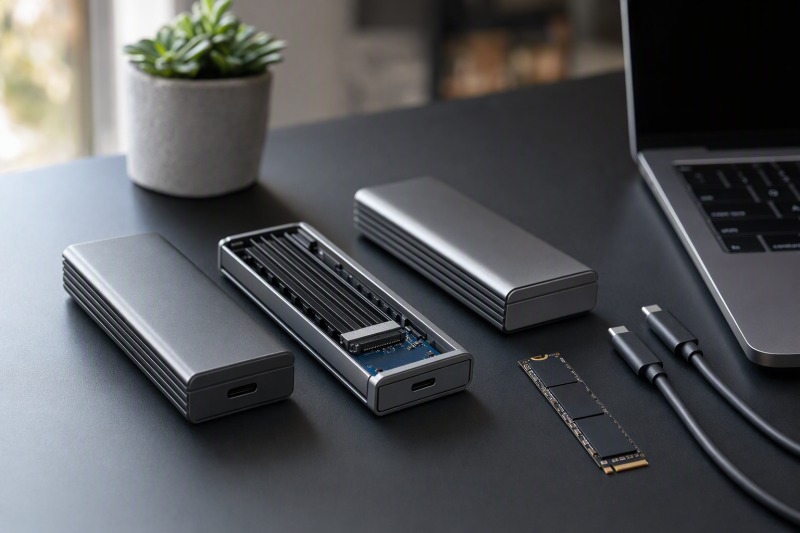
For a Thunderbolt 4 computer, the StarTech 1USB4-NVME-ENCLOSURE is the best choice in this frozen slate. StarTech documents the host modes, four common M.2 lengths, an explicit SATA exclusion, fanless construction, and the included 0.3m cable. The rest split by drive fit and access: OWC Express 1M2 is the better passive option for a double-sided 2280 drive, Satechi supports selected single-sided drives up to 16TB, TerraMaster suits a 2280-only desk setup, and UGREEN offers tool-free installation across four drive lengths.
These are diskless USB4 enclosures with a documented Thunderbolt 4-compatible path. Compatibility is not Thunderbolt certification, and a 40Gbps interface label is not a measured file-copy rate. Confirm the SSD fit, host port, cable, and operating system before buying. For the wider category, see our USB4 NVMe enclosure guide.
Quick picks
- StarTech 1USB4-NVME-ENCLOSURE: Best documented Thunderbolt 4-compatible package.
- OWC Express 1M2: Best passive choice for single- or double-sided drives.
- Satechi USB4 NVMe SSD Pro: Best for supported high-capacity single-sided drives.
- TerraMaster D1 SSD Plus: Best fanless 2280-only desk option.
- UGREEN 55316: Best tool-free fanless choice for four M.2 lengths.
Compare Thunderbolt 4 NVMe enclosures
| Image | Product | Details | Check Price |
|---|---|---|---|
 | StarTech 1USB4-NVME-ENCLOSURE | Host path: USB4 40Gbps; TB5/TB4/TB3 compatible Drive fit: 2230/2242/2260/2280 NVMe; SATA excluded Cooling: Fanless aluminum heatsink cover Setup: 0.3m cable and screwdriver included Buyer check: Compatibility is not certification | Check Price on Amazon |
 | OWC Express 1M2 Enclosure-Only | Host path: USB4 40Gbps; TB5/TB4/TB3/USB-C compatible Drive fit: 2230/2242/2280 single- or double-sided NVMe up to 8TB Cooling: Solid-aluminum passive heatsink Setup: 0.3m cable and screwdriver included Buyer check: Diskless configuration | Check Price on Amazon |
 | Satechi USB4 NVMe SSD Pro Enclosure | Host path: USB4 with TB3/TB4/TB5 and USB fallbacks Drive fit: 2242/2260/2280 single-sided NVMe up to 16TB Cooling: Aluminum, thermal pad, clear case Setup: Tool-free latch; cable length unknown Buyer check: No SATA, double-sided, or attached-heatsink SSD | Check Price on Amazon |
 | TerraMaster D1 SSD Plus | Host path: USB4 40Gbps; TB5/TB4/TB3 and USB compatible Drive fit: 2280 PCIe Gen 3/4/5 NVMe up to 8TB Cooling: Fanless aluminum unibody Setup: 0.3m cable; tool detail unknown Buyer check: OS and older-host conditions apply | Check Price on Amazon |
 | UGREEN 40Gbps NVMe Enclosure 55316 | Host path: USB4 40Gbps with qualifying host and cable Drive fit: 2230/2242/2260/2280 NVMe up to 8TB Cooling: Fanless double-sided aluminum fins Setup: Tool-free; cable specification unknown Buyer check: SATA NGFF and mSATA excluded | Check Price on Amazon |
1. StarTech 1USB4-NVME-ENCLOSURE — best overall
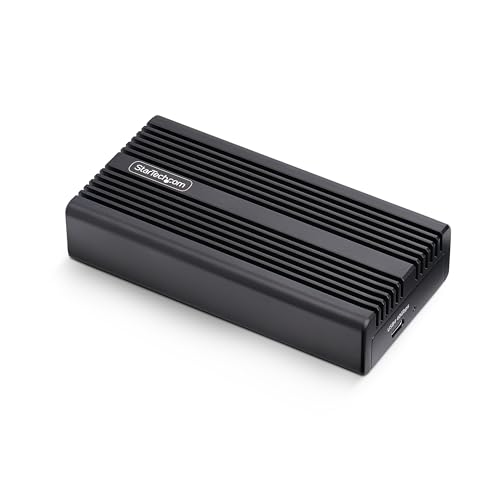
StarTech documents this as a USB4 40Gbps enclosure compatible with Thunderbolt 5, 4, and 3 hosts, with USB 3.2 fallback. It accepts one 2230, 2242, 2260, or 2280 M-key or B+M-key NVMe SSD. M.2 SATA is expressly excluded, so matching the connector shape is not enough.
The enclosure is bus-powered and fanless. Its aluminum heatsink-style cover uses a preinstalled thermal pad, and installation requires the included screwdriver. StarTech also includes a 0.3m USB4 cable and documents OS-independent, driver-free operation. Between them, those details make this the easiest package here to check before it reaches the desk.
The 40Gbps number describes the interface ceiling. It does not establish the speed of an installed SSD or promise the same result on Thunderbolt 4, Thunderbolt 3, and USB 3.2. Host PCIe resources, the enclosure bridge, cable, drive controller and NAND, cache state, filesystem, temperature, and workload all remain in the path.
Our Take
Choose the StarTech when broad documented host fallback and four M.2 lengths matter more than tool-free installation. It is the safest first pick here, provided the drive is NVMe rather than SATA.
- Thunderbolt 5/4/3 and USB 3.2 compatibility documented
- Accepts 2230, 2242, 2260, and 2280 NVMe
- Bus-powered fanless aluminum construction
- M.2 SATA is excluded
- Screwdriver installation is not tool-free
2. OWC Express 1M2 enclosure-only — best passive choice for broader sidedness

OWC documents Express 1M2 as a USB4 40Gbps enclosure that adapts to Thunderbolt 5, 4, and 3 plus USB-C hosts. The enclosure-only configuration accepts 2230, 2242, and 2280 NVMe drives, including single- and double-sided modules, with support stated up to 8TB. That sidedness support is the practical reason to rank it ahead of Satechi for many 2280 drives.
The solid aluminum shell is the passive heatsink, with no fan. Opening it requires screws, and OWC includes the needed screwdriver plus a 0.3m 40Gbps USB-C cable. The selected listing is the enclosure-only product, not a configured OWC SSD.
OWC says connection speed adapts to the negotiated host mode. Read that as a compatibility path, not an identical-throughput promise. The maker publishes mode-specific performance figures, but this page does not compare them with differently tested numbers from other vendors.
Our Take
Buy Express 1M2 when a passive aluminum design and support for a single- or double-sided 2280 drive are more useful than a latch. Check that the listing is the bare enclosure.
- Thunderbolt 4-compatible USB4 40Gbps path
- Single- and double-sided NVMe support
- Included 0.3m cable and screwdriver
- Does not support the 2260 length
- Screw-secured installation takes more time
3. Satechi USB4 NVMe SSD Pro Enclosure — best supported capacity ceiling

Satechi documents Thunderbolt 3, 4, and 5 compatibility plus several USB fallback modes for the ST-EU4NPM. Its retained support record covers single-sided PCIe NVMe drives in 2242, 2260, and 2280 lengths up to 16TB. Satechi expressly excludes M.2 SATA, double-sided SSDs, and drives with an attached heatsink.
The enclosure opens with a latch and uses a silicone retaining pin, so drive installation is tool-free. Satechi supplies a thermal pad and a clear polycarbonate case and directs buyers to use them for heat distribution. An included USB-C cable is documented, but its length is unknown in the retained evidence. Hot swapping is not supported.
Treat this as the capacity-led choice only when all the physical restrictions fit. A 16TB label does not mean an arbitrary 16TB M.2 module will work. Check protocol, length, sidedness, and attached heatsink before relying on capacity.
Our Take
Choose Satechi for a qualifying high-capacity single-sided NVMe drive and tool-free access. Skip it for 2230, SATA, double-sided, or pre-heatsinked modules.
- Thunderbolt 4 and multiple USB fallbacks documented
- Single-sided NVMe support up to 16TB
- Tool-free latch and included thermal pad
- Double-sided and attached-heatsink SSDs are excluded
- Retained cable length is unknown
4. TerraMaster D1 SSD Plus — best 2280-only desktop option
TerraMaster documents D1 SSD Plus with a USB4 40Gbps link and compatibility across Thunderbolt 5, 4, and 3 plus several USB modes. It accepts one 2280 PCIe Gen 3, 4, or 5 NVMe SSD up to 8TB, and no shorter M.2 length is listed.
The aluminum-alloy unibody uses fanless passive cooling. TerraMaster includes a 0.3m USB4 C-to-C cable, carry bag, quick guide, and warranty note. The retained page states Windows 11 24H2 or later and macOS support, while warning that some older Windows Thunderbolt 3 systems may not recognize a USB4 enclosure correctly or may operate slowly.
That legacy warning does not disqualify a qualifying Thunderbolt 4 host, but it shows why a USB-C-shaped port is not enough. Installation tool requirements are not stated in the retained first-party page, so they remain unknown.
Our Take
Pick D1 SSD Plus for a 2280 drive and a stationary fanless setup. Verify the operating system and do not assume its broad connector compatibility removes older-host conditions.
- Thunderbolt 4-compatible USB4 link
- PCIe Gen 3/4/5 2280 NVMe up to 8TB
- Fanless aluminum body and 0.3m cable
- 2280 length only
- Installation tool requirement is unknown
5. UGREEN 40Gbps NVMe Enclosure 55316 — best tool-free four-length option
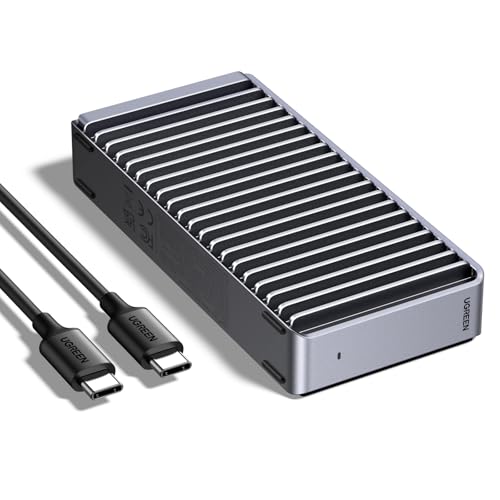
UGREEN documents this model as a USB4 40Gbps enclosure for 2230, 2242, 2260, and 2280 NVMe drives up to 8TB. SATA NGFF and mSATA are explicitly excluded. The aluminum body is tool-free and fanless, with fins on both sides.
The manufacturer’s maximum interface claim requires an appropriate high-speed cable and a USB4 or Thunderbolt-class host path. The retained product page does not state the included cable specification or clearly label the enclosure bus-powered, and those details remain unknown rather than being borrowed from another UGREEN model.
Use this pick when frequent tool-free access and four drive lengths matter. Do not choose it on the assumption that every Thunderbolt 4 computer, cable, and SSD will produce the same transfer result.
Our Take
UGREEN is the practical tool-free choice for several M.2 lengths. Confirm the cable and host path separately if the 40Gbps ceiling is central to the purchase.
- Four NVMe drive lengths up to 8TB
- Tool-free fanless aluminum design
- SATA NGFF and mSATA exclusions are explicit
- Included cable specification is unknown
- Same throughput is not promised on every TB4 host
How to choose for a Thunderbolt 4 host
Verify the computer’s port first
Check the computer specification for Thunderbolt 4, then confirm that the enclosure maker names that host path. A USB4 enclosure can negotiate on Thunderbolt 4 without being Thunderbolt certified. Our USB4 versus Thunderbolt 4 guide explains why compatibility and certification answer different questions.
Match the SSD on every field
Write down whether the module is NVMe or SATA, along with its key, length, capacity, sidedness, and attached heatsink. StarTech and UGREEN accept four common lengths but exclude SATA. OWC omits 2260 but accepts single- and double-sided modules. Satechi omits 2230 and excludes double-sided or pre-heatsinked drives. TerraMaster is 2280-only.
Treat 40Gbps as a ceiling
The link has to carry protocol overhead and share the limits of the host PCIe path, bridge, cable, and SSD. Short cached writes can also behave differently from long transfers. Our Thunderbolt SSD speed explainer shows why the entire path matters. None of these picks has been ranked from comparable measured throughput here.
Decide between tool-free and screw-secured access
Satechi and UGREEN are tool-free, while StarTech and OWC use screws and include a screwdriver. TerraMaster’s tool requirement is unknown. A latch helps if drives change often, and a screw-secured shell is reasonable for a module that stays installed.
Frequently asked questions
Is a Thunderbolt 4-compatible enclosure Thunderbolt 4 certified?
Not automatically. A USB4 product can work through a Thunderbolt 4 host path without carrying Thunderbolt certification. Use the manufacturer’s exact certification wording.
Will every Thunderbolt 4 computer reach 40Gbps storage speed?
No. The label is the interface ceiling. What you actually get is determined by host PCIe resources, cable, bridge, SSD, cache, filesystem, temperature, and workload.
Do these enclosures include an SSD?
No. Every selected listing is the diskless or enclosure-only configuration. The NVMe module is a separate purchase and must satisfy the exact fit restrictions.
Final recommendation
StarTech is the best overall Thunderbolt 4-compatible enclosure here because its source documents the host modes, four NVMe lengths, SATA exclusion, bus power, cooling, cable, and setup. After that, one requirement picks each alternative: OWC for double-sided support, Satechi for a qualifying high-capacity single-sided drive, TerraMaster for 2280-only passive use, UGREEN for tool-free four-length installation. Whichever you buy, keep certification, compatibility, link speed, SSD fit, and observed performance separate.