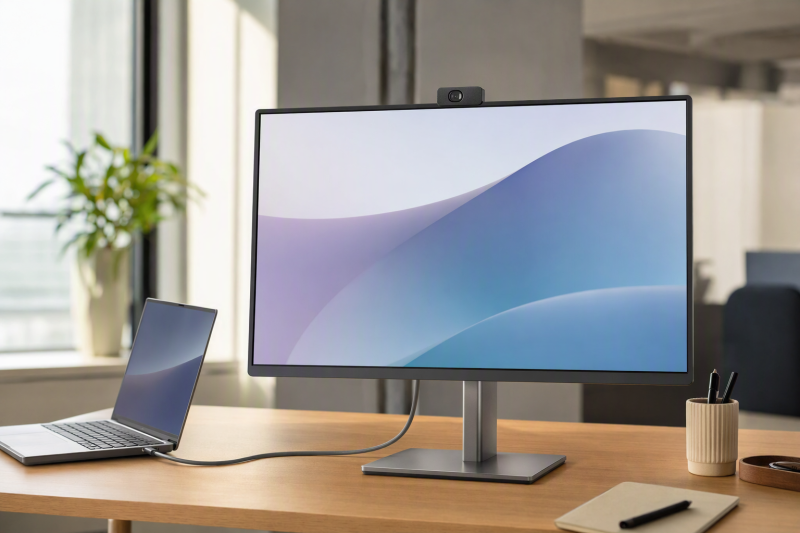
For most call-heavy desks, the Dell P2724DEB is the best USB-C monitor with a built-in webcam. Dell combines a 27-inch QHD panel with a 4MP RGB and IR camera, microphones, speakers, USB-C with up to 90W, 1GbE, a hub, DisplayPort MST output, and auto KVM. Philips 34E1C5600HE/27 is the ultrawide Windows Hello pick, ASUS BE24ECSNK is the compact docking choice, HP E27m G4 offers a 27-inch QHD conferencing format, and LG 24BP75CP-B is the compact Full HD alternative.
A built-in camera removes a cable and usually sits nearer eye level, and it proves nothing about image quality, application support, biometric login, or privacy behavior. Camera resolution, IR support, microphones, speakers, USB data, operating system, and any privacy mechanism need verifying per model. Charging works the same way: a monitor’s USB PD figure is offered power, not a measured laptop draw. Our USB-C monitor guide covers models where conferencing hardware is not the main requirement.
Quick picks
- Dell P2724DEB: Best overall QHD USB-C conferencing monitor.
- Philips 34E1C5600HE/27: Best curved ultrawide with Windows Hello camera.
- ASUS BE24ECSNK: Best compact docking monitor for calls.
- HP E27m G4: Best 27-inch QHD alternative.
- LG 24BP75CP-B: Best compact Full HD option with Ethernet.
Compare USB-C monitors with built-in webcams
| Image | Product | Details | Check Price |
|---|---|---|---|
 | Dell P2724DEB | Panel: 27-inch 2560 x 1440 IPS Camera: 4MP RGB and IR; 2K30 or FHD60 Call hardware: Two digital mics and two 5W speakers USB-C dock: Up to 90W, 1GbE, hub and auto KVM Buyer check: USB data and host topology control all peripherals | Check Price on Amazon |
 | Philips 34E1C5600HE/27 | Panel: 34-inch curved 3440 x 1440 Camera: 5MP Windows Hello webcam Call hardware: Microphone and speakers USB-C dock: Up to 65W Buyer check: Windows Hello requires supported Windows host and OS | Check Price on Amazon |
 | ASUS BE24ECSNK | Panel: 23.8-inch Full HD Camera: Integrated 2MP webcam Call hardware: Mic array and speakers USB-C dock: RJ45 and DisplayPort out; PD unknown Buyer check: Verify privacy, network and downstream-display details | Check Price on Amazon |
 | HP E27m G4 | Panel: 27-inch QHD Camera: Integrated 5MP webcam Call hardware: Microphones and speakers USB-C dock: Exact retained PD and port details unknown Buyer check: Use exact HP QuickSpecs for dock and privacy claims | Check Price on Amazon |
 | LG 24BP75CP-B | Panel: 23.8-inch Full HD IPS Camera: Built-in Full HD webcam Call hardware: Microphone and speakers USB-C dock: DP Alt Mode/data, up to 65W and RJ45 Buyer check: No Windows Hello or privacy claim is retained | Check Price on Amazon |
1. Dell P2724DEB — best overall

Dell documents a 27-inch 2560 x 1440 IPS conferencing monitor with a 4MP RGB and IR camera. The camera supports Dell-stated modes up to 2K at 30 frames per second or Full HD at 60 frames per second, and two digital microphones and two 5W speakers complete the call hardware. Read all of that as manufacturer specifications rather than this site’s measurements of image, voice, or speaker quality.
The dock functions make it far more than a camera bolted to a panel. Its USB-C upstream connection carries DisplayPort Alt Mode and offers up to 90W, and Dell also documents 1GbE, USB downstream ports, DisplayPort MST output, and auto KVM. That suits a work desk where calls, wired network, charging, and shared peripherals all want one monitor-centered route.
A feature list still needs a topology check. The host has to send USB-C video and data so the camera, microphones, hub, and network reach the computer, and a second video connection alone establishes none of the USB upstream the KVM needs. MST output rests on the host graphics, operating system, cable, and downstream display. The 90W ceiling says nothing about every laptop accepting 90W.
Our Take
Choose P2724DEB when a 27-inch QHD screen, documented camera modes, 1GbE, and full dock functions all belong at one call-focused desk. It makes the safest first pick here because the retained evidence maps each major function separately.
- 27-inch QHD panel
- 4MP RGB and IR camera with documented modes
- 1GbE, hub, auto KVM, and up to 90W
- Camera and hub require a USB data path
- MST and accepted power remain host dependent
2. Philips 34E1C5600HE/27 — best ultrawide for Windows Hello
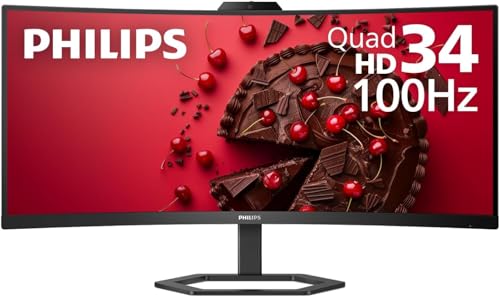
Philips documents the US /27 model as a 34-inch curved 3440 x 1440 monitor with a built-in 5MP Windows Hello webcam, microphone, and speakers, with a USB-C host connection offering up to 65W. The wide panel is what sets it apart here, holding a call window beside documents or a timeline in one continuous area.
Windows Hello is an exact host and operating-system function, not a general promise that the camera performs biometric login on every computer. Confirm that the selected Windows device, drivers, policies, and connection path support it. On another operating system, the camera can still handle ordinary calls while the Hello function stays unavailable. The frozen packet authorizes no privacy-shutter mechanism, camera frame-rate table, Ethernet claim, KVM mode, or downstream display result for this model.
That 65W figure is offered USB PD. A laptop needing more may charge slowly, hold its level, or still call for its own adapter under load. Check panel format and charging fit before letting the webcam decide the purchase.
Our Take
Pick 34E1C5600HE/27 when an ultrawide work area and a manufacturer-documented Windows Hello camera both earn their place. Verify Hello support on the exact Windows host, and keep the 65W ceiling in view.
- 34-inch curved 3440 x 1440 panel
- Built-in 5MP Windows Hello webcam
- Microphone, speakers, and up to 65W
- Windows Hello depends on the exact host and OS
- 65W may not replace a larger laptop’s adapter
3. ASUS BE24ECSNK — best compact docking monitor
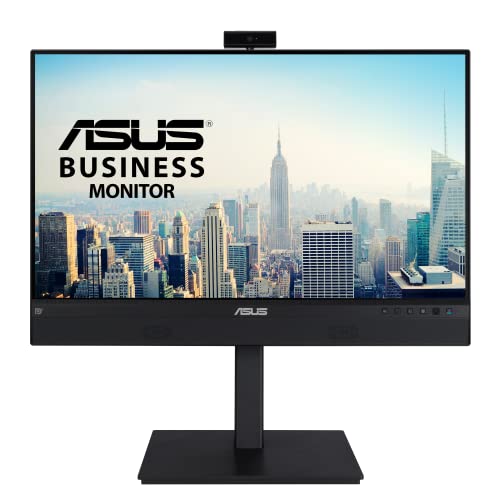
ASUS documents BE24ECSNK as a 23.8-inch Full HD conferencing monitor with an integrated 2MP webcam, microphone array, and speakers, and the same exact-model record includes a USB-C docking path, RJ45, and DisplayPort output. Where integrated calls and network access matter more than a large or high-resolution panel, it fits a compact desk well.
The frozen evidence retains no exact USB PD ceiling, Ethernet class, camera frame rate, privacy control, or universal DisplayPort-out topology. Treat those as unknown rather than an invitation to borrow specifications from a related ASUS monitor, and confirm each one that changes the purchase. The laptop has to send both video and USB data through the intended USB-C path for the screen and call hardware to run on one cable.
A 2MP label is a sensor specification, not proof of call quality and not a Windows Hello claim. Room light, software processing, conferencing compression, camera angle, and microphone placement all shape the experience, and no measured result is available here.
Our Take
Choose BE24ECSNK for a compact Full HD call station that also wants RJ45 and a documented display output. Confirm charging and privacy details before expecting it to replace every accessory on the desk.
- Compact 23.8-inch Full HD panel
- 2MP camera, mic array, and speakers
- USB-C docking, RJ45, and DisplayPort out
- PD and Ethernet ceilings are unknown here
- No camera-quality or Hello result is inferred
4. HP E27m G4 — best 27-inch QHD alternative

HP’s exact QuickSpecs identify E27m G4 as a 27-inch QHD USB-C conferencing monitor with an integrated 5MP webcam, microphones, and speakers. It holds the same basic panel class as the Dell without forcing a compact Full HD screen or an ultrawide format on the buyer, which makes it the straightforward alternative for anyone who prefers HP’s conferencing design.
This page stays inside the frozen claims. It transfers no USB PD number, port details, IR or Windows Hello behavior, privacy hardware, Ethernet, KVM, refresh, or color claims from an older article or a sibling monitor. Check those fields in HP’s exact QuickSpecs at purchase time. A USB-C port and a camera together prove nothing about a single host cable carrying every desired function.
Plan the connection around USB video plus USB data, then confirm whether the monitor offers enough charging for the laptop. Where Ethernet or two-computer switching is mandatory, the Dell P2724DEB carries clearer retained evidence in this slate.
Our Take
Choose E27m G4 when a 27-inch QHD panel and an integrated 5MP call system are the core requirements. Every dock, charging, login, and privacy detail not retained here becomes a pre-purchase verification item.
- 27-inch QHD format
- Integrated 5MP webcam
- Built-in microphones and speakers
- PD, Ethernet, KVM, and privacy details are unknown here
- USB-C connector alone does not prove the full dock path
5. LG 24BP75CP-B — best compact Full HD option

LG documents 24BP75CP-B as a 23.8-inch Full HD IPS monitor with a built-in Full HD webcam and microphone. USB-C carries DisplayPort Alt Mode and data and offers up to 65W, with RJ45 and speakers rounding out the exact-model office features. For a conventional call desk that still needs wired networking, it is the compact choice.
That camera label establishes no Windows Hello, IR sensing, privacy hardware, frame rate, or measured image quality, and none of those claims is made. The USB-C data route earns attention because the camera, microphone, and Ethernet all reach the computer as USB devices while the display signal travels the video path. Cable capability and host support therefore decide whether one cable delivers the intended experience.
As with the Philips, 65W can cover a thin office laptop and fall short of a performance notebook. Confirm accepted input power on the exact host. Full HD also gives less workspace than QHD or the Philips ultrawide.
Our Take
Pick 24BP75CP-B when a compact Full HD IPS screen, basic integrated camera, RJ45, and 65W-class USB-C path suit the desk. Anyone needing proven biometric login or a larger workspace should look elsewhere.
- 23.8-inch Full HD IPS panel
- Full HD webcam, microphone, and speakers
- RJ45 and USB-C up to 65W
- No Windows Hello or privacy claim is retained
- 65W may not meet a larger laptop’s needs
How to choose a USB-C monitor with a webcam
Start with the camera function, not the megapixel number
Dell documents both RGB and IR hardware plus exact camera modes, and Philips documents a 5MP Windows Hello webcam. ASUS states 2MP, HP states 5MP, and LG states Full HD. None of those labels compares directly as a measure of call quality. Decide first whether ordinary video, IR-assisted login, a particular frame-rate mode, or a privacy control is mandatory, then confirm that exact feature and its operating-system support.
Make sure the host route carries USB data
DisplayPort Alt Mode gets a picture to the panel, while the camera and microphones are USB devices, and Ethernet and KVM need data too. A charge-only cable, a video adapter without USB data, or a host port with limited functions will break the integrated call system. Use the maker’s specified cable, and connect directly when diagnosing a missing camera.
Compare offered charging with laptop acceptance
Dell rates the P2724DEB for up to 90W, and Philips and LG rate their listed models for up to 65W, while the retained packet leaves ASUS and HP power ceilings unknown. No monitor forces a laptop to accept its maximum, and some systems still want their original adapter for peak operation. Check the laptop’s supported USB-C input alongside the cable rating. Our USB-C cable guide covers the gap between connector shape and actual capability.
Pick the panel before the accessory bundle
P2724DEB and E27m G4 are 27-inch QHD monitors, Philips is a 34-inch 3440 x 1440 ultrawide, and ASUS and LG are compact Full HD displays. No webcam compensates for the wrong resolution, scaling, viewing distance, or desk footprint. Settle the canvas first, then let the camera and dock features break the tie.
Map Ethernet, KVM, and downstream displays independently
Dell carries retained evidence for 1GbE, auto KVM, and MST output. ASUS and LG document RJ45, and ASUS adds DisplayPort output. None of that establishes identical switching or chain behavior, since host graphics, operating system, USB upstream routes, and cables keep control. The monitor docking-station guide helps weigh this integrated approach against a separate camera and dock.
Final recommendation
Dell P2724DEB is the best overall USB-C monitor with a built-in webcam because its camera modes, QHD panel, call hardware, 1GbE, hub, auto KVM, MST output, and 90W ceiling all carry separate documentation. From there, one need selects each alternative: Philips for an ultrawide Windows Hello desk, ASUS for compact calls plus RJ45 and DisplayPort out, HP for a QHD 5MP option, LG for compact Full HD calls with Ethernet. Whichever you choose, confirm camera purpose, OS support, privacy behavior, USB data, accepted power, cable, and any display topology on the exact model.