For most buyers in this group, the Dell UltraSharp U2725QE is the best USB-C monitor with built-in Ethernet. Dell states it pairs a 27-inch 4K screen with a Thunderbolt 4 host connection, exact-model 2.5GbE, up to 140W EPR, and two documented downstream display routes. The other four solve different desks: U3423WE is the 34-inch ultrawide, ViewSonic VG2458 is the compact docking display, ASUS BE24ECSNK is built around calls, and Philips 49B2U5900CH/27 supplies a 48.8-inch super-ultrawide work area.
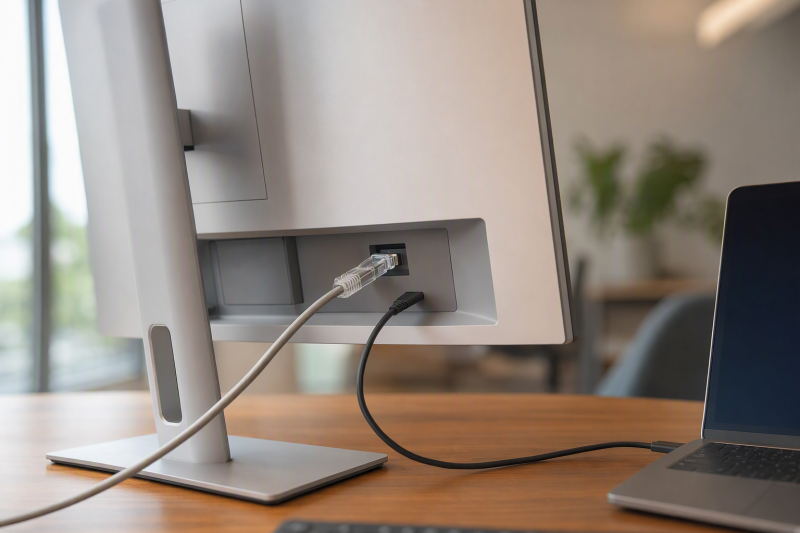
Ethernet on a monitor pays off only when the laptop sends USB data over the same host connection carrying video, and no monitor turns every USB-C port into a docking port. Confirm DisplayPort Alt Mode or Thunderbolt for video, USB data for the network adapter and hub, and USB Power Delivery separately. Network class is model-specific too. Only the Dell U2725QE and Philips have a retained exact speed here. Where wired networking is optional rather than essential, start with our broader USB-C monitor guide.
Quick picks
- Dell UltraSharp U2725QE: Best overall 27-inch 4K Ethernet hub monitor.
- Dell UltraSharp U3423WE: Best 34-inch curved ultrawide with Ethernet.
- ViewSonic VG2458: Best compact FHD docking monitor.
- ASUS BE24ECSNK: Best Ethernet monitor for video calls.
- Philips 49B2U5900CH/27: Best 49-inch-class Ethernet monitor.
Compare USB-C monitors with built-in Ethernet
| Image | Product | Details | Check Price |
|---|---|---|---|
 | Dell UltraSharp U2725QE | Panel: 27-inch 3840 x 2160 Host path: Thunderbolt 4 upstream with DP 1.4/DSC Ethernet: 2.5GbE PD offered: Up to 140W EPR Buyer check: Host, cable and lane mode control the full dock path | Check Price on Amazon |
 | Dell UltraSharp U3423WE | Panel: 34-inch curved 3440 x 1440 Host path: USB-C hub connection Ethernet: RJ45; exact speed unknown PD offered: Up to 90W Buyer check: Verify network class and KVM upstream wiring | Check Price on Amazon |
 | ViewSonic VG2458 | Panel: 24-inch 1920 x 1080 Host path: USB-C DP Alt Mode and data Ethernet: RJ45; exact speed unknown PD offered: Up to 100W Buyer check: Downstream display mode remains host dependent | Check Price on Amazon |
 | ASUS BE24ECSNK | Panel: 23.8-inch Full HD Host path: USB-C docking route Ethernet: RJ45; exact speed unknown Call hardware: 2MP camera, mic array and speakers Buyer check: PD ceiling and camera controls are unknown | Check Price on Amazon |
 | Philips 49B2U5900CH/27 | Panel: 48.8-inch curved 5120 x 1440 Host path: USB-C plus USB-B second upstream Ethernet: 1GbE Host routing: SmartKVM with separate PBP/PIP Buyer check: Second host needs USB-B for hub and network | Check Price on Amazon |
1. Dell UltraSharp U2725QE — best overall

Dell documents a 27-inch 3840 x 2160 Thunderbolt 4 hub monitor with a 2.5GbE port. The upstream Thunderbolt 4 connection carries DisplayPort 1.4 with DSC, data, and up to 140W EPR under the supported lane mode. When one compact, high-resolution screen has to replace both a basic monitor and a separate wired-network dock, that is the strongest fit here.
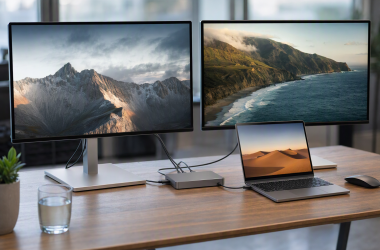
Display routing is unusually broad for this slate. Dell documents DisplayPort 1.4 output alongside a Thunderbolt 4 downstream connection marked for daisy chaining. Two different paths, and neither proves a universal second-display result. Host graphics, operating system, DSC support, lane allocation, cable, and the downstream display all decide what works. Ethernet, USB traffic, and displays also share the monitor’s host path rather than each receiving independent measured bandwidth.
Power deserves the same discipline. Up to 140W is what the monitor can offer through a qualified EPR path, not what every laptop accepts. Check the laptop’s charging profile, and use a cable that supports the required data, display, and power class.
Our Take
Choose U2725QE when 4K, 2.5GbE, high host power, and downstream display options all matter at once. Where a simple FHD office screen and an ordinary wired link will do, skip it.
- 27-inch 4K screen
- Exact-model 2.5GbE
- Thunderbolt 4 upstream with up to 140W EPR
- Downstream display result depends on the exact host path
- 140W requires compatible EPR negotiation and cable
2. Dell UltraSharp U3423WE — best 34-inch ultrawide

With U3423WE the panel decision changes. Dell’s retained exact-model record identifies a 34-inch curved 3440 x 1440 USB-C hub monitor with RJ45, KVM, and a host power ceiling of 90W. That wide format holds two large work areas without the center gap of separate displays, which makes it the sensible pick when the canvas outweighs the U2725QE’s 4K pixel density or documented 2.5GbE class.
The frozen packet retains no Ethernet speed for U3423WE, so this page assigns none. Anyone needing more than ordinary office networking should verify the exact Dell specification before ordering. Treat the KVM as a secondary feature as well. A KVM workflow needs the correct video and USB upstream routes for each computer; an extra video cable alone moves neither the monitor’s USB hub nor its Ethernet between hosts.
The 90W figure is the monitor’s offered USB-C ceiling. Laptop acceptance, cable rating, and workload decide whether one cable is enough. Keep panel fit, network class, KVM wiring, and charging as four separate checks.
Our Take
Pick U3423WE when a curved 3440 x 1440 workspace and integrated RJ45 outrank a smaller 4K panel. Where network speed or two-host wiring is a purchase requirement, verify it first.
- 34-inch curved 3440 x 1440 format
- RJ45 and KVM are documented
- USB-C host path offers up to 90W
- Retained Ethernet speed is unknown
- KVM operation still needs exact upstream wiring
3. ViewSonic VG2458 — best compact docking monitor
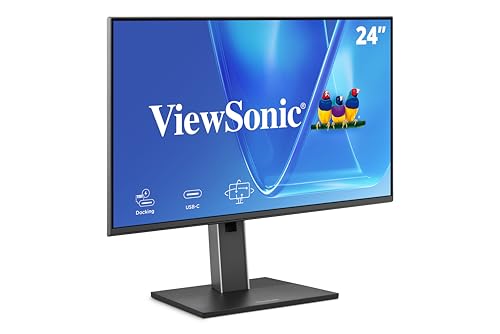
ViewSonic documents VG2458 as a 24-inch 1920 x 1080 docking monitor. Its USB-C input carries DisplayPort Alt Mode and data, offers up to 100W, and feeds an RJ45 port plus a five-port USB hub, with a USB-C display output for a supported downstream monitor. For a routine office desk that wants one-cable network and peripheral access more than 4K resolution, this is the compact option.
Do not read that downstream USB-C connector as a guaranteed two-monitor setup. The retained evidence preserves no universal resolution, refresh, operating-system matrix, or cable promise for the chain. The laptop has to support the needed display count, and the exact cable and downstream screen have to match ViewSonic’s path. Network traffic and USB devices consume the shared connection alongside everything else.
The page records RJ45 but no exact network class for VG2458, so confirm it where network speed is decisive. And 100W is offered power; the laptop decides what it accepts.
Our Take
Choose VG2458 for a compact FHD desk needing Ethernet, several USB ports, and up to 100W from one qualified host cable. Where resolution or a proven high-speed network class comes first, look elsewhere.
- Compact 24-inch FHD format
- RJ45 and five-port USB hub
- USB-C offers up to 100W
- Lower resolution than the Dell and Philips picks
- Exact chain mode and Ethernet speed are not retained
4. ASUS BE24ECSNK — best for video calls
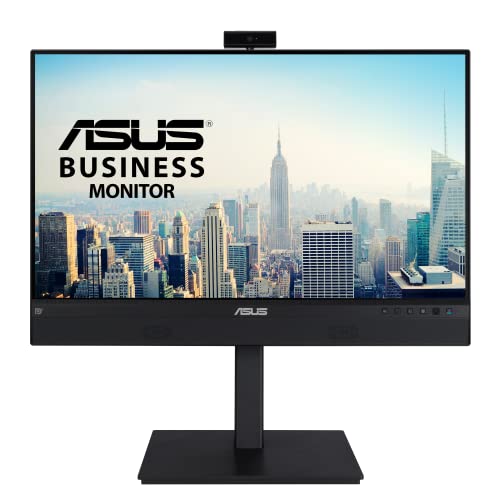
ASUS positions BE24ECSNK as a 23.8-inch Full HD conferencing monitor. The exact product record combines a USB-C docking path with RJ45, DisplayPort output, a 2MP webcam, microphone array, and speakers. That makes it the most call-focused Ethernet choice here, with the network port and conferencing hardware built into the display instead of assembled from separate desk accessories.
Each function carries its own dependency. The laptop’s USB-C port has to carry video and USB data for the display, camera, microphones, hub, and Ethernet, and DisplayPort output comes with exact host, operating-system, graphics, and cable limits. The retained record authorizes no network speed, USB PD ceiling, KVM claim, camera privacy mechanism, or universal multi-display mode, so all of those stay unknown here.
Full HD at 23.8 inches works well enough for office text and calls, and it is not the workspace a 4K or ultrawide monitor provides. Buy it for the integrated meeting station, never because a connector list hints at higher image or camera quality than the documentation supports.
Our Take
Pick BE24ECSNK when calls, wired networking, and a compact screen all share one USB-C desk connection. Confirm power, network class, camera controls, and any downstream-display plan separately.
- Integrated camera, microphones, and speakers
- RJ45 on the USB-C docking path
- DisplayPort output is documented
- 23.8-inch FHD workspace
- Power and Ethernet ceilings are unknown in the frozen packet
5. Philips 49B2U5900CH/27 — best 49-inch-class option
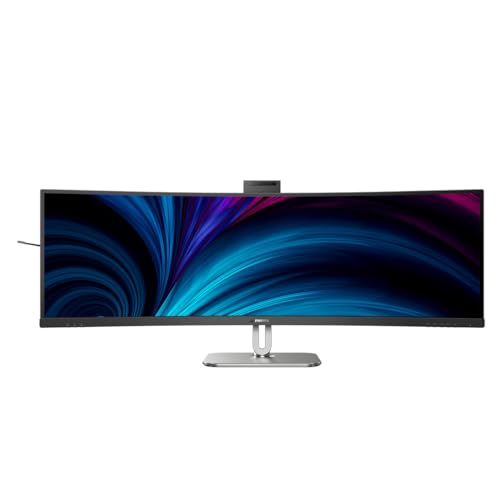
Philips documents the US /27 model as a 48.8-inch curved 5120 x 1440 USB-C business monitor. The exact retained record includes 1Gb Ethernet, a USB hub, and USB-C plus USB-B upstream routing. That 32:9 panel can replace a very wide two-monitor arrangement, at the cost of far more desk width and viewing distance than the other four picks.
The network follows the active USB upstream. One computer can use USB-C for video and USB data, while a second uses HDMI or DisplayPort for video and USB-B for the peripheral path. Philips’ SmartKVM and PBP/PIP features both earn their place, and they do different jobs: PBP/PIP arranges video sources, while KVM selection assigns the USB hub and its Ethernet path. The official diagram offers Auto, USB-C, and USB-UP KVM choices, and retained material documents a triple-Ctrl switching command.
Topology matters more here than the long port list. HDMI on its own carries neither the USB hub nor Ethernet. The frozen evidence proves nothing about instant switching, window persistence, or simultaneous network throughput, so none is promised.
Our Take
Choose the Philips when the 5120 x 1440 canvas and a documented 1GbE two-host desk both earn their keep. Measure the desk, and plan the USB-B cable for the non-USB-C computer.
- 48.8-inch 5120 x 1440 canvas
- Exact-model 1Gb Ethernet
- Documented USB-C and USB-B host routing
- Needs substantial desk width
- Second host needs a separate USB-B data path
How to choose an Ethernet-equipped USB-C monitor
Verify that USB-C carries both video and data
USB-C describes the connector, never the functions behind it. A laptop port needs a supported display path for the panel plus USB data for the monitor’s Ethernet controller and hub. Thunderbolt 4 provides the U2725QE host path, while the other models use their documented USB-C docking routes. A laptop that charges but sends no video, or sends video but no USB data through the intended adapter, collapses the one-cable desk.
Match network class to the rest of the link
U2725QE documents 2.5GbE and Philips documents 1GbE, while the other three retain RJ45 without an exact speed in this packet. A faster monitor port speeds up no router, switch, cabling, internet service, or host connection. Read the label as a ceiling rather than a measured simultaneous result while displays, storage, and other USB devices are active.
Separate offered power from accepted power
Manufacturer documentation rates the U2725QE at up to 140W EPR, the VG2458 at up to 100W, and the U3423WE at up to 90W. All three are monitor ceilings, and the laptop and cable negotiate the actual profile. BE24ECSNK and Philips power ceilings stay unknown in this frozen packet, so verify them against the exact model documentation instead of assuming that any USB-C monitor charges any laptop.
Plan downstream displays by route
U2725QE has DisplayPort and Thunderbolt downstream paths, VG2458 has USB-C display out, and BE24ECSNK has DisplayPort out. Those connectors create three different topologies, and host display engines, MST support, operating system, DSC, cables, and target monitors decide the usable result in each case. Our guide to monitors with built-in docking stations explains when an integrated hub beats a separate dock.
Treat KVM, webcam, and panel format as separate decisions
U3423WE and Philips include host-routing features, and BE24ECSNK adds meeting hardware. Do not let those extras crowd out the main choice. Start with panel size and resolution, confirm the exact Ethernet class, then map host data, charging, and any second-display route. On two-computer desks, work through the dedicated built-in KVM monitor guide before trusting a video-input list.
Final recommendation
Dell U2725QE is the best overall pick because its 27-inch 4K panel, 2.5GbE, Thunderbolt 4 host path, high power ceiling, and downstream display options add up to the strongest Ethernet-centered desk. After that, one requirement picks each alternative: U3423WE for a 34-inch ultrawide, VG2458 for compact FHD docking, BE24ECSNK for calls, Philips 49B2U5900CH/27 for a 49-inch-class two-host workspace. Whichever you choose, qualify the laptop’s video and USB data path, network class, power negotiation, cable, and display topology independently.