Our top USB4 dock for a 4K 120Hz monitor is the StarTech 208N-USB4-DOCK, because StarTech documents high-refresh output combinations up to dual 4K144 on a qualified host. For a fuller desk dock, look at Lenovo’s ThinkPad USB4 Dock 5000, and for two DP outputs plus downstream USB4, the D-Link DUF-901. None of that changes one rule: a cited 4K120 or 4K144 ceiling does not prove VRR, HDR, HDCP, 10-bit color, 4:4:4, uncompressed transport or gaming performance. Match the exact output, host DP and DSC path, operating system, chroma condition, cable and monitor input. If high refresh is optional, the wider USB4 hubs and docks guide has more balanced choices.
Quick picks
- StarTech 208N-USB4-DOCK: best overall for a documented qualified high-refresh route.
- Lenovo ThinkPad USB4 Dock 5000: best full-size dock with a two-4K144 ceiling.
- D-Link DUF-901: best for a dual-DP layout plus downstream USB4.
- Razer USB 4 Dock Mercury: best for one primary 4K120 display over HDMI or DP.
- StarTech 155NA-USB4-DOCK: best explicit dual 4K120 4:2:2 route for Windows or ChromeOS.
| Image | Product | Details | Check Price |
|---|---|---|---|
 | StarTech 208N-USB4-DOCK | 4K120 output: Two DP routes; maker ceiling reaches dual 4K144 Required host path: Qualified USB4, DP and DSC matrix row Chroma or DSC condition: No retained chroma promise; DSC is route-specific Charging: StarTech rates up to 100W Best for: Documented DisplayPort path | Check Price on Amazon |
 | Lenovo ThinkPad USB4 Dock 5000 | 4K120 output: DP/HDMI/USB-C options; ceiling two 4K144 Required host path: Host-qualified DP 1.4 display route Chroma or DSC condition: No retained chroma promise; verify exact matrix Charging: 65W bundled; 100W with optional supply Best for: Full-size high-refresh desk | Check Price on Amazon |
 | D-Link DUF-901 | 4K120 output: Two DP plus USB4/DP route; ceiling 4K144 Required host path: D-Link-qualified USB4 and DP/DSC path Chroma or DSC condition: No retained chroma promise; mode is conditional Charging: D-Link rates up to 100W Best for: Dual DP plus downstream USB4 | Check Price on Amazon |
 | Razer USB 4 Dock Mercury | 4K120 output: HDMI 2.1 or DP 1.4 primary route Required host path: Exact host controls secondary display Chroma or DSC condition: No retained chroma or DSC promise Charging: Up to 100W peak, 96W sustained Best for: One primary 4K120 monitor | Check Price on Amazon |
 | StarTech 155NA-USB4-DOCK | 4K120 output: Dual HDMI on Windows or ChromeOS Required host path: Qualified USB4 Windows/ChromeOS; no macOS Chroma or DSC condition: StarTech states dual 4K120 at 4:2:2 Charging: StarTech rates up to 100W Best for: Explicit dual 4K120 route | Check Price on Amazon |
 | j5create JCD403 | 4K120 output: One HDMI output Required host path: Supported Windows DP 1.4 path; Mac capped 4K60 Chroma or DSC condition: j5create cites 4K120 without DSC Charging: Up to 95W pass-through; charger excluded Best for: Compact single-HDMI route | Check Price on Amazon |
1. StarTech 208N-USB4-DOCK — Best overall documented high-refresh route
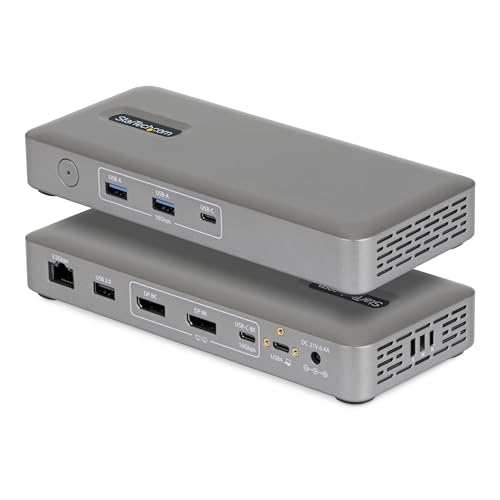
DisplayPort is the route here, and it arrives with more documentation than anything else on this list. StarTech specifies a 40Gbps USB4 host interface, two DisplayPort outputs and a video-capable 10Gbps USB-C port, and its official material cites up to dual 4K144 or one 8K60 on a compatible host. That places 4K120 inside a documented high-refresh family, but you still need the exact matrix row for the selected output or outputs.
The host has to provide the required DP and DSC path, and the cable plus monitor input must accept the mode. StarTech’s Apple-generation matrix also changes the supported display count, so never copy a Windows result to a Mac. The dock includes power for up to 100W host charging and provides 2.5GbE, and it does not claim downstream USB4 or Thunderbolt.
Our Take When documentation is the deciding feature and DisplayPort suits your monitor, the 208N is the answer. It supplies a credible qualified route to 4K120, but it does not establish the color format or adaptive-sync features your display may need.
- StarTech cites a qualified dual 4K144 ceiling
- Maker publishes an Apple-generation display matrix
- Exact host DP and DSC path still controls the mode
- No downstream USB4 or Thunderbolt claim
2. Lenovo ThinkPad USB4 Dock 5000 — Best full-size two-4K144 ceiling
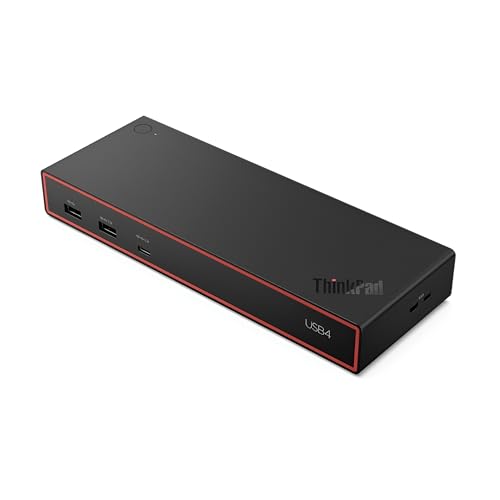
Two high-refresh screens plus a fuller peripheral layout is the combination this dock exists for. Lenovo specifies a 40Gbps USB4 connection, two DisplayPort 1.4, HDMI 2.1 and a full-function 10Gbps USB-C output with DP 1.4, and the maker’s ceilings include two 4K144 displays, subject to the host. That makes the Lenovo appealing for a high-refresh workstation.
The ceiling is not a guarantee that every pair of sockets can reach that mode together, so match the intended output group to the host GPU, DP/DSC support, operating system and monitor inputs. Lenovo’s 40BF0100US configuration supplies up to 65W to the laptop from its bundled 100W adapter. Lenovo documents up to 100W host delivery with an optional 135W supply.
Our Take Where a large desk dock and a qualified two-monitor high-refresh path matter together, the Lenovo delivers. Its many sockets give you routing options, but they do not remove host bandwidth or topology limits.
- Lenovo cites up to two 4K144 displays on qualified hosts
- Maker documents DP, HDMI and USB-C video routes
- Bundled configuration delivers up to 65W to host
- Exact output grouping and host path must be checked
3. D-Link DUF-901 — Best dual-DP high-refresh route
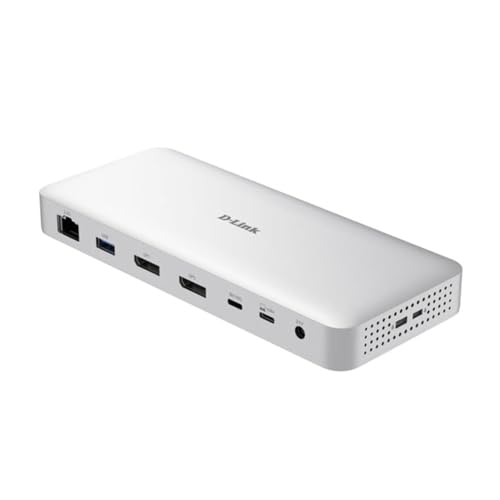
Three video-capable connections, two of them DisplayPort, is what separates this dock. D-Link specifies USB4 Gen 3×2 at 40Gbps upstream, two DP 1.4 outputs and one downstream 40Gbps USB4 port with DP 1.4 capability. Its documentation includes modes reaching 4K144 under stated host conditions, so a 4K120 target fits within the maker’s published ceiling when the matching path qualifies.
What you must not infer is that all three video-capable connections can drive 4K120 simultaneously. D-Link’s single and dual routes carry their own conditions, and macOS adds further display limits. D-Link rates the charging path at up to 100W and also specifies 2.5GbE. Our sources do not establish a bundled power adapter, so confirm current box contents and plan for a suitable USB-C PD supply if needed.
Our Take A DP-based high-refresh desk that also needs downstream USB4 lands on the DUF-901. Verify the specific display row and OS condition rather than treating the 4K144 maximum as a property of every output combination.
- D-Link documents two DP 1.4 outputs
- Maker specifies downstream 40Gbps USB4 and 2.5GbE
- 4K144 is a conditional ceiling, not a universal route
- macOS has maker-documented display limitations
4. Razer USB 4 Dock Mercury — Best HDMI 2.1 plus DP 1.4 primary route

One high-refresh monitor, connected whichever way suits it, is the case this dock answers. Razer specifies a 40Gbps USB4 upstream link, HDMI 2.1 and DisplayPort 1.4, rates the primary-display ceiling at up to 4K120, and makes the secondary display dependent on the host. That gives you a choice between HDMI and DisplayPort for the primary screen.
Razer does not say that 4K120 includes VRR, HDR, HDCP, 10-bit color or a guaranteed chroma mode, so each of those features needs its own confirmation. Razer states the included 180W adapter supports up to 100W peak and 96W sustained host charging, and lists the downstream USB-C connection at 10Gbps rather than USB4.
Our Take For a single primary 4K120 target on a port-rich desk, the Razer fits. It is not the product to buy from a dual-high-refresh assumption, because Razer leaves the secondary mode to the exact host.
- Razer cites a primary-display ceiling up to 4K120
- Maker provides both HDMI 2.1 and DP 1.4
- Secondary-display result is host-dependent
- No cited VRR, HDR or color-format guarantee
5. StarTech 155NA-USB4-DOCK — Best explicit dual 4K120 4:2:2 Windows route
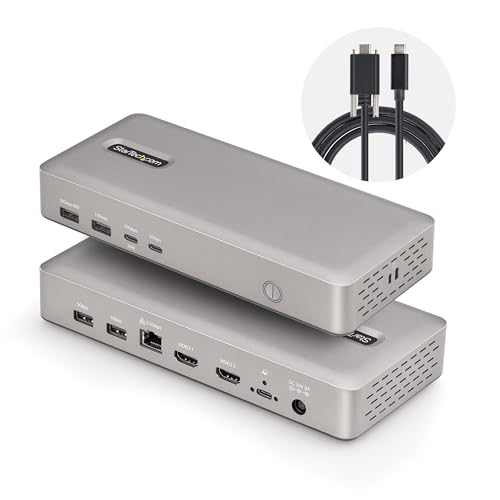
Here the trade-off is written down rather than left for you to discover. StarTech specifies a 40Gbps USB4 host link and two HDMI outputs, and its Windows and ChromeOS paths explicitly include dual 4K120 at 4:2:2, alongside dual 4K60 at 4:4:4 or one 8K60 at 4:2:2. No other pick here states the dual-4K120 chroma compromise as directly.
That distinction matters for text-heavy desktop work, where chroma subsampling may be undesirable. StarTech explicitly does not support macOS on this model. According to StarTech, the included 180W adapter supports up to 100W host charging, and the dock provides 2.5GbE.
Our Take Two conditions gate the 155NA: your Windows or ChromeOS host qualifies, and dual 4K120 matters more than preserving 4:4:4. Where text clarity is the higher priority, take a documented dual 4K60 4:4:4 route instead.
- StarTech states the dual 4K120 4:2:2 condition explicitly
- Maker rates host charging up to 100W
- No macOS support
- Dual 4K120 path uses 4:2:2 rather than 4:4:4
6. j5create JCD403 — Best compact single-HDMI route

The DSC question gets a plain answer on this one. j5create specifies a 40Gbps USB4 host link and one HDMI output, and on supported Windows hosts it cites up to 4K144 when the DP 1.4 path supports DSC and up to 4K120 without DSC. The maker caps Mac output at 4K60, so this is not a 4K120 Mac recommendation.
A single-output design is easier to reason about than a multi-monitor dock, though the complete host-to-HDMI path still has to qualify. j5create also specifies 2.5GbE and up to 95W pass-through after hub needs. The USB-C charger is not included.
Our Take One HDMI monitor and a compact Windows travel setup is the JCD403’s brief. It offers a clearly bounded 4K120 route without DSC, but makes no broader promise about gaming features or color format.
- j5create cites 4K120 without DSC on supported Windows hosts
- Maker specifies 2.5GbE in the compact hub
- Mac output is capped by j5create at 4K60
- Charger is sold separately
Verify the complete 4K120 chain
Begin with the monitor input. A dock’s DP ceiling is irrelevant when the intended screen only accepts the target mode over HDMI, and the reverse holds too. Identify the exact socket, resolution, refresh rate and any color-format requirement, remembering that the physical connector version is only one part of that check.
Next, find the dock maker’s row for that output and layout. Single-display 4K120, dual 4K120 and dual 4K60 are different operating points. StarTech’s 155NA shows why: its matrix pairs dual 4K120 with 4:2:2, while dual 4K60 can use 4:4:4. Never drop the chroma condition when comparing those modes.
Then verify the laptop’s GPU or Apple processor, USB4 display tunnel, DP version and DSC capability, because a maker may offer one route with DSC and another without it. The article Can USB-C run 4K at 144Hz? explains why connector shape and refresh support are separate questions.
Finish with the exact cable or adapter. It must support the chosen output and monitor input, but it cannot add a missing host feature. Where your route calls for a different display conversion, our USB-C to DisplayPort 2.1 adapter guide covers that component. Confirm the dock’s host-charging figure separately, especially when a pass-through hub excludes its power supply.
Frequently asked questions
Does a 4K120 dock guarantee VRR or HDR?
No. Resolution and refresh establish nothing about VRR, HDR, HDCP, bit depth, chroma or uncompressed transport. Confirm each required feature across the host, dock, cable or adapter and monitor.
Is 4K144 support enough evidence for 4K120?
It places 4K120 below the maker’s cited refresh ceiling, but only for the same qualified route. You still need the exact output, host DP/DSC path, operating system and display chain specified for that mode family.