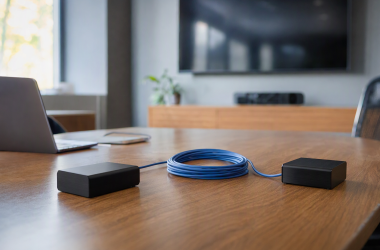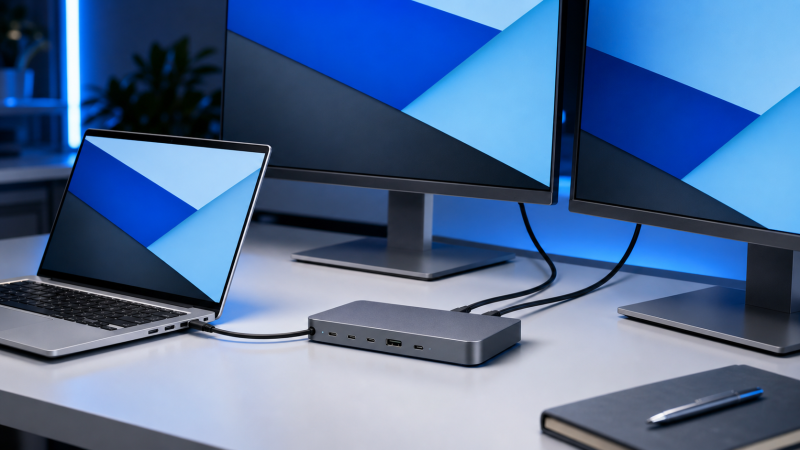
The Plugable USB4-HUB3A is the best starting point for an Intel laptop whose port is explicitly documented as Thunderbolt 4 or capable USB4, because its three downstream USB4/Thunderbolt 4 branches make it unusually flexible for displays and fast peripherals. For a full business-dock port selection, the Lenovo ThinkPad USB4 Dock 5000 takes over, and the Microsoft Surface USB4 Dock covers a simpler HDMI-plus-USB-C display setup. Do not shop from the Intel processor name alone. An Intel laptop can have ordinary USB-C ports, and even a USB4 connection still leaves display count, charging and GPU limits to the exact computer. See our wider USB4 hubs and docks guide if host brand is not your main filter.
Quick picks
- Plugable USB4-HUB3A: best when a verified Intel USB4/TB4 desk needs three downstream branches.
- Lenovo ThinkPad USB4 Dock 5000: best full-size business-dock selection.
- Microsoft Surface USB4 Dock: best simple managed Windows setup.
- StarTech 208N-USB4-DOCK: best documented route for high-refresh displays.
- Razer USB 4 Dock Mercury: best mix of conventional display and peripheral ports.
| Image | Product | Details | Check Price |
|---|---|---|---|
 | Plugable USB4-HUB3A | Required Intel port: Capable USB4 or Thunderbolt 4 Downstream USB4: Plugable specifies three USB4/TB4 branches Display route: USB-C branches; one HDMI adapter included Charging: Plugable rates up to 60W to host Best for: Flexible capable Intel desks | Check Price on Amazon |
 | Lenovo ThinkPad USB4 Dock 5000 | Required Intel port: USB4 with required display capability Downstream USB4: No manufacturer USB4/TB downstream claim Display route: Two DP, HDMI and full-function USB-C Charging: 65W bundled; 100W with optional supply Best for: Full-size business desks | Check Price on Amazon |
 | Microsoft Surface USB4 Dock | Required Intel port: Capable USB4/TB4 for cited dual 4K60 Downstream USB4: Two USB4 Gen 3/TB4-compatible USB-C Display route: Video-capable USB-C plus HDMI 2.1 Charging: Microsoft rates up to 65W Best for: Simple managed Windows desks | Check Price on Amazon |
 | StarTech 208N-USB4-DOCK | Required Intel port: Qualified USB4/DP/DSC host path Downstream USB4: No manufacturer USB4/TB downstream claim Display route: Two DP plus video-capable 10Gbps USB-C Charging: StarTech rates up to 100W Best for: Documented high-refresh paths | Check Price on Amazon |
 | Razer USB 4 Dock Mercury | Required Intel port: USB4 with required secondary-display path Downstream USB4: No; Razer rates USB-C at 10Gbps Display route: HDMI 2.1 plus DP 1.4 Charging: Up to 100W peak, 96W sustained Best for: Port-rich mixed-output desks | Check Price on Amazon |
 | D-Link DUF-901 | Required Intel port: Qualified USB4 with required DP/DSC path Downstream USB4: One D-Link-rated 40Gbps USB4 branch Display route: Two DP plus downstream USB4/DP 1.4 Charging: D-Link rates up to 100W Best for: USB4 expansion and 2.5GbE | Check Price on Amazon |
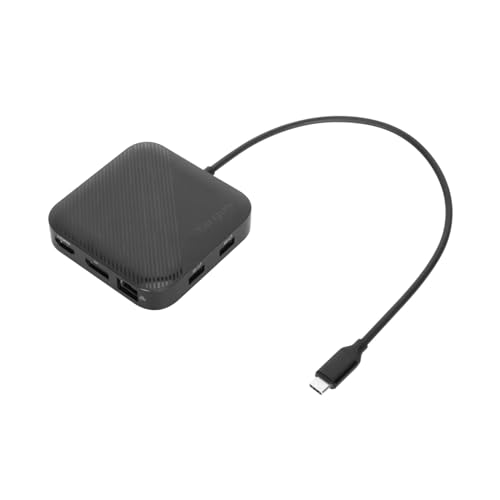 | Targus DOCK425GLZ | Required Intel port: USB4 with required dual-display path Downstream USB4: No; Targus rates USB-C at 10Gbps Display route: DP 1.4 plus HDMI 2.1 Charging: Up to 85W pass-through; charger excluded Best for: Portable dual-output setups | Check Price on Amazon |
1. Plugable USB4-HUB3A — Best branch hub for a capable Intel desk
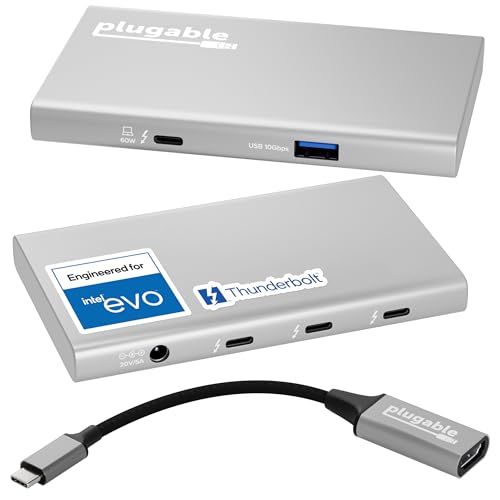
Branches rather than fixed video sockets is the design, and it pays off when you want to choose a USB-C display adapter, storage or another compatible peripheral for each port. Plugable identifies the USB4-HUB3A as both a Thunderbolt 4 and USB4 hub and specifies a 40Gbps host connection. Three downstream USB4/Thunderbolt 4 ports follow, each rated by Plugable for up to 40Gbps and up to 15W device charging.
Plugable says the hub was engineered for Intel Evo and documents ceilings of up to dual 4K60 or one 8K display on a capable host. Neither claim removes the need for a port that exposes the necessary USB4 or Thunderbolt display path. One connection is covered by the included USB-C-to-HDMI adapter, so a two-monitor layout needs another suitable cable or adapter. Plugable includes a 100W power adapter and rates host delivery at up to 60W.
Our Take With a verified Thunderbolt 4 or full USB4 port on the Intel laptop, and flexible downstream branches worth more to you than Ethernet, card readers and dedicated display sockets, this is the buy. The 60W host limit is the main reason to choose a larger dock instead.
- Plugable documents three downstream USB4/TB4 branches
- Maker includes one USB-C-to-HDMI adapter
- Plugable rates host charging at up to 60W
- No manufacturer-listed Ethernet or card reader
2. Lenovo ThinkPad USB4 Dock 5000 — Best full-size business dock
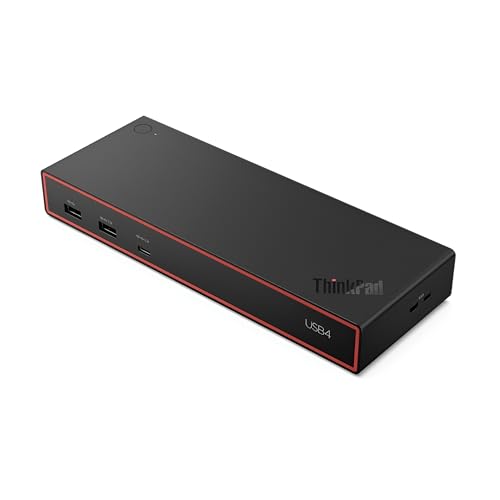
Four video-capable routes are the pitch. Lenovo specifies a 40Gbps USB4 upstream connection feeding two DisplayPort 1.4 outputs, HDMI 2.1 and a full-function 10Gbps USB-C port with DisplayPort 1.4, and the company lists display ceilings that include two 4K144 screens or four 4K60 screens, subject to the host. A laptop with an Intel CPU but an incomplete USB-C display path will not reach those modes simply because the sockets are available.
The 40BF0100US package includes a 100W supply, from which Lenovo rates up to 65W to the laptop, and Lenovo documents up to 100W host delivery with an optional 135W supply. That distinction matters for higher-power mobile workstations. None of the downstream ports is claimed as USB4 or Thunderbolt, so go to the Plugable or D-Link if a 40Gbps downstream branch is central.
Our Take Broadest fixed display selection, and no adapter needed for every screen: that makes the Lenovo the strongest general desk dock here. Its most ambitious layouts still belong to qualified hosts, and the bundled charging rate is not the advertised optional maximum.
- Lenovo documents a broad fixed-output selection
- Maker provides an optional path to up to 100W host delivery
- Bundled supply configuration delivers up to 65W to host
- No downstream USB4 or Thunderbolt claim
3. Microsoft Surface USB4 Dock — Best simple managed Windows desk
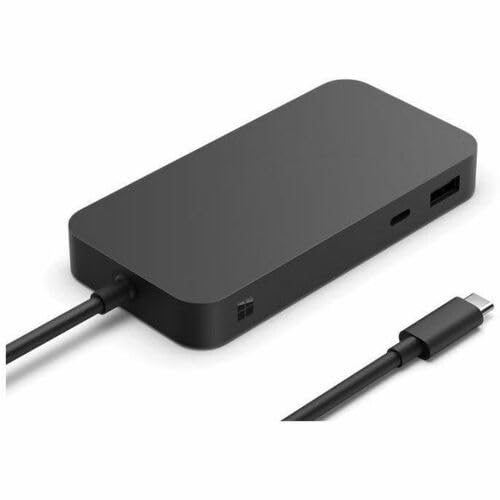
Microsoft spells out both outcomes here. It specifies USB4 at 40Gbps, HDMI 2.1 and two downstream USB4 Gen 3 USB-C ports that are Thunderbolt 4 compatible and video-capable, and Microsoft documents dual 4K60 through USB-C and HDMI when the host supports USB4 or Thunderbolt 4. The same dock connected to plain USB-C is limited by Microsoft to one 4K60 display.
That documented fallback makes the buying check unusually clear: identify which Intel laptop port you will use, rather than treating all its USB-C sockets alike. Microsoft rates charging at up to 65W to the host from the included 100W supply. The dock suits managed Windows environments too, though its power level may be low for a performance laptop that expects a larger USB-C input.
Our Take The Surface dock earns its place on two flexible USB-C display branches, HDMI and straightforward host requirements. It fits less well when 65W is insufficient or when the chosen Intel laptop exposes only plain USB-C.
- Microsoft documents two downstream video-capable USB4 ports
- USB4/TB4 and plain USB-C display limits are separated
- Microsoft caps laptop delivery at 65W
- Plain USB-C hosts lose the cited dual-display route
4. StarTech 208N-USB4-DOCK — Best documented high-refresh route
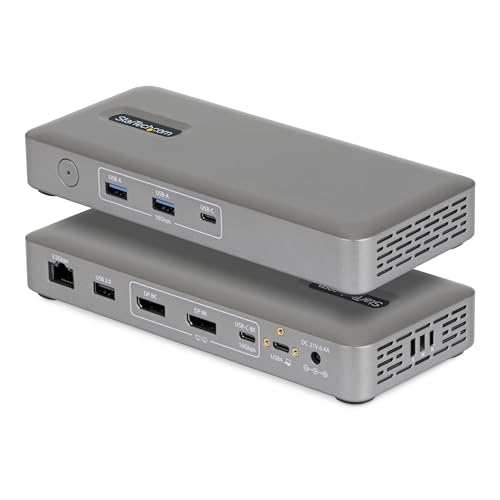
High refresh rates are documented here rather than implied. StarTech specifies a USB4 40Gbps host interface, two DisplayPort outputs and a video-capable 10Gbps USB-C port, and the official matrix cites ceilings up to dual 4K144 or one 8K60 on a compatible host. A Thunderbolt logo can simplify the Intel-host check, but the target mode still depends on GPU capability, DP tunneling, DSC where required, output grouping, cables and monitor inputs.
StarTech also documents 2.5GbE and up to 100W host charging from the included adapter, and calls neither downstream USB-C port USB4 or Thunderbolt. Read it as a fixed-display dock with useful high-speed data ports, not a branching Thunderbolt hub.
Our Take When a published high-refresh matrix, two DP connections and stronger host charging outweigh downstream USB4, the 208N is the dock. Match your exact Intel laptop and monitor path to the matrix before treating its top figures as attainable.
- StarTech publishes qualified high-refresh display ceilings
- Maker specifies 2.5GbE and up to 100W charging
- Downstream USB-C ports are not USB4/TB branches
- Top display figures are conditional host ceilings
5. Razer USB 4 Dock Mercury — Best port-rich mixed-output dock

Two conventional video outputs, no adapters required. Razer specifies a 40Gbps USB4 upstream connection, HDMI 2.1 and DisplayPort 1.4, gives the primary display a ceiling of 4K120, and says the exact host controls the secondary display. For an Intel laptop, that means the two output sockets are useful options, not evidence that any USB-C port will drive two independent monitors.
The included 180W adapter supports host charging rated by Razer at up to 100W peak and 96W sustained. A broad peripheral selection suits a permanent desk, though the downstream USB-C data and charging connection is rated at 10Gbps and up to 20W rather than USB4.
Our Take Go to the Razer for HDMI and DP without display adapters plus a generous peripheral layout. A branch hub is the better answer when your priority is attaching multiple USB4 or Thunderbolt devices downstream.
- Razer documents both HDMI 2.1 and DP 1.4
- Host delivery reaches 96W sustained by the maker’s rating
- Secondary display depends on the exact host
- No downstream USB4 port
6. D-Link DUF-901 — Best downstream USB4 and 2.5GbE route
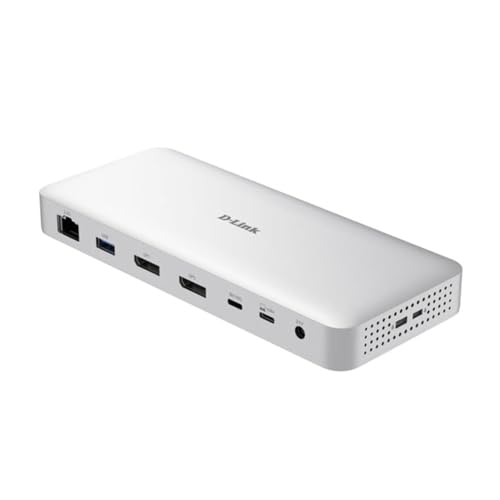
Fixed monitor connectors alongside one preserved high-bandwidth branch is an unusual combination, and this is where it lives. D-Link specifies USB4 Gen 3×2 at 40Gbps upstream and a downstream 40Gbps USB4 port with DisplayPort 1.4 capability. It also lists two DP 1.4 outputs and 2.5GbE.
The maker publishes qualified ceilings up to 8K30 or 4K144. Those figures depend on the Intel host’s GPU and DP/DSC path and do not follow from USB4 bandwidth alone. D-Link rates the charging path at up to 100W. Our sources do not establish a bundled power adapter, so confirm current box contents and plan for a suitable USB-C PD supply if needed.
Our Take Where 2.5GbE and one true downstream USB4 connection matter as much as the display outputs, the DUF-901 is the answer. Confirm the desired mode against the laptop’s graphics path instead of assuming that every Thunderbolt-compatible Intel machine exposes the same ceiling.
- D-Link specifies one downstream 40Gbps USB4 branch
- Maker documents dual DP 1.4 and 2.5GbE
- Highest display modes remain host-qualified
- Fixed display outputs may be redundant for an all-USB-C desk
7. Targus DOCK425GLZ — Best portable dual-output route
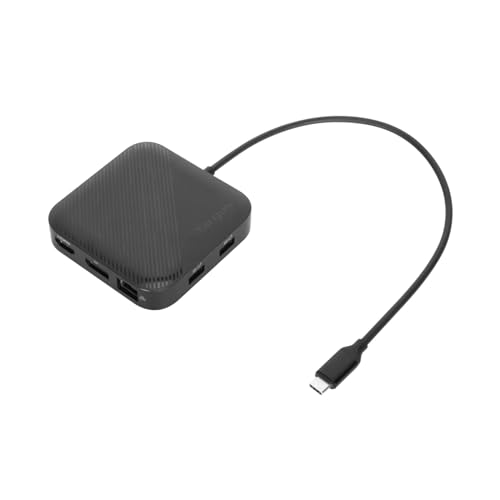
This is the one you put in a bag. Targus specifies a 40Gbps USB4 host link, DisplayPort 1.4 and HDMI 2.1, with a stated ceiling of one 8K30 display or two 4K60 displays, subject to host and operating system. An Intel CPU does not guarantee that an ordinary USB-C port can supply that dual-display path.
The Targus can run on bus power, or pass through up to 85W from a suitable USB-C supply. That charger is sold separately, and dock overhead reduces what reaches the laptop. The downstream USB-C data port is rated at 10Gbps, not USB4.
Our Take For a verified USB4/TB4 laptop, and a preference for DP and HDMI sockets over carrying separate video adapters, this is the travel pick. Add the cost and size of the required charger if the laptop needs power at the desk.
- Targus supports bus-powered operation
- Maker documents DP and HDMI display routes
- No power adapter included
- Dual-display ceiling depends on host and OS
Match the dock to the Intel port, not the sticker
First identify the exact port you will connect. A Thunderbolt 4 label is a useful capability signal, an explicit USB4 listing tells you the protocol family, and a generic USB-C label only describes the connector. Some laptops also place different capabilities on visually identical sockets, which is why the manual’s port diagram matters.
Second, separate downstream architecture from display connectors. Plugable’s three USB4/TB4 branches can carry data or video through suitable adapters, the Lenovo and StarTech concentrate on fixed outputs, and the Surface and D-Link combine a downstream USB4 display route with at least one conventional connector. Read our USB4 versus Thunderbolt 4 comparison before treating the two labels as synonyms.
Third, calculate power from the host-delivery figure, because the wattage of the dock’s power brick is not what reaches the laptop. Compare the 60W, 65W, 85W pass-through, 96W sustained and 100W maker ratings against the laptop’s accepted USB-C input. A performance model may still need its original adapter to sustain full load.
Finally, validate the complete display chain: host GPU, DP tunnel, DSC requirement, output group, cable or adapter and monitor input. Intel laptops with qualified Thunderbolt 4 paths often make this easier, though no dock overrides a lower host limit. If you specifically want a certified TB4 product rather than a USB4-first dock, use our Thunderbolt 4 docking-station guide.
Frequently asked questions
Does an Intel Evo laptop work with every USB4 dock mode?
No. Check the exact laptop generation, port documentation, GPU display limits and charging input. Plugable says the USB4-HUB3A was engineered for Intel Evo, and that still does not make every dock ceiling universal across all Evo systems.
Is Thunderbolt 4 the same as USB4 for dock shopping?
No. The technologies overlap and some exact products document both, yet their labels and minimum requirements are not interchangeable. Work from the host and dock documentation for the precise connection.