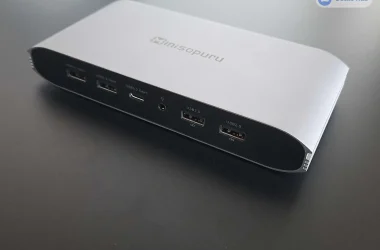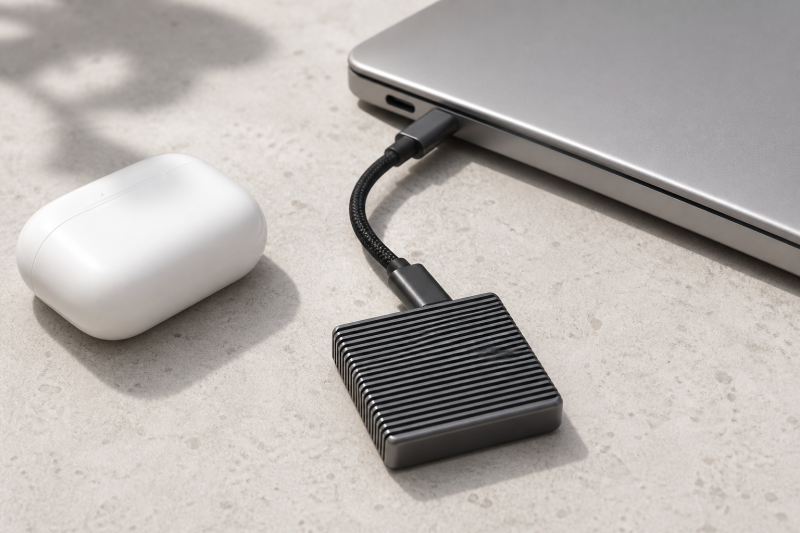
Our best compact Thunderbolt 5-class external SSD enclosure is the Satechi DotDisk 80Gbps, because Satechi lists it at 3.9 by 1.4 by 0.7 inches and 93.2g, the smallest and lightest complete manufacturer dimensions in this lineup. It is a diskless active-cooled enclosure, not a ready drive. The SABRENT Rocket XTRM 5 is the smallest prebuilt 2TB pick, and the OWC Express 1M2 80G takes over when user-serviceable storage matters more than minimum size.
Compact here is relative to manufacturer-rated 80Gbps-class storage, and the bulk above the lightest pick buys something specific: a larger heat sink, a fan, a protective body, or serviceable construction. Interface bandwidth and manufacturer sequential ceilings do not establish sustained performance. The exact host, cable, SSD, file system, free space, cache behavior, workload, and thermals all remain part of the result. Our portable SSD guide covers slower and broader options.
Quick picks
- Satechi DotDisk: Best compact DIY enclosure.
- SABRENT Rocket XTRM 5: Best compact prebuilt drive.
- OWC Express 1M2 80G: Best compact serviceable storage.
- OWC Envoy Ultra: Best compact ruggedized prebuilt option.
- TerraMaster D1 SSD Pro: Best quiet compact desk enclosure.
| Image | Product | Details | Check Price |
|---|---|---|---|
 | Satechi DotDisk 80Gbps | Type: Diskless 2280 NVMe enclosure Published size: 3.9 x 1.4 x 0.7 inches Published weight: 93.2g Cooling: Active fan Cable: Removable 30cm Thunderbolt 5 cable Portability tradeoff: Smallest/lightest published enclosure here, with strict SSD and no-standard-USB-3 limits | Check Price on Amazon |
 | SABRENT Rocket XTRM 5 2TB | Type: Prebuilt 2TB portable SSD Published size: 4.13 x 1.77 x 0.57 inches Published weight: 3.35 oz Cooling: Aluminum heat-sink body with silicone sleeve Cable: Removable 50cm Thunderbolt 5 cable Portability tradeoff: Smallest published prebuilt pick; sleeve adds packed bulk and no formal ingress claim is frozen | Check Price on Amazon |
 | OWC Express 1M2 80G 2TB | Type: Prebuilt 2TB, user-serviceable NVMe storage Published size: 5.2 x 2.8 x 0.9 inches Published weight: About 9.9 oz Cooling: Fanless aluminum heat sink Cable: Removable cable Portability tradeoff: Larger than the first two picks, but both storage and cable are serviceable | Check Price on Amazon |
 | OWC Envoy Ultra 2TB | Type: Prebuilt 2TB, APFS-formatted, TB5-certified SSD Published size: 5.1 x 3.0 x 0.8 inches Published weight: 0.75 lb Cooling: Fanless aluminum; OWC documents IP67 under stated conditions Cable: Captive 9.2-inch cable; OWC calls it user-serviceable Portability tradeoff: Protective prebuilt choice, but heavier and less cable-flexible | Check Price on Amazon |
 | TerraMaster D1 SSD Pro | Type: Diskless 2280 NVMe enclosure Published size: Not stated on the controlling D1 SSD Pro page; no D1 SSD Plus dimensions transferred Published weight: 300g official product weight Cooling: Fanless 38-fin aluminum body Cable: Removable 0.3m 80Gbps cable Portability tradeoff: Quiet compact-desk role; maker calls it pocketable and relatively compact, but exact dimensions are absent | Check Price on Amazon |
1. Satechi DotDisk 80Gbps – Best compact DIY enclosure
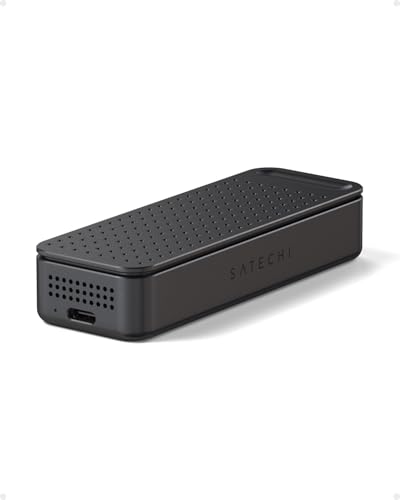
Nothing else here is smaller on paper. Satechi lists the DotDisk at 3.9 by 1.4 by 0.7 inches and 93.2g, making it the smallest and lightest enclosure with complete manufacturer dimensions in this five-product lineup. Its removable 30cm Thunderbolt 5 cable packs separately, and the active fan provides a defined cooling path in a small body.
The DotDisk is diskless. Satechi supports M.2 2280 NVMe drives up to 8TB but excludes SATA, other M.2 lengths, double-sided SSDs, and SSDs with attached heat sinks. Read that list before ordering a drive, because a small enclosure cannot accept every drive sold under an M.2 label.
Satechi documents TB5, TB4, and USB4 host support and says standard USB-C or USB 3 is not supported, so the smallest body here is not the broadest travel fallback. Confirm the destination computer and the macOS 14.6+, Windows 11, or listed Linux path.
Our Take
On published dimensions and weight, the DotDisk takes the compact DIY role outright. Its active fan and removable cable help portability, though strict SSD and host compatibility must be settled before buying.
- Published 3.9 by 1.4 by 0.7-inch size
- Published 93.2g weight
- Active fan and removable 30cm TB5 cable
- SSD is not included
- Only compatible single-sided 2280 NVMe drives fit
- No standard USB 3 fallback
2. SABRENT Rocket XTRM 5 2TB – Best compact prebuilt drive

The Rocket XTRM 5 removes the sourcing and installation of NVMe storage, because the 2TB drive is already in the box. SABRENT publishes a 4.13 by 1.77 by 0.57-inch body and a 3.35 oz weight. It is slightly larger than the DotDisk by the available dimensions, but the SSD is already included.
SABRENT includes a removable 50cm Thunderbolt 5 cable, which helps both replacement and packing. SABRENT uses an aluminum body and includes a silicone sleeve. The sleeve adds protection and some packed bulk, though our sources do not turn it into a formal ingress or crush rating.
SABRENT explicitly lists TB5, TB4, TB3, USB4, and named USB 20, 10, and 5Gbps fallback, and each slower path lowers the available ceiling. SABRENT’s stated 80Gbps connection and up-to-64Gbps transfer figures do not establish sustained file-copy performance.
Our Take
No prebuilt pick here is smaller on published figures than the Rocket XTRM 5. It is the easy travel choice when a removable cable and broad fallback matter more than DIY flexibility.
- Prebuilt 2TB SSD
- Published 4.13 by 1.77 by 0.57-inch body and 3.35 oz weight
- Removable 50cm cable with broad fallback support
- Silicone sleeve adds packed bulk
- SABRENT does not state a formal ingress rating
- Manufacturer transfer ceiling is not sustained performance
3. OWC Express 1M2 80G 2TB – Best compact serviceable storage
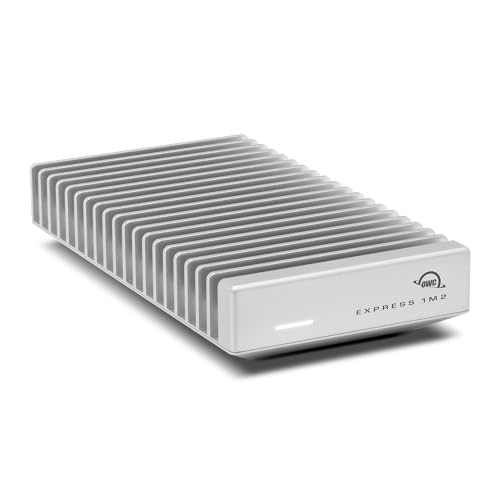
The Express 1M2 arrives as a prebuilt 2TB product whose M.2 NVMe drive and cable both remain serviceable. OWC publishes dimensions of 5.2 by 2.8 by 0.9 inches and a weight around 9.9 oz. That is clearly larger and heavier than the first two picks, and the fanless aluminum heat sink and replaceable components are what you get for the extra bulk.
OWC calls the product USB4 80G and Thunderbolt-compatible, not Thunderbolt 5-certified. OWC states that it supports PCIe Gen 3, Gen 4, and Gen 5 M.2 NVMe, with the company recommending Gen 5 drives drawing 11W or less for sustained workloads. SATA is not supported.
The removable cable packs separately and swaps out without servicing the enclosure. OWC publishes different performance ceilings for TB5/USB4 80G and older 40Gbps or TB3 paths. All remain manufacturer figures rather than guaranteed long-transfer rates.
Our Take
Serviceable rather than smallest is where the Express 1M2 sits. Carry the extra size when replaceable storage, a removable cable, and fanless cooling are worth more than an ultralight bag.
- Prebuilt 2TB but user-serviceable
- Removable cable and fanless aluminum heat sink
- Published 5.2 by 2.8 by 0.9-inch size
- About 9.9 oz is much heavier than the first two picks
- Not Thunderbolt 5-certified
- NVMe only, with a power caveat for Gen 5 drives
4. OWC Envoy Ultra 2TB – Best compact ruggedized prebuilt option
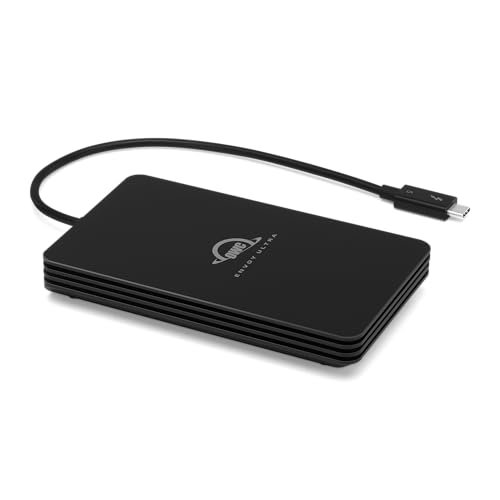
The Envoy Ultra trades low weight for a prebuilt 2TB SSD and documented ingress protection. OWC lists the body at 5.1 by 3.0 by 0.8 inches and 0.75 lb. OWC also documents IP67 protection under its stated conditions. That still does not make a wet connector safe to use or remove the need to keep ports dry.
The drive is bus-powered, fanless, Thunderbolt 5-certified, and preformatted for APFS. Its built-in 9.2-inch TB5 cable is captive, though OWC calls it user-serviceable. A captive cable removes a separate item from the bag, yet it limits routing and cannot be swapped as quickly as the SABRENT or Express cable.
OWC’s over-6000MB/s ceiling is a manufacturer peak on a suitable host, not sustained travel-workflow performance. Older TB4, TB3, and USB4 paths operate under lower limits.
Our Take
Where a ready APFS drive and the IP67 claim matter, the Envoy Ultra is the compact ruggedized answer. Its 0.75 lb weight and captive cable keep it below the lighter travel picks.
- Prebuilt 2TB and APFS-formatted
- OWC documents IP67 protection under stated conditions
- Thunderbolt 5-certified fanless design
- Published 0.75 lb weight
- Captive cable is not quickly replaceable
- Ingress rating does not make a wet port usable
5. TerraMaster D1 SSD Pro – Best quiet compact desk enclosure
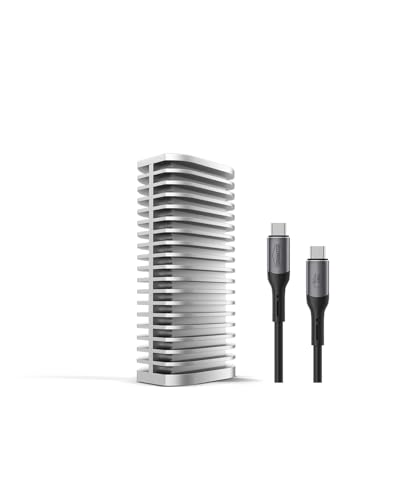
The D1 SSD Pro is built for a quiet desk that still moves between workspaces. TerraMaster publishes a 300g weight and describes the product as pocketable and roughly 80 percent of comparable 80Gbps products. TerraMaster’s D1 SSD Pro page does not provide an exact dimension, so no measurement from the related D1 SSD Plus is transferred here.
According to TerraMaster, the diskless enclosure supports M.2 2280 PCIe Gen 3, 4, and 5 NVMe drives up to 8TB. The manufacturer states its fanless aluminum body uses 38 cooling fins, and the 0.3m 80Gbps cable is removable. That cooling mass and the 300g weight are the price of a quiet, desk-oriented design.
TerraMaster publishes an M4 Pro test path and sequential numbers from its setup. Those are manufacturer results, not a comparable sustained test against the other products. Exact SSD, host, cable, format, workload, free space, and thermals still control.
Our Take
Treat the D1 SSD Pro as quiet desk hardware, not an ultralight travel drive. Its official relative-compactness wording is useful, but the missing exact dimensions prevent a stronger bag-size comparison.
- Fanless 38-fin aluminum body
- Removable 0.3m cable
- TerraMaster calls it pocketable and relatively compact
- SSD is not included
- Official weight is 300g
- Exact D1 SSD Pro dimensions are not stated
How to choose compact 80Gbps storage
Start with type. A prebuilt drive includes its SSD and is ready after any required formatting. A diskless enclosure needs a compatible NVMe drive, thermal installation, and file-system setup. Satechi has strict 2280, sidedness, and heat-sink rules, and TerraMaster is also 2280-only. Do not assume that any M.2 drive fits.
Compare published dimensions and weight separately. Satechi is the smallest and lightest by the complete figures in this lineup. SABRENT is the smallest prebuilt choice. Express and Envoy add serviceable or protective construction at higher weight. TerraMaster has a published 300g weight but no exact D1 SSD Pro dimensions, so it cannot honestly win a size comparison.
Cable ownership changes travel convenience. A removable cable is replaceable and can pack separately, but it is another item to lose. A captive cable stays attached and limits routing. Either way, the cable must support the intended mode, because USB-C connector shape is not a speed rating.
Cooling changes the package too. An active fan can move heat from a small body but adds noise and a moving part. A larger passive heat sink adds mass instead. Neither design proves sustained superiority for every SSD and workload.
Finally, verify the host and fallback. A TB5 or USB4 80G enclosure on a slower compatible port negotiates the lower path. The Thunderbolt generation guide explains the standards, while our 80Gbps storage parent guide covers non-compact buying roles. File system, cache, fill level, temperature, and workload still keep a link ceiling from becoming a sustained result.
Compact SSD FAQ
Is the smallest enclosure always the best travel choice?
No. Account for the cable, protective sleeve, required SSD, cooling, host fallback, and whether the drive is ready to use. A slightly larger prebuilt drive can make a simpler complete travel kit than a smaller diskless enclosure.
Can a compact TB5 enclosure use any USB-C cable?
No. The connector can fit while the cable supports a lower data mode. Use the manufacturer-specified or appropriately certified cable for the intended path, and remember that the host and device must support the same mode.