Our best balanced Thunderbolt 5 business laptop is the Lenovo ThinkPad P1 Gen 8 21Q8001TUS, because Lenovo lists its exact Core Ultra 7, 32GB, 512GB, and WUXGA configuration inside a mobile-workstation family with two TB5 ports, one TB4 port, and documented business security and management features. The Dell Pro Max is the natural Dell fleet path, while the HP ZBook and full-size ThinkPad P16 cover heavier professional-GPU workstations.
Your organization’s operating-system image, support contract, docking standard, security policy, and required ISV certifications outrank this generic order. Family documentation controls shared port and business features, while exact retail records control the configuration named in each section. Our Thunderbolt laptop list covers non-business roles.
Quick picks
- ThinkPad P1 Gen 8: Best balanced Windows mobile workstation.
- Dell Pro Max 16 Premium: Best Dell fleet and workstation path.
- HP ZBook Fury G1i 16: Best HP workstation path.
- ThinkPad P16 Gen 3: Best full-size ThinkPad workstation.
- ThinkPad T1g Gen 8: Best business and performance crossover.
- MacBook Pro M5 Max: Best managed macOS path.
| Image | Product | Details | Check Price |
|---|---|---|---|
 | Lenovo ThinkPad P1 Gen 8 21Q8001TUS | Business role: Balanced Windows mobile workstation TB5 / TB4 ports: Two TB5 plus one TB4 Exact configuration: Core Ultra 7 265H, 32GB, 512GB Display: WUXGA Enterprise boundary: Confirm exact GPU, ISV list, image, support, and security options Best for: A mobile workstation starting point with three certified ports | Check Price on Amazon |
 | Dell Pro Max 16 Premium MA16250 | Business role: Dell fleet and workstation path TB5 / TB4 ports: Two TB5 plus one TB4 Exact configuration: Core Ultra 7 255H, 32GB, 512GB, Windows 11 Pro Display: 1920x1200 exact retail identity; external paths are configuration dependent Enterprise boundary: Dell support, image, dock firmware, and service terms require validation Best for: An organization standardizing on Dell workstation hardware | Check Price on Amazon |
 | HP ZBook Fury G1i 16 C94F9UT#ABA | Business role: HP professional workstation path TB5 / TB4 ports: Two TB5 plus one TB4 Exact configuration: Core Ultra 7 255HX, RTX Pro 2000, 32GB, 1TB Display: WQXGA Enterprise boundary: Smart-card reader is optional; verify ISV, image, and support requirements Best for: An HP-standardized workstation with 2.5GbE and SD 7.0 | Check Price on Amazon |
 | Lenovo ThinkPad P16 Gen 3 21RQ001TUS | Business role: Full-size ThinkPad workstation TB5 / TB4 ports: Two TB5 plus one TB4 Exact configuration: Core Ultra 7 255HX, RTX Pro 2000, 32GB, 1TB Display: WQUXGA Enterprise boundary: Family ceilings do not replace exact support and certification checks Best for: A full-size Lenovo workstation with 2.5GbE and SD Express | Check Price on Amazon |
 | Lenovo ThinkPad T1g Gen 8 | Business role: Business and performance crossover TB5 / TB4 ports: Two TB5 plus one TB4 Exact configuration: Core Ultra 7 255H, RTX 5060, 32GB, 1TB, Windows 11 Pro Display: 3840x2400 Enterprise boundary: GeForce does not prove a professional-driver or ISV path Best for: Mixed business and GPU work without an explicit RTX Pro requirement | Check Price on Amazon |
 | Apple 16-inch MacBook Pro M5 Max MGEE4LL/A | Business role: Managed macOS path TB5 / TB4 ports: Three TB5 Exact configuration: M5 Max 40-core GPU, 48GB, 2TB Display: 16.2-inch Liquid Retina XDR Enterprise boundary: macOS image, security tools, peripherals, applications, and support must be approved Best for: An organization with an established supported macOS workflow | Check Price on Amazon |
1. Lenovo ThinkPad P1 Gen 8 21Q8001TUS – Best balanced Windows mobile workstation
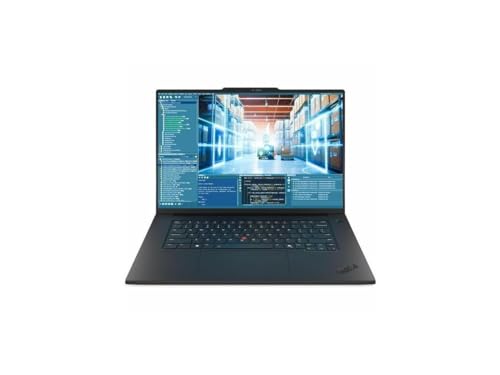
21Q8001TUS suits a buyer entering a mobile-workstation family without starting from the largest chassis. Lenovo lists the exact retail identity with a Core Ultra 7 265H, 32GB of memory, a 512GB SSD, and a WUXGA display. Those are selected-configuration facts, not the ceiling of every P1 Gen 8.
Lenovo’s PSREF documents two Thunderbolt 5 ports plus one Thunderbolt 4 port for the family, and it also controls the business security and management feature set and the available family configuration boundaries. That three-port topology can keep a standardized dock separate from direct storage or another certified device, subject to controller, operating-system, cable, and peripheral limits.
The 512GB SSD is the practical weakness for a mobile workstation. Our sources also do not establish an exact GPU, panel upgrade, weight, or battery for this retail unit. Confirm any required professional graphics, ISV certification, smart-card path, cellular option, or corporate image against the exact order code.
Our Take
The P1 is the balanced Windows choice, because its exact office-ready configuration and three certified ports are both clear. It still does not substitute for checking the exact professional GPU and certification your workload requires.
- Two Thunderbolt 5 plus one Thunderbolt 4 port
- Exact 32GB and 512GB configuration
- Lenovo documents business security and management paths
- 512GB is modest for workstation data
- Exact GPU is not confirmed in this record
- Required ISV certification must be checked separately
2. Dell Pro Max 16 Premium MA16250 – Best Dell fleet and workstation path
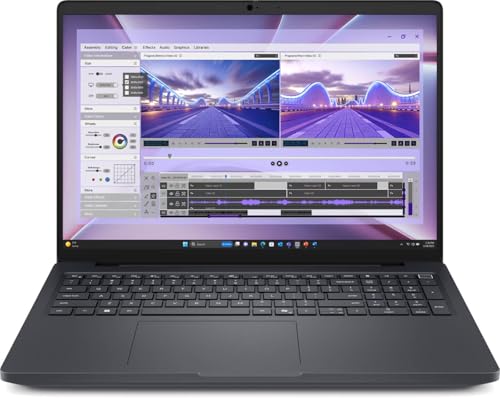
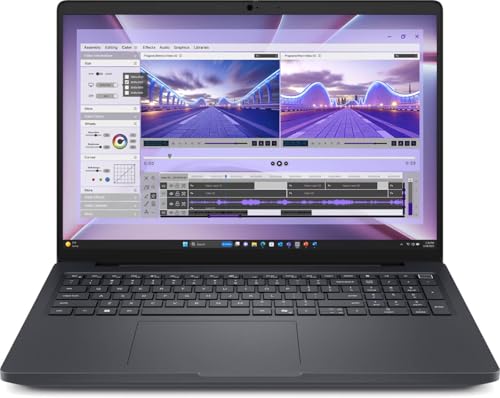
The MA16250 is the answer when Dell support, Dell-standardized desks, or a Dell workstation lifecycle is the organizing requirement. Dell lists the exact retail identity with a Core Ultra 7 255H, 32GB of memory, a 512GB SSD, a 1920×1200 display, and Windows 11 Pro. We keep that exact record separate from the other configurable display and component routes.
Dell’s manual for this model specifies two Thunderbolt 5 ports plus one Thunderbolt 4 port, along with DisplayPort 2.1, HDMI 2.1, and an SD card slot. A separate Dell display guide controls the configuration-dependent external-display paths. Physical connectors do not mean every combination, resolution, or refresh rate is available on every ordered system.
The advantage here is ecosystem fit, not any claim about how it behaves once deployed. Your service agreement, BIOS policy, dock firmware, image, identity system, and approved peripherals still decide whether it belongs in the estate. The 512GB SSD may also be limiting for local project data.
Our Take
For a Dell-standardized estate, the Pro Max is the rational choice, with a useful mix of TB5, TB4, HDMI, and SD. Buy it for that ecosystem alignment after confirming the exact display, support, and dock matrix.
- Two TB5 ports plus one TB4 port
- Exact Windows 11 Pro, 32GB, and 512GB identity
- HDMI 2.1 and SD slot supplement dock connectivity
- 512GB is a restrained workstation capacity
- External-display paths are configuration dependent
- Dell branding does not prove fit with an existing support contract
3. HP ZBook Fury G1i 16 C94F9UT#ABA – Best HP workstation path
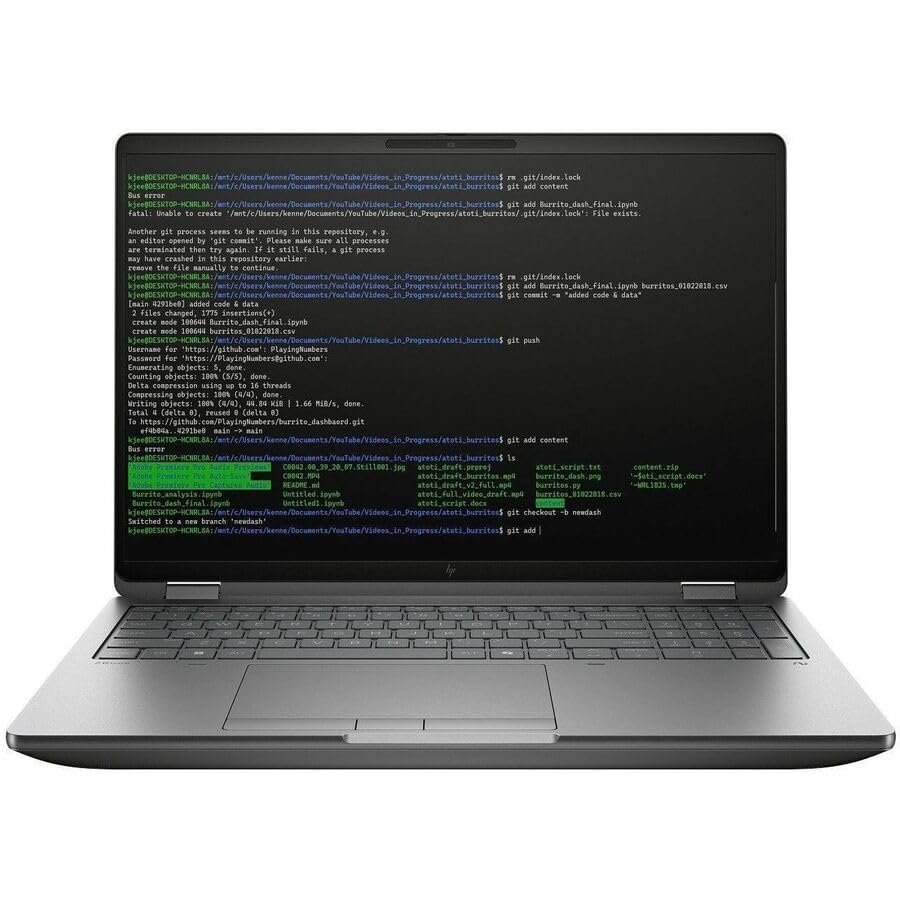
C94F9UT#ABA is for the case where both an HP workstation standard and a professional GPU are required. HP lists the exact retail identity with a Core Ultra 7 255HX, NVIDIA RTX Pro 2000 graphics, 32GB of memory, a 1TB SSD, and a WQXGA display. That gives it a more specific role than a generic premium business laptop.
HP’s specification for this model documents two Thunderbolt 5 ports plus one Thunderbolt 4 port, SD 7.0, 2.5GbE, and a smart-card option. The wired network and card-reader paths can cut down on desk adapters, while the third certified port helps with cable placement. An option is not necessarily installed in C94F9UT#ABA, so smart-card presence must be confirmed on the exact unit.
RTX Pro branding proves neither performance nor certification for a particular application release. Match the exact GPU, driver branch, ISV list, operating-system image, and support agreement to your deployment before ordering.
Our Take
The ZBook is the best HP path here, because the exact RTX Pro 2000 configuration and the broad I/O record are both clear. The smart-card option and any ISV requirement still need exact-unit confirmation.
- Exact RTX Pro 2000, 32GB, and 1TB configuration
- Two TB5 plus one TB4 port
- HP documents SD 7.0 and 2.5GbE
- Smart-card reader is an option, not an assumed inclusion
- ISV support must match the exact application version
- Professional GPU branding is not a benchmark
4. Lenovo ThinkPad P16 Gen 3 21RQ001TUS – Best full-size ThinkPad workstation

21RQ001TUS earns its place when a full-size ThinkPad workstation fits your deployment better than the slimmer P1. Lenovo lists the exact retail identity with a Core Ultra 7 255HX, RTX Pro 2000 graphics, 32GB of memory, 1TB of storage, and a WQUXGA display.
Lenovo’s PSREF documents two Thunderbolt 5 ports plus one Thunderbolt 4 port, 2.5GbE, SD Express, and the family security feature set. Those local ports suit a workstation desk that still uses wired networking and removable media, without forcing every connection through a dock.
The full-size role is the limitation as much as the advantage. Family ceilings, weights, batteries, and options do not automatically bind 21RQ001TUS unless the exact retail record states them. Compare the exact support, docking, service, and certification requirements against the P1 rather than assuming a larger chassis is universally more capable.
Our Take
For an exact RTX Pro 2000 configuration with 2.5GbE, SD Express, and three certified ports, the P16 is the full-size ThinkPad pick. Drop back to the P1 when a more mobile starting point matters more.
- Exact RTX Pro 2000, 32GB, and 1TB identity
- Two TB5 plus one TB4 port
- Lenovo documents 2.5GbE and SD Express
- Full-size workstation role is less travel oriented
- Family ceilings are not exact-unit specifications
- Support and certification still require organizational validation
5. Lenovo ThinkPad T1g Gen 8 – Best business and performance crossover
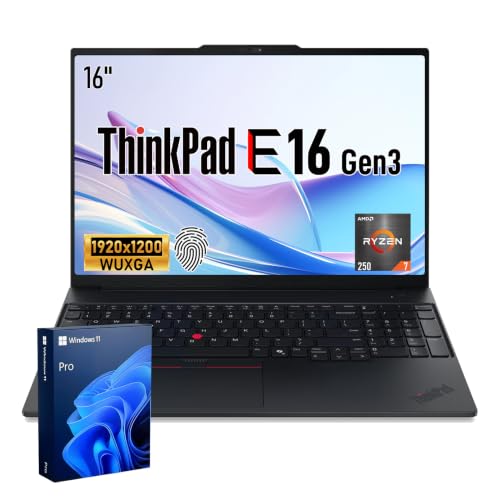
This T1g Gen 8 is the business platform for buyers who want consumer GeForce graphics rather than an RTX Pro workstation path. Lenovo lists the exact retail identity with a Core Ultra 7 255H, GeForce RTX 5060, 32GB of memory, 1TB of storage, a 3840×2400 display, and Windows 11 Pro.
Lenovo’s PSREF controls the two Thunderbolt 5 ports plus one Thunderbolt 4 port and the family’s business and security features. That gives it a certified-port count similar to the P-series picks but a different graphics role. GeForce RTX 5060 can fit mixed content and business use, though it establishes no required professional driver, ISV certification, or enterprise deployment result.
The 3840×2400 display and 1TB capacity Lenovo lists are useful, yet a high-resolution panel can change power behavior and proves nothing about color suitability. Validate company image, security, serviceability, and application support before treating the crossover label as a deployment decision.
Our Take
For buyers who want an exact RTX 5060, 32GB, 1TB, and high-resolution configuration, the T1g is the mixed business and performance choice. Pick a P-series or ZBook model when professional-GPU requirements are explicit.
- Exact RTX 5060, 32GB, and 1TB configuration
- Two TB5 plus one TB4 port
- Exact 3840×2400 display and Windows 11 Pro identity
- GeForce graphics may not satisfy a professional GPU policy
- High-resolution panel is not a color or battery result
- Business suitability remains organization specific
6. Apple 16-inch MacBook Pro M5 Max MGEE4LL/A – Best managed macOS path

MGEE4LL/A belongs on this list only where macOS is already approved and supported in your organization. The exact retail configuration includes an M5 Max with a 40-core GPU, 48GB of unified memory, and 2TB of storage. Apple specifies three Thunderbolt 5 ports, a 16.2-inch Liquid Retina XDR display, a 100Wh battery, and a 4.7 lb weight.
Its three same-generation ports support a flexible direct-device and docking layout, but macOS changes the software, management, authentication, peripheral, and support decision. The hardware proves nothing about whether your current Windows image, smart-card middleware, VPN, security agent, or line-of-business application has an equivalent Mac path.
Memory and storage are fixed at purchase. Confirm that 48GB and 2TB fit the expected service life, because there is no later internal upgrade.
Our Take
The MacBook Pro is the best macOS route, and only where macOS is a supported corporate platform. Its exact configuration and three TB5 ports are strong, but policy and application compatibility have to lead the decision.
- Three Thunderbolt 5 ports
- Exact 48GB and 2TB configuration
- Apple lists a 4.7 lb M5 Max weight
- macOS must fit the organization’s image and software policy
- Memory and storage cannot be upgraded later
- Windows-specific security or peripheral tools may lack an equivalent path
How to choose a Thunderbolt 5 business laptop
Start with the organization, not the processor. Confirm the approved operating-system image, endpoint security agents, identity stack, VPN, smart-card middleware, peripheral drivers, service agreement, and required application certifications. A technically strong laptop becomes the wrong fleet choice the moment one of those dependencies fails.
Next, validate the exact machine type or part number. Family specifications define possible components and shared features, while the exact listing identifies the retail configuration you receive. That distinction is why the P1’s exact WUXGA/512GB record does not inherit every optional display or GPU, and why an optional HP smart-card reader is not treated as installed.
Then map the dock standard. All six picks have multiple certified ports, but vendor docks may differ in charging, firmware, management, and support behavior across brands. Dell-centered buyers can use the Dell docking station guide; ThinkPad fleets can use the ThinkPad docking guide. A physical TB5 port guarantees neither that a dock replaces the laptop’s full power adapter nor that it supports every display layout.
Professional graphics need exact validation. RTX Pro branding can align with workstation drivers and application programs, but the specific GPU, driver, operating system, and application version must appear in the required certification or support matrix. A GeForce crossover may be appropriate when those requirements do not apply.
Finally, plan capacity and service life. A 512GB factory SSD may suit a thin-client or cloud-first role and fall short for local datasets. Fixed Mac memory and storage demand more planning up front. Security, repair, warranty, and support-contract needs can outweigh raw component capacity.
Business laptop FAQ
Does Thunderbolt 5 make a laptop enterprise ready?
No. TB5 describes a connection capability, nothing more. Enterprise readiness depends on the exact OS image, security and management support, warranty or service contract, firmware policy, docking standard, peripheral compatibility, and application certification.
Should every business laptop use the vendor’s dock?
Not necessarily. A cross-brand certified dock may handle the required data, displays, and charging. Vendor alignment can still matter for firmware, management, support ownership, and proprietary charging branches. Verify the exact laptop and dock matrix rather than assuming either route.