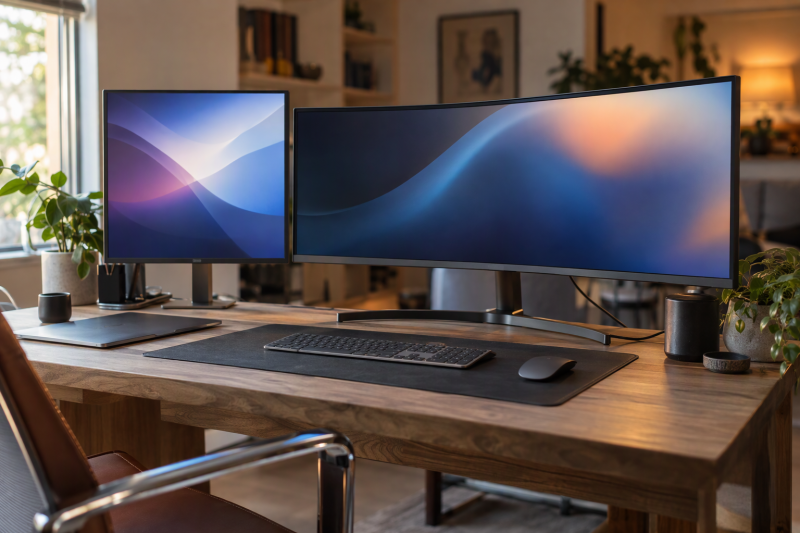
In this group, the ViewFinity monitors lead with resolution, USB-C or a wide work area, while the Odyssey monitors lead with refresh rate, response time and gaming features. Screen size alone does not settle the choice. A 27-inch 5K panel, a 34-inch ultrawide and a 57-inch Dual UHD panel need different desk space and different laptop connections.
Only one of the six, the USB-C ViewFinity S8, has a port the Amazon listing describes as carrying laptop charging. Check the laptop’s video output, the monitor’s inputs, the charging wattage and the desk depth before paying for a higher resolution or a faster refresh rate. For other laptop-screen routes, see the BenQ USB-C monitor comparison and ASUS monitor guide.
Start with the resolution, the screen width and the port the laptop will use. Refresh rate and curve come after the connection is settled.Samsung ViewFinity and Odyssey Monitors Compared
| Image | Product | Details | Check Price |
|---|---|---|---|
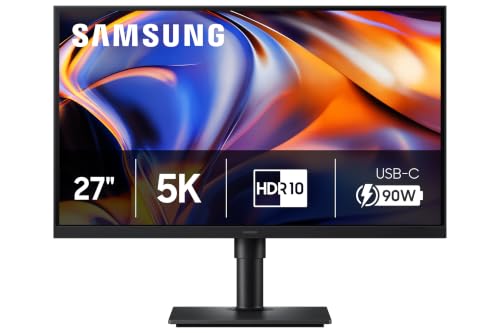 | Samsung ViewFinity S8 S80HF 27-Inch | Best fit: 5K USB-C workstation display Panel: 27-inch 5120 by 2880, 218 PPI Ports: USB-C 90W, LAN, KVM Refresh: Not stated in listing Limit: Needs compatible USB-C video and charging | Check Price on Amazon |
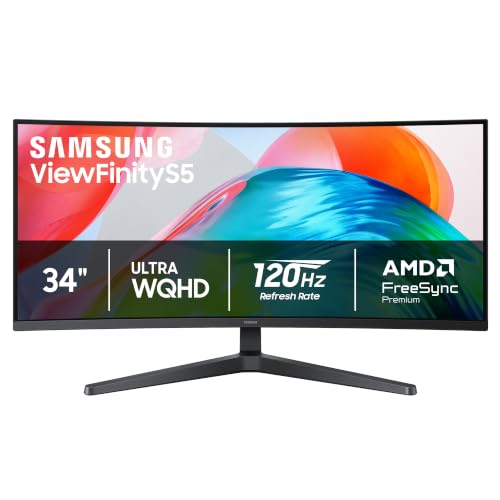 | Samsung ViewFinity S5 S55GH 34-Inch | Best fit: Ultrawide productivity screen Panel: 34-inch Ultrawide QHD, 21:9, 1800R Ports: HDMI and DP Refresh: 120Hz, FreeSync Premium Limit: No listed USB-C port | Check Price on Amazon |
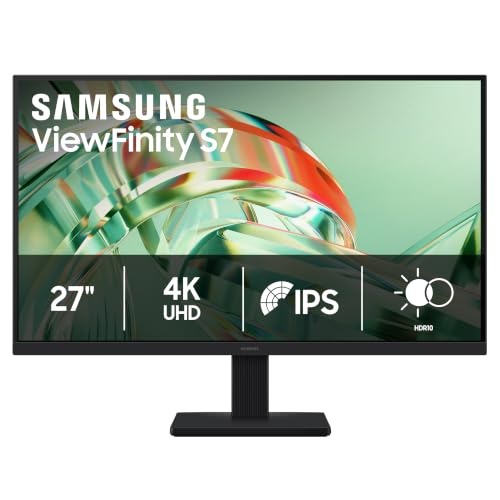 | Samsung ViewFinity S7 S71H 27-Inch | Best fit: Straightforward 27-inch 4K panel Panel: 27-inch 3840 by 2160 IPS, HDR10 Ports: HDMI and DP Refresh: Not stated in listing Limit: No listed USB-C, LAN, or KVM | Check Price on Amazon |
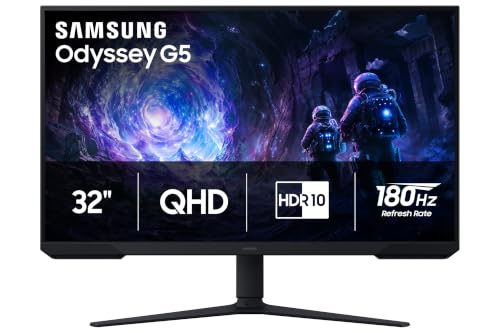 | Samsung Odyssey G5 G51F 32-Inch | Best fit: QHD 180Hz gaming display Panel: 32-inch 2560 by 1440, HDR10 Ports: Not stated in listing Refresh: 180Hz, 1ms, FreeSync Limit: No listed USB-C or ports | Check Price on Amazon |
 | Samsung Odyssey G7 G75F 40-Inch | Best fit: 40-inch WUHD gaming workspace Panel: 40-inch WUHD, 21:9, 1000R Ports: Not stated in listing Refresh: 180Hz, 1ms GtG, DisplayHDR 600 Limit: No listed USB-C or ports | Check Price on Amazon |
 | Samsung Odyssey Neo G9 G95NC 57-Inch | Best fit: Dual-4K super-ultrawide Panel: 57-inch Dual UHD, 1000R, Mini LED Ports: DP 2.1, HDMI 2.1, USB hub Refresh: 240Hz, 1ms GtG, DisplayHDR 1000 Limit: No listed USB-C or laptop charging | Check Price on Amazon |
1. Samsung ViewFinity S8 S80HF 27-Inch — Best 5K USB-C Workstation Display
The Amazon listing for the S80HF, model LS27H800EFAXZA, gives a 27-inch panel at 5120 by 2880, which it rates at 218 pixels per inch. One bullet says the USB-C port allows 90W charging and data transfer at the same time, and the same bullet names a built-in LAN port, a KVM switch, Picture-in-Picture and Picture-by-Picture. Samsung’s product page for the model lists 5K Resolution and USB-C & LAN Port among its highlights, which agrees with the listing.
The listing is not consistent about HDR. Its title says HDR10 and a bullet says HDR10+, and Samsung’s page lists HDR10 among its highlights. It also names TÜV-certified Eye Saver Mode and Samsung Display Manager for split-screen setup, brightness and calibration. Amazon lists the weight at 11.9 pounds. A laptop that draws more than the listed 90W needs its own charger, and neither the listing nor Samsung’s page gives a refresh rate.
ViewFinity S8 combines a 5120 by 2880 panel with a USB-C port the listing describes as 90W, plus LAN and KVM, in a 27-inch frame.Our Take Choose the S8 when you rank a sharp 27-inch desk with one USB-C cable, wired Ethernet and a keyboard-and-mouse switch for two computers above a wide curved panel or a high refresh rate. It is the only monitor on this page whose Amazon listing describes a USB-C charging port.
- The Amazon listing rates the S80HF’s 27-inch panel at 5120 by 2880 and 218 pixels per inch, a dense image for a single-screen desk.
- According to the Amazon listing, the S80HF’s USB-C port allows 90W charging and data transfer at the same time, which suits a desk with one USB-C cable.
- The S80HF’s Amazon listing names a built-in LAN port and a KVM switch for two computers, plus Picture-in-Picture and Picture-by-Picture.
- The Amazon listing names Samsung Display Manager for the S80HF, with split-screen setup, brightness and calibration.
- The S80HF’s Amazon title and Samsung’s page highlights say HDR10, while one Amazon bullet names HDR10+.
- A laptop that draws more than the 90W the Amazon listing describes for the S80HF needs its own charger.
2. Samsung ViewFinity S5 S55GH 34-Inch — Best Ultrawide Productivity Screen
With the ViewFinity S5, the decision moves from pixel density to width. The Amazon listing for LS34H550GANXZA gives a 34-inch Ultrawide QHD panel with an 1800R curve and a 21:9 aspect ratio that it says suits multitasking. Samsung’s product page for the same model lists Ultra WQHD, a 120Hz refresh rate, an 1800R curved display and AMD FreeSync technology among its key features, and the Amazon listing names FreeSync Premium.
Amazon’s bullets add HDR10, Game Mode, TÜV-certified Eye Saver Mode, and HDMI and DP ports. They name no USB-C port, so a USB-C laptop needs an adapter, dock or cable that carries video, plus its own charger. Amazon lists the item width at 31.85 inches and the weight at 12.13 pounds, against a 24.1-inch width for the 27-inch S7, so the S5 needs a wider desk. Of the three ViewFinity monitors, only the S5 gives a refresh rate in its listing.
ViewFinity S5 gives a 34-inch 21:9 Ultrawide QHD workspace with 120Hz and HDMI and DP ports, and the listing names no USB-C charging.Our Take Pick the S5 when a wide layout for side-by-side documents or timelines is the reason to upgrade and the desk already has an HDMI, DisplayPort or dock connection. You give up the S8’s USB-C connection and pixel density for width and a 120Hz refresh rate.
- The Amazon listing gives the ViewFinity S5 a 34-inch Ultrawide QHD panel with a 21:9 aspect ratio and an 1800R curve, a wide area for side-by-side documents.
- Samsung’s product page and the Amazon listing both state a 120Hz refresh rate for the S5, and the Amazon listing names AMD FreeSync Premium.
- The S5’s Amazon listing names HDMI and DP ports, HDR10, Game Mode and TÜV-certified Eye Saver Mode.
- The S5’s Amazon listing names no USB-C port, so a USB-C laptop needs an adapter, dock or video cable plus its own charger.
- Amazon lists the S5 at 31.85 inches wide, against 24.1 inches for the S7, so the S5 needs a wider desk.
3. Samsung ViewFinity S7 S71H 27-Inch — Best Straightforward 27-Inch 4K Panel
The S71H, model LS27H710EANXZA, is the plain 4K option in this group. The Amazon listing gives 3840 by 2160 on a 27-inch IPS panel with HDR10, says the 4K resolution reveals greater levels of detail for professionals, and names HDMI and DP ports. Every figure here comes from the Amazon listing.
TÜV-certified Eye Saver Mode and Game Mode are the only extra features the listing names. It names no USB-C port, LAN port, KVM switch or split-screen function, the features that set the S8 apart. A USB-C laptop needs an adapter, dock or cable that carries video. Amazon lists the item width at 24.1 inches.
Our Take Choose the S7 when 4K at 27 inches is enough and the laptop connects over HDMI or DisplayPort. Pay for the S8 only if USB-C charging, LAN and KVM will be used.
- The S7’s Amazon listing gives a 27-inch IPS panel at 3840 by 2160 with HDR10.
- The Amazon listing names HDMI and DP ports on the S7, for a laptop that connects over HDMI or DisplayPort.
- The Amazon listing names TÜV-certified Eye Saver Mode and Game Mode as the only extra features of the S7.
- The Amazon listing names no USB-C port, LAN port or KVM switch for the S7, and the S8 listing includes all three.
4. Samsung Odyssey G5 G51F 32-Inch — Best QHD 180Hz Gaming Display
The G51F, model LS32FG510ENXZA, is the QHD gaming screen here. The Amazon listing gives a 32-inch 2560 by 1440 panel with HDR10, a 180Hz refresh rate, a 1ms response time (the title says MPRT) and AMD FreeSync. The gaming bullets name Black Equalizer for dark scenes, Virtual Aim Point, and Auto Source Switch+, which moves to a newly connected source.
Spread over 32 inches, 2560 by 1440 is less dense than the 27-inch ViewFinity S7’s 4K. The listing describes an ergonomic stand with tilt and height adjustment. It names no input ports at all, so check the model’s port list before buying a cable.
Our Take Choose the G5 when 180Hz at QHD is the first requirement and USB-C charging is not. It takes less desk than the G7 or Neo G9, and it suits a desktop GPU or a laptop with a DisplayPort or HDMI output.
- The Amazon listing gives the G5 a 32-inch 2560 by 1440 panel with a 180Hz refresh rate and a 1ms response time.
- The G5’s Amazon listing names Black Equalizer for dark scenes, Virtual Aim Point, AMD FreeSync and Auto Source Switch+.
- The Amazon listing describes the G5’s ergonomic stand as adjustable for tilt and height.
- The G5’s Amazon listing names no input ports and no USB-C connection, so check the model’s port list before buying a cable.
- The listing’s 180Hz figure for the G5 at 2560 by 1440 depends on a source that can output that mode.
5. Samsung Odyssey G7 G75F 40-Inch — Best 40-Inch WUHD Gaming Workspace
The 40-inch G75F, model LS40FG75DENXZA, is a 21:9 gaming screen. The Amazon listing gives a 40-inch 1000R curved WUHD display, a 180Hz refresh rate, a 1ms response time (GtG), VESA DisplayHDR 600 and AMD FreeSync Premium Pro. Samsung’s product page for the model heads its description WUHD, 180Hz and Curved, which agrees with the listing.
Neither Amazon’s four feature bullets nor Samsung’s product page gives the monitor’s input ports or says whether it has USB-C, so confirm the port list on Samsung’s spec sheet before you plan a laptop around it. Amazon lists the item width at 36.56 inches and the weight at 24.9 pounds, so a 40-inch curved screen needs a deep, wide desk.
Our Take Pick the G7 for a big curved gaming and multitasking screen, and confirm its inputs first. You give up the S8’s USB-C charging and the G5’s lower desk demand for a wider panel.
- The G7’s Amazon listing gives a 40-inch 1000R curved WUHD display with a 21:9 screen.
- The G7’s Amazon listing names 180Hz, a 1ms GtG response time and AMD FreeSync Premium Pro.
- The G7’s Amazon listing names VESA DisplayHDR 600 in its title.
- Neither the Amazon listing nor Samsung’s page names the G7’s input ports or a USB-C input, so confirm them on Samsung’s spec sheet first.
- Amazon lists the G7 at 36.56 inches wide and 24.9 pounds, so the G7 needs a deep, wide desk.
6. Samsung Odyssey Neo G9 G95NC 57-Inch — Best Dual-4K Super-Ultrawide
The Neo G9, part number LS57CG952NNXZA, is the largest display here. The Amazon listing describes a 57-inch Dual UHD screen as wide as two UHD monitors, with a 240Hz refresh rate, a 1ms (GtG) response time and DisplayPort 2.1, HDMI 2.1 and a USB hub as its inputs. It also names Quantum Mini LEDs with 2,392 local dimming zones, VESA DisplayHDR 1000 and AMD FreeSync Premium Pro.
The listing ties the 240Hz Dual UHD mode to its DisplayPort 2.1 input, so the graphics card or laptop output needs to match that connection. The listing says the ergonomic stand swivels, tilts and adjusts for height, and that the screen is compatible with VESA monitor arms. It also names Picture-by-Picture and Picture-in-Picture, and says Picture-in-Picture can resize the second source to up to 25% of the screen. Amazon lists the item width at 52.3 inches and the weight at 41.9 pounds, and the listing names no USB-C input or charging.
Odyssey Neo G9 is the Dual UHD option with 240Hz, DisplayPort 2.1, HDMI 2.1, Mini LED backlighting and Picture-by-Picture.Our Take Choose the Neo G9 only when you want one enormous screen to replace two monitors and the desk and graphics connection can carry it. It is not a replacement for a USB-C work monitor.
- The Neo G9’s Amazon listing describes a 57-inch Dual UHD screen as wide as two UHD monitors.
- The Neo G9’s Amazon listing names 240Hz, a 1ms GtG response time, DisplayPort 2.1 and HDMI 2.1.
- The Neo G9’s Amazon listing names Quantum Mini LEDs with 2,392 local dimming zones and VESA DisplayHDR 1000.
- The Neo G9’s Amazon listing names Picture-by-Picture and Picture-in-Picture, which can resize a second source to up to 25% of the screen.
- Amazon lists the Neo G9 at 52.3 inches wide and 41.9 pounds, far larger than the other five.
- The Neo G9’s Amazon listing names no USB-C input or charging, so a laptop needs its own charger.
Buying Guide
Choose the pixel layout before the refresh rate
The Amazon listings give 5120 by 2880 for the 27-inch ViewFinity S8 and 3840 by 2160 for the 27-inch S7, so both suit a conventional single-screen desk. The S5 stretches Ultrawide QHD across 34 inches at 21:9, and the G7 stretches WUHD across 40 inches. The G5 listing gives 2560 by 1440 on a 32-inch screen.
The Neo G9 is listed as Dual UHD at 57 inches, a different physical and connection class from the other five. A wider panel can reduce the bezel breaks between app windows, but it adds desk width, graphics demand and cable planning.
Keep USB-C charging separate from video input
The S8 is the only monitor here whose Amazon listing describes a USB-C port with 90W charging and data transfer, and Samsung’s page confirms the USB-C and LAN port. The laptop’s own charging demand and video output must also fit that connection.
The S5 and S7 listings name HDMI and DP ports, and the Neo G9 listing names DisplayPort 2.1 and HDMI 2.1. The G5 and G7 listings name no ports. A USB-C laptop can use any of the five through a dock, adapter or cable, but the dock, adapter or cable is a separate purchase, not a feature of the monitor.
Match gaming modes to the source hardware
The G5 listing gives 180Hz at QHD, the G7 listing gives 180Hz at WUHD, and the Neo G9 listing gives 240Hz at Dual UHD with DisplayPort 2.1. Each figure is the monitor’s ceiling, and the laptop or desktop GPU, cable, dock and input negotiate whatever mode actually runs.
The S5 Amazon listing gives 120Hz with FreeSync Premium, so it can suit mixed work and casual play. The S7 and S8 listings give no refresh rate, so they are resolution and workstation choices first. Do not pick a gaming monitor on its refresh figure if its width, inputs or laptop connection do not fit the desk.
Plan desk depth for curved ultrawides
The S5 is listed with an 1800R curve, while the G7 and Neo G9 listings give 1000R at 40 and 57 inches. Amazon’s item widths run from 24.1 inches for the S7 to 52.3 inches for the Neo G9.
The G5 listing describes a 32-inch screen with a tilt and height-adjustable stand, and the Neo G9 listing says that screen is compatible with VESA monitor arms. Measure the screen width, stand footprint and usable depth before choosing a super-ultrawide for its specification list.
Use split-screen tools for the right job
The Amazon listings name Picture-in-Picture and Picture-by-Picture for the S8 and the Neo G9, and none of the other four. The Neo G9 listing says Picture-by-Picture shows two sources side by side at their native resolution, and that Picture-in-Picture resizes the second source to up to 25% of the screen.
The S8 also lists a KVM switch and a LAN port, which suit a desk that shares a keyboard, mouse and network cable between two computers.
Frequently Asked Questions
Which Samsung monitor is best for a USB-C laptop desk?
The S8 is the direct answer. The Amazon listing says its USB-C port allows 90W charging and data transfer at the same time, and it also names LAN, KVM and split-screen functions. Samsung’s product page lists USB-C & LAN Port as a highlight.
The S5, S7, G5, G7 and Neo G9 listings name no USB-C port. A USB-C laptop can use them through the right adapter, dock or cable, but none of them is listed as a USB-C charging monitor.
Is ViewFinity better than Odyssey for work?
In this group, the S8 and S7 are the direct productivity choices, because the Amazon listings give them 5120 by 2880 and 3840 by 2160 at 27 inches. The S8 adds USB-C, LAN and KVM, and the S7 is a simpler HDMI and DP monitor.
The Odyssey screens suit work that needs width. The G7 listing gives a 40-inch WUHD display and the Neo G9 listing a 57-inch Dual UHD one.
Can a laptop drive an Odyssey Neo G9 at 240Hz?
The Amazon listing gives 240Hz with DisplayPort 2.1 and HDMI 2.1 for the Neo G9, but the laptop or desktop GPU, its output port, the cable and the resolution decide the mode that actually runs. The monitor’s figure is not a promise about every laptop.
Check the computer’s display-output documentation and every device in the video path. The same condition applies to the G5 at 180Hz and the G7 at WUHD 180Hz.
Which model is best for two sources at one desk?
The Amazon listings name Picture-in-Picture and Picture-by-Picture for the S8 and the Neo G9 only. They are the starting points when two connected sources need to share one panel.
The S8 listing adds a KVM switch and a LAN port, so it suits a keyboard, mouse and network cable shared across two computers. The Neo G9 listing gives a 57-inch screen for side-by-side windows, at the cost of the desk space and connection described above.
Do these Samsung monitors charge a laptop?
The S8 listing describes 90W charging through USB-C, and it is the only one of the six with a listed laptop-charging feature. Confirm that the laptop accepts USB-C power at that level before relying on the monitor.
The Amazon listings for the S5, S7, G5, G7 and Neo G9 name no laptop power delivery. Their display inputs can serve a laptop that has its own charger or a dock.
Bottom Line
According to the Amazon listings, choose the S8 for 5K with a 90W USB-C port, the S5 for a 34-inch 21:9 desk, and the S7 for plain 27-inch 4K. The G5 is the 180Hz QHD gaming screen, the G7 is a 40-inch WUHD curve, and the Neo G9 is the 57-inch Dual UHD choice.