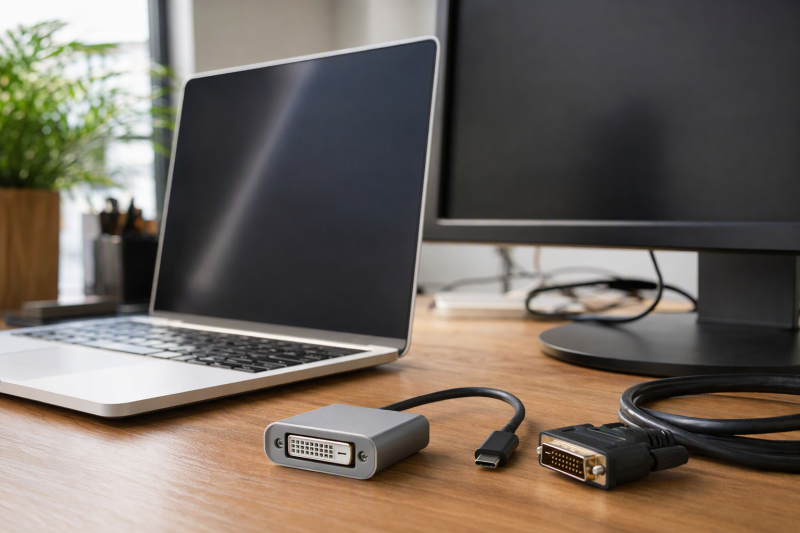
An older DVI monitor can still be a useful second screen for documents, dashboards or code. The difficult part is finding out which DVI signal and resolution the monitor needs. Most compact USB-C-to-DVI adapters are single-link digital converters for up to 1920 × 1200 at 60 Hz. A 2560 × 1600 dual-link display needs a different, active adapter.
The choices here include small female-port adapters, two all-in-one cables and a four-format video adapter. Identify the monitor’s DVI input and native timing first, then confirm the computer’s USB-C port supports video.
Do not infer dual-link support from a large DVI connector shell. Check the stated active dual-link capability and 2560 × 1600 support if that is what your older monitor needs. The six products here are for simpler DVI uses.USB-C DVI Adapters Compared
| Image | Product | Details | Check Price |
|---|---|---|---|
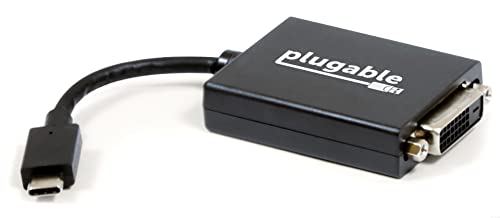 | Plugable USB-C DVI | Connection: DVI adapter Stated ceiling: 1920 × 1200 Link claim: Single-link class Best fit: Documented desk | Check Price on Amazon |
 | StarTech 1m DVI Cable | Connection: 1 m DVI-D cable Stated ceiling: 1920 × 1200 Link claim: Standard DVI-D Best fit: One-piece desk | Check Price on Amazon |
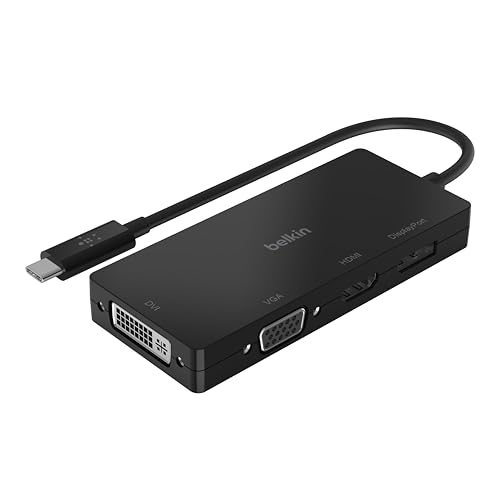 | Belkin AVC003 | Connection: DVI/VGA/HDMI/DP Stated ceiling: 1920 × 1200 DVI Link claim: One display at once Best fit: Several room inputs | Check Price on Amazon |
 | BENFEI DVI-D | Connection: DVI-D adapter Stated ceiling: 1920 × 1200 Link claim: Single-link digital Best fit: Basic spare | Check Price on Amazon |
 | Cable Matters 6ft DVI Cable | Connection: 6 ft DVI-D cable Stated ceiling: 1920 × 1080 Link claim: Standard DVI-D Best fit: Longer 1080p run | Check Price on Amazon |
 | Critin 3.3ft DVI Cable | Connection: 3.3 ft DVI cable Stated ceiling: Conflicting listing Link claim: Dual-link excluded Best fit: Conditional 1080p | Check Price on Amazon |
1. Plugable USB-C DVI — Best Documented Desk Adapter
Plugable’s USB-C-to-DVI adapter uses native video output from a supported USB-C host and lists up to 1920 × 1200 at 60 Hz. Its official product page describes driverless use on Windows, macOS, ChromeOS and Linux. For a fleet of older 1080p or 1200-line office monitors, Plugable is a clearer fit than a listing that only says “4K” without explaining DVI link type.
The listing’s compatibility wording spans several Mac generations and PCs, but a USB-C port still needs display output. The adapter is a monitor connection, not a way to add video through a data-only port. The seller mentions two-year coverage and support. Its product copy accidentally calls it a VGA adapter in one travel bullet. The exact title and maker page identify this model as DVI, so do not carry that wording into a format claim.
Our Take Buy Plugable for a digital DVI monitor within 1920 × 1200 when you want a documented desk adapter. It is not a 2560 × 1600 dual-link solution.
- Maker lists 1920 × 1200 at 60 Hz.
- Driverless host support documented.
- Two-year coverage listed.
- USB-C host must output video.
- Not stated for dual-link 2560 × 1600.
2. StarTech 1m DVI Cable — Best One-Piece Desk Connection
StarTech’s CDP2DVIMM1MB is a one-meter USB-C-to-DVI-D cable, so no separate DVI patch cable or dangling female-port adapter is needed for a nearby monitor. The maker lists up to 1920 × 1200 output and explicitly requires DisplayPort Alt Mode at the USB-C source. A one-piece connection can be tidier on a fixed desk, provided the meter reaches the monitor without tension.
It remains a single-screen, ordinary DVI resolution choice, not an active dual-link converter. StarTech offers other cable lengths in its family, but this exact offer is the 3.3-foot, one-meter model. Check the DVI connector gender against the monitor input and leave enough slack for a monitor arm’s movement. A USB-C plug that fits the laptop is not proof that the laptop sends display video through that particular port.
Our Take Buy StarTech when the monitor sits close and you want a tidy one-piece connection. Its DP Alt Mode and length limits are easy to verify before purchase.
- One-meter adapter-and-cable design.
- 1920 × 1200 ceiling and DP Alt Mode stated.
- Fixed length may not reach.
- No dual-link high-resolution claim.
3. Belkin AVC003 — Best for Several Old Display Inputs
Belkin’s AVC003 offers DVI, VGA, HDMI and DisplayPort outputs from a tethered USB-C host lead. Belkin’s support page gives a DVI ceiling of 1920 × 1200 at 60 Hz and says the device supports one display at a time. The one-display limit is the key boundary. Four sockets make the adapter flexible for visiting several rooms, not a four-monitor hub. For a fixed DVI-only desk, most of those ports are unused.
The maker specifies a video-enabled USB-C port, so a data-only connector will not help. The DVI output is for an older digital monitor. Choose VGA, HDMI or DisplayPort only when the actual display uses that input. The listing does not establish USB-C charging or USB-A data passthrough, so it should not be mistaken for a full dock.
Our Take Buy Belkin for a travel or IT bag that meets several display standards. Its limit of one display at a time is an easy but costly detail to overlook.
- DVI, VGA, HDMI and DisplayPort outputs.
- Maker documents DVI 1920 × 1200.
- Single-display limit explicitly stated.
- Not four simultaneous displays.
- Extra ports add bulk at a DVI-only desk.
- No charging path established.
4. BENFEI DVI-D — Best Basic Single-Link Dongle
BENFEI’s small adapter is explicit about single-link DVI-D digital output and a ceiling of 1920 × 1200 at 60 Hz. Its seller says the USB-C source needs video Alt Mode and the DVI display must accept DVI-D digital input. It does not output DVI-I analog video, so a passive DVI-to-VGA pin adapter is not an appropriate plan for an analog-only monitor.
A separate DVI cable is required. The listing mentions an 18-month warranty and a compact body that looks like metal, but neither changes the signal requirement. For a normal 1080p or 1200-line digital DVI screen, the adapter is a reasonable spare. For a 30-inch 2560 × 1600 panel, the word “DVI” is not enough, so buy an explicitly active dual-link model instead.
Our Take Buy BENFEI as a basic single-link DVI-D adapter for a digital monitor. Its digital-only warning is more useful than the broad compatibility list.
- DVI-D single-link limit explicit.
- 1920 × 1200 at 60 Hz listed.
- Compact spare.
- No analog VGA output.
- DVI cable separate.
- Not for high-res dual-link monitor.
5. Cable Matters 6ft DVI Cable — Best Longer One-Piece Run
Cable Matters combines USB-C host and DVI-D monitor plug in a six-foot cable. Its listing expressly requires a USB-C source with DisplayPort Alt Mode and supports up to 1920 × 1080 at 60 Hz. The lower stated ceiling is a drawback if the monitor is a 1920 × 1200 panel, because the StarTech, Plugable, BENFEI or Belkin models have the clearer 1200-line claim. For an ordinary Full HD monitor farther from the laptop, the longer one-piece run may be more useful.
The seller’s broad device list includes many laptop and phone names, but a device model still needs video output on the exact USB-C port. The DVI end is not an HDMI plug and the cable is not reversible from DVI source to USB-C monitor. Measure the desk run and allow for monitor-arm movement. A long cable can be neat, but it can also be difficult to replace if either connector is damaged.
Our Take Buy Cable Matters for a longer single-piece run to a 1080p monitor. Do not buy it on the assumption that every DVI display will run at its native resolution.
- Six-foot reach without separate adapter.
- DP Alt Mode requirement stated.
- 1080p ceiling in checked listing.
- Fixed cable, one direction.
6. Critin 3.3ft DVI Cable — Best Conditional 1080p Spare
Critin’s three-foot cable is sold for USB-C source to DVI monitor use. Its listing says no separate driver is required and warns it is not compatible with Apple Cinema Displays or 2560 × 1440 monitors that need dual-link DVI. The warning means the sensible use is a known 1080p single-link display, not a high-resolution legacy monitor.
The same listing inconsistently claims 2560 × 1440 at 60 Hz on Windows and has a “4K@30Hz” headline, while also ruling out high-resolution dual-link monitors. We cannot reconcile those claims from the checked evidence and do not use them as a buying reason. Test the intended ordinary DVI screen and USB-C host before keeping it as a spare. For a demanding 1440p or 1600p panel, choose a maker-documented active dual-link device instead.
Our Take Buy Critin only as a spare for a display with a modest resolution until its conflicting resolution claims are clarified. Do not buy it for a dual-link panel.
- Three-foot one-piece connection.
- Dual-link exclusion is explicit.
- High-resolution claims contradict each other.
- No Apple Cinema Display support stated.
- Not a safe 1440p/1600p recommendation.
Buying Guide: Match Digital DVI, Link Type and Host Video
Read the monitor’s DVI requirement
DVI-D carries digital video, and DVI-I can carry digital and analog signals through different pins. BENFEI states its adapter outputs DVI-D only, so a passive DVI-I-to-VGA shell cannot create an analog signal. Inspect the monitor’s exact model and input label. If it has only analog VGA, our USB-C hub guide may help you plan ports, but you still need a converter expressly made for VGA output.
Single-link and dual-link are different bandwidth jobs. Dell’s video-connection guidance notes that many older 2560 × 1600 displays require dual-link DVI and a matching adapter. StarTech sells a separate active USB-C dual-link converter for up to that resolution. The converter is not one of the six exact New offers here. Do not infer dual-link capability from a connector with enough visible holes.
Check the USB-C source and the cable path
USB-C video is a host feature, not a connector guarantee. The DisplayPort-over-USB-C explanation describes how an appropriate adapter reaches DVI, but the laptop must output DisplayPort Alt Mode or another supported video mode through that port. StarTech, Cable Matters and BENFEI explicitly name the requirement. A data-only or charging-only USB-C socket will stay blank.
An adapter with a female DVI port needs a separate DVI cable. An all-in-one cable already has the monitor end. Compare the desk distance before choosing StarTech’s one-meter or Cable Matters’ six-foot cable. For a monitor arm, leave slack and avoid hanging a heavy adapter from the laptop. Our monitor arms and laptop stands guide can help with placement, but its setup advice does not change DVI bandwidth.
Separate one useful display from a multiport promise
Four connector types do not mean four simultaneous monitors. Belkin explicitly says the AVC003 supports one display at a time. Use it when moving among different rooms, not to create a multi-monitor workstation. A fixed 1080p DVI desk usually needs only a simple DVI adapter or cable, with no reason to carry unused VGA, HDMI or DisplayPort sockets.
Set the monitor’s native resolution and refresh rate after connecting. A 1920 × 1200 panel should receive 1920 × 1200 at 60 Hz if both adapter and host support it. A 1080p cable may limit the panel to a lower mode. If the screen stays blank, check source video support, cable seating and input selection. DVI connections here are for picture. Plan a separate audio path if speakers are needed.
Frequently Asked Questions
Will a basic USB-C-to-DVI adapter run a 30-inch 2560×1600 monitor?
Usually not. That class of older panel often needs active dual-link DVI, whereas the ordinary compact adapters in this list top out around 1920 × 1200 at 60 Hz. Dell documents the difference, and StarTech has a separate active dual-link USB-C converter. The connector’s physical width alone is not proof of the required signal.
Find the monitor’s exact model and native timing, then buy an adapter that explicitly states active dual-link and 2560 × 1600 support. Check the host’s USB-C video output too. A listing that says “4K” elsewhere while excluding dual-link monitors is not sufficient evidence.
Can I use a DVI adapter to connect an analog VGA-only monitor?
Not with these digital DVI-D outputs through a passive shell. BENFEI explicitly says its DVI female port carries DVI-D digital signal, not DVI-I analog. DVI-I connector shapes can be confusing because a port may accept digital pins while also having room for analog pins, but a digital-only USB-C converter does not create analog VGA output.
Choose a USB-C-to-VGA adapter that performs the needed conversion and matches the laptop’s video output. If the monitor has both DVI and VGA, prefer its DVI input with an appropriate cable. Check monitor input selection after attaching the source.
Does Belkin’s four-port video adapter drive four screens?
No. Belkin states AVC003 supports one display at a time across its DVI, VGA, HDMI and DisplayPort output choices. The extra sockets are format flexibility for different rooms or monitors, not independent display channels. Its DVI output is documented at up to 1920 × 1200 at 60 Hz.
For multiple simultaneous displays, use a dock or host configuration that explicitly supports the required count and monitor formats. Check the laptop’s own external-display limit as well. A four-port housing cannot override a single-display video path.
Bottom Line
Plugable USB-C DVI and StarTech 1m cable are clear 1920 × 1200 desk options. Belkin AVC003 is the pick for moving across rooms with different connector types, one screen at a time. Start with the monitor’s native resolution and DVI link requirement, then verify the laptop’s USB-C video output.