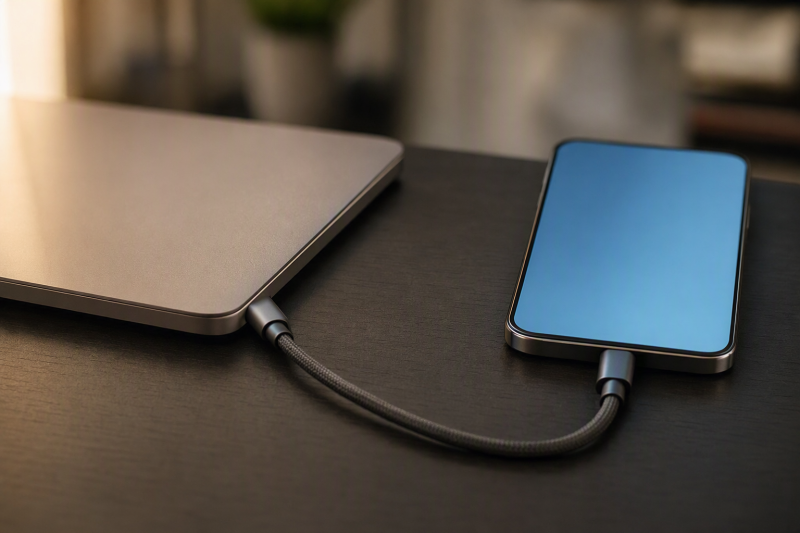
A completed file transfer through the cable proves that it has a usable data path on that tested route. Charging by itself is not evidence of a data path. One failed transfer is not enough to call the cable charge-only, because the host port, phone, USB mode, connector condition, or cable could be responsible.
The answer is binary, but only under controlled conditions. Either you get a working data path, or the cable stays unclassified until the same setup works with a known data cable. The USB-C connector shape alone cannot settle the question. USB Type-C is a reversible connector system that supports different power and performance capabilities, so two cables with the same plugs can behave differently.
Use the strongest available proof first
Work down this proof ladder. Stop as soon as the cable’s exact identity or a successful transfer gives you a supported answer.
| Evidence | What it can establish | What it cannot establish |
|---|---|---|
| Exact model or part number matched in the USB-IF Product Search | The certified product identity and category shown in that exact record | The present condition of an unknown, damaged, or unlisted cable |
| USB-IF power or data-rate marking on an identifiable cable | Positive evidence for the marked capability under the USB-IF labeling rules | A complete capability list, or a negative conclusion from a missing mark |
| Successful file transfer on a controlled route | A usable data path through this cable, host port, and device combination | Maximum data rate, video support, Thunderbolt support, or maximum charging power |
| Charging with no completed data test | Only that charging occurred on this route | Whether the cable has working data conductors |
| Failed transfer before a known-good control passes | A fault somewhere in the route | That the unknown cable is charge-only |
If the cable has a readable maker name and exact model number, check the USB-IF Product Search. Only products certified by USB-IF may bear USB-IF logos, and an exact matching record can support the identity shown there. A similar name, logo alone, or an unlisted cable is not an exact match.
Markings are useful when present, but absence is not proof. USB-IF’s current guidance requires compliant USB-C to USB-C cables to carry a 60W or 240W power marking. It also requires a data-rate marking except on High-Speed USB 2.0 USB-C to USB-C cables, for which the USB 2.0 data logo is optional. That exception is why an unmarked cable cannot automatically be called charge-only.
Build one controlled data route
Use a host port already known to support data and a device whose maker documents a file-transfer mode. An Android phone is a practical choice, because Google documents both the device mode and the transfer action.
Before testing the unknown cable, prepare these four fixed parts:
- Pick one computer and one specific USB data-capable port on it.
- Use one unlocked Android device that normally supports file transfer to that computer.
- Keep the device mode under your control rather than assuming that charging means data is active.
- Have a known data-capable cable ready as the control.
Change only the cable when you compare the unknown cable with the known data cable. Leave the computer, host port, phone, and device mode exactly as they are.
Write down the route before the first attempt. Then you can check it later and catch a port or mode change that would otherwise turn the control into a different test.
| Route part | Hold constant during the cable comparison | Why it matters |
|---|---|---|
| Computer | Same computer, awake and available for the copy | A second computer introduces a different USB host route |
| Host port | Same physical port | Another receptacle may have different data support or a separate fault |
| Android device | Same unlocked device | A second device adds another compatibility variable |
| USB mode | “File Transfer” selected for both cables | Charging mode does not request the same data action |
| File action | Same direction and ordinary drag operation | Both cables must face the same pass condition |
The control is valid only when the known data cable completes that same action. A cable that worked on another phone or another port is useful background, but it does not close this comparison until it passes on the fixed route.
Test the unknown cable
Connect the unlocked Android device to the chosen computer port with the unknown cable. On the phone, tap the “Charging this device via USB” notification, then select “File Transfer.” Open the phone’s storage from the computer and try to drag a file between the two devices.
Count the test as successful only when a file transfer completes. A charging icon is not enough, and neither is a notification, a connection sound, or a brief device entry.
If the file copies, the cable has a usable data path on this tested route. You can classify it without guessing about its unseen construction.
If the transfer fails
Keep the phone unlocked and confirm that “File Transfer” is still selected. Reconnect the plugs and check the connectors for an obvious poor fit. Then repeat the transfer without changing unrelated parts of the setup.
If it still fails, replace only the unknown cable with the known data-capable cable. Use the same computer, the same host port, the same phone, and the same File Transfer mode.
| Control result | Supported interpretation |
|---|---|
| Known data cable completes the transfer | The fixed host, port, device, and mode can carry data. The unknown cable did not establish a data path under the same conditions. |
| Known data cable also fails | The route is not a valid cable comparison yet. The host port, phone, connector, computer setup, or device mode remains in scope. |
| Unknown cable succeeds on a repeat | The cable’s data path is proven on the tested route. |
Google’s troubleshooting path also allows swapping the USB port, cable, computer, or device. Those swaps can isolate a fault. Make them one at a time, and rerun the known-good control after changing the route. Otherwise a successful result will not show which change fixed it.
If the phone never offers the File Transfer choice with either cable, leave the unknown cable unscored, because you never reached the documented device action. If the known cable transfers but the unknown cable only charges under the unchanged conditions, record the narrow result: the unknown cable did not establish data on that route. That is stronger than calling the cable universally charge-only, because the test cannot show how it behaves in every possible connection.
Do not turn this test into a speed or feature claim
A file copy answers whether a usable data path exists. It does not reveal the cable’s maximum signaling rate. The host port or phone could be the limiting part, and one completed transfer does not measure the rate.
It also does not prove DisplayPort video, Thunderbolt, or a maximum charging level. Charging and data are separate questions. For the charging side, use the USB Power Delivery explainer. Once data is proven and speed is the remaining question, continue with how to test USB-C cable speed.
If the unknown cable never establishes data while the known data cable repeatedly works in the unchanged route, replacement becomes reasonable. Only at that point does the USB-C cable guide serve the decision. It is not a substitute for running the control.
Evidence used for this cable decision
- USB-IF Cables and Connectors defines the relevant power and data-rate marking rules, including the USB 2.0 data-logo exception.
- USB-IF Product Search is the identity route for an exact certified product.
- USB Type-C Cable and Connector Specification establishes USB-C as a connector system with scalable power and performance.
- Android Help: Transfer files between your computer and Android device supplies the controlled File Transfer steps and warns that not all USB cables transfer files.
Classify the cable
| Final state | Record this result |
|---|---|
| A file copy completed through the unknown cable | data path proven |
| The unknown cable failed, but the unchanged route succeeded with the known data cable | no data path established |
| An exact certified product record identifies the cable category | identity record proves the cable category |
| The known data cable also failed, or the route could not be held constant | Leave the cable unclassified until a valid control is available |