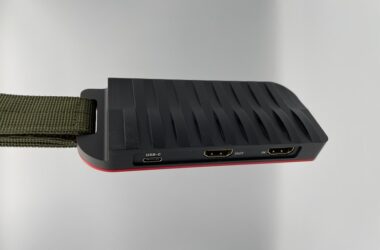
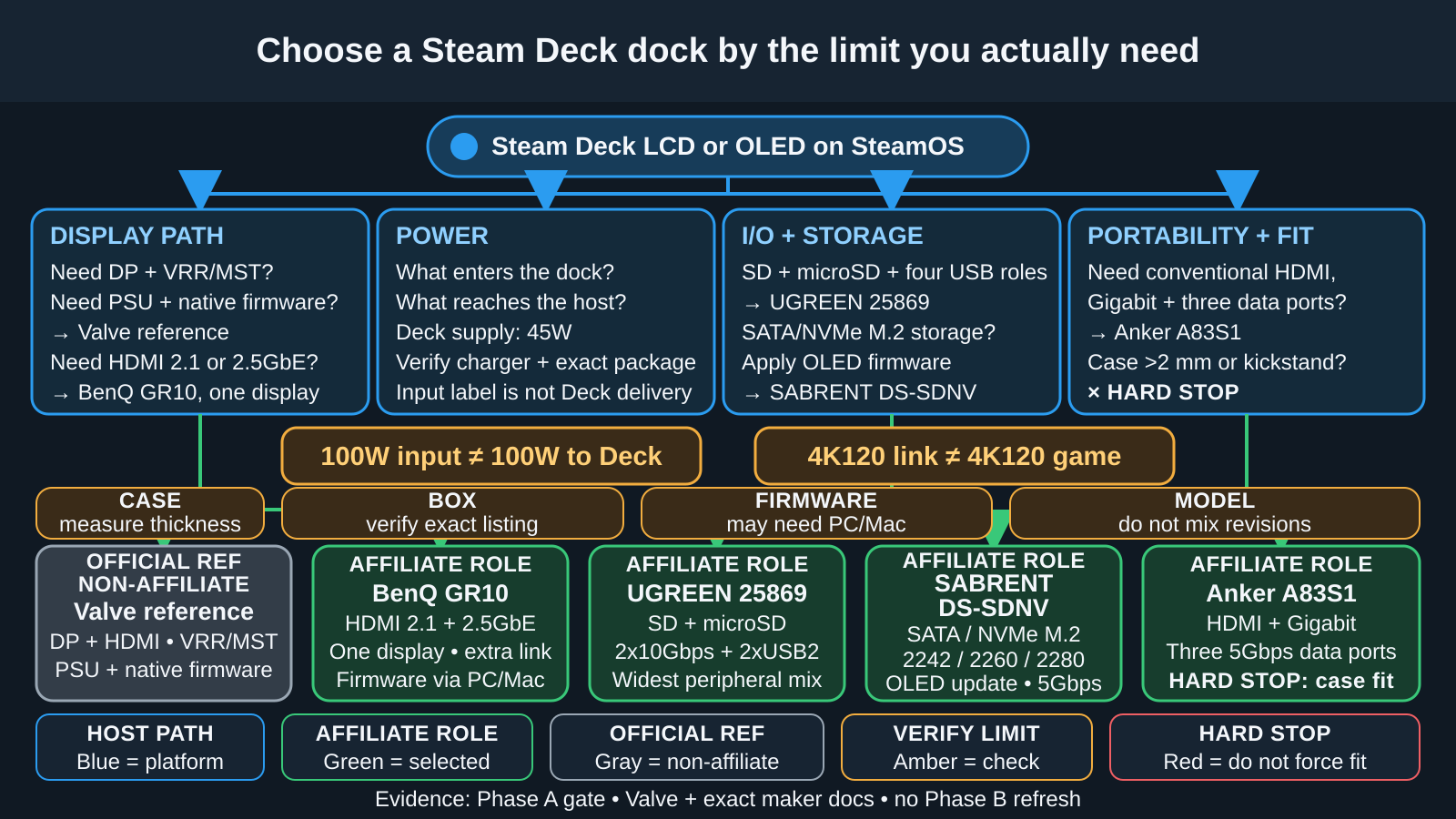
The right Steam Deck dock depends on what you actually plug in. The Anker A83S1 is our balanced everyday pick. The UGREEN 25869 is the better fit for card readers and the widest USB mix. The BenQ GR10 is for a high-refresh HDMI 2.1 or 2.5GbE setup. The SABRENT DS-SDNV is the storage choice, with an internal M.2 slot. Valve’s Steam Deck Docking Station remains the official baseline for DisplayPort, VRR, an included power supply, and native firmware. There is no universal winner, because these five units solve different display, network, storage, package, and support needs.
We compare these docks by their current specifications and verified identities, not by hands-on testing of our own. Vendor maximums are ceilings, not measured results. Where a maker does not publish a detail, we leave it open rather than guess, and any offer we saw can change, so it is not a promise of later stock or delivery.
Quick answer: choose the dock by its job
| Exact model | Best for | Display, network, or storage distinction | Charger and package reality | Strongest reason to skip |
|---|---|---|---|---|
| Anker A83S1 | Balanced everyday use | HDMI 2.0 up to 4K60, Gigabit Ethernet, three 5Gbps data ports | 100W PD input; exact host delivery and US box contents not established | Cases thicker than 2 mm and kickstand cases are excluded |
| UGREEN 25869 | Card readers and the widest peripheral mix | HDMI 2.0, Gigabit Ethernet, SD, microSD, two 10Gbps data ports, two USB 2.0 ports | 100W charging input; exact host delivery and US box contents not established | No DisplayPort, no M.2, and official size figures conflict |
| BenQ GR10 | High-refresh TV or monitor and 2.5GbE | One HDMI 2.1 output up to a vendor-rated 4K120, plus 2.5GbE | 100W input, 15W dock use, up to 85W to host; no PSU or HDMI cable documented | Extra link capability helps only when the complete path and game can use it |
| SABRENT DS-SDNV | Internal dock storage | HDMI 2.0, Gigabit Ethernet, SATA/NVMe M.2 slot | Up to 90W bypass charging; no PSU, HDMI cable, or SSD documented | OLED firmware step and conflicting 5Gbps versus 10Gbps USB labels |
| Valve Steam Deck Docking Station, non-affiliate | Official reference and DisplayPort setup | HDMI 2.0 plus DP 1.4, VRR/MST, Gigabit Ethernet | Includes the official PSU with a 1.5 m cable | No card reader or M.2 slot; fewer specialized ports |
Four decisions to make before choosing
1. Check physical fit and your Steam Deck generation
Both the Steam Deck LCD and OLED charge from a 45W PD 3.0 USB-C supply, and both can use a suitable USB-C dock. The shared connector does not make every cradle a physical match, so check fit first. Valve molds its Dock for both models, and UGREEN names both. Anker excludes cases thicker than 2 mm and any kickstand case. BenQ publishes a 21.5 mm slot. SABRENT fits the Deck format but adds an OLED-specific USB PD firmware step.
The word “hub” here does not mean a loose dongle. Anker calls the A83S1 a USB-C Hub, but it is really a stand with Ethernet and a charging input. Our dock-versus-hub explanation covers the naming, though for a Steam Deck the physical fit is the bigger question.
2. Separate the display path from the game result
Your on-screen result comes from the whole chain: host, dock, cable, any adapter or switch, display, selected mode, and game. The Deck sends DisplayPort over USB-C, and the dock converts that to HDMI or DisplayPort. Check DisplayPort Alt Mode before you treat the USB-C shape as proof that video will work.
Anker, UGREEN, and SABRENT publish HDMI 2.0 up to 4K60. Valve adds DP 1.4 and 1440p120. BenQ publishes HDMI 2.1 up to 4K120 or 8K60. All of these are link ceilings, not game frame rates. A high-refresh mode also needs the right cable and a display input that accepts it, as our high-refresh cable guide explains.
3. Read PD input and Deck delivery as different numbers
A 100W label may describe what the dock accepts, not what reaches the Deck. The dock and any attached devices draw their share first, and the Deck itself only pulls within its 45W supply boundary. BenQ documents 100W input, 15W for the dock, and up to 85W to the host. SABRENT states up to 90W bypass. Anker and UGREEN do not publish an exact figure for what is left after overhead.
Our USB Power Delivery explainer covers how that negotiation works, and the dock-charging battery guide covers whether it is safe. Use a charger suited to the Deck, and never read a dock’s input rating as the power it delivers.
4. Map port roles, storage, firmware, and the package
Count functions, not holes. UGREEN has two 10Gbps data ports and two USB 2.0 peripheral ports. SABRENT has two high-speed USB-A ports plus one USB-A 2.0 port. Anker gives you three 5Gbps data ports, while BenQ gives you three 10Gbps ports.
If data feels slow, test the USB-C cable’s capability, because a cable that charges fine does not always carry full data speed. For cards and internal storage, UGREEN reads SD and microSD and SABRENT houses one SATA or NVMe M.2 drive. The other three do neither.
Valve includes its power supply and updates through SteamOS. BenQ’s documented package does not list a power supply or HDMI cable, and its firmware tools run on Windows or macOS. SABRENT offers an OLED firmware update but documents no power supply, HDMI cable, or SSD. Anker and UGREEN do not spell out their US box contents. Compare adapter profiles in our USB-C charger guide.
Valve Steam Deck Docking Station, the official reference
Valve’s Dock is the reference to compare against when first-party integration is your priority. It holds both the Steam Deck LCD and OLED, connects with a captive 6-inch USB-C cable on a low-profile 90-degree connector, and comes with the official power supply and a 1.5 m cable.
The display side is where it stands apart. You get HDMI 2.0 and DisplayPort 1.4, and Valve publishes up to 4K60 or 1440p120 along with FreeSync/VRR and MST. Valve’s current caveat is that MST needs HDMI and DisplayPort in use together. It is the only unit here with a DisplayPort connector, which makes it the natural pick for a DisplayPort monitor or a VRR setup backed by Valve’s own documentation.
The Deck, cable, display, selected mode, and game still control the result. VRR does not prove every path exposes it, and MST does not promise that a game benefits from multiple outputs.
For networking and peripherals, Valve provides Gigabit Ethernet and three USB-A 3.1 Gen 1 ports. There is no SD reader, microSD reader, or internal M.2 slot. So it is a weaker choice when media cards or built-in storage are your main reason for a dock.
Native SteamOS firmware is Valve’s strongest support advantage. Its exact retail warranty length isn’t published. Valve is the official baseline for this comparison rather than an affiliate pick, so it has no Amazon box here.
1. Anker A83S1: Best Balanced Everyday Dock
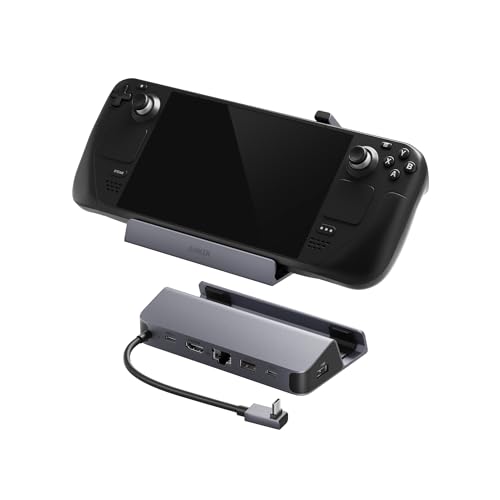
The Anker USB-C Hub (6-in-1, For Handheld Game Console) is model A83S1. It packs HDMI, Gigabit Ethernet, two USB-A data ports, one USB-C data port, and a PD input into a 115-degree stand with a 90-degree host connector.
Buy it for a Deck that normally moves between handheld play and one HDMI TV or monitor, with a keyboard, controller receiver, drive, or other data devices nearby. Skip it if you need DisplayPort, card readers, integrated storage, or a stand that accepts a bulky case.
Anker excludes cases thicker than 2 mm and any case with a kickstand, and it does not publish the attached lead length. A case-free LCD or OLED is the safest planned fit. Anker does not publish a separate version for the two Deck generations, so treat the fit rules as the same for both.
The PD-IN port accepts up to 100W, and Anker recommends at least a 45W adapter for the Steam Deck. Its separate 100W advice for another handheld’s turbo mode does not carry over to the Deck. Anker does not publish how much the A83S1 delivers to the host after overhead.
One HDMI 2.0 output drives a single display up to a vendor-rated 4K60. Anker specifies an HDMI-to-HDMI 2.0 or 2.1 cable no longer than 15 feet and rules out HDMI-to-DisplayPort adapters. The host sets the usable mode, and demanding games may need a lower target than the display can show.
Ethernet supports 10/100/1000Mbps. Both USB-A ports and downstream USB-C are USB 3.2 Gen 1 up to 5Gbps. There is no USB 2.0-only port, card reader, or M.2 slot.
Anker’s manual lists SteamOS, and its product page discusses OLED charging. It does not confirm a specific firmware updater, a US warranty length, or exactly what ships in the US box. Check the listing before you assume a charger or extra accessory is included.
Our Take
Choose A83S1 for a case-free or very slim-cased Deck when HDMI, Gigabit Ethernet, and three equal-speed data ports cover the job. Choose another unit when case fit, DisplayPort, cards, M.2 storage, or a documented host-power figure is the deciding factor.
- Simple HDMI, Gigabit Ethernet, and three-data-port layout
- Two USB-A and one USB-C data port, each rated up to 5Gbps
- Exact manual lists SteamOS
- 90-degree attached connector suits a handheld stand
- Excludes cases thicker than 2 mm and kickstand cases
- Exact host delivery and host-lead length are not published
- No DisplayPort, card reader, or M.2 slot
- US box inventory and exact firmware path are not established
2. UGREEN 25869: Best for Card Readers and the Widest Peripheral Mix

The UGREEN Steam Deck Dock 9-in-1 is model and part 25869. Its two-panel adjustable folding stand leaves the cooling outlet open, and UGREEN’s page names both the LCD and OLED. The lead length is not published.
Buy UGREEN for SD or microSD plus both fast data and low-bandwidth USB-A connections. It is the only option here with both card formats. Skip it if you need DisplayPort, internal M.2 storage, or a published figure for the power that reaches the Deck.
One USB-C port and one USB-A port reach 10Gbps. Two more USB-A ports run at USB 2.0 speed for receivers and other low-bandwidth peripherals. The SD and microSD/TF readers handle memory cards. There is no M.2 bay.
The one HDMI 2.0 output drives a single monitor, with vendor ceilings of 4K60, 1440p144, and 1080p240. Those are link modes, not a promise that the Deck renders games at the same numbers.
Networking is Gigabit Ethernet. The charging input is labeled up to 100W, but UGREEN does not publish how much of that reaches the Deck. The US page does not list the box contents, and a Canadian listing for the same SKU cannot stand in for the US package.
UGREEN’s official size figures for this SKU conflict between regions, so we do not publish dimensions for it.
UGREEN does not publish a minimum SteamOS version or a firmware updater for the 25869. The US site states a two-year warranty and a 30-day trial.
Our Take
Pick model 25869 when SD, microSD, two 10Gbps data connections, and two dedicated peripheral ports match your workflow. Its advantage is the mix of roles, not a claim that every port runs at the same speed or that the highest display mode is a game target.
- SD and microSD readers in the same adjustable stand
- One USB-C and one USB-A data port rated up to 10Gbps
- Two separate USB 2.0 ports for low-bandwidth peripherals
- Exact page names Steam Deck LCD and OLED
- Exact host-delivery wattage and US box contents are not established
- No DisplayPort or internal M.2 storage
- Exact-SKU size figures conflict across official regions
- SteamOS minimum and exact firmware path are not published
3. BenQ GR10: Best for High-Refresh HDMI 2.1 and 2.5GbE

The BenQ beCreatus GR10 Mobile Dock has a 21.5 mm folding slot, an attached 200 mm USB4 Type-C cable, and a 90-degree adapter. Its host link reaches 40Gbps, but the GR10 still drives only one display, so full desktop-dock behavior does not carry over.
Buy the GR10 when one HDMI 2.1 TV or monitor and 2.5GbE are genuine requirements, or when another compatible host can make use of the extra link headroom. Skip it when your Deck setup ends at 4K60, when you need DisplayPort or two screens, or when card readers and internal storage are more useful than the specialist display path.
BenQ publishes 100W PD input, 15W dock use, and up to 85W host delivery with a suitable 100W-or-greater adapter. At least 45W is recommended for a handheld. The Deck still negotiates within its own 45W supply boundary.
One HDMI 2.1 output carries a 4K120 or 8K60 vendor ceiling. The host and the display must both support the mode, the HDMI 2.1 cable must stay under 15 feet, and the documented path rules out an HDMI switch or an HDMI-to-DisplayPort adapter. Independent testing shows 4K120 can work in the right cases, though few Deck games make full use of it.
BenQ also discusses HDR and VRR, but its US sources do not give a complete SteamOS, cable, display, and game matrix. Treat those features as vendor claims that depend on your exact path. The broader HDMI 2.1 dock category still does not change the Deck’s own rendering limit.
The 2.5GbE port helps only when the rest of the wired path can use it. Two USB-A 10Gbps ports provide up to 4.5W each, and one USB-C 10Gbps port provides up to 7.5W. There is no card reader or M.2 slot.
BenQ documents SteamOS 3.0+ and a single monitor. The box contains the GR10, a quick-start guide, safety statements, and a warranty card. It does not include a power supply or an HDMI cable. The firmware tools run on Windows and macOS, with no native SteamOS updater, so keeping the firmware current may mean borrowing another computer. BenQ does not publish the US warranty length.
Our Take
Choose GR10 because you can name the HDMI 2.1, high-refresh, or 2.5GbE capability your setup will use. If those links are not the limiting parts of your system, Anker or UGREEN gives a more relevant port mix without pretending the Deck turns every 4K120 display mode into a 4K120 game.
- One documented HDMI 2.1 path up to a 4K120 vendor ceiling
- 2.5GbE plus three 10Gbps downstream data ports
- Exact 100W input, 15W dock use, and 85W host ceiling
- SteamOS 3.0+ is documented
- One display only, with result controlled by the complete path and game
- No card reader or M.2 slot
- Documented package has no PSU or HDMI cable
- Firmware tools require Windows or macOS
4. SABRENT DS-SDNV: Best for Internal M.2 Storage

The SABRENT USB Type-C 6-Port Docking Station with M.2 Port is model DS-SDNV. Amazon lists it as a 7-in-1, which seems to count the M.2 slot, but it is the same unit. It uses a six-inch integrated USB-C lead and a cradle.
Buy it when an SSD inside the dock is the defining requirement. The bay accepts SATA and NVMe M.2 drives in 2242, 2260, and 2280 sizes through a path up to 5Gbps. Use the M.2 SSD guide to check protocol and length.
Skip it if you need card readers, DisplayPort, a USB-speed rating with no dispute behind it, or an OLED setup that needs no firmware step. An SSD is not listed in the documented package.
One HDMI 2.0 output reaches 4K60. The manual lists HDCP 1.4 and requires DP Alt Mode, and the usual chain of Deck, cable, display, mode, and game still applies. Ethernet supports 10/100/1000Mbps.
SABRENT’s product page calls the two high-speed USB-A ports USB 3.2 Gen 1×1 at 5Gbps, while its own manual calls them USB 3.2 Gen 2×1 at up to 10Gbps. Because the two sources disagree, we quote the conservative 5Gbps floor. A third USB-A port runs at USB 2.0 speed.
Power enters through USB-C PD 3.0 passthrough. The manual documents bypass charging to the host up to 90W, but SABRENT does not separately publish the exact input ceiling, dock overhead, and resulting Deck delivery. The 90W figure therefore remains a bypass ceiling, not a Steam Deck charging promise.
SABRENT lists Steam Deck and Linux but no minimum SteamOS version. Its firmware update tunes USB PD for the OLED, so apply it before you trust the OLED’s power behavior. The update does not prove stability in every setup.
The documented package includes the dock, a rubber M.2 SSD fastener, and the user manual. No power supply, HDMI cable, or SSD is documented in the package. SABRENT extends coverage to two years if you register within 90 days.
Our Take
Choose DS-SDNV only when integrated M.2 storage is worth the firmware and source-conflict checks. It is the only pick here that accepts SATA and NVMe M.2 drives, and that single clear storage job counts for more than its disputed USB number.
- Internal SATA and NVMe M.2 support
- Accepts 2242, 2260, and 2280 drive lengths
- Gigabit Ethernet and HDMI 2.0 up to 4K60
- Exact OLED USB PD firmware note is available
- Current page says 5Gbps USB while the exact manual says up to 10Gbps
- OLED owners need the exact firmware boundary
- No card reader or DisplayPort
- No PSU, HDMI cable, or SSD is documented
Direct comparison: fit, platform, and support
| Exact unit | Affiliate status | LCD/OLED evidence and SteamOS floor | Host lead and physical fit | Firmware path | Warranty evidence |
|---|---|---|---|---|---|
| Valve Steam Deck Docking Station | Non-affiliate official reference | Designed for LCD and OLED; SteamOS 3 platform | Captive 6-inch USB-C lead, low-profile 90-degree connector, molded Deck fit | Native through SteamOS | Exact retail duration not established |
| Anker A83S1 | Affiliate, B0CS6BWL4Q |
SteamOS listed; OLED discussed; no separate LCD/OLED split published | Attached 90-degree connector, 115-degree stand; excludes cases over 2 mm and kickstand cases; lead length not published | Exact A83S1 updater not established | Warranty advertised; exact US duration not established |
| UGREEN 25869 | Affiliate, B0CR6JND4M |
LCD and OLED named; exact SteamOS minimum not published | Adjustable foldable stand; lead length not published; official exact-SKU size figures conflict | Exact 25869 updater not established | US site states two years and a 30-day trial |
| BenQ GR10 | Affiliate, B0D2H8FJD1 |
SteamOS 3.0+; no LCD/OLED exclusion published | Attached 200 mm cable, 90-degree adapter, foldable stand, 21.5 mm slot | Windows and macOS tools; no native SteamOS updater listed | Exact US duration not established |
| SABRENT DS-SDNV | Affiliate, B0CFCXJ7DY |
Steam Deck and Linux listed; exact SteamOS minimum not published; OLED update applies | Integrated 6-inch cable and handheld stand | Exact OLED USB PD firmware available | Two years if registered within 90 days |
Direct comparison: power and package
| Exact unit | PD input ceiling | Documented host delivery | Charger and package status |
|---|---|---|---|
| Valve | USB-C PD passthrough; higher input ceiling not separately published | Deck uses 45W supply; separate higher figure not published | Official PSU included with 1.5 m cable |
| Anker A83S1 | Up to 100W; at least 45W adapter recommended for Deck | Not published after dock overhead | US box contents not established |
| UGREEN 25869 | Up to 100W charging input | Not published after dock overhead | US box contents not established; regional package is not US proof |
| BenQ GR10 | Up to 100W; dock consumes 15W | Up to 85W with a suitable adapter rated at least 100W | Dock and printed materials; no PSU or HDMI cable documented |
| SABRENT DS-SDNV | Exact input ceiling not published | Up to 90W bypass ceiling; overhead and Deck delivery not separately published | Dock, rubber M.2 fastener, manual; no PSU, HDMI cable, or SSD documented |
Direct comparison: display and network
| Exact unit | Output and display count | Vendor ceiling | Deck and game boundary | Ethernet |
|---|---|---|---|---|
| Valve | HDMI 2.0 plus DP 1.4; MST caveat when both are used | Up to 4K60 or 1440p120; FreeSync/VRR | Full path controls result; VRR and MST are not universal game outcomes | Gigabit |
| Anker A83S1 | One HDMI 2.0 display | Up to 4K60 | Host controls mode; demanding high-resolution games can strain Deck | 10/100/1000Mbps |
| UGREEN 25869 | One HDMI 2.0 display | Up to 4K60, 1440p144, or 1080p240 link modes | Link ceiling does not prove the game frame rate | Gigabit |
| BenQ GR10 | One HDMI 2.1 display | Up to 4K120 or 8K60 | Host, cable, output, mode, and game must align; HDR/VRR attributed and path-dependent | 2.5GbE |
| SABRENT DS-SDNV | One HDMI 2.0 display; DP Alt Mode required | Up to 4K60 | Link ceiling does not prove the game frame rate | 10/100/1000Mbps |
Direct comparison: USB roles and storage
| Exact unit | High-speed USB data | Low-speed peripheral ports | Cards | Internal storage | Strongest limitation |
|---|---|---|---|---|---|
| Valve | Three USB-A 3.1 Gen 1 ports | None published separately | None | None | No card reader or M.2 |
| Anker A83S1 | Two USB-A 5Gbps plus one USB-C 5Gbps | None | None | None | Strict case fit and unresolved host-delivery figure |
| UGREEN 25869 | One USB-C 10Gbps plus one USB-A 10Gbps | Two USB-A USB 2.0 ports | SD and microSD | None | US package and host delivery not established; size conflict |
| BenQ GR10 | Two USB-A 10Gbps plus one USB-C 10Gbps | None | None | None | Extra display/network links may exceed the Deck setup’s useful limit |
| SABRENT DS-SDNV | Two USB-A ports published at conservative 5Gbps floor | One USB-A USB 2.0 port | None | SATA/NVMe M.2 2242/2260/2280, storage path up to 5Gbps | USB page/manual conflict and OLED firmware boundary |
Decision paths by setup
TV or high-refresh monitor
Choose BenQ when you have a genuine HDMI 2.1 high-refresh use, and keep 4K120 in mind as a link ceiling, not a game target. Choose Valve for DisplayPort, documented VRR, or native firmware. Choose one of the HDMI 2.0 units when 4K60 is enough. Either way, check the whole display path.
Desk and wired network
Choose BenQ for 2.5GbE only when the rest of your wired path can beat Gigabit. Our 2.5GbE dock comparison covers that broader question. Otherwise the other four all give you Gigabit.
Travel and case fit
Valve includes its power supply, while BenQ and UGREEN fold for travel. Skip Anker if your case is over 2 mm or has a kickstand. SABRENT builds in a six-inch lead and its storage. UGREEN’s conflicting size figures mean you cannot plan around a tight pouch.
SD and microSD workflow
Choose UGREEN 25869, the only unit here with SD and microSD.
Internal M.2 storage
Choose SABRENT if the drive should live inside the dock. Confirm SATA versus NVMe and 2242, 2260, or 2280 length, accept the 5Gbps storage path, apply OLED firmware when relevant, and supply the SSD. Choose UGREEN instead for removable cards.
Already own a dock?
The guide above is about choosing a dock before you buy, not repairing one you already own. A dock that shows video but charges slowly, drops Ethernet, or misses a USB device can have separate faults in its power, display, network, data, cable, or firmware paths.
Treat external-display, Ethernet, and USB failures as separate diagnostic jobs. Record the exact dock model and revision first, then isolate the affected path. Do not copy firmware or port assumptions from a similar-looking UGREEN, SABRENT, JSAUX, or other family revision.
Frequently asked questions
Do Steam Deck LCD and OLED use the same dock?
Yes, with a suitable USB-C dock. Both use a 45W PD 3.0 supply. Valve and UGREEN cover both generations by name. Anker lists SteamOS and discusses OLED without a separate split, and BenQ publishes no generation exclusion. SABRENT adds an OLED-specific USB PD firmware update. Physical fit still needs its own case, slot, lead, and connector check.
Does a 100W dock charge Steam Deck at 100W?
No. The label often describes PD input. The dock and devices use part of it, and the Deck negotiates within its 45W supply boundary. BenQ documents 100W input, 15W dock use, and up to 85W host delivery, but that does not make the Deck draw 85W. Anker and UGREEN do not publish an exact delivery figure, and SABRENT states up to 90W bypass.
Can Steam Deck actually play games at 4K120 through a dock?
Not as a universal result. BenQ publishes a 4K120 HDMI 2.1 link ceiling, and independent testing shows it can work in the right cases, even though few Deck games fully use it. The Deck, dock, cable, any receiver or switch, display input, mode, and game all play a part. A lower rendering target is often the more useful choice.
Do I need HDMI 2.1 for a Steam Deck?
Not for a conventional one-screen setup up to 4K60. Anker, UGREEN, and SABRENT cover that with HDMI 2.0, and Valve adds DP 1.4 and 1440p120. HDMI 2.1 earns its place when your exact display path and intended use can benefit from a higher link mode. The BenQ GR10 fills that role, but the connector alone does not improve rendering.
Is DisplayPort or HDMI better for this specific setup?
Use DisplayPort for a DP monitor or Valve’s official DP 1.4, VRR, MST, and native-firmware package. Valve is the only DP option here. Use HDMI for a TV or HDMI monitor: Anker, UGREEN, and SABRENT provide HDMI 2.0, and BenQ provides HDMI 2.1. Cable, mode, display features, and game decide the useful result.
Does the dock include a charger and HDMI cable?
Valve includes its power supply with a 1.5 m cable. BenQ documents no power supply or HDMI cable. SABRENT documents its dock, M.2 fastener, and manual, but no power supply, HDMI cable, or SSD. Anker and UGREEN do not confirm their US box contents. Recheck the exact listing before you count on any of it.
Can I install Steam games on a dock’s M.2 SSD?
SABRENT DS-SDNV houses a SATA or NVMe M.2 SSD in 2242, 2260, or 2280 length through a path up to 5Gbps. Confirm protocol and length, follow the manual, and apply the OLED firmware when relevant. No SSD is documented in the package, and no game-load benchmark or universal sleep/wake result is established.
Why can a dock work for video but still show slow charging or miss a USB device?
Video, charging, and USB data are separate functions sharing one connection and the dock’s controllers. A valid display path does not prove cable PD, negotiated power, or downstream USB speed. Check the exact model and port role. Display, Ethernet, and USB failures need separate diagnosis.
Checkout checklist
- Exact identity: Match Valve or the exact model and affiliate ASIN: Anker A83S1 and
B0CS6BWL4Q, UGREEN 25869 andB0CR6JND4M, BenQ GR10 andB0D2H8FJD1, or SABRENT DS-SDNV andB0CFCXJ7DY. - Deck and case: Confirm LCD or OLED evidence, case thickness, kickstand, slot, connector angle, and known lead length.
- Display: Match HDMI or DisplayPort, one-display or MST plan, cable, intermediate equipment, display input, target mode, and game.
- Power: Separate PD input from documented host delivery and from the Deck’s 45W supply boundary.
- USB roles: Count high-speed data ports and USB 2.0 peripheral ports separately.
- Storage: Choose SD/microSD with UGREEN or internal SATA/NVMe M.2 with SABRENT.
- Network: Choose 2.5GbE only when the rest of the wired path can use it; otherwise Gigabit is the documented role.
- Package: Verify the exact charger, HDMI cable, SSD, and printed accessory contents instead of transferring a regional or family package.
- Firmware and warranty: Check the exact model’s updater OS, OLED boundary, registration requirement, and published support term.
Which Steam Deck dock should you buy?
Choose the Anker A83S1 for the balanced HDMI, Gigabit, and three-data-port setup. Choose the UGREEN 25869 for SD, microSD, and the broadest peripheral mix. Choose the BenQ GR10 when HDMI 2.1 or 2.5GbE is a genuine system requirement. Choose the SABRENT DS-SDNV when integrated M.2 storage is the deciding feature. Choose Valve when DisplayPort, VRR/MST, an included power supply, or native SteamOS firmware is what you care about most.
Before buying, recheck the exact model or ASIN and the exact package. Similar product names and chassis do not make nearby revisions interchangeable.