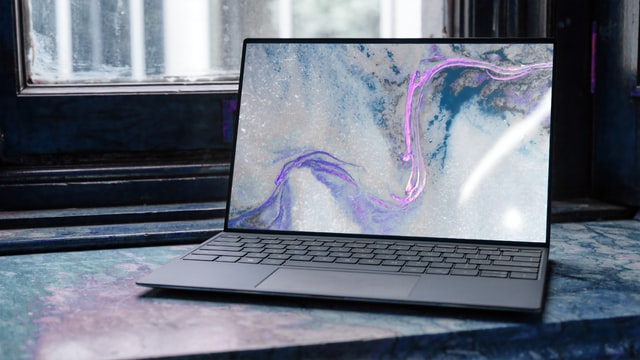
A 16:10 laptop screen is taller than a 16:9 screen of the same width, so documents, timelines, code, and web pages show more rows without changing the basic wide-screen layout. The extra height helps most with a long page, a spreadsheet, an editing panel, or two windows stacked vertically.
The right model also needs a port plan. A Thunderbolt 4 or USB4 port gives a desk dock, fast storage, and an external display a clearer path, while a plain USB-C port can be the better fit when charging and one display are enough. See our guides to Thunderbolt 4 laptops, USB4 laptops, and laptop docking stations.
A 16:10 panel is a practical choice when you want more vertical workspace and a documented path to the dock or display you already own.Table of Contents
Best 16:10 Aspect Ratio Laptops Compared
| Image | Product | Details | Check Price |
|---|---|---|---|
 | ASUS ROG Strix G16 G614 | Best fit: Gaming and external-display work Screen: 16:10, 2.5K panel option High-speed port: Two USB4 ports What to check: Exact panel configuration | Check Price on Amazon |
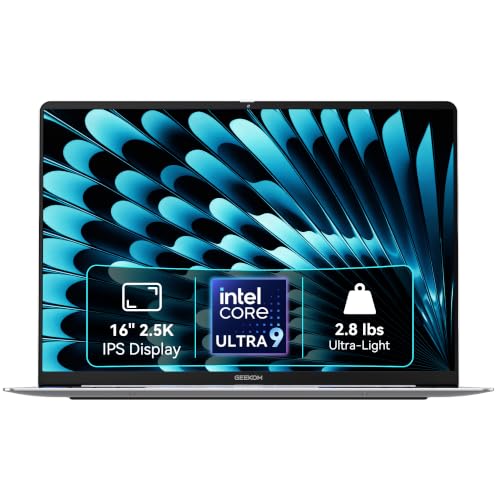 | GEEKOM GeekBook X16 Pro | Best fit: Portable 16-inch work Screen: 16:10, 2560 x 1600 High-speed port: USB4 with DisplayPort 2.1 and PD What to check: One USB4 port | Check Price on Amazon |
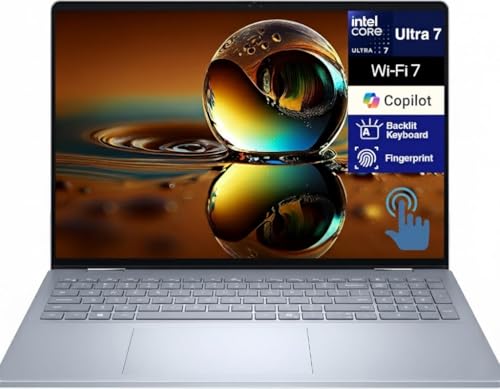 | Dell 16 Plus 2-in-1 | Best fit: Large-screen everyday work Screen: 16:10, 1920 x 1200 touch High-speed port: One Thunderbolt 4 port What to check: Exact display configuration | Check Price on Amazon |
 | ASUS Vivobook 16 Flip TP3607 | Best fit: Convertible use Screen: 16:10 WUXGA OLED High-speed port: One Thunderbolt 4 port What to check: Pen and display configuration | Check Price on Amazon |
 | Lenovo ThinkPad T16 Gen 4 | Best fit: Business docking Screen: 16:10, 1920 x 1200 options High-speed port: Two Thunderbolt 4 and USB4 ports What to check: Panel and CPU configuration | Check Price on Amazon |
 | Lenovo ThinkPad P16s Gen 4 AMD | Best fit: Mobile workstation Screen: 16:10, up to 3840 x 2400 OLED High-speed port: Two Thunderbolt 4 and USB4 ports What to check: Display configuration | Check Price on Amazon |
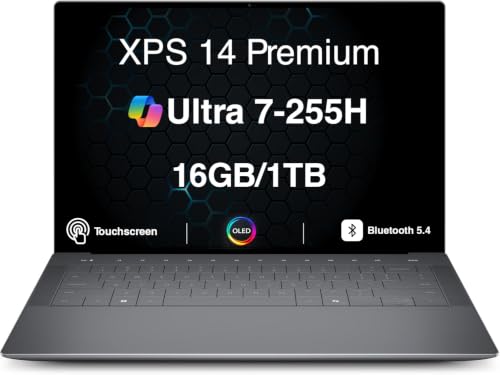 | Dell XPS 14 DA14250 | Best fit: Compact OLED productivity Screen: 16:10, 3200 x 2000 OLED High-speed port: Three Thunderbolt 4 ports What to check: Exact CPU and display configuration | Check Price on Amazon |
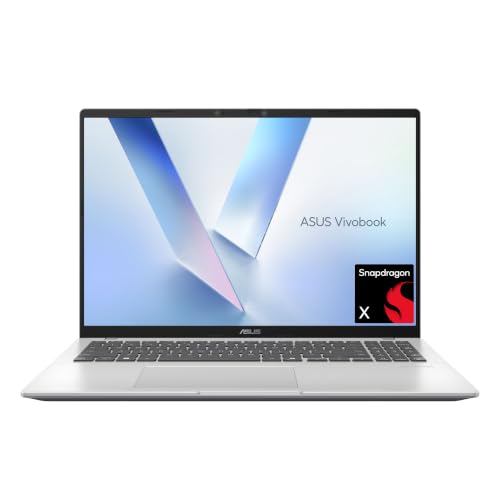 | ASUS Vivobook 16 X1607QA | Best fit: Everyday 16-inch value Screen: 16:10, 1920 x 1200 High-speed port: Two USB4 Type-C ports What to check: Snapdragon software compatibility | Check Price on Amazon |
 | ASUS Vivobook S16 M3607GA | Best fit: OLED screen on a simple desk Screen: 16:10 WUXGA OLED High-speed port: USB-C 3.2 Gen 1, not USB4 What to check: Dock bandwidth needs | Check Price on Amazon |
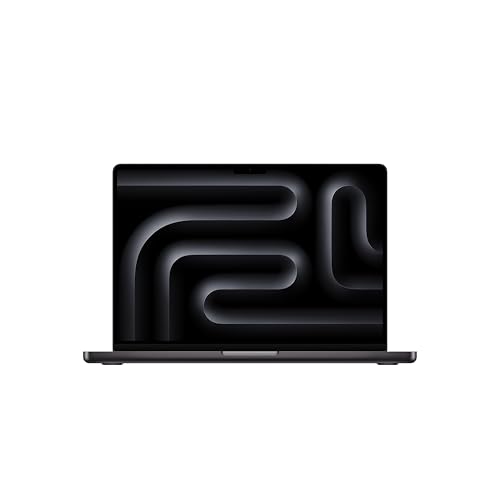 | Apple MacBook Pro 14-inch M5 | Best fit: macOS creative work Screen: 3024 x 1964 Liquid Retina XDR High-speed port: Three Thunderbolt 4 ports What to check: Notch-area resolution and macOS display support | Check Price on Amazon |
1. ASUS ROG Strix G16 G614 — Best for Gaming and USB4
The Strix G16 suits someone who wants a tall gaming panel but also expects the laptop to work at a desk. ASUS describes a 16:10 ROG Nebula display option and two USB4 Type-C ports, each with DisplayPort support. Two USB4 ports give external storage and a display dock a stronger starting point than a gaming laptop with only basic USB-C.
The Amazon configuration names a 16:10 FHD+ panel, while ASUS describes several panel options for the G614 family. Confirm the display configuration in the exact listing before choosing it for color work or a high-refresh game. The two USB4 ports are the main reason to consider this model when a dock is part of the plan.
Our Take Choose the Strix G16 for a gaming laptop that also needs high-bandwidth USB-C connectivity. Pick the XPS 14 instead if a smaller chassis and OLED panel take priority over gaming hardware.
- Two USB4 ports give a dock and fast storage more flexibility than a single-port design.
- ASUS documents 16:10 panel options for the G614 family.
- DisplayPort support on both USB4 ports helps simplify an external-monitor setup.
- Display, CPU, and graphics specifications vary inside the G614 family, so the exact Amazon configuration needs checking.
- A performance-oriented 16-inch chassis is less convenient for a light travel bag.
2. GEEKOM GeekBook X16 Pro — Best Portable 16-inch Workspace
The GeekBook X16 Pro suits the reader who wants a 16-inch work surface without treating the laptop as a permanent desktop replacement. GEEKOM specifies a 16:10, 2560 x 1600 display and a 40Gbps USB4 Type-C port with Power Delivery and DisplayPort 2.1. The display and the USB4 port make a useful pairing for an ultrawide document, a high-resolution photo, or a compact dock.
One high-bandwidth port needs a little more planning than the dual-port Strix G16 or ThinkPads below. Reserve the USB4 port for the dock or display that needs it most, then use the other connections for lower-bandwidth accessories. Readers who need two dock-ready ports should move to a ThinkPad T16 Gen 4.
Use the USB4 port for the display or dock first, then attach low-bandwidth accessories separately.Our Take Buy the GeekBook X16 Pro when a light 16-inch screen and one full USB4 port fit your workday. Skip it for a multi-dock desk that benefits from the ThinkPad models’ two Thunderbolt 4 ports.
- A 2560 x 1600 panel gives the 16:10 screen more working room than WUXGA models.
- The USB4 port supports DisplayPort 2.1 and Power Delivery.
- The 16-inch format suits people who edit documents beside a reference window.
- Its travel-focused design is a better fit than a heavier gaming chassis.
- Only one USB4 port is documented, so a dock can occupy the main high-bandwidth connection.
- It lacks the ThinkPads’ dedicated Ethernet and broader business-oriented port layout.
- Buyers using specialist software should confirm Intel-platform support before choosing it.
3. Dell 16 Plus 2-in-1 — Best Large-Screen Everyday Pick
The Dell 16 Plus 2-in-1 gives ordinary work a full 16-inch canvas in a convertible body. Dell lists one Thunderbolt 4 port with DisplayPort 2.1 and Power Delivery, plus a 10Gbps USB-C port with DisplayPort 1.4. The Amazon listing specifies a 16-inch WUXGA (1920 x 1200) touchscreen, while Dell also sells QHD+ 2560 x 1600 configurations. For a home office, that means a single cable can connect the laptop to a compatible dock while also carrying power and video.
The limitation is not hidden by the large display. One Thunderbolt 4 port means one primary high-speed path, unlike the two-port ThinkPads. The Amazon listing is the WUXGA configuration, so do not expect the QHD+ panel that Dell offers on other configurations.
Check the display and memory configuration before buying, because Dell sells several DB06250 configurations.Our Take Choose Dell 16 Plus for a 16-inch, 16:10 work screen with a straightforward Thunderbolt dock path. Choose the Vivobook S16 if OLED contrast ranks above Thunderbolt bandwidth.
- The listing’s 1920 x 1200 touchscreen gives a taller 16:10 work area for reading and arranging documents.
- Thunderbolt 4 carries DisplayPort 2.1 and Power Delivery through one connector.
- The convertible format can suit note-taking or presentation work.
- There is only one Thunderbolt 4 port for a dock and high-speed peripheral chain.
- Panel and touch options differ by configuration.
4. ASUS Vivobook 16 Flip TP3607 — Best 16:10 Convertible
The Vivobook 16 Flip earns its place when the taller panel needs to change position during the day. ASUS specifies a 16-inch 16:10 WUXGA OLED display, a 360-degree hinge, one Thunderbolt 4 Type-C port, and a second USB 3.2 Gen 2 Type-C port. A presentation, a handwriting session, and a normal keyboard task can therefore use the same screen.
The OLED screen and hinge add flexibility, but they do not replace a workstation port array. Use the Thunderbolt 4 port as the main dock connection and keep the other Type-C port for a peripheral or display where its lower capability is enough. It is a more adaptable machine than the X1607QA, not automatically a better desk hub.
Our Take Buy the Vivobook 16 Flip when a large convertible screen is the deciding feature. Skip it for the ThinkPad T16 if Ethernet, two Thunderbolt ports, and a business dock setup are more important.
- A 16:10 WUXGA OLED panel gives documents and media more vertical space.
- The hinge supports laptop, stand, tent, and tablet positions.
- Thunderbolt 4 supports a 40Gbps dock connection.
- A second Type-C port adds a separate peripheral connection.
- Only one port is Thunderbolt 4, so it should be reserved for the most demanding connection.
- A large convertible can be less stable than a conventional clamshell on a lap.
- OLED behavior and touch needs vary by the work you do each day.
5. Lenovo ThinkPad T16 Gen 4 — Best for Business Docking
The ThinkPad T16 Gen 4 is the clearest fit for a shared office, an Ethernet desk, or a long list of peripherals. Lenovo PSREF documents 16-inch 1920 x 1200, 16:10 panel options plus two USB-C ports that support Thunderbolt 4 and USB4 at 40Gbps, Power Delivery, and DisplayPort 2.1. It also includes HDMI, USB-A, and Ethernet.
The listing has upgraded memory and storage, so it needs the normal reseller-configuration check. The underlying port map is the reason to buy it, because two high-bandwidth ports allow a dock and a direct device to coexist without disconnecting one. The Dell 16 Plus has one such port, which is a meaningful difference.
A two-port Thunderbolt layout is useful when a dock stays connected while fast storage or a second display also needs a direct path.Our Take Buy the ThinkPad T16 Gen 4 for a business desk where two Thunderbolt ports, Ethernet, and a 16-inch WUXGA screen fit together. Skip it for the P16s Gen 4 if a 4K OLED option and workstation positioning are the priority.
- Two Thunderbolt 4 and USB4 ports provide two 40Gbps expansion paths.
- Lenovo documents 16:10 1920 x 1200 panel options.
- Built-in Ethernet suits a fixed desk without an adapter.
- HDMI and USB-A reduce dependence on a dock for everyday accessories.
- DisplayPort 2.1 and Power Delivery are included on the USB-C ports.
- The Amazon configuration was professionally upgraded, so warranty and component details need close reading.
- WUXGA has less pixel density than the XPS 14 OLED or P16s OLED configuration.
6. Lenovo ThinkPad P16s Gen 4 AMD — Best 16:10 Mobile Workstation
The P16s Gen 4 brings the strongest specification range on this page to a work-oriented 16-inch chassis. Lenovo PSREF documents 16:10 panels from 1920 x 1200 to a 3840 x 2400 OLED option, together with two 40Gbps USB-C ports described as Thunderbolt 4 and USB4. The maker also describes up to three external displays when HDMI joins those ports.
With so many panel options, one configuration does not describe the others. Match the Amazon panel and memory configuration to the work you actually do. The Amazon listing names the 3840 x 2400 OLED configuration, which fits visual work, but the 1920 x 1200 panels are also part of the family.
The P16s family has several panel choices, so the exact OLED or IPS configuration should drive the purchase decision.Our Take Choose the P16s Gen 4 when a 16-inch workstation layout and two dock-ready ports are more important than a convertible hinge. Choose the T16 Gen 4 for a simpler WUXGA business machine.
- A 3840 x 2400 OLED option brings high density to a 16:10 workspace.
- Two Thunderbolt 4 and USB4 ports support docks, displays, and fast storage.
- Lenovo documents HDMI alongside the USB-C display paths.
- The Amazon configuration is reseller-upgraded, so memory, storage, and warranty terms need checking.
- High-resolution OLED work can demand more battery and scaling attention than WUXGA.
7. Dell XPS 14 DA14250 — Best Compact OLED 16:10 Laptop
The XPS 14 is for the reader who wants a taller, high-density screen without carrying a 16-inch body. The listing specifies a 14.5-inch, 3200 x 2000 OLED, 16:10 display and three Thunderbolt 4 ports. Three matching ports make it easier to leave a dock connected and attach a display or fast drive directly.
Its compact format is also the trade. A 14.5-inch panel is not a substitute for a 16-inch work surface when two full windows must remain visible all day. It makes more sense for travel or a small desk than the T16 and P16s, even though its port count is generous.
Our Take Buy the XPS 14 when OLED density, portability, and several Thunderbolt ports are more important than physical screen size. Choose the Dell 16 Plus when a 16-inch workspace is the first requirement.
- The 3200 x 2000 OLED panel gives a compact chassis a detailed 16:10 workspace.
- The listing names three Thunderbolt 4 ports, which support more than one high-speed connection.
- The 14.5-inch form factor travels more easily than the 16-inch options here.
- The 16:10 shape fits documents and editor panels better than a 16:9 screen.
- The compact display has less physical room than a 16-inch panel.
- The Amazon configuration should be checked against Dell’s exact CPU and display options.
8. ASUS Vivobook 16 X1607QA — Best Straightforward USB4 Value
The Vivobook 16 X1607QA is the uncomplicated choice for a reader who wants a large 16:10 screen and modern USB-C without a workstation design. ASUS specifies a 1920 x 1200 display and the Amazon configuration names two USB4 Type-C ports. The taller WUXGA panel is a comfortable place for schoolwork, web research, and ordinary office tasks.
The Snapdragon platform is the decision point. Confirm that the applications and dock software you rely on support Windows on ARM before treating USB4 hardware as the whole compatibility answer. A USB4 connector solves bandwidth and display routing, not every driver or application question.
Our Take Choose the X1607QA for a simple 16-inch 16:10 setup with two USB4 ports. Skip it if a particular legacy app, driver, or dock utility requires standard x86 Windows support.
- Two USB4 Type-C ports offer more expansion flexibility than a one-port value laptop.
- A 1920 x 1200 panel provides the vertical space expected from 16:10.
- The 16-inch format suits documents, web pages, and side-by-side work.
- Windows on ARM compatibility can affect older applications and accessory software.
- WUXGA provides less pixel density than the OLED options in this guide.
- It lacks the ThinkPad models’ dedicated Ethernet and business port mix.
9. ASUS Vivobook S16 M3607GA — Best OLED Without a Dock Focus
The Vivobook S16 M3607GA makes sense when the display is more important than a heavy dock setup. ASUS specifies a 16-inch 16:10 WUXGA OLED panel, while the listing names two USB 3.2 Gen 1 Type-C ports. It is the deliberate exception in this guide: it has USB-C, but neither USB4 nor Thunderbolt.
The missing USB4 does not make the laptop unsuitable, but it changes the accessory plan. Choose a USB-C dock whose bandwidth needs match USB 3.2 Gen 1, rather than assuming a Thunderbolt dock will expose its full capability. Readers building a multi-display or fast-storage desk should favor the ThinkPads, XPS 14, or Strix G16.
This OLED option is for a screen-first setup, not for a Thunderbolt or USB4 desk.Our Take Buy the Vivobook S16 when a 16:10 OLED screen is the central requirement and a simple USB-C accessory setup is enough. Skip it for the Dell 16 Plus or ThinkPad T16 if a full high-bandwidth dock is part of the purchase.
- A 16-inch WUXGA OLED panel suits a setup built around the screen.
- The 16:10 shape gives documents and browser windows more height.
- Two USB-C ports can cover charging and ordinary peripherals.
- It provides a simpler alternative to the workstation-oriented ThinkPads.
- Neither USB4 nor Thunderbolt is documented, which limits high-bandwidth dock expectations.
- USB 3.2 Gen 1 Type-C is a different class of connection from the 40Gbps ports elsewhere here.
10. Apple MacBook Pro 14-inch M5 — Best for macOS Work
The 14-inch MacBook Pro is the macOS answer for a reader who wants a tall display and several high-speed ports in a compact machine. Apple specifies a 3024 x 1964 Liquid Retina XDR display and three Thunderbolt 4 ports for the M5 configuration. The pixel dimensions are the panel’s native resolution, and Apple notes that the active area includes the notch area.
That qualification is useful when comparing the screen with a rectangular Windows panel. The notch reduces usable menu-bar space near the top edge, even though the native-resolution figure includes those pixels. macOS display behavior also differs from Windows, so monitor count and refresh expectations should be checked against the exact M5 configuration.
Treat Apple’s quoted 3024 x 1964 resolution as including the notch area when comparing usable screen space.Our Take Choose the MacBook Pro 14-inch M5 for macOS work that benefits from three Thunderbolt 4 ports and a compact high-density display. Choose a 16-inch Windows model when physical workspace and a rectangular panel are more important than macOS.
- Three Thunderbolt 4 ports leave room for a dock, storage, and a direct display.
- The 3024 x 1964 Liquid Retina XDR display gives a compact notebook a high-density workspace.
- Apple documents native DisplayPort support through the Thunderbolt 4 ports.
- The quoted resolution includes the notch area, so the top edge is not a full rectangle.
- macOS external-display behavior differs from Windows and needs configuration-specific checking.
Buying Guide
What does 16:10 change in daily work?
A 16:10 screen is taller relative to its width than a 16:9 screen. The added height is useful for text-heavy work, because a document, webpage, spreadsheet, or code editor shows more rows before scrolling. The X1607QA and T16 use 1920 x 1200, while the XPS 14, P16s, and MacBook Pro provide denser options for readers who prefer more pixels in a similar shape.
It does not turn every laptop into a desktop. Physical screen size is important, which is why a 16-inch T16 or P16s has more room for two windows than a 14.5-inch XPS 14. Pick the smaller machine for travel and the 16-inch chassis when the panel will be your primary workplace.
Which resolution fits a 16:10 screen?
WUXGA, usually 1920 x 1200, is a practical baseline for ordinary office work. A 1920 x 1200 panel suits readable scaling and battery planning, and it appears in the T16, X1607QA, and several other configurations. It is enough for documents and web work when an external monitor handles detailed creative output.
Higher resolutions make smaller text and detailed images sharper, but they can also make interface scaling more important. Match pixel density to the applications you use, not to a number alone. The P16s can reach 3840 x 2400 OLED, the XPS 14 has a 3200 x 2000 OLED listing, and the MacBook Pro uses 3024 x 1964 including its notch area.
When should Thunderbolt 4 or USB4 decide the purchase?
Thunderbolt 4 and USB4 are valuable when one cable must carry a dock, video, charging, and high-speed storage. Two 40Gbps ports create more flexibility than one, because a dock can remain attached while another device connects directly. The ThinkPad T16 and P16s make the strongest case for that layout, while the Strix G16 offers two USB4 ports.
A single high-speed port can be enough for a simple desk. Reserve the main port for the highest-demand connection, such as a dock or high-resolution display. The Dell 16 Plus and Vivobook 16 Flip are sensible examples, while the GeekBook X16 Pro has one USB4 port with DisplayPort 2.1 and Power Delivery.
Who should avoid a screen-first USB-C laptop?
The Vivobook S16 shows that a 16:10 OLED can be attractive without being a Thunderbolt workstation. USB-C connector shape does not establish USB4 or Thunderbolt capability. Its USB 3.2 Gen 1 Type-C ports work for ordinary accessories, but they should not be treated as 40Gbps expansion connections.
Readers who need several displays, fast storage, or a large dock should choose a documented high-speed port instead. A dock must match the host connection, which is why our USB-C dock guide and Thunderbolt dock guide are useful before buying accessories.
What should you verify in an Amazon configuration?
Many laptop listings are a seller configuration of a broader maker family. Check the exact display, processor, memory, storage, and warranty terms, especially where the listing says an upgrade was performed. The ThinkPad T16 and P16s listings in this guide disclose upgrades, so the seller’s configuration deserves as much attention as the Lenovo family specification.
The same discipline protects port expectations. Read the model’s maker page and the exact listing together when the family offers several panels or processors. For more host-specific help, see our best laptops for Thunderbolt docks, Thunderbolt cables guide, and USB-C monitor guide.
FAQ
Is 16:10 better than 16:9 for work?
16:10 is usually better for text-heavy work because it provides more vertical room at a comparable width. The benefit is visible in longer pages and spreadsheets, where the extra height can reduce scrolling.
It is not a universal upgrade for every buyer. A 16-inch 16:10 display provides more physical space than a 14-inch 16:10 display, so choose the screen size before assuming the ratio alone settles the question.
Does 1920 x 1200 mean a laptop is 16:10?
1920 x 1200 is a 16:10 resolution. The extra 120 pixels of height over 1920 x 1080 are the practical difference that makes WUXGA useful for work.
The ratio should come from the maker page, not from an assumption about screen size. The T16, P16s, X1607QA, and Vivobook models here have maker evidence for 16:10, while their panels differ in resolution and finish.
Can a USB-C dock work with every laptop on this page?
A USB-C dock can connect to each model only within the capabilities of its host port and operating system. A Thunderbolt 4 or USB4 host gives a compatible dock more bandwidth, while a USB 3.2 Type-C host can have lower display and data limits.
The Vivobook S16 is the cautionary example because it lacks USB4 and Thunderbolt. Choose the dock after confirming the host port, particularly when the plan involves two monitors, Ethernet, or fast external storage.
Why does the MacBook Pro resolution need a notch note?
Apple’s 3024 x 1964 figure includes the display area around the camera notch. The top edge is therefore not an uninterrupted rectangle, even though the panel’s native resolution is quoted as one number.
The notch does not prevent productive work, but it changes comparisons with a rectangular Windows display. Check macOS menu-bar and external-display behavior alongside resolution when the laptop will replace a desktop setup.
Are reseller-upgraded laptops safe to buy?
Reseller-upgraded laptops can be appropriate when the exact memory and storage configuration meets your needs. Read the seller’s warranty terms and upgrade disclosure before buying, because they may differ from the maker’s standard configuration.
This guide uses the maker pages for stable display and port topology, then treats the Amazon listing as the source for the sold configuration. Do not assume a family specification proves the exact upgraded components in a marketplace bundle.
Bottom Line
For a dock-centered business setup, choose the ThinkPad T16 Gen 4 or P16s Gen 4 because both document two Thunderbolt 4 and USB4 ports. For a smaller high-density Windows notebook, the Dell XPS 14 listing names three Thunderbolt 4 ports, while the MacBook Pro 14-inch M5 is the macOS choice with its notch qualification kept in view.