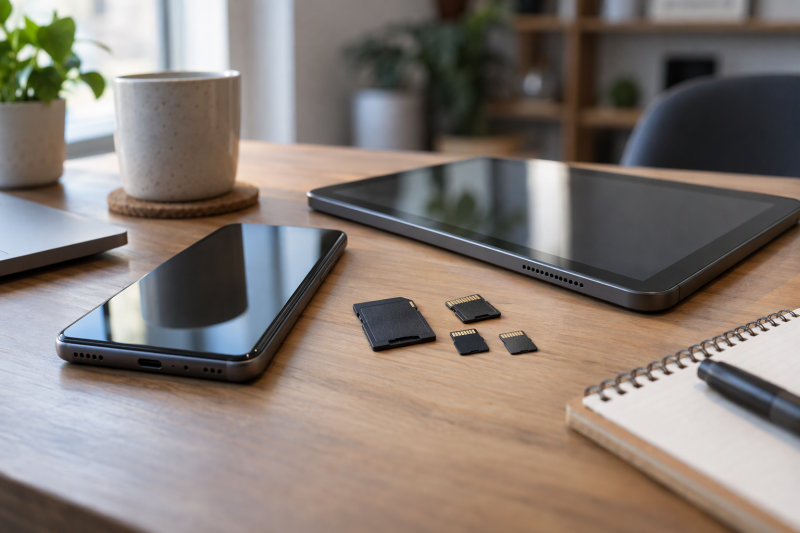
The five cards below run from 64GB to 1TB. Their makers or Amazon listings give A1 or A2 app ratings and V10 or V30 video classes. The speed figures are up-to ratings, and a phone’s own card slot can deliver less.
| Image | Product | Details | Check Price |
|---|---|---|---|
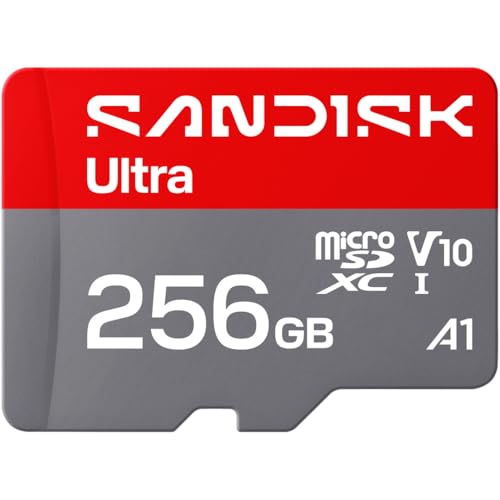 | SanDisk Ultra 256GB SDSQUJQ | Best fit: Everyday media Capacity and type: 256GB microSDXC UHS-I Classes: A1; U1; V10 Listed maximum speed: Up to 195 MB/s read Watch-outs: Reader sold separately; check adapter | Check Price on Amazon |
 | Samsung PRO Plus 1TB | Best fit: Large supported library Capacity and type: 1TB microSDXC UHS-I Classes: A2; U3; V30 Listed maximum speed: Up to 180 / 130 MB/s Watch-outs: Confirm 1TB support | Check Price on Amazon |
 | Lexar Blue 256GB | Best fit: Stated drop and water ratings Capacity and type: 256GB microSDXC UHS-I Classes: A2; U3; V30 Listed maximum speed: Up to 160 / 40 MB/s Watch-outs: Select Lexar reader for peak read | Check Price on Amazon |
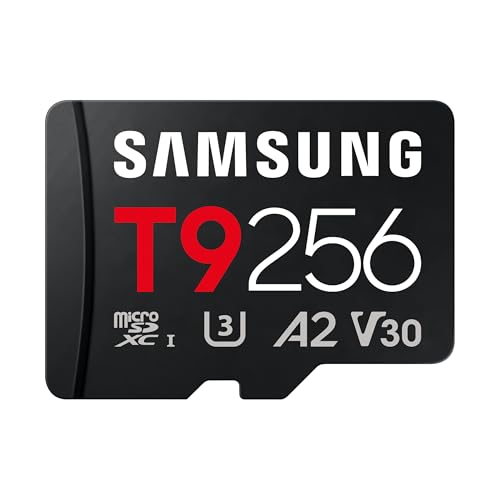 | Samsung T9 microSD 256GB | Best fit: Highest stated peak speed Capacity and type: 256GB microSDXC UHS-I Classes: A2; U3; V30 Listed maximum speed: Up to 200 / 130 MB/s Watch-outs: Check box contents | Check Price on Amazon |
 | Patriot EP A1 V30 64GB | Best fit: Smallest capacity Capacity and type: 64GB microSDXC Classes: A1; U3; V30 Listed maximum speed: Up to 90 / 80 MB/s Watch-outs: Least capacity on this page | Check Price on Amazon |
1. SanDisk Ultra 256GB SDSQUJQ — Best for Everyday Media
SanDisk describes the Ultra SDSQUJQ-256G as ideal for Android smartphones and tablets, digital cameras and laptops. The 256GB microSDXC card uses the UHS-I interface, and SanDisk describes room for Full HD video, movies, music, games, photos and podcasts. SanDisk names the V10 video class, while the Amazon listing also gives U1, Class 10 and A1.
For app loading, SanDisk rates A1 performance at 1,500 read IOPS and 500 write IOPS from its internal testing. IOPS means input and output operations per second, and SanDisk says results vary with the host device and app type.
SanDisk ties the up to 195 MB/s read figure to its QuickFlow microSD USB-A reader, which SanDisk says is sold separately. SanDisk also says write speeds are lower and that compatible devices are required for the read peak. The Amazon title adds an SD adapter, but SanDisk’s page for model SDSQUJQ-256G-GZ6MA names only the card in the box. SanDisk gives a 10-year limited warranty.
Check before ordering: The Amazon title names an SD adapter, while SanDisk’s box list for the model names only the card.Our Take Choose the SanDisk Ultra for photos, music and Full HD video on a device that supports a 256GB card.
- SanDisk describes the Ultra card as ideal for Android smartphones and tablets, with room for Full HD video, music and photos.
- For app loading, SanDisk rates the card’s A1 performance at 1,500 read IOPS and 500 write IOPS from its internal testing.
- Buyers get a 10-year limited warranty from SanDisk on the Ultra 256GB microSD card.
- For SanDisk’s 195 MB/s read peak, plan on a QuickFlow reader that SanDisk says is sold separately.
- If you need an SD adapter, check the box contents first, because SanDisk’s box list does not name the one in Amazon’s title.
2. Samsung PRO Plus 1TB — Best for Larger Supported Libraries
At 1TB, the PRO Plus has the most capacity of the five cards, for a large library on a device that accepts the size. Samsung’s model MB-MD1T0SA/AM is a UHS-I microSDXC card with an SD adapter, and Samsung lists phones, tablets, action cameras, drones and laptops as uses.
Samsung lists up to 180 MB/s read and 130 MB/s write, and says compatible devices are required to reach those speeds. The Amazon listing ties the figures to Samsung USB readers. For classes, Samsung’s specification sheet gives Class 10 and V30, and the Amazon listing adds U3 and A2.
Samsung states an operating temperature of -13°F to 185°F and a 10-year limited warranty for the card, with 1 year for the SD adapter. Samsung excludes dashcams, CCTV, surveillance cameras and other write-intensive uses from the warranty.
Our Take Pick the PRO Plus when your Android device supports 1TB and your library has outgrown smaller cards.
- For a large library, Samsung’s 1TB PRO Plus has more capacity than the other cards compared here, provided your device accepts the size.
- Samsung lists up to 180 MB/s read and 130 MB/s write for the card, and says compatible devices are required to reach those speeds.
- Samsung includes an SD adapter in the package and gives the card itself a 10-year limited warranty.
- Check your reader before counting on the PRO Plus peak speeds, because the Amazon listing ties them to Samsung USB readers.
- Samsung excludes dashcams, surveillance cameras and other write-intensive uses from its warranty, a limit for buyers who record that way.
3. Lexar Blue 256GB — Best for Stated Drop and Water Ratings
In its product sheet for the Blue LMSBLUE256G-BNANG, Lexar describes an A2-rated card for people using a smartphone, tablet or action camera. The sheet lists UHS-I, Class 10, U3, V30 and A2 for the 256GB microSDXC card, and the Amazon title includes an SD adapter.
Lexar gives up to 160 MB/s read and up to 40 MB/s write for 256GB, based on its internal testing. The Amazon listing says the read peak requires a select Lexar 2-in-1 USB 3.1 card reader. Lexar’s write figure is far below the 130 MB/s that Samsung lists for the PRO Plus and T9.
For durability, Lexar gives IPX7 water resistance at 1 m for 30 minutes and drop protection up to 1.5 m. Lexar also states an operating range of 0°C to 70°C, a 10-year limited warranty and lifetime access to its Recovery Tool for accidentally deleted files.
Our Take Consider Lexar Blue for a 256GB card with A2 and V30 classes and published water and drop ratings.
- Lexar lists A2, U3 and V30 classes for the 256GB Blue card and describes it for people using a smartphone, tablet or action camera.
- For buyers who want published durability ratings, Lexar gives IPX7 water resistance and drop protection up to 1.5 m.
- Lexar states a 10-year limited warranty and lifetime access to its Recovery Tool for accidentally deleted files.
- Lexar lists up to 40 MB/s write for the 256GB Blue card, a figure to compare with your needs before moving large recordings.
- The 160 MB/s peak comes with a hardware condition, since the Amazon listing requires a select Lexar 2-in-1 reader.
4. Samsung T9 microSD 256GB — Best for a Stated 200 MB/s Peak
Samsung’s T9 MB-MH256T/AM has the highest read figure on this page, up to 200 MB/s, with up to 130 MB/s write. Samsung says compatible devices are required and speeds vary between hosts and test conditions. Samsung lists U3, V30 and A2, and names phones, tablets, action cameras, drones, laptops and gaming consoles as uses.
The Amazon listing describes protection against water, extreme temperatures, X-rays, magnets, drops and daily use. Samsung states an operating temperature of -13°F to 185°F and a 3-year limited warranty. The T9 term is shorter than the 10 years Samsung gives the PRO Plus, and the T9 warranty also excludes dashcams, surveillance cameras and other write-intensive uses.
Check the box contents before ordering. Samsung’s specification sheet names a microSD card reader as the accessory, while the Amazon listing does not name an accessory. The listing also mentions Samsung Magician software for checking authenticity and card health.
Our Take Pick the T9 when the 200 MB/s read rating and A2 and V30 classes fit your device and computer.
- Samsung rates the T9 at up to 200 MB/s read, the highest figure here, and says compatible devices are required.
- Samsung lists U3, V30 and A2 classes for the 256GB T9 card and names phones, tablets and action cameras among its uses.
- Beyond speed and class ratings, the Amazon listing describes T9 protection against water, X-rays, magnets and drops.
- With the T9 you get Samsung’s 3-year warranty, a shorter term than the 10 years Samsung gives the PRO Plus.
- Confirm the box contents before ordering, because the Amazon listing for the T9 does not name an included accessory.
5. Patriot EP A1 V30 64GB — Best for a Smaller Capacity
At 64GB, Patriot’s EP PEF64GEP31MCX is the smallest card in the comparison. Patriot presents it for Android phones and tablets, says apps can be stored on and run from the card, and describes 4K recording support. Android and each app decide what can be installed there.
Patriot’s data sheet for the 64GB model gives up to 90 MB/s read and up to 80 MB/s write. It lists A1, V30, U3 and Class 10, with an operating temperature of -25°C to 85°C. Three other cards here are listed as A2, the class above A1.
Patriot lists an SD adapter as included and gives a 3-year warranty. The Amazon listing names Android phones, tablets and 4K in its title, and its one feature bullet states the 64GB capacity.
Our Take Choose the Patriot EP when 64GB covers your files and you want A1 and V30 ratings with an adapter.
- Before copying files either way, you have Patriot’s figures for 64GB, up to 90 MB/s read and 80 MB/s write.
- For an Android phone or tablet, Patriot presents the EP card with A1 and V30 and says apps can be stored on and run from it.
- You get a 3-year warranty from Patriot, which also lists an SD adapter as included.
- Check that your files fit before choosing Patriot’s 64GB card, the smallest of the five compared here.
- For app performance class, Patriot rates the card A1, below the A2 class on three cards here.
Buying Guide: Choosing microSD for Android
Check the slot and capacity first
The phone or tablet needs a microSD slot for a card to work as built-in removable storage. A USB card reader can move files on devices that support it, but it occupies the USB port while connected.
Check the device maker’s supported card type and maximum capacity. The 1TB PRO Plus is useful only if the phone or tablet accepts that size, and Samsung says usable space may be lower than the printed capacity. If 128GB is enough, see our 128GB microSD card comparison.
Understand A1 and A2
The SD Association describes A1 and A2 as app performance classes with minimum random and sustained speeds under defined test conditions. On this page, SanDisk Ultra and Patriot EP carry A1. The PRO Plus listing, Lexar’s sheet for Blue and Samsung’s sheet for the T9 give A2.
An A rating does not decide where an app can be installed. Android’s developer documentation says an app that does not declare an install location goes to internal storage and cannot be moved to external storage.
Compare video class with the camera’s needs
SanDisk names V10 for Ultra. Samsung gives V30 for the PRO Plus and T9, Lexar gives V30 for Blue, and Patriot gives V30 for EP. V30 is the higher video class of the two.
A card class does not add a camera feature the phone lacks. Check the phone maker’s guidance for the resolution, frame rate and recording format you plan to use.
Read the speed and reader conditions
SanDisk ties the 195 MB/s read figure for Ultra to its QuickFlow reader, and the Amazon listing for Lexar Blue ties 160 MB/s to a select Lexar reader. The PRO Plus listing ties Samsung’s 180 MB/s read and 130 MB/s write to Samsung USB readers.
Write speed counts when you copy recordings onto a card. Samsung lists 130 MB/s for the PRO Plus and T9, Patriot lists 80 MB/s for its 64GB card, and Lexar lists 40 MB/s for Blue.
Plan transfers and backups
A full-size SD adapter lets a microSD card fit a compatible full-size SD slot. An adapter is a different accessory from a USB card reader, and the cards here differ in what their sellers and makers list.
Back up photos and other files before formatting, which erases the card’s contents. Handheld PC owners can compare microSD cards for handheld gaming PCs, and a USB-C hub with a card slot can help move files to a laptop.
Frequently Asked Questions
Does every Android phone accept a microSD card?
No. A device needs a compatible microSD slot to use a card internally, and some phones and tablets omit the slot. Check the model’s specification sheet and supported capacity before buying.
A USB card reader is another way to transfer files. Confirm that the phone supports USB storage and shows the files in its file manager.
Can I install every Android app on a microSD card?
No. Android’s developer documentation says apps that do not declare an install location stay on internal storage. Apps that allow external storage can be moved between the two locations, depending on the device.
The A1 and A2 marks describe card performance, and the SD Association defines them under set test conditions. Check your device’s storage settings before buying a card mainly for apps.
Is V30 required for every phone video?
Not necessarily. The right video class depends on the phone’s recording format, resolution and frame rate, plus the phone maker’s instructions.
SanDisk names V10 for Ultra, while the PRO Plus, Lexar Blue, T9 and Patriot EP are listed as V30 by their makers or Amazon listings.
Will I get 195 MB/s in my phone?
Do not count on it. SanDisk ties the 195 MB/s read maximum for Ultra to a QuickFlow USB-A reader sold separately, and says compatible devices are required.
A phone’s card interface and the files you copy affect the speed. SanDisk also says the card’s write speeds are lower than its read figure.
Can I use a 1TB card in an older tablet?
Only if the tablet supports that card type and capacity. Check the model’s documentation before choosing the 1TB PRO Plus, even if the card fits the slot.
Back up existing files before any formatting the tablet requests. A smaller card is the safer choice when the documented capacity limit is lower than 1TB.
Bottom Line
Choose the SanDisk Ultra 256GB for everyday media with SanDisk’s A1 rating. Lexar Blue and Samsung T9 add A2 and V30 at 256GB, with Lexar listing 160 MB/s read and Samsung listing 200 MB/s. The PRO Plus offers 1TB for devices that accept it, and the Patriot EP covers 64GB needs.