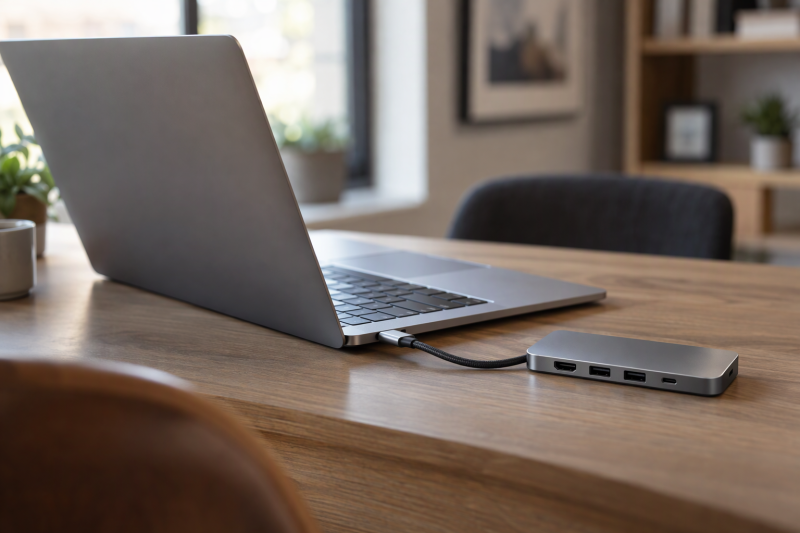
A USB-C hub can bring an HDMI display, memory cards and USB accessories together through one USB-C port. A 14-inch or 16-inch MacBook Pro also has ports of its own, so choose a hub for the connections you need at the same time. None of the six Amazon listings below gives a screen size. Compare the hubs on the ports, display mode, card reader and charging limits that Belkin, UGREEN, MOKiN, Hiearcool and Anker state.
Each hub connects through one USB-C cable, and each Amazon listing names an HDMI port and an SD card reader. They differ in charging, data ports and card handling. Check your MacBook’s port, display and charger against the notes in each section.
MacBook Pro USB-C Hubs Compared
| Image | Product | Best fit | HDMI | Card slots | Other connections | Watch-outs | Check Price |
|---|---|---|---|---|---|---|---|
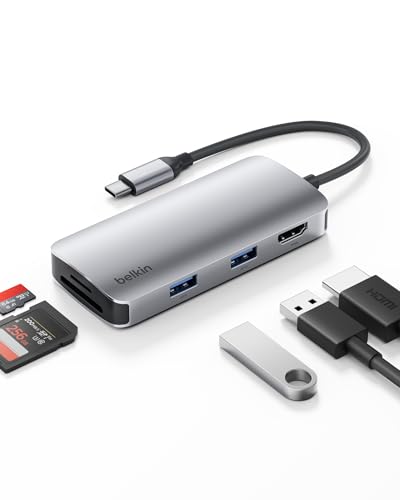 | Belkin AVC007fqSGY-V2 5-in-1 | HDMI and cards without charging | Up to 4K at 60Hz | SD and microSD | Two USB-A, up to 5Gbps | No USB-C charging input listed | Check Price on Amazon |
 | UGREEN Revodok Pro 8-in-1 75027 | Two USB-C and two USB-A data ports | Up to 4K at 60Hz | SD and microSD | Two USB-C and two USB-A data ports; up to 85W to host | USB-A port speeds need confirming | Check Price on Amazon |
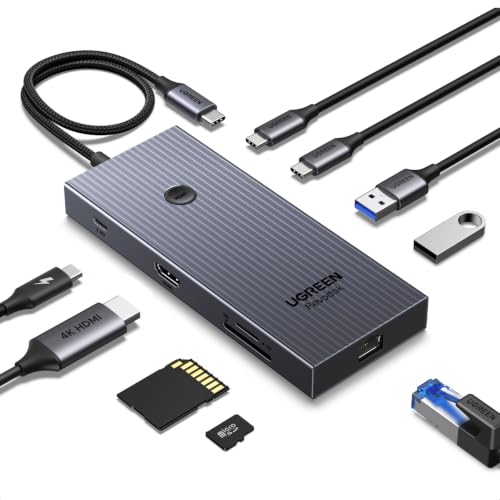 | UGREEN Revodok Pro 9-in-1 75028 | Wired Ethernet and mixed-speed USB | Up to 4K at 60Hz | SD and TF | Gigabit Ethernet; two USB-C and two USB-A data ports; up to 85W to host | USB-C data ports carry no display or charging | Check Price on Amazon |
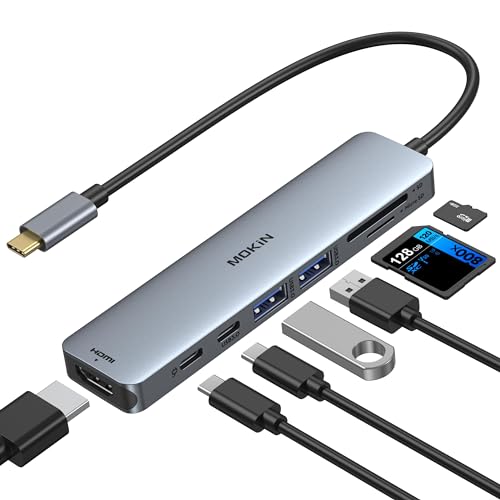 | MOKiN UC0119 7-in-1 | Keyboard, mouse and one drive | Up to 4K at 60Hz | SD/TF reader | USB-C data and two USB-A; up to 87W to host | Only one HDD or SSD at a time | Check Price on Amazon |
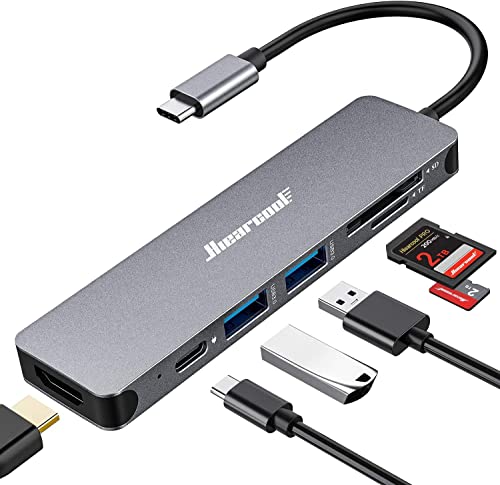 | Hiearcool UCN3286 7-in-1 | 4K at 30Hz is enough | Up to 4K at 30Hz | SD/TF, one card at a time | Two USB-A; 100W PD port | Host output after the hub is not stated | Check Price on Amazon |
 | Anker A83D2 7-in-1 | Three 5Gbps data ports | Up to 4K at 60Hz | SD and TF | Two USB-A and one USB-C data; up to 85W to host | USB-C data port carries no video | Check Price on Amazon |
1. Belkin AVC007fqSGY-V2 5-in-1 — Best for HDMI, Cards and Two USB-A Ports
The Belkin AVC007fqSGY-V2 connects through one USB-C cable to an HDMI 2.0 port, separate SD and microSD slots and two USB-A ports. Belkin’s product page and the Amazon listing give HDMI up to 4K at 60Hz and USB-A speeds up to 5Gbps. Belkin’s page also offers a 4K at 30Hz option for this hub, so the 60Hz figure belongs to the version the Amazon listing names.
Belkin lists an 8.3-inch (21cm) tethered USB-C cable and an aluminum casing. Belkin says the hub works with a USB-C port that supports video, so check the display support of the MacBook’s USB-C port you plan to use.
The charging catch: Belkin’s five connections are HDMI, SD, microSD and two USB-A. None is a USB-C charging input, so a MacBook that needs power while the hub is in use needs a separate charging connection. Our TakeTake the Belkin for HDMI, both card sizes and two USB-A ports. Belkin lists five connections for the hub. Pick another hub if you need to charge through it.
- For a monitor or TV, Belkin’s page lists HDMI 2.0 at up to 4K at 60Hz.
- For both card sizes, Belkin lists separate SD and microSD slots on the hub.
- For your USB-A devices, Belkin rates the two ports at up to 5Gbps.
- Belkin lists an 8.3-inch USB-C cable that is tethered to the hub.
- Belkin does not list a USB-C charging input. A MacBook that needs power during use needs a separate charging connection.
- Check your MacBook port first, because Belkin says the hub works with a USB-C port that supports video.
2. UGREEN Revodok Pro 8-in-1 75027 — Best for Two USB-C and Two USB-A Ports
The UGREEN 75027 has two USB-C and two USB-A data ports, an SD and microSD reader, HDMI and a USB-C power input. UGREEN’s page and the Amazon listing give HDMI up to 4K at 60Hz and a 30cm cable. UGREEN’s page also lists an aluminum shell.
UGREEN says the USB-C data port and USB-A ports run at up to 10Gbps, yet the specification table on its page lists USB 2.0 Type A next to USB 3.2 Gen 2. UGREEN does not say which USB-A port runs at which speed, so confirm that with UGREEN before connecting a fast drive. UGREEN also does not state whether the SD and microSD slots can be read at the same time.
UGREEN lists 100W Power Delivery, with up to 85W pass-through to the laptop and 15W kept for the hub’s other interfaces.
Pick the 75027 for four USB data ports when you do not need Ethernet, and confirm the speed of each USB-A port first.
- UGREEN lists two USB-C and two USB-A data ports, four in total for your devices.
- For memory cards, UGREEN’s page rates the SD and microSD reader at 170MB/s.
- For charging through the hub, UGREEN states up to 85W pass-through to the laptop.
- When you plan desk space, allow for the 30cm cable that UGREEN and the Amazon listing give.
- UGREEN’s specification table lists USB 2.0 Type A, so confirm each USB-A port speed before connecting a fast drive.
- For two-card copying, ask UGREEN first. It does not state whether both card slots can be read together.
3. UGREEN Revodok Pro 9-in-1 75028 — Best With Gigabit Ethernet
The UGREEN 75028 adds Gigabit Ethernet to HDMI, an SD/TF reader and four USB data ports. UGREEN’s page lists two 10Gbps USB-C data ports, one 10Gbps USB-A port and one 5Gbps USB-A port. The Amazon listing gives HDMI up to 4K at 60Hz and a network port that supports 1000Mbps.
UGREEN’s notes say the USB-C data ports do not support display or charging, and that the USB-C power input only charges. UGREEN lists one HDMI port, so HDMI is the display output. UGREEN asks for a laptop USB-C port that supports Power Delivery and DisplayPort 1.2 or 1.4 Alt Mode for full compatibility. UGREEN’s page also lists a one-touch screen-off button on the front. It does not state whether the two card slots can be read together.
For power, UGREEN says a PD wall charger and a USB-C cable that both support 100W let the hub pass up to 85W to the laptop, with 15W kept for the hub. The charger and cable are not included.
Tip: UGREEN says to choose a wall charger at least 15W more powerful than the laptop it will charge. Our TakeChoose the 75028 when you need wired Ethernet alongside HDMI and card reading. It is the only hub of the six whose Amazon listing names an Ethernet port.
- For a wired network, the Amazon listing gives a Gigabit Ethernet port that supports 1000Mbps.
- Port speeds differ here. UGREEN’s page lists 10Gbps on two USB-C ports and one USB-A port, and 5Gbps on the second USB-A port.
- To charge the laptop, UGREEN states up to 85W from a 100W charger and cable.
- UGREEN and the Amazon listing give HDMI at up to 4K at 60Hz for an external display.
- Plan on HDMI for your display, because UGREEN says its USB-C data ports do not support display or charging.
- You supply the charger and cable. UGREEN says they are not included and that the USB-C power input only charges.
- UGREEN does not state whether both card slots can be read together. Treat two-card copying as unconfirmed.
4. MOKiN UC0119 7-in-1 — Best for a Keyboard, Mouse and One Drive
The Amazon listing for the MOKiN UC0119 (part A1501) gives 4K at 60Hz HDMI, two USB 3.0 ports rated up to 5Gbps, one USB-C data port and a USB-C PD input. The listing writes the card reader as “SD/TF” in its title and “Micro SD/TF” in its port list. It also names MacBook Pro and MacBook Air among compatible devices.
For charging, the listing gives a 100W power input on the hub’s second USB-C port and says output to the laptop is limited to 87W for safety. The listing does not state whether the card reader handles two cards at once.
Choose the MOKiN for a keyboard, a mouse and one external drive, with up to 87W of charging output. Pick another hub if you plan to attach several drives.
- For a monitor and memory cards, the MOKiN listing gives 4K at 60Hz HDMI and an SD/TF card reader.
- For a keyboard, mouse and one drive, the MOKiN listing gives a USB-C data port beside two USB 3.0 ports rated up to 5Gbps.
- The MOKiN listing gives up to 87W output to the laptop from a 100W input. The lower output is for safety.
- For several drives, choose another hub. The MOKiN listing allows only one HDD or SSD at a time.
- If you use an Apple USB SuperDrive, note that the MOKiN listing says it is not supported.
- Confirm full-size SD support before you buy. The MOKiN listing writes its reader as SD/TF and Micro SD/TF and does not plainly name a full-size SD slot.
5. Hiearcool UCN3286 7-in-1 — Best When 4K at 30Hz Is Enough
Hiearcool’s manual for the UCN 3286 gives HDMI at 3840 x 2160 and 30Hz, two USB 3.0 ports at up to 5Gbps, an SD/TF slot for cards up to 2TB and a PD port designed for 100W. The Amazon listing gives the same 4K at 30Hz and 5Gbps, and calls the PD port 100W pass-through charging.
Hiearcool’s manual says the SD/TF slot cannot read two cards at the same time. Neither the manual nor the listing states how much power reaches the laptop after the hub takes its share.
Hiearcool’s manual also tells MacBook owners to connect the PD port before any other port, and not to disconnect it during data transfer. The manual says a MacBook that sees a load above about 1.5A starts self-protection and shows an overload prompt.
HDMI stops at 4K and 30Hz here, against the 60Hz given by Belkin’s page, UGREEN’s pages, the MOKiN listing and Anker’s page. Our TakeChoose the UCN3286 only if 4K at 30Hz is enough for your display and you read one card at a time.
- Hiearcool’s manual gives two USB 3.0 ports at up to 5Gbps for your USB devices.
- For large memory cards, Hiearcool’s manual gives SD/TF support for cards up to 2TB.
- The Amazon listing describes 100W PD pass-through charging, and Hiearcool’s manual gives a PD rating of 100W. Neither states what reaches the laptop.
- If your display needs 60Hz, note that Hiearcool’s manual gives 4K at 30Hz.
- Plan to read one card at a time. Hiearcool’s manual says the SD/TF slot cannot read two cards at once.
- On a MacBook, Hiearcool’s manual says to connect the PD port before any other port and warns of an overload prompt above about 1.5A.
6. Anker A83D2 7-in-1 — Best for Three 5Gbps Data Ports
The Anker A83D2 combines HDMI, dual SD and TF slots, a USB-C PD input and three data ports. Anker’s page gives HDMI up to 4K at 60Hz and a 9.84-inch cable, and lists macOS 12 and above as supported. Anker asks for a laptop USB-C port that supports DP Alt Mode and Power Delivery.
Anker says the PD port delivers up to 85W to the laptop and keeps 15W for the hub, and that a 100W PD charger and cable, not included, are required for the full 85W. The PD input is for charging only. Anker does not state whether the two card slots can be read together.
Choose the Anker for a USB-C data port beside two USB-A ports, with an 85W charging rating from Anker’s own page. Do not plan on the USB-C data port for a second display.
- For both plug types, Anker rates two USB-A ports and one USB-C data port at up to 5Gbps each.
- Anker’s page gives HDMI up to 4K at 60Hz and dual SD and TF slots on one hub.
- Anker states up to 85W to the laptop with a 100W PD charger and cable that you supply.
- Check your desk layout against the 9.84-inch cable that Anker’s page gives.
- Do not plan on a second display from the USB-C data port. Anker says it does not support video.
- Connect drives to the data ports, because Anker says the PD input is for charging only.
- Check with Anker before copying two cards. Anker does not state whether both card slots can be read together.
Buying Guide: Choose an HDMI and SD Hub
Start with the ports already on the Mac
A 14-inch or 16-inch MacBook Pro may already have an HDMI connector or an SD card slot of its own, depending on the model, so check Apple’s specifications for your MacBook before buying a hub for those two functions. A hub can add microSD, USB-A or Ethernet, and connects several accessories through one cable.
All six hubs connect through one USB-C cable. Belkin says its hub works with a USB-C port that supports video, Anker asks for DP Alt Mode and Power Delivery, and the UGREEN 75028 page asks for Power Delivery and DisplayPort Alt Mode. The site’s USB-C hub guide covers a wider range of hubs.
Match the HDMI mode to the display
Belkin, the UGREEN 75027 and 75028, the MOKiN listing and Anker give HDMI up to 4K at 60Hz, while Hiearcool’s manual gives 4K at 30Hz. Each figure is a maximum for the hub, and the display, cable and MacBook set the mode in use. Check the display’s HDMI input before you choose.
A USB-C data port is not a video port. Anker says its USB-C data port does not carry video, and UGREEN says the same about the USB-C data ports on the 75028. Use the HDMI port for a display, and read Apple’s specification for how many displays your MacBook supports.
Check card slots and simultaneous use
Belkin lists separate SD and microSD slots, the UGREEN 75027 lists an SD and Micro SD reader, and Anker lists dual SD and TF slots. The UGREEN 75028, the MOKiN listing and the Hiearcool listing write SD/TF. Hiearcool’s manual says its two cards cannot be read at the same time. Belkin, UGREEN, MOKiN and Anker do not say either way.
UGREEN’s page rates the 75027 reader at 170MB/s, and Hiearcool’s manual gives a 2TB card capacity limit. Check the maker’s page for the card capacity and format you use.
Separate charging input from output
Belkin does not list a charging input. UGREEN gives up to 85W to the laptop for the 75027 and 75028, the MOKiN listing gives up to 87W, and Anker gives 85W. The Hiearcool listing calls its port 100W pass-through charging and its manual gives a PD rating of 100W, but neither says how much reaches the laptop.
The UGREEN 75028 page and Anker’s page both say the hub keeps 15W for itself and that a 100W charger and cable are needed for the full 85W. Both say the charger and cable are not included.
Count the data ports and network connection
The UGREEN 75028 page lists two 10Gbps USB-C ports, one 10Gbps USB-A port and one 5Gbps USB-A port, plus Gigabit Ethernet. The 75027 page also lists four data ports, but its specification table includes USB 2.0 Type A, so confirm each USB-A speed with UGREEN. Anker rates its three data ports at 5Gbps.
The MOKiN listing allows one connected HDD or SSD and excludes the Apple USB SuperDrive. Anker also says its hub does not work with the SuperDrive. Count the devices you plan to connect at once rather than the ports. For a different Mac and hub decision, see the MacBook Air hub comparison.
Frequently Asked Questions
Does a MacBook Pro need a hub for HDMI and SD?
It depends on the exact MacBook Pro and its built-in connections. Check Apple’s specifications for its own HDMI port and SD slot before buying a hub for those functions.
A hub can add microSD, USB-A, Ethernet or a single connection for your desk accessories. Each of the six hubs here connects through one USB-C cable.
Can every hub output 4K at 60Hz?
No. Hiearcool’s manual gives HDMI at 4K and 30Hz for the UCN3286, while Belkin, UGREEN, the MOKiN listing and Anker give up to 4K at 60Hz.
The MacBook, the display and the cable also have to support the mode. Check the display’s settings after connecting.
Can SD and microSD cards be read at the same time?
Not on the Hiearcool UCN3286. Its manual says the slot cannot read two cards at the same time. Belkin, UGREEN, MOKiN and Anker do not say either way.
Ask Belkin, UGREEN, MOKiN or Anker before relying on two-card copying with any of their hubs.
Does a 100W PD input supply 100W to the MacBook?
Not by the makers’ own figures. UGREEN states up to 85W to the laptop for the 75027 and 75028, Anker states 85W, and the MOKiN listing states up to 87W from a 100W input.
The Hiearcool listing calls its port 100W pass-through charging but gives no output figure after the hub’s own draw. UGREEN and Anker say the hub keeps 15W for itself.
Can I use the USB-C data port for a second screen?
Not on the Anker A83D2 or the UGREEN 75028. Anker says its USB-C data port does not carry video, and UGREEN says the 75028’s USB-C data ports do not support display.
HDMI is the display output on both. Apple’s specification for your MacBook gives the number of displays that model supports.