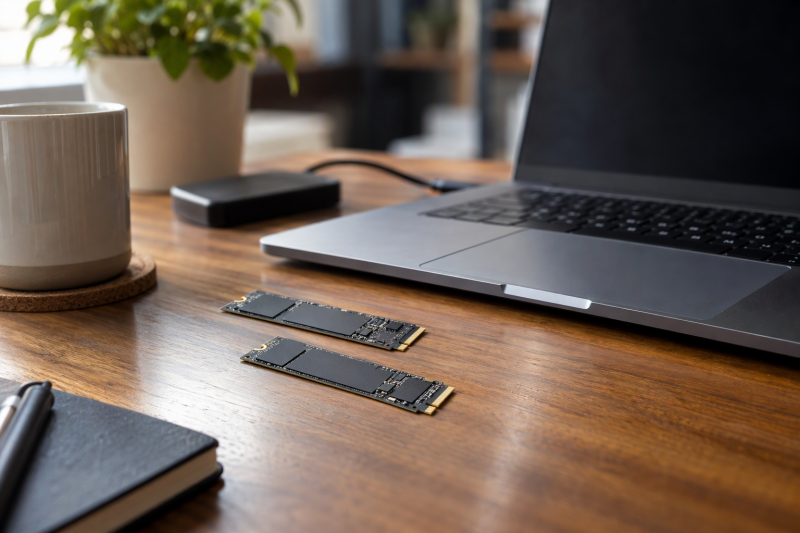
A 500GB or 512GB M.2 NVMe drive can replace a compatible internal drive or serve as a second drive. SanDisk‘s data sheet describes the M.2 2280 format as an easy upgrade for compatible laptops or a secondary drive in a desktop. The slot must support M.2 2280 NVMe, not just offer an M.2 connector. The five drives below split into two on PCIe Gen 4 and three on Gen 3. Each speed below is the maker’s or the Amazon listing’s figure for the capacity named, not the faster figure of a larger size in the same product line.
| Image | Product | Best fit | Capacity | Interface | Read / write up to | Watch-outs | Check Price |
|---|---|---|---|---|---|---|---|
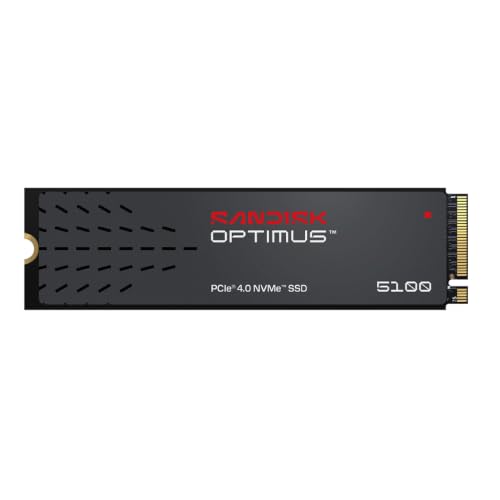 | SanDisk Optimus 5100 500GB | Highest stated speeds | 500GB | PCIe 4.0 x4, M.2 2280 | 6,600 / 5,600 MB/s | 7,100 MB/s headline speed belongs to 1TB and 2TB | Check Price on Amazon |
 | PNY CS2241 500GB | 4,700 MB/s Gen 4 reads | 500GB | PCIe Gen 4 x4, M.2 2280 | 4,700 / 1,700 MB/s | 500GB write speed is 1,700 MB/s | Check Price on Amazon |
 | Netac NV3000 500GB | Fastest Gen 3 speeds | 500GB | PCIe Gen 3 x4, M.2 2280 | 3,100 / 2,100 MB/s | Speeds can drop during sustained writes | Check Price on Amazon |
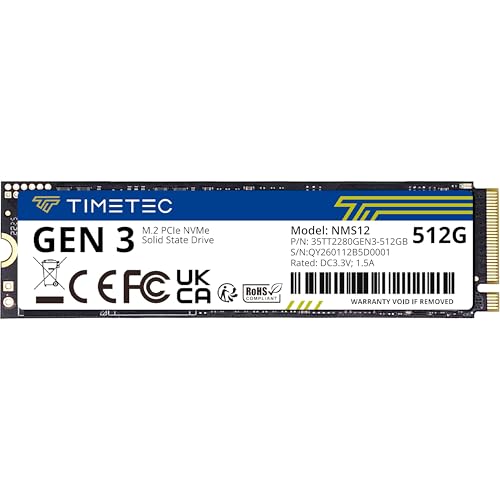 | Timetec 512GB NVMe Gen 3 | Mid-speed Gen 3 at 512GB | 512GB | PCIe Gen 3 x4, M.2 2280 | 2,000 / 1,600 MB/s | Listing says screws and brackets are not included | Check Price on Amazon |
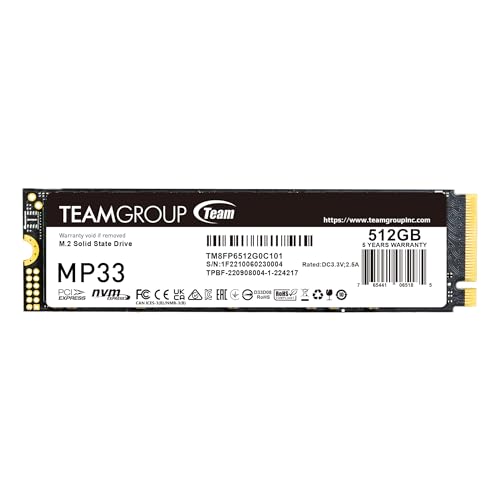 | TEAMGROUP MP33 512GB | Lower-speed Gen 3 at 512GB | 512GB | PCIe Gen 3 x4, M.2 2280 | 1,700 / 1,400 MB/s | Lowest stated speeds of the five | Check Price on Amazon |
1. SanDisk Optimus 5100 500GB — Best for the Highest Stated Speeds
SanDisk’s data sheet lists the 500GB Optimus 5100 as model SDSP51500GAN, an M.2 2280 NVMe drive on PCIe 4.0 x4. For that capacity the sheet gives up to 6,600 MB/s sequential read and 5,600 MB/s write, plus up to 660K random-read and 1.1M random-write IOPS. The Amazon listing title carries the same part number and the same two speeds.
The sheet names QLC 3D NAND, nCache 4.0 SLC caching and a Host Memory Buffer in its DRAM cache row. It rates the 500GB size at 300 TBW and gives a 5-year limited warranty or the TBW limit, whichever comes first. SanDisk also lists a free Acronis True Image for SanDisk download for moving data to a new drive, and says a separate cable or enclosure may be required. SanDisk lists its downloadable Dashboard, for monitoring and updates, as Windows only.
Limit: The 7,100 MB/s read speed in the Amazon listing and on SanDisk’s sheet belongs to the 1TB and 2TB sizes, while the 500GB size is rated at 6,600 MB/s.Our Take Start here for a Gen 4 slot, because SanDisk’s sheet gives the 500GB drive higher read and write figures than any of the other four drives in this comparison.
- SanDisk’s data sheet gives the 500GB size 6,600 MB/s read and 5,600 MB/s write, higher than any of the other four drives here.
- SanDisk lists a free Acronis True Image for SanDisk download for moving data to the new drive.
- SanDisk rates the 500GB size at 300 TBW and gives a 5-year limited warranty or the TBW limit, whichever comes first.
- SanDisk’s 7,100 MB/s headline read speed belongs to the 1TB and 2TB sizes, and this drive is rated lower.
- SanDisk lists its Dashboard software for monitoring and updates as Windows only.
2. PNY CS2241 500GB — Best for 4,700 MB/s Gen 4 Reads
PNY’s data sheet lists M280CS2241-500-RB as the 500GB CS2241, an M.2 2280 NVMe drive on PCIe Gen4 x4 with 3D flash memory. PNY’s sheet and the Amazon listing both give up to 4,700 MB/s sequential read and 1,700 MB/s write for this size.
The sheet gives higher figures for larger sizes, with 5,100/3,200 MB/s read and write at 1TB and 5,000/4,200 MB/s at 2TB and 4TB. It also lists NVMe 1.4 and RAID 0/1 support. The sheet adds S.M.A.R.T. monitoring, TRIM that requires operating-system support, and a 5-year limited warranty or TBW limit. The Amazon listing describes the CS2241 as an upgrade for an M.2 PCIe Gen4 enabled desktop or laptop.
Limit: PNY’s 500GB write figure of 1,700 MB/s is below the 5,600 MB/s write that SanDisk’s sheet gives for its 500GB drive.Our Take Compared with the SanDisk, PNY’s sheet gives the 500GB CS2241 1,900 MB/s less read and 3,900 MB/s less write.
- PNY’s sheet lists RAID 0/1 support and NVMe 1.4 for the CS2241.
- PNY’s sheet and the Amazon listing give the same 4,700 MB/s read figure for the 500GB size.
- PNY’s sheet lists a 5-year limited warranty or TBW limit for the CS2241.
- PNY’s 500GB write figure is 1,700 MB/s, against 5,600 MB/s on SanDisk’s sheet for its 500GB drive.
- PNY’s sheet raises the write figure only at larger sizes, to 3,200 MB/s at 1TB, while this size has the lower figure.
3. Netac NV3000 500GB — Best for the Fastest Gen 3 Speeds
Netac’s product page lists the NV3000 in 250GB, 500GB, 1TB and 2TB sizes. Its table gives the 500GB size up to 3,100 MB/s sequential read and 2,100 MB/s write on a PCIe Gen 3 x4 M.2 2280 interface. The Amazon listing, sold by Netac, gives the same two speeds. Netac’s page also lists 3D NAND with HMB and SLC caching, a 300 TBW rating for the 500GB size and a 5-year warranty.
The Amazon listing says transfer speeds can change during sustained writes and as free space decreases, and that usable capacity is lower than the labeled 500GB after formatting. It also says the drive needs an M.2 slot that supports PCIe NVMe at 2280 length and is not compatible with SATA-only M.2 slots. The listing does not give a model code in its title or part-number field, only the name and the 500GB Gen3x4 description.
Limit: The headline figure of up to 3,300 MB/s on Netac’s page belongs to the 2TB size, and the Amazon listing says speeds can drop during long writes.Our Take Among the Gen 3 drives here, Netac’s page gives the 500GB NV3000 the highest read and write figures, above the Timetec listing and TEAMGROUP’s page.
- Netac’s page gives 3,100 MB/s read and 2,100 MB/s write for the 500GB size, above the other two Gen 3 drives here.
- Netac’s page lists a 300 TBW rating and a 5-year warranty for the NV3000.
- The Netac listing states the NVMe and 2280 requirements and says SATA-only M.2 slots are not compatible.
- The Netac listing says speeds can change during sustained writes and as free space decreases.
- The Netac listing does not give a model code in its title or part-number field.
4. Timetec 512GB NVMe Gen 3 — Best for a Mid-Speed Gen 3 Drive at 512GB
Timetec’s Amazon listing gives 512GB in its title and size field and part number 35TTFP6PCIE-512G. It states up to 2,000 MB/s sequential read and 1,600 MB/s write on PCIe Gen3x4 in M.2 2280, with an SLC cache. The listing’s model field reads MK03-512GB-M2, a different code from the part number. Timetec’s own product page was not available to check these figures, so they rest on the Amazon listing.
The listing names NVMe 1.3, Windows 11, 10, 8.1, 8 and 7, Linux 2.6.33 or later, and backward compatibility with PCIe Gen 2 and Gen 1. Its feature list includes S.M.A.R.T., TRIM, garbage collection, wear leveling, APST and ASPM power management, ECC and LDPC.
Limit: The Timetec listing says cables, screws and brackets are not included.Our Take On speed, the Timetec drive is between Netac’s NV3000 and TEAMGROUP’s MP33. The Timetec listing gives 2,000/1,600 MB/s, against 3,100/2,100 MB/s on Netac’s page and 1,700/1,400 MB/s on TEAMGROUP’s page.
- The Timetec listing states 2,000 MB/s read and 1,600 MB/s write for the 512GB drive.
- The same Timetec listing names backward compatibility with PCIe Gen 2 and Gen 1.
- The Timetec listing’s feature list names S.M.A.R.T., TRIM, wear leveling and ECC support.
- The Timetec listing says cables, screws and brackets are not included.
- The Timetec listing gives two codes, part number 35TTFP6PCIE-512G and model MK03-512GB-M2.
5. TEAMGROUP MP33 512GB — Best for a Lower-Speed Gen 3 Drive at 512GB
TEAMGROUP’s product page lists TM8FP6512G0C101 as the 512GB MP33, a PCIe Gen3x4 NVMe 1.3 drive in M.2 2280. Its table gives up to 1,700 MB/s sequential read and 1,400 MB/s write and a 120 TBW rating for this size. The same table gives 1,800/1,500 MB/s for the 960GB, 1TB and 2TB sizes. The Amazon listing title repeats the 1,700/1,400 figures and adds TLC 3D NAND with an SLC cache.
TEAMGROUP’s table marks DRAM cache as NO for the MP33. The page lists S.M.A.R.T., garbage collection, TRIM, wear leveling and ECC. It also lists Windows 11, 10, 8.1, 8 and 7, Linux 2.6.33 or later, and a 5-year limited warranty. The page says some older Intel and AMD chipset motherboards and laptops may not support newer interface SSDs, and recommends updating the BIOS before installing the drive.
Limit: TEAMGROUP’s table gives the 512GB MP33 lower read and write figures than the 2,000/1,600 MB/s on the Timetec listing, which is the next lowest of the five drives.Our Take TEAMGROUP’s page lists the 512GB MP33 with a 120 TBW rating and no DRAM cache, and the MP33’s speeds are the lowest of the five drives here.
- TEAMGROUP’s page names TM8FP6512G0C101 and gives the MP33’s 512GB figures of 1,700/1,400 MB/s and 120 TBW.
- TEAMGROUP’s page lists S.M.A.R.T., garbage collection, TRIM, wear leveling and ECC for the MP33.
- TEAMGROUP’s page lists a 5-year limited warranty for the MP33.
- TEAMGROUP’s table marks DRAM cache as NO for the MP33.
- TEAMGROUP’s 1,700 MB/s read figure is below the 2,000 MB/s on the Timetec listing.
Buying Guide: Choosing a 500GB or 512GB NVMe SSD
Confirm the slot supports NVMe and 2280
All five drives are M.2 2280 NVMe drives. Netac‘s Amazon listing says its drive needs an M.2 slot that supports PCIe NVMe at 2280 length and is not compatible with SATA-only M.2 slots. TEAMGROUP‘s page tells buyers to make sure the device, processor and BIOS support the SSD, and TEAMGROUP‘s page defines 2280 as 22 mm wide and 80 mm long.
Check the computer or motherboard documentation for 2280 length, NVMe support and a free slot before ordering. If the new drive replaces the system drive, back up files first. Netac‘s listing advises backing up important files and says a system-drive replacement requires an operating-system installation or migration.
Match the interface generation to the host
SanDisk and PNY list PCIe Gen 4 x4, while Netac, Timetec and TEAMGROUP list Gen 3 x4. PNY‘s Amazon listing describes the CS2241 as an upgrade for an M.2 PCIe Gen4 enabled desktop or laptop. SanDisk‘s data sheet says the Optimus 5100 is backwards compatible with PCIe 3.0 x4 and several slower link types. PNY‘s sheet does not say whether the CS2241 is.
Timetec‘s listing names backward compatibility with PCIe Gen 2 and Gen 1 for its Gen 3 drive. SanDisk‘s data sheet says performance may vary with the host device, and TEAMGROUP‘s page says maximum performance may vary under AMD and Intel processors. Check the motherboard’s documented slot generation and lane count, because the 2280 label describes size, not PCIe generation.
Compare read and write separately
SanDisk‘s data sheet gives 6,600/5,600 MB/s read and write for 500GB, and PNY‘s sheet gives 4,700/1,700 MB/s. Among the Gen 3 drives, Netac‘s page gives 3,100/2,100 MB/s, the Timetec listing gives 2,000/1,600 MB/s and TEAMGROUP‘s page gives 1,700/1,400 MB/s.
Every figure is a sequential maximum that the maker or the listing gives as “up to” a number. SanDisk‘s sheet says its figures come from internal testing, and TEAMGROUP‘s page says its data is for reference only. By these figures PNY‘s write speed is 3,000 MB/s below its read speed, while the gap on each of the other four drives is 1,000 MB/s or less.
Check the capacity and model code
A product line can list different speeds at different capacities. SanDisk‘s data sheet gives 7,100 MB/s read for 1TB and 2TB and 6,900 MB/s for 4TB, against 6,600 MB/s for the 500GB SDSP51500GAN. PNY‘s sheet gives 5,100/3,200 MB/s for 1TB, against 4,700/1,700 MB/s for the 500GB M280CS2241-500-RB, and Netac‘s page gives 3,300 MB/s read for 2TB, against 3,100 MB/s for 500GB.
TEAMGROUP‘s table gives 1,800/1,500 MB/s for sizes from 960GB to 2TB and 1,700/1,400 MB/s for TM8FP6512G0C101. Netac‘s listing does not give a model code, and Timetec‘s listing gives part number 35TTFP6PCIE-512G alongside a model field of MK03-512GB-M2. Where a maker’s table names a code, match the capacity and code to that table before comparing speeds.
Plan installation and data migration
Timetec‘s listing says cables, screws and brackets are not included, so check what your computer needs to hold an M.2 drive in place. Netac‘s listing tells buyers to confirm mounting clearance and hardware requirements, and TEAMGROUP‘s page recommends updating the BIOS before installing the SSD.
SanDisk‘s data sheet lists a free Acronis True Image for SanDisk download for moving data to the new drive. SanDisk‘s footnote says the download must be redeemed within 90 days of purchase and that a separate cable or enclosure may be required. Back up important data before changing a system drive.
Frequently Asked Questions
Will these drives fit any M.2 slot?
No. All five are M.2 2280 NVMe drives, so the slot must take a module 22 mm wide and 80 mm long and support NVMe. Netac‘s listing says its drive is not compatible with SATA-only M.2 slots.
Check the laptop or motherboard documentation for length, protocol and a free slot. TEAMGROUP‘s page notes that some older Intel and AMD chipset motherboards and laptops may not support newer interface SSDs.
Is 500GB the same as 512GB?
No. SanDisk, PNY and Netac list 500GB, and Timetec and TEAMGROUP list 512GB, which is 12GB more by label. TEAMGROUP‘s page defines 1GB as 1,000,000,000 bytes and says usable capacity may be lower after formatting and system functions. Netac‘s listing and SanDisk‘s data sheet say usable capacity may be lower too.
The label does not set the interface. The 512GB TEAMGROUP MP33 is a Gen 3 drive, and the 500GB SanDisk Optimus 5100 is a Gen 4 drive. Compare the figures each maker gives for the size you plan to buy.
Can a Gen 4 SSD be used in a Gen 3 computer?
SanDisk‘s data sheet says the Optimus 5100 is backwards compatible with PCIe 3.0 x4 and several slower link types. PNY‘s sheet does not say whether the CS2241 is backwards compatible, and PNY‘s Amazon listing describes it as an upgrade for an M.2 PCIe Gen4 enabled computer.
SanDisk‘s data sheet also says performance may vary with the host device and usage conditions, so its 6,600 MB/s figure is a maximum for the 500GB size, not a promise for every computer. Check the computer maker’s documentation for the slot’s PCIe generation.
Why is the PNY write figure lower than its read figure?
PNY‘s data sheet lists up to 4,700 MB/s read and 1,700 MB/s write for the 500GB CS2241. The same sheet raises the write figure at larger sizes, to 3,200 MB/s at 1TB and 4,200 MB/s at 2TB and 4TB.
Read speed describes how fast a drive sends data out, and write speed describes how fast it takes data in. Compare both figures for the size you plan to buy, since SanDisk‘s sheet gives 5,600 MB/s write for its 500GB drive.
Do I need mounting screws or migration software?
The Timetec listing says cables, screws and brackets are not included, so check whether your computer already has the right mounting hardware. Netac‘s listing tells buyers to confirm mounting clearance and hardware requirements.
SanDisk‘s data sheet lists a free Acronis True Image for SanDisk download for moving data, and Netac‘s listing says replacing a system drive requires an operating-system installation or migration. For other storage formats, compare 2230 NVMe SSDs for handheld PCs and USB4 NVMe enclosures.
Bottom Line
Check the slot for M.2 2280 and NVMe support first, then compare the read and write figures for the capacity you are buying. By the makers’ own figures plus the Timetec listing, the SanDisk Gen 4 drive has the highest speeds at 6,600/5,600 MB/s. The PNY Gen 4 drive follows at 4,700/1,700 MB/s, and the three Gen 3 drives range from 3,100/2,100 MB/s down to 1,700/1,400 MB/s.