LG sells its UltraWide and UltraGear monitors for different jobs. The UltraWide 34U60ZB-B is a 120Hz work screen, while the UltraGear models add OLED panels on three of them, Dual Mode resolution switching on three, and a listed USB-C power figure on two. Figures for the 27G810A-B and 45GX950A-B come from LG’s product pages, and figures for the other three come from their Amazon listings.
Choose the screen size and the USB-C power figure first, then the refresh mode your computer can drive.LG UltraGear and UltraWide Monitors Compared
| Image | Product | Details | Check Price |
|---|---|---|---|
 | LG 34U60ZB-B | Best fit: Wide 120Hz work screen Panel: 34-inch 3440x1440, 120Hz Ports: DisplayPort, HDMI and headphone jack USB-C power: Not stated Response: 5ms | Check Price on Amazon |
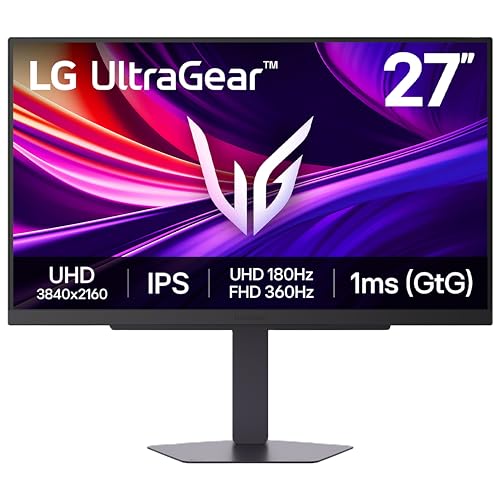 | LG 27G810A-B | Best fit: IPS Dual Mode gaming Panel: 27-inch 4K IPS, 180Hz or FHD 360Hz Ports: 2x HDMI 2.1, DisplayPort 1.4 and USB USB-C power: No USB-C listed Response: 1ms | Check Price on Amazon |
 | LG 34GX900A-B | Best fit: Curved OLED with USB-C power Panel: 34-inch 3440x1440 OLED, 240Hz, 800R Ports: HDMI 2.1, DisplayPort 1.4 and USB-C USB-C power: 65W Response: 0.03ms | Check Price on Amazon |
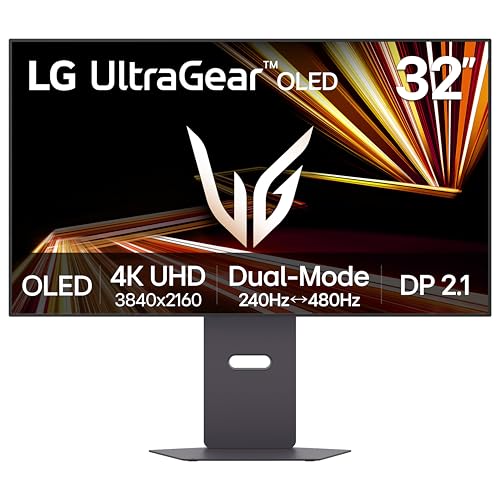 | LG 32GX870A-B | Best fit: 32-inch OLED Dual Mode Panel: 32-inch 4K OLED, 240Hz or FHD 480Hz Ports: USB-C and DisplayPort 2.1 USB-C power: Wattage not stated Response: 0.03ms | Check Price on Amazon |
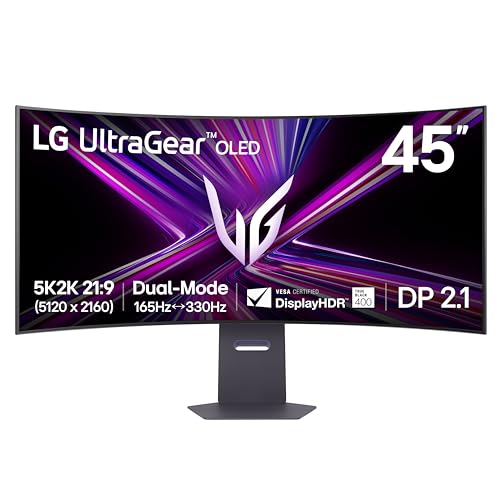 | LG 45GX950A-B | Best fit: Large 5K2K OLED workspace Panel: 45-inch 5120x2160 OLED, 165Hz or WFHD 330Hz Ports: DisplayPort 2.1, 2x HDMI 2.1 and USB-C USB-C power: 90W Response: 0.03ms | Check Price on Amazon |
1. LG 34U60ZB-B — Best UltraWide for Everyday Work
Amazon lists the 34U60ZB-B as a 34-inch 3440 by 1440 21:9 screen with a 120Hz refresh rate, a 5ms response time, HDR10, up to 99% sRGB, and an 1800R curve. Amazon also gives DisplayPort and HDMI inputs, a headphone jack, and a stand that adjusts for tilt and height.
The listing adds Reader Mode and Flicker Safe for long documents, Black Stabilizer for dark game scenes, and LG Switch, which splits the screen into up to 11 layouts. It names no USB-C port or laptop charging.
Our Take Amazon lists an 1800R curve for it, the gentlest on this page (the 34GX900A-B and 45GX950A-B are 800R), and a 5ms response, the slowest. Choose it for documents and spreadsheets on a wide desk. Choose an UltraGear OLED when you want 240Hz or USB-C power.
- Amazon lists LG’s UltraWide with a 3440 by 1440 21:9 panel, up to 99% sRGB, and HDR10 for a wide desk.
- The Amazon listing gives 120Hz refresh with both DisplayPort and HDMI inputs.
- Amazon lists LG Switch, which splits the screen into up to 11 layouts, and a stand that adjusts for tilt and height.
- Amazon’s listing names no USB-C port or USB-C power delivery for the 34U60ZB-B.
- Amazon lists a 5ms response time, slower than the 1ms LG lists for the 27G810A-B and the 0.03ms listed for the OLED models.
2. LG 27G810A-B — Best IPS Dual-Mode Gaming Monitor
LG states that the 27G810A-B is a 27-inch 4K IPS monitor with Dual Mode: 4K at 180Hz or Full HD at 360Hz. LG also lists 1ms (GtG) response, G-SYNC Compatible and FreeSync Premium, DisplayHDR 400, 95% DCI-P3, and 400 cd/m2 typical brightness. LG’s page notes that actual refresh rates vary with the computer’s graphics.
LG’s specifications list two HDMI 2.1 ports, one DisplayPort 1.4, one USB upstream port, two USB downstream ports, and a 4-pole headphone jack with DTS Headphone:X. LG lists height, tilt, swivel, and pivot adjustment for the stand. LG’s table has no USB-C entry and no USB-C power figure.
LG’s page lists 4K 180Hz or Full HD 360Hz on a 27-inch IPS panel with 1ms response.Our Take It is the only monitor on this page that LG or Amazon calls IPS. LG lists 1000:1 typical contrast for it, where Amazon lists 1.5M:1 for the OLED models. LG’s 400 cd/m2 typical brightness is higher than the 275 cd/m2 LG lists for the 45GX950A-B. Pick it for a 4K screen that can switch to a faster Full HD mode.
- LG lists 4K at 180Hz and Full HD at 360Hz in Dual Mode, with 1ms GtG response.
- LG lists two HDMI 2.1 ports, DisplayPort 1.4, and a 4-pole jack with DTS Headphone:X.
- LG lists a stand that adjusts for height, tilt, swivel, and pivot.
- LG lists 400 cd/m2 typical brightness and DisplayHDR 400.
- LG’s specifications list no USB-C port or USB-C power delivery for the 27G810A-B.
- LG lists 1000:1 typical contrast for this IPS screen, well below the 1.5M:1 listed for the OLED models.
3. LG 34GX900A-B — Best Curved OLED With USB-C Power
Amazon lists the 34GX900A-B as a 34-inch 3440 by 1440 OLED with an 800R curve, 240Hz, 0.03ms response, HDMI 2.1, DisplayPort 1.4, and USB Type-C with 65W power delivery. The listing also gives FreeSync Premium Pro, G-SYNC Compatible, True Black 400, 98.5% DCI-P3, a 1.5M:1 contrast ratio, and up to 1300 nits peak brightness.
Amazon names LG Switch with up to six screen sections and UL-verified flicker-free, glare-free, and low-blue-light hardware. It also lists OLED care tools such as pixel cleaning. The listing does not say how the stand adjusts.
Our Take It is the only 34-inch OLED on this page and the only 34-inch screen with a listed USB-C power figure. Its 800R curve is much tighter than the 1800R on the 34U60ZB-B. A laptop that needs more than 65W will need the 90W that LG lists for the 45GX950A-B, or its own charger.
- Amazon lists a 34-inch 3440 by 1440 OLED at 240Hz with 0.03ms response.
- Amazon lists USB Type-C with 65W power delivery, HDMI 2.1, and DisplayPort 1.4.
- Amazon lists DisplayHDR True Black 400, 1.5M:1 contrast, and up to 98.5% DCI-P3.
- Amazon lists LG Switch with up to six screen sections.
- Amazon lists 65W of USB-C power, below the 90W LG lists for the 45GX950A-B.
- Amazon’s listing does not say how the 34GX900A-B stand adjusts.
4. LG 32GX870A-B — Best 32-Inch OLED Dual-Mode Gaming
Amazon lists the 32GX870A-B as a 32-inch 4K OLED with Dual Mode: 4K at 240Hz or Full HD at 480Hz, with 0.03ms response, G-SYNC Compatible, and FreeSync Premium Pro. The listing also gives True Black 400, a 1.5M:1 contrast ratio, and 275 nits typical brightness peaking at 1300 nits.
The title names USB Type-C and DisplayPort 2.1. The feature text lists built-in speakers, a 4-pole headphone jack with DTS Headphone:X, an anti-glare screen, the built-in webOS streaming platform, and height, tilt, swivel, and pivot adjustment.
Amazon lists 4K at 240Hz or Full HD at 480Hz on a 32-inch OLED, with DisplayPort 2.1 and USB Type-C named.Our Take Amazon lists the highest refresh mode on this page here, 480Hz in Full HD, on a 4K OLED that is smaller than the 45-inch model. The listing gives no USB-C wattage and no HDMI input, while LG lists 90W and two HDMI 2.1 ports for the 45GX950A-B.
- Amazon lists 4K at 240Hz or Full HD at 480Hz in Dual Mode, with 0.03ms response.
- Amazon lists 275 nits typical and 1300 nits peak brightness, True Black 400, and 1.5M:1 contrast.
- Amazon lists built-in speakers, a 4-pole jack with DTS Headphone:X, and height, tilt, swivel, and pivot adjustment.
- Amazon’s title and features name USB-C and DisplayPort 2.1 but give no USB-C power wattage.
- Amazon’s listing names no HDMI input, unlike the other four monitors on this page.
5. LG 45GX950A-B — Best Large 5K2K OLED Workspace
LG describes the 45GX950A-B as a 45-inch 5K2K (5120 by 2160) curved OLED with Dual Mode at 165Hz in 5K2K or 330Hz in Wide Full HD. LG lists 0.03ms response, 125 PPI, an 800R curve, 98.5% DCI-P3, DisplayHDR True Black 400, 1.5M:1 contrast, and 275 cd/m2 typical brightness with 1300 cd/m2 at peak.
LG’s page states DisplayPort 2.1, two HDMI 2.1 ports, and USB Type-C with 90W power delivery, and its accessory list includes DisplayPort, HDMI, and USB Type-C cables. LG lists height, tilt, and swivel adjustment for the stand, with no pivot. LG notes that NVIDIA GPU users should install the latest display driver before connecting a DisplayPort 2.1 monitor.
Our Take It is the largest screen here and has the highest USB-C power figure on this page, 90W per LG. Choose it when the monitor is the main workspace and the laptop charges through it. A laptop that needs more than 90W needs its own charger.
- LG lists a 5120 by 2160 21:9 OLED at 125 PPI.
- LG lists 165Hz in 5K2K or 330Hz in Wide Full HD, with 0.03ms response.
- LG lists DisplayPort 2.1, two HDMI 2.1 ports, and USB Type-C with 90W power delivery.
- LG’s accessory list includes DisplayPort, HDMI, and USB Type-C cables.
- LG lists height, tilt, and swivel adjustment but no pivot.
- Amazon’s item dimensions list 39 inches wide and 30.9 pounds.
Buying Guide: Choosing an LG UltraGear or UltraWide Monitor
Start with canvas shape
Amazon lists the 34U60ZB-B and 34GX900A-B at 3440 by 1440 on 34-inch screens, so they share a canvas but not a job. The first is a 120Hz work screen and the second a 240Hz OLED. LG lists the 45GX950A-B at 5120 by 2160 on 45 inches, the highest pixel count on this page.
LG lists the 27G810A-B at 3840 by 2160, and Amazon lists the 32GX870A-B as 4K. Measure the usable desk width before choosing, and see our USB-C monitor guide for other laptop-friendly displays.
Read Dual Mode as two settings
LG lists Dual Mode for the 27G810A-B (4K 180Hz or Full HD 360Hz) and the 45GX950A-B (5K2K 165Hz or Wide Full HD 330Hz), and Amazon lists it for the 32GX870A-B (4K 240Hz or Full HD 480Hz).
The 34GX900A-B and 34U60ZB-B each list one resolution, with Amazon giving 240Hz for the first and 120Hz for the second. LG’s pages note that actual refresh rates vary with the computer’s graphics, so check the graphics card and cable against the mode you want.
Match USB-C power to the laptop
Amazon lists USB Type-C with 65W power delivery for the 34GX900A-B, and LG lists 90W for the 45GX950A-B. Compare the figure with the wattage on the laptop’s own charger.
Amazon’s 32GX870A-B title names USB-C with no wattage, and the 34U60ZB-B listing names no USB-C port. LG’s 27G810A-B table has no USB-C entry. Plan on the laptop’s own charger for those three unless the maker states otherwise.
Choose OLED or IPS by the figures
LG lists the 27G810A-B as IPS with 1000:1 typical contrast and DisplayHDR 400. Amazon lists the 34GX900A-B and 32GX870A-B as OLED with 1.5M:1 contrast and True Black 400, and LG lists the same for the 45GX950A-B. The 34U60ZB-B listing names no panel type.
LG lists 1ms GtG for the IPS model, Amazon lists 5ms for the 34U60ZB-B, and the three OLED models list 0.03ms. LG lists 400 cd/m2 typical brightness for the 27G810A-B and 275 cd/m2 for the 45GX950A-B.
Check the stand and curve before buying
Amazon lists height, tilt, swivel, and pivot for the 32GX870A-B, and LG lists the same for the 27G810A-B. LG lists height, tilt, and swivel for the 45GX950A-B with no pivot, and Amazon lists tilt and height for the 34U60ZB-B but nothing for the 34GX900A-B.
Amazon lists 1800R for the 34U60ZB-B and 800R for the 34GX900A-B, and LG lists 800R for the 45GX950A-B. A lower R number is a tighter curve. Amazon’s item dimensions give the 45GX950A-B about 39 inches wide against about 32 inches for the 34U60ZB-B, so measure the desk first.
FAQ
Which pick supplies laptop power?
Amazon lists USB-C power delivery of 65W for the 34GX900A-B, and LG lists 90W for the 45GX950A-B. Neither source gives a power figure for the other three models.
Amazon’s 32GX870A-B title names USB Type-C without a wattage. Check the laptop’s charger rating and the monitor’s cable requirements before relying on one cable.
Is 5K2K better than 4K?
LG lists the 45GX950A-B at 5120 by 2160 on a 21:9 screen, while LG lists the 27G810A-B at 3840 by 2160 and Amazon lists the 32GX870A-B as 4K. The 5K2K screen is wider, which gives more room for side-by-side windows.
The two 4K models list Full HD modes at 360Hz and 480Hz, while the 5K2K model’s fast mode is Wide Full HD at 330Hz per LG. The better choice depends on whether you want more screen width or a faster mode.
Which model lists the highest refresh rate?
Amazon lists the 32GX870A-B at Full HD 480Hz, the highest on this page. LG lists 360Hz in Full HD for the 27G810A-B and 330Hz in Wide Full HD for the 45GX950A-B.
The fast modes use fewer pixels in exchange for a higher refresh rate. At full resolution, Amazon lists 4K at 240Hz for the 32GX870A-B, and LG lists 4K at 180Hz for the 27G810A-B and 5K2K at 165Hz for the 45GX950A-B. Confirm the computer can drive the mode you want.
Is an UltraWide monitor the same as a gaming monitor?
No. Amazon lists the 34U60ZB-B as an UltraWide with 120Hz and a 5ms response time, while it lists the UltraGear OLED models at 0.03ms and LG lists the UltraGear 27G810A-B at 1ms.
The two families overlap in pixel count. Amazon titles the 34GX900A-B an UltraGear gaming monitor at 3440 by 1440, the same pixel count as the 34U60ZB-B.
What should a MacBook buyer check first?
Start with the monitor’s USB-C power figure. Amazon lists 65W for the 34GX900A-B and LG lists 90W for the 45GX950A-B. Compare it with the wattage of the charger that came with the MacBook.
Then check the video input and cable. Our MacBook Pro monitor guide covers the display decision from the laptop side.
Bottom Line
LG 34U60ZB-B is the wide work screen, with 3440 by 1440 at 120Hz, DisplayPort, and HDMI per Amazon. LG 27G810A-B is the IPS option, with 4K 180Hz or Full HD 360Hz per LG. LG 45GX950A-B is the large 5K2K OLED, with 90W USB-C power per LG.