ASUS sells monitors for different jobs under one name. ASUS lists the ZenScreen MB169CK and MB16AHVE as 15.6-inch portable screens, and it lists the ProArt PA279CRV, ROG Strix XG27ACS and VA27ECPSN as 27-inch desk monitors. Each product below is described from its ASUS page, with Amazon’s listing named wherever it supplies a figure. Check that the laptop’s USB-C port carries DisplayPort video before expecting one cable to carry both video and power.
| Image | Product | Details | Check Price |
|---|---|---|---|
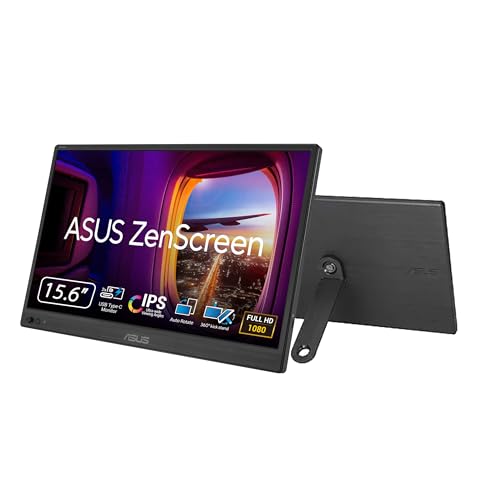 | ASUS ZenScreen MB169CK | Best fit: Portable second screen Panel: 15.6-inch Full HD IPS Connection: Dual USB-C and mini-HDMI Laptop power: No wattage listed Check first: USB-C DisplayPort Alt Mode for one cable | Check Price on Amazon |
 | ASUS ROG Strix XG27ACS | Best fit: Fast QHD laptop gaming desk Panel: 27-inch 2560 x 1440 Fast IPS, 180Hz Connection: USB-C, HDMI 2.0 and DisplayPort 1.4 Laptop power: Power delivery named, no wattage listed Check first: Laptop charging through the monitor | Check Price on Amazon |
 | ASUS ProArt PA279CRV | Best fit: Color-focused one-cable desk Panel: 27-inch 4K IPS, 99% DCI-P3 Connection: USB-C, HDMI, DisplayPort and USB hub Laptop power: 96W USB-C Power Delivery Check first: Laptop charger wattage against 96W | Check Price on Amazon |
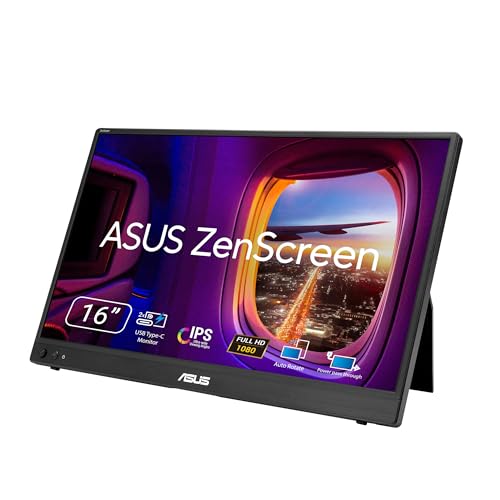 | ASUS ZenScreen MB16AHVE | Best fit: Portable screen that passes charging through Panel: 15.6-inch Full HD IPS, 60Hz max Connection: Dual USB-C and mini-HDMI Laptop power: Up to 65W pass-through Check first: PD adapter of 30W or more for pass-through | Check Price on Amazon |
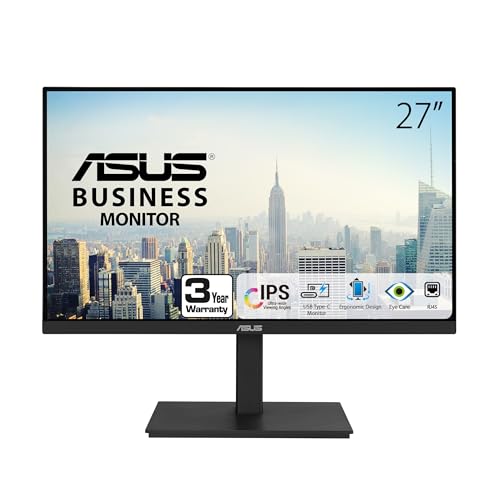 | ASUS VA27ECPSN | Best fit: Laptop docking desk Panel: 27-inch 1920 x 1080 IPS, 75Hz Connection: USB-C, RJ45, HDMI, DisplayPort and USB hub Laptop power: 65W USB-C Power Delivery Check first: Laptop charger wattage against 65W | Check Price on Amazon |
1. ASUS ZenScreen MB169CK — Best for a portable second screen
ASUS describes the ZenScreen MB169CK as a 15.6-inch viewable Full HD IPS portable monitor with an anti-glare surface, dual USB-C ports and a mini-HDMI port. According to ASUS, one USB-C cable extends or duplicates a laptop screen when the laptop’s USB-C port supports DisplayPort Alt Mode. ASUS adds that a laptop without that support can send video over HDMI while USB-C supplies DC input.
ASUS presents the MB169CK as a screen for life on the road, and its page lists no Ethernet port or USB hub.Amazon’s listing adds a 0.78 kg weight, an 11.8 mm profile, a 360-degree kickstand, a tripod socket and automatic portrait or horizontal rotation through DisplayWidget. ASUS notes that a tripod is not included, and neither ASUS nor Amazon gives a USB-C wattage. Amazon’s size field says 16 inch while its title and bullets say 15.6 inch, and ASUS’s page calls the model 16 inch with a 15.6-inch viewable area.
Our Take The MB169CK is a second screen for a laptop that travels. A permanent desk that needs wired networking, USB ports or charging through the monitor calls for a different model.
- ASUS says a laptop without DisplayPort Alt Mode on its USB-C port can send video over mini-HDMI while USB-C supplies power.
- Amazon lists the MB169CK at 0.78 kg and 11.8 mm thick.
- Amazon lists a 360-degree kickstand and a tripod socket as two ways to place the screen, and ASUS notes that a tripod is not included.
- ASUS says single-cable video needs a laptop USB-C port that supports DisplayPort Alt Mode.
- ASUS lists no Ethernet port or USB hub, and neither ASUS nor Amazon gives a USB-C wattage.
2. ASUS ROG Strix XG27ACS — Best for a fast QHD laptop gaming desk
ASUS lists the ROG Strix XG27ACS as a 27-inch 2560 x 1440 Fast IPS gaming monitor with a 180Hz refresh rate and a 1ms (GTG) response time. Its page also names Display HDR400 support, ELMB Sync and G-SYNC compatibility, features aimed at a laptop desk that runs games.
The XG27ACS is the only monitor here that ASUS lists at 180Hz.ASUS says the Type-C port supports DP Alt mode for video out and power delivery and acts as a USB hub, next to DisplayPort 1.4 and HDMI 2.0 ports. The page gives no power delivery wattage, and it adds that the laptop’s USB-C port must support DP Alt mode. ASUS also describes a phone holder on the stand that charges a phone through the Type-C port.
Our Take Buy the XG27ACS for a laptop that also plays games at 1440p and 180Hz. A desk that depends on charging the laptop through the monitor calls for a model with a stated wattage, such as the ProArt or the VA27ECPSN.
- ASUS lists 2560 x 1440 at 180Hz with a 1ms (GTG) response time.
- ELMB Sync and G-SYNC compatibility are on ASUS’s feature list for the panel.
- ASUS says the Type-C port takes DisplayPort video and acts as a USB hub.
- ASUS lists HDMI 2.0 and DisplayPort 1.4 beside the Type-C port.
- ASUS names power delivery on the Type-C port but gives no wattage for it.
- Amazon lists the XG27ACS at 14.6 pounds, a weight for a desk and not for travel.
3. ASUS ProArt PA279CRV — Best for a colour-focused one-cable desk
ASUS lists the ProArt PA279CRV as a 27-inch 4K (3840 x 2160) IPS display with 99% DCI-P3 and 99% Adobe RGB coverage. ASUS also lists factory pre-calibration to Delta E below 2 and Calman Verification, and it designs the monitor for professional video editors.
ASUS says the USB-C port carries data, DisplayPort video and 96W power delivery to charge a laptop over one cable. Beside the USB-C port, ASUS lists HDMI, DisplayPort with daisy-chain support, a USB Type-A port and a downstream USB-C port. ASUS asks buyers to check the power requirements of their device against the monitor’s USB power output, and it lists tilt, swivel, pivot and height adjustment on the stand.
Our Take The PA279CRV is the desk monitor for a laptop used in color-managed editing, since ASUS lists picture, data and charging on one cable. At 27 inches, it belongs on a desk.
- ASUS lists 99% DCI-P3 and 99% Adobe RGB coverage, against 97% DCI-P3 on ASUS’s XG27ACS page.
- ASUS says the USB-C port carries data, DisplayPort video and 96W of power to charge a laptop over one cable.
- ASUS lists factory pre-calibration to Delta E below 2 and Calman Verification.
- ASUS lists DisplayPort daisy-chain, HDMI, a USB Type-A port and a downstream USB-C port for the PA279CRV.
- Neither ASUS’s page nor Amazon’s listing states a refresh rate for the PA279CRV, while ASUS lists 180Hz for the XG27ACS.
- Amazon lists the PA279CRV at 18.25 pounds, heavier than the XG27ACS at 14.6 pounds and the VA27ECPSN at 14.28 pounds.
4. ASUS ZenScreen MB16AHVE — Best for passing power through a portable screen
ASUS describes the ZenScreen MB16AHVE as a 15.6-inch viewable Full HD (1920 x 1080) anti-glare IPS portable monitor with two USB-C ports that support DP Alt Mode and a mini-HDMI port. Its spec sheet lists a 60Hz maximum refresh rate and a power pass-through of up to 65W.
ASUS says the monitor can be powered by a laptop, or deliver power to a laptop through pass-through charging when it is plugged into a USB-C power bank or AC adapter. For a laptop whose USB-C port lacks DP Alt Mode, ASUS describes HDMI for video and USB-C as DC input. ASUS lists a 0.9 kg weight, a 1.05 cm profile, a quarter-inch tripod socket and a Kensington lock slot. ASUS also lists a USB-C cable, a power adapter and a mini-HDMI to HDMI cable among accessories that vary by region. Amazon’s title says 15.6-inch while its display bullet and size field say 16 inch, and ASUS names a 16-inch model with a 15.6-inch viewable area.
Our Take The MB16AHVE suits a laptop with one free USB-C port that also needs charging at a cafe table, since ASUS lists up to 65W of pass-through. ASUS lists no Ethernet port or USB hub, and its pass-through figure stops at 65W.
- ASUS lists a power pass-through of up to 65W, and says the monitor can also be powered by the laptop.
- Two USB-C ports with DP Alt Mode and a mini-HDMI port are on ASUS’s spec sheet.
- ASUS lists a Kensington lock slot and a quarter-inch tripod socket.
- ASUS says the pass-through needs a PD adapter of at least 30W, and above 80W for the maximum 65W.
- ASUS lists a 60Hz maximum and no Ethernet port or USB hub.
5. ASUS VA27ECPSN — Best for a laptop docking desk
ASUS calls the VA27ECPSN a docking monitor with a 27-inch 1920 x 1080 IPS panel, up to 75Hz refresh and Adaptive-Sync. ASUS says one USB-C cable carries data, DisplayPort video and 65W power delivery between the laptop and the monitor, and that the monitor has an RJ45 Ethernet port.
ASUS also lists HDMI, DisplayPort, three USB-A downstream ports, a headphone pass-through, built-in stereo speakers and tilt, swivel, pivot and height adjustment. Amazon’s title adds VESA wall mounting, and its bullets list USB 3.2 for the hub ports and the USB-C, DisplayPort and HDMI cables in the box.
Our Take For a laptop that docks to the same monitor every day, ASUS lists data, video and 65W charging over the VA27ECPSN’s USB-C cable at Full HD, with a separate RJ45 port for the network. The ProArt is the step up for 4K and color coverage, and ASUS lists no RJ45 port for it.
- ASUS pairs a single USB-C cable with 65W power delivery and an RJ45 Ethernet port.
- Three USB-A downstream ports, HDMI and DisplayPort sit beside the USB-C port, according to ASUS.
- Amazon lists USB-C, DisplayPort and HDMI cables in the box.
- ASUS’s page lists built-in stereo speakers and a headphone pass-through.
- At 1920 x 1080, the 27-inch panel has fewer pixels than the 3840 x 2160 ASUS lists for the ProArt.
- ASUS lists 65W of USB-C power, 31W less than the 96W it lists for the ProArt.
Buying Guide
Decide whether the monitor travels or stays at a desk
ASUS lists the ZenScreen MB169CK and MB16AHVE as 15.6-inch Full HD IPS portable monitors. Amazon lists the MB169CK at 0.78 kg and 11.8 mm, and ASUS lists the MB16AHVE at 0.9 kg and 1.05 cm. Neither lists Ethernet or a USB hub, so the choice between the two comes down to whether the laptop needs charging through the screen.
The ProArt PA279CRV, ROG XG27ACS and VA27ECPSN are 27-inch desk monitors in ASUS’s listings. Choose a desk monitor for a laptop with a regular workspace and a ZenScreen for a second screen that travels in the bag. The portable USB-C monitor guide covers the wider portable category.
Check USB-C video mode before relying on one cable
ASUS says the MB169CK carries video and power over one USB-C cable only when the laptop’s USB-C port supports DisplayPort Alt Mode. For a laptop without it, ASUS describes HDMI for video and USB-C for DC input. A USB-C port on the laptop does not establish video output.
ASUS lists DisplayPort video over USB-C for the ProArt, the ROG and the VA27ECPSN, and its MB16AHVE spec sheet lists DP Alt Mode on both USB-C ports. ASUS notes that some USB-C ports only handle data or charging, so read the laptop’s specifications for video output on the exact port.
Match laptop charging to the power figure ASUS states
ASUS lists 96W power delivery for the PA279CRV and 65W for the VA27ECPSN, and for the PA279CRV it asks buyers to check a device’s power requirements against the monitor’s USB power output. Compare the laptop charger’s wattage with those two figures before choosing.
ASUS lists up to 65W of power pass-through for the MB16AHVE and asks for a PD adapter above 80W to reach it. ASUS names power delivery on the XG27ACS Type-C port without a wattage, and neither ASUS nor Amazon gives a wattage for the MB169CK USB-C connection. Treat a USB-C connector as carrying an unknown charging level until the maker gives a number.
Put resolution and refresh rate in the right job
ASUS lists 3840 x 2160 with 99% DCI-P3 and 99% Adobe RGB coverage for the PA279CRV, 1920 x 1080 at up to 75Hz for the VA27ECPSN and 2560 x 1440 at 180Hz for the XG27ACS. Each fits a different job: color-managed editing, wired office docking and fast games.
Start from the work the monitor will do, then pick the resolution and refresh rate for it. ASUS gives both ZenScreen models Full HD panels, with a 60Hz maximum on the MB16AHVE spec sheet. The USB-C monitor guide compares cross-brand options.
Count the ports around the laptop, not just the monitor input
ASUS lists RJ45, three USB-A downstream ports, HDMI and DisplayPort on the VA27ECPSN, the one monitor here with Ethernet. ASUS lists HDMI, DisplayPort with daisy-chain support, a USB Type-A port and a downstream USB-C port on the PA279CRV.
ASUS lists the ZenScreen models as second screens with no Ethernet or USB hub ports. List the laptop’s free ports and the Ethernet and USB devices in use, then compare that list with each monitor’s ports.
Separate gaming extras from workstation extras
ASUS lists 180Hz, 1ms (GTG), ELMB Sync and G-SYNC compatibility for the XG27ACS. Its Type-C port takes DisplayPort video and acts as a USB hub, according to ASUS, and the page gives no charging wattage and no Ethernet port.
ASUS’s PA279CRV color coverage and 96W delivery, and the VA27ECPSN’s RJ45 and 65W delivery, are workstation extras. Each monitor suits its own category and fits the other category less well.
FAQ
Which ASUS monitor is best for one USB-C cable to a laptop?
ASUS lists DisplayPort video, data and 96W power delivery over one USB-C cable for the ProArt PA279CRV, plus a USB hub and downstream ports. It is the strongest one-cable desk choice here.
ASUS lists 65W power delivery and RJ45 for the VA27ECPSN. Choose it when wired networking and Full HD work outrank the ProArt’s 4K panel and color coverage.
Can a ZenScreen work with a laptop that lacks USB-C video output?
ASUS says the MB169CK can take video over HDMI while USB-C supplies DC input, for a laptop whose USB-C port lacks DisplayPort Alt Mode. Checking the laptop’s port specification comes first.
ASUS gives the MB16AHVE the same fallback, HDMI for video and USB-C as DC input, and lists a mini-HDMI to HDMI cable among accessories that vary by region. Check how the laptop can send HDMI video before buying either ZenScreen.
Is the ROG XG27ACS a laptop-charging monitor?
ASUS says the XG27ACS Type-C port supports DP Alt mode for video out and power delivery, and that it acts as a USB hub. ASUS gives no wattage, so a laptop’s charging need cannot be matched to the monitor from ASUS’s page.
The PA279CRV at 96W and the VA27ECPSN at 65W are the two desk monitors with an ASUS charging figure. Compare those two when laptop charging through the monitor is part of the decision.
What separates the ProArt PA279CRV from the VA27ECPSN?
ASUS lists a 27-inch 4K panel, 99% DCI-P3, 99% Adobe RGB and 96W power delivery for the ProArt. ASUS lists a 27-inch Full HD panel, RJ45, three USB-A downstream ports and 65W power delivery for the VA27ECPSN.
Choose the ProArt for color-focused 4K work and the VA27ECPSN for wired office docking. Neither suits every laptop desk.
Do the 16-inch fields mean the ZenScreen panels are not 15.6 inches?
No. The Amazon titles for the MB169CK and MB16AHVE say 15.6-inch, while the structured size fields say 16 inch. ASUS’s pages for both models name a 16-inch model with a 15.6-inch viewable area.
Measure a bag, sleeve or desk against the 15.6-inch viewable size, and against the outer size if the fit is tight. ASUS lists 35.79 x 22.48 x 1.05 cm for the MB16AHVE.
Bottom Line
Take the ProArt PA279CRV if you want the ASUS desk monitor with 4K resolution, wide-gamut coverage and 96W USB-C power delivery, all as ASUS lists them. The VA27ECPSN is the choice for docking a laptop, with RJ45, USB hub ports and 65W delivery per ASUS. Choose the ROG XG27ACS for a QHD 180Hz gaming desk. Choose the ZenScreen MB169CK for a portable USB-C or mini-HDMI screen, and the ZenScreen MB16AHVE for a portable screen that ASUS lists with up to 65W of power pass-through.