Budget laptops differ most in three facts: how much memory the machine has, how much storage it has, and which operating system runs on it. Each of the five laptops below states its memory and storage in the Amazon title or bullets. Four also have a maker page from HP, Acer or ASUS to compare against those figures. The Vivobook 17 rests on its Amazon listing alone.
Four are Windows laptops that the Amazon titles list with 8GB of memory and 128GB, 256GB or 512GB of storage. The fifth is a ChromeOS laptop with 4GB of memory and 64GB of eMMC storage, according to ASUS’s page and the Amazon title. A small memory or storage amount can suit browser and cloud work, and it can limit a buyer who keeps large local files, so read the numbers before you read the screen size.
Budget Laptop Comparison
| Image | Product | Details | Check Price |
|---|---|---|---|
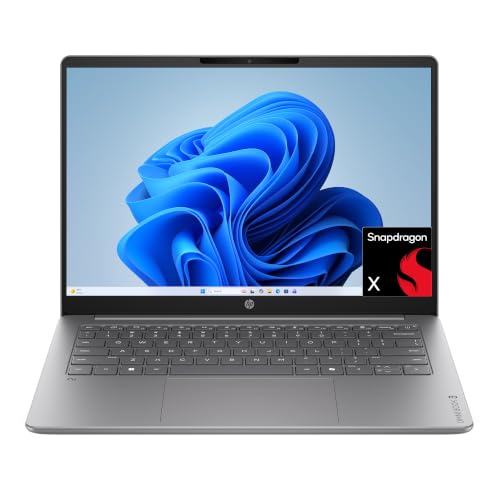 | HP OmniBook 3 14 (hz0188nr) | Best fit: OLED screen with 256GB Memory: 8GB LPDDR5x Storage: 256GB NVMe SSD Display: 14-inch 1920 by 1200 OLED Ports: No port list on HP's page or the Amazon bullets | Check Price on Amazon |
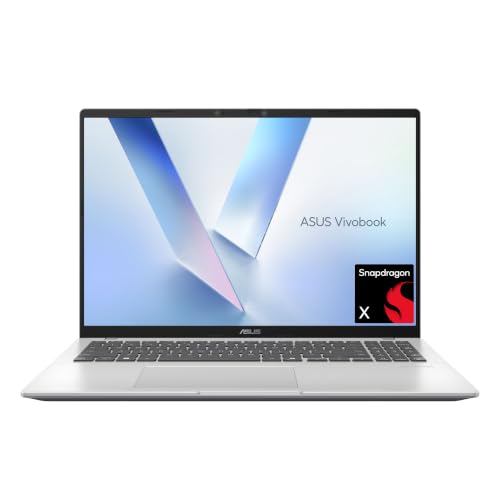 | ASUS Vivobook 16 (X1607QA-PB54) | Best fit: 512GB and USB4 ports Memory: 8GB per the Amazon title Storage: 512GB SSD Display: 16-inch 1920 by 1200 Ports: 2 USB4, 2 USB-A, HDMI 2.1 | Check Price on Amazon |
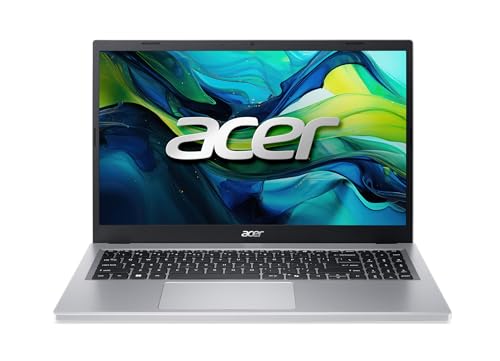 | Acer Aspire Go 15 (AG15-21P-R42Z) | Best fit: Plain 15.6-inch laptop, full port list Memory: 8GB Storage: 128GB NVMe SSD Display: 15.6-inch 1920 by 1080 IPS Ports: 2 USB-C 10Gbps, USB-A, USB 2.0, HDMI 2.1 | Check Price on Amazon |
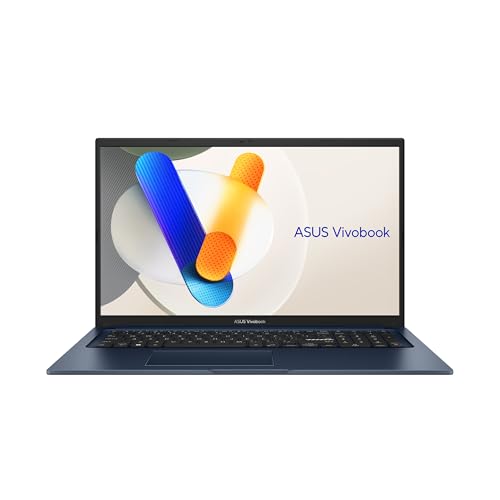 | ASUS Vivobook 17 (F1704VA-AS34) | Best fit: 17.3-inch screen and 512GB Memory: 8GB Storage: 512GB SSD Display: 17.3-inch Full HD Ports: USB-A, USB-C and HDMI, counts not listed | Check Price on Amazon |
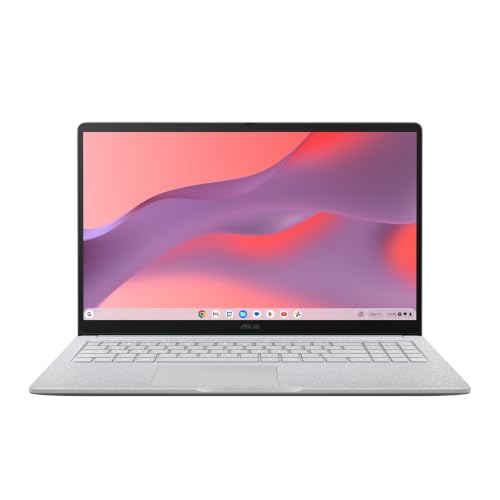 | ASUS Chromebook CM15 (CM1505CM4A-AS44) | Best fit: ChromeOS browser and cloud work Memory: 4GB LPDDR5X Storage: 64GB eMMC Display: 15.6-inch 1920 by 1080 Ports: 2 USB-C, USB-A, HDMI 1.4 | Check Price on Amazon |
1. HP OmniBook 3 14 (hz0188nr) — Best for an OLED Screen With 256GB of Storage
HP’s product page for the 14-hz0188nr lists 8GB of LPDDR5x memory on board and a 256GB PCIe NVMe M.2 SSD, and the Amazon title gives the same two figures. HP links the 16GB version to model number hz0288nr and the 512GB version to hz0388nr, so the 8GB and 256GB belong to this model number.
The screen is the reason to look at this laptop. The Amazon bullets describe a 14-inch OLED at 1920 by 1200 with up to 300 nits of brightness, and HP’s page describes the 14-inch display as 16:10. The processor is a Snapdragon X X1-26-100. The Amazon listing quotes up to 41 hours and 45 minutes of battery life and a 0 to 50 percent charge in about 45 minutes with HP Fast Charge. Neither HP’s page nor the Amazon bullets give a port list, so check the ports on HP’s site if you need a specific connector.
Fixed configuration: HP’s page lists the 8GB as onboard memory and does not describe an upgrade. Our Take Pick the OmniBook 3 14 for a small laptop with an OLED screen when 256GB of storage covers the files you keep on the machine.- HP’s page ties 8GB of onboard LPDDR5x memory and a 256GB NVMe SSD to the hz0188nr model number, and the Amazon title gives the same two figures.
- The Amazon bullets describe a 14-inch OLED panel at 1920 by 1200 with up to 300 nits of brightness.
- Battery life of up to 41 hours and 45 minutes is the Amazon listing’s quote for the OmniBook 3 14.
- Neither HP’s page nor the Amazon bullets for the OmniBook 3 14 give a port list, so connector needs have to be checked on HP’s site.
- HP’s page gives the OmniBook 3 14 a 256GB SSD, half the 512GB that the Amazon listings for the Vivobook 16 and Vivobook 17 state.
2. ASUS Vivobook 16 (X1607QA-PB54) — Best for 512GB of Storage and USB4 Ports
The Amazon title and bullets name 8GB of RAM and a 512GB SSD for the X1607QA-PB54, with a Snapdragon X X1 26 100 processor. ASUS’s specification page for the X1607QA lists 512GB and 1TB SSD options and gives the memory as 16GB LPDDR5X on board, with no 8GB option. The 512GB figure therefore has a maker page behind it, while the 8GB figure rests on the Amazon listing alone and needs a check on the order page.
ASUS lists two USB4 Gen 3 Type-C ports that support display and power delivery at up to 40Gbps, two USB 3.2 Gen 1 Type-A ports, HDMI 2.1 TMDS and a 3.5mm combo audio jack. The Amazon bullets repeat that port list. The screen is a 16-inch panel at 60Hz that ASUS lists as non-touch, and the Amazon bullets give 1920 by 1200, 300 nits and an anti-glare coating. ASUS does not call the USB4 ports Thunderbolt.
Memory to confirm: ASUS’s page lists 16GB for the X1607QA, while the Amazon title for the PB54 says 8GB. Our Take Choose the Vivobook 16 when USB4 ports and 512GB of storage come first and you will confirm the memory amount before you order.- ASUS lists two USB4 Gen 3 Type-C ports that support display and power delivery, and does not call them Thunderbolt.
- ASUS’s page lists a 512GB M.2 NVMe SSD option for the X1607QA, which gives the 512GB in the Amazon title a maker page behind it.
- Beside the USB4 ports, ASUS lists HDMI 2.1 TMDS and two USB 3.2 Gen 1 Type-A ports.
- ASUS’s page lists 16GB of memory for the X1607QA while the Amazon title says 8GB, so the memory amount needs a check on the order page.
3. Acer Aspire Go 15 (AG15-21P-R42Z) — Best for a 15.6-Inch Windows Laptop With a Full Port List
Acer’s product page for the AG15-21P-R42Z lists 8GB of standard memory, a 128GB PCIe NVMe M.2 SSD and a 15.6-inch non-touch IPS display at 1920 by 1080, with an AMD Ryzen 3 processor. The Amazon title agrees on 8GB and 128GB but calls the memory LPDDR5, where Acer’s page says LPDDR5X. Acer’s page also lists a 53Wh battery, a 65W power supply and a weight of 3.81 pounds.
The Amazon bullets carry Acer’s port text: two USB-C ports at USB 3.2 Gen 2 (up to 10Gbps) with DisplayPort over USB-C and charging up to 45W, one USB 3.2 Gen 1 port, one USB 2.0 port, one HDMI 2.1 port, a headphone jack, a Kensington lock slot and a DC-in jack. Acer’s page lists the same counts of USB and HDMI ports. It also states that the keyboard has no backlight and that the laptop has no memory card reader.
- Acer’s page states 8GB of standard memory and a 128GB PCIe NVMe SSD for the AG15-21P-R42Z, and the Amazon title agrees on both.
- Two of the four USB ports Acer lists are USB 3.2 Gen 2 Type-C ports.
- DisplayPort over USB-C and charging up to 45W come from the Amazon bullets for the Aspire Go 15.
- Acer’s page gives the Aspire Go 15 a 128GB SSD, the least storage of the four Windows laptops here and a limit for anyone who keeps many local files.
- The Aspire Go 15 keyboard has no backlight, according to Acer’s page, and the laptop has no memory card reader.
4. ASUS Vivobook 17 (F1704VA-AS34) — Best for a 17.3-Inch Screen and 512GB of Storage
The Amazon title and bullets for the F1704VA-AS34 state an Intel Core 3 100U processor, 8GB of RAM and a 512GB SSD in a 17.3-inch Full HD laptop. No ASUS page for this model is cited here, so those figures come from the Amazon listing alone.
the Amazon bullets describe a slim-bezel NanoEdge display with TÜV Rheinland eye-care certification, a keyboard with a numeric keypad, a webcam cover, a lay-flat hinge, MIL-STD 810H durability and fast charging to 60 percent in as little as 49 minutes. The port text names USB Type-A and Type-C ports with power delivery, HDMI, a combo audio jack and a DC-in jack, without counts, versions or speeds. Amazon lists the weight as 4.63 pounds.
Listing-only specs: the memory and storage for the F1704VA-AS34 come from the Amazon title and bullets, with no ASUS page behind them. Our Take Choose the Vivobook 17 for the largest screen in this group when a 17.3-inch panel and 512GB of storage count for more than a documented port list.- For the F1704VA-AS34, the Amazon title and bullets state 8GB of RAM and a 512GB SSD.
- The Vivobook 17 has a 17.3-inch Full HD display according to the Amazon title, the largest screen in this group.
- the Amazon bullets list a numeric keypad and a webcam cover for the Vivobook 17.
- The Amazon bullets for the Vivobook 17 name USB Type-A and Type-C ports without counts, versions or speeds.
5. ASUS Chromebook CM15 (CM1505CM4A-AS44) — Best for Browser and Cloud Work on ChromeOS
The CM15 is the one ChromeOS laptop in the group. The Amazon title and bullets state a MediaTek Kompanio 540 processor, 4GB of RAM, 64GB of storage and a 15.6-inch 1920 by 1080 display. ASUS’s CM1505 page lists 4GB LPDDR5X with 64GB eMMC, and also lists 8GB and 128GB options. It does not name the AS44 model number, so the Amazon title is what ties this offer to the smaller pair.
ASUS lists two USB 3.2 Gen 1 Type-C ports with display and power delivery, one USB 3.2 Gen 1 Type-A port and HDMI 1.4. The same page lists a 720p camera with a privacy shutter, a 42Wh battery, a 45W Type-C adapter and a non-touch 300-nit panel. The Amazon bullets describe ChromeOS with built-in Google apps such as Gmail, Docs and Photos, and they do not mention Windows programs.
- ASUS’s page lists 4GB of LPDDR5X memory with 64GB of eMMC storage as one of the CM1505 configurations.
- ASUS lists HDMI 1.4 and a Type-A port beside two USB 3.2 Gen 1 Type-C ports that support display and power delivery.
- The camera on the CM15 has a privacy shutter, and ASUS’s page lists it as 720p.
- ASUS’s page and the Amazon title give the CM15 4GB of memory and 64GB of storage, the smallest amounts in this group, so a buyer with large local files has less room here.
- ASUS lists the CM15 Type-C ports as USB 3.2 Gen 1 and does not list USB4 or Thunderbolt.
Buying Guide
1. Start with the operating system you need
ChromeOS and Windows 11 Home run different software. The Amazon bullets for the CM15 describe ChromeOS with Google apps such as Gmail, Docs and Photos, while the four Windows listings name Windows 11 Home in their titles. Choose the operating system by the programs you have to run before you compare screens.
ASUS lists configurations from 4GB and 64GB eMMC for the CM15, against 8GB and 128GB to 512GB for the Windows laptops. Browser, email and cloud documents are the work the Chromebook listing describes. A program that installs only on Windows falls outside what that listing covers.
2. Treat memory and storage as separate limits
Memory and storage answer different questions. HP’s page, Acer’s page and the Amazon listings for the two Vivobooks each give 8GB of memory. Storage is 256GB for the OmniBook 3 14 per HP’s page, 128GB for the Aspire Go 15 per Acer’s page, and 512GB for both Vivobooks per their Amazon listings.
A 512GB SSD adds room for files and does not add memory. ASUS’s page lists 512GB and 1TB SSD options for the Vivobook 16. HP lists its 512GB OmniBook 3 14 under a different model number, hz0388nr, so check the model number on the order page against the storage you want.
3. Match the screen to where you work
The five laptops span four screen sizes. HP’s page lists 14 inches for the OmniBook 3 14, ASUS lists 16 inches for the Vivobook 16, Acer’s page and the Amazon CM15 title list 15.6 inches, and the Amazon title for the Vivobook 17 lists 17.3 inches.
Resolution differs as well. The Amazon bullets give the OmniBook 3 14 an OLED at 1920 by 1200 and the Vivobook 16 a panel at 1920 by 1200, while Acer’s page and the Amazon CM15 title give 1920 by 1080. Amazon lists the OmniBook 3 14 at 3.13 pounds and the Vivobook 17 at 4.63 pounds. Weigh that difference if the laptop travels.
4. Read the port list, not just the connector shape
USB-C names a connector, not a speed. ASUS lists two USB4 Gen 3 Type-C ports for the Vivobook 16. The Amazon bullets give the Aspire Go 15 two USB 3.2 Gen 2 Type-C ports at up to 10Gbps, and ASUS lists USB 3.2 Gen 1 Type-C ports for the CM15. HP’s page and the Amazon bullets for the OmniBook 3 14 and Vivobook 17 give no speeds.
Among the HP, Acer and ASUS pages cited here, only ASUS’s Vivobook 16 page names USB4, and none of them labels a port Thunderbolt. For more port-focused choices, see the budget USB4 laptop guide and the Thunderbolt laptop guide.
5. Keep a conflict between sources visible
Two of these laptops have a maker page and an Amazon title that disagree. ASUS’s page lists 16GB of memory for the X1607QA, while the Amazon title for the Vivobook 16 says 8GB. Acer’s page says LPDDR5X where the Amazon title for the Aspire Go 15 says LPDDR5, and both say 8GB.
A maker page for a product line does not prove what one offer ships with. The Vivobook 17 has no ASUS page here, so its 8GB and 512GB are Amazon’s statement. Read the memory, storage and operating system on the order page for the laptop you buy.
FAQ
Is 4GB of memory enough for a Chromebook?
ASUS’s page and the Amazon title both give the CM15 4GB of memory with 64GB of eMMC storage. The Amazon bullets describe ChromeOS with built-in Google apps, which is the browser and cloud work that pairing is aimed at.
ASUS’s page also lists 8GB and 128GB options for the CM1505 that the Amazon title does not name. If you keep many browser tabs open or large files on the laptop, compare it with the 8GB Windows laptops above.
Which laptop here lists the most storage?
The Amazon listings for the Vivobook 16 and the Vivobook 17 each state a 512GB SSD. HP’s page states 256GB for the OmniBook 3 14, Acer’s page states 128GB for the Aspire Go 15, and ASUS’s page lists 64GB eMMC for the CM15.
ASUS’s page backs the 512GB figure for the Vivobook 16 as one of its SSD options. The Vivobook 17 has no maker page here, so its 512GB comes from the Amazon listing alone.
Do these laptops have Thunderbolt ports?
None of the HP, Acer or ASUS pages cited here labels a port Thunderbolt. ASUS calls the Vivobook 16 ports USB4 Gen 3, the Amazon bullets call the Aspire Go 15 ports USB 3.2 Gen 2 Type-C, and ASUS calls the CM15 ports USB 3.2 Gen 1 Type-C.
HP’s page and the Amazon bullets for the OmniBook 3 14 and Vivobook 17 name no port speeds. If Thunderbolt is a requirement, choose from a guide built around it instead of assuming any USB-C port here will do.
Is a 17.3-inch laptop the better work choice?
The Amazon title gives the Vivobook 17 a 17.3-inch Full HD display, the largest in this group, and Amazon lists it at 4.63 pounds. The OmniBook 3 14 is 14 inches per HP’s page and 3.13 pounds per Amazon.
A larger panel gives more room for documents side by side. The Vivobook 17 listing gives no USB port counts, while the Aspire Go 15 and Vivobook 16 list theirs, so port needs can decide between them.
Can I connect an external monitor to these laptops?
The listings name display connections, but they differ by model. The Amazon bullets list DisplayPort over USB-C and HDMI 2.1 for the Aspire Go 15, ASUS lists USB4 with display support and HDMI 2.1 TMDS for the Vivobook 16, and ASUS lists USB-C display support and HDMI 1.4 for the CM15.
The Amazon bullets for the Vivobook 17 name HDMI without a version, and HP’s page and the Amazon bullets for the OmniBook 3 14 give no display output. Match each laptop’s listed output to your monitor’s input, and use the USB-C monitor guide for the display side.
Bottom Line
Choose the HP OmniBook 3 14 for the 8GB and 256GB that HP’s page states, the ASUS Vivobook 16 for the 512GB and USB4 ports in the Amazon and ASUS listings, the Acer Aspire Go 15 for the port list Acer and its Amazon bullets give, the ASUS Vivobook 17 for the 17.3-inch screen in its Amazon title, or the ASUS Chromebook CM15 for ChromeOS with the 4GB and 64GB eMMC that ASUS’s page lists.