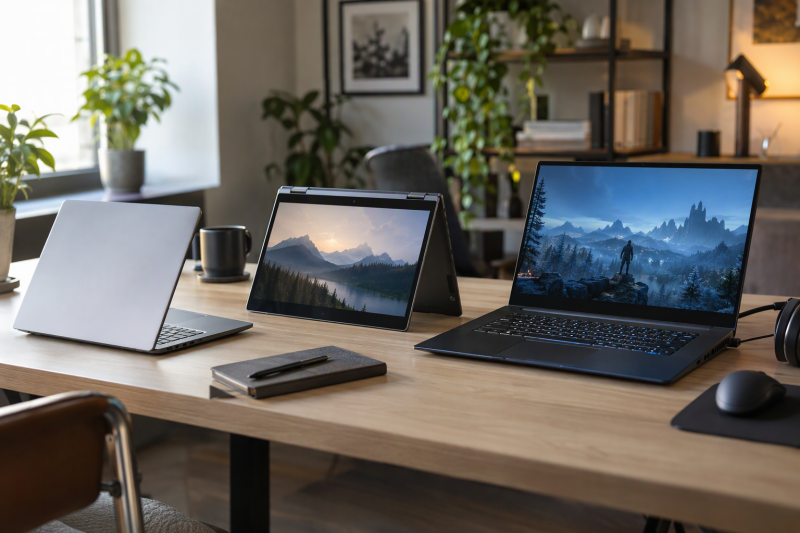
Choose a laptop by whether it fits the work, screen size, operating system and ports you will use after it arrives. The seven Amazon listings below are separated by those jobs, from a compact Mac to a 16-inch gaming laptop.
Some memory and storage figures appear only in a listing’s title and not in its feature bullets. Such figures are marked title only, so you can match them against the checkout page before you buy.
Laptop Types Compared
| Image | Product | Details | Check Price |
|---|---|---|---|
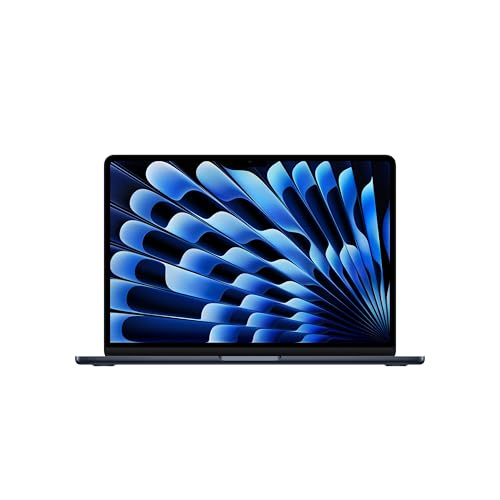 | Apple MacBook Air 13 with M5 | Best fit: Portable macOS study and work Screen: 13.6-inch Liquid Retina Processor: Apple M5 Memory and storage: 16GB and 512GB (title and size field; Apple lists both) Ports: 2x Thunderbolt 4, MagSafe, headphone | Check Price on Amazon |
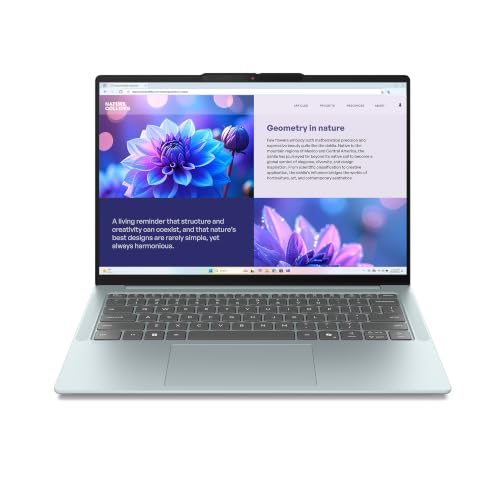 | Lenovo IdeaPad Slim 5i Ultra | Best fit: 14-inch Windows study and desk work Screen: 14-inch WUXGA touch, 16:10 Processor: Core Ultra 7 258V Memory and storage: 32GB and 512GB SSD (title only) Ports: 3x USB-C, no standard stated | Check Price on Amazon |
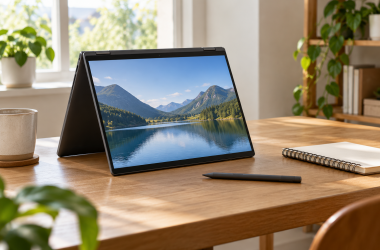
 | ASUS Vivobook 14 Flip | Best fit: Touch and tablet-style work Screen: 14-inch WUXGA OLED touch, 16:10 Processor: Core Ultra 9 386H Memory and storage: 32GB, 1TB SSD Ports: Thunderbolt 4, USB-C, USB-A, HDMI 2.1, microSD | Check Price on Amazon |
 | ASUS Vivobook Go 15 | Best fit: Large-screen everyday basics Screen: 15.6-inch FHD, 60Hz Processor: AMD Athlon Silver 10 Memory and storage: 4GB (title), 128GB SSD Ports: USB-C, 2x USB-A, HDMI 1.4 | Check Price on Amazon |
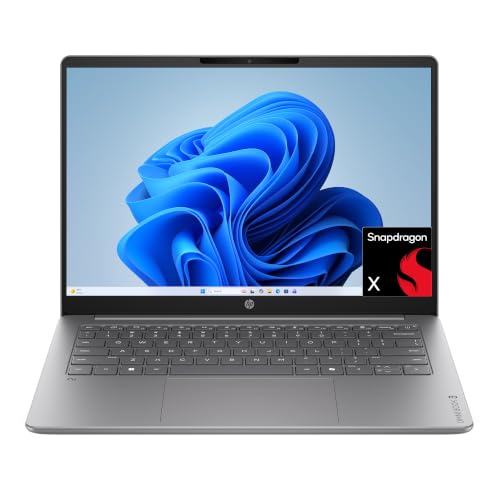 | HP OmniBook 3 14 | Best fit: Mobile Windows productivity Screen: 14-inch OLED, 1920 x 1200 Processor: Snapdragon X X1-26-100 Memory and storage: 8GB, 256GB SSD Ports: Not listed by Amazon or HP's page | Check Price on Amazon |
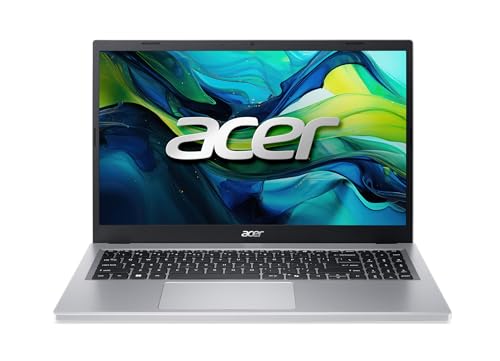 | Acer Aspire Go 15 | Best fit: 15-inch Windows work with USB-C charging Screen: 15.6-inch FHD IPS Processor: AMD Ryzen 3 30 Memory and storage: 8GB, 128GB SSD Ports: 2x USB-C (10Gbps), 2x USB-A, HDMI 2.1 | Check Price on Amazon |
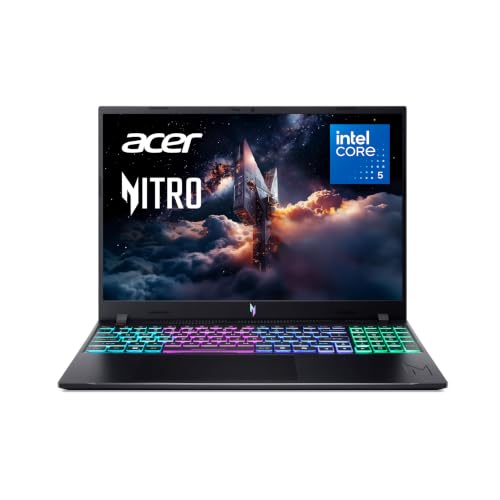 | Acer Nitro V 16 | Best fit: Gaming with wired-network and display ports Screen: 16-inch WUXGA IPS, 165Hz Processor: Intel Core 5 210H Memory and storage: 8GB and 512GB SSD (title only) Ports: Thunderbolt 4 USB-C, HDMI 2.1, Ethernet | Check Price on Amazon |
1. Apple MacBook Air 13 with M5 — Best for Portable macOS Study and Work
Apple’s 13-inch MacBook Air is the macOS option for one machine that goes between class, writing, calls and a desk. The Amazon listing states a 13.6-inch Liquid Retina display, an M5 chip, a 12MP Center Stage camera, Wi-Fi 7 and up to 18 hours of battery life, and Amazon’s weight field gives 2.71 pounds.
The listing names two Thunderbolt 4 ports, a MagSafe charging port and a headphone jack, and says the laptop supports up to two external displays. Apple’s MacBook Air specifications page describes the same two Thunderbolt 4 ports and lists 16GB of unified memory and a 512GB SSD among its configurations. The Amazon title and size field give those same 16GB and 512GB figures, while the bullets do not.
Port check: the listing names two Thunderbolt 4 ports and MagSafe, and says it supports up to two external displays.Our Take Pick the MacBook Air when macOS, a 13.6-inch screen and two Thunderbolt 4 ports decide the purchase. Skip it for a course that requires Windows-only software.
- For class and calls, the MacBook Air listing states a 13.6-inch Liquid Retina display and a 12MP Center Stage camera.
- Apple’s MacBook Air listing names two Thunderbolt 4 ports, MagSafe and a headphone jack, and says the laptop supports up to two external displays.
- Battery life is listed at up to 18 hours on the MacBook Air’s Amazon page.
- The MacBook Air’s Amazon bullets name no HDMI port, USB-A port or card reader.
- The MacBook Air runs macOS, so software required for school or work has to be available for macOS.
2. Lenovo IdeaPad Slim 5i Ultra — Best for 14-Inch Windows Study and Desk Work
The IdeaPad Slim 5i Ultra’s Amazon bullets state three full-sized USB-C ports for displays, drives and charging, and they give no Thunderbolt label or speed for any of them. Check the maker’s model sheet for the port standards before choosing a dock.
The title lists a 14-inch WUXGA touch display, an Intel Core Ultra 7 258V and Intel Arc 140V graphics. The bullets describe a taller 16:10 screen, an FHD IR camera for password-free sign-in, an aluminum chassis and a 65Wh battery, and Amazon’s weight field gives 2.51 pounds. The 32GB memory and 512GB SSD appear in the title but not in the bullets, so match them on the checkout page.
What to confirm: the listing counts three USB-C ports but does not say whether any of them is Thunderbolt.Our Take Choose it for a 14-inch Windows touch laptop with three USB-C ports for school or desk work. Confirm the memory and storage on the checkout page, and the port standards with Lenovo, before building a dock setup around it.
- The IdeaPad’s Amazon bullets state three full-sized USB-C ports for displays, drives and charging.
- The IdeaPad’s bullets describe a taller 16:10 screen, and its title lists a WUXGA touch display.
- The IdeaPad’s bullets describe an aluminum chassis and a 65Wh battery.
- The IdeaPad’s Amazon bullets give no Thunderbolt label or speed for any of the three USB-C ports.
- The 32GB memory and 512GB SSD appear in the IdeaPad’s title but not in its bullets.
3. ASUS Vivobook 14 Flip — Best for Touch and Tablet-Style Work
The Vivobook 14 Flip is the convertible. The Amazon listing says its 360-degree hinge gives laptop, tablet, stand and tent modes, and it pairs the hinge with a 14-inch 16:10 WUXGA OLED touchscreen that has an 85% screen-to-body ratio. The bullets state a Core Ultra 9 386H processor, 32GB of memory and a 1TB SSD, a 70Wh battery and MIL-STD 810H durability.
Ports are named in detail: one Thunderbolt 4 port, one USB 3.2 Gen 2 Type-C port, one USB 3.2 Gen 1 Type-A port, HDMI 2.1 TMDS, a 3.5mm combo audio jack and a microSD reader. ASUS’s TP3407 specifications page lists the Thunderbolt 4 port at up to 40Gbps and the USB 3.2 Gen 2 Type-C port at up to 20Gbps. ASUS’s page also lists 3.46 pounds, the same figure as Amazon’s weight field.
Our Take Choose the Flip for handwriting, presentations and shared viewing where the hinge changes how you hold the laptop. Pick a non-convertible if a larger screen is more important to you than tablet modes.
- The ASUS Flip listing states a 360-degree hinge with laptop, tablet, stand and tent modes for handwriting and presentations.
- The Flip’s own bullets state 32GB of memory and a 1TB SSD.
- The Flip’s listing names Thunderbolt 4, HDMI 2.1 TMDS, a microSD reader, USB-C and USB-A ports.
- The Flip’s 14-inch screen offers less workspace than the 15.6-inch and 16-inch laptops here.
- The Flip’s Amazon bullets name no Ethernet port.
4. ASUS Vivobook Go 15 — Best for Large-Screen Everyday Basics
The Vivobook Go 15 is the large-screen basic. The Amazon bullets state a 15.6-inch 1920 x 1080 display at 60Hz, an AMD Athlon Silver 10 processor, LPDDR5 memory and 128GB of storage, and the title and size field give the 4GB memory figure. The listing also gives 3.59 pounds, a thickness of 0.7 inches and a 180-degree lay-flat hinge for sharing the screen across a table.
The port list is modest: one USB 2.0 Type-A, one USB 3.2 Gen 1 Type-A, one USB 3.2 Gen 1 Type-C, HDMI 1.4, a DC-in connector and a 3.5mm audio jack. The camera is 720p with a privacy shutter, and the bullets say fast charging reaches 60% in as little as 49 minutes.
Basic by design: the listing describes everyday performance on 4GB of memory, 128GB of storage and a 60Hz screen.Our Take Take it when screen size, browser work and documents are the whole job. For demanding creation or games, compare the Nitro V 16.
- The ASUS Go listing states a 15.6-inch 1920 x 1080 display at 60Hz and a 180-degree lay-flat hinge for sharing the screen across a table.
- The ASUS Go listing gives a 3.59-pound weight and a 720p camera with a privacy shutter.
- USB-C, two USB-A ports and HDMI 1.4 are all named in the ASUS Go listing.
- The ASUS Go’s listed 4GB of memory is the smallest of the seven laptops, and its 128GB of storage is tied with the Aspire Go 15 for smallest.
- The ASUS Go’s Amazon bullets do not say whether its USB-C port carries video or power.
5. HP OmniBook 3 14 — Best for Mobile Windows Productivity
The OmniBook 3 14 listing on Amazon states a 1920 x 1200 OLED display with up to 300 nits, a Snapdragon X X1-26-100 processor, Qualcomm Adreno graphics, Wi-Fi 6E and an FHD camera with HDR auto-switch. HP’s product page for the 14-hz0188nr describes a 14-inch 16:10 display and gives the same 8GB of memory and 256GB of storage as the Amazon title.
The bullets state 8GB of LPDDR5x memory, a 256GB PCIe Gen4 NVMe M.2 SSD, up to 41 hours and 45 minutes of battery life and HP Fast Charge from 0 to 50% in about 45 minutes. Neither the Amazon bullets nor the text of HP’s page lists the sockets, so the port layout is unconfirmed. HP’s full specifications tab is the place to check it, and Amazon’s weight field gives 3.13 pounds.
Our Take Compare the OmniBook when a 14-inch OLED Windows laptop for mobile work suits you. Keep it off a dock-dependent shortlist until HP’s specifications confirm its connectors.
- The OmniBook’s Amazon listing states a 1920 x 1200 OLED display with up to 300 nits.
- The OmniBook listing states 8GB of LPDDR5x memory and a 256GB PCIe Gen4 SSD, and HP’s page gives the same 8GB and 256GB.
- Wi-Fi 6E and an FHD camera with HDR auto-switch are both stated in the OmniBook listing.
- The OmniBook’s Amazon listing and the text of HP’s product page name no ports.
- Amazon’s weight field gives the OmniBook 3.13 pounds, more than the 2.71 pounds its field gives the MacBook Air and the 2.51 pounds its field gives the IdeaPad Slim 5i Ultra.
6. Acer Aspire Go 15 — Best for 15-Inch Windows Work With USB-C Charging
The Aspire Go 15 listing describes its USB-C ports in detail. The Amazon bullets give two USB-C ports, each USB 3.2 Gen 2 at up to 10Gbps with DisplayPort and charging up to 45W, plus a USB 3.2 Gen 1 port, a USB 2.0 port, HDMI 2.1 with HDCP support, a headphone and speaker jack, a Kensington lock slot and a DC-in connector. The listing does not call any of the ports Thunderbolt.
The bullets also state a 15.6-inch 1080p IPS display, an AMD Ryzen 3 30 processor, 8GB of memory, a 128GB SSD, Wi-Fi 6 and a 720p camera with Acer TNR and PurifiedVoice noise reduction for video calls. Amazon’s weight field gives 3.81 pounds.
Our Take Choose it for a 15.6-inch Windows workspace where a monitor and a charger share two described USB-C ports. Its 128GB SSD leaves less room than the 512GB laptops for local media or games.
- The Aspire’s Amazon bullets give two USB-C ports at up to 10Gbps with DisplayPort and charging up to 45W.
- The Aspire listing also names HDMI 2.1 with HDCP support, USB 3.2 Gen 1 and USB 2.0 ports.
- A 15.6-inch 1080p IPS display, 8GB of memory and a 128GB SSD are stated in the Aspire listing.
- The Aspire’s Amazon listing does not call the USB-C ports Thunderbolt.
- The Aspire’s listed 128GB SSD is tied with the Vivobook Go 15 for the smallest storage of the seven laptops.
7. Acer Nitro V 16 — Best for Gaming With Ethernet and Thunderbolt 4
The Nitro V 16 is the gaming laptop. The Amazon listing pairs a 16-inch 1920 x 1200 IPS display at 165Hz with an NVIDIA GeForce RTX 5050 Laptop GPU and an Intel Core 5 210H processor, and the bullets describe dual-fan, dual-intake and dual-exhaust cooling.
The listed ports are one USB-C port described as USB 3.2 Gen 2 at up to 10Gbps with DisplayPort, Thunderbolt 4 and charging up to 100W, one more USB 3.2 Gen 2 port, two USB 3.2 Gen 1 ports, HDMI 2.1, Ethernet, a headphone jack and a DC-in connector. The bullets also name Killer Ethernet E2600 and Killer Wi-Fi 6. The 8GB DDR5 memory and 512GB Gen4 SSD appear in the title but not in the bullets, and Amazon’s weight field gives 4.63 pounds.
Our Take Pick the Nitro V 16 when games, wired networking and a desk full of peripherals decide the purchase. It is the largest and heaviest of the seven, so it suits a fixed desk better than a light travel bag.
- The Nitro’s Amazon listing states a 16-inch 1920 x 1200 IPS display at 165Hz.
- The Nitro listing names Thunderbolt 4, HDMI 2.1 and Ethernet.
- Dual-fan, dual-intake and dual-exhaust cooling is described in the Nitro listing.
- The Nitro’s title, not its bullets, gives the 8GB DDR5 memory and 512GB Gen4 SSD.
- Amazon’s weight field gives the Nitro 4.63 pounds, the heaviest of the seven laptops.
Buying Guide
1. Start with the job, then choose the operating system
For school and ordinary work, the required software is the first filter. The MacBook Air is the macOS option. The ASUS, HP and Acer listings name Windows 11 Home, and the Lenovo listing calls its laptop a Copilot+ PC. A Windows-only exam browser, for example, can rule out an otherwise good laptop before screen size or port counts come into it.
Once the platform is set, match the screen and shape to the daily routine. The listings’ 13.6-inch Mac, 14-inch touch laptop and 15.6-inch laptop suit different days. A smaller machine takes less bag space, and a larger screen leaves more room for documents without a monitor. Amazon’s weight fields run from 2.51 pounds for the IdeaPad to 4.63 pounds for the Nitro V 16.
2. Read memory and storage figures where they appear
The Vivobook 14 Flip, OmniBook 3 14 and Aspire Go 15 bullets state their memory and storage, and the Vivobook Go 15 bullets state LPDDR5 memory and 128GB of storage. The IdeaPad and Nitro V 16 give both figures only in the title, the Vivobook Go 15 gives its 4GB only in the title and size field, and the MacBook Air gives 16GB and 512GB in the title and size field, a pairing Apple’s specifications page also lists.
A title-only figure is not wrong. It is less firmly stated than a bullet, so the checkout page deserves a look before you buy. Match the model code, memory and storage together when a workload depends on them, especially for games, local media and large projects.
3. Count ports by their stated standard
USB-C sockets do not all provide the same functions. The MacBook Air, Vivobook 14 Flip and Nitro V 16 listings each name Thunderbolt 4. The Aspire Go 15 lists USB 3.2 Gen 2 at up to 10Gbps with DisplayPort and charging, and the IdeaPad lists three USB-C ports with no standard. Each of these port descriptions is separate, and none of them lets you assume another laptop behaves the same way with a display, charger or drive.
For a desk with monitors and drives, make a short accessory list first. How to identify a Thunderbolt port and the USB4 hubs and docks guide explain the category terms, but the laptop, dock, cable and monitor manuals decide the complete setup.
4. Treat display speed as a use-case feature
The Nitro V 16 is the only one of the seven that states a refresh rate above 60Hz, with a 165Hz 16-inch WUXGA panel. The Vivobook Go 15 states 60Hz. The Amazon bullets for the MacBook Air, IdeaPad, Flip, OmniBook and Aspire Go 15 give no refresh rate.
A higher number is not better for every job. Choose refresh rate for the motion you watch and screen size for the space you need. A 15.6-inch work laptop can be more comfortable for writing than a gaming chassis if its ports and storage fit the rest of the routine.
FAQ
Which laptop type is best for school work?
Start with the software your school requires. The MacBook Air fits when macOS is accepted and the 13.6-inch display and two Thunderbolt 4 ports in its Amazon listing suit the routine. The Lenovo IdeaPad Slim 5i Ultra is listed as a 14-inch Windows touch laptop, and its 32GB and 512GB figures come from the title and need a check at checkout.
For longer on-screen work without a desk monitor, the 15.6-inch Vivobook Go 15 and Aspire Go 15 offer larger displays that their Amazon listings state at 1080p. Screen size, software support and local storage needs decide between them. The Aspire Go 15 lists two USB-C ports with DisplayPort, while the Vivobook Go 15 lists one USB-C port with no stated video or power function.
Is a convertible laptop better for presentations or notes?
The ASUS Vivobook 14 Flip is the one built for that question. Its listing names a 360-degree hinge, laptop, tablet, stand and tent modes and a 14-inch OLED touchscreen, and it describes the modes for working, presenting, creating and relaxing.
A hinge is not better for every workday. Choose the convertible when touch and changing positions are daily tasks, not because it has more modes. A fixed 15.6-inch screen can suit steady keyboard-and-document work better.
Do I need Thunderbolt for an external monitor?
Not necessarily. The Aspire Go 15 listing says both of its USB-C ports provide DisplayPort, and it also names HDMI 2.1. The Vivobook Go 15 names HDMI 1.4. Each gives a starting point for checking a specific monitor connection without calling any USB-C port Thunderbolt.
Thunderbolt becomes the question when the laptop and the accessory both state that standard. The MacBook Air, Vivobook 14 Flip and Nitro V 16 are the three listings that name Thunderbolt 4, but the monitor’s resolution, refresh rate, cable and dock each need a compatibility check.
Which choice is best for gaming?
The Acer Nitro V 16 is the only gaming laptop among the seven. Its listing states an RTX 5050 Laptop GPU, a 16-inch 1920 x 1200 IPS 165Hz display, dual-fan cooling, Thunderbolt 4, HDMI 2.1 and Ethernet.
The 8GB DDR5 memory and 512GB SSD come from the title, so confirm the configuration at checkout. A game’s processor, graphics, memory and storage requirements decide whether the laptop fits.
Bottom Line
Choose the MacBook Air 13 with M5 when macOS, a compact screen and the two Thunderbolt 4 ports its Amazon listing names are the deciding needs. Choose the ASUS Vivobook 14 Flip for a convertible, the Acer Aspire Go 15 for the two USB-C ports at 10Gbps plus HDMI 2.1 that its Amazon bullets list, and the Acer Nitro V 16 for the gaming screen and port mix.